Module 4: Google Ads / SEM
Welcome to Module 4 of our Digital Marketing Course, where we dive deep into the Google Ads ecosystem, focusing specifically on Search Engine Marketing (SEM).
In this module, you’ll learn How to Run Your First Google Search Campaign—from start to launch to optimization. This guide, curated by Kamlesh Singad and the expert team at CWK Agency, is tailored for beginners, students, and aspiring digital marketers looking to practically master paid ads.
Why Google Search Campaign?
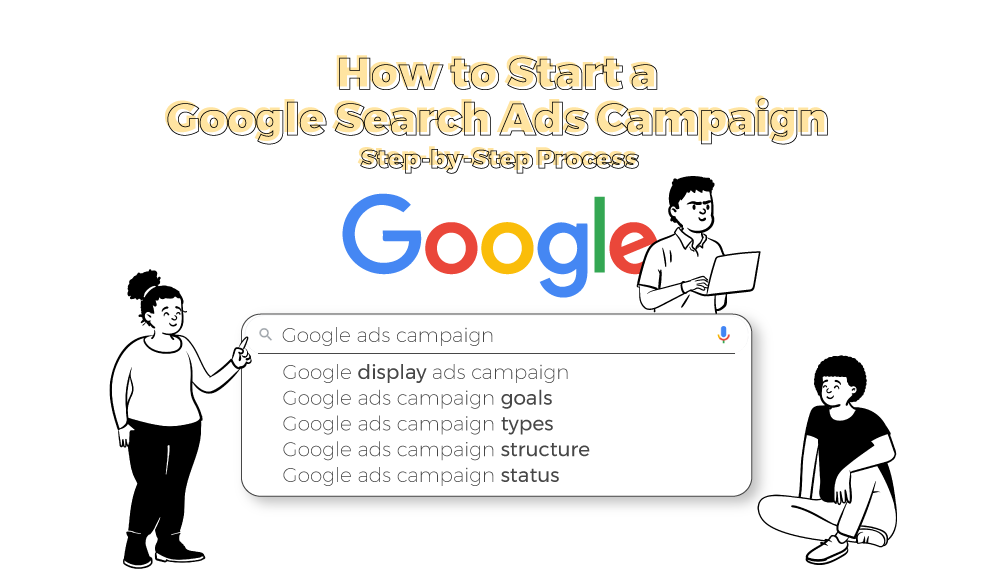
A Google Search Campaign puts your business on top of search results when someone actively searches for your product or service.
For example:
Search: “Best Podcast Setup in India”
Result: Your ad on top, even above organic results.
Benefits:
- Target users with high intent
- Fast results compared to SEO
- Full control over ad copy, location, budget, and targeting
- Works for any budget
Also Read: What Is Agile Methodology? A 6-Minute Beginner’s Guide
Understanding Google Ads Structure
Before diving in, let’s understand how Google Ads is structured:
- Account: Linked with your Gmail.
- Campaign: Set objective, budget, location, and networks.
- Ad Group: Organize keywords and ads.
- Ads: Actual content users see.
This hierarchical structure helps in creating clean, measurable, and scalable ad setups.
Tools You’ll Need Before You Start
| Tool | Use |
|---|---|
| Gmail ID | To create a Google Ads account |
| Website URL | Where you want traffic |
| Google Keyword Planner | For keyword research |
| Google Analytics | For tracking conversions |
| Google Tag Manager | For event-based tracking |
CWK Tip: Install Google Tag Assistant to debug any issues.
Step-by-Step Guide: How to Run Your First Google Search Campaign
Step 1: Create Your Google Ads Account
Visit: https://ads.google.com
Use your Gmail to sign up and switch to Expert Mode to unlock full campaign features.
Step 2: Select Campaign Goal
Choose your objective:
- Website Traffic (Best for first campaign)
- Leads
- Sales
Choose Search Campaign as your campaign type.
Also Read: Introduction to Software Development Life Cycle (SDLC): What Is Software Development?
Step 3: Campaign Settings
- Campaign Name: e.g., “Digital Board Sales – India”
- Networks: Uncheck Display Network (only Search)
- Location: Select country/state/city or pin codes
- Languages: Usually English and Hindi for India
- Budget: Start with ₹300–₹500/day
- Bidding: Choose Clicks and manually set CPC (₹5–₹20 depending on niche)
Step 4: Add Keywords
Use Keyword Planner to find high-intent keywords.
| Match Type | Keyword | Match Behavior |
|---|---|---|
| Broad Match | digital boards | Shows on related searches |
| Phrase Match | “buy digital board” | Shows when phrase matches |
| Exact Match | [digital board in Pune] | Shows only on exact search |
Don’t forget to add negative keywords like “free”, “cheap”, etc.
Step 5: Create Ad Groups
Each ad group targets one product/service.
Example:
- Ad Group 1: Digital Boards
- Ad Group 2: Podcast Equipment
- Ad Group 3: Studio Setup
Step 6: Write High-Converting Ad Copy
Headline Examples:
- Buy Digital Boards Online
- Smart Boards for Teachers
- EMI Available – Order Now
Description Examples:
- Top-quality interactive digital boards. Free shipping & 3-year warranty. Shop now!
- Best for teachers, trainers & YouTubers. Get it delivered across India.
Also Read: Metaverse Explained in 5 Minutes: What It Is and How It Works
Use:
- Primary Keywords
- Power Words like “Free,” “Top-Rated,” “Instant”
- CTA like “Call Now,” “Buy Today,” “Explore”
Step 7: Add Extensions
Extensions increase CTR by up to 20%.
| Extension | Use |
|---|---|
| Sitelink | Link to other pages like Pricing, Demo |
| Callout | Add offers like “Free Delivery” |
| Structured Snippets | Showcase features |
| Call Extension | Add your phone number |
Step 8: Review & Publish
- Double-check: Keywords, Budget, Ads
- Click Publish
- Google will review the ad (usually within 24 hours)
Tracking Your Campaign Performance
Once your campaign is live, monitor it using:
| Metric | Purpose |
|---|---|
| CTR (Click Through Rate) | Clicks ÷ Impressions |
| CPC (Cost Per Click) | What you pay for each click |
| Quality Score | Relevance of keyword + ad + landing page |
| Conversion Rate | Clicks that turned into actions |
| Impression Share | Market competitiveness |
CWK Agency uses Google Ads + Google Analytics combo for best insights.
How to Optimize Your Campaign Over Time
- Pause low-performing keywords
- Increase bids on converting keywords
- Test new ad copies weekly
- A/B test landing pages
- Add more negative keywords
- Use Ad Schedule (run ads only when leads convert best)
Optimization is an ongoing process. Kamlesh Singad says:
“The first campaign is just the beginning. Analyze, optimize, repeat.”
Also Read: What is Azure? A 5-Minute Beginner’s Guide to Microsoft Azure
Practical Assignment for Students
Goal: Create a Search Campaign for a mock product (e.g., “Online Course for Python”)
Submit:
- Screenshot of Campaign Settings
- Keyword List
- Sample Ad Copy
- Budget Distribution
- Performance after 3 days (CTR, CPC)
CWK Agency mentors will review and guide every student for practical mastery.
Real-World Case Study
Client: Smart Class Setup Provider in Delhi
Budget: ₹15,000/month
Goal: Leads for Digital Boards
Result:
- CPC: ₹8.5
- CTR: 6.4%
- Leads: 52 in 28 days
Strategy Used: Exact match keywords, high-quality ad copy, call extensions
Achieved 3X ROI in the first month of running a Google Search Campaign with CWK Agency.
FAQs
Q1. Can I run ads without a website?
No, for Search Campaigns, you need a website or landing page.
Q2. How much money do I need?
You can start with as little as ₹300/day (~$4 USD/day).
Q3. Is this better than Facebook Ads?
Search ads target high-intent users, while Facebook targets interest-based users. Both are useful.
Q4. How long before I see results?
Sometimes within a day. But meaningful data comes in after 3–7 days.
Conclusion
Starting with Google Ads might seem overwhelming, but with this structured guide from Kamlesh Singad and CWK Agency, you now know exactly How to Run Your First Google Search Campaign.
Action Plan for Students:
- Create a Google Ads account
- Pick a product/service
- Set up your first Search Campaign
- Track performance for 7 days
- Optimize based on CTR and conversions
Don’t just learn—implement. That’s the CWK philosophy.