Tag: Google Ads tips

  • Google Ads Optimization – Lower Cost, Higher ROI | Part-25

    Google Ads Optimization – Lower Cost, Higher ROI | Part-25

    Module 4: Google Ads / SEM (Search Engine Marketing)

    Running ads is easy, but running them profitably is an art and a science. Many advertisers waste money on ineffective campaigns due to poor structuring, vague targeting, or unoptimized bidding strategies. That’s where Google Ads Optimization comes in. It’s the process of refining your campaigns to achieve lower costs and higher ROI.

    In this lesson of our Digital Marketing Course by Kamlesh Singad from CWK Agency, you’ll learn how to practically optimize your Google Ads campaigns with real-world examples and data-driven strategies.

    What is Google Ads Optimization?

    Google Ads Optimization involves continuous monitoring and tweaking of your campaign settings, targeting, bidding, keywords, and ad copies to improve performance. The goal is to achieve maximum results with minimum spend.

    Core Objectives:

    • Reduce Cost Per Click (CPC)
    • Improve Click Through Rate (CTR)
    • Lower Cost Per Conversion (CPA)
    • Increase Conversion Rate (CR)
    • Enhance Return on Ad Spend (ROAS)

    Also Read: Cyber War Explained in 5 Minutes: What Is Cyber War? A Beginner’s Guide to Cyber Security
    Google Ads Optimization

    How Google Ads Works: A Quick Refresher

    Before optimizing, understand how the ad auction works:

    • Ad Rank = Quality Score x Bid Amount
    • Quality Score includes CTR, ad relevance, and landing page experience
    • Google favors relevant and high-performing ads, often reducing CPC for optimized ads

    So, optimizing your campaigns improves Quality Score, leading to lower costs and higher ROI.

    25 Key Areas for Google Ads Optimization

    1. Account Structure

    • Organize campaigns by theme, product, or service
    • Use separate ad groups for tightly related keyword sets

    2. Keyword Match Types

    • Use a mix of broad match, phrase match, and exact match
    • Avoid overusing broad match which can waste budget

    3. Negative Keywords

    • Block irrelevant searches that eat into your budget
    • Regularly review search terms report and add negatives

    4. Ad Extensions

    • Use sitelinks, callouts, and structured snippets to increase ad real estate
    • Improves CTR and Quality Score

    5. Responsive Search Ads

    • Let Google test multiple headlines and descriptions
    • Boosts performance through machine learning

    Also Read: What Is Agile Methodology? A 6-Minute Beginner’s Guide
    Google Ads Optimization

    6. Geographic Targeting

    • Focus your budget on high-performing locations
    • Exclude non-converting regions

    7. Ad Scheduling

    • Run ads during peak hours only
    • Analyze time-of-day performance

    8. Device Targeting

    • Adjust bids for desktop, mobile, and tablets based on results

    9. Demographic Targeting

    • Target by age, gender, income, etc.
    • Exclude poor-performing demographics

    10. Bidding Strategy

    • Start with manual CPC for control
    • Move to automated strategies like Maximize Conversions or Target CPA as data grows

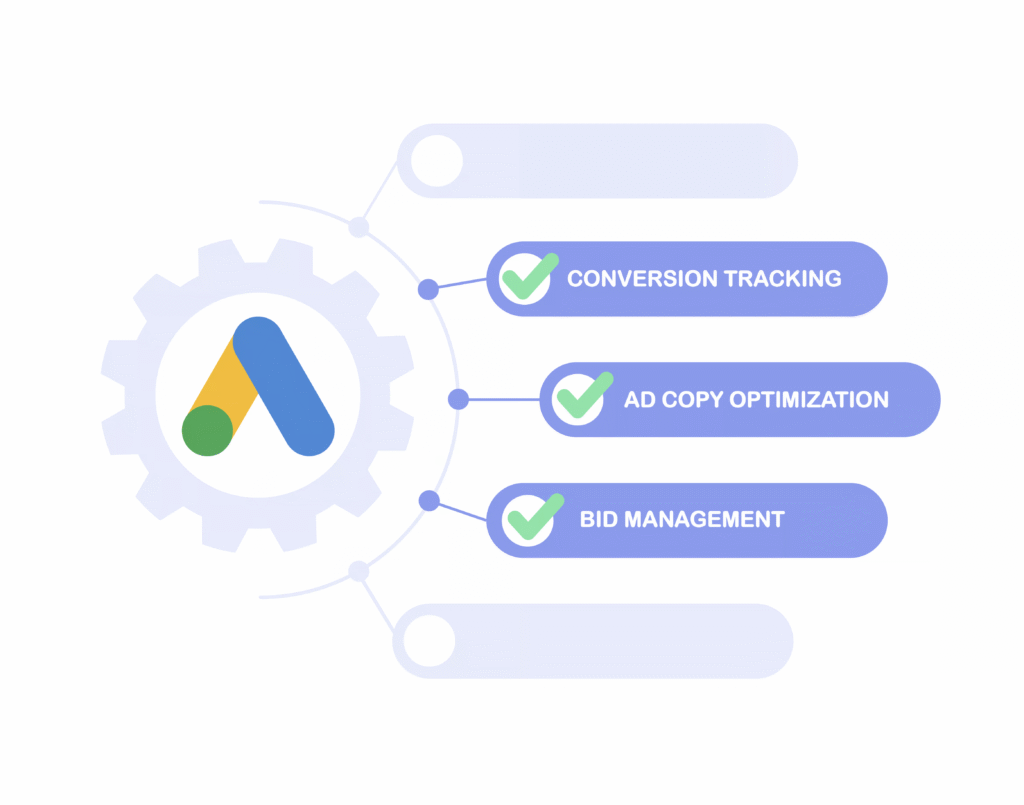
    11. Conversion Tracking

    • Ensure accurate tracking setup with Google Tag Manager
    • Track sales, form submissions, phone calls, etc.

    12. Landing Page Optimization

    • Ensure fast loading, mobile responsiveness, and relevance
    • Align messaging with ad copy

    13. Quality Score Improvement

    • Improve CTR, ad relevance, and landing page experience
    • Monitor each keyword’s Quality Score in your account

    14. Remarketing Campaigns

    • Retarget visitors who didn’t convert
    • Use personalized ads to bring them back

    15. A/B Testing Ads

    • Test different versions of headlines, CTAs, and descriptions
    • Pause underperforming ads

    Also Read: Introduction to Software Development Life Cycle (SDLC): What Is Software Development?
    Google Ads Optimization

    16. Smart Campaign Setup

    • Use Google’s AI to auto-optimize based on conversion data

    17. Campaign Budget Allocation

    • Shift budget to high-performing campaigns
    • Reduce waste from underperforming ones

    18. Use Google Recommendations Wisely

    • Review “Optimization Score” suggestions
    • Apply only those aligned with your goals

    19. Use Google Analytics with Ads

    • Deeper insight into user behavior
    • Identify which keywords drive post-click engagement

    20. Dynamic Keyword Insertion (DKI)

    • Match user’s query in the ad copy
    • Increases relevance and CTR

    21. Exclude Display Network (if not required)

    • For lead generation, search network often performs better

    22. Check Impression Share

    • Increase budget or improve bids to capture missed impressions

    23. Run Brand Campaigns

    • Protect your brand name in search results

    24. Use Custom Audiences

    • Target users based on their online behavior

    25. Regular Optimization Routine

    • Weekly checks: CTR, CPC, conversions
    • Monthly audits: Bids, budget, keyword performance

    Real-Life Case Study by CWK Agency

    A real estate company approached CWK Agency with ₹50,000 ad spend and low conversions.

    Optimization Strategy:

    • Reorganized campaigns by property type
    • Excluded broad match keywords like “cheap house”
    • Added callout extensions & CTA-rich ads
    • Used Target CPA after testing manual CPC

    Results in 30 Days:

    • CPC dropped by 38%
    • Conversions increased by 65%
    • ROI improved by 2.5x

    Key Lesson: Optimization unlocks profits from the same ad spend.
    Google Ads Optimization

    Tools for Google Ads Optimization

    • Google Ads Editor – Bulk changes
    • Google Analytics 4 – Behavior analysis
    • Google Tag Manager – Conversion tracking setup
    • Semrush / Ahrefs – Keyword analysis
    • Looker Studio – Performance dashboards
    • CWK Audit Toolkit – Custom optimization checklists

    Common Mistakes in Google Ads Campaigns

    • Not using negative keywords
    • Ignoring mobile bid adjustments
    • Weak or generic ad copy
    • Not tracking conversions properly
    • Targeting too broad an audience

    Conclusion: From Spend to Smart Investment

    Google Ads Optimization is the difference between spending money and making money. With the right strategy, you can drive lower cost and higher ROI, even on small budgets.

    Whether you’re running ads for eCommerce, lead generation, or services, use this optimization guide from Kamlesh Singad at CWK Agency to improve your results on practical grounds.

    Optimization isn’t a one-time task; it’s a continuous process. But with patience and proper tools, Google Ads can become your most profitable digital marketing channel.

    FAQs

    What is Google Ads Optimization?

    Answer: Google Ads Optimization is the ongoing process of improving your Google Ads campaigns to reduce cost-per-click (CPC), increase conversions, and maximize return on investment (ROI). It involves tweaking keywords, bids, ad copy, targeting, and campaign structure.

    How does optimization help achieve lower cost and higher ROI?

    Answer: By optimizing your campaigns, you improve your Quality Score, reduce wasted ad spend, and attract more relevant traffic. This leads to lower ad costs and better conversion rates, resulting in a higher ROI from the same or lower budget.

    What are the most important elements to optimize in Google Ads?

    Answer: Key elements include:

    • Campaign structure
    • Keyword match types
    • Negative keywords
    • Bidding strategy
    • Ad creatives and extensions
    • Audience targeting
    • Device and location settings
    • Landing page experience

    How often should I optimize my Google Ads campaigns?

    Answer: Ideally, you should review performance weekly and perform in-depth optimizations monthly. Continuous monitoring and testing are essential to adapt to changes in audience behavior and competition.

    What is Quality Score and how does it impact ad performance?

    Answer: Quality Score is Google’s rating of the relevance and quality of your ads, keywords, and landing pages. Higher scores lead to lower CPC and better ad placements. It is influenced by expected CTR, ad relevance, and landing page experience.

    Can I achieve good results with a small Google Ads budget?

    Answer: Yes. With smart optimization techniques like precise targeting, negative keywords, and relevant ad copy, even a small budget can deliver high ROI. Focus on high-intent keywords and track conversions closely.

    What bidding strategy is best for maximizing ROI?

    Answer: It depends on your campaign goal and data. Beginners may start with Manual CPC for control. Once enough data is available, switching to automated strategies like Target CPA or Maximize Conversions can improve ROI.

    How can CWK Agency help in optimizing my Google Ads campaigns?

    Answer: At CWK Agency, Kamlesh Singad and team offer expert Google Ads audits, advanced campaign structuring, conversion tracking setup, and continuous optimization support to deliver high-performing ad campaigns with lower costs and higher ROI.

    Is there a tool to check if my ads are optimized?

    Answer: Yes. Use Google Ads’ built-in Optimization Score tool, and third-party tools like Google Analytics, Looker Studio, and CWK Agency’s Audit Toolkit to measure ad efficiency and identify areas of improvement.

    What’s the role of landing pages in Google Ads Optimization?

    Answer: A well-optimized landing page improves user experience, increases conversion rates, and contributes to a better Quality Score. It must be fast, mobile-friendly, relevant to the ad, and have a clear CTA.

  • How to Run Your First Google Search Campaign | Part-22

    How to Run Your First Google Search Campaign | Part-22

    Module 4: Google Ads / SEM

    Welcome to Module 4 of our Digital Marketing Course, where we dive deep into the Google Ads ecosystem, focusing specifically on Search Engine Marketing (SEM).

    In this module, you’ll learn How to Run Your First Google Search Campaign—from start to launch to optimization. This guide, curated by Kamlesh Singad and the expert team at CWK Agency, is tailored for beginners, students, and aspiring digital marketers looking to practically master paid ads.

    Why Google Search Campaign?

    A Google Search Campaign puts your business on top of search results when someone actively searches for your product or service.

    For example:
    Search: “Best Podcast Setup in India”
    Result: Your ad on top, even above organic results.

    Benefits:

    • Target users with high intent
    • Fast results compared to SEO
    • Full control over ad copy, location, budget, and targeting
    • Works for any budget

    Also Read: What Is Agile Methodology? A 6-Minute Beginner’s Guide

    How to Run Your First Google Search Campaign

    Understanding Google Ads Structure

    Before diving in, let’s understand how Google Ads is structured:

    1. Account: Linked with your Gmail.
    2. Campaign: Set objective, budget, location, and networks.
    3. Ad Group: Organize keywords and ads.
    4. Ads: Actual content users see.

    This hierarchical structure helps in creating clean, measurable, and scalable ad setups.

    Tools You’ll Need Before You Start

    ToolUse
    Gmail IDTo create a Google Ads account
    Website URLWhere you want traffic
    Google Keyword PlannerFor keyword research
    Google AnalyticsFor tracking conversions
    Google Tag ManagerFor event-based tracking

    CWK Tip: Install Google Tag Assistant to debug any issues.

    Step-by-Step Guide: How to Run Your First Google Search Campaign

    Step 1: Create Your Google Ads Account

    Visit: https://ads.google.com
    Use your Gmail to sign up and switch to Expert Mode to unlock full campaign features.

    Step 2: Select Campaign Goal

    Choose your objective:

    • Website Traffic (Best for first campaign)
    • Leads
    • Sales

    Choose Search Campaign as your campaign type.

    Also Read: Introduction to Software Development Life Cycle (SDLC): What Is Software Development?

    How to Run Your First Google Search Campaign

    Step 3: Campaign Settings

    • Campaign Name: e.g., “Digital Board Sales – India”
    • Networks: Uncheck Display Network (only Search)
    • Location: Select country/state/city or pin codes
    • Languages: Usually English and Hindi for India
    • Budget: Start with ₹300–₹500/day
    • Bidding: Choose Clicks and manually set CPC (₹5–₹20 depending on niche)

    Step 4: Add Keywords

    Use Keyword Planner to find high-intent keywords.

    Match TypeKeywordMatch Behavior
    Broad Matchdigital boardsShows on related searches
    Phrase Match“buy digital board”Shows when phrase matches
    Exact Match[digital board in Pune]Shows only on exact search

    Don’t forget to add negative keywords like “free”, “cheap”, etc.

    Step 5: Create Ad Groups

    Each ad group targets one product/service.

    Example:

    • Ad Group 1: Digital Boards
    • Ad Group 2: Podcast Equipment
    • Ad Group 3: Studio Setup

    Step 6: Write High-Converting Ad Copy

    Headline Examples:

    • Buy Digital Boards Online
    • Smart Boards for Teachers
    • EMI Available – Order Now

    Description Examples:

    • Top-quality interactive digital boards. Free shipping & 3-year warranty. Shop now!
    • Best for teachers, trainers & YouTubers. Get it delivered across India.

    Also Read: Metaverse Explained in 5 Minutes: What It Is and How It Works

    How to Run Your First Google Search Campaign

    Use:

    • Primary Keywords
    • Power Words like “Free,” “Top-Rated,” “Instant”
    • CTA like “Call Now,” “Buy Today,” “Explore”

    Step 7: Add Extensions

    Extensions increase CTR by up to 20%.

    ExtensionUse
    SitelinkLink to other pages like Pricing, Demo
    CalloutAdd offers like “Free Delivery”
    Structured SnippetsShowcase features
    Call ExtensionAdd your phone number

    Step 8: Review & Publish

    • Double-check: Keywords, Budget, Ads
    • Click Publish
    • Google will review the ad (usually within 24 hours)

    Tracking Your Campaign Performance

    Once your campaign is live, monitor it using:

    MetricPurpose
    CTR (Click Through Rate)Clicks ÷ Impressions
    CPC (Cost Per Click)What you pay for each click
    Quality ScoreRelevance of keyword + ad + landing page
    Conversion RateClicks that turned into actions
    Impression ShareMarket competitiveness

    CWK Agency uses Google Ads + Google Analytics combo for best insights.

    How to Optimize Your Campaign Over Time

    1. Pause low-performing keywords
    2. Increase bids on converting keywords
    3. Test new ad copies weekly
    4. A/B test landing pages
    5. Add more negative keywords
    6. Use Ad Schedule (run ads only when leads convert best)

    Optimization is an ongoing process. Kamlesh Singad says:
    “The first campaign is just the beginning. Analyze, optimize, repeat.”

    Also Read: What is Azure? A 5-Minute Beginner’s Guide to Microsoft Azure

    How to Run Your First Google Search Campaign

    Practical Assignment for Students

    Goal: Create a Search Campaign for a mock product (e.g., “Online Course for Python”)

    Submit:

    • Screenshot of Campaign Settings
    • Keyword List
    • Sample Ad Copy
    • Budget Distribution
    • Performance after 3 days (CTR, CPC)

    CWK Agency mentors will review and guide every student for practical mastery.

    Real-World Case Study

    Client: Smart Class Setup Provider in Delhi
    Budget: ₹15,000/month
    Goal: Leads for Digital Boards

    Result:

    • CPC: ₹8.5
    • CTR: 6.4%
    • Leads: 52 in 28 days
      Strategy Used: Exact match keywords, high-quality ad copy, call extensions

    Achieved 3X ROI in the first month of running a Google Search Campaign with CWK Agency.

    FAQs

    Q1. Can I run ads without a website?

    No, for Search Campaigns, you need a website or landing page.

    Q2. How much money do I need?

    You can start with as little as ₹300/day (~$4 USD/day).

    Q3. Is this better than Facebook Ads?

    Search ads target high-intent users, while Facebook targets interest-based users. Both are useful.

    Q4. How long before I see results?

    Sometimes within a day. But meaningful data comes in after 3–7 days.

    Conclusion

    Starting with Google Ads might seem overwhelming, but with this structured guide from Kamlesh Singad and CWK Agency, you now know exactly How to Run Your First Google Search Campaign.

    Action Plan for Students:

    • Create a Google Ads account
    • Pick a product/service
    • Set up your first Search Campaign
    • Track performance for 7 days
    • Optimize based on CTR and conversions

    Don’t just learn—implement. That’s the CWK philosophy.

  • Important Google Ad Settings You Must Optimize for Maximum ROI

    Important Google Ad Settings You Must Optimize for Maximum ROI

    Google Ads is one of the most powerful advertising platforms, allowing businesses to drive targeted traffic, generate leads, and increase sales. However, many advertisers overlook critical settings, which can result in wasted budget and missed opportunities.

    To maximize your return on investment (ROI) and ensure your ads perform at their best, it’s crucial to optimize the right Google Ad settings.

    In this guide, we’ll break down the Important Google Ad Settings You Must Optimize to achieve higher conversions, better targeting, and lower ad costs.

    1. Choose the Right Campaign Type

    Why It Matters: Selecting the correct campaign type ensures your ads align with your business goals.

    How to Optimize:

    ✔ Search Campaigns – Ideal for lead generation and capturing high-intent users.
    ✔ Display Campaigns – Best for brand awareness and remarketing.
    ✔ Shopping Campaigns – Essential for e-commerce businesses.
    ✔ Video Campaigns – Great for storytelling and engagement.

    Pro Tip: If your goal is conversions, focus on Search and Shopping campaigns for better ROI.

    Important Google Ad Settings You Must Optimize for Maximum ROI

    2. Optimize Your Bidding Strategy

    Why It Matters: The right bidding strategy helps control costs and maximize conversions.

    How to Optimize:

    ✔ Maximize Conversions – Best for automated bid adjustments based on performance.
    ✔ Target ROAS (Return on Ad Spend) – Ensures you meet revenue goals.
    ✔ Manual CPC (Cost-Per-Click) – Gives control over how much you pay per click.

    Pro Tip: If you’re new, start with Maximize Clicks, then shift to Target ROAS as you gather data.

    Also Read: What is an Email Domain? Benefits, Examples, and How to Choose

    3. Use the Right Keyword Match Types

    Why It Matters: Match types determine when your ads appear for searches.

    How to Optimize:

    ✔ Broad Match – Increases reach but may show ads for irrelevant searches.
    ✔ Phrase Match – Targets specific phrases while allowing variations.
    ✔ Exact Match – Most precise targeting, ensuring relevance.

    Pro Tip: Avoid using Broad Match alone—combine it with Negative Keywords to prevent wasted spend.

    4. Add Negative Keywords to Filter Irrelevant Traffic

    Why It Matters: Negative keywords prevent ads from showing for irrelevant searches, saving your budget.

    How to Optimize:

    ✔ Identify irrelevant search terms from your Google Ads Search Terms report.
    ✔ Add keywords that don’t match your intent (e.g., “free,” “cheap” if you sell premium products).
    ✔ Regularly update your negative keyword list to refine targeting.

    Pro Tip: Use negative keywords at both the campaign and ad group levels for precision.

    Also Read: Digital Marketing Company in Vijay Nagar, Indore

    Important Google Ad Settings You Must Optimize for Maximum ROI

    5. Optimize Ad Extensions for Higher CTR

    Why It Matters: Ad extensions improve click-through rates (CTR) and ad visibility.

    How to Optimize:

    ✔ Sitelink Extensions – Add extra links to direct users to specific pages.
    ✔ Callout Extensions – Highlight unique selling points (e.g., “24/7 Support”).
    ✔ Structured Snippets – Showcase specific product/service features.
    ✔ Call Extensions – Add phone numbers to encourage direct calls.

    Pro Tip: Use at least 4 extensions per ad to maximize visibility.

    6. Improve Ad Copy with A/B Testing

    Why It Matters: Engaging ad copy increases CTR and conversions.

    How to Optimize:

    ✔ Write compelling headlines & descriptions with clear CTAs.
    ✔ Use power words like “Exclusive,” “Limited Time,” or “Best.”
    ✔ Run A/B tests with different variations to find the highest-performing ad.

    Pro Tip: Focus on benefits over features—tell users how your product/service solves their problem.

    Also Read: Digital Marketing Company in Indore: Your Gateway to Online Success

    7. Optimize Landing Pages for Conversions

    Why It Matters: Even the best ads won’t work if they send users to low-converting pages.

    How to Optimize:

    ✔ Ensure fast-loading pages (under 3 seconds).
    ✔ Keep content relevant to the ad (message match).
    ✔ Use strong CTAs like “Get Started Now” or “Claim Your Discount.”

    Pro Tip: Use Google Optimize to A/B test different landing page elements.

    8. Refine Your Audience Targeting

    Why It Matters: Better targeting reduces wasted ad spend and improves conversions.

    How to Optimize:

    ✔ Use Custom Audiences to target users based on interests and search behavior.
    ✔ Leverage Remarketing Audiences to re-engage previous visitors.
    ✔ Experiment with Demographic Targeting (age, gender, household income).

    Pro Tip: Combine Custom Audiences with Lookalike Audiences for expanded reach.

    Important Google Ad Settings You Must Optimize for Maximum ROI

    9. Enable Conversion Tracking for Better Insights

    Why It Matters: Without conversion tracking, you won’t know what’s working.

    How to Optimize:

    ✔ Set up Google Ads Conversion Tracking for purchases, leads, and sign-ups.
    ✔ Integrate Google Analytics 4 (GA4) for deeper insights.
    ✔ Track phone calls, form submissions, and app downloads.

    Pro Tip: Use UTM parameters to analyze ad performance in Google Analytics.

    10. Schedule Ads at the Best Times (Ad Scheduling)

    Why It Matters: Running ads 24/7 can waste budget if users aren’t converting.

    How to Optimize:

    ✔ Check Google Ads Hour & Day Performance Reports to find the best times.
    ✔ Run ads when your audience is most active (e.g., business hours for B2B, evenings for B2C).
    ✔ Reduce bids or pause ads during low-conversion hours.

    Pro Tip: Use automated bid adjustments to increase bids during peak hours.

    Final Thoughts: Mastering Google Ads for Maximum ROI

    Optimizing your Google Ads campaign is not just about running ads—it’s about fine-tuning every setting to maximize performance.

    By implementing these Important Google Ad Settings You Must Optimize, you’ll:

    ✅ Reduce wasted ad spend
    ✅ Increase CTR and conversions
    ✅ Reach the right audience at the right time

    Start optimizing your Google Ads settings today and watch your results skyrocket! 🚀