Tag: CWK Digital Marketing

  • Local Businesses Rank Faster on Google | SEO Tips by CWK Agency

    Local Businesses Rank Faster on Google | SEO Tips by CWK Agency

    In today’s digital world, every business wants to appear at the top of Google search results. Interestingly, local businesses often rank faster on Google compared to large companies. But why is this the case? And how can small and medium-sized businesses take advantage of this to grow online?

    At Code With Kamlesh (CWK) agency Indore, we specialize in helping businesses improve their digital presence. As a Digital Marketer in Indore, we have seen many local businesses quickly climb search rankings using effective strategies. In this blog, we’ll explore why local businesses have an edge on Google and how you can leverage it for your business growth.

    What Makes Local Businesses Special in Google Search?

    Google’s algorithms are designed to provide users with the most relevant and useful information. When someone searches for a service or product in a specific location, Google prioritizes businesses that are close by and have a strong local presence.

    Here’s why local businesses have an advantage:

    1. Geographical Relevance:
      Local searches include location-specific queries like “Digital Marketer in Indore” or “best bakery near me.” Google identifies businesses near the user’s location and ranks them higher for convenience.
    2. Google My Business (GMB) Listings:
      Local businesses can create and optimize a Google My Business profile. This allows them to show up in Google Maps, local packs, and organic search results. GMB gives Google accurate information about your business, making it easier to rank faster.
    3. Customer Reviews:
      Reviews are crucial for local SEO. Businesses with more positive reviews on platforms like Google, Justdial, and Yelp build credibility and trust, which helps them rank faster.
    4. Local Backlinks:
      Local businesses often get backlinks from nearby partners, local blogs, or directories. These links signal Google that the business is relevant to a specific region.
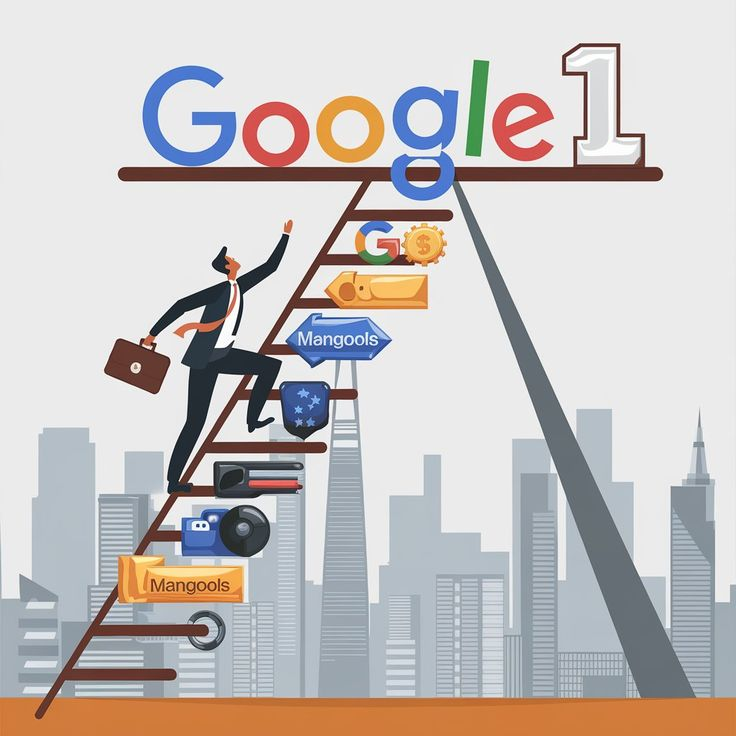
    image 40

    How Local SEO Helps Businesses Rank Faster on Google

    Local SEO is the practice of optimizing your website and online presence to attract more business from local searches. Here’s how it helps local businesses rank faster:

    1. Optimized Google My Business Profile

    A fully optimized GMB profile ensures your business information—like address, phone number, website, and opening hours—is correct. This helps Google trust your business and show it to local searchers.

    2. Location-Based Keywords

    Using location-specific keywords in your website content, meta tags, and blog posts is essential. For example, a Digital Marketer in Indore should include phrases like “best digital marketing services in Indore” on their site.

    3. Consistent NAP (Name, Address, Phone Number)

    Consistency across all online directories and your website strengthens your business’s credibility. Google uses this information to verify your location and business details.

    4. Positive Customer Reviews

    Encourage satisfied customers to leave reviews. Reviews not only improve trust but also signal to Google that your business is active and valuable to users.

    5. Mobile-Friendly Website

    Most local searches happen on mobile devices. A fast, responsive website ensures a better user experience and higher chances of ranking faster on Google.

    6. Local Backlinks

    Collaborating with local blogs, news websites, and directories provides backlinks that improve your domain authority and relevance for local searches.

    Why Local Businesses Rank Faster than Big Companies

    You might wonder, “Why can a small business outrank a large company in Google search?” Here are some reasons:

    1. Less Competition Locally:
      Large companies often compete nationally or globally, while local businesses focus on a smaller geographic area. This reduces competition and makes it easier to rank.
    2. Google Loves Relevance:
      Google prioritizes relevance over size. A nearby pizza shop with accurate information, good reviews, and active engagement will often rank higher than a national chain for a “pizza near me” search.
    3. Quick Implementation:
      Small businesses can implement SEO strategies faster, update content frequently, and respond to reviews immediately. This agility helps them climb search rankings quickly.
    4. Local Community Engagement:
      Businesses that participate in local events, sponsor activities, or get mentioned in local news build backlinks and authority, helping them rank faster.
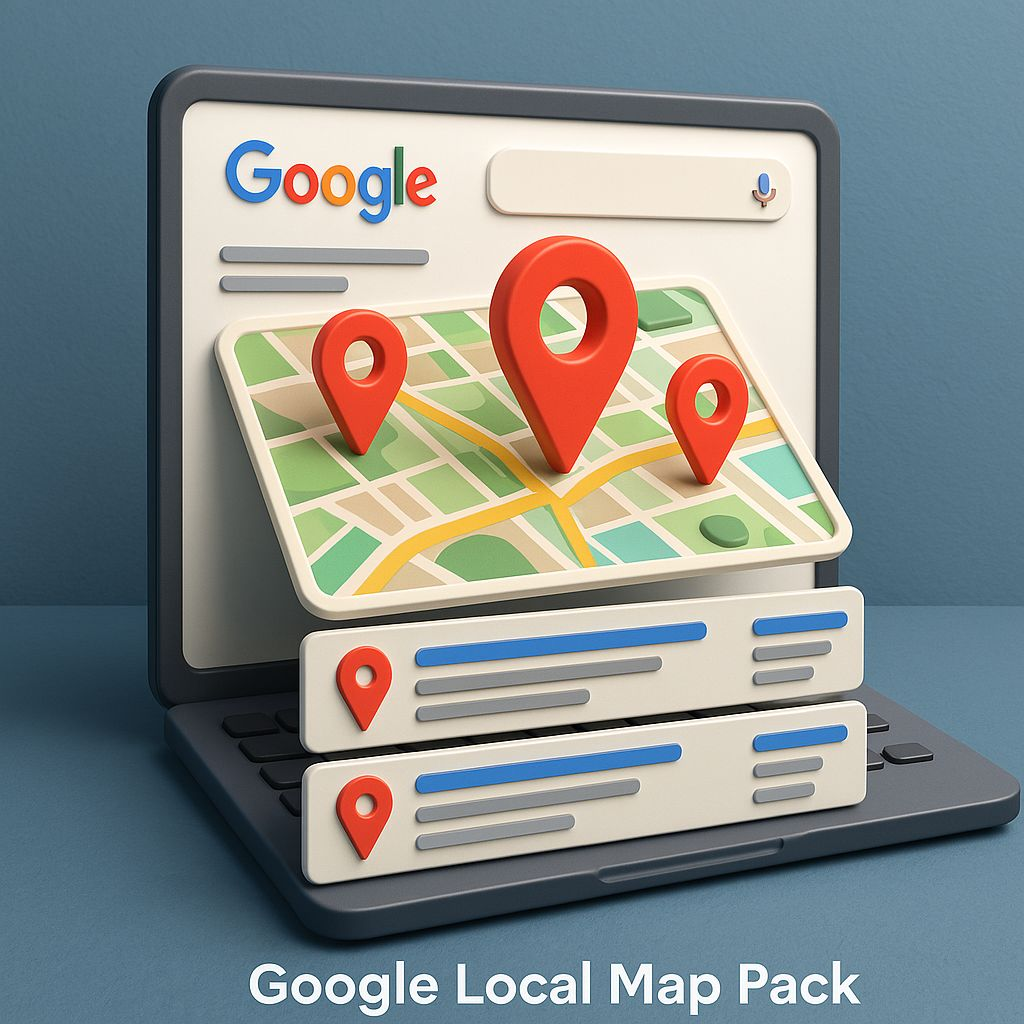
    image 41

    Read also : Online Marketing Indore: 7 Powerful Strategies to Grow Your Business Faster

    How Code With Kamlesh (CWK) Agency Indore Helps Local Businesses

    At Code With Kamlesh (CWK) agency Indore, we understand the importance of local SEO. We help businesses grow by:

    • Optimizing Google My Business profiles for better visibility.
    • Creating location-based content that attracts the right audience.
    • Generating high-quality local backlinks from credible websites.
    • Managing online reviews to improve trust and rankings.
    • Offering website optimization for mobile and faster loading speed.

    As a trusted Digital Marketer in Indore, our team ensures local businesses get noticed by potential customers and rank faster on Google.

    Tips for Local Businesses to Rank Faster on Google

    Here are some actionable tips for local businesses:

    1. Claim and Optimize Your Google My Business Listing
      Ensure your business name, address, phone number, website, and categories are accurate. Add photos and posts regularly.
    2. Use Local Keywords in Your Content
      Include keywords like “Digital Marketer in Indore” naturally in your website pages, blogs, and meta tags.
    3. Encourage Customer Reviews
      Politely ask customers to leave reviews after a service. Respond to all reviews to show engagement.
    4. Build Local Backlinks
      Partner with other local businesses, blogs, and directories to get links to your website.
    5. Optimize Your Website for Mobile
      Make sure your website loads quickly and works well on smartphones. Google favors mobile-friendly sites.
    6. Engage on Social Media
      Share updates, promotions, and local events on social platforms. Google considers social activity when evaluating relevance.

    Read also : SEO Expert Indore: The Ultimate Guide to Choosing the Best SEO Consultant

    Common Mistakes Local Businesses Make in SEO

    Even with a strong potential to rank faster, many local businesses fail due to common mistakes:

    • Ignoring Google My Business optimization
    • Using generic content without location focus
    • Neglecting online reviews
    • Poor website speed and mobile responsiveness
    • Not tracking SEO performance

    Avoiding these mistakes can make the difference between ranking on the first page or staying invisible.

    The Future of Local SEO

    Local SEO is continuously evolving. Here’s what to expect:

    • Voice Search Optimization: People increasingly search using voice commands, like “best coffee shop near me.” Local businesses must optimize for conversational keywords.
    • AI and Chatbots: AI tools can help answer customer queries instantly, improving user experience and ranking potential.
    • Hyper-Local Marketing: Targeting neighborhoods or micro-locations will become more important for local businesses.

    Staying updated with these trends ensures that local businesses continue to rank faster on Google and attract more customers.
    image 42

    Read also : Kamlesh Singad – Digital Marketing Consultant in Indore | Code With Kamlesh

    Final Thoughts

    Ranking on Google is no longer just for big corporations. Local businesses have a unique advantage because of geographical relevance, focused competition, and Google’s preference for local engagement.

    If you are a local business owner looking to improve your online presence, partnering with an experienced Digital Marketer in Indore like Code With Kamlesh (CWK) agency Indore can make all the difference. With the right strategy, you can attract more local customers, increase sales, and rank faster on Google than ever before.

    Remember, success in local SEO is about consistency, relevance, and engagement. Start implementing these strategies today and watch your business grow!

    FAQs

    Q1: What is local SEO?
    Local SEO is the process of optimizing your website and online presence to attract customers from local searches.

    Q2: Why do local businesses rank faster on Google?
    Because Google prioritizes relevance, local engagement, and proximity to searchers, small businesses often climb search results faster than large companies.

    Q3: How important are reviews for local SEO?
    Extremely important. Positive reviews improve trust, credibility, and rankings.

    Q4: Can a small business compete with big companies online?
    Yes. With the right local SEO strategies, small businesses can outrank national brands in their local area.

    Q5: How can Code With Kamlesh (CWK) agency Indore help my business?
    We optimize your Google My Business profile, create local content, manage reviews, and implement SEO strategies to help your business rank faster on Google.
  • Top Google Business Profile Optimization Agency in Indore | CWK Digital Marketing

    Top Google Business Profile Optimization Agency in Indore | CWK Digital Marketing

    In today’s digital world, every local business wants to appear on Google when customers search for products or services nearby. When someone types “best restaurant near me” or “digital marketer Indore” on Google, the businesses that appear at the top get the maximum calls and visits. This is where Google Business Profile optimization Indore becomes very important.

    If you are a business owner in Indore and want more local customers, then working with a professional agency like Code with Kamlesh (CWK) Agency Indore can help you grow faster.

    In this blog, we will explain in simple English:

    • What is Google Business Profile?
    • Why optimization is important?
    • How CWK Digital Marketing helps businesses in Indore
    • Why Kamlesh Singad is known as a trusted digital marketer Indore
    • How your business can rank higher on Google

    What is Google Business Profile?

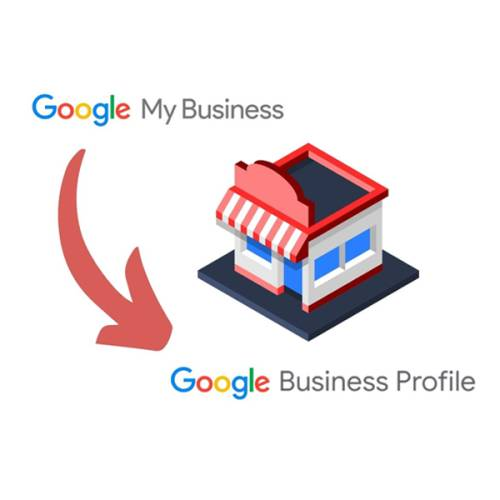
    Google Business Profile (GBP) is a free tool by Google that allows businesses to show their details on Google Search and Google Maps.

    When someone searches for your business name or related services, your profile shows:

    • Business Name
    • Address
    • Phone Number
    • Website
    • Reviews
    • Photos
    • Working Hours
    • Directions

    If your profile is properly optimized, your business can appear in the top 3 local results, also called the Google Map Pack.

    This is why Google Business Profile optimization Indore is very powerful for local businesses.

    Read also : Result-Oriented Digital Marketer Indore

    Why Google Business Profile Optimization is Important?

    Many businesses create a profile but do not optimize it properly. Because of this, they do not get enough calls or leads.

    Here’s why optimization matters:

    1. Increase Local Visibility

    When your profile is optimized, Google understands your services better and shows your business to the right audience.

    2. More Calls and Website Visits

    An optimized profile encourages users to call, visit your website, or request directions.

    3. Build Trust Through Reviews

    Good ratings and positive reviews increase customer trust.

    4. Beat Your Local Competitors

    If your competitor is not optimizing their profile and you are, you will rank above them.

    This is why many businesses now search for Google Business Profile optimization Indore services.

    Google Business Profile optimization Indore

    Why Choose CWK Digital Marketing in Indore?

    If you are searching for a professional and result-focused team, then Code with Kamlesh (CWK) Agency Indore is one of the best choices.

    CWK Digital Marketing focuses on:

    • Local SEO
    • Google Business Profile optimization
    • Social Media Marketing
    • Content Strategy
    • Performance Marketing

    The agency is led by Kamlesh Singad, a well-known digital marketer Indore who helps local businesses grow online.

    Google Business Profile optimization Indore

    About Kamlesh Singad – Digital Marketer Indore

    Kamlesh Singad is a professional digital marketer Indore who understands the local market very well. He has helped many small and medium businesses improve their Google rankings and generate more leads.

    His approach is simple:

    • Understand the business
    • Study the competition
    • Optimize for local search
    • Focus on long-term growth

    Under his leadership, Code with Kamlesh (CWK) Agency Indore has built a strong reputation in digital marketing and local SEO services.

    Read also : Local SEO Expert Indore for Business Growth – CWK

    What Services Are Included in Google Business Profile Optimization Indore?

    When you choose CWK Digital Marketing, you get complete optimization services, not just basic setup.

    Here’s what is included:

    1. Profile Setup and Verification

    If your profile is not verified, CWK helps you complete the verification process properly.

    2. Keyword Optimization

    Keywords like:

    are added naturally in your business description and services.

    3. Business Category Optimization

    Choosing the right primary and secondary categories improves ranking.

    4. Optimized Business Description

    A professional and SEO-friendly description is written for your profile.

    5. High-Quality Images

    Uploading real and high-quality images increases engagement.

    6. Regular Google Posts

    CWK agency Indore creates weekly posts to keep your profile active.

    7. Review Management

    They guide you on how to get more positive reviews and respond professionally.

    8. Q&A Optimization

    Common questions are added and answered to improve trust.

    9. NAP Consistency

    Name, Address, and Phone number are kept consistent across all platforms.

    This complete strategy helps businesses rank higher in local search results.

    How Google Ranking Works for Local Businesses?

    Google ranks local businesses based on three main factors:

    1. Relevance

    How closely your profile matches the search query.

    2. Distance

    How near your business is to the searcher.

    3. Prominence

    How popular and trusted your business is online.

    CWK Digital Marketing focuses on improving all three factors through proper Google Business Profile optimization Indore strategy.

    Read also : Looking for a Google Ads Expert in Indore? Meet Kamlesh Singad

    Benefits of Hiring Code with Kamlesh (CWK) Agency Indore

    Here are the major benefits:

    Local Market Understanding

    Being based in Indore, the agency understands local competition and customer behavior.

    Personalized Strategy

    Every business is different. CWK creates customized strategies for each client.

    Affordable Packages

    Suitable for startups, small businesses, and growing brands.

    Long-Term Results

    Focus is on organic growth, not short-term tricks.

    Transparent Reporting

    You get clear updates about ranking and performance.

    Who Needs Google Business Profile Optimization in Indore?

    Almost every local business needs it, such as:

    • Restaurants
    • Cafes
    • Coaching Institutes
    • Doctors
    • Salons
    • Real Estate Agents
    • Digital Marketing Agencies
    • Freelancers

    If you want more local customers, you must invest in Google Business Profile optimization Indore.

    Real Impact of Proper Optimization

    Businesses that work with a professional digital marketer Indore like Kamlesh Singad often see:

    • Increase in calls
    • More direction requests
    • Higher website traffic
    • Improved local ranking
    • Better brand trust

    Within a few months of optimization, many businesses start ranking in the top 3 map results.

    Social Media + Google Business Profile = Strong Local Branding

    As a social media marketer, I always recommend combining:

    • Instagram Marketing
    • Facebook Marketing
    • Google Business Profile Optimization
    • Local SEO

    When social media activity supports your Google profile, your brand becomes stronger and more visible.

    Code with Kamlesh (CWK) agency Indore offers complete digital marketing solutions, not just GBP optimization.

     Google Business Profile optimization Indore

    Why CWK is Considered a Top Google Business Profile Optimization Agency in Indore

    There are many agencies in the market, but CWK stands out because:

    • Focus on real strategies
    • No fake reviews
    • No spam techniques
    • Ethical SEO practices
    • Strong client support

    The goal is simple: help local businesses grow with sustainable digital marketing.

    Step-by-Step Process Followed by CWK Digital Marketing

    Here’s the typical process:

    1. Business Analysis
    2. Competitor Research
    3. Keyword Research
    4. Profile Optimization
    5. Content Posting Strategy
    6. Review Growth Plan
    7. Monthly Performance Tracking

    This structured approach makes Google Business Profile optimization Indore effective and measurable.

    Common Mistakes Businesses Make

    Many business owners:

    • Use wrong categories
    • Add keyword stuffing
    • Ignore reviews
    • Do not post regularly
    • Use low-quality images

    These mistakes reduce ranking chances.

    A professional digital marketer Indore like Kamlesh Singad ensures your profile avoids these errors.

    Future of Local SEO in Indore

    The competition in Indore is growing rapidly. More businesses are going online every year.

    In the future:

    • Local SEO will become more competitive
    • Google will focus more on reviews
    • User engagement will matter more
    • Active profiles will rank higher

    This is the right time to invest in Google Business Profile optimization Indore with a trusted agency like Code with Kamlesh (CWK) agency Indore.

    Final Thoughts

    If you are a business owner in Indore and want:

    • More local customers
    • Higher Google ranking
    • More calls and inquiries
    • Strong online presence

    Then working with a professional team like CWK Digital Marketing is a smart decision.

    Under the guidance of Kamlesh Singad, a trusted digital marketer Indore, businesses are growing with smart and ethical digital marketing strategies.

    Google Business Profile optimization Indore is not just about creating a profile. It is about strategy, consistency, and professional execution.

    If you want your business to appear at the top when people search in Indore, now is the time to optimize.

    FAQs

    1. What is Google Business Profile optimization?

    Google Business Profile optimization involves setting up and improving your business profile on Google Search and Maps to attract more local customers, increase visibility, and rank higher in local search results.

    2. Why should I hire a professional agency in Indore for GBP optimization?

    A professional agency like CWK Digital Marketing understands the local market, knows the best strategies, avoids mistakes, and ensures your business appears in top local search results, saving time and improving results.

    3. How long does it take to see results after optimization?

    Typically, businesses see noticeable improvements in local search ranking, calls, and website visits within 2–3 months, depending on competition and the consistency of updates.

    4. Can small businesses in Indore benefit from Google Business Profile optimization?

    Yes! Small and medium businesses such as restaurants, salons, coaching institutes, and digital marketers can significantly increase visibility, attract new customers, and improve trust with an optimized profile.

    5. Why choose Code with Kamlesh (CWK) Agency Indore?

    CWK, led by Kamlesh Singad, provides a complete strategy including profile setup, keyword optimization, content posting, review management, and local SEO. Their approach is ethical, professional, and result-oriented, making them a top choice for Google Business Profile optimization in Indore.

  • Display Ads vs Search Ads: What’s the Difference? | Part-23

    Display Ads vs Search Ads: What’s the Difference? | Part-23

    Module 4 – Google Ads / SEM

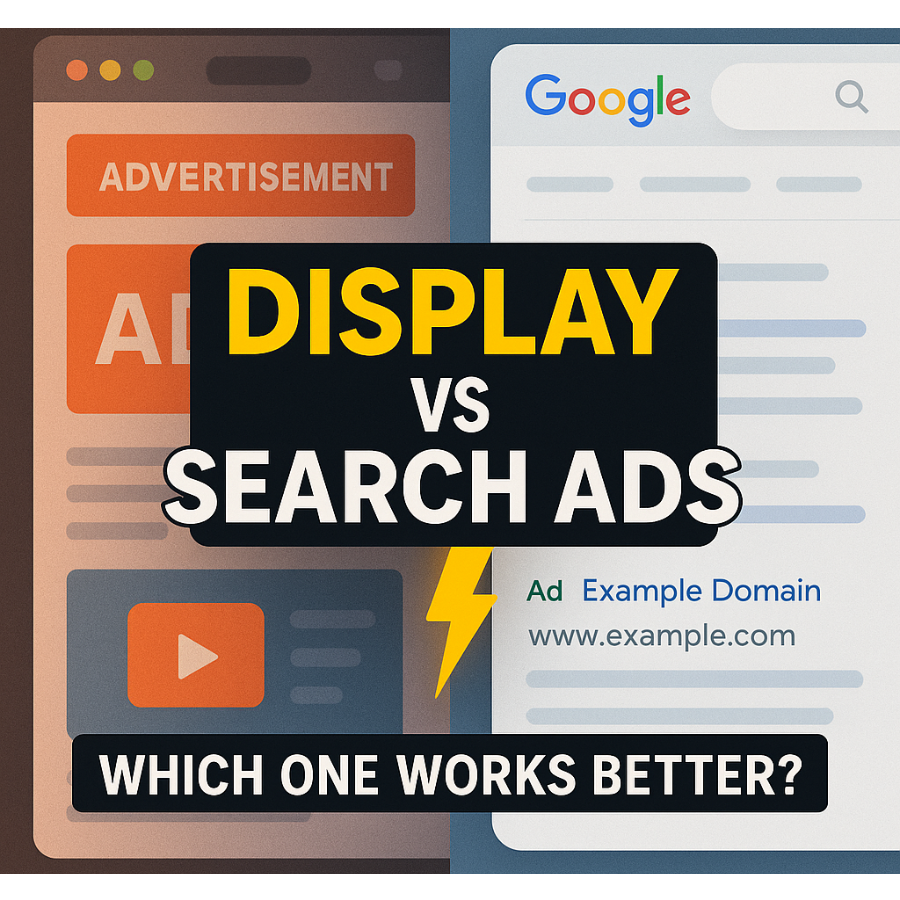
    As part of Module 4 in our Digital Marketing Course, we explore one of the most common beginner questions in paid marketing: Display Ads vs Search Ads – What’s the Difference?

    Both are part of the Google Ads platform, both fall under Search Engine Marketing (SEM), and both drive results. But they work differently, serve different purposes, and are useful in different situations.

    In this blog by Kamlesh Singad and the CWK Agency team, we will decode both ad types in a practical, student-friendly way. By the end, you’ll know:

    • How each ad type works
    • When to use Search or Display
    • Which campaign is right for your brand or client
    • How to implement both in your marketing strategy

    What Are Google Search Ads?

    Search Ads are text-based ads that appear on Google Search Engine Results Pages (SERPs) when users search specific keywords.

    Key Characteristics:

    • Text-only format (headline + description + extensions)
    • Triggered by intent-based search queries
    • Appear above or below organic results
    • Highly relevant to what users are looking for

    Example:

    User types: “Buy Smart Digital Board”
    Top result: A Search Ad showing “Smart Boards – 3-Year Warranty – Order Now”

    Best For:

    • Capturing high-intent traffic
    • Local services
    • B2B & B2C lead generation
    • E-commerce during purchase phase

    Also Read: Best Podcast editing company in Indore – CWK Agency

    Display Ads vs Search Ads

    What Are Google Display Ads?

    Display Ads are visual ads (images, banners, GIFs, or videos) that appear across Google’s Display Network—which includes over 2 million websites, YouTube, Gmail, and mobile apps.

    Key Characteristics:

    • Visually engaging (image/video-rich)
    • Appear outside of search (e.g., news websites, blogs)
    • Triggered by demographics, interest, behavior, placements
    • Excellent for awareness and retargeting

    Example:

    You’re reading a blog on classroom technology, and a banner ad shows:
    “Get Your Digital Board Today – Flat ₹5,000 Off”

    Best For:

    • Brand awareness
    • Product launches
    • Retargeting site visitors
    • Mass reach campaigns

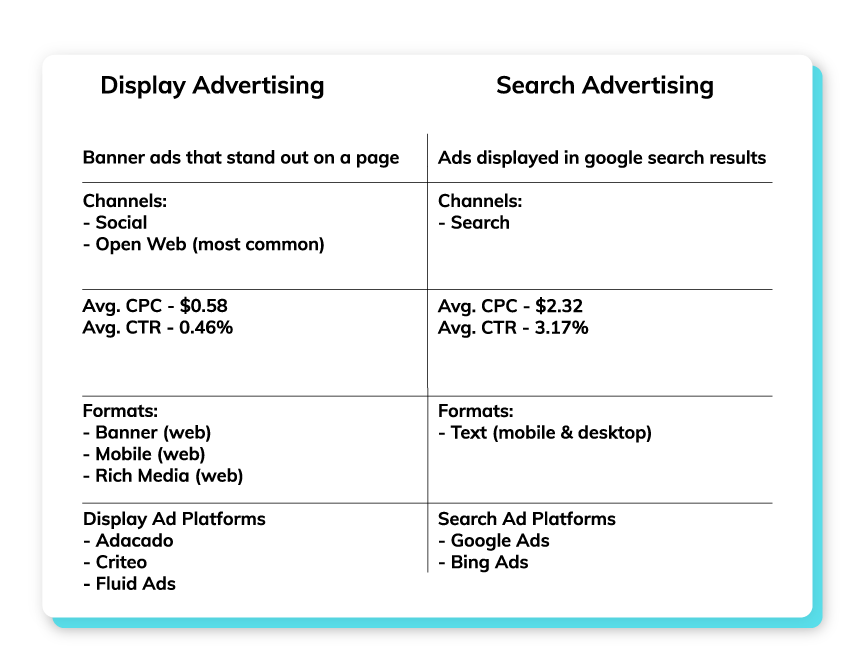
    Display Ads vs Search Ads: Core Differences

    FeatureSearch AdsDisplay Ads
    PlacementGoogle Search ResultsGoogle Display Network
    Ad TypeTextImages, Banners, Videos
    User IntentHighLow to Moderate
    TargetingKeyword-basedAudience-based
    Best ForConversions, LeadsAwareness, Remarketing
    CTR (Click-Through Rate)HighLower
    CPC (Cost Per Click)HigherGenerally Lower
    Conversion StageBottom of FunnelTop/Mid Funnel

    Kamlesh Singad Tip: Use Search Ads to convert, and Display Ads to create demand.

    Also Read: How ChatGPT Works: A 6-Minute Guide to Understanding ChatGPT for Beginners

    Display Ads vs Search Ads

    Real-Life Scenario: CWK Agency Strategy

    Let’s say you’re promoting studio setups for online teachers.

    First Use Display Ads:

    • Target YouTubers, educators, and creators
    • Show banners with “Build Your Dream Studio – Affordable Packages”
    • Drive traffic to landing page

    Then Use Search Ads:

    • When users now Google “Online teaching studio setup,” your Search Ad shows up
    • Capture high-intent clicks
    • Close the sale

    This funnel strategy combines awareness + intent and is the exact framework used by CWK Agency for hundreds of clients.

    When to Use Display Ads

    ✔ You’re launching a new product or service
    ✔ You want to reach a broad audience
    ✔ You’re targeting specific demographics or interests
    ✔ You want visual storytelling (graphics, offers, branding)
    ✔ You’re doing retargeting campaigns

    Tips for Effective Display Ads:

    • Use high-resolution images
    • Keep text minimal and bold
    • Add strong CTA: “Shop Now”, “Get Demo”, “Download”
    • Target by interests, in-market segments, and custom intent

    Also Read: DevOps and Cloud Computing Explained in 10 Minutes: A Quick Introduction to Modern IT Practices

    Display Ads vs Search Ads

    When to Use Search Ads

    ✔ You’re targeting users with active purchase intent
    ✔ You want fast lead generation
    ✔ You have limited budget and need high ROI
    ✔ Your product/service is urgent or time-sensitive
    ✔ You offer local services (e.g., “Best Digital Board Dealer in Pune”)

    Tips for Effective Search Ads:

    • Use exact match or phrase match keywords
    • Optimize ad headlines with numbers and benefits
    • Link to highly relevant landing pages
    • Track conversions with Google Analytics

    Which One Is Better?

    It’s not about Search vs Display — it’s about how you combine both.

    GoalBest Option
    Increase Website TrafficDisplay
    Generate High-Quality LeadsSearch
    Build Brand AwarenessDisplay
    Immediate SalesSearch
    Retarget Interested VisitorsDisplay
    Promote YouTube VideoDisplay (YouTube)
    Promote Local ServiceSearch

    Combine both for full-funnel success. CWK Agency always runs at least one Search and one Display campaign per client.

    How to Set Up Both in Google Ads

    For Search Ads:

    • Go to Google Ads > New Campaign
    • Choose “Leads” or “Website Traffic”
    • Select Search
    • Add keywords, write ad copy, set budget, and launch

    For Display Ads:

    • Choose “Brand Awareness” or “Product Consideration”
    • Select Display
    • Upload visuals, set targeting (age, interest, device), set budget

    Practical Exercise for Students

    Assignment: Run a dual campaign strategy

    1. Set up a Display Ad campaign with banners for an imaginary product
    2. Set up a Search Ad campaign targeting keywords related to that product
    3. Track both for 5–7 days
    4. Submit a report showing:
      • Impressions
      • CTR
      • Cost per click
      • Conversions (if any)

    CWK Agency mentors will provide personalized feedback and optimization tips.

    FAQs

    Q1: Are Display Ads cheaper than Search Ads?

    Yes. Generally, CPC for Display Ads is lower, but conversion rate may also be lower.

    Q2: Can I use both types at once?

    Absolutely! In fact, using both boosts overall effectiveness.

    Q3: Do I need a different landing page for each?

    You can use the same, but for better performance, tailor landing pages to the ad type.

    Q4: Are Display Ads only for big brands?

    No. Even small businesses can use Display Ads effectively for retargeting and awareness.

    Final Words from Kamlesh Singad

    “A skilled marketer doesn’t choose between Search and Display—they master both. At CWK Agency, we believe in giving students the full stack to win in Google Ads.”

    Now that you understand the difference between Display Ads and Search Ads, your next step is to experiment. Run, test, learn, optimize. That’s how marketers are made.

  • How to Run Your First Google Search Campaign | Part-22

    How to Run Your First Google Search Campaign | Part-22

    Module 4: Google Ads / SEM

    Welcome to Module 4 of our Digital Marketing Course, where we dive deep into the Google Ads ecosystem, focusing specifically on Search Engine Marketing (SEM).

    In this module, you’ll learn How to Run Your First Google Search Campaign—from start to launch to optimization. This guide, curated by Kamlesh Singad and the expert team at CWK Agency, is tailored for beginners, students, and aspiring digital marketers looking to practically master paid ads.

    Why Google Search Campaign?

    A Google Search Campaign puts your business on top of search results when someone actively searches for your product or service.

    For example:
    Search: “Best Podcast Setup in India”
    Result: Your ad on top, even above organic results.

    Benefits:

    • Target users with high intent
    • Fast results compared to SEO
    • Full control over ad copy, location, budget, and targeting
    • Works for any budget

    Also Read: What Is Agile Methodology? A 6-Minute Beginner’s Guide

    How to Run Your First Google Search Campaign

    Understanding Google Ads Structure

    Before diving in, let’s understand how Google Ads is structured:

    1. Account: Linked with your Gmail.
    2. Campaign: Set objective, budget, location, and networks.
    3. Ad Group: Organize keywords and ads.
    4. Ads: Actual content users see.

    This hierarchical structure helps in creating clean, measurable, and scalable ad setups.

    Tools You’ll Need Before You Start

    ToolUse
    Gmail IDTo create a Google Ads account
    Website URLWhere you want traffic
    Google Keyword PlannerFor keyword research
    Google AnalyticsFor tracking conversions
    Google Tag ManagerFor event-based tracking

    CWK Tip: Install Google Tag Assistant to debug any issues.

    Step-by-Step Guide: How to Run Your First Google Search Campaign

    Step 1: Create Your Google Ads Account

    Visit: https://ads.google.com
    Use your Gmail to sign up and switch to Expert Mode to unlock full campaign features.

    Step 2: Select Campaign Goal

    Choose your objective:

    • Website Traffic (Best for first campaign)
    • Leads
    • Sales

    Choose Search Campaign as your campaign type.

    Also Read: Introduction to Software Development Life Cycle (SDLC): What Is Software Development?

    How to Run Your First Google Search Campaign

    Step 3: Campaign Settings

    • Campaign Name: e.g., “Digital Board Sales – India”
    • Networks: Uncheck Display Network (only Search)
    • Location: Select country/state/city or pin codes
    • Languages: Usually English and Hindi for India
    • Budget: Start with ₹300–₹500/day
    • Bidding: Choose Clicks and manually set CPC (₹5–₹20 depending on niche)

    Step 4: Add Keywords

    Use Keyword Planner to find high-intent keywords.

    Match TypeKeywordMatch Behavior
    Broad Matchdigital boardsShows on related searches
    Phrase Match“buy digital board”Shows when phrase matches
    Exact Match[digital board in Pune]Shows only on exact search

    Don’t forget to add negative keywords like “free”, “cheap”, etc.

    Step 5: Create Ad Groups

    Each ad group targets one product/service.

    Example:

    • Ad Group 1: Digital Boards
    • Ad Group 2: Podcast Equipment
    • Ad Group 3: Studio Setup

    Step 6: Write High-Converting Ad Copy

    Headline Examples:

    • Buy Digital Boards Online
    • Smart Boards for Teachers
    • EMI Available – Order Now

    Description Examples:

    • Top-quality interactive digital boards. Free shipping & 3-year warranty. Shop now!
    • Best for teachers, trainers & YouTubers. Get it delivered across India.

    Also Read: Metaverse Explained in 5 Minutes: What It Is and How It Works

    How to Run Your First Google Search Campaign

    Use:

    • Primary Keywords
    • Power Words like “Free,” “Top-Rated,” “Instant”
    • CTA like “Call Now,” “Buy Today,” “Explore”

    Step 7: Add Extensions

    Extensions increase CTR by up to 20%.

    ExtensionUse
    SitelinkLink to other pages like Pricing, Demo
    CalloutAdd offers like “Free Delivery”
    Structured SnippetsShowcase features
    Call ExtensionAdd your phone number

    Step 8: Review & Publish

    • Double-check: Keywords, Budget, Ads
    • Click Publish
    • Google will review the ad (usually within 24 hours)

    Tracking Your Campaign Performance

    Once your campaign is live, monitor it using:

    MetricPurpose
    CTR (Click Through Rate)Clicks ÷ Impressions
    CPC (Cost Per Click)What you pay for each click
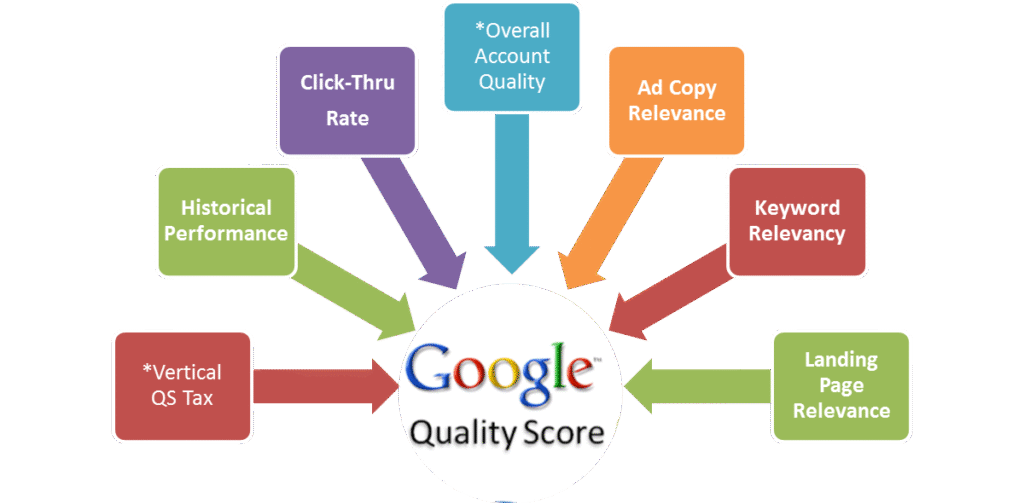
    Quality ScoreRelevance of keyword + ad + landing page
    Conversion RateClicks that turned into actions
    Impression ShareMarket competitiveness

    CWK Agency uses Google Ads + Google Analytics combo for best insights.

    How to Optimize Your Campaign Over Time

    1. Pause low-performing keywords
    2. Increase bids on converting keywords
    3. Test new ad copies weekly
    4. A/B test landing pages
    5. Add more negative keywords
    6. Use Ad Schedule (run ads only when leads convert best)

    Optimization is an ongoing process. Kamlesh Singad says:
    “The first campaign is just the beginning. Analyze, optimize, repeat.”

    Also Read: What is Azure? A 5-Minute Beginner’s Guide to Microsoft Azure

    How to Run Your First Google Search Campaign

    Practical Assignment for Students

    Goal: Create a Search Campaign for a mock product (e.g., “Online Course for Python”)

    Submit:

    • Screenshot of Campaign Settings
    • Keyword List
    • Sample Ad Copy
    • Budget Distribution
    • Performance after 3 days (CTR, CPC)

    CWK Agency mentors will review and guide every student for practical mastery.

    Real-World Case Study

    Client: Smart Class Setup Provider in Delhi
    Budget: ₹15,000/month
    Goal: Leads for Digital Boards

    Result:

    • CPC: ₹8.5
    • CTR: 6.4%
    • Leads: 52 in 28 days
      Strategy Used: Exact match keywords, high-quality ad copy, call extensions

    Achieved 3X ROI in the first month of running a Google Search Campaign with CWK Agency.

    FAQs

    Q1. Can I run ads without a website?

    No, for Search Campaigns, you need a website or landing page.

    Q2. How much money do I need?

    You can start with as little as ₹300/day (~$4 USD/day).

    Q3. Is this better than Facebook Ads?

    Search ads target high-intent users, while Facebook targets interest-based users. Both are useful.

    Q4. How long before I see results?

    Sometimes within a day. But meaningful data comes in after 3–7 days.

    Conclusion

    Starting with Google Ads might seem overwhelming, but with this structured guide from Kamlesh Singad and CWK Agency, you now know exactly How to Run Your First Google Search Campaign.

    Action Plan for Students:

    • Create a Google Ads account
    • Pick a product/service
    • Set up your first Search Campaign
    • Track performance for 7 days
    • Optimize based on CTR and conversions

    Don’t just learn—implement. That’s the CWK philosophy.

  • What is Google Ads and How Does It Work? | Part-21

    What is Google Ads and How Does It Work? | Part-21

    Module 4: Google Ads / SEM

    In today’s digital era, visibility is power. Whether you’re a freelancer, a brand, a startup, or a student learning digital marketing, mastering Google Ads is a must. Google Ads is the leading platform for Search Engine Marketing (SEM), a paid method of placing your business directly in front of users actively searching for your services or products.

    In this module of the digital marketing course led by Kamlesh Singad of CWK Agency, we will break down Google Ads and its working model step-by-step, and more importantly—how YOU can start implementing it from day one.

    What Is Google Ads?

    Google Ads (formerly Google AdWords) is Google’s online advertising platform that allows you to create ads that appear on Google Search, YouTube, and millions of partner websites in the Google Display Network.

    You pay Google when someone clicks on your ad—hence, the term PPC (Pay Per Click).

    Benefits of Google Ads:

    • Instant visibility on the top of Google
    • Highly targeted ad placements
    • Real-time performance tracking
    • Scalable and measurable
    • Works for all budgets

    Kamlesh Tip: If SEO is a marathon, then Google Ads is a sprint. Combine both for optimal performance.

    Also Read: What Is A Proxy & Proxy Server? | Understand Proxies In 5 Minutes!

    Google Ads

    How Does Google Ads Work?

    Let’s break it into simple steps:

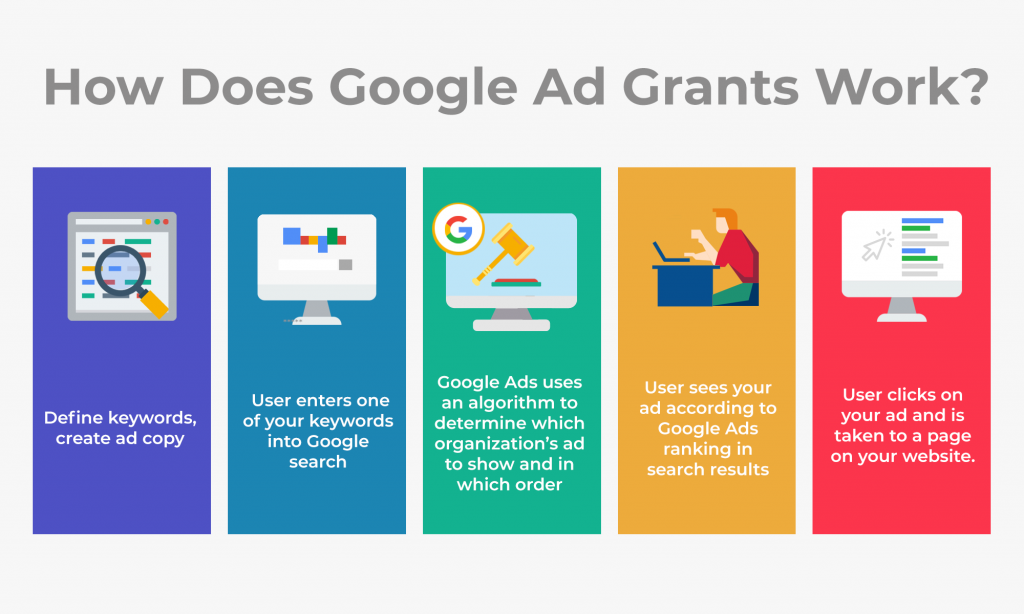
    1. Keyword Targeting

    You choose keywords related to your business (e.g., “Buy Digital Boards in India”). When users type these keywords into Google, your ad can show up.

    2. Ad Auction

    Every time a search is performed, Google runs an auction. Your ad’s visibility depends on:

    • Bid amount
    • Ad relevance
    • Landing page experience
    • Expected CTR (Click Through Rate)

    3. Ad Rank

    Google calculates your Ad Rank = CPC Bid × Quality Score

    4. Ad Display

    Based on your Ad Rank, Google determines:

    • Whether your ad will show
    • Which position it will occupy

    5. Cost

    You pay only when someone clicks your ad (Cost Per Click), not when they just view it.

    Also Read: Web 3.0 Explained In 5 Minutes: A Beginner’s Guide to Web3

    Google Ads

    Types of Google Ads Campaigns

    TypeDescriptionBest Use
    Search AdsText ads shown on Google search resultsLead generation, services
    Display AdsImage/video ads across websitesBrand awareness
    Video AdsAds on YouTubeEngagement, product demos
    Shopping AdsProduct ads with image & priceE-commerce
    App CampaignsPromote your app across Google propertiesApp installs
    Performance MaxAll-in-one AI-optimized campaignsBroad goals, automation lovers

    CWK Agency Recommends: Start with Search Campaigns to understand targeting, bidding, and ad copywriting.

    Google Ads Structure

    Google Ads has a 3-layer structure:

    1. Account – Based on email/login
    2. Campaign – Budget, location, network, bidding
    3. Ad Group – Keywords + Ads
    4. Ads – Actual text/image/video shown

    Step-by-Step Guide: How to Run Your First Google Ads Campaign

    Here’s a practical beginner guide by Kamlesh Singad and the CWK Agency team:

    Step 1: Create a Google Ads Account

    Visit ads.google.com and sign up using your Gmail.

    Step 2: Choose Your Campaign Goal

    • Leads
    • Website traffic
    • Sales
    • App promotion

    Step 3: Select Campaign Type

    Start with Search for easier tracking.

    Google Ads

    Step 4: Set Location and Language

    Choose specific locations (e.g., Pune, India).

    Step 5: Set Budget & Bidding

    Set daily budget and choose bidding strategy (manual CPC or automated bidding).

    Step 6: Add Keywords

    Use Google Keyword Planner to research high-volume, low-competition keywords.

    Step 7: Write Ad Copy

    Keep your ad:

    • Clear
    • Relevant
    • Action-oriented

    Example:
    Headline: Buy Digital Boards | Free Delivery
    Description: Get Smart Boards with 3-Year Warranty. Trusted by 5,000+ Educators.

    Step 8: Set Extensions

    Add call buttons, sitelinks, and location extensions for better CTR.

    Step 9: Publish and Monitor

    Once live, monitor daily:

    • CTR
    • CPC
    • Conversions

    Also Read: Cyber War Explained in 5 Minutes: What Is Cyber War? A Beginner’s Guide to Cyber Security

    Key Metrics You Must Track

    MetricMeaningWhy It Matters
    CTRClicks ÷ ImpressionsIndicates ad relevance
    CPCCost per clickAffects your ROI
    Quality ScoreGoogle’s rating of your adImpacts Ad Rank
    Conversion RateActions taken ÷ ClicksIndicates campaign success
    Impression ShareHow often your ad shows vs. how often it couldCompetitiveness

    CWK Agency’s Pro Tips for Success

    1. Use Exact Match and Phrase Match keywords to control who sees your ads.
    2. Write multiple ad variations and let Google test which performs best.
    3. Use negative keywords to avoid irrelevant clicks.
    4. Optimize landing pages – match headline, speed, mobile-responsiveness.
    5. Track conversions using Google Tag Manager and Analytics.

    Case Study by Kamlesh Singad:
    “One of our clients selling digital teaching tools saw a 250% increase in sales with optimized Google Search Campaigns using CWK Agency’s proven framework.”

    Google Ads

    Google Ads vs. SEO: What’s the Difference?

    FeatureGoogle Ads (SEM)SEO
    CostPay-per-clickFree (organic)
    TimeInstantLong-term
    ControlHighLimited
    ScalabilityEasyGradual

    Combine Google Ads for quick leads and SEO for long-term growth.

    FAQs

    Q1: How much does it cost to advertise on Google Ads?

    A: It depends on your bid, competition, and industry. You can start with ₹100/day.

    Q2: Do I need a website to run Google Ads?

    A: Yes, especially for Search and Display campaigns. YouTube campaigns can work with just a video.

    Q3: How long does it take to see results?

    A: Usually within 1–3 days, depending on your budget and targeting.

    Q4: Can I run Google Ads for a local business?

    A: Absolutely. You can geo-target your ads to specific pin codes or cities.

    Learn with CWK Agency: Practical Google Ads Projects

    At CWK Agency, led by Kamlesh Singad, students are assigned real-world projects like:

    • Running ads for small local businesses
    • Managing ₹1,000/day campaigns
    • Tracking conversions using Google Analytics
    • A/B testing headlines and descriptions

    Certificate of Completion + Portfolio Project
    You will complete a live campaign during the course. Add it to your resume or share it with freelance clients.

    Final Thoughts

    Google Ads is one of the most powerful tools in digital marketing, but it must be used wisely. You now understand how it works—from auction to ad creation to performance tracking.

    Whether you’re an aspiring digital marketer, freelancer, or small business owner, you can start your Google Ads journey today.

    At CWK Agency, we believe in action-driven learning. So don’t just read this blog—go create your first campaign now!

  • LinkedIn Marketing for B2B Growth | Part-18

    LinkedIn Marketing for B2B Growth | Part-18

    Module 3: Social Media Marketing (SMM)

    When it comes to B2B digital success, LinkedIn is not just another social network—it’s the professional arena for lead generation, authority building, and organic growth. As part of Module 3: Social Media Marketing (SMM) from Kamlesh Singad’s digital marketing course, this blog focuses entirely on LinkedIn Marketing for B2B Growth.

    In this detailed training blog, powered by CWK Agency, you’ll master:

    • Why LinkedIn is essential for B2B marketers
    • How to structure platform-specific campaigns
    • Organic and paid LinkedIn growth strategies
    • Building authority and trust through content
    • LinkedIn Ads, Lead Forms, and Advanced Targeting
    • LinkedIn Analytics and optimization tactics

    Whether you’re a marketing student, B2B brand, or freelancer, this step-by-step guide is structured like a course module, so you can apply LinkedIn like a pro.

    LinkedIn Marketing

    Lesson 1: What Makes LinkedIn Unique in Social Media Marketing

    Platform Identity

    Unlike Facebook and Instagram, LinkedIn is career-first. It’s the only platform where:

    • People expect to talk business
    • Content stays alive for longer (avg. post lifetime = 72 hrs)
    • Decision-makers and C-level executives hang out

    Kamlesh Singad emphasizes that LinkedIn is essential for high-ticket B2B lead generation, service branding, corporate hiring, and authority marketing.

    Also Read: How ChatGPT Works: A 6-Minute Guide to Understanding ChatGPT for Beginners

    Lesson 2: Define Your B2B Goals on LinkedIn

    Typical LinkedIn B2B Marketing Goals:

    • Lead Generation (high-value, long-term clients)
    • Brand Visibility (organic and professional brand recall)
    • Thought Leadership (positioning founders/CEOs as experts)
    • Event Promotion (webinars, courses, launches)
    • Recruitment Marketing (attracting high-quality talent)

    At CWK Agency, we align every campaign with SMART goals:

    • Specific
    • Measurable
    • Achievable
    • Realistic
    • Time-bound

    Also Read: DevOps and Cloud Computing Explained in 10 Minutes: A Quick Introduction to Modern IT Practices

    LinkedIn Marketing

    Lesson 3: Building the Right LinkedIn Profile and Company Page

    Personal Profile Optimization (For Founders & Marketers)

    • Professional Profile Picture (no sunglasses!)
    • Custom Banner Image (use tools like Canva)
    • Keyword-Rich Headline: “Helping B2B Brands Generate High-Ticket Leads | Digital Marketing | Kamlesh Singad”
    • Featured Section: Showcase top posts, videos, case studies
    • Recommendations: Request 5–10 from peers or clients

    Company Page Optimization

    • Add all services with visuals
    • Use SEO keywords like Social Media Marketing, B2B Strategy, CWK Agency
    • Regularly post value-based updates, not just hiring posts

    Also Read: WordPress Web Design Best Practices for a High-Converting Site

    Lesson 4: Platform-Specific Campaigns for LinkedIn

    Why Platform-Specific Campaigns Matter

    LinkedIn’s audience is more intent-driven and less reactive. Unlike Instagram, here people expect:

    • Detailed value
    • Case studies
    • Insightful conversation starters

    Your campaigns for different platforms should reflect this seriousness.

    Types of LinkedIn Campaigns:

    Campaign TypePurposeBest Format
    Authority CampaignThought leadershipPersonal Profiles
    Lead Magnet FunnelLead generationLead Gen Forms + Ads
    Employee AdvocacyBranding and reachShared Content
    Webinar PromoEvent RegistrationsSponsored Content
    Retargeting FunnelWarm lead conversionsMatched Audience + Ads
    LinkedIn Marketing

    Lesson 5: LinkedIn Content Strategy for B2B

    CWK 7-Day Content Framework for LinkedIn

    DayContent TypeFormat
    MondayIndustry InsightText + Visual
    TuesdayFounder/Team POVVideo / Text Story
    WednesdayPoll or QuestionPoll
    ThursdayCase StudyPDF Doc or Carousel
    FridayLead Magnet OfferDirect CTA
    SaturdayThought-Provoking PostLong-form Text
    SundayEmployee ShowcaseImage + Caption

    Hashtag Use:

    • #B2BMarketing
    • #SocialMediaMarketing
    • #KamleshSingad
    • #CWKAgency
    • #LinkedInStrategy

    Lesson 6: LinkedIn Video Strategy

    Video on LinkedIn performs 5x better than static content when:

    LinkedIn Marketing
    • It’s under 2 minutes
    • It tells a story
    • It includes captions
    • It features real faces (CEOs, employees, etc.)

    CWK Pro Tip: Create a series:

    • “60 Seconds of Strategy”
    • “Behind the Brand”

    Lesson 7: LinkedIn Ads – The B2B Conversion Engine

    Types of LinkedIn Ads

    Ad TypeBest For
    Sponsored ContentBroad awareness
    Message AdsDirect outreach in inbox
    Lead Gen FormsCollecting data natively
    Carousel AdsVisual storytelling
    Video AdsBrand trust + storytelling
    Spotlight AdsWebsite traffic from side bar

    LinkedIn Ads Targeting Options

    • Job title, company size, industry
    • Skill-based targeting (e.g., “Digital Marketing”)
    • Remarketing Website Visitors
    • Lookalike of Lead Lists

    Sample Budgeting (India):

    • Minimum daily budget: ₹500–₹800
    • Cost per click (CPC): ₹80–₹200 (high-intent audience)

    Lesson 8: Case Study – CWK Agency’s B2B Campaign on LinkedIn

    Client: SaaS Product (B2B)
    Objective: Generate 100 B2B leads
    Method:

    1. Created personal content calendar for CEO
    2. Used Sponsored Content + Lead Gen Ads
    3. Targeted “Decision-makers” at mid-sized companies
    4. Sent connection requests with free eBook lead magnet

    Results:

    • Leads: 162 (in 30 days)
    • Cost per lead: ₹135
    • 6 demos booked within the first week
    • Post engagement rate: 9.6%

    Lesson 9: LinkedIn Analytics – What to Track

    Metrics That Matter:

    MetricPurpose
    Profile ViewsPersonal visibility
    Connection GrowthCommunity expansion
    Page Follower CountBrand visibility
    CTR on AdsAd Relevance
    Engagement RateContent Resonance
    Cost per LeadAd Efficiency
    Conversion RateFunnel Success

    Tools:

    • LinkedIn Analytics (built-in)
    • UTM Parameters + Google Analytics
    • LinkedIn Campaign Manager

    Final Advice from Kamlesh Singad

    “LinkedIn is the digital boardroom for your brand. If you’re not present, your competitor already is. Don’t sell—solve, share, and serve. That’s how you dominate B2B.” — Kamlesh Singad

    Action Plan Checklist (Downloadable PDF available)

    • Optimize personal profile with keywords
    • Create company page with services listed
    • Post 5x per week using CWK framework
    • Run a LinkedIn Lead Gen Ad
    • Engage with industry leaders via comments
    • Analyze performance every week

    FAQs

    Q1: Is LinkedIn only for job seekers?
    No, it’s a powerful platform for B2B marketing, branding, and lead generation.

    Q2: What content performs best on LinkedIn?
    Case studies, insights, personal stories, and short videos perform best.

    Q3: How expensive are LinkedIn Ads?
    LinkedIn ads have a higher CPC compared to Facebook but offer better B2B conversion.

    Q4: What makes CWK Agency good at LinkedIn Marketing?
    CWK Agency combines data, storytelling, and targeting to create high-converting LinkedIn campaigns under the mentorship of Kamlesh Singad.

    Q5: Can I get B2B leads organically from LinkedIn?
    Yes. Consistent posting, profile optimization, and value-based engagement can attract warm leads.

  • Facebook & Instagram Marketing: Ads, Reels, and Organic Growth | Part-17

    Facebook & Instagram Marketing: Ads, Reels, and Organic Growth | Part-17

    Module 3: Social Media Marketing (SMM)

    In this detailed lesson of Module 3, we deep dive into two of the most powerful platforms for Social Media Marketing — Facebook & Instagram Marketing.

    This module is structured like a mini-course to help you master:

    • How Facebook & Instagram algorithms work
    • The difference between paid and organic growth
    • How to create high-performing ads and reels
    • Audience targeting secrets
    • Content strategies for campaigns for different platforms

    Whether you’re a student, business owner, freelancer, or digital marketer, this module designed by Kamlesh Singad of CWK Agency will help you dominate Facebook and Instagram like a pro.

    Lesson 1: Introduction to Facebook & Instagram Marketing

    Why Facebook & Instagram?

    Together, Facebook and Instagram offer access to over 5 billion active users globally. Both platforms are part of Meta, which means you can run and manage ads from a single platform (Meta Ads Manager), making them perfect for synchronized campaigns for different platforms.

    Objectives of this Module

    By the end of this blog-lesson, you will:

    • Understand how algorithms affect reach
    • Build optimized content calendars
    • Plan and execute high-converting ad campaigns
    • Leverage reels for viral organic growth
    • Analyze and optimize campaign performance

    Also Read: What Is Agile Methodology? A 6-Minute Beginner’s Guide

    Facebook & Instagram Marketing

    Lesson 2: Understanding the Algorithm

    Facebook Algorithm Basics

    • Prioritizes meaningful interactions (comments, shares)
    • Native videos (uploaded directly) rank higher than YouTube links
    • Engagement rate > post frequency

    Instagram Algorithm Basics

    • Focuses on engagement velocity
    • Reels and Stories favored over static posts
    • Hashtag strategy + save/share metrics are vital

    CWK Pro Tip:

    “Your content needs to spark conversations, not just likes. Think of Facebook and Instagram as engines of engagement — not just megaphones for announcements.” — Kamlesh Singad

    Also Read: Introduction to Software Development Life Cycle (SDLC): What Is Software Development?

    Lesson 3: Organic Growth Strategy

    Step 1: Create a Content Calendar (CWK Format)

    DayPost TypePlatformObjective
    MondayCarousel PostInstagramEducate
    TuesdayReels (tips)IG + FBEngagement
    WednesdayInfographicFBAwareness
    ThursdayClient TestimonialFB + IGTrust-Building
    FridayLive Session PromoIG StoryReal-time Engagement
    SaturdayBehind-the-scenesIG ReelsBrand Personality
    SundayPolls + Q&AIG StoryInteraction

    Best Times to Post (India Standard Time – IST):

    • Facebook: 12 PM – 3 PM | 6 PM – 9 PM
    • Instagram: 11 AM | 3 PM | 7 PM

    Best Hashtags Strategy (Use 20–30 Mix):

    • General: #SocialMediaMarketing #CWKAgency
    • Platform-Specific: #InstaGrowth #FacebookMarketing
    • Local: #KamleshSingad #DigitalMarketingIndia

    Also Read: Metaverse Explained in 5 Minutes: What It Is and How It Works

    Lesson 4: Mastering Facebook & Instagram Ads

    Facebook & Instagram Marketing

    Step-by-Step Facebook & Instagram Ad Structure

    1. Campaign Level

    • Objective: Awareness, Traffic, Engagement, Leads, Sales

    2. Ad Set Level

    • Budget: Daily or Lifetime
    • Audience: Demographics, Interests, Behaviors, Custom
    • Placement: Manual (FB Feed, IG Stories, Reels) or Automatic

    3. Ad Creative Level

    • Format: Image, Video, Carousel, Reels
    • Text: Hook + Offer + CTA
    • Link: Landing page or WhatsApp

    Types of Facebook & Instagram Ads

    Ad TypeBest For
    Carousel AdsProduct Display
    Reels AdsAwareness & Engagement
    Lead Gen AdsCollecting Emails & Numbers
    Video AdsStorytelling + Branding
    Retargeting AdsConvert Warm Leads

    Lesson 5: Reels Marketing for Organic Reach

    Why Reels Matter

    • Reels have 10x more reach than posts
    • Instagram’s #1 growth format
    • Short, engaging, and discoverable
    Facebook & Instagram Marketing

    Reels Strategy Framework

    1. Hook (First 3 seconds):
    Ask a question or use bold text.

    2. Content Value:
    Teach, entertain, or showcase.

    3. CTA:
    Use captions like “DM us for demo” or “Follow for more hacks.”

    CWK Reel Content Examples:

    • Before vs After Results
    • How-to Quick Tutorials (e.g., “3 Ways to Grow Organically”)
    • Client Feedback as Voiceover
    • Reuse Stories into Reels

    Tools for Reels Creation:

    • InShot
    • CapCut
    • Canva
    • VN Editor
    • Meta Creative Studio

    Lesson 6: Audience Targeting for Paid Campaigns

    Audience Types

    Audience TypeDescriptionExample
    ColdPeople who haven’t heard of youInterest-based targeting
    WarmPeople who visited profile/siteWebsite Visitors
    HotPeople who engaged/DM’dIG Reel Viewers
    Custom AudiencesUploaded from CRM/Lead DataPast Purchasers
    Lookalike AudiencesBased on behavior of current usersSimilar Leads on Meta

    Lesson 7: Analytics & Optimization

    Key Metrics to Track

    PlatformMetricIdeal Value
    FacebookEngagement Rate> 2%
    InstagramReach vs Followers> 30%
    BothCTR (Click Through)> 1%
    BothCost Per Lead (CPL)< ₹20 (varies)
    BothROI from Campaign> 300%

    Tools to Use:

    • Meta Ads Manager (FB + IG)
    • Meta Business Suite Insights
    • Google Analytics (For FB Ads → Website)
    • WhatsApp Business Analytics (For CTA)

    Bonus Tools from CWK Agency

    • Canva – Content Design
    • Meta Ad Library – Spy on competitors
    • ChatGPT – Caption ideas & ad copy
    • LeadSquared – CRM Integration
    • Hootsuite – Post Scheduler
    image 5

    Final Tips by Kamlesh Singad

    “Instagram and Facebook aren’t just platforms — they’re digital marketplaces. Treat your audience with respect, offer value daily, and the results will follow. Be consistent, be creative, and always track your data.” — Kamlesh Singad

    Real-World Success Story by CWK Agency

    Client: Fashion Brand
    Goal: Increase orders via Instagram
    Platform Used: IG Reels + Retargeting Ads

    Steps Taken:

    1. Created 12 reels in 30 days showing try-ons
    2. Boosted top-performing reel with ₹2,000
    3. Retargeted video viewers with discounts

    Results:

    • Reels Reach: 2.5 Million
    • Followers: +18K
    • Orders: 150+ in 2 weeks
    • Cost per sale: ₹75

    FAQs

    Q1: What’s the ideal budget for Facebook and Instagram ads?
    Start with ₹100–₹500 per day and scale based on results.

    Q2: How many hashtags should I use for Instagram reels?
    Use between 20–30 hashtags mixing niche, trending, and brand tags.

    Q3: Is organic reach still possible on Facebook?
    Yes, but it requires strategic content and community interaction.

    Q4: Which is better – posts or reels?
    Reels perform better for reach; posts work better for education and branding.

    Q5: How can CWK Agency help?
    CWK Agency, under Kamlesh Singad, offers full-service Facebook & Instagram marketing from strategy to execution.