Module 4: Google Ads / SEM
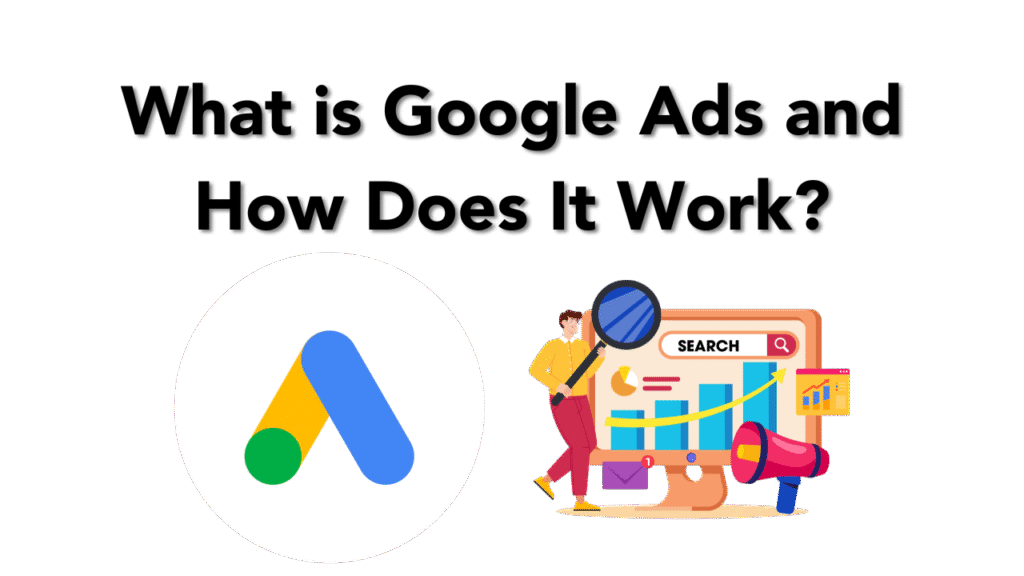
In today’s digital era, visibility is power. Whether you’re a freelancer, a brand, a startup, or a student learning digital marketing, mastering Google Ads is a must. Google Ads is the leading platform for Search Engine Marketing (SEM), a paid method of placing your business directly in front of users actively searching for your services or products.
In this module of the digital marketing course led by Kamlesh Singad of CWK Agency, we will break down Google Ads and its working model step-by-step, and more importantly—how YOU can start implementing it from day one.
What Is Google Ads?
Google Ads (formerly Google AdWords) is Google’s online advertising platform that allows you to create ads that appear on Google Search, YouTube, and millions of partner websites in the Google Display Network.
You pay Google when someone clicks on your ad—hence, the term PPC (Pay Per Click).
Benefits of Google Ads:
- Instant visibility on the top of Google
- Highly targeted ad placements
- Real-time performance tracking
- Scalable and measurable
- Works for all budgets
Kamlesh Tip: If SEO is a marathon, then Google Ads is a sprint. Combine both for optimal performance.
Also Read: What Is A Proxy & Proxy Server? | Understand Proxies In 5 Minutes!
How Does Google Ads Work?
Let’s break it into simple steps:
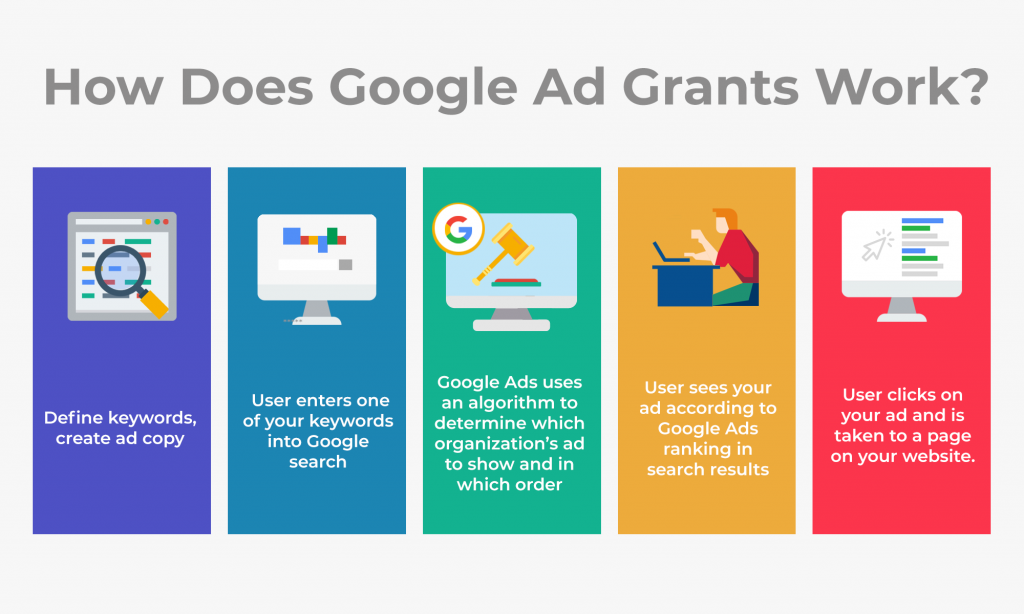
1. Keyword Targeting
You choose keywords related to your business (e.g., “Buy Digital Boards in India”). When users type these keywords into Google, your ad can show up.
2. Ad Auction
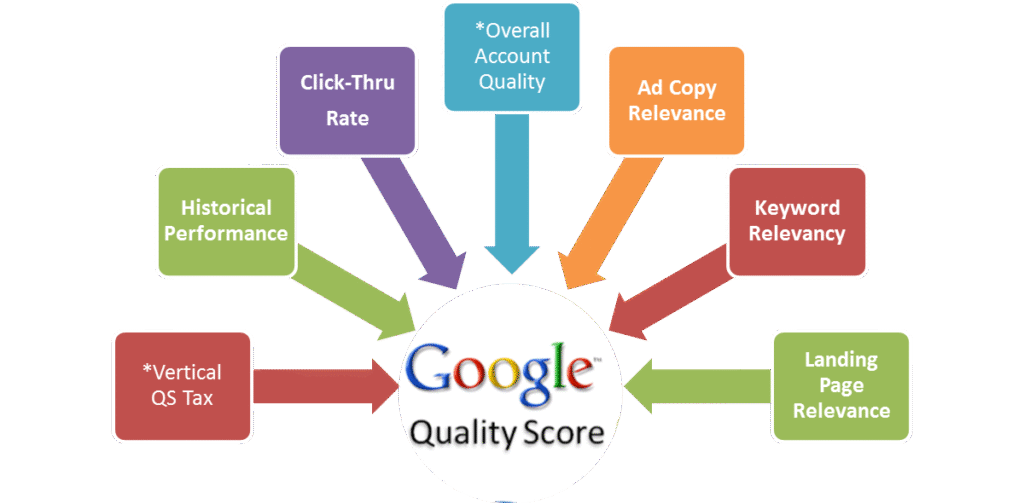
Every time a search is performed, Google runs an auction. Your ad’s visibility depends on:
- Bid amount
- Ad relevance
- Landing page experience
- Expected CTR (Click Through Rate)
3. Ad Rank
Google calculates your Ad Rank = CPC Bid × Quality Score
4. Ad Display
Based on your Ad Rank, Google determines:
- Whether your ad will show
- Which position it will occupy
5. Cost
You pay only when someone clicks your ad (Cost Per Click), not when they just view it.
Also Read: Web 3.0 Explained In 5 Minutes: A Beginner’s Guide to Web3
Types of Google Ads Campaigns
| Type | Description | Best Use |
|---|---|---|
| Search Ads | Text ads shown on Google search results | Lead generation, services |
| Display Ads | Image/video ads across websites | Brand awareness |
| Video Ads | Ads on YouTube | Engagement, product demos |
| Shopping Ads | Product ads with image & price | E-commerce |
| App Campaigns | Promote your app across Google properties | App installs |
| Performance Max | All-in-one AI-optimized campaigns | Broad goals, automation lovers |
CWK Agency Recommends: Start with Search Campaigns to understand targeting, bidding, and ad copywriting.
Google Ads Structure
Google Ads has a 3-layer structure:
- Account – Based on email/login
- Campaign – Budget, location, network, bidding
- Ad Group – Keywords + Ads
- Ads – Actual text/image/video shown
Step-by-Step Guide: How to Run Your First Google Ads Campaign
Here’s a practical beginner guide by Kamlesh Singad and the CWK Agency team:
Step 1: Create a Google Ads Account
Visit ads.google.com and sign up using your Gmail.
Step 2: Choose Your Campaign Goal
- Leads
- Website traffic
- Sales
- App promotion
Step 3: Select Campaign Type
Start with Search for easier tracking.
Step 4: Set Location and Language
Choose specific locations (e.g., Pune, India).
Step 5: Set Budget & Bidding
Set daily budget and choose bidding strategy (manual CPC or automated bidding).
Step 6: Add Keywords
Use Google Keyword Planner to research high-volume, low-competition keywords.
Step 7: Write Ad Copy
Keep your ad:
- Clear
- Relevant
- Action-oriented
Example:
Headline: Buy Digital Boards | Free Delivery
Description: Get Smart Boards with 3-Year Warranty. Trusted by 5,000+ Educators.
Step 8: Set Extensions
Add call buttons, sitelinks, and location extensions for better CTR.
Step 9: Publish and Monitor
Once live, monitor daily:
- CTR
- CPC
- Conversions
Also Read: Cyber War Explained in 5 Minutes: What Is Cyber War? A Beginner’s Guide to Cyber Security
Key Metrics You Must Track
| Metric | Meaning | Why It Matters |
|---|---|---|
| CTR | Clicks ÷ Impressions | Indicates ad relevance |
| CPC | Cost per click | Affects your ROI |
| Quality Score | Google’s rating of your ad | Impacts Ad Rank |
| Conversion Rate | Actions taken ÷ Clicks | Indicates campaign success |
| Impression Share | How often your ad shows vs. how often it could | Competitiveness |
CWK Agency’s Pro Tips for Success
- Use Exact Match and Phrase Match keywords to control who sees your ads.
- Write multiple ad variations and let Google test which performs best.
- Use negative keywords to avoid irrelevant clicks.
- Optimize landing pages – match headline, speed, mobile-responsiveness.
- Track conversions using Google Tag Manager and Analytics.
Case Study by Kamlesh Singad:
“One of our clients selling digital teaching tools saw a 250% increase in sales with optimized Google Search Campaigns using CWK Agency’s proven framework.”
Google Ads vs. SEO: What’s the Difference?
| Feature | Google Ads (SEM) | SEO |
|---|---|---|
| Cost | Pay-per-click | Free (organic) |
| Time | Instant | Long-term |
| Control | High | Limited |
| Scalability | Easy | Gradual |
Combine Google Ads for quick leads and SEO for long-term growth.
FAQs
Q1: How much does it cost to advertise on Google Ads?
A: It depends on your bid, competition, and industry. You can start with ₹100/day.
Q2: Do I need a website to run Google Ads?
A: Yes, especially for Search and Display campaigns. YouTube campaigns can work with just a video.
Q3: How long does it take to see results?
A: Usually within 1–3 days, depending on your budget and targeting.
Q4: Can I run Google Ads for a local business?
A: Absolutely. You can geo-target your ads to specific pin codes or cities.
Learn with CWK Agency: Practical Google Ads Projects
At CWK Agency, led by Kamlesh Singad, students are assigned real-world projects like:
- Running ads for small local businesses
- Managing ₹1,000/day campaigns
- Tracking conversions using Google Analytics
- A/B testing headlines and descriptions
Certificate of Completion + Portfolio Project
You will complete a live campaign during the course. Add it to your resume or share it with freelance clients.
Final Thoughts
Google Ads is one of the most powerful tools in digital marketing, but it must be used wisely. You now understand how it works—from auction to ad creation to performance tracking.
Whether you’re an aspiring digital marketer, freelancer, or small business owner, you can start your Google Ads journey today.
At CWK Agency, we believe in action-driven learning. So don’t just read this blog—go create your first campaign now!