Category: Blog

  • Best WordPress Themes for Blogs : Fast, SEO-Friendly & Responsive Picks

    Best WordPress Themes for Blogs : Fast, SEO-Friendly & Responsive Picks

    Choosing the right WordPress theme is crucial for creating a successful blog. It sets the tone for your content, affects user experience, and influences your blog’s overall aesthetics. In 2026, there’s a wide range of WordPress themes available to suit different blogging niches and preferences. In this blog, we’ll explore 15 of the best WordPress themes for blogs, with simple language and examples to help you make an informed decision.

    1. Astra

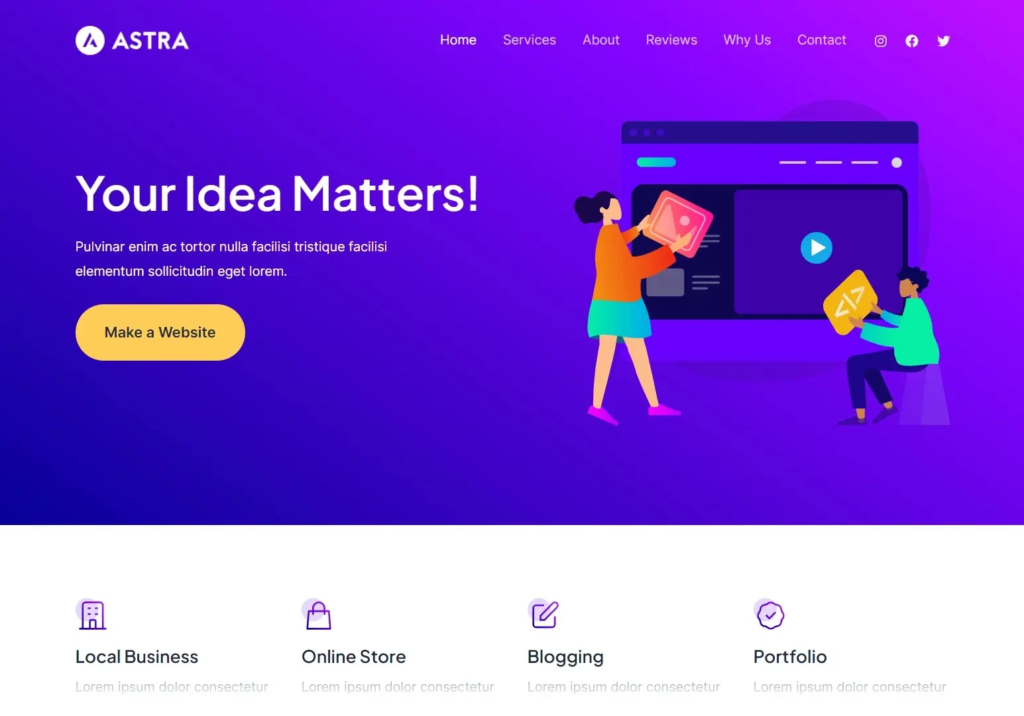
    Astra is a lightweight and highly customizable theme. It offers a wide variety of starter templates suitable for different blog niches, such as travel, food, and lifestyle. Astra is an excellent choice for bloggers who want flexibility and speed.

    Example: A travel blogger could use Astra to create a stunning website with a focus on showcasing beautiful destinations.

    2. GeneratePress

    GeneratePress is known for its speed and performance. It’s a versatile theme that works well for bloggers who want a clean and minimalistic design. It also integrates seamlessly with popular page builders.

    Example: A tech blogger could use GeneratePress to create a sleek and fast-loading tech news blog.

    3. Divi

    Divi is a popular theme that offers a powerful drag-and-drop builder, making it easy for bloggers to create unique layouts. It’s a great choice for bloggers who want full control over their site’s design.

    Example: A fashion blogger could use Divi to create a stylish and visually appealing fashion blog.
    WordPress Themes

    4. Schema Lite

    Schema Lite is an SEO-friendly theme that’s perfect for bloggers who prioritize search engine optimization. It’s designed to boost your blog’s visibility in search results.

    Example: A digital marketing blogger could use Schema Lite to enhance their blog’s SEO and gain more organic traffic.

    5. Soledad

    Soledad is a multipurpose blog theme with a wide range of pre-designed templates. It’s perfect for bloggers who want a visually striking website with lots of customization options.

    Example: An art and design blogger could use Soledad to showcase their portfolio and creative work.

    6. Hestia

    Hestia is a one-page WordPress theme that’s great for bloggers looking to create a simple and elegant website. It’s highly customizable and works well with popular page builders.

    Example: A personal development blogger could use Hestia to create an inspiring one-page blog.

    7. Writee

    Writee is a free WordPress blog theme with a clean and modern design. It’s perfect for bloggers who want a simple and straightforward layout to showcase their content.

    Example: A food blogger could use Writee to share delicious recipes and cooking tips.

    8. Olsen

    Olsen is a visually appealing theme designed for fashion and lifestyle bloggers. It offers various customization options to help you create a unique look for your blog.

    Example: A beauty blogger could use Olsen to create a stunning blog featuring makeup tutorials and product reviews.

    9. Baskerville

    Baskerville is a classic and elegant blog theme that’s perfect for writers and authors. It provides a distraction-free reading experience for your audience.

    Example: An author could use Baskerville to create a blog promoting their books and sharing writing tips.

    10. Neve

    Neve is a lightweight and fast-loading theme suitable for various blog niches. It’s highly customizable and works well with popular page builders.

    Example: A travel blogger could use Neve to create a fast and responsive travel blog.

    11. Zillah

    Zillah is a stylish and minimalist blog theme that focuses on showcasing your content in an elegant way. It’s perfect for bloggers who prefer a clean and uncluttered design.

    Example: An architecture blogger could use Zillah to display their portfolio and architectural insights.

    12. MyBlog

    MyBlog is a user-friendly theme that’s great for beginners. It offers a simple and intuitive customization process, making it easy to set up your blog.

    Example: A parenting blogger could use MyBlog to share parenting advice and stories.
    WordPress Themes

    13. Hemingway

    Hemingway is a clean and responsive theme inspired by the famous writer Ernest Hemingway. It’s ideal for bloggers who want a classic and timeless design.

    Example: A literature blogger could use Hemingway to write book reviews and literary analysis.

    14. Baskerville 2

    Baskerville 2 is a modern update of the classic Baskerville theme. It’s perfect for bloggers who want a timeless yet contemporary look for their blog.

    Example: An art history blogger could use Baskerville 2 to explore and analyze different art movements.

    15. Independent Publisher 2

    Independent Publisher 2 is a simple and clean theme that focuses on readability. It’s a great choice for bloggers who want their content to take center stage.

    Example: A news blogger could use Independent Publisher 2 to deliver news updates in a straightforward manner.

    Conclusion

    Selecting the right WordPress theme for your blog is a critical decision that can impact your site’s success. In 2023, there are plenty of excellent options available, catering to various blogging niches and personal preferences. Whether you prioritize speed, aesthetics, or SEO, there’s a theme on this list that’s perfect for you. Take the time to explore these themes, try out their demos, and find the one that aligns best with your blogging goals.

    WordPress Themes
  • Digital Marketing on a Budget | Code With Kamlesh Indore

    Digital Marketing on a Budget | Code With Kamlesh Indore

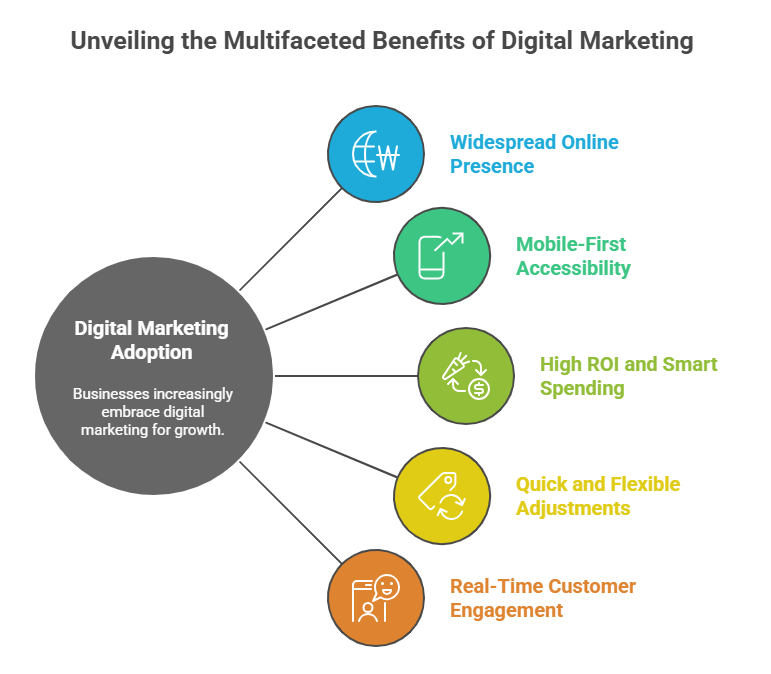
    In today’s fast-paced digital world, businesses of all sizes understand the importance of a robust online presence. Digital marketing has become the go-to strategy for reaching a wider audience, building brand recognition, and increasing revenue. However, many businesses, especially smaller ones, are often deterred by the high costs associated with digital marketing services. That’s where CWK Agency by Kamlesh Singad comes into the picture. Offering top-notch Digital Marketing on a Budget in Indore at an affordable price. In this blog, we’ll explore how CWK Agency can help your business grow without breaking the bank.

    Digital Marketing on a Budget

    CWK Agency is renowned for providing cost-effective digital marketing services tailored to the specific needs of your business. They understand that every company is unique, and a one-size-fits-all approach simply doesn’t work. Kamlesh Singad Agency offers a range of services that can be customized to suit your budget and goals.
    Services Offered

    Search Engine Optimization (SEO): SEO is crucial for improving your website’s visibility on search engines like Google. CWK Agency employs proven SEO strategies to help your website rank higher, drive organic traffic, and boost your online presence.

    Social Media Marketing: Social media platforms are powerful tools for engaging with your audience. They can create and manage compelling social media campaigns on platforms like Facebook, Instagram, Twitter, and LinkedIn to enhance your brand’s reach and engagement.

    Content Marketing: Quality content is the backbone of any successful digital marketing strategy. The agency can develop captivating and informative content, including blog posts, videos, and infographics, to engage your audience and establish your authority in your niche.

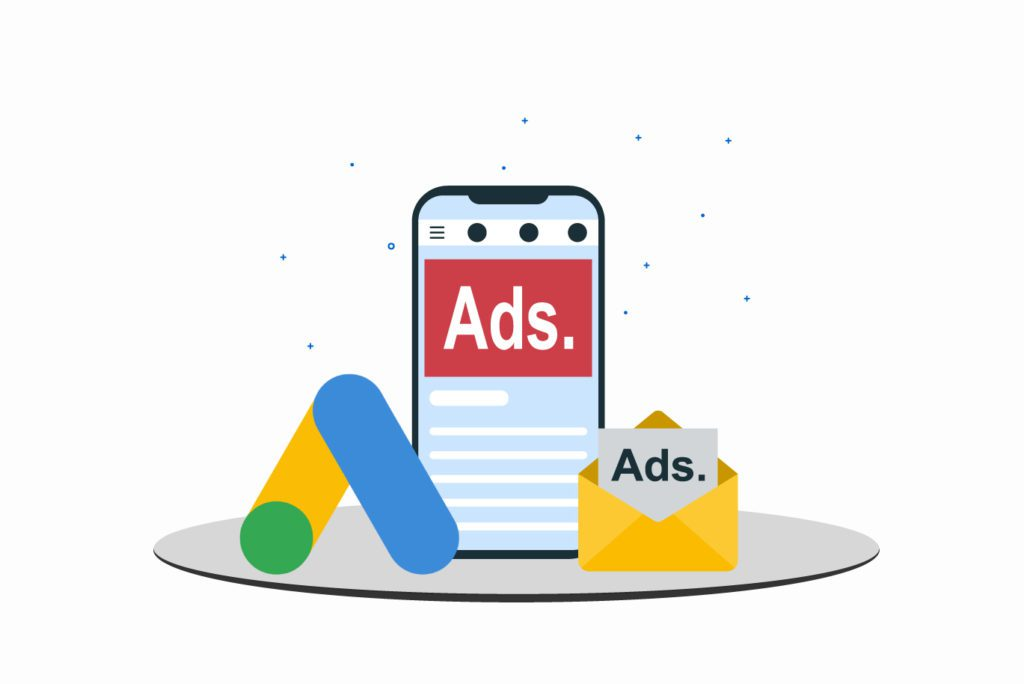
    Pay-Per-Click (PPC) Advertising: CWK Agency can create and manage PPC campaigns on platforms like Google Ads to drive targeted traffic to your website. You only pay when someone clicks on your ad, making it a cost-effective advertising option.

    Email Marketing: Stay in touch with your customers and prospects through email marketing campaigns. CWK Agency can help you design and execute email marketing strategies to nurture leads and drive conversions.

    Website Design and Development: A user-friendly website is essential for converting visitors into customers. CWK Agency can design and develop a professional website that reflects your brand and converts visitors into customers.

    Analytics and Reporting: The agency provides comprehensive analytics and reporting services to track the performance of your digital marketing campaigns. This data-driven approach allows for continuous optimization and improvement.

    Digital Marketing

    Why Choose CWK Agency?

    Affordability: CWK Agency understands the budget constraints of businesses, especially startups and small enterprises. They offer competitive pricing without compromising on the quality of services.

    Experienced Team: The agency boasts a team of experienced digital marketing professionals who are well-versed in the latest industry trends and best practices.

    Customized Solutions: Your business is unique, and so are your digital marketing needs. CWK Agency creates customized strategies that align with your goals and budget.

    Proven Track Record: This Agency has a successful track record of helping businesses in Indore and beyond achieve their digital marketing objectives.

    Transparency: They believe in transparency and keep you informed about the progress of your campaigns through regular reports and updates.

    Conclusion

    In the competitive world of digital marketing, CWK Agency stands out as an affordable and reliable partner for businesses looking to boost their online presence. Whether you’re a startup or an established company, their customized solutions can help you achieve your goals without breaking the bank. Don’t let budget constraints hold you back from reaching your full potential online. Choose Kamlesh Singad Agency as your trusted digital marketing partner in Indore.

    If you’re ready to take your digital marketing game to the next level, get in touch with CWK Agency today. And experience the benefits of professional, budget-friendly digital marketing services tailored to your unique needs.

  • Top 50 SEO Questions and Answers for Students, Beginners & Professionals

    Top 50 SEO Questions and Answers for Students, Beginners & Professionals

    Search Engine Optimization (SEO) is a dynamic field that plays a crucial role in helping websites rank higher on search engine results pages (SERPs). Whether you’re an SEO enthusiast, a digital marketer, or a website owner, testing your SEO knowledge through an online quiz can be an engaging and educational experience. In this blog, we’ve compiled a list of the top 50 SEO quiz questions with detailed answers and examples to help you sharpen your skills and stay up-to-date with SEO trends.

    Explore the most important SEO Questions with clear answers to improve your knowledge of search engine optimization, boost website rankings, and prepare for interviews or practical SEO implementation.

    Note: Before attempting the quiz questions, it’s recommended to have a basic understanding of SEO concepts. If you’re new to SEO, consider learning the fundamentals first.

    Let’s get started!

    Section 1: SEO Basics

    1. What does SEO stand for, and why is it important for websites?

    Answer: SEO stands for “Search Engine Optimization.” It is important for websites because it helps them improve their visibility on search engines like Google, leading to increased organic (non-paid) traffic and better online presence.

    2. Explain the difference between on-page and off-page SEO.

    Answer: On-page SEO refers to optimizing elements on a webpage itself, such as content, meta tags, and images. Off-page SEO involves activities outside the website, like link-building and social media marketing, to improve its authority and credibility.

    3. Define keyword research in SEO.

    Answer: Keyword research is the process of identifying and analyzing the specific words and phrases people use in search engines. It helps determine which keywords to target to rank for relevant searches.

    4. What is the purpose of a meta title tag, and how does it affect SEO?

    Answer: A meta title tag is an HTML element that specifies the title of a webpage. It appears in search engine results and browser tabs. Optimizing it with relevant keywords can improve click-through rates and SEO rankings.

    Example:

    <meta name="title" content="Best SEO Practices - Boost Your Website's Ranking">
    SEO Questions

    Section 2: On-Page SEO

    5. Explain the concept of keyword density.

    Answer: Keyword density is the percentage of times a target keyword appears within a webpage’s content compared to the total word count. It’s important to maintain a natural balance to avoid keyword stuffing.

    6. What is the importance of header tags (H1, H2, H3, etc.) in on-page SEO?

    Answer: Header tags provide structure to content and help search engines understand the hierarchy of information on a page. H1 tags represent the main title, while H2 and H3 tags indicate subheadings, contributing to SEO optimization.

    Example:

    <h1>Top 10 SEO Tips</h1>
    <h2>1. Keyword Research</h2>

    7. What is the significance of optimizing images for SEO, and how can you do it?

    Answer: Optimizing images involves reducing file sizes, using descriptive file names, and adding alt text. This helps improve page load speed and makes images accessible to search engines, enhancing overall SEO.

    Example:

    <img src="image.jpg" alt="SEO Tips for Beginners">

    8. How can you improve your website’s page loading speed for better SEO performance?

    Answer: To enhance page loading speed, you can optimize images, use content delivery networks (CDNs), enable browser caching, and minimize HTTP requests by reducing unnecessary elements.

    9. What is a 404 error, and how does it impact SEO?

    Answer: A 404 error occurs when a webpage is not found. It negatively affects SEO by creating a poor user experience and reducing trust with search engines. To mitigate this, set up custom 404 error pages with helpful navigation options.

    Example:

    <h1>404 - Page Not Found</h1>
    <p>Sorry, the page you're looking for doesn't exist.</p>

    Section 3: Off-Page SEO

    10. Define backlinks and their role in SEO.

    Answer: Backlinks are incoming links from other websites to yours. They are crucial for SEO because they act as “votes of confidence” from other sites, improving your website’s authority and ranking.

    11. What is guest posting, and how can it benefit off-page SEO?

    Answer: Guest posting involves writing articles for other websites in your niche with backlinks to your site. It benefits off-page SEO by increasing backlink opportunities and driving referral traffic.

    12. Explain the concept of domain authority (DA) and its significance in off-page SEO.

    Answer: Domain authority is a metric that measures the overall authority and credibility of a website. A higher DA indicates better SEO potential and makes it easier to rank for competitive keywords.

    13. How can social media activity impact off-page SEO?

    Answer: Active social media profiles and sharing content can increase brand visibility, drive traffic, and generate social signals, which can indirectly influence SEO rankings.

    Example:
    Sharing blog posts on Twitter and Facebook can attract more visitors to your website.

    SEO Questions

    Section 4: Technical SEO

    14. What is the importance of an XML sitemap in SEO?

    Answer: An XML sitemap is a list of all the pages on a website. It helps search engines understand the website’s structure and ensures all pages get indexed, improving SEO.

    15. Define canonicalization and its role in preventing duplicate content issues.

    Answer: Canonicalization is the process of specifying the preferred version of a webpage when multiple similar pages exist. It helps prevent duplicate content issues that can harm SEO.

    16. What is mobile optimization, and why is it essential for SEO?

    Answer: Mobile optimization involves designing and optimizing a website for mobile devices. It’s crucial for SEO because Google prioritizes mobile-friendly websites in mobile search results.

    Example:
    Responsive web design ensures your site looks and functions well on smartphones and tablets.

    17. What is page speed optimization, and how can it be achieved?

    Answer: Page speed optimization focuses on making webpages load quickly. It involves compressing images, reducing server response times, and using browser caching to enhance the user experience and SEO rankings.

    Section 5: SEO Metrics and Analysis

    18. Explain the difference between organic and paid search traffic.

    Answer: Organic search traffic comes from unpaid search engine results, while paid search traffic is generated through advertising campaigns like Google Ads.

    19. What are bounce rate and click-through rate (CTR), and how do they relate to SEO?

    Answer: Bounce rate measures the percentage of visitors who leave a website without interacting further. CTR is the percentage of users who click on a specific link. Both metrics provide insights into user engagement and can impact SEO rankings.

    20. How can Google Analytics and Google Search Console help in SEO analysis?

    Answer: Google Analytics provides detailed data on website traffic, user behavior, and conversions. Google Search Console offers insights into how Google views your site, indexing issues, and search performance, aiding SEO optimization efforts.

    Example:
    Analyzing Google Analytics data can help identify which pages are performing well and which need improvement.

    Section 6: Advanced SEO Strategies

    21. What is schema markup, and how can it enhance SEO?

    Answer: Schema markup is structured data added to a webpage’s HTML code to provide search engines with specific information about the content. It can result in rich snippets in search results, improving click-through rates and SEO.

    Example:

    <script type="application/ld+json">
    {
      "@context": "http://schema.org",
      "@type": "Recipe",
      "name": "Homemade Pizza",
      "author": "John Doe",
      "datePublished": "2023-09-20",
      ...
    }
    </script>

    22. How can long-tail keywords be beneficial in SEO strategies?

    Answer: Long-tail keywords are longer and more specific search queries. They are valuable in SEO because they often have less competition and can attract highly targeted traffic.

    23. What is the importance of content quality and relevance in SEO?

    Answer: High-quality, relevant content is crucial for SEO success. It engages visitors, earns backlinks, and demonstrates expertise, authority, and trustworthiness (E-A-T) to search engines.

    24. What is the concept of local SEO, and how can businesses benefit from it?

    Answer: Local SEO focuses on optimizing a website for local search results. It is beneficial for businesses that serve a specific geographic area, as it helps them appear in local search listings and Google Maps.

    Example:
    A local bakery can optimize its website to appear in Google’s local pack when users search for “best bakeries near me.”

    SEO Questions

    Section 7: SEO Trends and Future

    25. Name some emerging SEO trends and technologies to watch for in the near future.

    Answer: Some emerging SEO trends include voice search optimization, video SEO, artificial intelligence (AI), and the increasing importance of user experience (UX) signals in search engine rankings.

    26. How do Core Web Vitals affect SEO, and why are they important?

    Answer: Core Web Vitals are a set of user experience metrics that measure page loading speed, interactivity, and visual stability. Google uses them as ranking factors, making them crucial for SEO.

    Example:
    A website that loads quickly and provides a smooth user experience is more likely to rank higher in search results.

    27. Explain the concept of E-A-T in SEO, and why does it matter?

    Answer: E-A-T stands for Expertise, Authoritativeness, and Trustworthiness. It is a framework used by Google to assess the quality of content and websites. Demonstrating high E-A-T is essential for SEO success.

    Example:
    A medical website should have content written by medical experts to establish expertise and trustworthiness.

    Conclusion

    SEO is an ever-evolving field, and staying informed about the latest trends and best practices is vital for success. This quiz with 50 questions and answers has covered a wide range of SEO topics, from the basics to advanced strategies. By mastering these concepts and staying up-to-date with industry developments, you’ll be better equipped to improve your website’s SEO and drive organic traffic.

    Remember that SEO is an ongoing process, and it’s essential to adapt to changes in search engine algorithms and user behavior. Regularly testing your knowledge through quizzes and staying engaged with the SEO community can help you maintain a competitive edge in the digital landscape.

    Happy quizzing, and may your SEO efforts lead to greater online visibility and success!

  • How to Get a Job at Google: Complete Guide with Skills, Process & Examples

    How to Get a Job at Google: Complete Guide with Skills, Process & Examples


    Looking to land a Job at Google? Discover the complete guide with required skills, eligibility, hiring process, resume tips, and proven strategies to increase your chances of getting selected at Google.

    Google, the tech giant that revolutionized the way we search and access information on the internet, is a dream destination for many aspiring professionals. Whether you’re interested in working as a software engineer, data scientist, marketing specialist, or any other role, this blog will provide you with a detailed guide on how to get into it. We’ll explore the complete process, including opportunities and real-life examples to inspire your journey.

    1: Research and Self-Assessment

    Understand Google’s Culture and Values To succeed at Google, it’s crucial to align with the company’s culture and values. It’s values innovation, collaboration, and a passion for solving complex problems. Research Google’s mission statement and company culture to ensure you’re a good fit.

    Self-Assessment and Skill Evaluation Determine your strengths and weaknesses. Identify the role at Google that matches your skills and interests. It’s offers a wide range of opportunities, from engineering to marketing to design.

    2: Education and Skill Development

    Pursue Relevant Education Google values candidates with strong educational backgrounds. Pursue a degree in computer science, engineering, business, or a related field. Many employees hold advanced degrees such as Master’s or Ph.D.

    Gain Practical Experience Internships, co-ops, and relevant work experience are invaluable. They offers various internship programs like the Google Internship for Software Engineering (Google STEP). These opportunities provide hands-on experience and networking opportunities.

    Job at Google

    3: Building Your Resume

    Craft an Outstanding Resume Your resume is your first impression. Highlight your achievements, skills, and any relevant projects. Use action verbs and quantify your accomplishments. For example:

    “Developed a machine learning model that reduced customer support response times by 30%.”

    4: Preparing for Interviews

    Practice for Technical Interviews Google is known for its challenging technical interviews. Practice coding problems on platforms like LeetCode and HackerRank. Google’s own platform, Coding Competitions, is an excellent resource.

    Behavioral Interview Preparation Be ready to answer behavioral questions that assess your problem-solving, teamwork, and leadership skills. Use the STAR (Situation, Task, Action, Result) method to structure your responses.

    5: Applying for Google

    Online Application Visit Google’s Careers website and search for job openings. Submit your resume and cover letter. Tailor your application to the specific role you’re applying for.

    Networking Leverage your network. Connect with current or former employees on LinkedIn. Attend industry conferences and Google-sponsored events to make connections.

    6: Interviewing at Google

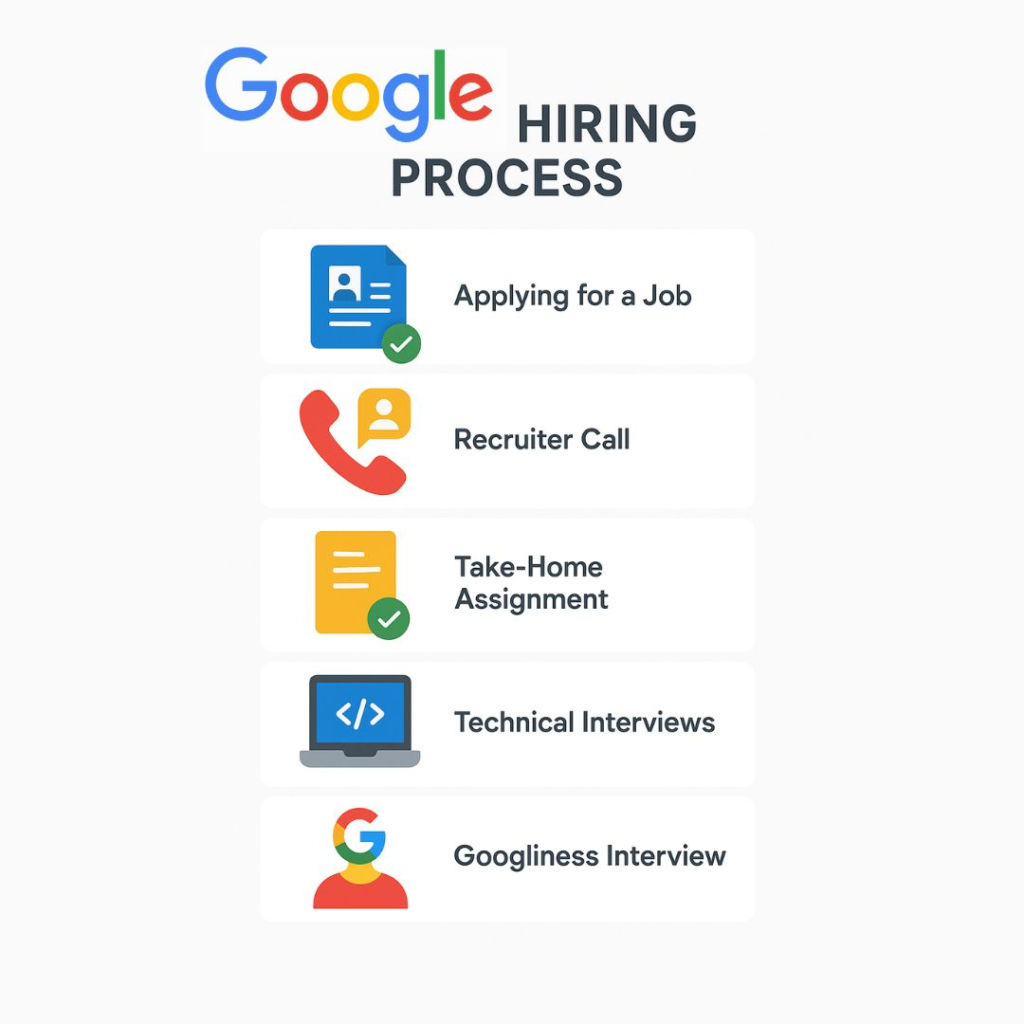
    Phone Screen and Technical Interviews If your application is shortlisted, you’ll likely have a phone screen followed by multiple technical interviews. Prepare thoroughly and demonstrate your problem-solving skills.

    On-Site Interviews For some roles, they may invite you for on-site interviews. These often include additional technical and behavioral interviews. Be sure to practice, stay confident, and be yourself.

    Job at Google

    7: Real-Life Examples

    Let’s look at two real-life examples of individuals who successfully landed jobs at Google:

    Example 1: Jane’s Journey to Google

    Jane, a computer science graduate, spent her summers interning at startups and tech companies. She excelled in coding competitions and had a strong GitHub portfolio. After applying for multiple positions and practicing intensively for technical interviews, she secured a software engineering role.

    Example 2: Mark’s Transition to Google

    Mark had a background in marketing and several years of experience in the field. He completed Google’s Digital Marketing Certificate on Coursera to gain relevant skills. He then applied for a marketing position and highlighted his newfound knowledge. His determination and skills earned him the role.

    Conclusion

    Getting into Google is challenging but not impossible. It requires dedication, continuous learning, and a genuine passion for the company’s mission and values. By following the steps outlined in this guide and learning from real-life examples, you can increase your chances of joining one of the world’s most innovative and influential tech companies. Remember, the journey is a marathon, not a sprint, so stay persistent and focused on your goals. Good luck!
    Job at Google
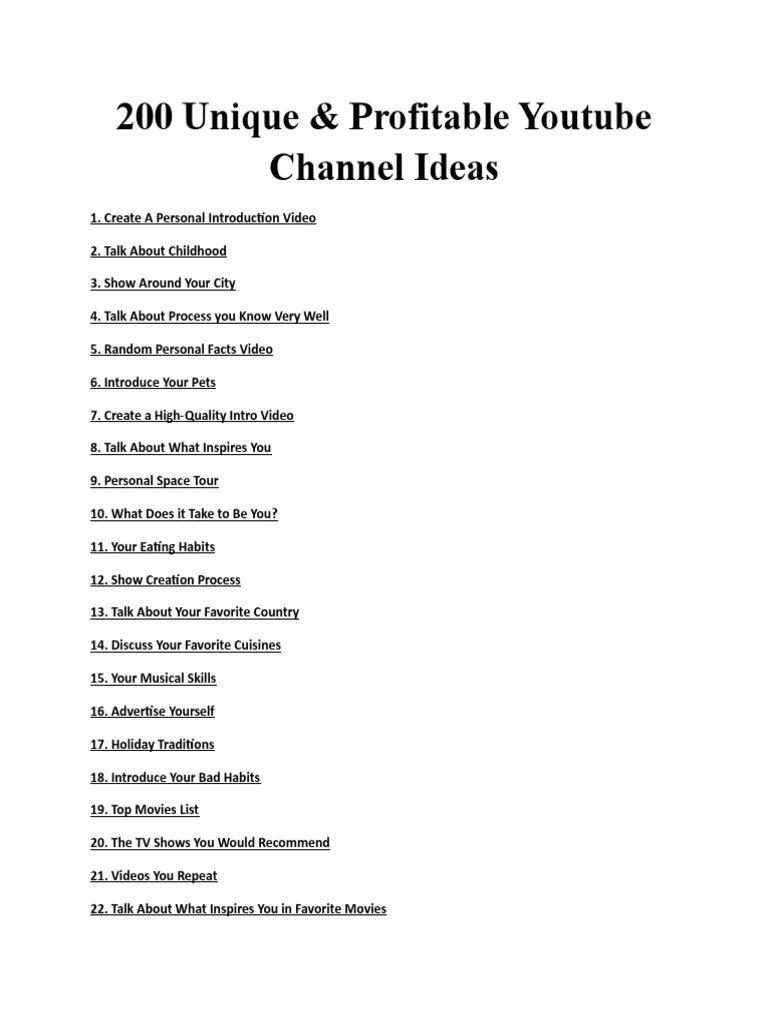
  • Top 15 YouTube Channel Ideas

    Top 15 YouTube Channel Ideas

    YouTube has become a vast platform where people can share their passions, expertise, and creativity with the world. Creating a successful YouTube channel can be a rewarding endeavor, both personally and financially. If you’re looking for YouTube channel ideas, you’ve come to the right place. In this blog post, we’ll explore 15 YouTube channel ideas in simple language, accompanied by real-life examples to inspire you.

    Vlogging Channel

    Example: Casey Neistat

    Vlogging is all about sharing your daily life, adventures, and experiences with your audience. Casey Neistat’s channel is a prime example of how vlogging can turn into a thriving YouTube career.

    Tech Review Channel

    Example: Marques Brownlee (MKBHD)

    Tech enthusiasts can create channels where they review gadgets, smartphones, laptops, and other tech-related products. MKBHD is known for his insightful tech reviews and analysis.

    Cooking and Recipe Channel

    Example: Tasty

    If you’re passionate about cooking, share your culinary skills through cooking tutorials. Tasty, a part of Buzzfeed, creates engaging recipe videos that are both fun and educational.

    Also Read: Mastering SEO: Top 50 Quiz Questions and Answers

    YouTube Channel Ideas

    Fitness and Health Channel

    Example: Blogilates

    Help people stay fit and healthy by creating workout routines, nutritional tips, and wellness advice. Blogilates provides viewers with fitness motivation and guidance.

    Travel Channel

    Example: FunForLouis

    Travel enthusiasts can document their adventures, share travel tips, and explore different cultures. FunForLouis is an excellent example of a travel vlogger who takes viewers on exciting journeys.

    Gaming Channel

    Example: PewDiePie

    Gamers can record themselves playing video games, provide commentary, and entertain their audience. PewDiePie is one of the most well-known gaming YouTubers.

    Educational Channel

    Example: Vsauce

    Educational channels cover a wide range of topics, from science and history to language and technology. Vsauce, hosted by Michael Stevens, offers fascinating explanations on various subjects.

    DIY and Crafting Channel

    Example: 5-Minute Crafts

    If you love crafting, DIY, or home improvement projects, showcase your creativity through tutorials. 5-Minute Crafts is renowned for its simple yet inventive DIY ideas.

    Fashion and Beauty Channel

    Example: Zoe Sugg (Zoella)

    Fashionistas can create channels to share fashion advice, makeup tutorials, and product reviews. Zoella is a popular beauty influencer on YouTube.

    Comedy Channel

    Example: Jenna Marbles

    If you have a great sense of humor, entertain your audience with funny sketches, parodies, and stand-up comedy. Jenna Marbles made a name for herself with her comedic content.

    YouTube Channel Ideas

    Parenting and Family Channel

    Example: The Holderness Family

    Share your parenting experiences, tips, and family adventures. The Holderness Family creates humorous and relatable family-oriented content.

    Also Read: How to do YouTube SEO ?

    Music Channel

    Example: Justin Bieber

    If you’re a musician or singer, YouTube can be a platform to showcase your talent. Justin Bieber started his career by posting covers on YouTube.

    Motivational and Self-Improvement Channel

    Example: TEDx Talks

    Inspire and empower your audience with motivational speeches, personal development tips, and success stories. TEDx Talks feature thought-provoking talks on various subjects.

    Science and Nature Channel

    Example: National Geographic

    Explore the wonders of the natural world, scientific discoveries, and wildlife. National Geographic’s YouTube channel provides breathtaking documentaries and educational content.

    Pet Channel

    Example: The Dodo

    Share the adorable antics of your pets or create informative content about pet care. The Dodo is known for heartwarming animal stories and rescue missions.

    Conclusion

    With these 15 YouTube channel ideas and real-life examples, you have a solid starting point to begin your YouTube journey. Remember, success on YouTube requires dedication, consistency, and a genuine passion for your chosen niche. Whether you’re a budding chef, a tech enthusiast, or a travel adventurer, there’s a YouTube channel waiting for you to create and share your unique content with the world. So, pick an idea that resonates with you and start creating! Who knows, you might be the next YouTube sensation.

    YouTube Channel Ideas
  • How Google Algorithms Work for SEO: A Beginner to Advanced Guide

    How Google Algorithms Work for SEO: A Beginner to Advanced Guide

    In the ever-evolving landscape of online search, Google reigns supreme. With billions of daily searches, it’s no surprise that businesses and website owners are constantly striving to rank higher on Google’s search results pages. Achieving this coveted top spot requires a deep understanding of Google’s algorithms and how they impact Google Algorithms for Website SEO (Search Engine Optimization).

    Google’s algorithms are complex sets of rules and formulas that determine the order in which websites appear in search results. These algorithms are updated frequently to provide users with the most relevant and high-quality content. In this comprehensive guide, we’ll break down Google’s algorithms in simple language and provide actionable tips for improving your website’s SEO.

    Chapter 1: Understanding Google’s Mission

    Before delving into Google’s algorithms, it’s essential to understand Google’s mission. Google’s primary goal is to provide users with the most relevant and high-quality search results possible. To achieve this, Google continuously refines its algorithms to ensure that websites with valuable content are rewarded and those employing deceptive tactics are penalized.

    Chapter 2: Google’s Core Algorithms

    Google employs several core algorithms to rank websites in search results. Let’s take a closer look at some of the most significant ones:

    • Google Panda: This algorithm assesses the quality of your website’s content. It penalizes low-quality or duplicate content and rewards websites with original, informative, and engaging content.
    • Google Penguin: Penguin focuses on backlinks, penalizing websites with spammy or manipulative link profiles. Building high-quality, natural backlinks is essential to avoid penalties from this algorithm.
    • Google Hummingbird: Hummingbird is all about understanding user intent. It helps Google deliver more accurate results by considering the context and meaning of search queries, making long-tail keywords and natural language crucial for SEO.
    • Google RankBrain: RankBrain is Google’s machine learning algorithm. It helps interpret ambiguous queries and fine-tune search results based on user behavior. Understanding user intent and providing relevant content is key to ranking well with RankBrain.
    • Google BERT: BERT (Bidirectional Encoder Representations from Transformers) improves language understanding. It focuses on understanding the context of words in a search query, making it crucial to create content that answers specific user questions.

    Also Read: Local Businesses Rank Faster on Google | SEO Tips by CWK Agency

    Google Algorithms

    Chapter 3: The Importance of Mobile-Friendly Design

    In the mobile-first era, Google prioritizes mobile-friendly websites. A mobile-friendly design ensures that your site looks and performs well on smartphones and tablets. Google’s Mobile-First Index means that mobile versions of web pages are used for ranking. To optimize for mobile, ensure responsive design, fast loading times, and a user-friendly interface.

    Chapter 4: Content is King

    Content is the foundation of SEO. Creating high-quality, relevant, and valuable content is essential. Here are some key considerations:

    • High-Quality Content: Your content should be well-researched, well-written, and free from errors. It should provide value to your audience and address their needs.
    • Keyword Research: Keyword research helps you understand what your target audience is searching for. Use tools like Google Keyword Planner to find relevant keywords to include in your content.
    • Content Length: In general, longer content tends to perform better in search results. However, it should be long because it provides value, not just for the sake of length.
    • Content Freshness: Updating and adding new content keeps your website relevant. Google often rewards fresh content with higher rankings.

    Chapter 5: Backlinks and Off-Page SEO

    Backlinks, also known as inbound links, are crucial for SEO. They represent trust and authority in the eyes of search engines. However, not all backlinks are created equal:

    • The Power of Backlinks: High-quality, authoritative backlinks from reputable websites are more valuable than a large number of low-quality links.
    • Link Quality vs. Quantity: Focus on earning quality backlinks rather than trying to accumulate as many as possible. Building relationships with other websites in your niche can lead to natural backlink opportunities.
    • Avoiding Black Hat SEO: Stay away from black hat SEO tactics like buying links or participating in link schemes. Google’s algorithms are adept at detecting and penalizing such practices.

    Also Read: SEO Expert Indore: The Ultimate Guide to Choosing the Best SEO Consultant

    Chapter 6: Technical SEO

    Technical SEO involves optimizing your website’s infrastructure and technical elements for search engines. Some key technical SEO aspects include:

    • Website Speed: A fast-loading website is crucial for SEO. Use tools like Google PageSpeed Insights to identify and fix speed issues.
    • Mobile Optimization: Ensure that your website is mobile-friendly and loads quickly on mobile devices.
    • Secure (HTTPS) Connection: Google prefers secure websites. Implementing an SSL certificate to enable HTTPS is essential.
    • XML Sitemaps: XML sitemaps help search engines understand your website’s structure and content, making it easier for them to crawl and index your pages.
    • Schema Markup: Adding schema markup to your content can enhance how your website appears in search results, providing additional information to users.

    Chapter 7: User Experience (UX) and SEO

    User experience directly impacts your website’s performance in search results. Google wants to provide users with a positive experience, so consider these UX factors:

    • Page Layout and Design: Ensure your website has an organized and visually appealing layout that makes it easy for users to navigate.
    • Mobile Responsiveness: Mobile users should have the same great experience as desktop users. Optimize for various screen sizes.
    • Website Navigation: Create a clear and intuitive navigation structure to help users find what they’re looking for.
    • Page Loading Speed: Slow-loading pages frustrate users and can lead to higher bounce rates. Optimize your website’s speed for better rankings.
    Google Algorithms

    Chapter 8: Local SEO

    If your business serves a local audience, optimizing for local search is essential. Here are some key aspects of local SEO:

    • Google My Business: Claim and optimize your Google My Business listing. Provide accurate information, high-quality images, and encourage customer reviews.
    • Online Reviews: Positive online reviews not only boost your reputation but can also improve local search rankings.
    • NAP Citations: Ensure that your business’s name, address, and phone number (NAP) are consistent across all online directories and listings.

    Chapter 9: Tracking and Analytics

    To gauge the effectiveness of your Google Algorithms for Website SEO efforts, you need to track and analyze data. Here are some essential tools and metrics:

    • Google Analytics: Provides insights into website traffic, user behavior, and more.
    • Google Search Console: Offers data on how your website appears in search results and helps identify and fix issues.
    • SEO Tools: Utilize various SEO tools like Moz, SEMrush, and Ahrefs to monitor rankings, analyze backlinks, and conduct keyword research.

    Chapter 10: Staying Updated

    The world of SEO is constantly evolving, with Google regularly rolling out algorithm updates. To stay ahead, consider these strategies:

    • Algorithm Updates: Stay informed about Google’s algorithm updates and adapt your Google Algorithms for Website SEO strategies accordingly.
    • Industry News: Follow industry news and blogs to keep up with the latest trends and best practices in Google Algorithms for Website SEO.

    Also Read: Certified SEO Expert Indore | Complete Guide to Growing Your Business Online

    Chapter 11: Conclusion

    In the competitive online landscape, understanding Google’s algorithms and implementing effective SEO strategies is crucial for your website’s success. By focusing on high-quality content, technical optimization, user experience, and staying up-to-date with industry changes, you can improve your website’s visibility in Google’s search results. Remember that Google Algorithms for Website SEO is an ongoing process, and consistent efforts are key to achieving and maintaining high rankings.

    Google Algorithms
  • Top Emerging Digital Marketing Trends You Must Know as a Marketer

    Top Emerging Digital Marketing Trends You Must Know as a Marketer

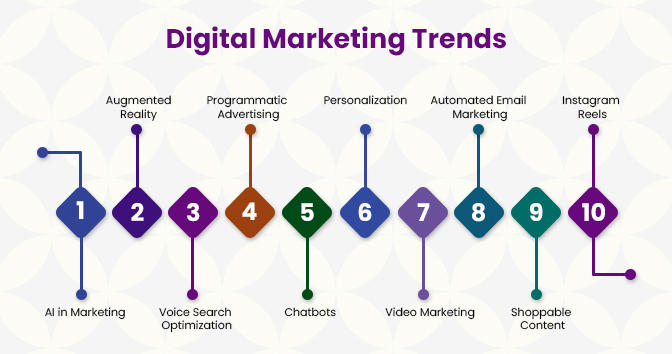
    In the fast-paced world of digital marketing, staying ahead of the curve is crucial for success. What worked yesterday may not work today, and as a marketer, you need to adapt to the ever-evolving landscape. In this blog, we’ll explore the top emerging digital marketing trends you must know as Digital Marketer, and we’ll break them down into simple language with real-world examples of Digital Marketer.

    Video Marketing Continues to Soar

    Video marketing is not new, but its significance is growing exponentially. People love watching videos, and platforms like YouTube, TikTok, and Instagram Reels are perfect examples of this trend.

    Example: Let’s say you run a small bakery. Instead of just posting pictures of your delicious treats, you could create short videos showcasing the baking process, customer reviews, or even behind-the-scenes footage. This engages your audience and gives them a more immersive experience.

    Conversational Marketing with Chatbots

    Chatbots are becoming smarter and more personalized. They can provide instant answers to customer queries, making user interactions smoother and more efficient.

    Example: If you have an e-commerce website, you can implement a chatbot that asks visitors what they are looking for and guides them to the right products. It can also handle frequently asked questions, reducing the workload on your customer support team.

    Also Read: 10 Powerful Reasons Why You Should Outsource Your Digital Marketing

    Digital Marketing Trends

    AI-Powered Personalization

    Artificial Intelligence (AI) is changing the game in digital marketing. AI algorithms can analyze user data to offer highly personalized content and product recommendations.

    Example: Think about Netflix. It uses AI to suggest movies and shows based on your viewing history. As a marketer, you can employ AI to send personalized email campaigns, tailored product recommendations, and even website content.

    Voice Search Optimization

    Voice assistants like Siri, Alexa, and Google Assistant are becoming increasingly popular. Optimizing your content for voice search is a must.

    Example: If you’re a local pizza restaurant, optimizing for voice search means focusing on long-tail keywords and answering questions like, “Where’s the nearest pizza place?” in your website content. This can help you rank higher when someone asks their voice assistant for pizza recommendations.

    Digital Marketing Trends

    Influencer Marketing Evolution

    Influencer marketing is not just about celebrities anymore. Micro-influencers (those with smaller but highly engaged followings) are gaining traction.

    Example: Instead of paying a celebrity chef to promote your kitchen gadgets, you could collaborate with a food blogger who has a dedicated audience of home cooks. Their recommendations are often perceived as more authentic and trustworthy.

    Augmented Reality (AR) and Virtual Reality (VR)

    AR and VR technologies are making their way into digital marketing. They allow consumers to interact with products and experiences in immersive ways.

    Example: Imagine you’re in the fashion industry. You could develop an AR app that lets customers “try on” clothes virtually before making a purchase. This enhances the online shopping experience and reduces return rates.

    User-Generated Content

    User-generated content (UGC) involves customers creating content related to your brand. It’s a powerful way to build trust and authenticity.

    Example: If you run a fitness brand, encourage your customers to share their workout videos or before-and-after photos on social media using a specific hashtag. You can then showcase this UGC on your website or social channels, demonstrating real people achieving real results with your products.

    Also Read: Advanced Digital Marketing Course in Indore | Learn with Code With Kamlesh Agency

    Data Privacy and Transparency

    With increasing concerns about data privacy, marketers need to be transparent about how they collect and use customer data.

    Example: Make sure your website clearly outlines your data collection practices and gives users the option to opt out. Being transparent builds trust, and customers are more likely to share their information if they know it’s handled responsibly.

    Conclusion

    The digital marketing landscape is dynamic, and staying updated on emerging trends is vital for success. From video marketing and chatbots to AI-powered personalization and AR/VR experiences, these trends offer exciting opportunities for Digital Marketer to connect with their audience in innovative ways. Embracing these trends and adapting your strategies accordingly can help you stay at the forefront of digital marketing and drive better results for your brand or business.

    Also Read: Advanced AI Digital Marketing Course in Indore by Code With Kamlesh

    Digital Marketing Trends
  • Top 50 Google Ads Interview Questions: Your Key to Success

    Top 50 Google Ads Interview Questions: Your Key to Success

    Landing your dream job in the digital marketing industry, especially in the realm of Google Ads, can be a rewarding experience. In this blog post, we’ll dive deep into the top 50 Google Ads interview questions and provide clear, simple explanations with examples to help you ace your interview on your first attempt.

    Part 1: Google Ads Basics

    • What is Google Ads, and how does it work? It operates on a pay-per-click (PPC) model where advertisers bid on keywords. The highest bidder’s ad appears first.
    • What are the different campaign types in Google Ads?
    • Search Campaigns
    • Display Campaigns
    • Video Campaigns
    • Shopping Campaigns
    • App Campaigns
    • Explain Quality Score. Quality Score measures ad and landing page quality. It impacts ad placement and cost. Higher Quality Scores lead to lower costs.
    • What is Ad Rank, and how is it determined? Ad Rank is your ad’s position in search results. It’s calculated as Bid x Quality Score.
    Google Ads Interview Questions

    Part 2: Keyword Research and Targeting

    • What are Broad Match, Phrase Match, and Exact Match keywords?
    • Broad Match: Wide range of related searches.
    • Phrase Match: Specific phrase with words before/after.
    • Exact Match: Exact keyword or close variations.
    • How can negative keywords improve ad targeting? Negative keywords exclude irrelevant searches, saving budget.
    • Explain Keyword Match Type and its impact. Match types determine how closely a search query must match a keyword. “Exact match” ensures high relevance.

    3: Ad Creation and Optimization

    • What are the essential elements of a Google Ads text ad? Headline, description, display URL.
    • What are Responsive Search Ads? Ads with multiple headlines and descriptions tested by Google’s algorithm.
    • Explain Ad Scheduling. Ad Scheduling lets you specify when ads run.
    • What are Conversion Tracking and why is it important? Conversion Tracking measures actions after ad clicks.

    4: Budgeting and Bidding Strategies

    • What is Cost Per Click (CPC)? CPC is the amount paid per ad click.
    • What is a Daily Budget? The daily maximum ad spend.
    • What is Enhanced Cost Per Click (eCPC) bidding? It automatically adjusts bids for conversions.
    • What is Target CPA bidding? Bids are adjusted to achieve a specific cost per conversion.
    • What is ROAS (Return on Ad Spend)? It measures revenue compared to ad spend.

    5: Ad Performance Analysis and Optimization

    • What is Click-Through Rate (CTR)? CTR is the percentage of users who click on an ad.
    • What is Conversion Rate? Conversion Rate measures the percentage of users who complete a desired action.
    • Explain Impression Share.
    • What is A/B testing? A/B testing involves running two versions of an ad simultaneously.
    • How can the Search Terms report optimize campaigns? It shows the actual search queries that triggered ads.

    6: Ad Campaign Management and Advanced Strategies

    • What are Dynamic Search Ads (DSA)? DSA generates ad content based on website content.
    • What is the Google Display Network (GDN)? GDN is a network of websites and apps for displaying ads.
    • Explain Remarketing and its benefits. Remarketing targets users who previously visited your website.
    • What is Google Ads Editor? Google Ads Editor is a desktop tool for campaign management.
    • How do Quality Score and Ad Rank relate to Ad Extensions? Quality Score and Ad Rank consider ad extension relevance.
    Google Ads Interview Questions

    7: Google Ads Policies and Compliance

    • What are Google Ads Policies, and why must advertisers adhere to them? Policies ensure a safe and positive user experience.
    • How can you prevent ad disapprovals? Review and adhere to Google’s advertising guidelines.
    • What is Click Fraud, and how can advertisers protect themselves? Click Fraud is malicious clicking; protection involves monitoring and prevention.
    • How can advertisers ensure GDPR compliance? GDPR compliance involves data protection and user consent.

    8: Case Studies and Real-Life Scenarios

    • Provide a case study highlighting the importance of effective keyword research. Effective research led to a 30% increase in bookings for a travel agency.
    • Share a success story where ad optimization improved ROI significantly. A/B testing increased conversion rates by 20% for an e-commerce store.
    • Discuss a scenario where negative keywords reduced ad spend. Adding “cheap” and “used” as negatives reduced spend by 15%.
    • Share an example of effective ad scheduling targeting a specific audience. Ad scheduling increased dine-in reservations by 25% for a restaurant.
    • Describe a case where remarketing boosted conversions. Remarketing increased cart recoveries by 30% for an e-commerce store.

    9: Advanced Google Ads Topics

    • What are Google Ads Scripts and how can they automate tasks? Google Ads Scripts automate bid adjustments, reporting, and more.
    • Explain Attribution Modeling in Google Ads. Attribution Modeling assigns value to touchpoints in the customer journey.
    • What are Google Ads Custom Audiences, and how are they created? Custom Audiences target specific user groups based on behavior.
    • How can ad personalization be achieved using Google Ads Scripts? Scripts can personalize ad content based on user behavior.
    • What is Smart Bidding, and how does it work? Smart Bidding uses machine learning to optimize bids for conversions.

    10: Preparing for Your Google Ads Interview

    • How can you stay updated with Google Ads trends and updates? Follow official blog and industry newsletters.
    • What are common interview mistakes to avoid? Avoid not understanding basics, not providing clear examples, and being overly theoretical.
    • How can you showcase problem-solving skills in an interview? Discuss real challenges faced in campaigns, analysis, and optimization.
    • What is the significance of soft skills in an interview? Soft skills like communication and adaptability are vital.

    Conclusion

    Acing a Google Ads interview on your first attempt requires a solid understanding of fundamentals, advanced concepts, and practical experience. Best of luck with your interview, and may your digital marketing career reach new heights!

    Google Ads Interview Questions
  • All About Yoast SEO Plugin: Setup, Settings & Download

    All About Yoast SEO Plugin: Setup, Settings & Download

    In the ever-evolving landscape of digital marketing, search engine optimization (SEO) remains a crucial aspect of any successful online strategy. SEO helps your website rank higher in search engine results, making it easier for potential visitors to discover your content. While SEO involves various techniques and strategies, having the right tools can significantly simplify the process. One such tool that has gained immense popularity is the Yoast SEO Plugin for WordPress.

    If you’re new to SEO or looking to optimize your WordPress website, this comprehensive guide will walk you through everything you need to know about the Yoast SEO Plugin, from setup to advanced settings. By the end of this article, you’ll have a clear understanding of how to make the most of this powerful tool to boost your website’s visibility and performance.

    Chapter 1: Introduction to Yoast SEO Plugin

    What is Yoast SEO Plugin?

    Yoast SEO is a WordPress plugin that assists website owners and content creators in optimizing their websites for search engines. Developed by Joost de Valk and his team, this plugin simplifies the often complex process of SEO by providing a user-friendly interface and valuable insights to improve your website’s SEO.

    Why Use Yoast SEO Plugin?

    Here are some compelling reasons to consider using Yoast SEO Plugin:

    1. Simplified SEO: Yoast SEO breaks down the complex world of SEO into manageable tasks, making it accessible to users of all levels of expertise.
    2. On-Page Optimization: It helps you optimize individual pages and posts on your website by providing real-time suggestions and analysis.
    3. Content Analysis: Yoast SEO evaluates the readability and SEO-friendliness of your content, offering suggestions to improve it.
    4. XML Sitemap Generation: It automatically generates an XML sitemap for your website, which is essential for search engines to index your content effectively.
    5. Social Media Integration: Yoast SEO helps you optimize your content for social media platforms by allowing you to set custom titles, descriptions, and images for shared posts.
    6. Breadcrumb Navigation: The plugin can create breadcrumb navigation, enhancing the user experience and SEO of your website.
    7. Focus Keywords: You can set focus keywords for your content, and Yoast SEO provides feedback on their usage and optimization.

    Now that you understand the benefits of using Yoast SEO, let’s move on to setting it up on your WordPress website.

    Yoast SEO Plugin

    Chapter 2: Setting Up Yoast SEO Plugin

    Download and Installation

    Before we dive into the settings and usage of Yoast SEO, you need to install the plugin on your WordPress website. Here’s how:

    1. Log in to Your WordPress Dashboard: You must have administrator access to your WordPress site.
    2. Navigate to Plugins: On the left-hand menu, click on “Plugins.”
    3. Add New Plugin: Click the “Add New” button at the top of the Plugins page.
    4. Search for Yoast SEO: In the search bar, type “Yoast SEO” and hit Enter.
    5. Install and Activate: Click the “Install Now” button next to the Yoast SEO plugin, and then click “Activate.”

    Once you’ve activated the plugin, you’ll see a new menu item on the left-hand side of your WordPress dashboard labeled “SEO.” Click on it to start configuring the plugin.

    Configuration Wizard

    Upon clicking the “SEO” menu item, you’ll be prompted to run the Yoast SEO Configuration Wizard. This wizard helps you set up the plugin according to your website’s specific needs. Let’s go through the steps:

    1. Welcome: The wizard begins with a welcome message. Click “Open the configuration wizard” to get started.
    2. Environment: You’ll be asked about your site’s environment. Choose the option that best suits your situation. Most users can select the “Option A: My site is live and ready to be indexed” option.
    3. Site Type: Select your site’s type. Is it a blog, an online shop, a news website, or something else? Choose the appropriate option.
    4. Company or Person: Indicate whether you’re optimizing the website for a company or a person. Provide the necessary details.
    5. Social Media Profiles: Enter the URLs of your social media profiles, which will be used for social media optimization.
    6. Search Engine Visibility: Decide whether you want your site to be indexed by search engines. Typically, you should leave this option unchecked while setting up the plugin.
    7. Title Settings: The wizard will suggest a title structure for your website. Review and customize it according to your preferences. This title will appear in search engine results.
    8. Multiple Authors: If your website has multiple authors, indicate whether you want to optimize for multiple authors or a single author.
    9. Google Search Console: Connect your website to Google Search Console (formerly Google Webmaster Tools) if you have an account. This is beneficial for tracking your site’s performance in Google search results.
    10. Congratulations: You’ve completed the configuration wizard. Click “Close” to finish.

    With the wizard completed, you’ve set up the basic settings for Yoast SEO. Now, let’s explore the plugin’s advanced settings and how to optimize your content effectively.

    Chapter 3: Yoast SEO Settings

    General Settings

    Once you’ve completed the configuration wizard, you can access the Yoast SEO settings by clicking on the “SEO” menu in your WordPress dashboard and selecting “General.”

    Features Tab

    The “Features” tab allows you to enable or disable specific features of Yoast SEO. Here are some essential features to consider:

    • SEO Analysis: Leave this enabled to benefit from Yoast SEO’s content analysis and suggestions.
    • Readability Analysis: Enable this to receive insights on improving the readability of your content.
    • Cornerstone Content: Marking content as cornerstone helps Yoast SEO identify your most important articles.

    Webmaster Tools

    In this section, you can verify your site with various search engines, such as Google, Bing, and Yandex, by adding their verification codes. This helps you access valuable data and insights from these search engines.

    Security

    Yoast SEO offers an advanced setting for experienced users, allowing you to disable the plugin’s admin notices. However, it’s generally recommended to keep these notices enabled as they provide important updates and notifications about your website’s SEO health.

    Search Appearance

    Under “Search Appearance,” you can fine-tune how your website appears in search engine results. This section is vital for optimizing the visual aspects of your site.

    General

    • Title Separator: Choose a separator character that appears between your site’s name and the page title in search results.
    • Homepage Title: Customize the title that appears when users search for your homepage.
    • Meta Description: Set a default template for meta descriptions. You can also customize these descriptions for individual posts and pages.

    Content Types

    This section allows you to configure the appearance of different content types in search results, including posts, pages, and media. For each content type, you can specify the title template, meta description template, and whether you want to show the date in search results.

    Taxonomies

    Here, you can control how categories and tags appear in search results. Customize the title and meta description templates for these taxonomies.

    Archives

    Archives are pages that display a list of posts, and they can be indexed by search engines. You can choose to disable

    indexing of author archives and date-based archives if they are not valuable for your SEO strategy.

    Yoast SEO Plugin

    Breadcrumbs

    Breadcrumbs are a navigational aid that can enhance the user experience and SEO of your site. Yoast SEO allows you to enable or disable breadcrumbs and customize their appearance.

    Social

    The “Social” section of Yoast SEO settings allows you to optimize how your content appears on social media platforms like Facebook and Twitter.

    Facebook

    • Default Settings: Configure the default image, title, and description for when your content is shared on Facebook.
    • Facebook Admin: Add the Facebook username or ID of the admin who manages your website’s Facebook presence.

    Twitter

    • Twitter Card: Enable Twitter card support and configure the default card type (Summary or Summary with Large Image).
    • Twitter Username: Add your Twitter username to attribute shared content to your account.

    XML Sitemaps

    Yoast SEO automatically generates XML sitemaps for your website, which help search engines discover and index your content. You can access your XML sitemap by clicking the “XML Sitemaps” link at the top of the “General” settings page.

    Advanced

    The “Advanced” settings section is for experienced users who want to make specific customizations to their website’s SEO. Here, you can modify the meta robots settings, clean up the head section, and set up 301 redirects.

    Chapter 4: Optimizing Content with Yoast SEO

    Now that you’ve set up Yoast SEO and configured its settings, let’s explore how you can use the plugin to optimize your content effectively.

    Writing Posts and Pages

    When creating or editing a post or page in WordPress, you’ll find the Yoast SEO meta box below the text editor. Here’s how to use it:

    Focus Keyphrase

    1. Focus Keyphrase: Enter the target keyword or keyphrase for your content. This is the keyword you want your content to rank for in search engines.
    2. SEO Analysis: Yoast SEO will analyze your content and provide feedback on how well your keyphrase is integrated into your content. It will also offer suggestions for improvement.

    Readability Analysis

    1. Readability Score: Yoast SEO rates the readability of your content based on factors like sentence length and paragraph structure. Aim for a green score for better readability.
    2. Suggestions: The plugin offers suggestions to improve your content’s readability, such as using shorter sentences or adding transition words.

    SEO Analysis

    1. Snippet Preview: See how your content will appear in search engine results. Yoast SEO displays a preview of your title, URL, and meta description.
    2. Content Analysis: Get real-time feedback on your content’s SEO. Yoast SEO checks for factors like keyphrase usage, internal and external links, and more.
    3. Suggestions: The plugin provides specific recommendations to improve your content’s SEO. Follow these suggestions to enhance your chances of ranking higher in search results.

    Cornerstone Content

    If your content is essential and represents a cornerstone of your website, you can mark it as such in the Yoast SEO meta box. This helps the plugin identify and prioritize your most critical articles.

    Improving Content with Yoast SEO Suggestions

    To optimize your content effectively with Yoast SEO, follow these best practices:

    1. Focus on the Focus Keyphrase: Ensure your target keyphrase is naturally integrated into your content, including the title, headings, and body text.
    2. Optimize Meta Information: Craft compelling and concise titles and meta descriptions for better click-through rates in search results.
    3. Use Internal and External Links: Link to relevant pages within your website (internal links) and reputable external sources (external links) to enhance the credibility of your content.
    4. Improve Readability: Aim for a green readability score by using shorter sentences, clear headings, and proper formatting.
    5. Add High-Quality Images: Visual content can enhance engagement. Optimize images for SEO by using descriptive file names and alt text.
    6. Monitor Yoast SEO Suggestions: Regularly check the Yoast SEO meta box for suggestions and implement them to enhance your content’s SEO.

    Chapter 5: Troubleshooting and FAQs

    Troubleshooting Common Issues

    While Yoast SEO is a user-friendly plugin, you may encounter some common issues. Here’s how to troubleshoot them:

    1. The Yoast SEO Meta Box is Missing: Ensure that Yoast SEO is installed and activated. Also, check if the plugin is enabled for the specific post type you’re editing.
    2. Focus Keyphrase Analysis is Not Working: Verify that you’ve entered a focus keyphrase in the Yoast SEO meta box. Check for plugin conflicts that might affect its functionality.
    3. SEO Analysis is Not Generating Suggestions: Ensure that you’ve entered a focus keyphrase and written substantial content. Sometimes, shorter posts may not trigger suggestions.
    4. Readability Score Stays Red or Orange: Review your content for readability issues like long sentences and complex vocabulary. Make necessary adjustments.
    5. Content is Not Ranking: SEO is a long-term strategy. Be patient, and consistently produce high-quality, optimized content. Monitor your rankings over time.
    Yoast SEO Plugin

    Frequently Asked Questions

    1. Can I use Yoast SEO with other SEO plugins?

    Yes, you can use Yoast SEO alongside other SEO plugins, but it’s advisable to avoid redundancy. Yoast SEO is a comprehensive solution and often sufficient on its own.

    2. Can I change my focus keyphrase later?

    Yes, you can change your focus keyphrase for a post or page at any time. Simply edit the content, access the Yoast SEO meta box, and update the focus keyphrase.

    3. Do I need to purchase the premium version of Yoast SEO?

    The free version of Yoast SEO offers robust SEO capabilities. However, the premium version provides additional features like internal linking suggestions, content insights, and more advanced control over SEO settings. The choice depends on your specific needs and budget.

    4. Can I use Yoast SEO on websites other than WordPress?

    No, Yoast SEO is exclusively designed for WordPress websites. If you use a different content management system, you’ll need to explore alternative SEO plugins or tools.

    Chapter 6: Conclusion

    In this comprehensive guide, we’ve covered everything you need to know about the Yoast SEO Plugin, from setup to advanced settings and content optimization. By leveraging the power of Yoast SEO, you can improve your website’s search engine visibility, attract more organic traffic, and ultimately achieve your online goals.

    Remember that SEO is an ongoing process, and staying updated with industry trends and search engine algorithms is essential. Regularly revisit your content, monitor your rankings, and make adjustments to maintain and improve your website’s SEO performance.

    With Yoast SEO as your trusted companion, you have a powerful tool at your disposal to help you navigate the complex world of SEO and drive success in the digital realm. So, go ahead, download and install Yoast SEO on your WordPress website, and embark on your journey to SEO excellence!

  • Best Doctor Website Design Service in Indore | Code With Kamlesh

    Best Doctor Website Design Service in Indore | Code With Kamlesh


    Looking for professional Website Design Service? Build a high-converting doctor website with Code With Kamlesh and grow your clinic online with expert design, SEO, and digital marketing solutions.

    In today’s digital age, having a strong online presence is crucial for businesses and professionals, including doctors and healthcare practitioners. A well-designed and informative website not only helps you reach a wider audience but also establishes credibility and trust among your potential patients. However, many doctors may hesitate to create a website due to concerns about cost and complexity. In this comprehensive guide, we will show you how to build a professional doctor’s website for just ₹12,999 (approximately $175) using simple language and examples. Let’s get started!

    Best Doctor Website Design Service in Indore

    Table of Contents:

    1. Choosing a Domain Name
    2. Selecting a Hosting Provider
    3. Setting Up Your Website
    4. Designing Your Doctor Website
    5. Adding Essential Website Pages
    6. Content Creation and Blogging
    7. Contact Forms and Appointment Booking
    8. Search Engine Optimization (SEO)
    9. Mobile Optimization
    10. Security and Privacy
    11. Maintenance and Updates

    1. Choosing a Domain Name

    A domain name is your website’s address on the internet, like www.yourdoctorwebsite.com. When selecting a domain name, consider the following tips:

    • Keep it simple and easy to remember.
    • Use your name or clinic’s name for a professional touch.
    • Avoid special characters or hyphens.
    • Ensure the domain is available by using domain registrars like GoDaddy or Namecheap.
    Website Design Service

    2. Selecting a Hosting Provider

    Web hosting is where your website’s files and data are stored. You can find affordable hosting providers like Bluehost, HostGator, or SiteGround. Look for providers that offer good customer support and reliable uptime.

    3. Setting Up Your Website

    Most hosting providers offer easy website setup through content management systems (CMS) like WordPress. Here’s how to do it:

    • Log in to your hosting account.
    • Find the “One-Click Install” option.
    • Choose WordPress and follow the installation prompts.

    4. Designing Your Doctor Website

    Your website’s design should be clean, professional, and easy to navigate. Consider using a medical or health-themed template or hire a web designer if your budget allows. Make sure your website’s color scheme and fonts align with your practice’s branding.

    5. Adding Essential Website Pages

    Your doctor website should include these essential pages:

    • Home Page: A brief introduction to your practice and services.
    • About Page: Information about you, your qualifications, and your team (if applicable).
    • Services: Detailed descriptions of the medical services you offer.
    • Testimonials: Patient reviews and success stories.
    • Contact Page: Contact information, including a contact form.
    • Blog/Articles: For sharing healthcare tips, news, and updates.
    • Privacy Policy and Terms of Service: Important for legal compliance.

    6. Content Creation and Blogging

    Regularly update your website with informative blog posts and articles related to your field. This not only provides value to your visitors but also boosts your website’s search engine ranking. For example, you can write articles on “Tips for Maintaining Good Heart Health” or “Common Cold vs. COVID-19: Know the Difference.”

    7. Contact Forms and Appointment Booking:

    Make it easy for patients to get in touch with you and schedule appointments. Use contact forms and integrate appointment booking systems. You can use free plugins like Contact Form 7 for forms and plugins like Bookly for appointment booking.

    Website Design Service

    8. Search Engine Optimization (SEO):

    Optimizing your website for search engines is vital for attracting organic traffic. Some key SEO practices include:

    • Keyword research: Identify keywords patients might use to find you.
    • On-page SEO: Optimize page titles, meta descriptions, and content.
    • High-quality content: Write informative and engaging content.
    • Local SEO: Ensure your practice shows up in local searches.
    • Mobile optimization: Make your website mobile-friendly.

    9. Mobile Optimization:

    Many users access websites from mobile devices, so ensure your website is responsive and looks good on smartphones and tablets. Most WordPress themes are mobile-friendly by default.

    10. Security and Privacy:

    Protect your website and patient information by:

    • Installing a security plugin like Wordfence or Sucuri.
    • Using strong passwords and two-factor authentication.
    • Regularly updating plugins and themes.
    • Complying with privacy regulations like HIPAA.

    11. Maintenance and Updates:

    Regularly maintain your website by:

    • Backing up your site regularly.
    • Updating WordPress, themes, and plugins.
    • Monitoring website performance.
    • Fixing broken links and errors.

    Conclusion:

    Building a professional doctor website for just ₹12,999 is entirely feasible with the right guidance and tools. Your website is an essential tool for connecting with patients, providing valuable information, and establishing your online presence as a trusted healthcare professional. By following this comprehensive guide, you can create a cost-effective and impactful online presence that benefits both you and your patients.

    Remember, your website is a reflection of your professionalism and commitment to patient care, so invest the time and effort needed to make it stand out in the digital healthcare landscape.

    Website Design Service