Module 4: Google Ads / SEM
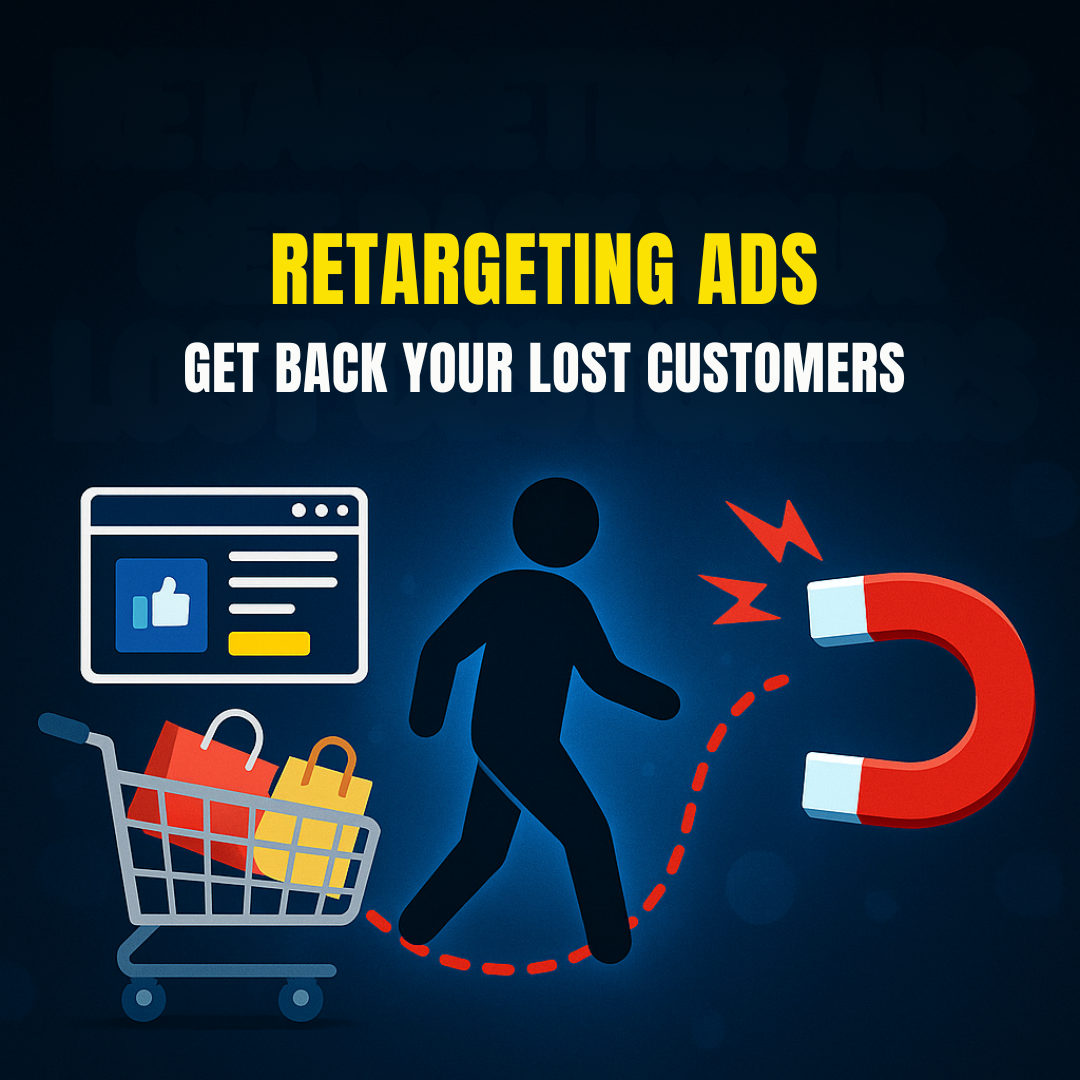
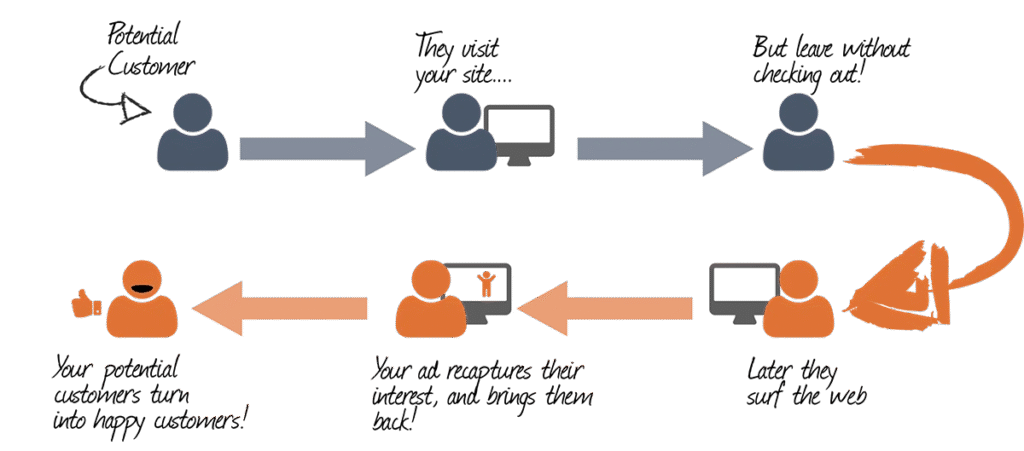
In today’s competitive digital landscape, most website visitors do not convert on their first visit. According to various studies, only around 2% of users convert on their first interaction with your website. So what happens to the other 98%? Do they vanish forever? Not if you understand the power of Retargeting Ads.
Retargeting Ads (also known as remarketing) are a type of Search Engine Marketing (SEM) strategy used to get back your lost customers by displaying personalized ads to users who have previously visited your website or interacted with your content.
This module from the Digital Marketing Course by Kamlesh Singad at CWK Agency will break down everything you need to know about retargeting ads on Google Ads, including step-by-step setup, best practices, and advanced strategies for maximum ROI.
What Are Retargeting Ads?
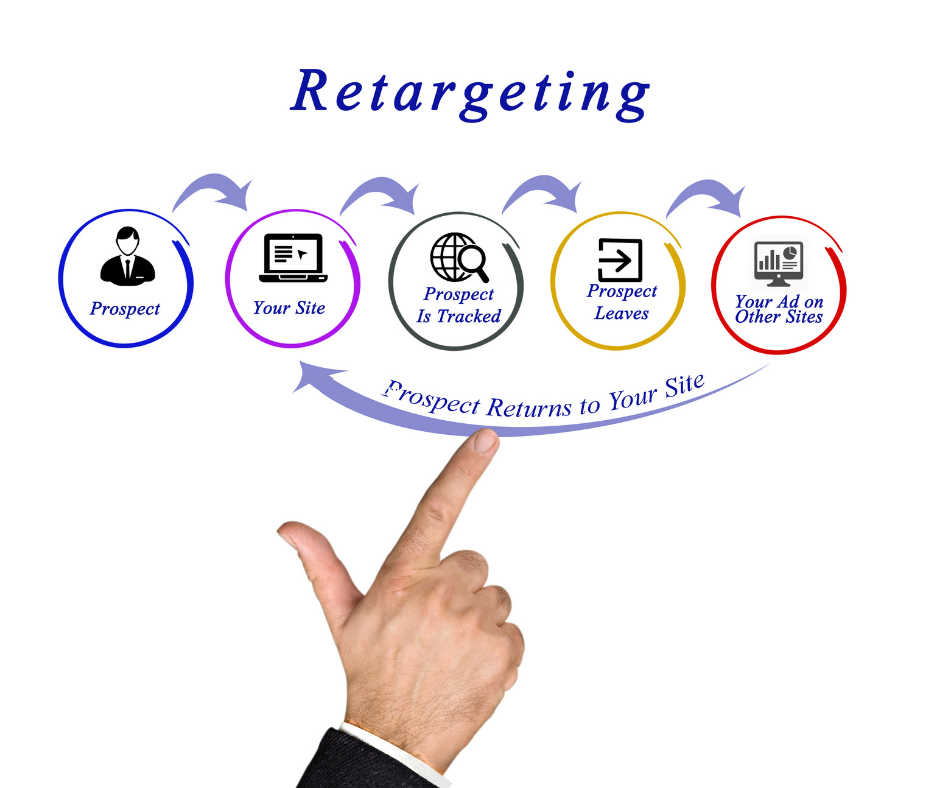
Retargeting Ads are ads that follow your potential customers across the web. If someone visited your product page but didn’t make a purchase, a retargeting ad can show them that exact product again while they scroll Facebook, watch YouTube, or browse another website.
These ads keep your brand at the top of the mind and significantly improve conversion rates.
Also Read: Ultimate Guide to Supply Chain Management in 5 Minutes | What Is Supply Chain Management?

Key Benefits:
- Reconnect with users who already showed interest
- Increase conversions with warm traffic
- Enhance brand recall and visibility
- Reduce abandoned cart rates
- Boost ROI of ad spend
How Retargeting Works in Google Ads
Google Ads offers powerful retargeting options through Display Network, Search Network, YouTube, and even Gmail ads. The process is relatively simple:
- Install the Google Ads Tag (Global Site Tag)
- Create audiences based on user behavior (e.g. visited product page, abandoned cart)
- Design customized ads targeting those audience lists
- Launch retargeting campaign across Google’s Display or Search Network
Google even allows you to upload your customer email lists for retargeting across their properties.
Types of Retargeting in Google Ads
1. Standard Website Retargeting
Tracks all visitors and serves ads to bring them back.
2. Dynamic Retargeting
Serves product-specific ads to users based on what they viewed on your website. Ideal for eCommerce.
3. Search Retargeting
Targets people who have searched for specific terms but did not convert.
4. YouTube Retargeting
Shows video ads to users who viewed your channel or interacted with your videos.
5. App Retargeting
Targets users who installed or interacted with your mobile app.
6. Customer List Retargeting
Uploads email lists to show ads to known customers across Google platforms.
Also Read: What Is A Proxy & Proxy Server? | Understand Proxies In 5 Minutes!
Step-by-Step Guide: How to Set Up Retargeting Ads in Google Ads
Step 1: Install Google Ads Tag
- Go to Google Ads > Tools > Audience Manager > Audience Sources
- Set up the Google Ads tag (Global Site Tag) on your website
- Optionally, add dynamic remarketing parameters
Step 2: Create Audience Lists
- Audience > Segments > Website Visitors
- Choose criteria like “Visited product page”, “Abandoned cart”, “Spent more than 3 minutes”, etc.
Step 3: Build Campaign
- Choose Display, Search, or YouTube Campaign
- Set objective as Sales, Leads, or Brand Awareness
- Under Audience Segments, select your retargeting list
Step 4: Design Ad Creatives
- Make personalized ad creatives for the audience
- Use product images, testimonials, offers, urgency
- Include strong CTAs like “Come Back Now”, “Finish Your Purchase”
Step 5: Launch and Optimize
- Set budget, locations, and bidding strategies
- Monitor CTR, conversions, cost per conversion
- A/B test creatives, audience segments, and frequency
Also Read: Web 3.0 Explained In 5 Minutes: A Beginner’s Guide to Web3
Best Practices for Retargeting Ads
- Segment Your Audiences: Don’t treat all visitors the same. Segment them by behavior.
- Cap Ad Frequency: Avoid overwhelming users. Use frequency capping to control ad exposure.
- Use Dynamic Ads: Especially for eCommerce; auto-pulls products viewed by the user.
- Add Exclusion Lists: Exclude users who already converted.
- Test Multiple Creatives: Use A/B testing to refine ad performance.
- Use Limited-Time Offers: Create urgency with deadlines.
Real-World Example: CWK Agency Retargeting Strategy
At CWK Agency, we implemented a retargeting strategy for an online course provider:
- Visitors to the course landing page were segmented by time spent and page scroll depth.
- Custom audiences were created for cart abandoners.
- Dynamic ads were shown across YouTube and Display network with a 10% discount offer.
- Conversion rate increased by 34% in 2 weeks.
Lesson: Data-based segmentation + customized offers = winning retargeting ads.
How Retargeting Complements Your Overall SEM Strategy
While search ads bring new users, retargeting ads bring them back and improve lifetime value. A balanced SEM strategy must include:
- Google Search Ads (New customer acquisition)
- Display Ads (Brand awareness)
- Video Ads (Engagement)
- Retargeting Ads (Conversion boost and recovery)
By combining all of these, businesses achieve greater returns and more control over the user journey.
Advanced Retargeting Strategies
1. Time-Based Retargeting
Target users based on how long ago they visited. E.g., “1-3 days” vs. “15-30 days”.
2. Sequential Retargeting
Show different messages in a series to guide users through the funnel.
3. Cross-Platform Retargeting
Show ads on web, mobile apps, YouTube, and Gmail.
4. Retarget Based on Intent
Use AI/ML tools in Google Ads to predict intent and auto-adjust bids.
5. Integrate with Email and WhatsApp
Use CRM lists to sync and retarget across platforms.
Common Mistakes to Avoid
- Retargeting all users with same ads
- Not excluding converters
- Ignoring mobile users
- Using generic creatives
- Not analyzing performance data
Tools to Enhance Your Retargeting Ads
- Google Tag Manager – Tag deployment
- Google Analytics 4 – Audience insights
- Looker Studio (Data Studio) – Performance dashboards
- Canva / Adobe Express – Ad creatives
- CWK Agency Audit Tool – Custom audit of retargeting campaigns
Conclusion: Get Back Your Lost Customers with Smart Retargeting
Retargeting is no longer optional. If you want to get back your lost customers, you need a smart and structured retargeting strategy.
Using Google Ads and other SEM platforms, you can remind, re-engage, and recover your website visitors. By applying the steps and strategies in this module, you’ll turn bounce rates into business growth.
This is just one part of our ongoing digital marketing journey with Kamlesh Singad at CWK Agency. Stay tuned for more insights in the next module!
FAQs
What are Retargeting Ads in Google Ads?
Answer: Retargeting Ads are a type of digital advertisement that targets users who have previously visited your website but didn’t convert. Google Ads uses cookies to track these users and display relevant ads across its Display Network, Search Network, YouTube, and more.
How do Retargeting Ads help to get back lost customers?
Answer: Retargeting Ads serve personalized content to users who left your website without taking action. By re-engaging them with tailored messages, offers, or product reminders, you significantly increase the chances of converting them into paying customers.
What’s the difference between retargeting and standard display ads?
Answer: Standard display ads target a broad audience, while retargeting ads focus only on users who have previously interacted with your brand. Retargeting is more personalized and cost-effective, as it targets warmer leads.
Is retargeting part of Search Engine Marketing (SEM)?
Answer: Yes, retargeting is a key component of SEM. It complements your search ads by helping recover users who clicked your ads but didn’t convert. Platforms like Google Ads provide full retargeting capabilities within SEM campaigns.
What platforms support retargeting with Google Ads?
Answer: Retargeting in Google Ads works on:
- Google Display Network (websites, blogs, etc.)
- Google Search Network
- YouTube
- Gmail
- Google Shopping
- Mobile Apps (via AdMob)
How can I set up a Retargeting Ad campaign on Google Ads?
Answer: To set up a retargeting campaign:
- Install the Google Ads tag on your website.
- Create custom audience lists based on user behavior.
- Build a new Display, Search, or YouTube campaign.
- Add your retargeting audience.
- Launch and optimize your campaign regularly.
What’s dynamic retargeting and how is it different?
Answer: Dynamic retargeting shows users personalized ads with the exact products they viewed on your website. It uses your product feed to automatically generate relevant ad creatives, making it highly effective for eCommerce businesses.
How long should I run retargeting ads for each user?
Answer: The ideal duration is 7–30 days, depending on your sales cycle. Use shorter durations for time-sensitive offers and longer for high-ticket products. Frequency capping is essential to avoid ad fatigue.
What budget is recommended for retargeting campaigns?
Answer: Start with a small daily budget (e.g., ₹500–₹1,000/day) and scale up based on performance. Retargeting is generally more cost-effective than cold audience targeting, offering a higher ROI.
Can I run retargeting ads without a website?
Answer: You need some form of digital presence (like a website or landing page) to track users and build audience lists. However, you can also use YouTube channel views, app installs, or email lists for retargeting in Google Ads.
Why should businesses include retargeting in their digital marketing strategy?
Answer: Retargeting helps businesses maximize the value of their existing traffic. Instead of losing potential customers, retargeting keeps your brand top-of-mind, nurtures leads, and drives them toward conversion with targeted reminders.
How does CWK Agency implement retargeting strategies?
Answer: At CWK Agency, under the guidance of Kamlesh Singad, we create customized audience segments, use dynamic creatives, and implement multi-channel retargeting (including YouTube and Display) to maximize client conversions and ROI.