
Module 3: Social Media Marketing (SMM)
In the fast-paced world of Social Media Marketing (SMM), understanding what’s working—and what’s not—is crucial. That’s where Social Media Analytics comes in.
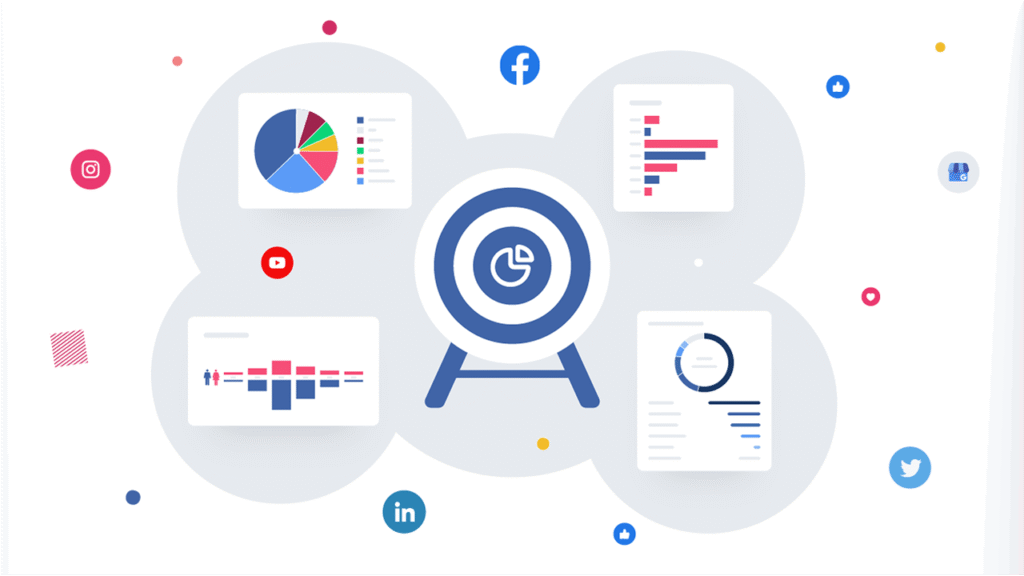
Social Media Analytics is the process of collecting and analyzing data from social media platforms to measure performance, track trends, and guide marketing decisions.
At CWK Agency, under the guidance of Kamlesh Singad, we emphasize that data-driven decisions are the future of digital growth. This blog will help you, as a student, learn how to monitor social media efforts effectively, using tools and tracking the right metrics.
Why Social Media Analytics Matters in SMM
Whether you’re handling a brand page, running ads, or growing a YouTube channel—analytics is your roadmap. Without it, you’re guessing.
Here’s Why You Need Social Media Analytics:
- Track campaign performance
- Measure ROI from social media
- Identify best-performing content
- Understand audience behavior
- Optimize posting time and format
- Benchmark against competitors
Also Read: What Is A Proxy & Proxy Server? | Understand Proxies In 5 Minutes!

Types of Social Media Analytics
Let’s simplify this for students:
1. Descriptive Analytics
What happened?
Example: “Which post got the most likes last month?”
2. Diagnostic Analytics
Why did it happen?
Example: “Why did engagement drop after changing the caption style?”
3. Predictive Analytics
What is likely to happen?
Example: “Will this post trend based on past data?”
4. Prescriptive Analytics
What should we do next?
Example: “Post more videos on weekends to increase reach.”
Also Read: Web 3.0 Explained In 5 Minutes: A Beginner’s Guide to Web3
Top Social Media Metrics You Must Track
Here are essential metrics every digital marketing student must understand:
1. Reach
- How many people saw your content.
- Tool: Facebook Insights, Instagram Insights
2. Impressions
- Total times your content was displayed, regardless of clicks.
- Tool: Twitter Analytics
3. Engagement Rate
- (Likes + Comments + Shares) ÷ Total Reach × 100
- Shows how engaging your content is.
4. Follower Growth
- Net increase in followers.
- Tool: Instagram Insights, Sprout Social
5. Click-Through Rate (CTR)
- Clicks on links ÷ Impressions × 100
- Indicates how effectively your CTA works.
6. Comments & Mentions
- Track brand sentiment and interaction.
- Tools: Mention, Brand24
7. Response Time
- How fast you reply to messages.
- Crucial for customer service quality.
8. Conversion Rate
- Actions taken (sign-ups, purchases) ÷ Clicks
- Track through UTM parameters and Google Analytics.
Also Read: Cyber War Explained in 5 Minutes: What Is Cyber War? A Beginner’s Guide to Cyber Security

Top Tools for Social Media Analytics (Free & Paid)
Let’s break this down into beginner-friendly tools for practical use:
1. Meta Business Suite (for Facebook & Instagram)
- Free tool
- Tracks reach, engagement, page growth
- Use it to schedule, publish, and analyze content.
2. YouTube Studio Analytics
- Free platform
- Gives data on views, watch time, audience retention, traffic sources
- Ideal for content creators.
3. Google Analytics + UTM Parameters
- Use to track traffic from social media to your website.
- Helps analyze user behavior after they leave the platform.
4. Hootsuite
- Schedule posts, monitor mentions, analyze engagement.
- Paid but beginner-friendly.
5. Sprout Social
- In-depth reporting.
- Supports multiple platforms.
- Great for agencies like CWK Agency.
6. Buffer
- Easy to use.
- Offers clean reports for Instagram, Twitter, Facebook.
7. Brandwatch / Mention / Talkwalker
- Focus on sentiment analysis.
- Track how people feel about your brand in real-time.
How CWK Agency Uses Social Media Analytics (Case Study)

Kamlesh Singad, founder of CWK Agency, emphasizes data-driven decisions in all campaigns.
Example Campaign:
- Objective: Promote a podcast setup on EMI.
- Platforms: Instagram, YouTube Shorts, Facebook Ads
- Tools Used: Meta Ads Manager, YouTube Studio, UTM tracking via Google Analytics
- Metrics Tracked:
- Engagement Rate (Instagram)
- CTR (Ad Campaign)
- Watch Time (YouTube)
- Link Clicks to Website
Result: Over 12K targeted visitors in 1 week, with a 9.3% conversion rate on the landing page.
Beginner-Friendly Steps to Start Tracking Analytics
Step 1: Set Goals
Example: Get 10,000 impressions per month or 500 clicks to your website.
Step 2: Identify Key Metrics
Based on your goal (reach, engagement, conversions)
Step 3: Choose Tools
Start with free tools like Meta Business Suite or Google Analytics.
Step 4: Monitor Weekly
Set aside one day to check analytics and log insights.
Step 5: Optimize Strategy
Double down on what’s working. Stop what’s not.
Social Media Reporting Template for Students
| Metric | YouTube | Total | ||
|---|---|---|---|---|
| Reach | 3,200 | 2,900 | 1,800 | 7,900 |
| Engagement Rate | 4.5% | 3.8% | 5.2% | Avg: 4.5% |
| Follower Growth | +150 | +90 | +120 | +360 |
| Website Clicks | 180 | 130 | 220 | 530 |
| Comments & Mentions | 45 | 38 | 56 | 139 |
Common Mistakes to Avoid
- Focusing only on vanity metrics (likes, followers)
- Not tracking conversions
- Ignoring negative comments and mentions
- Checking analytics too infrequently
- Failing to adjust strategy based on data
Future Trends in Social Media Analytics
- AI-Powered Tools like ChatGPT for content suggestions.
- Real-Time Sentiment Analysis to respond faster.
- Predictive Analytics for smarter decisions.
- Social Listening Integration to understand consumer voice.
Conclusion
Understanding Social Media Analytics is not optional—it’s essential. It helps you sharpen your strategy, improve performance, and achieve real business results in Social Media Marketing (SMM).
As a student learning under the CWK Agency digital marketing program, make analytics a weekly habit. Practice with real campaigns. Even a simple Excel sheet can teach you how numbers tell a story.
Remember: Don’t just post—measure, learn, and grow!
FAQs
What is Social Media Analytics?
Ans: It’s the process of collecting and analyzing social media data to make informed marketing decisions.
Which tool is best for beginners?
Ans: Start with free tools like Meta Business Suite or YouTube Studio Analytics.
How often should I track metrics?
Ans: Weekly tracking is recommended to stay agile and optimize strategy.
What is the difference between reach and impressions?
Ans: Reach is the number of unique users who saw your content; impressions count every time it’s shown—even to the same user.
Why should students learn Social Media Analytics?
Ans: It helps you understand campaign performance and build job-ready digital marketing skills.
Leave a Reply