Tag: WordPress Themes

  • WordPress Web Design Best Practices for a High-Converting Site

    WordPress Web Design Best Practices for a High-Converting Site

    Creating a high-converting WordPress website is both an art and a science. It requires meticulous attention to detail, a deep understanding of user behavior, and effective implementation of WordPress web design principles. Whether you’re a freelancer, an agency, or a business owner, optimizing your website for conversions is crucial. Today, we’ll walk you through some of the best WordPress web design practices to help you create a high-converting site.

    Why WordPress Web Design Matters

    WordPress powers over 40% of all websites on the internet. Its popularity stems from its flexibility, ease of use, and vast library of themes and plugins. But, building a successful website requires more than just installing WordPress. You need to design your site in a way that engages visitors and drives them to take action.

    The Role of WordPress Web Design in Conversion Optimization

    Conversion optimization is the process of increasing the percentage of website visitors who complete desired actions, such as signing up for a newsletter, purchasing a product, or filling out a contact form. Your WordPress web design plays a pivotal role in influencing these actions.

    According to Kamlesh Singad, the founder of CWK Agency, a high-converting WordPress website requires seamless user experience (UX), attractive design, and fast loading speeds. By following best practices, you can ensure your website meets these standards.

    Best Practices for High-Converting WordPress Web Design

    WordPress Web Design

    Understand Your Audience

    Before you start designing your WordPress site, it’s essential to know your audience. Research your target demographics and understand their preferences, pain points, and behavior. This helps you create a design that appeals to them and meets their needs.

    Choose the Right Theme

    Selecting a suitable WordPress theme is crucial for your site’s performance and appearance. Opt for a theme that is:

    • Responsive: Works well across all devices.
    • SEO-Optimized: Built with clean code and adheres to SEO best practices.
    • Fast-Loading: Speed is a critical factor for both user experience and SEO.

    Kamlesh Singad recommends using lightweight, minimalist themes that focus on speed and usability, especially when working with CWK Agency clients.

    Also Read: 7 Free Tools to Rank #1 on Google | Kamlesh Singad

    Implement Clean and Intuitive Navigation

    A cluttered website confuses users and drives them away. To enhance navigation:

    • Use a simple, consistent menu structure.
    • Keep your navigation bar visible and accessible.
    • Use breadcrumbs to improve user experience and SEO.
    WordPress Web Design

    Optimize for Mobile Devices

    Over 50% of global internet traffic comes from mobile devices. Ensuring your WordPress web design is mobile-friendly is non-negotiable.

    • Use responsive themes and plugins.
    • Test your site on various devices.
    • Ensure all elements, including buttons and forms, are easily clickable on smaller screens.

    Enhance Your Site Speed

    Website speed directly impacts user experience and conversions. To improve speed:

    • Use caching plugins like W3 Total Cache or WP Rocket.
    • Compress images using tools like Smush or ShortPixel.
    • Optimize your code by minifying CSS, JavaScript, and HTML.

    According to CWK Agency, optimizing speed is one of the core principles of high-converting WordPress web design.

    Also Read: 3 Powerful SEO Tips to Rank #1 on Google Fast | Kamlesh Singad

    Content Structure and SEO Optimization

    Craft Compelling Content

    Content is king, but it must be well-organized and relevant.

    • Use headings and subheadings to structure content.
    • Break up text with images, videos, and infographics.
    • Provide valuable, actionable information.
    WordPress Web Design

    On-Page SEO Best Practices

    Implementing SEO best practices ensures your WordPress site ranks well on search engines. Some key techniques include:

    • Using SEO plugins like Rank Math or Yoast SEO.
    • Crafting SEO-friendly URLs.
    • Optimizing meta descriptions and title tags.
    • Including internal and external links.

    Use Calls-to-Action (CTAs) Effectively

    CTAs guide visitors toward conversion. To create effective CTAs:

    • Make them prominent and persuasive.
    • Use contrasting colors for visibility.
    • Place them strategically throughout your website.

    Also Read: Perfect SEO Setup for WordPress: 8 Plugins to Boost Rankings

    Security and Maintenance: Essential Aspects of WordPress Web Design

    Keep WordPress Updated

    Outdated software poses security risks. Always update:

    • Core WordPress software.
    • Themes and plugins.
    • Security plugins like Wordfence or Sucuri.

    Implement SSL Certificates

    Having an SSL certificate is a ranking factor in Google’s algorithm. It also builds trust with your visitors by securing their data.

    Backup Regularly

    Regular backups ensure you can quickly restore your website if something goes wrong. Tools like UpdraftPlus or BackupBuddy can simplify this process.

    Testing and Improving Your WordPress Web Design

    Even the most polished WordPress web design requires regular testing and tweaking to improve performance.

    • A/B testing for various design elements.
    • Monitoring user analytics with Google Analytics.
    • Gathering feedback through surveys and heatmaps.

    Conclusion

    Creating a high-converting WordPress website requires thoughtful design, user-centric elements, and consistent optimization. By applying the WordPress web design best practices shared by Kamlesh Singad and the CWK Agency, you can significantly enhance your site’s performance and drive more conversions.

    Whether you’re just starting or looking to revamp an existing site, remember that effective web design is an ongoing process. Keep testing, improving, and refining to achieve the best results.

    FAQs

    How important is mobile optimization for WordPress web design?
    Mobile optimization is crucial as over 50% of internet traffic comes from mobile devices. A responsive, mobile-friendly design improves user experience and boosts SEO.

    What is the best WordPress theme for conversions?
    It depends on your niche, but lightweight, SEO-optimized themes like Astra or GeneratePress are popular choices recommended by CWK Agency.

    How can I improve my WordPress site’s speed?
    Use caching plugins, compress images, minimize code, and opt for fast themes. Testing your site speed with tools like GTmetrix or Pingdom is also essential.

    Why should I choose WordPress for my website?
    WordPress offers flexibility, customization options, and a vast library of plugins that enhance functionality. It’s also SEO-friendly, making it a great choice for most websites.

    What role does SEO play in WordPress web design?
    SEO is critical for visibility. Implementing on-page SEO techniques and using plugins like Rank Math ensures your content reaches your target audience.

    How often should I update my WordPress site?
    Regularly! Update WordPress core, plugins, and themes as soon as new versions are available to maintain security and functionality.

  • The Ultimate Guide to WordPress Web Design: Tips & Trends for 2025

    The Ultimate Guide to WordPress Web Design: Tips & Trends for 2025

    As we move into 2025, WordPress web design continues to dominate the digital landscape. With WordPress powering over 43% of all websites globally, staying ahead of the latest trends is essential for both businesses and designers. In this comprehensive guide, we will explore the top tips and trends for WordPress web design in 2025, with expert insights from Kamlesh Singad and CWK Agency. Whether you’re a seasoned designer or a business owner looking to refresh your website, this guide will help you create a visually appealing, high-performing site that stands out from the competition.

    Why WordPress Remains the King of Web Design

    WordPress remains the most popular content management system (CMS) for several reasons:

    • User-Friendly Interface: Its intuitive dashboard allows users to create and manage content without technical expertise.
    • Endless Customization Options: Thousands of themes and plugins enable designers to build unique, feature-rich websites.
    • SEO-Friendly Structure: Built with clean code and SEO-optimized architecture, WordPress supports higher search rankings.
    • Scalability: Whether you’re building a simple blog or a complex e-commerce site, WordPress offers the flexibility to grow.

    According to Kamlesh Singad from CWK Agency, “WordPress’s adaptability and open-source nature make it the go-to platform for designers looking to deliver cutting-edge, SEO-optimized websites.”

    Also Read: Fastest Ways to Get Traffic to a New Website

    WordPress Web Design

    Minimalist Design with a Focus on Accessibility

    In 2025, simplicity is key. Clean, minimalist designs with ample white space continue to dominate, enhancing user experience (UX) and accessibility.

    Dark Mode Compatibility

    Dark mode remains popular, providing a sleek, modern look while reducing eye strain. Ensure your WordPress theme is compatible with both light and dark modes.

    AI-Powered Personalization

    Personalization is becoming a standard expectation. Leveraging AI plugins and tools to deliver tailored content and user experiences is a major trend for 2025.

    Voice Search Optimization

    With the rise of smart devices, optimizing your WordPress site for voice search is essential. Incorporate natural language keywords to improve visibility.

    Interactive Elements & Microanimations

    Interactive features like sliders, hover effects, and microanimations add visual interest and enhance user engagement.

    Responsive Design Beyond Mobile

    Responsive design is expanding to cater to a variety of devices, including smart TVs and wearable technology.

    Also Read: SEO Training: 3 Steps to 100K Organic Visitors Monthly

    WordPress Web Design

    Effective Tips for WordPress Web Design Success

    Choose the Right Theme

    Opt for lightweight, responsive themes compatible with the latest WordPress updates. Astra, GeneratePress, and Divi are popular choices recommended by CWK Agency.

    Optimize for SEO

    Implement essential SEO practices, including proper URL structures, image alt texts, keyword optimization, and internal linking. Use plugins like Rank Math or Yoast SEO for best results.

    Prioritize Website Speed

    A slow website can harm your search rankings and user experience. Optimize images, use caching plugins, and choose a high-quality hosting provider.

    Enhance Security

    Security remains a top priority. Keep plugins, themes, and WordPress itself up-to-date and use security plugins like Wordfence or Sucuri.

    Utilize High-Quality Visuals

    Eye-catching visuals are essential for creating a memorable experience. Invest in high-quality images, videos, and infographics.

    Also Read: How to Find the Right Keywords to Rank #1 on Google

    How Kamlesh Singad and CWK Agency Approach WordPress Web Design

    WordPress Web Design

    Kamlesh Singad, founder of CWK Agency, emphasizes a strategic approach to WordPress web design. According to Kamlesh, “Every project starts with understanding the client’s vision and goals. From there, we create a customized WordPress site that not only looks stunning but also performs exceptionally well in terms of SEO and user engagement.”

    CWK Agency specializes in:

    • Custom WordPress Themes
    • SEO-Optimized Web Designs
    • E-Commerce Solutions
    • Comprehensive Website Audits

    Tools & Plugins to Elevate Your WordPress Web Design in 2025

    Here are some must-have tools and plugins for WordPress web design:

    Plugin / ToolPurposeBest For
    ElementorDrag-and-drop page builderCustomizing layouts effortlessly
    Rank Math SEOSEO optimizationBoosting website rankings
    WP RocketPerformance optimizationEnhancing speed and performance
    WooCommerceE-commerce integrationOnline store management
    WordfenceSecurityProtecting websites from threats
    SmushImage optimizationImproving load speed

    Common Mistakes to Avoid in WordPress Web Design

    • Ignoring Mobile Optimization: Always prioritize responsive design for all devices.
    • Overloading with Plugins: Too many plugins can slow down your site. Use only essential ones.
    • Neglecting Regular Backups: Ensure you have regular backups to avoid losing valuable data.

    FAQs

    What is the most important aspect of WordPress web design?
    The most crucial aspect is balancing aesthetics with functionality. A beautiful site is worthless if it lacks performance or usability.

    How often should I update my WordPress website?
    Regularly. Updating themes, plugins, and WordPress itself is essential for security and performance.

    What makes WordPress so popular for web design?
    Its flexibility, scalability, and vast community support make WordPress the top choice for web design.

    Should I use a free or premium WordPress theme?
    Premium themes often offer better customization options, support, and security compared to free themes.

    How can I improve my WordPress site’s SEO?
    Use SEO plugins like Rank Math, optimize content with keywords, improve site speed, and ensure mobile-friendliness.

    Can CWK Agency help me redesign my WordPress site?
    Absolutely! CWK Agency offers customized WordPress web design solutions tailored to your specific needs.

    Conclusion

    Keeping up with the latest WordPress web design trends and tips is essential for creating a successful website in 2025. By implementing the strategies shared by Kamlesh Singad and CWK Agency, you can enhance your WordPress website’s performance, aesthetics, and SEO rankings. Ready to elevate your site’s design? Start implementing these trends today!


    Want to take your WordPress web design to the next level? Contact Kamlesh Singad and CWK Agency for expert assistance!

  • WordPress Web Design: How to Create a Professional and User-Friendly Site

    WordPress Web Design: How to Create a Professional and User-Friendly Site

    Creating a professional and user-friendly website is essential for success in today’s digital world. WordPress Web Design, guided by experts like Kamlesh Singad from CWK Agency, offers the perfect blend of customization, functionality, and aesthetics. This blog will walk you through the essential steps to create a stunning website that delivers results.

    Why Choose WordPress for Web Design?

    WordPress is a versatile and powerful platform, used by over 40% of websites worldwide. Its popularity stems from its ease of use, flexibility, and robust support community. Whether you are a seasoned developer or a beginner, WordPress offers a plethora of themes, plugins, and tools to simplify the web design process.

    Benefits of using WordPress for web design include:

    • User-Friendly Interface: Ideal for beginners and advanced users alike.
    • SEO-Friendly Structure: Built-in features that enhance search engine optimization.
    • Customizable Themes and Plugins: Thousands of free and premium options available.
    • Secure and Scalable: Regular updates and improvements to enhance functionality.
    • Cost-Effective Solutions: Suitable for small businesses and large enterprises alike.

    Understanding WordPress Web Design Basics

    WordPress Web Design

    When starting with WordPress Web Design, it’s crucial to grasp the fundamentals. Kamlesh Singad from CWK Agency emphasizes focusing on clarity, functionality, and aesthetics to provide the best user experience.

    Also Read: 7 Powerful Google Ads Hacks to Scale Your Campaigns Profitably

    Selecting the Right Theme for Your Site

    The theme you choose will define your site’s appearance and user experience. Consider these factors:

    • Responsiveness: Ensure your theme looks great on all devices.
    • Customization Options: Look for themes that allow easy modifications.
    • SEO Optimization: Some themes are better optimized for search engines.
    • Speed and Performance: Lightweight themes enhance loading times.

    Recommended Themes:

    • Astra: Lightweight, fast, and highly customizable.
    • GeneratePress: Known for its speed and flexibility.
    • OceanWP: Perfect for business, e-commerce, and personal websites.

    Essential Plugins for WordPress Web Design

    Plugins enhance your site’s functionality and user experience. Here are some must-have plugins:

    • Rank Math SEO: Optimize your content for search engines.
    • Elementor: Drag-and-drop page builder for effortless design.
    • WPForms: User-friendly contact form creation.
    • Smush: Optimize images for faster loading.
    • WooCommerce: Create an online store with ease.

    Also Read: Best Free Digital Marketing Courses & Certifications 2025

    Creating High-Quality Content for WordPress Sites

    WordPress Web Design

    Kamlesh Singad and his team at CWK Agency recommend prioritizing quality content. Here’s how:

    • Keyword Research: Use tools like Rank Math and Google Keyword Planner.
    • Content Structure: Break down content using headings, lists, and paragraphs.
    • Visual Content: Enhance readability with images, videos, and infographics.
    • Internal Linking: Improve navigation and SEO by linking relevant pages.

    Optimizing Your WordPress Site for SEO

    Effective SEO is essential for attracting visitors. To boost your site’s visibility:

    • Install Rank Math SEO Plugin: This powerful tool helps optimize your content effortlessly.
    • Optimize Titles and Descriptions: Make sure each page has a unique, keyword-rich title and meta description.
    • Use Alt Text for Images: Always include descriptive alt text for better accessibility and SEO.
    • Implement SSL Certificate: Ensures your site is secure, boosting credibility and ranking.

    Improving Site Speed and Performance

    Site speed plays a critical role in user satisfaction and search engine ranking. To improve performance:

    • Use Caching Plugins: Such as W3 Total Cache or WP Super Cache.
    • Optimize Images: Compress images using plugins like Smush.
    • Minimize HTTP Requests: Reduce the number of elements on each page.
    • Use a Content Delivery Network (CDN): Boost loading speed for global visitors.

    Also Read: How to Start a Career in Digital Marketing in 2025 – Beginner’s Guide

    WordPress Web Design

    Mobile Optimization Tips

    With more users accessing sites via mobile devices, optimization is essential.

    • Responsive Themes: Choose mobile-friendly themes.
    • Optimize Images: Compress for mobile viewing.
    • Touch-Friendly Design: Ensure buttons and links are easily clickable.
    • Test Your Site: Use Google’s Mobile-Friendly Test tool.

    Building a User-Friendly Navigation System

    Navigating your site should be effortless. Key considerations include:

    • Clear Menus: Make sure menus are straightforward and descriptive.
    • Breadcrumbs: Helps users track their location within your site.
    • Search Functionality: Allows visitors to find content quickly.

    Security Measures for WordPress Web Design

    Protecting your site from threats is crucial. Follow these steps:

    • Use Strong Passwords: Avoid common phrases and use special characters.
    • Install Security Plugins: Wordfence and Sucuri are popular options.
    • Keep Everything Updated: Themes, plugins, and WordPress itself.
    • Backup Regularly: Use tools like UpdraftPlus for scheduled backups.

    Launching and Promoting Your WordPress Site

    Once your site is ready, promote it effectively.

    • Social Media Marketing: Share your content on platforms like Facebook, Twitter, and LinkedIn.
    • Email Marketing: Build a list and engage with your audience.
    • Guest Blogging: Collaborate with other sites to build backlinks.

    Measuring Success and Making Improvements

    Track your site’s performance using tools like Google Analytics and Rank Math’s SEO analysis. Continually tweak your design, content, and SEO strategy to achieve optimal results.

    Conclusion

    WordPress Web Design offers unmatched flexibility and potential for creating a professional, user-friendly website. With the expertise of Kamlesh Singad and the team at CWK Agency, you can achieve a high-quality, SEO-optimized site that stands out from the competition.

    Ready to create your dream website? Contact Kamlesh Singad at CWK Agency today and watch your online presence thrive!

    FAQs

    What is WordPress Web Design?
    WordPress Web Design refers to the process of creating, customizing, and optimizing websites using the WordPress platform. It involves choosing themes, installing plugins, building pages, and enhancing functionality to ensure a professional and user-friendly experience.

    Why is WordPress a popular choice for web design?
    WordPress is popular because it’s user-friendly, highly customizable, and SEO-friendly. It offers a wide range of themes and plugins, making it suitable for beginners and professionals. Experts like Kamlesh Singad from CWK Agency often recommend WordPress for its flexibility and robust community support.

    How can I make my WordPress site user-friendly?
    To create a user-friendly WordPress site, focus on responsive themes, intuitive navigation, fast loading times, mobile optimization, and clean design. Additionally, using SEO plugins like Rank Math ensures your content is easily accessible and well-organized.

    What plugins are essential for WordPress Web Design?
    Some essential plugins include Rank Math SEO for optimization, Elementor for design flexibility, WPForms for creating forms, Smush for image optimization, and WooCommerce for e-commerce functionality. Choosing the right plugins ensures better performance and user experience.

    How can I optimize my WordPress website for SEO?
    Optimizing your WordPress site involves using SEO plugins like Rank Math, creating quality content with keywords, optimizing images with alt text, improving site speed, and building backlinks. Kamlesh Singad from CWK Agency emphasizes regularly updating your content and monitoring performance using tools like Google Analytics.

    How can I improve my WordPress website’s speed and performance?
    Improving speed involves using caching plugins like W3 Total Cache, optimizing images with tools like Smush, minimizing HTTP requests, and using a Content Delivery Network (CDN). A fast-loading website ensures better user experience and higher search engine rankings.

    Is WordPress suitable for beginners?
    Yes, WordPress is highly suitable for beginners due to its intuitive interface, extensive documentation, and large community support. Agencies like CWK Agency, led by Kamlesh Singad, offer guidance to help beginners create professional websites effortlessly.

    How do I secure my WordPress website?
    Security measures include using strong passwords, installing security plugins like Wordfence or Sucuri, keeping your WordPress installation, themes, and plugins updated, and regularly backing up your site with tools like UpdraftPlus.

    How can CWK Agency help with WordPress Web Design?
    CWK Agency, led by Kamlesh Singad, specializes in creating SEO-optimized, user-friendly WordPress websites. They provide complete solutions, from theme selection and customization to content creation and performance optimization.

    What are the best themes for WordPress Web Design?
    Some of the best themes include Astra, GeneratePress, and OceanWP. These themes are known for their responsiveness, customization options, SEO optimization, and speed, making them ideal for various types of websites.

  • The Ultimate Guide to WordPress: Everything You Need to Know

    The Ultimate Guide to WordPress: Everything You Need to Know

    What is WordPress and Why It Matters

    WordPress is a powerful content management system (CMS) that allows individuals, businesses, and developers to create and manage websites with ease. Originally launched as a blogging platform in 2003, it has evolved into the most widely used website-building tool today, powering over 43% of all websites worldwide. Whether you’re a beginner or an experienced developer, WordPress offers the flexibility and tools to build anything from personal blogs to enterprise websites.

    In this article, we’ll explore what makes WordPress such a dominant force in the world of web development, how to leverage it for SEO benefits, and what steps you need to follow to get started.

    What is WordPress?

    WordPress is an open-source CMS that allows users to design websites without needing to write extensive code. It is built using PHP and paired with MySQL or MariaDB databases. WordPress is distributed under the GPLv2 license, meaning it is free to use, modify, and distribute.

    There are two versions of WordPress:

    1. WordPress.com – A hosted service that offers managed hosting solutions for beginners.
    2. WordPress.org – A self-hosted version that gives users complete control over website customization but requires a domain and hosting.

    Also Read: How Backlinks Can Elevate Your Marketing Strategy

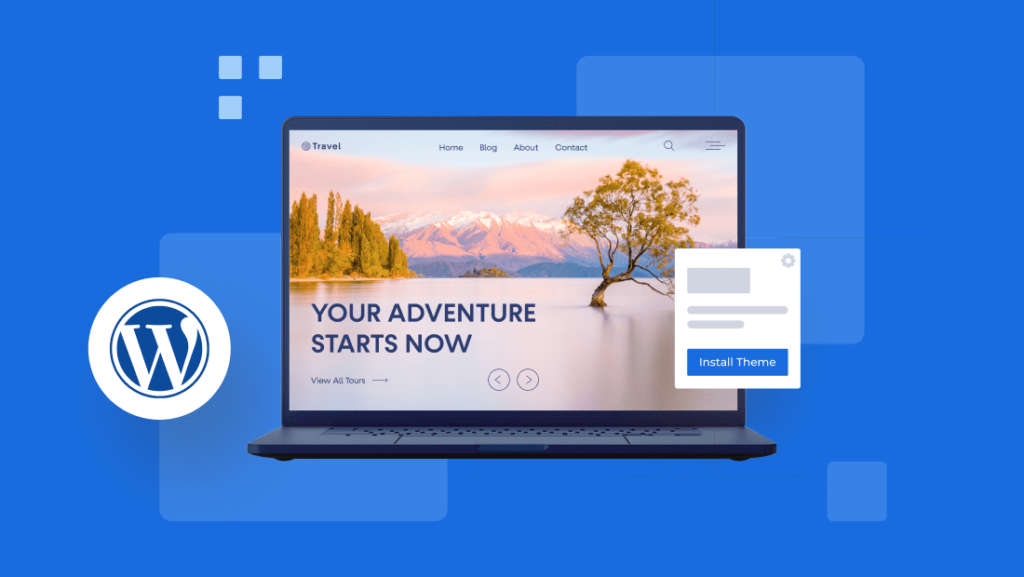
    WordPress logo with a website design on a laptop

    Why Choose WordPress for Your Website?

    Using WordPress comes with many advantages:

    • User-Friendly Interface: It is intuitive, even for those with little technical expertise.
    • SEO-Friendly Features: WordPress is built with search engine optimization in mind, making it easier to rank on Google.
    • Customizability: Offers thousands of themes and plugins to extend functionality.
    • Scalable and Secure: WordPress can support small blogs as well as large e-commerce stores with the right security measures.
    • Community Support: A large community of developers and users provides free help, plugins, and documentation.

    How to Install WordPress

    Setting up WordPress is a straightforward process. Here’s a step-by-step guide:

    1. Choose a Domain and Hosting Provider

    You’ll need a unique domain name and a hosting provider to get started. Bluehost, SiteGround, and HostGator are popular choices known for WordPress compatibility.

    2. Install WordPress Through Hosting Provider

    Most hosting providers offer one-click WordPress installation. After signing up, access your control panel and follow the installation wizard.

    3. Configure Basic Settings

    Once installed, log in to your WordPress dashboard by visiting yourdomain.com/wp-admin. Set your site title, tagline, and configure permalinks under Settings → Permalinks to optimize your URLs for SEO.

    4. Choose a Theme

    Visit Appearance → Themes to browse free and premium themes. Make sure the theme you select is responsive and lightweight for better SEO performance.

    Also Read: CRO Techniques: Boost Your Performance Marketing to the Next Level

    WordPress logo with a website design on a laptop

    Optimizing WordPress for SEO

    WordPress is naturally optimized for search engines, but there are additional steps you can take to ensure your website performs well.

    Install SEO Plugins

    The most popular WordPress SEO plugin is Yoast SEO. It provides tools for optimizing meta titles, meta descriptions, and keywords on every page.

    Optimize Permalinks

    Use SEO-friendly URLs by ensuring permalinks are set to the Post Name format (e.g., yourdomain.com/blog-post-title).

    Use Heading Tags Properly

    WordPress makes it easy to use H1, H2, and H3 tags, which are essential for SEO. Make sure your post titles are marked as H1, and use relevant subheadings in H2 or H3.

    Speed Up Your Site

    Site speed is an important SEO ranking factor. Install a caching plugin like WP Rocket and use CDNs (Content Delivery Networks) such as Cloudflare to improve loading times.

    Popular WordPress Themes and Plugins

    WordPress owes much of its popularity to its extensive library of themes and plugins. Here are some of the top picks:

    Best WordPress Themes for SEO

    • Astra: Lightweight and SEO-friendly.
    • GeneratePress: Great for performance and flexibility.
    • Divi: A powerful drag-and-drop builder for beginners and pros alike.

    Must-Have WordPress Plugins

    • Yoast SEO: Helps optimize your content for search engines.
    • Elementor: A drag-and-drop page builder.
    • WooCommerce: Transform your website into a fully functional e-commerce store.
    • WPForms: Create contact forms easily.

    Also Read: Festive Trends: Consumer Behavior & Marketing Strategies In India

    WordPress logo with a website design on a laptop

    Tips for Securing Your WordPress Site

    As WordPress is open-source, it can be a target for hackers. Here’s how to secure your site:

    1. Update WordPress Regularly: Always keep your WordPress core, themes, and plugins up to date.
    2. Use Strong Passwords and Limit Login Attempts: Install plugins like Limit Login Attempts Reloaded to block brute force attacks.
    3. Install a Security Plugin: Popular choices include Wordfence and Sucuri Security.
    4. Backup Your Website: Use plugins like UpdraftPlus to schedule automatic backups.

    How WordPress Supports E-Commerce Sites

    With the WooCommerce plugin, WordPress can handle everything from product listings to secure payment gateways. WooCommerce supports various payment methods, including PayPal, Stripe, and Square, and can be integrated with tools like Google Analytics for performance tracking.

    Additionally, WooCommerce comes with built-in SEO tools to help your products rank better on search engines.

    WordPress vs Other CMS Platforms: Which One is Right for You?

    Here’s a quick comparison between WordPress and other popular CMS platforms:

    FeatureWordPressWixSquarespace
    Ease of UseEasy for all usersVery beginner-friendlyUser-friendly but limited
    CustomizationHighly customizableLimitedModerate
    SEO-FriendlyExcellentDecentGood
    PriceFree (with hosting)Monthly plansSubscription-based

    If you need flexibility and control, WordPress is the best choice. For beginners looking for an easy setup, platforms like Wix or Squarespace might be better suited.

    FAQs

    How much does WordPress cost?
    WordPress itself is free, but you will need to pay for domain registration and web hosting services. Some premium themes and plugins may also have costs.

    Can I use WordPress without coding knowledge?
    Yes! WordPress is beginner-friendly, and you can build a fully functional website without any coding. Drag-and-drop builders like Elementor make the process even easier.

    What kind of websites can I create with WordPress?
    You can create blogs, business websites, online stores, portfolios, membership sites, and more with WordPress. Its versatility is unmatched.

    Is WordPress SEO-friendly?
    Absolutely. WordPress is optimized for search engines and offers SEO plugins like Yoast to help improve your rankings.

    How do I backup my WordPress site?
    You can use plugins like UpdraftPlus to schedule automatic backups and restore your site when needed.

    Is WordPress secure?
    Yes, WordPress is secure if you follow best practices such as keeping everything updated, using strong passwords, and installing security plugins.

    Conclusion: Why WordPress is the Ultimate Website Builder

    WordPress is an exceptional platform for creating and managing websites of all sizes. Whether you want to start a blog, open an online store, or build a professional portfolio, WordPress provides the flexibility, tools, and support you need. Its SEO features, combined with the vast ecosystem of themes and plugins, make it the top choice for developers and beginners alike.

    If you’re looking for a website solution that grows with your business, WordPress is undoubtedly the best option. Start your journey today and unlock the full potential of your online presence with WordPress!

  • Best WordPress Themes for Blogs : Fast, SEO-Friendly & Responsive Picks

    Best WordPress Themes for Blogs : Fast, SEO-Friendly & Responsive Picks

    Choosing the right WordPress theme is crucial for creating a successful blog. It sets the tone for your content, affects user experience, and influences your blog’s overall aesthetics. In 2026, there’s a wide range of WordPress themes available to suit different blogging niches and preferences. In this blog, we’ll explore 15 of the best WordPress themes for blogs, with simple language and examples to help you make an informed decision.

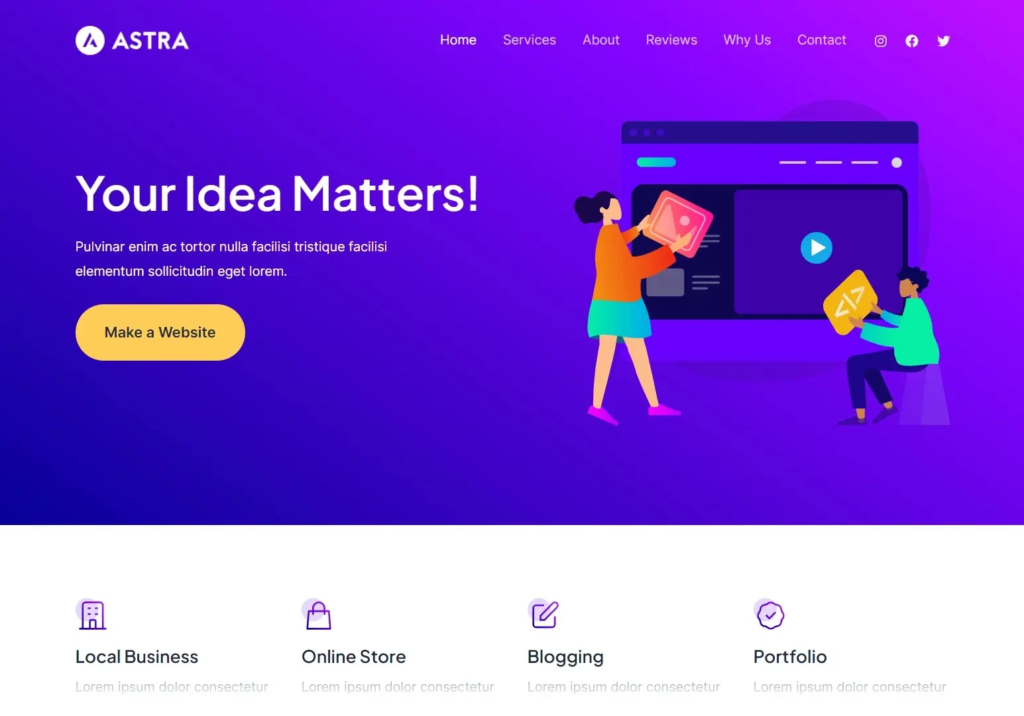
    1. Astra

    Astra is a lightweight and highly customizable theme. It offers a wide variety of starter templates suitable for different blog niches, such as travel, food, and lifestyle. Astra is an excellent choice for bloggers who want flexibility and speed.

    Example: A travel blogger could use Astra to create a stunning website with a focus on showcasing beautiful destinations.

    2. GeneratePress

    GeneratePress is known for its speed and performance. It’s a versatile theme that works well for bloggers who want a clean and minimalistic design. It also integrates seamlessly with popular page builders.

    Example: A tech blogger could use GeneratePress to create a sleek and fast-loading tech news blog.

    3. Divi

    Divi is a popular theme that offers a powerful drag-and-drop builder, making it easy for bloggers to create unique layouts. It’s a great choice for bloggers who want full control over their site’s design.

    Example: A fashion blogger could use Divi to create a stylish and visually appealing fashion blog.

    WordPress Themes

    4. Schema Lite

    Schema Lite is an SEO-friendly theme that’s perfect for bloggers who prioritize search engine optimization. It’s designed to boost your blog’s visibility in search results.

    Example: A digital marketing blogger could use Schema Lite to enhance their blog’s SEO and gain more organic traffic.

    5. Soledad

    Soledad is a multipurpose blog theme with a wide range of pre-designed templates. It’s perfect for bloggers who want a visually striking website with lots of customization options.

    Example: An art and design blogger could use Soledad to showcase their portfolio and creative work.

    6. Hestia

    Hestia is a one-page WordPress theme that’s great for bloggers looking to create a simple and elegant website. It’s highly customizable and works well with popular page builders.

    Example: A personal development blogger could use Hestia to create an inspiring one-page blog.

    7. Writee

    Writee is a free WordPress blog theme with a clean and modern design. It’s perfect for bloggers who want a simple and straightforward layout to showcase their content.

    Example: A food blogger could use Writee to share delicious recipes and cooking tips.

    8. Olsen

    Olsen is a visually appealing theme designed for fashion and lifestyle bloggers. It offers various customization options to help you create a unique look for your blog.

    Example: A beauty blogger could use Olsen to create a stunning blog featuring makeup tutorials and product reviews.

    9. Baskerville

    Baskerville is a classic and elegant blog theme that’s perfect for writers and authors. It provides a distraction-free reading experience for your audience.

    Example: An author could use Baskerville to create a blog promoting their books and sharing writing tips.

    10. Neve

    Neve is a lightweight and fast-loading theme suitable for various blog niches. It’s highly customizable and works well with popular page builders.

    Example: A travel blogger could use Neve to create a fast and responsive travel blog.

    11. Zillah

    Zillah is a stylish and minimalist blog theme that focuses on showcasing your content in an elegant way. It’s perfect for bloggers who prefer a clean and uncluttered design.

    Example: An architecture blogger could use Zillah to display their portfolio and architectural insights.

    12. MyBlog

    MyBlog is a user-friendly theme that’s great for beginners. It offers a simple and intuitive customization process, making it easy to set up your blog.

    Example: A parenting blogger could use MyBlog to share parenting advice and stories.

    WordPress Themes

    13. Hemingway

    Hemingway is a clean and responsive theme inspired by the famous writer Ernest Hemingway. It’s ideal for bloggers who want a classic and timeless design.

    Example: A literature blogger could use Hemingway to write book reviews and literary analysis.

    14. Baskerville 2

    Baskerville 2 is a modern update of the classic Baskerville theme. It’s perfect for bloggers who want a timeless yet contemporary look for their blog.

    Example: An art history blogger could use Baskerville 2 to explore and analyze different art movements.

    15. Independent Publisher 2

    Independent Publisher 2 is a simple and clean theme that focuses on readability. It’s a great choice for bloggers who want their content to take center stage.

    Example: A news blogger could use Independent Publisher 2 to deliver news updates in a straightforward manner.

    Conclusion

    Selecting the right WordPress theme for your blog is a critical decision that can impact your site’s success. In 2023, there are plenty of excellent options available, catering to various blogging niches and personal preferences. Whether you prioritize speed, aesthetics, or SEO, there’s a theme on this list that’s perfect for you. Take the time to explore these themes, try out their demos, and find the one that aligns best with your blogging goals.

    WordPress Themes