
Tag: seo plugins

  • Top Free SEO Tools You Should Be Using in 2025 (Part-15)

    Top Free SEO Tools You Should Be Using in 2025 (Part-15)

    Module 2: SEO – Search Engine Optimization

    In 2025, Search Engine Optimization remains one of the most vital components of any digital marketing strategy. With Google’s algorithm becoming increasingly intelligent and competition heating up across all industries, leveraging the right tools has become essential—not optional.

    Kamlesh Singad, founder of CWK Agency, shares, “SEO isn’t dead—it’s evolving. And the right free tools can still deliver massive value if used strategically.” In this guide, we’ll explore the top free SEO tools you should be using to sharpen your search visibility, even on a budget.

    Why Use Free SEO Tools?

    Not every business can afford $99/month subscriptions to premium SEO platforms. But thanks to a growing ecosystem of freemium tools, you can still perform:

    • Keyword research
    • Site audits
    • Backlink analysis
    • Rank tracking
    • Technical SEO fixes

    These tools help you build a solid SEO foundation—without spending a dime.
    Top Free SEO Tools

    Google Search Console

    Purpose: Monitor your site’s presence in Google search results
    Best For: Tracking impressions, clicks, indexing issues, Core Web Vitals

    Why CWK Agency loves it:

    • Offers direct data from Google
    • Identifies keywords your site is already ranking for
    • Alerts you to crawling or indexing issues

    Pro Tip from Kamlesh Singad: “Check GSC weekly to spot keyword gaps and performance drops early.”

    Also Read: What is an Email Domain? Benefits, Examples, and How to Choose

    Google Analytics 4 (GA4)

    Purpose: Track website traffic and user behavior
    Best For: Understanding how visitors interact with your site

    Key Benefits:

    • Real-time analytics
    • Tracks conversions and funnels
    • Integrates seamlessly with Google Search Console

    CWK Agency uses GA4 for monthly SEO reporting and user journey analysis.

    Ubersuggest (Free Tier)

    Founder: Neil Patel
    Best For: Keyword research, content ideas, competitor analysis

    Features:

    • Keyword suggestions
    • SEO audit reports
    • Traffic overview of competitor websites

    Although it has limitations in the free version, Ubersuggest remains a solid tool for beginners looking to understand the search landscape.

    AnswerThePublic

    Purpose: Content ideation and keyword discovery
    Best For: Discovering long-tail keyword questions

    Features:

    • Visual keyword cloud
    • Exports keyword ideas in bulk
    • Ideal for content and blog strategy

    Kamlesh Singad uses this tool to find trending questions users are asking on Google, ideal for SEO blogging.

    Also Read: Digital Marketing Company in Vijay Nagar, Indore

    Ahrefs Webmaster Tools

    Free Tool by Ahrefs
    Best For: Backlink checking, SEO health audits

    Features:

    • Crawl errors
    • Site health score
    • Internal linking tips

    While full Ahrefs is paid, this free tool still delivers serious SEO insight for technical optimization.

    Yoast SEO (Free Plugin for WordPress)

    Purpose: On-page SEO optimization
    Best For: Bloggers and WordPress users

    Features:

    • Real-time SEO analysis
    • Readability scoring
    • XML sitemap generation

    CWK Agency installs Yoast SEO on all WordPress projects to help clients optimize content efficiently.
    Top Free SEO Tools

    Screaming Frog SEO Spider (Free for up to 500 URLs)

    Purpose: Website crawling and audit
    Best For: Identifying broken links, duplicate content, metadata issues

    Benefits:

    • Desktop-based SEO crawler
    • Export issues to CSV
    • Useful for technical audits

    Kamlesh Singad says, “It’s like having an X-ray machine for your website’s SEO.”

    SEOquake (Chrome Extension)

    Purpose: Quick on-page SEO analysis
    Best For: Competitor page audits

    Features:

    • View meta tags, headings, keyword density
    • Analyze SERP features
    • Compare domains instantly

    Great for marketers who want quick data while browsing.

    GTmetrix

    Purpose: Page speed and performance testing
    Best For: Diagnosing slow-loading pages

    Features:

    • Core Web Vitals breakdown
    • Waterfall view for asset loading
    • Mobile vs desktop analysis

    CWK Agency uses GTmetrix alongside Google PageSpeed Insights for speed optimization.

    Also Read: Digital Marketing Company in Indore: Your Gateway to Online Success

    Purpose: Keyword trend analysis
    Best For: Comparing keyword popularity over time

    Benefits:

    • Discover rising search terms
    • Spot seasonal content opportunities
    • Filter by region and category

    Use this to plan future blog posts, YouTube videos, or seasonal campaigns.

    Bonus Tools Worth Mentioning

    • MozBar: SEO Chrome extension with page authority and keyword overlay
    • CanIRank: SEO tool for ranking potential and content suggestions
    • SERP Robot: Simple rank tracking tool
    • Bing Webmaster Tools: Similar to Google Search Console but for Bing
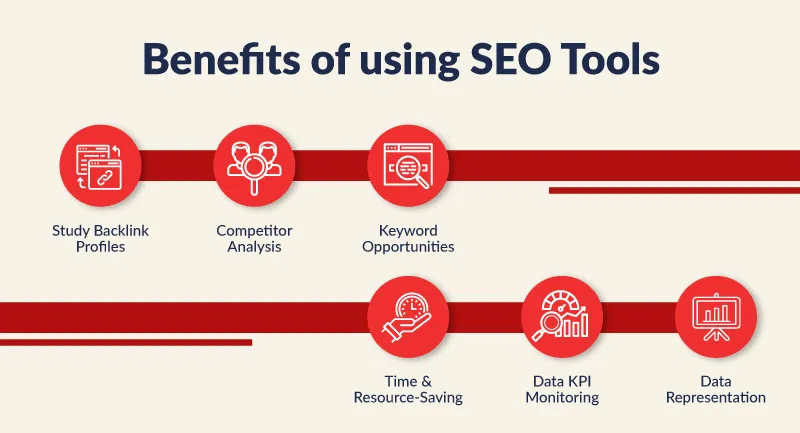
    Top Free SEO Tools

    How CWK Agency Uses Free SEO Tools

    Kamlesh Singad’s approach combines creativity with analytics. At CWK Agency, they use a workflow where:

    • Google Search Console tracks real performance
    • AnswerThePublic fuels blog strategy
    • Screaming Frog handles audits
    • Yoast SEO powers content optimization
    • GA4 tracks conversions

    They often say: “It’s not about how many tools you use—it’s how well you use them.”

    FAQs

    Can I do SEO with only free tools?
    Yes, especially when starting out. Free tools offer 80% of what beginners need.

    What’s the best free SEO tool overall?
    Google Search Console—it provides official data and shows how Google sees your site.

    Are these tools beginner-friendly?
    Most of them are designed with user-friendly interfaces and tutorials.

    Should I eventually invest in paid SEO tools?
    Yes, as your business grows and your SEO needs become more complex.

    Can I use multiple tools together?
    Absolutely. Many marketers use 3–5 tools depending on their goals.

    Conclusion: Work Smarter, Not Expensive

    SEO success doesn’t require a big budget—it requires smart tools, strategy, and consistency. These top free SEO tools help marketers of all levels audit, optimize, and elevate their search visibility in 2025.

    With expert insights from Kamlesh Singad and hands-on applications from CWK Agency, you now have everything you need to grow organically and compete effectively.

    So go ahead—equip your SEO toolkit and watch your rankings rise!

  • Perfect SEO Setup for WordPress: 8 Plugins to Boost Rankings

    Perfect SEO Setup for WordPress: 8 Plugins to Boost Rankings

    WordPress has made building websites easier than ever. Whether you’re a tech expert or someone who can barely code a line, WordPress allows you to create and manage websites with ease. But here’s the thing—just having a WordPress site isn’t enough if you want to rank high on Google. To get your site noticed, you need to focus on SEO (Search Engine Optimization).

    Now, SEO might sound complex, but with the right tools—specifically plugins—you can optimize your site without needing deep technical knowledge. In this blog, I’ll share the perfect SEO setup for WordPress using 8 essential plugins that will skyrocket your rankings and drive traffic to your site.

    Why SEO Plugins Are Essential for WordPress

    Google uses over 200 factors to determine how websites rank in search results. These factors include site speed, mobile-friendliness, user experience, on-page SEO, internal linking, and structured data—just to name a few. Trying to manage all of these manually can be overwhelming.

    That’s where WordPress SEO plugins come in. They simplify the process by automating key SEO tasks and ensuring your site is optimized for both users and search engines.

    Let’s dive into the 8 must-have plugins for the perfect SEO setup on WordPress.

    1. W3 Total Cache: Speed Up Your Site for Better Rankings

    SEO Setup for WordPress

    Why It’s Important:
    Site speed is a critical ranking factor. A slow website not only hurts your search rankings but also drives visitors away. In today’s mobile-first world, people expect websites to load instantly—and Google agrees.

    How W3 Total Cache Helps:
    The W3 Total Cache plugin improves your site’s load time by enabling caching. It stores static versions of your site, reducing the load on your server and delivering content faster to users. It also integrates with Content Delivery Networks (CDNs), further enhancing speed.

    Benefits:

    • Faster page load times
    • Improved user experience
    • Better mobile performance
    • Higher search rankings

    If your hosting provider doesn’t have built-in caching, W3 Total Cache is an essential addition to your SEO toolkit.

    Also Read: SEO Pricing in 2025: How Much Will It Cost?

    2. Smush Image Compression: Optimize Images Without Losing Quality

    Why It’s Important:
    Large image files slow down your website, negatively affecting both user experience and SEO. But removing images isn’t the solution—they’re vital for engagement.

    How Smush Image Compression Helps:
    The Smush plugin compresses your images without sacrificing quality. Your images will still look sharp and professional, but they’ll take up less space, leading to faster load times.

    Benefits:

    • Automatically compresses images during upload
    • Optimizes existing images in bulk
    • Maintains image quality
    • Improves site speed and performance

    If you’re uploading lots of images to your blog, Smush is a must-have for maintaining a fast, SEO-friendly website.

    Also Read: 10 Essential Tips to Create a Google Ads Strategy in 2025

    SEO Setup for WordPress

    3. Yoast SEO: The Ultimate On-Page SEO Tool

    Why It’s Important:
    On-page SEO is the backbone of any successful SEO strategy. It involves optimizing your content, meta tags, headings, and more.

    How Yoast SEO Helps:
    Yoast SEO is one of the most popular WordPress plugins for a reason. It handles everything from meta tags to XML sitemaps, and even evaluates your content for SEO and readability. It provides actionable insights to improve your content and optimize every page for search engines.

    Benefits:

    • Control over meta titles and descriptions
    • Automated XML sitemap generation
    • Content analysis and readability checks
    • Integration with Google Search Console
    • Structured data implementation

    While WordPress is SEO-friendly out of the box, Yoast SEO takes it to the next level, ensuring your site meets all the latest SEO standards.

    Also Read: How to Use Hyper-Personalized LinkedIn Outreach to Build Stronger Connections

    4. Rank Math: A Smart Alternative to Yoast SEO

    Why It’s Important:
    While Yoast is great, some users prefer Rank Math for its intuitive interface and advanced features.

    How Rank Math Helps:
    Rank Math offers similar on-page SEO functionalities but adds rich snippets and schema markup capabilities. It also integrates seamlessly with Google Analytics and offers a built-in keyword tracking feature.

    Benefits:

    • Advanced schema markup support
    • Lightweight and fast
    • Built-in 404 monitor and redirection manager
    • Supports unlimited focus keywords (even in the free version)

    If you’re looking for an alternative to Yoast with more flexibility and advanced features, Rank Math is an excellent choice.

    5. WP Rocket: The Ultimate Performance Booster

    SEO Setup for WordPress

    Why It’s Important:
    Website performance plays a huge role in both SEO and user experience. Even with caching plugins like W3 Total Cache, there’s room for more optimization.

    How WP Rocket Helps:
    WP Rocket is a premium caching plugin that simplifies performance optimization. It requires minimal configuration and offers advanced features like lazy loading, database optimization, and minification of CSS, JavaScript, and HTML.

    Benefits:

    • Boosts site speed with minimal effort
    • Optimizes database and reduces bloat
    • Integrates with CDNs for faster global delivery
    • Improves Core Web Vitals (important for SEO rankings)

    If you’re serious about performance and want an all-in-one optimization tool, WP Rocket is worth the investment.

    Why It’s Important:
    Broken links can hurt both user experience and SEO. They frustrate visitors and signal to search engines that your site isn’t well-maintained.

    How Broken Link Checker Helps:
    This plugin scans your entire site for broken links and missing images, alerting you to any issues. It also allows you to edit links directly from the plugin dashboard.

    Benefits:

    • Automatically detects broken links and redirects
    • Prevents SEO penalties from dead links
    • Easy-to-use interface for quick fixes

    Keeping your site free of broken links ensures a smooth user experience and helps maintain your SEO rankings.

    7. All in One Schema Rich Snippets: Enhance Your Search Appearance

    Why It’s Important:
    Rich snippets make your content stand out in search results by adding extra information like ratings, images, and reviews. This can increase your click-through rate (CTR), leading to more traffic.

    How All in One Schema Rich Snippets Helps:
    This plugin makes it easy to add structured data to your posts and pages, helping search engines better understand your content.

    Benefits:

    • Simple setup for adding rich snippets
    • Supports various content types (reviews, products, recipes, etc.)
    • Increases visibility in search results
    • Boosts CTR and organic traffic

    With rich snippets, your site will look more attractive in search results, leading to higher engagement and rankings.

    8. Redirection: Manage 301 Redirects and Fix 404 Errors

    Why It’s Important:
    Redirects are essential for maintaining SEO when you move or delete pages. Without proper redirects, you risk losing traffic and rankings.

    How Redirection Helps:
    This plugin helps you manage 301 redirects and track 404 errors. It’s especially useful when you’re restructuring your site or updating old content.

    Benefits:

    • Simple interface for managing redirects
    • Automatically creates redirects when URLs change
    • Tracks 404 errors for quick fixes
    • Prevents SEO loss from broken pages

    By ensuring smooth navigation for both users and search engines, Redirection helps maintain your site’s SEO health.

    Final Thoughts

    Setting up the perfect SEO setup for WordPress doesn’t have to be complicated. By using these 8 essential plugins, you can cover all the major aspects of SEO—from site speed and image optimization to on-page SEO and rich snippets.

    Here’s a quick recap of the plugins you need:

    1. W3 Total Cache – Boosts site speed with caching
    2. Smush Image Compression – Optimizes images without losing quality
    3. Yoast SEO – Comprehensive on-page SEO tool
    4. Rank Math – Advanced SEO features with schema support
    5. WP Rocket – Ultimate performance optimization
    6. Broken Link Checker – Identifies and fixes broken links
    7. All in One Schema Rich Snippets – Adds rich snippets for better visibility
    8. Redirection – Manages redirects and fixes 404 errors

    By combining these plugins, you’ll have an SEO-friendly WordPress site that’s optimized for both users and search engines. Start implementing them today and watch your rankings—and traffic—skyrocket!