Tag: SEO for Beginners

  • Local Businesses Rank Faster on Google | SEO Tips by CWK Agency

    Local Businesses Rank Faster on Google | SEO Tips by CWK Agency

    In today’s digital world, every business wants to appear at the top of Google search results. Interestingly, local businesses often rank faster on Google compared to large companies. But why is this the case? And how can small and medium-sized businesses take advantage of this to grow online?

    At Code With Kamlesh (CWK) agency Indore, we specialize in helping businesses improve their digital presence. As a Digital Marketer in Indore, we have seen many local businesses quickly climb search rankings using effective strategies. In this blog, we’ll explore why local businesses have an edge on Google and how you can leverage it for your business growth.

    What Makes Local Businesses Special in Google Search?

    Google’s algorithms are designed to provide users with the most relevant and useful information. When someone searches for a service or product in a specific location, Google prioritizes businesses that are close by and have a strong local presence.

    Here’s why local businesses have an advantage:

    1. Geographical Relevance:
      Local searches include location-specific queries like “Digital Marketer in Indore” or “best bakery near me.” Google identifies businesses near the user’s location and ranks them higher for convenience.
    2. Google My Business (GMB) Listings:
      Local businesses can create and optimize a Google My Business profile. This allows them to show up in Google Maps, local packs, and organic search results. GMB gives Google accurate information about your business, making it easier to rank faster.
    3. Customer Reviews:
      Reviews are crucial for local SEO. Businesses with more positive reviews on platforms like Google, Justdial, and Yelp build credibility and trust, which helps them rank faster.
    4. Local Backlinks:
      Local businesses often get backlinks from nearby partners, local blogs, or directories. These links signal Google that the business is relevant to a specific region.
    image 40

    How Local SEO Helps Businesses Rank Faster on Google

    Local SEO is the practice of optimizing your website and online presence to attract more business from local searches. Here’s how it helps local businesses rank faster:

    1. Optimized Google My Business Profile

    A fully optimized GMB profile ensures your business information—like address, phone number, website, and opening hours—is correct. This helps Google trust your business and show it to local searchers.

    2. Location-Based Keywords

    Using location-specific keywords in your website content, meta tags, and blog posts is essential. For example, a Digital Marketer in Indore should include phrases like “best digital marketing services in Indore” on their site.

    3. Consistent NAP (Name, Address, Phone Number)

    Consistency across all online directories and your website strengthens your business’s credibility. Google uses this information to verify your location and business details.

    4. Positive Customer Reviews

    Encourage satisfied customers to leave reviews. Reviews not only improve trust but also signal to Google that your business is active and valuable to users.

    5. Mobile-Friendly Website

    Most local searches happen on mobile devices. A fast, responsive website ensures a better user experience and higher chances of ranking faster on Google.

    6. Local Backlinks

    Collaborating with local blogs, news websites, and directories provides backlinks that improve your domain authority and relevance for local searches.

    Why Local Businesses Rank Faster than Big Companies

    You might wonder, “Why can a small business outrank a large company in Google search?” Here are some reasons:

    1. Less Competition Locally:
      Large companies often compete nationally or globally, while local businesses focus on a smaller geographic area. This reduces competition and makes it easier to rank.
    2. Google Loves Relevance:
      Google prioritizes relevance over size. A nearby pizza shop with accurate information, good reviews, and active engagement will often rank higher than a national chain for a “pizza near me” search.
    3. Quick Implementation:
      Small businesses can implement SEO strategies faster, update content frequently, and respond to reviews immediately. This agility helps them climb search rankings quickly.
    4. Local Community Engagement:
      Businesses that participate in local events, sponsor activities, or get mentioned in local news build backlinks and authority, helping them rank faster.
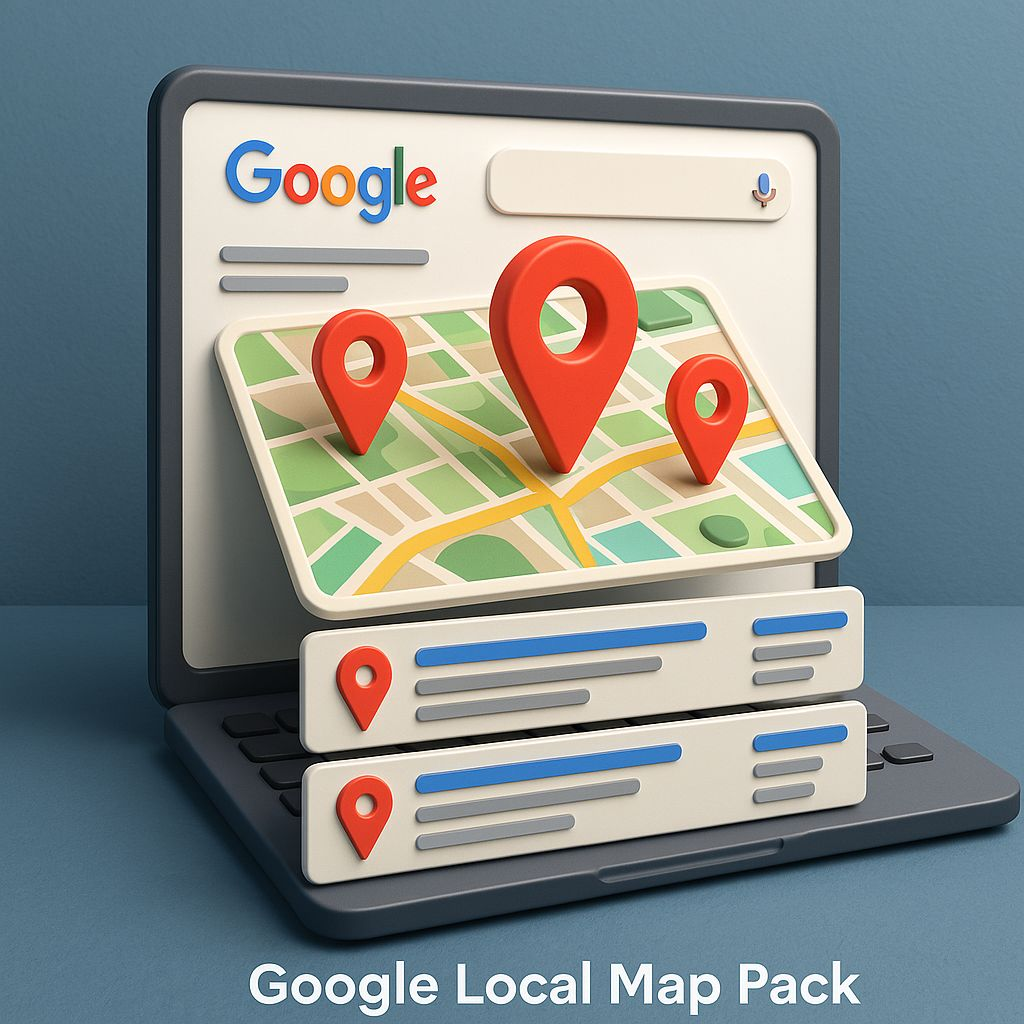
    image 41

    Read also : Online Marketing Indore: 7 Powerful Strategies to Grow Your Business Faster

    How Code With Kamlesh (CWK) Agency Indore Helps Local Businesses

    At Code With Kamlesh (CWK) agency Indore, we understand the importance of local SEO. We help businesses grow by:

    • Optimizing Google My Business profiles for better visibility.
    • Creating location-based content that attracts the right audience.
    • Generating high-quality local backlinks from credible websites.
    • Managing online reviews to improve trust and rankings.
    • Offering website optimization for mobile and faster loading speed.

    As a trusted Digital Marketer in Indore, our team ensures local businesses get noticed by potential customers and rank faster on Google.

    Tips for Local Businesses to Rank Faster on Google

    Here are some actionable tips for local businesses:

    1. Claim and Optimize Your Google My Business Listing
      Ensure your business name, address, phone number, website, and categories are accurate. Add photos and posts regularly.
    2. Use Local Keywords in Your Content
      Include keywords like “Digital Marketer in Indore” naturally in your website pages, blogs, and meta tags.
    3. Encourage Customer Reviews
      Politely ask customers to leave reviews after a service. Respond to all reviews to show engagement.
    4. Build Local Backlinks
      Partner with other local businesses, blogs, and directories to get links to your website.
    5. Optimize Your Website for Mobile
      Make sure your website loads quickly and works well on smartphones. Google favors mobile-friendly sites.
    6. Engage on Social Media
      Share updates, promotions, and local events on social platforms. Google considers social activity when evaluating relevance.

    Read also : SEO Expert Indore: The Ultimate Guide to Choosing the Best SEO Consultant

    Common Mistakes Local Businesses Make in SEO

    Even with a strong potential to rank faster, many local businesses fail due to common mistakes:

    • Ignoring Google My Business optimization
    • Using generic content without location focus
    • Neglecting online reviews
    • Poor website speed and mobile responsiveness
    • Not tracking SEO performance

    Avoiding these mistakes can make the difference between ranking on the first page or staying invisible.

    The Future of Local SEO

    Local SEO is continuously evolving. Here’s what to expect:

    • Voice Search Optimization: People increasingly search using voice commands, like “best coffee shop near me.” Local businesses must optimize for conversational keywords.
    • AI and Chatbots: AI tools can help answer customer queries instantly, improving user experience and ranking potential.
    • Hyper-Local Marketing: Targeting neighborhoods or micro-locations will become more important for local businesses.

    Staying updated with these trends ensures that local businesses continue to rank faster on Google and attract more customers.
    image 42

    Read also : Kamlesh Singad – Digital Marketing Consultant in Indore | Code With Kamlesh

    Final Thoughts

    Ranking on Google is no longer just for big corporations. Local businesses have a unique advantage because of geographical relevance, focused competition, and Google’s preference for local engagement.

    If you are a local business owner looking to improve your online presence, partnering with an experienced Digital Marketer in Indore like Code With Kamlesh (CWK) agency Indore can make all the difference. With the right strategy, you can attract more local customers, increase sales, and rank faster on Google than ever before.

    Remember, success in local SEO is about consistency, relevance, and engagement. Start implementing these strategies today and watch your business grow!

    FAQs

    Q1: What is local SEO?
    Local SEO is the process of optimizing your website and online presence to attract customers from local searches.

    Q2: Why do local businesses rank faster on Google?
    Because Google prioritizes relevance, local engagement, and proximity to searchers, small businesses often climb search results faster than large companies.

    Q3: How important are reviews for local SEO?
    Extremely important. Positive reviews improve trust, credibility, and rankings.

    Q4: Can a small business compete with big companies online?
    Yes. With the right local SEO strategies, small businesses can outrank national brands in their local area.

    Q5: How can Code With Kamlesh (CWK) agency Indore help my business?
    We optimize your Google My Business profile, create local content, manage reviews, and implement SEO strategies to help your business rank faster on Google.

  • What is Search Engine Optimization Techniques?

    What is Search Engine Optimization Techniques?

    In today’s digital world, having a website is not enough. If your website does not appear on Google when people search for your products or services, you are losing potential customers every day. This is where Search Engine Optimization (SEO) plays a critical role.

    SEO is not a single activity. It is a set of techniques, strategies, and best practices used to improve a website’s visibility on search engines like Google, Bing, and Yahoo.

    In this detailed guide, we will understand:

    • What SEO is
    • Why SEO is important
    • Different types of SEO techniques
    • How each SEO technique works
    • Best practices to follow

    What Is Search Engine Optimization (SEO)?

    Search Engine Optimization (SEO) is the process of optimizing a website so that it ranks higher in organic (non-paid) search engine results for relevant keywords.

    Example: If someone searches “digital marketing agency in Indore”, SEO helps a relevant website appear on Page 1 of Google.

    SEO focuses on:

    • Improving website structure
    • Creating high-quality content
    • Optimizing keywords
    • Building trust and authority
    • Enhancing user experience

    The main goal of SEO is to increase organic traffic and convert visitors into customers.

    Search Engine Optimization Techniques

    Why Are SEO Techniques Important?

    SEO techniques are important because:

    • Most users click only top 5 Google results
    • Organic traffic is free and long-term
    • SEO builds brand credibility and trust
    • SEO delivers high ROI compared to ads
    • Helps local and global business growth

    Without proper SEO techniques, even a well-designed website can remain invisible.

    Types of Search Engine Optimization Techniques

    SEO techniques are broadly divided into five major categories:

    1. On-Page SEO Techniques
    2. Off-Page SEO Techniques
    3. Technical SEO Techniques
    4. Local SEO Techniques
    5. Advanced & Modern SEO Techniques

    Let’s understand each one in detail.

    Search Engine Optimization Techniques

    1. On-Page SEO Techniques

    On-Page SEO refers to optimizations done inside the website to help search engines understand content better.

    Key On-Page SEO Techniques

    a) Keyword Research & Placement
    • Find relevant keywords users search for
    • Use keywords naturally in:
      • Page title
      • Headings (H1, H2, H3)
      • URL
      • Content body
      • Image alt text

    Avoid keyword stuffing.

    b) SEO-Optimized Title Tags
    • Title should be 50–60 characters
    • Include primary keyword
    • Make it clickable and clear

    Example: Best SEO Services in Indore | Affordable Digital Marketing Agency

    c) Meta Description Optimization
    • 150–160 characters
    • Describe page content clearly
    • Include main keyword

    Meta description improves CTR (Click Through Rate).

    d) Heading Structure (H1–H6)
    • Use only one H1 per page
    • Use H2 and H3 for subtopics
    • Helps Google understand content hierarchy
    e) High-Quality Content Creation
    • Content should be:
      • Original
      • Informative
      • Easy to read
      • User-focused

    Google rewards helpful content, not copied or thin content.

    f) Internal Linking
    • Link one page to another relevant page
    • Improves website navigation
    • Passes SEO value (link equity)
    g) Image Optimization
    • Compress images for fast loading
    • Use descriptive file names
    • Add alt text with keywords
    Search Engine Optimization Techniques

    2. Off-Page SEO Techniques

    Off-Page SEO focuses on activities outside your website that build authority and trust.

    Key Off-Page SEO Techniques

    a) Backlink Building

    Backlinks are links from other websites to your website.

    High-quality backlinks:

    • Improve domain authority
    • Increase rankings
    • Build trust

    Sources of backlinks:

    • Guest posting
    • Business listings
    • Blogs & articles
    • PR mentions
    b) Social Media Marketing
    • Share content on Facebook, Instagram, LinkedIn, Twitter
    • Increases visibility and engagement
    • Drives referral traffic
    c) Brand Mentions

    Even without links, brand mentions help Google recognize authority.

    d) Influencer & Outreach Marketing
    • Collaborate with bloggers and influencers
    • Earn natural backlinks and exposure

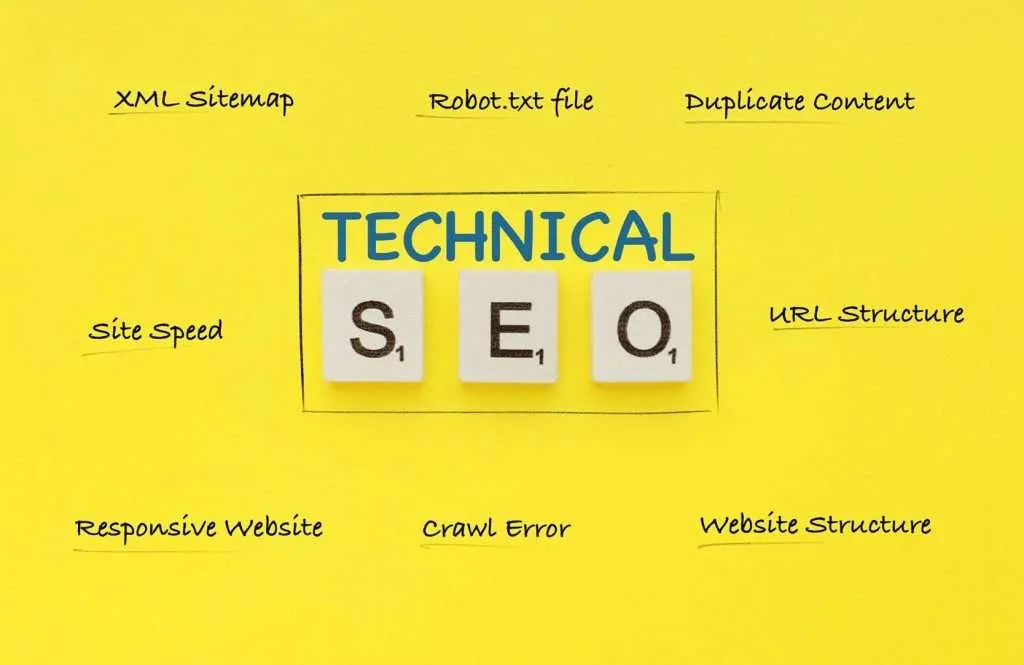
    3. Technical SEO Techniques

    Technical SEO ensures that search engines can crawl, index, and understand your website properly.

    Important Technical SEO Techniques

    a) Website Speed Optimization
    • Faster websites rank better
    • Use caching, compression, and optimized images
    b) Mobile-Friendly Design
    • Google uses mobile-first indexing
    • Website must work perfectly on smartphones
    c) Secure Website (HTTPS)
    • SSL certificate is mandatory
    • Builds user trust and improves ranking
    d) XML Sitemap
    • Helps Google find all website pages
    • Essential for large websites
    e) Robots.txt File
    • Controls which pages search engines should crawl
    f) Fixing Crawl Errors
    • Remove broken links
    • Fix 404 errors
    • Improve index coverage
    g) Structured Data (Schema Markup)
    • Helps search engines understand content type
    • Improves rich results like FAQs, reviews, ratings

    4. Local SEO Techniques

    Local SEO helps businesses appear in location-based searches.

    Example:
    “SEO expert near me”
    “Digital marketing agency in Indore”

    Local SEO Techniques

    a) Google My Business (GMB) Optimization
    • Accurate name, address, phone number
    • Add photos, services, posts
    • Collect genuine reviews
    b) Local Citations
    • List business on local directories
    • Keep NAP (Name, Address, Phone) consistent
    c) Location-Based Keywords
    • Add city and area keywords in content
    d) Reviews & Ratings
    • Positive reviews increase local trust and ranking

    5. Advanced & Modern SEO Techniques

    SEO is evolving. Modern techniques focus on user intent and AI-based search.

    a) Search Intent Optimization

    Understand what user wants:

    • Informational
    • Navigational
    • Commercial
    • Transactional

    Create content accordingly.

    b) Voice Search Optimization
    • Use conversational keywords
    • Answer questions directly
    c) AI SEO & Semantic SEO
    • Use related topics, entities, and context
    • Not just exact keywords
    d) Core Web Vitals Optimization
    • Page loading
    • Interactivity
    • Visual stability

    White Hat vs Black Hat SEO Techniques

    White Hat SEO (Recommended)

    • Follows Google guidelines
    • Long-term growth
    • Safe and sustainable

    Black Hat SEO (Avoid)

    • Keyword stuffing
    • Fake backlinks
    • Hidden text

    Black Hat SEO can cause Google penalties.

    Best Practices for SEO Techniques

    • Focus on user experience
    • Create helpful, long-form content
    • Optimize regularly
    • Track performance with tools like:
      • Google Search Console
      • Google Analytics
      • Ahrefs / SEMrush

    Conclusion: SEO Techniques Are the Backbone of Online Success

    Search Engine Optimization techniques are not optional anymore. They are essential for online visibility, brand growth, and business success. SEO is a long-term investment that delivers consistent traffic, leads, and credibility.

    If done correctly using ethical and modern SEO techniques, your website can rank higher, attract the right audience, and outperform competitors.

    FAQS

    1. What are SEO techniques?

    SEO techniques are methods used to improve a website’s visibility on search engines like Google. These techniques include on-page optimization, off-page link building, technical improvements, and content optimization to rank higher in organic search results.

    2. How long does SEO take to show results?

    SEO usually takes 3 to 6 months to show noticeable results, depending on competition, keyword difficulty, website age, and the quality of SEO techniques used. SEO is a long-term strategy, not an instant process.

    3. What is the difference between on-page and off-page SEO?

    On-page SEO focuses on optimizing website content and structure, such as keywords, titles, headings, and internal links. Off-page SEO focuses on external factors like backlinks, brand mentions, and social signals that improve website authority.

    4. Are SEO techniques better than paid advertising?

    SEO techniques provide long-term, organic traffic without paying for every click, while paid ads give instant but temporary results. SEO is more cost-effective in the long run, whereas ads are useful for short-term campaigns.

    5. Is SEO still relevant in 2025?

    Yes, SEO is more relevant than ever in 2025. With AI search, voice search, and user-focused algorithms, modern SEO techniques focusing on content quality, user intent, and experience are essential for online success.

  • SEO Course in Indore | SEO Training in Indore |  Kamlesh Singad

    SEO Course in Indore | SEO Training in Indore | Kamlesh Singad

    If you’re searching for the best SEO course in Indore that combines practical knowledge, expert mentorship, and live project training — you’ve found the right place. At Code With Kamlesh, we offer an advanced, career-oriented SEO training in Indore designed for students, freelancers, professionals, and business owners who want to master the art of ranking websites on Google.

    What Makes Our SEO Course in Indore Unique?

    Unlike theoretical classes, our SEO institute in Indore focuses on real-time implementation and result-driven learning.
    You’ll not only learn “what SEO is” but also how SEO actually works in today’s competitive market.

    Here’s why hundreds of learners choose Code With Kamlesh:

    1. Learn from an Industry Expert – Kamlesh Singad

    Kamlesh Singad is one of Indore’s most trusted SEO mentors and digital marketing educators, with 8+ years of experience.
    He has trained 1000+ students and helped multiple businesses achieve top Google rankings and consistent organic traffic growth.

    2. Complete, Step-by-Step Curriculum

    Our SEO training in Indore covers everything from the basics of keyword research to advanced SEO strategies. You’ll gain complete confidence to handle client projects or grow your own website.

    What You’ll Learn in Our SEO Course in Indore

    Here’s an overview of our comprehensive SEO syllabus, designed to take you from beginner to professional:

    Introduction to SEO

    • What is SEO and how it works
    • Understanding search engine algorithms
    • How Google ranks websites
    • Types of SEO – On-Page, Off-Page, Technical

    Keyword Research

    • Importance of keyword research
    • Short-tail vs Long-tail keywords
    • Tools: Google Keyword Planner, Ahrefs, SEMrush, Ubersuggest
    • Competitor keyword analysis

    On-Page Optimization

    • Title tags, meta descriptions, header tags
    • URL structure, internal linking
    • Image optimization and alt tags
    • Keyword placement & content optimization

    Off-Page Optimization

    • Link building techniques (guest posts, outreach, directories)
    • Social media signals & brand mentions
    • Domain authority & trust flow building
    • Avoiding black-hat SEO

    Technical SEO

    • Website speed optimization
    • Mobile-friendly design
    • XML sitemap & robots.txt
    • Canonical tags, redirects, crawl errors

    Local SEO

    • Google My Business setup
    • Local citations and reviews
    • NAP consistency
    • Local keyword targeting

    SEO Tools & Analytics

    • Google Analytics & Search Console
    • Rank tracking and audit tools
    • Screaming Frog, Ahrefs, SEMrush
    • SEO reporting templates

    Career Growth & Freelancing

    • Building your SEO portfolio
    • Client proposal writing
    • Freelancing platforms for SEO
    • Resume and interview preparation

    Why Choose Code With Kamlesh – SEO Institute in Indore?

    Our SEO institute in Indore stands out because of our personalized approach, live practical sessions, and real-time case studies.

    100% Practical Learning – You’ll practice SEO on live websites, analyze data, and execute strategies that actually get results.
    Industry-Recognized Certification – After course completion, you’ll receive a professional SEO certificate that validates your skills and adds credibility to your career.
    Internship & Job Assistance – We connect our top students with partner agencies and businesses hiring SEO executives, digital marketers, and content strategists.
    Lifetime Access & Free Updates – Stay updated with future SEO algorithm changes, tools, and resources — accessible anytime through your student dashboard.

    Who Can Join Our SEO Training in Indore?

    Our SEO course is designed to suit every learner’s need:

    • Students: Build a digital marketing career right after graduation.
    • Working Professionals: Upgrade your skillset for better job opportunities.
    • Freelancers: Learn how to rank client websites and increase earnings.
    • Entrepreneurs: Grow your business organically and save ad costs.

    Course Fees & Duration

    • Duration: 2 Months (Including Live Projects & Assignments)
    • Fees: Affordable and flexible (Installment options available)
    • Mode: Online
    • Batch Options: Weekday / Weekend

    Call or WhatsApp: +91-9131341638
    Website: www.codewithkamlesh.com

    Certification You’ll Receive

    Upon completion, you’ll earn a “Certified SEO Professional” certificate from Code With Kamlesh, recognized by top marketing companies and agencies.

    Tools You’ll Master During Training

    • Google Search Console
    • Google Analytics
    • Ahrefs
    • SEMrush
    • Screaming Frog
    • RankMath / Yoast SEO
    • Ubersuggest
    • Google Tag Manager

    FAQ

    Q1. How long does the SEO course in Indore take to complete?
    The course duration is 8 weeks, including assignments and practical implementation.

    Q2. Is prior digital marketing experience required?
    Not at all. The course starts from basics and gradually advances to professional SEO techniques.

    Q3. Do you provide a certificate after course completion?
    Yes, a professional certificate is provided after successful completion and assessment.

    Q4. Will I get job assistance after training?
    Yes, our SEO institute in Indore provides placement guidance and internship support.

    Q5. Do you offer online classes?
    Yes, we offer both online SEO training and offline classroom sessions for flexibility.

    Start Your SEO Journey with Kamlesh Singad Today!

    The digital world runs on visibility — and SEO is the key.
    Join the most trusted SEO course in Indore by Code With Kamlesh, gain real-world experience, and become a certified SEO professional ready to dominate search engines.

  • Technical SEO: Speed, Structure, and Mobile Optimization (Part-14)

    Technical SEO: Speed, Structure, and Mobile Optimization (Part-14)

    Module 2: SEO – Search Engine Optimization

    If Search Engine Optimization (SEO) were a race car, then technical SEO would be the engine. You can have amazing content and perfect keywords, but if your site loads slowly, isn’t mobile-friendly, or has broken links—Google will likely push you down the ranks.

    Technical SEO ensures that your website runs like a well-oiled machine—fast, structured, secure, and mobile-ready. In this article, we’ll explore the foundational elements of technical SEO: speed, structure, and mobile optimization.

    Digital strategist Kamlesh Singad, founder of CWK Agency, puts it this way: “Technical SEO is what ensures Google not only finds your website but trusts it enough to rank it.”

    What is Technical SEO?

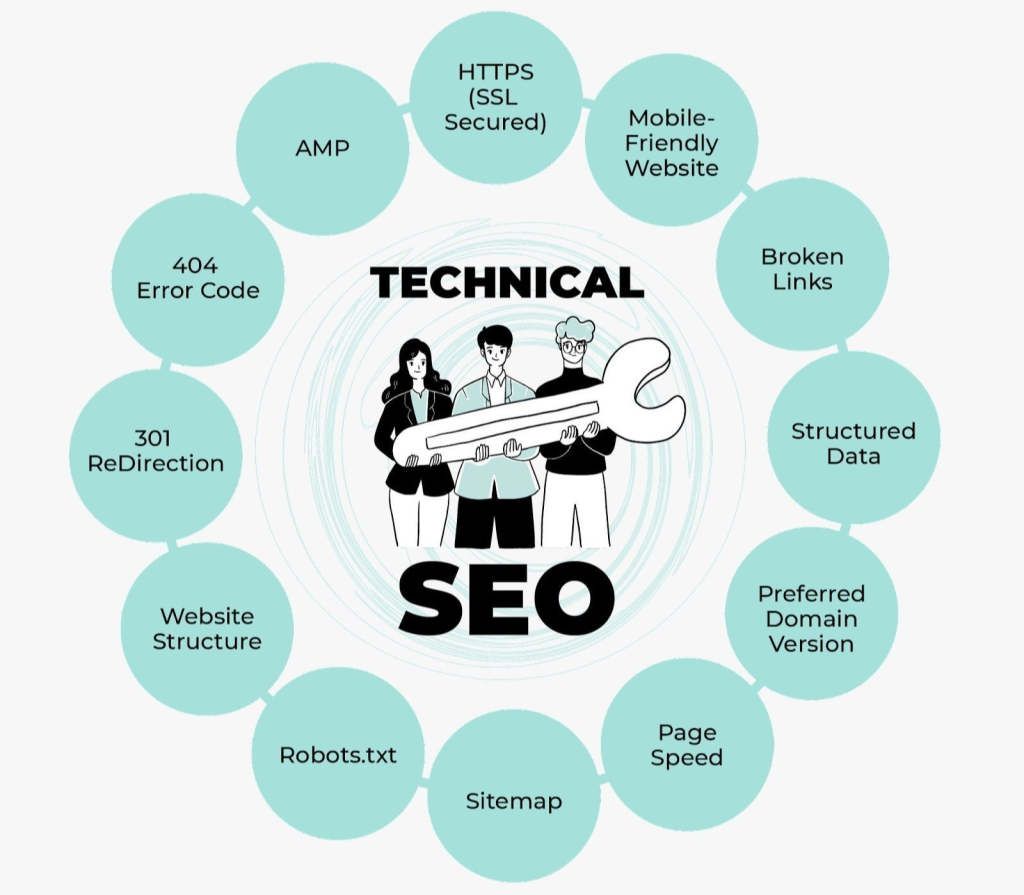
    Technical SEO refers to optimizing the infrastructure of your website so that search engines can crawl, index, and rank it efficiently. It doesn’t involve keyword targeting or content strategy—it’s all about performance, accessibility, and structure.

    Key elements include:

    • Website speed and performance
    • Mobile responsiveness
    • Secure browsing (HTTPS)
    • Crawlability and indexability
    • Structured data and sitemaps
    Technical SEO

    Why Technical SEO is Crucial in 2025

    With Google’s algorithm becoming more user-centric, technical factors play a huge role in ranking:

    • Page experience is a confirmed ranking factor
    • Core Web Vitals directly affect how Google evaluates your page
    • Mobile-first indexing makes mobile optimization a top priority

    According to Kamlesh Singad, “Ignoring technical SEO is like trying to run a marathon in flip-flops.”

    Also Read: SEO Best Practices for Achieving Mobile Friendliness

    Speed Optimization: How to Make Your Site Load Lightning Fast

    Why Speed Matters

    Page speed influences:

    • Bounce rate – Slow sites lose impatient visitors
    • Conversion rate – Fast-loading pages convert better
    • SEO ranking – Google prioritizes speed in its ranking algorithm

    How to Check Your Site Speed

    Use these tools:

    • Google PageSpeed Insights
    • GTmetrix
    • Lighthouse (in Chrome DevTools)

    Actionable Speed Fixes

    1. Compress images – Use tools like TinyPNG or WebP format
    2. Minify CSS, JS, and HTML – Remove unnecessary characters using Autoptimize or WP Rocket
    3. Use a CDN – Cloudflare or BunnyCDN speeds up global loading
    4. Enable browser caching
    5. Lazy-load images and videos
    6. Use fast and lightweight themes

    CWK Agency uses WP Rocket and Cloudflare for nearly all client websites to enhance performance.

    Technical SEO

    Website Structure: Build for Bots and Users Alike

    Importance of Website Structure

    A good site structure helps:

    • Search engines understand content hierarchy
    • Visitors navigate easily
    • Avoids crawl errors and duplicate content

    Tips for Strong Structure

    1. Use a Clear URL Hierarchy
      • Example: /services/social-media-marketing instead of /page?id=456
    2. Create a Logical Navigation Menu
      • Prioritize your most valuable pages in the header
    3. Internal Linking Strategy
      • Link related content for SEO and UX benefits
    4. Use Breadcrumb Navigation
      • Helps users track where they are, and boosts SEO
    5. Create and Submit an XML Sitemap
      • Use Yoast or Rank Math to generate and submit to Google Search Console

    Kamlesh Singad says: “Your structure should reflect how you want search engines and users to think about your content.”

    Also Read: 15 SEO Best Practices: Website Architecture for Maximum Rankings

    Mobile Optimization: Mobile-First is Not Optional

    Why Mobile Optimization is Vital

    • Google uses mobile-first indexing—your mobile site is what it sees first
    • Over 60% of traffic now comes from mobile devices
    • Poor mobile UX = high bounce rate = lower rankings

    How to Optimize for Mobile

    1. Responsive Design
      • Your layout should adjust to any screen size
    2. Test on Multiple Devices
      • Use BrowserStack or your own smartphone/tablet
    3. Avoid Pop-Up Overload
      • Intrusive pop-ups frustrate users and can trigger penalties
    4. Use Mobile-Friendly Fonts and Buttons
      • Ensure readability and ease of navigation
    5. Optimize Page Load Speed on Mobile
      • Use Google’s Mobile-Friendly Test to assess performance

    CWK Agency prioritizes mobile-first design in all its web builds, knowing that user experience on smartphones drives revenue.

    Technical SEO

    Technical SEO Audit Checklist

    • Website loads in under 3 seconds
    • All pages are HTTPS
    • No broken links (404 errors)
    • Structured data (Schema.org) is implemented
    • XML sitemap is submitted
    • Robots.txt file is configured properly
    • Core Web Vitals pass (LCP, FID, CLS)
    • Mobile-Friendly Test passed
    • Google Search Console
    • Ahrefs or SEMrush Site Audit
    • Screaming Frog SEO Spider
    • GTmetrix
    • PageSpeed Insights
    • Yoast SEO / Rank Math (for WordPress)

    These tools help automate many aspects of technical auditing and performance monitoring.

    Also Read: How to Create a Free Email Address for a Business

    FAQs

    What’s the difference between technical SEO and on-page SEO?
    Technical SEO focuses on backend performance, while on-page SEO focuses on content and keywords.

    How often should I perform a technical SEO audit?
    Every 3–6 months, or after a major site update.

    Can I do technical SEO without a developer?
    Yes, especially with platforms like WordPress and tools like WP Rocket and Rank Math.

    What’s the biggest technical SEO mistake beginners make?
    Ignoring mobile optimization and not compressing images.

    Does technical SEO help with local SEO?
    Absolutely. Speed and mobile-friendliness directly impact local rankings and mobile map searches.

    Conclusion: Don’t Let Poor Tech Hold Back Great Content

    You can write the best blog in the world, but if your site loads slowly, breaks on mobile, or confuses Google—you won’t rank. Technical SEO is your silent hero. It works in the background to ensure everything else—content, links, social media—gets the attention it deserves.

    With the expert strategies from Kamlesh Singad and the results-driven systems of CWK Agency, you now have a clear roadmap to master speed, structure, and mobile optimization—and take your SEO game to the next level.

  • Off-Page SEO: Link Building & Authority Building (Part-13)

    Off-Page SEO: Link Building & Authority Building (Part-13)

    Module 2: SEO – Search Engine Optimization

    When it comes to Search Engine Optimization, many beginners focus solely on on-page elements like keywords and content. However, what happens outside of your website can be just as impactful—if not more. That’s where Off-Page SEO comes in.

    Kamlesh Singad, founder of CWK Agency, explains it like this: “Off-page SEO is your reputation on the web. If Google sees others talking about and linking to your site, your authority skyrockets.”

    In this guide, we’ll explore the nuts and bolts of Off-Page SEO, focusing on link building and authority strategies to help you rank higher, faster.

    Understanding Off-Page SEO

    Off-Page SEO refers to all activities you perform outside of your website to improve its search engine rankings. While on-page SEO is about what’s on your site, off-page is about how the rest of the internet interacts with it.

    Key Off-Page SEO Components:

    • Backlinks (link building)
    • Social signals
    • Brand mentions
    • Influencer outreach
    • Online reputation management

    CWK Agency integrates these elements into their SEO campaigns to boost visibility and trust.

    Off-Page SEO

    Why Is Off-Page SEO Important for Search Engine Optimization?

    Search engines like Google consider backlinks as votes of confidence. The more high-quality sites linking to yours, the more trustworthy your content appears.

    Off-Page SEO helps:

    • Improve rankings in search engine results
    • Drive referral traffic
    • Build brand authority and trust
    • Increase domain authority (DA)

    According to Kamlesh Singad, “You can’t out-write your competition—you need to out-authority them.”

    Also Read: Top Interview Questions for Graphic Designers

    Link building is the process of acquiring hyperlinks from other websites to your own. These links signal to search engines that your site is valuable and credible.

    • DoFollow Links – Pass SEO value (link juice)
    • NoFollow Links – Do not pass link juice but still provide traffic and branding
    • Internal Links – Connect pages within your own site
    • External Links – Outbound links to other domains

    Tip: Focus on acquiring high-authority DoFollow backlinks for best SEO results.

    1. Guest Posting

    Reach out to industry blogs and offer to write valuable content in exchange for a backlink. Ensure the content is high-quality and aligns with the site’s audience.

    Benefits:

    • Increases authority
    • Builds relationships
    • Drives targeted traffic

    Kamlesh Singad recommends at least 2 guest posts per month for steady growth.

    Find broken links on other websites and suggest replacing them with your relevant content.

    How-To:

    • Use tools like Ahrefs or Broken Link Checker
    • Offer your content as a substitute
    • Pitch via email politely and clearly

    This technique works because you’re offering value by fixing an issue.

    Also Read: Effective Strategies for SEO Syndicated Content

    Off-Page SEO

    3. Skyscraper Technique

    Find top-performing content in your niche, create something even better, and reach out to sites linking to the original to link to your improved version.

    Tools to Use:

    • BuzzSumo
    • SEMrush
    • Ubersuggest

    CWK Agency uses this method to create “10x content” that earns backlinks organically.

    4. Directory & Business Listings

    List your business on reputable directories like:

    • Google Business Profile
    • Yelp
    • Clutch
    • YellowPages

    This improves local SEO and builds trust signals across the web.

    5. Influencer Outreach and Collaboration

    Collaborate with influencers or micro-influencers in your niche. Get them to mention or link to your content via blogs, podcasts, or social media.

    Best Practices:

    • Offer mutual value
    • Personalize outreach
    • Follow up professionally

    Kamlesh Singad emphasizes authenticity in outreach: “Build relationships, not just links.”

    6. HARO (Help a Reporter Out)

    Respond to journalist queries with expert insights. If your pitch gets picked, you receive a backlink from high-authority publications like Forbes or Business Insider.

    Pro Tip: Be fast and concise in your responses.

    Also Read: Mastering the Google SEO Algorithm: A Complete Guide to Boost Rankings

    While link building is vital, authority building encompasses a broader reputation strategy:

    1. Social Signals

    Although not a direct ranking factor, content that’s shared widely can lead to backlinks and brand visibility.

    2. Brand Mentions

    Even unlinked brand mentions are considered by search engines as trust signals.

    3. Online Reviews and Testimonials

    Positive reviews on Google, Trustpilot, or Yelp can enhance credibility and even improve local rankings.

    4. PR and Media Features

    Getting featured on news sites, podcasts, or webinars increases your perceived authority.

    CWK Agency combines PR campaigns with content marketing for clients aiming to build long-term authority.

    Off-Page SEO

    Tools to Supercharge Your Off-Page SEO

    • Ahrefs – Backlink analysis
    • SEMrush – Competitor link audits
    • BuzzSumo – Content discovery for skyscraper technique
    • Hunter.io – Find outreach emails
    • Google Alerts – Track brand mentions

    Common Off-Page SEO Mistakes to Avoid

    • Buying low-quality backlinks (can get you penalized)
    • Ignoring link relevancy
    • Over-optimizing anchor text
    • Failing to track and audit backlinks
    • Not diversifying link sources

    Kamlesh Singad warns, “One toxic link can ruin 100 good ones. Focus on quality over quantity.”

    FAQs

    What’s the difference between on-page and off-page SEO?
    On-page is everything you control on your site; off-page includes external factors like backlinks and brand signals.

    How many backlinks do I need to rank?
    It depends on your niche and competitors. Focus on quality over quantity.

    Is social media part of off-page SEO?
    Yes, social signals contribute indirectly by boosting content visibility.

    Do nofollow links help SEO?
    They don’t pass link juice but can still drive traffic and build authority.

    How do I monitor my backlinks?
    Use tools like Ahrefs, SEMrush, or Google Search Console.

    Conclusion: Build Authority. Build Rankings.

    Off-Page SEO is more than just getting links—it’s about earning trust, building authority, and expanding your digital footprint. By implementing ethical link building strategies and fostering online relationships, you’ll enhance your site’s reputation and search visibility.

    Take it from Kamlesh Singad and the expert team at CWK Agency—when off-page SEO is done right, your brand becomes not just findable, but unforgettable.

  • On-Page SEO: Techniques to Rank Higher on Google (Part-12)

    On-Page SEO: Techniques to Rank Higher on Google (Part-12)

    Module 2: SEO – Search Engine Optimization

    In the world of Search Engine Optimization (SEO), one term that stands out for consistent success is On-Page SEO. It’s the foundation of every optimized website and an essential skill if you want to rank higher on Google.

    According to Kamlesh Singad, founder of CWK Agency, “On-Page SEO is the part of your digital strategy you control 100%. Done right, it can turn your content into a 24/7 traffic machine.”

    Whether you’re a blogger, small business owner, or digital marketing enthusiast, this guide will give you the actionable techniques you need to boost visibility, increase traffic, and dominate Google rankings.

    What is On-Page SEO?

    On-Page SEO refers to the optimization of individual web pages—both the content and HTML source code—to improve search engine rankings and earn more relevant traffic.

    Unlike off-page SEO (which deals with backlinks and authority), on-page SEO is all about what you can control directly on your site.

    On-Page SEO

    Why On-Page SEO is Crucial for Ranking on Google

    Google’s algorithms prioritize relevance, quality, and user experience. On-Page SEO helps search engines:

    • Understand your content
    • Index it correctly
    • Evaluate its relevance for specific search queries

    Kamlesh Singad from CWK Agency states, “Even the best content will stay invisible without proper on-page SEO.”

    Core Techniques to Rank Higher on Google Using On-Page SEO

    1. Use Target Keywords Strategically

    Identify one primary keyword and a few secondary (LSI) keywords. Then use them naturally across:

    • Title tag
    • URL
    • Meta description
    • First 100 words
    • Subheadings (H2, H3)
    • Image ALT text

    Example: If your keyword is “best running shoes,” a good H2 might be “What Makes the Best Running Shoes for Marathon Training?”

    Also Read: How to Use Hyper-Personalized LinkedIn Outreach to Build Stronger Connections

    2. Optimize Your Title Tag

    Your title tag is the clickable link in search results. It should:

    • Include your target keyword
    • Be under 60 characters
    • Be unique for every page
    • Spark curiosity or offer value

    Bad: “Home”
    Good: “On-Page SEO Techniques to Rank Higher on Google | CWK Agency Tips”

    On-Page SEO

    3. Craft a Compelling Meta Description

    This doesn’t directly impact rankings but influences click-through rate (CTR).

    • Include your keyword
    • Keep it under 160 characters
    • Use action-oriented language

    Example: “Master On-Page SEO and learn expert techniques to rank higher on Google with Kamlesh Singad’s step-by-step guide.”

    4. Create SEO-Friendly URLs

    Clean URLs improve both user experience and rankings.

    Tips:

    • Keep it short
    • Use hyphens (-), not underscores (_)
    • Include the primary keyword

    Example:
    Bad: /page?id=123
    Good: /on-page-seo-techniques

    5. Use Header Tags Properly (H1, H2, H3)

    Header tags help structure your content and improve readability.

    • H1: Only one per page, should contain your keyword
    • H2/H3: Used for subtopics and supporting points

    Kamlesh Singad advises, “Think of headers as signposts—they help Google and your readers navigate your content smoothly.”

    Also Read: Best Marketing Management Courses to Enroll in 2025

    6. Improve Internal Linking

    Internal links help distribute page authority and keep users engaged longer.

    Best Practices:

    • Link to at least 2–3 relevant internal pages
    • Use keyword-rich anchor text
    • Avoid overlinking the same page

    At CWK Agency, every blog post is linked to a relevant product, service, or related article.

    7. Use Optimized Images and ALT Tags

    Search engines can’t see images—they rely on ALT text.

    Tips:

    • Compress images to speed up loading
    • Name files descriptively (e.g., on-page-seo-checklist.jpg)
    • Add ALT text with relevant keywords

    8. Write High-Quality, User-Centric Content

    Google values content that solves problems, answers questions, and keeps users engaged.

    Keys to great content:

    • Use short paragraphs
    • Add bullet points and visuals
    • Include outbound links to credible sources
    • Aim for 1000–2500 words per post

    Kamlesh Singad says, “Write for humans first, but format for search engines.”

    On-Page SEO

    9. Improve Page Load Speed

    A slow website = lower rankings and higher bounce rates.

    Tools:

    • Google PageSpeed Insights
    • GTmetrix
    • WebPageTest

    Quick Fixes:

    • Compress images
    • Use a fast hosting provider (like SiteGround)
    • Minimize plugins and scripts

    Also Read: 10 Powerful Advantages of YouTube Marketing to Boost Your Business

    10. Ensure Mobile Friendliness

    With Google’s mobile-first indexing, your site must be responsive.

    Checklist:

    • Buttons are easy to tap
    • Fonts are legible
    • Menus are accessible
    • Content adapts to screen size

    CWK Agency tests all client websites on multiple devices before launch.

    Bonus Techniques from CWK Agency’s Toolbox

    • Schema Markup: Helps Google display rich snippets
    • Content Updates: Refresh content every 6–12 months to stay relevant
    • Breadcrumbs: Improves navigation and internal linking
    • Anchor Links: Great for long-form content (like this guide!)

    Common Mistakes to Avoid

    • Keyword stuffing
    • Duplicate meta tags across pages
    • Ignoring image optimization
    • Not linking to internal or external resources
    • No clear CTA (Call to Action)

    FAQs

    Is on-page SEO more important than backlinks?
    They work together. On-page SEO is the foundation; backlinks build authority.

    How often should I update my content?
    Every 6–12 months for competitive niches. More often if Google updates algorithms.

    Can I do on-page SEO without plugins?
    Yes, but tools like Yoast SEO or Rank Math make it easier, especially for WordPress users.

    How long does it take to see results?
    Generally, 3–6 months for noticeable improvements, depending on niche and competition.

    Conclusion: Get Google to Love Your Pages

    If you want to climb the Google ranks, mastering On-Page SEO is non-negotiable. From keyword placement to page speed, every element counts. And the best part? You don’t need a massive budget—just consistency and strategy.

    With guidance from Kamlesh Singad and proven systems by CWK Agency, you now have the tools to optimize your content and make Google take notice.

    So what are you waiting for? Start optimizing—and start ranking.

  • What is Digital Marketing? A Beginner’s Guide (Part-1)

    What is Digital Marketing? A Beginner’s Guide (Part-1)

    Ever wondered how brands like Amazon, Netflix, or your favorite local cafe reach you through your phone, laptop, or email? That’s the magic of Digital Marketing. In a world where screens dominate our attention, marketing has evolved to meet audiences where they spend their time—online.

    If you’re new to the concept, this guide is here to demystify Digital Marketing with simple explanations, real-world examples, and tips from industry expert Kamlesh Singad, founder of CWK Agency—a digital powerhouse helping businesses grow online.

    What is Digital Marketing?

    At its core, Digital Marketing refers to all marketing efforts that use an electronic device or the internet. Businesses leverage digital channels such as search engines, social media, email, and websites to connect with current and prospective customers.

    Unlike traditional marketing—which includes TV, radio, newspapers, and billboards—Digital Marketing is measurable, cost-effective, and far-reaching. You can start a campaign today and reach audiences across the globe by tomorrow.

    Digital Marketing

    Why is Digital Marketing Important Today?

    It is no longer optional—it’s essential. Here’s why:

    • Wider Reach: Over 5 billion internet users worldwide (and counting).
    • Cost-Effective: Cheaper than print or TV ads, especially for small businesses.
    • Measurable Results: See how many people clicked your ad or signed up for your newsletter in real time.
    • Personalized Marketing: Target customers based on age, location, interests, and more.

    According to Kamlesh Singad, “Digital marketing isn’t just a tool—it’s a business growth engine. Whether you’re a startup or a large corporation, digital is where your customers are.”

    Also Read: WordPress Web Design: How to Create a Professional and User-Friendly Site

    Key Components of Digital Marketing

    Understanding Marketing means getting familiar with its building blocks. Here’s a breakdown of the most crucial channels:

    Search Engine Optimization (SEO)

    SEO helps your website appear on search engines like Google. It’s all about optimizing content so your site ranks higher when users search relevant keywords.

    Content Marketing

    This involves creating and sharing valuable content to attract and retain an audience. Think blog posts, videos, podcasts, infographics, and more.

    Social Media Marketing

    Promoting your brand and engaging with your audience via platforms like Facebook, Instagram, LinkedIn, and X (formerly Twitter).

    Email Marketing

    Sending emails to prospects and customers to build relationships and drive sales.

    Pay-Per-Click (PPC) Advertising

    Paid ads on platforms like Google Ads or Facebook Ads where you pay each time someone clicks.

    Affiliate Marketing

    Earning a commission for promoting someone else’s products or services.

    Influencer Marketing

    Collaborating with influencers to promote products to their followers.

    Also Read: Top 4 SEO Tools (And 3 That Wasted My Time)

    Digital Marketing

    How Digital Marketing Works: A Simple Breakdown

    Here’s a quick overview of how a typical digital marketing process flows:

    1. Goal Setting: What do you want—more sales, leads, brand awareness?
    2. Audience Research: Understand who you’re targeting.
    3. Choose Your Channels: SEO, social, email, etc.
    4. Create Engaging Content: Add value and stand out.
    5. Launch Campaigns: Go live and track performance.
    6. Optimize: Adjust based on what’s working.

    Getting Started with Digital Marketing

    Here are the first steps to get you started:

    • Learn the Basics: Just like this blog!
    • Create a Website: Your digital home.
    • Start a Blog: Content is king—and a powerful SEO tool.
    • Open Social Media Accounts: Begin building your online presence.
    • Try Email Marketing: Start collecting email addresses.
    • Explore Free Tools: Use Google Analytics, Canva, Mailchimp, and more.

    Kamlesh Singad recommends starting small and focusing on consistency. “You don’t need to be everywhere—just be where your audience is,” he says.

    Also Read: How to Start a Digital Marketing Agency in 2025 (Beginner’s Guide)

    Digital Marketing

    How CWK Agency Can Help You

    CWK Agency, led by Kamlesh Singad, specializes in digital strategies that deliver real results. Whether it’s building a high-converting website, launching a killer ad campaign, or boosting your SEO rankings—CWK is your partner in growth.

    With a mission to simplify marketing for businesses, CWK Agency offers tailored solutions for startups, small businesses, and enterprise clients alike.

    Benefits of Digital Marketing

    • Flexibility: Adapt campaigns in real-time.
    • Scalability: Grow from a single ad to multi-platform campaigns.
    • Engagement: Directly interact with your audience.
    • Data-Driven: Make smarter decisions using analytics.
    • Global Reach: Expand your brand beyond borders.

    Common Myths

    Let’s bust a few:

    • “Digital Marketing is just for big brands.” Nope! It’s more accessible than ever.
    • “It’s all about social media.” Social is just one piece of the puzzle.
    • “SEO is dead.” Absolutely not—it’s more relevant than ever.

    Top Tools for Beginners

    ToolPurposeFree Version?
    Google AnalyticsWebsite traffic trackingYes
    CanvaGraphic designYes
    MailchimpEmail marketingYes
    Ahrefs/SEMRushSEO analysisLimited
    BufferSocial media schedulingYes

    FAQs

    What is the best way to start learning Digital Marketing?
    Start with free resources, blogs, and online courses. Focus on one channel like SEO or social media before expanding.

    How long does it take to see results from Digital Marketing?
    It depends on your strategy. SEO may take months, but PPC and social can show results quickly.

    Is Digital Marketing good for small businesses?
    Yes! It’s cost-effective and scalable. Small businesses can compete with larger ones by using smart strategies.

    What is the role of a Digital Marketer?
    They plan, create, execute, and analyze campaigns across multiple digital channels.

    Can I learn Digital Marketing on my own?
    Absolutely. Many top marketers are self-taught using free tools and platforms.

    How does CWK Agency help with Digital Marketing?
    CWK Agency offers tailored services like SEO, content marketing, PPC, and strategy consulting to help your business grow online.

    Conclusion

    Digital Marketing is a game-changer for businesses of all sizes. From understanding SEO to crafting killer social media content, there’s a world of opportunity waiting for you. With the right mindset, tools, and guidance from experts like Kamlesh Singad and the team at CWK Agency, you can build a strong digital presence and start attracting the customers your brand deserves.

    Whether you’re a curious beginner or an entrepreneur looking to expand your digital footprint, now is the perfect time to dive in and start exploring the exciting world of Marketing.

  • Top 4 SEO Tools (And 3 That Wasted My Time)

    Top 4 SEO Tools (And 3 That Wasted My Time)

    There are dozens — if not hundreds — of SEO tools out there. But let’s be real, not all are created equal. After years of testing and tweaking, I’ve found the Top 4 SEO Tools that actually move the needle. They’re efficient, insightful, and focused on ROI — and most importantly, they don’t waste your time. Let’s get into it.

    Ubersuggest: The Smart All-In-One SEO Toolkit

    Ubersuggest is the one tool I lean on more than any other — and not just because it’s my own. It’s because it actually delivers real insights with practical actions.

    Top 4 SEO Tools

    Here’s what I love about it:

    Keyword Ideas + Page 1 Ranking Potential
    This feature is a gem. You enter your URL and it scans your domain authority, content quality, and history. Then — bam — it shows you the exact keywords you have the potential to rank on page one for right now. If you’re tired of guesswork, this cuts through the noise.

    Competitor Analysis That’s Actually Useful
    Drop in your site and a competitor’s — Ubersuggest shows you which keywords you both rank for, and more importantly, the keywords they rank for that you don’t. That’s the keyword gap, and that’s where the money is.

    Backlink Opportunities
    If a domain is linking to three of your competitors, chances are they’re open to linking to you too. Ubersuggest finds those for you. This is your outreach goldmine — no more cold emailing in the dark.

    Also Read: Best Free Digital Marketing Courses & Certifications 2025

    ClickFlow: A/B Testing for Titles That Boost CTRs

    Think SEO is all about links? Not quite. ClickFlow is about clicks. You can split-test title tags and meta descriptions to see which variation gets more users clicking through.

    Top 4 SEO Tools

    And when more people click your link from search? Google notices — and rankings follow.

    This tool is especially helpful if you’re stuck on page two. Sometimes, all you need is a better title, not more backlinks.

    Google Search Console: The OG That Never Fails

    It’s free. It’s powerful. And it’s one of the most underused tools in SEO.

    Here’s my move:
    Find the pages getting traffic → Look at the keywords ranking near the bottom of page one or on page two → Make sure those keywords are naturally added to the content.

    Simple tweaks like this can boost rankings fast. Results? Often within 30 days. It’s like lifting the hood on your site’s performance.

    Top 4 SEO Tools

    Also Read: How to Start a Career in Digital Marketing in 2025 – Beginner’s Guide

    If you’re in content or affiliate SEO, you’ll want to spot trends before they explode.

    Google Trends lets you:

    • Compare the popularity of keywords over time
    • Identify rising topics before the competition
    • Avoid content ideas on a downward spiral

    It’s the best way to stay one step ahead and not waste time producing content for dying topics.

    Now, Let’s Talk About SEO Tools That Wasted My Time

    Not all that glitters is gold. Some tools may sound great on paper, but end up being time sinks that deliver little value — especially if you’re not an enterprise-level company.

    Overly Technical SEO Auditing Tools
    Unless you’re running a site with thousands of pages and a ton of legacy code issues, you don’t need ultra-technical audits. Most of what you need (broken links, duplicate titles, missing meta) is already in Ubersuggest or Search Console.

    Bloated All-in-One Platforms
    Some tools try to do everything, but end up doing none of it well. You’re better off with 2–3 reliable tools than 10 bloated dashboards that overlap each other and confuse your strategy.

    Tools With Steep Learning Curves
    Time is money. If a tool takes weeks to learn and hours to use, it’s already too expensive — even if it’s “free.” Good SEO tools should make your work faster, not slower.

    Also Read: Fastest Ways to Get Traffic to a New Website

    The Real Problem Isn’t Cost — It’s Time

    You don’t need to spend $500/month on tools. But if you’re spending 20 hours a week bouncing between dashboards, reports, and tasks that don’t move the needle? That’s a bigger loss.

    Your time is better spent analyzing what’s actually converting. Dive into your Google Analytics. Look at your top pages. What content drives leads? What traffic converts?

    Put your energy there — and let tools support those efforts, not distract you from them.

    Wrapping It Up: What’s In My SEO Toolbox Right Now

    ✔ Ubersuggest — Keyword research, backlink analysis, competitive gaps, page one keyword potential.
    ✔ ClickFlow — A/B testing to boost clicks and rankings.
    ✔ Google Search Console — Real-time ranking data and optimization ideas.
    ✔ Google Trends — Discover what’s hot before it’s mainstream.

    Everything else? Nice to have, but not necessary. Especially if it costs you time.

    Want to Get Ahead in SEO? Focus.

    Don’t waste your days juggling tools. Focus on what brings in ROI, what moves rankings, what improves traffic and conversion. Let go of the fluff. Your future self will thank you.

    FAQs

    What are the top 4 SEO tools recommended in this blog?
    The top 4 SEO tools I recommend are Ubersuggest, ClickFlow, Google Search Console, and Google Trends. These tools offer actionable insights, help boost rankings, and are efficient for both beginners and pros.

    Why is Ubersuggest considered one of the best SEO tools?
    Ubersuggest is an all-in-one SEO toolkit that excels in keyword research, backlink analysis, competitor tracking, and ranking opportunities. Its intuitive features, like the “Page One Ranking Potential,” make it incredibly valuable for quick SEO wins.

    How does ClickFlow improve search rankings?
    ClickFlow lets you A/B test your title tags and meta descriptions to increase your organic click-through rates. Higher CTRs often result in better rankings, as Google sees your content as more relevant.

    Is Google Search Console enough for SEO analysis?
    For many websites, yes. Google Search Console offers detailed data on keyword performance, indexing issues, and ranking positions. It’s also free and perfect for identifying optimization opportunities.

    Why do some SEO tools waste your time?
    SEO tools with overly technical reports, steep learning curves, or redundant features can waste your time and resources. Many tools offer features you’ll never use unless you manage massive, complex websites.

    How can I choose the right SEO tools for my business?
    Focus on tools that align with your business goals. Start with free or low-cost options like Ubersuggest and Google Search Console, then expand based on your site’s needs and growth.

  • 3 Powerful SEO Tips to Rank #1 on Google Fast | Kamlesh Singad

    3 Powerful SEO Tips to Rank #1 on Google Fast | Kamlesh Singad

    Are you new to SEO and dreaming of seeing your website rank #1 on Google this year? You’re not alone. Everyone wants that coveted top spot, but the truth is, ranking high on Google isn’t just about luck—it’s about strategy. And the good news? You don’t need to be an SEO expert to get there.

    In this blog, I’ll share 3 powerful SEO tips to rank #1 on Google fast. These strategies are easy to implement, effective, and perfect for beginners. So, if you’re ready to boost your website rankings and drive more traffic, let’s dive in!

    1. Focus on High-Quality, Niche Content

    Why Content Matters: Google’s Hummingbird update changed the SEO game. Gone are the days when websites could rank by posting random content on a variety of topics. Today, Google rewards websites that are focused, authoritative, and thorough in their niche.

    What You Need to Do: If you want to rank #1 on Google, you need to create content that is super specific and highly detailed. It’s not just about writing a blog post—it’s about creating a comprehensive resource that answers every question a user might have about a topic.

    How to Create Niche, Thorough Content:

    • Choose a Niche: Focus on a specific topic area. For example, if your site is about fitness, don’t just write about general health—narrow it down to something like home workouts for beginners.
    • Be Thorough: Cover every angle of your topic. Poke holes in your content and fill them up. Think about what your readers might ask and make sure your content provides those answers.
    • Use Visuals: Include images, infographics, and videos to enhance your content. Tools like Canva make it easy to create custom graphics that add value.
    • Update Regularly: Keep your content fresh by regularly adding new information and insights.
    SEO Tips to Rank #1 on Google

    Example:

    Let’s say you’re writing an article on online dating tips. Don’t just list generic advice—create a step-by-step guide on everything from setting up a profile to planning the perfect first date. Make it so detailed that your readers won’t need to look anywhere else for information.

    Why This Works: When your content is thorough and focused, Google sees your site as an authority in your niche. This increases your chances of ranking higher for relevant keywords, pushing you closer to that #1 spot.

    Also Read: Best Marketing Management Courses to Enroll in for 2025

    2. Optimize Your Title Tag and Meta Description

    Why Title Tags and Meta Descriptions Matter: When you search for something on Google, the first thing you see is a title and a short description of each result. These are known as the title tag and meta description. They don’t just help with SEO—they’re the first impression people get of your site.

    If your title and description aren’t optimized, people won’t click on your link, and click-through rate (CTR) is a major ranking factor. Google tracks how often people click on your link in search results. The more clicks you get, the higher your chances of ranking.

    How to Optimize Your Title Tag and Meta Description:

    • Include Your Keyword: Make sure your main keyword (like SEO Tips to Rank #1 on Google) is in both the title and the meta description. This signals to Google—and your readers—that your content is relevant.
    • Make It Engaging: Don’t just stuff your title with keywords. Make it appealing and curiosity-inducing. Think about what would make you click on a link.
    • Keep It Short and Sweet: Your title tag should be around 60 characters and your meta description about 150-160 characters. This ensures they display properly in search results.
    • Use Power Words: Words like “fast,” “easy,” “proven,” or “ultimate” can make your titles more compelling.

    Example:

    Let’s say you’re targeting the keyword online dating tips. A boring title might be:

    “Online Dating Tips for Beginners”

    But an optimized, engaging title could be:

    “10 Proven Online Dating Tips to Find Love Fast”

    And your meta description could be:

    “Looking for online dating tips? Discover 10 proven strategies to boost your dating success and find love quickly.”

    Why This Works: By optimizing your title tags and meta descriptions, you’re not just improving your SEO—you’re increasing the chances that people will click on your link. More clicks mean better rankings, bringing you closer to that #1 spot on Google.

    Also Read: 10 Powerful Advantages of YouTube Marketing to Boost Your Business

    3. Use Google Search Console to Find Hidden Opportunities

    SEO Tips to Rank #1 on Google

    What is Google Search Console?
    Did you know that Google offers a free tool that shows you exactly how your website is performing in search results? It’s called Google Search Console, and if you’re not using it, you’re missing out on a goldmine of SEO insights.

    Why It’s Important: Google Search Console shows you which keywords your site is ranking for, how many impressions your pages are getting, and where you can improve. It’s like having a roadmap to better rankings.

    How to Use Google Search Console for SEO:

    1. Sign Up: If you haven’t already, create a free account on Google Search Console and verify your website. It’s easy and doesn’t cost a dime.
    2. Wait for Data: Give it a few days to populate data. Once it does, head to the Search Analytics section.
    3. Analyze Your Keywords: Look at the keywords your site is getting impressions for but not ranking high. These are your opportunities.
    4. Update Your Content: Take those keywords and add them to your existing content. Make your articles more thorough by including these related terms.

    Example:

    Let’s say you wrote an article on Instagram marketing, and you’re ranking for keywords like Instagram growth and Instagram followers. But in Google Search Console, you notice you’re also getting impressions for Instagram engagement tips—even though you haven’t focused on that keyword.

    What should you do? Go back to your article and add a section on Instagram engagement tips. Make your content more comprehensive, and you’ll likely start ranking for that keyword as well.

    Why This Works: Google loves comprehensive content that covers multiple aspects of a topic. By using Google Search Console to find hidden keyword opportunities, you can expand your content and improve your rankings—without writing new articles from scratch.

    Also Read: Top Interview Questions for Graphic Designers

    Final Thoughts: Implement These SEO Tips to Rank #1 on Google

    SEO Tips to Rank #1 on Google

    Achieving that #1 spot on Google isn’t just a dream—it’s possible with the right strategy. By focusing on high-quality content, optimizing your title tags and meta descriptions, and leveraging Google Search Console, you can boost your rankings and drive more traffic to your site.

    Here’s a quick recap of the 3 powerful SEO tips:

    1. Focus on Niche, Thorough Content: Be the ultimate resource in your niche.
    2. Optimize Your Title Tag and Meta Description: Make them keyword-rich and click-worthy.
    3. Use Google Search Console: Find hidden opportunities and update your content accordingly.

    Now it’s your turn. Implement these tips and watch your rankings climb. And don’t forget—SEO is a marathon, not a sprint. Be patient, stay consistent, and you’ll see results.

    Challenge: Try these strategies for the next 45 days, and leave a comment sharing your results. I’d love to hear how these tips helped you!

  • Get 4 Million Visits/Month with One Keyword Hack

    Get 4 Million Visits/Month with One Keyword Hack

    Are you tired of chasing new keyword opportunities with little to no success? What if I told you there’s a simple keyword hack that could skyrocket your website traffic to 4 million visits per month—and you don’t even have to be an SEO expert to pull it off? Sounds too good to be true, right? But it’s not.

    I’m about to let you in on a little secret. I get the majority of my traffic from one simple keyword hack that hardly anyone is using. This isn’t some complex strategy; in fact, it’s incredibly easy to implement. So, buckle up because I’m about to show you exactly how to replicate this strategy and boost your traffic in no time.

    The Secret Behind the Keyword Hack

    Let’s get one thing straight—you don’t need to constantly hunt for new keywords to rank for. Instead, focus on the keywords you’re already ranking for, even if they’re small. The real trick lies in finding long-tail variations of those existing keywords. By targeting these, you can effortlessly generate more traffic without reinventing the wheel.

    What Are Long-Tail Keywords?

    Long-tail keywords are longer, more specific phrases that people search for. They tend to have less competition and are easier to rank for compared to broad, generic terms (also known as head terms). For example, if you rank for the term dog food, Google will find it much easier to rank your site for related searches like:

    • Best organic dog food for small breeds
    • Affordable dog food for puppies
    • How to choose the right dog food

    Because you’ve already proven authority for the main term, Google trusts your content and pushes you up the ranks for these variations.

    Also Read: Are Blog Posts the Best SEO Strategy Today?

    image

    Why This Keyword Hack Works

    Ranking for a head term like “dog food” is challenging because of the high competition. But once you’ve established authority with that term, Google starts recognizing your relevance in the niche. This makes it easier to rank for related long-tail variations.

    Even if most of your traffic comes from a long-tail term like how to become rich, there are countless other variations:

    • How to become rich online
    • How to become rich using social media
    • How to become rich with passive income

    When you target these additional phrases, you expand your reach significantly, tapping into search queries you might have overlooked.

    Step-by-Step Guide to Implementing This Keyword Hack

    Ready to put this strategy into action? Here’s a step-by-step breakdown to help you start generating millions of visits per month.

    Step 1: Identify Your Top Performing Pages

    First things first, head over to Ubersuggest and type in your domain. Navigate to the Top Pages section to see which pages are driving the most traffic. This will also show you the keywords that are bringing in the rankings.

    These pages are goldmines. They’re already ranking well, and with a few tweaks, they can bring in even more traffic.

    Step 2: Analyze Your Current Rankings

    Next, log into Google Search Console. Here, you’ll find a list of all the search terms you’re currently ranking for, including those hidden gems you might not even realize are bringing in traffic.

    Look for patterns. Are there any recurring themes or topics? This will give you an idea of which keywords to target with long-tail variations.

    Step 3: Find Long-Tail Variations

    Now, head back to Ubersuggest and type in the exact phrases you’re already ranking for. Use the Keyword Ideas report to discover a list of long-tail variations for those terms.

    For example, if your site ranks for healthy recipes, Ubersuggest might suggest:

    • Easy healthy recipes for beginners
    • Quick healthy recipes for busy weeknights
    • Healthy recipes with chicken

    Each of these variations represents a new opportunity to drive traffic.

    Also Read: Why a Digital Marketing Agency in Indore is Essential for Your Business

    Step 4: Optimize Your Existing Content

    Here’s where the magic happens. Take the long-tail keywords you’ve found and incorporate them into your existing content. Update the pages that are already ranking for the head term by adding sections that address the new long-tail variations.

    Keyword Hack

    Make sure to:

    • Re-write and expand your content to cover these new angles
    • Add subheadings and bullet points for better readability
    • Ensure you’re providing real value—the more helpful and comprehensive your content, the better

    The goal is to create a page so comprehensive and detailed that readers won’t need to look elsewhere.

    Step 5: Monitor and Adjust

    After making your updates, give it some time—usually around 30 days. You’ll start to see your pages rank higher, not just for the head term but also for the new long-tail keywords.

    Keep an eye on your analytics and adjust as needed. If you see certain variations performing well, consider creating dedicated blog posts around those topics to capture even more traffic.

    Why This Strategy Can Get You 4 Million Visits/Month

    This keyword hack isn’t just theory—it’s a proven strategy I’ve applied to every single one of my 2,000+ blog posts. By focusing on long-tail variations of keywords I already ranked for, I’ve been able to consistently grow my traffic.

    Here’s the kicker: over 4 million visits a month—with 2 million of those being unique visitors—come from this exact approach. And you can achieve similar results by simply following these steps.

    Key Takeaways from the Keyword Hack

    • Leverage existing rankings: Don’t waste time chasing new keywords when you can maximize the ones you already rank for.
    • Focus on long-tail variations: They’re easier to rank for and can generate significant traffic when combined.
    • Update existing content: Optimize your high-performing pages with new keyword variations to expand your reach.
    • Consistency is key: Apply this strategy across all your content to see exponential growth in traffic.

    Also Read: How to Make Your Podcast More Popular: 12 Proven Strategies for Growth

    Keyword Hack

    Frequently Asked Questions

    What is a keyword hack?
    A keyword hack is a strategic approach to SEO where you optimize existing content with long-tail keyword variations of terms you already rank for, leading to increased traffic with minimal effort.

    Why are long-tail keywords important?
    Long-tail keywords are less competitive and more specific, making them easier to rank for. They also attract highly targeted traffic, increasing your chances of conversion.

    How long does it take to see results from this keyword hack?
    Typically, you’ll start noticing improvements in your rankings and traffic within 30 days of implementing the strategy.

    Do I need to be an SEO expert to use this keyword hack?
    Not at all! This strategy is simple and doesn’t require any advanced SEO knowledge. If you can use tools like Ubersuggest and Google Search Console, you’re good to go.

    Can this keyword hack work for any niche?
    Yes! Whether you’re in tech, health, finance, or lifestyle, this strategy can be applied to any niche to boost traffic.

    What tools do I need for this keyword hack?
    You’ll need Ubersuggest to find keyword variations and Google Search Console to analyze your current rankings.


    Final Thoughts

    If you’re looking to grow your website traffic without constantly hunting for new keywords, this simple keyword hack is your ticket to success. By optimizing your existing content with long-tail variations, you’ll not only rank higher but also drive millions of visits per month.

    It’s a strategy that’s worked wonders for me, and I’m confident it will do the same for you. So, what are you waiting for? Start applying this hack today and watch your traffic soar!