Tag: search engine marketing

  • Code With Kamlesh: Best SEO Services in Bhawarkuan, Indore

    Code With Kamlesh: Best SEO Services in Bhawarkuan, Indore

    In today’s digital world, every business wants to grow online. People search on Google before buying products or services. Whether someone wants a restaurant, coaching institute, digital marketing agency, clinic, or local shop, they usually search online first.

    If your business is not visible on Google, you may lose many customers every day. This is why SEO has become very important for businesses.

    If you are looking for professional SEO Services in Bhawarkuan, Indore, then Code With Kamlesh Digital Marketing Agency is one of the best options for your business growth.

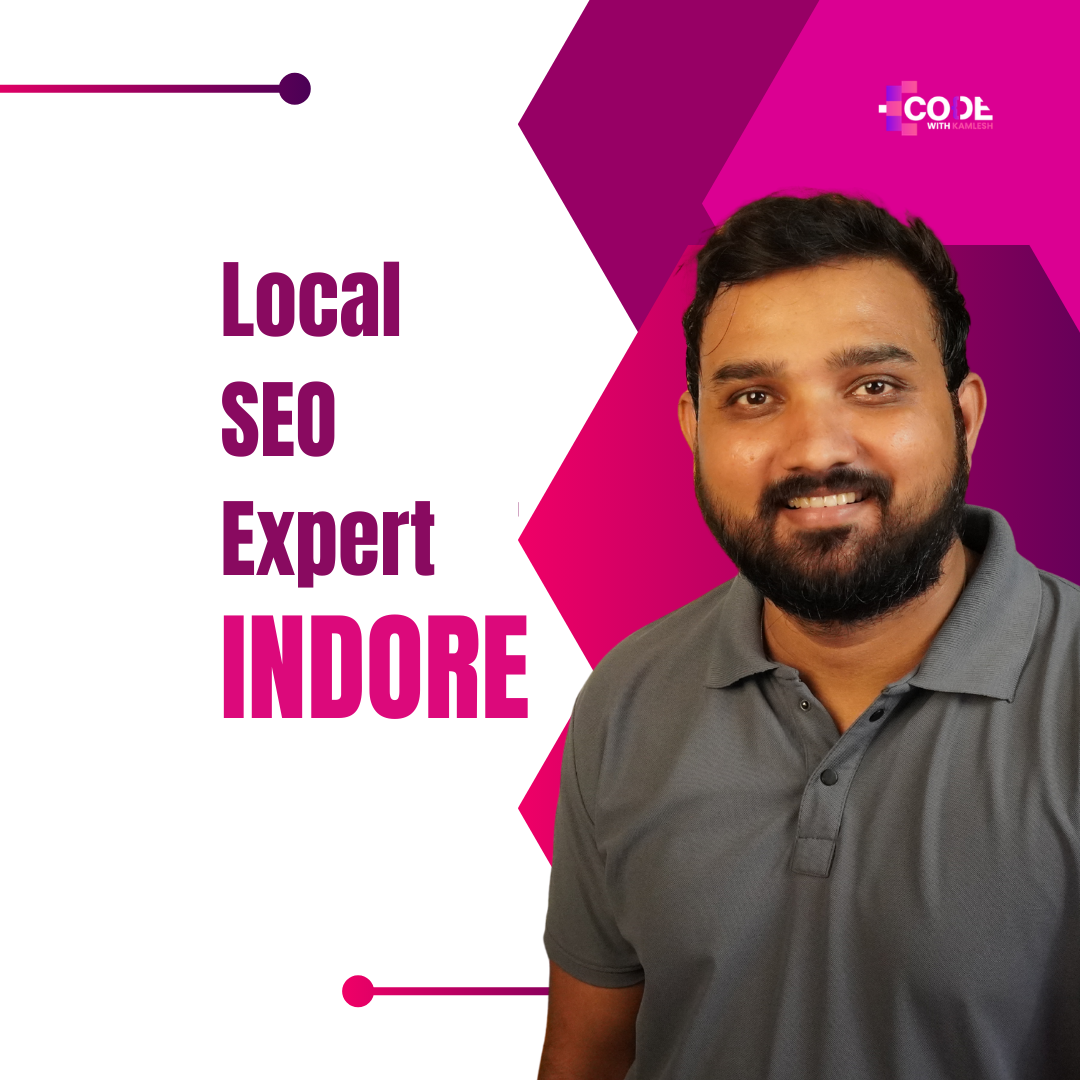
    Founded by kamlesh singad, the agency helps businesses improve online visibility, website traffic, leads, and sales through smart digital marketing strategies.

    This blog will help you understand:

    • What SEO is
    • Why SEO is important
    • Benefits of SEO for businesses
    • Services offered by the agency
    • Why businesses trust Code With Kamlesh Digital Marketing Agency

    What is SEO?

    SEO stands for Search Engine Optimization. It is the process of improving a website so that it ranks higher on Google and other search engines.

    For example, when someone searches:

    • Best digital marketing agency in Indore
    • SEO Services in Bhawarkuan, Indore
    • Website designer near me

    Google shows websites based on quality, relevance, and SEO optimization.

    A properly optimized website can appear on the first page of Google and attract more customers.

    SEO Services in Bhawarkuan, Indore

    Read also : Grow Faster with Digital Marketing for Businesses in Scheme 54, Indore

    Why SEO is Important for Businesses

    Today, online competition is growing very fast. Every business wants better visibility on Google.

    SEO Helps Businesses Get More Customers

    People trust businesses that appear on the first page of Google.

    Better Online Visibility

    SEO improves your website ranking and helps more people find your business.

    Long-Term Growth

    SEO gives long-term results compared to paid advertising.

    More Website Traffic

    Higher rankings bring more visitors to your website.

    Increased Leads and Sales

    SEO attracts customers who are already searching for your services.

    Read also : Boost Your Business with Google Ads Services in Rajwada, Indore | Code With Kamlesh

    About Code With Kamlesh Digital Marketing Agency

    Code With Kamlesh Digital Marketing Agency is a growing digital marketing company in Indore that provides complete digital marketing solutions for businesses.

    The agency was founded by kamlesh singad, an experienced Digital Marketer in Indore who focuses on helping businesses grow digitally through modern marketing strategies.

    The agency works with:

    • Local businesses
    • Coaching institutes
    • Startups
    • Healthcare professionals
    • Restaurants and cafes
    • E-commerce businesses
    • Personal brands

    The main goal of the agency is to improve online growth and business visibility.

    SEO Services in Bhawarkuan, Indore

    Why Choose Code With Kamlesh Digital Marketing Agency?

    There are many agencies in the market, but businesses choose Code With Kamlesh Digital Marketing Agency because of its quality services and practical marketing strategies.

    Professional SEO Services

    The agency follows modern SEO techniques that follow Google guidelines.

    Affordable Pricing

    SEO plans are budget-friendly for startups and local businesses.

    Personalized Strategies

    Every business gets a custom SEO strategy according to its goals.

    Experienced Digital Marketer in Indore

    kamlesh singad understands the local market and customer behavior in Indore.

    Complete Digital Marketing Solutions

    Businesses can get SEO, social media marketing, website development, and branding services in one place.

    Read also : Struggling to Grow Your Business? Digital Marketing Services in Vijay Nagar, Indore Can Help

    SEO Services Offered by Code With Kamlesh Digital Marketing Agency

    The agency provides complete SEO services for businesses of all sizes.

    Keyword Research

    Keyword research is one of the most important parts of SEO.

    The agency finds keywords that customers search on Google.

    Examples include:

    • SEO Services in Bhawarkuan, Indore
    • Digital Marketer in Indore
    • Best SEO company in Indore

    Using the right keywords helps improve rankings and attract targeted traffic.

    On-Page SEO

    On-page SEO means optimizing website pages properly.

    On-Page SEO Includes

    • SEO title optimization
    • Meta descriptions
    • Heading optimization
    • Internal linking
    • URL optimization
    • Image optimization
    • Content optimization

    Proper on-page SEO improves user experience and search rankings.

    Technical SEO

    Technical SEO improves website performance and backend structure.

    Technical SEO Includes

    • Website speed optimization
    • Mobile responsiveness
    • SSL security
    • XML sitemap
    • Error fixing
    • Crawl optimization

    Technical SEO helps search engines understand the website better.

    Local SEO

    Local SEO is important for businesses targeting nearby customers.

    Benefits of Local SEO

    • Better Google Maps visibility
    • More local inquiries
    • Increased phone calls
    • Higher local rankings

    The agency optimizes:

    • Google Business Profile
    • Local citations
    • Business listings
    • Local keywords

    This helps businesses attract customers from nearby areas.

    Content Marketing Services

    Content is very important in SEO.

    The agency creates:

    • SEO blogs
    • Website content
    • Service pages
    • Landing pages

    High-quality content helps improve rankings and customer engagement.

    SEO Services in Bhawarkuan, Indore

    Link Building Services

    Backlinks help improve website authority and search engine trust.

    The agency uses ethical link-building strategies to improve rankings naturally.

    Website Development Services

    A professional website is important for successful digital marketing.

    Features of a Good Website

    • Fast loading speed
    • Mobile-friendly design
    • SEO optimization
    • User-friendly layout
    • Professional appearance

    The agency develops websites that improve customer experience and support SEO performance.

    Social Media Marketing Services

    Social media is one of the best ways to connect with customers.

    The agency provides social media marketing services for:

    • Instagram
    • Facebook
    • LinkedIn
    • YouTube

    Services Include

    • Post designing
    • Reels marketing
    • Social media management
    • Content creation
    • Paid promotions

    Social media marketing helps businesses increase brand awareness and customer engagement.

    Google Ads Services

    Google Ads helps businesses get instant traffic and leads.

    Benefits of Google Ads

    • Quick visibility
    • Fast lead generation
    • Better audience targeting
    • Increased website traffic

    SEO and Google Ads together create strong business growth.

    Benefits of Hiring a Digital Marketer in Indore

    Hiring an experienced Digital Marketer in Indore helps businesses grow faster online.

    Better Marketing Planning

    Experts know which strategies work best for your business.

    Saves Time

    Business owners can focus on operations while marketers handle online growth.

    Better ROI

    Professional marketing improves returns on investment.

    Updated Knowledge

    Digital marketers stay updated with the latest trends and Google updates.

    SEO for Different Types of Businesses

    SEO works for almost every industry.

    SEO for Coaching Institutes

    SEO helps coaching institutes increase admissions and inquiries.

    Students search online for coaching classes before joining.

    Examples:

    • Best coaching classes in Indore
    • GATE coaching near me
    • Online coaching in Indore

    SEO for Restaurants and Cafes

    Restaurants can attract local customers through Google Maps and local SEO.

    SEO for Doctors and Clinics

    SEO helps clinics improve online visibility and patient trust.

    SEO for Real Estate Businesses

    Real estate companies can generate quality property leads through SEO.

    SEO for E-commerce Websites

    SEO helps online stores improve product visibility and increase sales.

    Importance of Local SEO in Bhawarkuan, Indore

    Bhawarkuan is one of the busiest business areas in Indore.

    Many businesses compete for customer attention online.

    Local SEO Helps Businesses:

    • Rank in nearby searches
    • Improve Google Maps visibility
    • Increase customer calls
    • Generate local leads

    For local businesses, local SEO is very important for long-term success.

    Common SEO Mistakes Businesses Make

    Many businesses fail to get results because of poor SEO practices.

    Ignoring Mobile Optimization

    Most users browse websites on smartphones.

    Slow Website Speed

    Slow websites increase bounce rates.

    Poor Quality Content

    Low-quality content negatively affects rankings.

    Keyword Stuffing

    Using too many keywords looks unnatural and harms SEO.

    Ignoring Local SEO

    Without local SEO, businesses lose nearby customers.

    How Long Does SEO Take?

    SEO is a long-term process.

    SEO Timeline

    • Small improvements in 1–3 months
    • Better rankings in 4–6 months
    • Competitive keywords may take longer

    Consistent SEO work gives stable and long-lasting results.

    Future of SEO in India

    SEO is growing rapidly because more businesses are moving online.

    Future SEO Trends

    • Voice search optimization
    • AI-powered search
    • Video SEO
    • Mobile-first indexing
    • User experience optimization

    Businesses that invest in SEO today will have better growth opportunities in the future.

    Why Businesses Trust Code With Kamlesh Digital Marketing Agency

    Businesses trust the agency because of its professional approach and customer-focused strategies.

    Result-Oriented SEO

    The agency focuses on real business growth.

    Affordable Services

    Services are suitable for startups and local businesses.

    Personalized Support

    Every client receives proper guidance and support.

    Transparent Communication

    Clients receive proper updates and performance reports.

    Tips to Improve Website SEO

    Businesses can improve SEO with simple practices.

    Use Relevant Keywords

    Add keywords naturally in content.

    Create Helpful Content

    Quality blogs improve rankings and engagement.

    Improve Website Speed

    Fast websites perform better on Google.

    Optimize Images

    Compressed images improve loading speed.

    Build Quality Backlinks

    Good backlinks improve website authority.

    Update Content Regularly

    Fresh content helps maintain rankings.

    Importance of Google Business Profile

    Google Business Profile is very important for local SEO.

    Benefits Include

    • Better Google Maps visibility
    • Customer reviews
    • Improved local trust
    • Increased calls and inquiries

    Optimizing Google Business Profile helps businesses attract nearby customers.

    SEO vs Paid Advertising

    Both SEO and paid ads are useful for business growth.

    Benefits of SEO

    • Long-term traffic
    • Organic visibility
    • Better trust
    • Cost-effective over time

    Benefits of Paid Ads

    • Instant traffic
    • Fast leads
    • Quick visibility

    Using both strategies together gives better marketing results.

    Why Local Businesses Need SEO in 2026

    Online competition is increasing every year.

    Businesses that invest in SEO now will have better visibility in the future.

    In 2026:

    • More customers will search online
    • Mobile searches will increase
    • AI-based search results will grow
    • Local SEO will become more important

    Businesses without SEO may lose customers to competitors.

    Why Code With Kamlesh Digital Marketing Agency Stands Out

    The agency stands out because of:

    • Practical SEO strategies
    • Affordable pricing
    • Personalized services
    • Modern digital marketing techniques
    • Focus on business growth

    The agency understands that every business is different and requires unique marketing strategies.

    Final Thoughts

    SEO has become one of the most important parts of digital marketing. Businesses that invest in SEO can improve online visibility, attract customers, and increase sales.

    If you are looking for professional SEO Services in Bhawarkuan, Indore, then Code With Kamlesh Digital Marketing Agency is a trusted option for your business growth.

    Led by kamlesh singad, the agency provides SEO, website development, social media marketing, Google Ads, and branding services for businesses.

    Whether you run a startup, coaching institute, clinic, cafe, shop, or service business, choosing an experienced Digital Marketer in Indore can help you build a strong online presence and achieve long-term success.

    FAQs

    1. What makes Code With Kamlesh Digital Marketing Agency different from other agencies?

    Code With Kamlesh Digital Marketing Agency focuses on practical SEO strategies, affordable pricing, personalized support, and long-term business growth. The agency helps businesses improve Google rankings, website traffic, and lead generation.

    2. Why are SEO Services in Bhawarkuan, Indore important for local businesses?

    SEO Services in Bhawarkuan, Indore help local businesses improve online visibility, rank higher on Google, attract nearby customers, and generate more inquiries through organic search traffic.

    3. How long does SEO take to show results?

    SEO is a long-term process. Small improvements may appear within 1–3 months, while better rankings and traffic growth usually take around 4–6 months depending on competition and website quality.

    4. What services are offered by Code With Kamlesh Digital Marketing Agency?

    The agency provides multiple digital marketing services including:

    • SEO Services
    • Website Development
    • Social Media Marketing
    • Google Ads
    • Content Marketing
    • Branding Services
    • YouTube SEO

    5. Why should I hire a Digital Marketer in Indore for my business?

    Hiring a professional Digital Marketer in Indore helps businesses create better online strategies, improve website traffic, increase leads, and grow faster in the digital market.
  • Looking for the Best Google Ads Agency in Indore? Choose Code With Kamlesh

    Looking for the Best Google Ads Agency in Indore? Choose Code With Kamlesh

    In today’s digital world, every business wants more customers, more sales, and faster growth. But reaching the right audience at the right time is not easy. This is where Google Ads comes in. It is one of the most powerful ways to grow your business online.

    If you are searching for the best Google Ads Agency in Indore, your search ends here. Code With Kamlesh Digital Marketing Agency is helping businesses grow with smart advertising strategies and real results.

    In this blog, you will understand why Google Ads is important, how it works, and why kamlesh singad and his team are the right choice for your business.

    What is Google Ads?

    Google Ads is an online advertising platform where businesses can show their ads on Google search results, YouTube, and other websites. When someone searches for a product or service, your ad appears at the top.

    For example, if someone searches:
    “best digital marketer in Indore”

    Your business can appear on the first page instantly with Google Ads.

     Google Ads Agency in Indore

    Why Google Ads is Important for Your Business

    Many people think SEO is enough, but SEO takes time. Google Ads gives you instant results.

    Here are some key benefits:

    1. Instant Visibility

    Your business appears on top of search results immediately.

    2. Targeted Audience

    You can target people based on location, age, interest, and keywords.

    3. Pay Only for Results

    You only pay when someone clicks on your ad.

    4. High ROI

    With the right strategy, you can get more leads at a lower cost.

    5. Measurable Results

    You can track every click, lead, and sale.

    That’s why businesses are now choosing a professional Google Ads Agency in Indore instead of doing it themselves.

     Google Ads Agency in Indore

    Read also : Best Digital Marketing Company in Indore for Business Growth | Code With Kamlesh

    Why You Need a Google Ads Expert

    Running ads may look simple, but it requires proper knowledge and strategy. Without experience, you may waste money without getting results.

    Here’s why you need an expert:

    • Keyword research
    • Ad copywriting
    • Budget management
    • Conversion tracking
    • Optimization

    A professional Digital Marketer in Indore understands how to create high-performing campaigns.

    Read also : Best AI Tools for Digital Marketing to Boost Your Business Growth

    About Code With Kamlesh Digital Marketing Agency

    Code With Kamlesh Digital Marketing Agency is one of the fastest-growing agencies in Indore. Founded by kamlesh singad, the agency focuses on real results and practical strategies.

    The agency has helped many businesses:

    • Increase leads
    • Boost sales
    • Improve brand visibility
    • Reduce ad costs

    They don’t just run ads — they create a complete growth strategy.

    Who is Kamlesh Singad?

    kamlesh singad is a skilled Digital Marketer in Indore with strong experience in Google Ads, SEO, and online marketing.

    He believes in:

    • Practical learning
    • Real results
    • Client success

    His approach is simple:
    “Focus on results, not just clicks.”

    image 38

    Services Offered by Code With Kamlesh

    1. Google Ads Management

    Complete setup and management of your campaigns.

    2. Keyword Research

    Finding the best keywords for your business.

    3. Ad Copywriting

    Creating high-converting ads.

    4. Landing Page Optimization

    Improving your website to convert visitors into customers.

    5. Conversion Tracking

    Tracking leads, calls, and sales.

    6. Performance Optimization

    Regular improvements to get better results.

    Read also : Boost Your Online Sales with E-commerce Services by Code With Kamlesh

    Why Choose Code With Kamlesh as Your Google Ads Agency in Indore?

    There are many agencies, but here’s what makes them different:

    1. Result-Oriented Approach

    They focus on leads and sales, not just traffic.

    2. Affordable Pricing

    Best services at reasonable cost.

    3. Personalized Strategy

    Every business gets a custom plan.

    4. Transparency

    You get clear reports and updates.

    5. Experience

    Handled multiple successful campaigns.

    How Google Ads Helps Different Businesses

    Local Businesses

    Shops, clinics, and services can get local customers.

    E-commerce

    Online stores can increase sales.

    Service Providers

    Generate leads for services like real estate, education, etc.

    Startups

    Get quick visibility and growth.

    Step-by-Step Process Followed by Code With Kamlesh

    Step 1: Business Understanding

    They understand your goals and target audience.

    Step 2: Keyword Research

    Finding keywords that bring customers.

    Step 3: Campaign Setup

    Creating ads with proper structure.

    Step 4: Ad Launch

    Running ads on Google.

    Step 5: Optimization

    Improving performance regularly.

    Step 6: Reporting

    Sharing results and insights.

    Common Mistakes Businesses Make in Google Ads

    • Choosing wrong keywords
    • Not tracking conversions
    • Poor ad copy
    • Sending traffic to a weak landing page
    • Not optimizing campaigns

    That’s why hiring a professional Google Ads Agency in Indore is important.

    Real Results Matter

    Many agencies promise big results, but Code With Kamlesh Digital Marketing Agency focuses on actual performance.

    They track:

    • Leads
    • Sales
    • Cost per click
    • Conversion rate

    This helps you understand how your money is being used.

    SEO vs Google Ads

    Both are important, but they work differently:

    SEOGoogle Ads
    Takes timeInstant results
    Free trafficPaid traffic
    Long-termShort-term + long-term

    Best strategy: Use both together.

    How to Get Started

    Starting with Code With Kamlesh Digital Marketing Agency is simple:

    1. Contact the team
    2. Share your business goals
    3. Get a strategy plan
    4. Launch your campaign

    Future of Google Ads

    Google Ads is growing fast. New features like AI-based targeting and smart bidding are making it more powerful.

    Businesses that start early get better advantages.

    Why Indore Businesses Trust Code With Kamlesh

    Indore is growing as a business hub. Competition is increasing, and businesses need smart marketing.

    Code With Kamlesh Digital Marketing Agency understands the local market and customer behavior.

    That’s why many businesses trust them.

    Final Thoughts

    If you are serious about growing your business, Google Ads is one of the best tools available today. But to get real results, you need the right strategy and expert guidance.

    If you are looking for a trusted Google Ads Agency in Indore, then Code With Kamlesh Digital Marketing Agency is the right choice.

    With the expertise of kamlesh singad, you can:

    • Get more leads
    • Increase sales
    • Grow your business faster

    FAQs

    1. What does a Google Ads Agency in Indore do?

    A Google Ads Agency in Indore helps businesses run paid ads on Google to get more leads, traffic, and sales. They manage campaigns, keywords, budget, and optimization.

    2. Why should I choose Code With Kamlesh Digital Marketing Agency?

    Code With Kamlesh Digital Marketing Agency focuses on real results like leads and sales. Led by kamlesh singad, they provide customized strategies and transparent reporting.

    3. How much does Google Ads cost for businesses in Indore?

    The cost depends on your industry, keywords, and competition. You can start with a small budget and scale as you get results.

    4. How long does it take to see results from Google Ads?

    Google Ads can give instant visibility. You may start getting clicks and leads within a few days of launching the campaign.

    5. Is Google Ads better than SEO for business growth?

    Google Ads gives fast results, while SEO takes time but provides long-term growth. The best strategy is to use both together for maximum results.

  • Local SEO Expert Indore for Business Growth – CWK

    Local SEO Expert Indore for Business Growth – CWK

    In today’s digital world, every business wants to rank on Google. When customers search for products or services, they usually click on the top results. If your business is not visible online, you are losing potential customers every day. That is why Local SEO is very important.

    If you are searching for a seo expert indore, a digital marketer indore, or even typing digital marketer near me indore, then you need the right strategy and the right team.

    At Code With Kamlesh Agency Indore, we help businesses grow with smart Local SEO strategies. Led by Kamlesh Singad, our mission is simple — rank your business higher, increase local traffic, and generate more leads.

    Let’s understand everything in simple English.

    What is Local SEO?

    Local SEO means optimizing your business so that it appears in local search results on Google.

    For example:

    • “Best cafe near me”
    • “Digital marketer near me Indore”
    • “SEO expert Indore”

    When someone searches like this, Google shows:

    • Google Map results
    • Local business listings
    • Nearby services

    If your business is optimized properly, you appear in these results.

    This brings:

    • More phone calls
    • More website visits
    • More walk-in customers
    • More sales

    That is the power of Local SEO.

    Why Local SEO is Important for Indore Businesses

    Indore is growing fast. Many new startups, shops, service providers, and agencies are coming up. Competition is increasing.

    If you are not ranking on Google:

    • Your competitor will take your customers.
    • People will not even know your business exists.
    • Your marketing efforts will not give full results.

    A professional seo expert indore understands the local market, customer behavior, and competition level.

    At Code With Kamlesh Agency Indore, we create strategies specially for Indore businesses. We focus on:

    • Local keywords
    • Google Business Profile optimization
    • Location-based content
    • Reviews management
    • Map ranking

    Meet Kamlesh Singad – Digital Marketing Strategist

    Kamlesh Singad is a passionate digital marketing professional who understands how search engines work. As a leading digital marketer indore, he focuses on:

    • Result-driven SEO
    • Local business growth
    • Social media branding
    • Paid advertising
    • Lead generation strategy

    His goal is not just ranking — but real business growth.

    When businesses search for digital marketer near me indore, they need someone who understands local competition and can deliver measurable results. That is exactly what we do.

    SEO expert Indore

    How Code With Kamlesh Agency Indore Helps Your Business Grow

    At Code With Kamlesh Agency Indore, we follow a structured Local SEO process.

    1. Local Keyword Research

    We research what people in Indore are searching for, like:

    • SEO expert Indore
    • Digital marketer Indore
    • Website developer Indore
    • Digital marketing agency Indore

    We target keywords that bring real customers.

    2. Google Business Profile Optimization

    Google Business Profile is very important for Local SEO.

    We optimize:

    • Business name
    • Categories
    • Description
    • Services
    • Photos
    • Location
    • Reviews

    This helps your business appear in Google Maps and Local Pack results.

    3. On-Page SEO Optimization

    We optimize your website with:

    • Proper headings (H1, H2, H3)
    • Keyword placement
    • Meta title and description
    • Image optimization
    • Internal linking
    • Mobile-friendly design
    • Fast loading speed

    A professional seo expert indore ensures your website follows Google guidelines.

    4. Local Content Marketing

    Content is king.

    We create:

    • Blog posts
    • Location-based service pages
    • FAQ pages
    • Educational content
    • Case studies

    This helps you rank for multiple keywords like:

    • Digital marketer Indore
    • Digital marketer near me Indore
    • SEO expert Indore

    Content builds trust and authority.

    5. Local Backlink Building

    Backlinks are very important for SEO.

    We create backlinks from:

    • Local business directories
    • News websites
    • Blog submissions
    • Social profiles
    • Industry-related sites

    This improves domain authority and ranking.

    6. Review Management Strategy

    Reviews increase trust and ranking.

    We help you:

    • Collect genuine customer reviews
    • Respond professionally
    • Improve online reputation

    When customers see 4.5+ star ratings, they trust your business more.

    SEO expert Indore

    Read also : Struggling with Leads? A Social Media Marketing Expert in Indore Can Help | CWK Agency

    Benefits of Hiring a Digital Marketer Indore

    Many business owners try to do SEO themselves. But without proper knowledge, results are slow.

    Hiring a professional digital marketer indore gives you:

    • Time-saving
    • Proper strategy
    • Faster ranking
    • Better ROI
    • Technical expertise
    • Performance tracking

    At Code With Kamlesh Agency Indore, we track everything:

    • Website traffic
    • Keyword ranking
    • Leads generated
    • Conversion rate

    We focus on data-driven growth.

    Why Choose CWK – Code With Kamlesh Agency Indore?

    Here are strong reasons:

    Experience in Local Market

    We understand Indore audience behavior.

    Result-Oriented Approach

    Our focus is leads and sales, not just ranking.

    Transparent Reporting

    We provide monthly reports with clear data.

    Complete Digital Solutions

    SEO, Social Media Marketing, Paid Ads, Website Development — everything under one roof.

    Personalized Strategy

    Every business is different. We create customized plans.

    If you are searching for a trusted seo expert indore, CWK is the right choice.

    seo expert indore

    How Local SEO Increases Business Growth

    Let’s see how it directly impacts growth:

    1. More Visibility

    Your business appears in top search results.

    2. More Website Traffic

    More visitors mean more opportunities.

    3. More Phone Calls

    Local customers call directly from Google.

    4. Higher Conversion Rate

    Local customers are ready to buy.

    5. Brand Authority

    Ranking on Google builds trust.

    When someone searches digital marketer near me indore and sees your business on top, it builds credibility.

    Read also : Certified SEO Expert Indore | Complete Guide to Growing Your Business Online

    Local SEO + Social Media Strategy

    As a professional digital marketer indore, we combine SEO with social media.

    We use:

    • Instagram marketing
    • Facebook marketing
    • LinkedIn branding
    • YouTube SEO

    This creates a strong online presence.

    SEO brings search traffic.
    Social media builds brand awareness.
    Together, they create powerful growth.

    Industries We Serve in Indore

    We help:

    • Coaching institutes
    • Real estate agents
    • Doctors and clinics
    • Restaurants and cafes
    • E-commerce businesses
    • Service providers
    • Digital agencies
    • Local shops

    No matter your industry, Local SEO works for everyone.

    Our Step-by-Step Growth Plan

    At Code With Kamlesh Agency Indore, we follow:

    1. Business analysis
    2. Competitor research
    3. Keyword strategy
    4. Website optimization
    5. Google profile optimization
    6. Content creation
    7. Link building
    8. Performance tracking
    9. Monthly reporting
    10. Continuous improvement

    We focus on long-term growth.

    Common Mistakes Businesses Make

    Many businesses:

    • Ignore Google Business Profile
    • Use wrong keywords
    • Do not optimize website speed
    • Do not collect reviews
    • Use duplicate content
    • Do not track analytics

    A professional seo expert indore avoids these mistakes and builds a strong foundation.

    How Long Does Local SEO Take?

    SEO is not instant. It usually takes:

    • 1–2 months for basic improvements
    • 3–4 months for visible ranking
    • 6 months for strong results

    But once your business ranks, results are long-term.

    SEO is an investment, not an expense.

    Digital Marketer Near Me Indore – What to Look For?

    When searching for digital marketer near me indore, check:

    • Experience
    • Portfolio
    • Client reviews
    • Strategy approach
    • Transparency
    • Communication

    At CWK, we focus on client satisfaction and measurable results.

    Read also : Looking for a Google Ads Expert in Indore? Meet Kamlesh Singad

    Future of Local SEO in Indore

    Local search is increasing daily.

    More people use:

    • Mobile search
    • Voice search
    • Google Maps

    If your business is not optimized today, it will struggle tomorrow.

    That is why now is the best time to invest in Local SEO.

    Why Businesses Trust Kamlesh Singad

    Businesses choose Kamlesh Singad because:

    • He understands real business challenges.
    • He creates practical strategies.
    • He focuses on ROI.
    • He keeps communication clear and simple.
    • He delivers consistent performance.

    As a leading seo expert indore, his goal is simple: help local businesses grow digitally.

    Final Thought

    Local SEO is the foundation of sustainable business growth in today’s digital world. If your business is not visible on Google, you are missing valuable customers every day. With the right guidance from Kamlesh Singad and the expert team at Code With Kamlesh Agency Indore, your brand can rank higher, attract targeted local traffic, and convert searches into real sales. Choosing a professional seo expert indore and experienced digital marketer indore is not just a marketing decision — it is a smart investment in your business future.

    FAQs

    1. What does a Local SEO expert in Indore do?

    A seo expert indore helps businesses rank higher in local Google searches. This includes optimizing Google Business Profile, using location-based keywords, improving website SEO, and increasing local visibility to generate more leads.

    2. Why is Local SEO important for businesses in Indore?

    Local SEO helps your business appear when customers search for services like “digital marketer near me indore.” It increases local traffic, phone calls, and walk-in customers, leading to higher sales.

    3. How can Code With Kamlesh Agency Indore help my business grow?

    Code With Kamlesh Agency Indore provides complete Local SEO services including keyword research, website optimization, content marketing, and review management to improve rankings and business growth.

    4. Who is Kamlesh Singad?

    Kamlesh Singad is an experienced digital marketer indore and SEO strategist who helps local businesses improve their online presence and generate quality leads through data-driven strategies.

    5. How long does it take to see results from Local SEO?

    Local SEO usually takes 3–6 months to show strong results. However, improvements in visibility and traffic can start within the first few months with the right strategy.


  • Google Ads Optimization – Lower Cost, Higher ROI | Part-25

    Google Ads Optimization – Lower Cost, Higher ROI | Part-25

    Module 4: Google Ads / SEM (Search Engine Marketing)

    Running ads is easy, but running them profitably is an art and a science. Many advertisers waste money on ineffective campaigns due to poor structuring, vague targeting, or unoptimized bidding strategies. That’s where Google Ads Optimization comes in. It’s the process of refining your campaigns to achieve lower costs and higher ROI.

    In this lesson of our Digital Marketing Course by Kamlesh Singad from CWK Agency, you’ll learn how to practically optimize your Google Ads campaigns with real-world examples and data-driven strategies.

    What is Google Ads Optimization?

    Google Ads Optimization involves continuous monitoring and tweaking of your campaign settings, targeting, bidding, keywords, and ad copies to improve performance. The goal is to achieve maximum results with minimum spend.

    Core Objectives:

    • Reduce Cost Per Click (CPC)
    • Improve Click Through Rate (CTR)
    • Lower Cost Per Conversion (CPA)
    • Increase Conversion Rate (CR)
    • Enhance Return on Ad Spend (ROAS)

    Also Read: Cyber War Explained in 5 Minutes: What Is Cyber War? A Beginner’s Guide to Cyber Security

    Google Ads Optimization

    How Google Ads Works: A Quick Refresher

    Before optimizing, understand how the ad auction works:

    • Ad Rank = Quality Score x Bid Amount
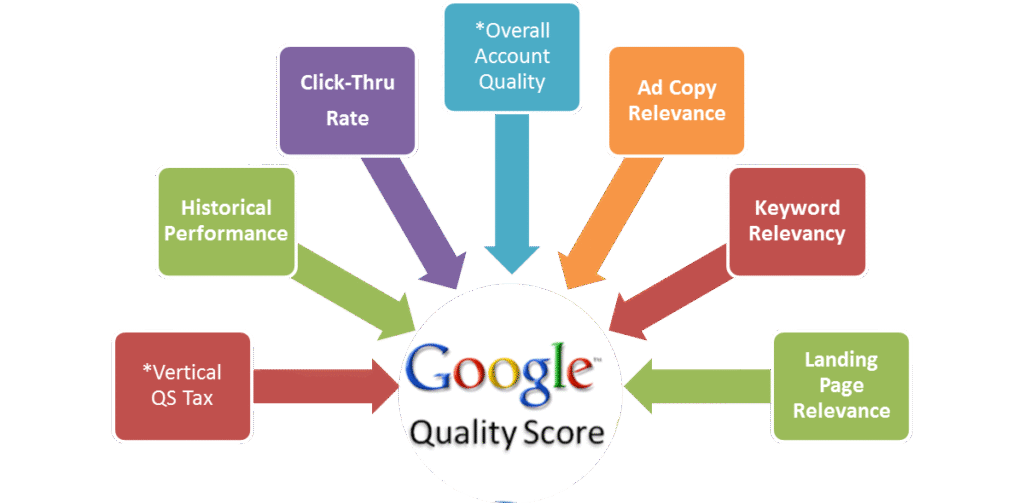
    • Quality Score includes CTR, ad relevance, and landing page experience
    • Google favors relevant and high-performing ads, often reducing CPC for optimized ads

    So, optimizing your campaigns improves Quality Score, leading to lower costs and higher ROI.

    25 Key Areas for Google Ads Optimization

    1. Account Structure

    • Organize campaigns by theme, product, or service
    • Use separate ad groups for tightly related keyword sets

    2. Keyword Match Types

    • Use a mix of broad match, phrase match, and exact match
    • Avoid overusing broad match which can waste budget

    3. Negative Keywords

    • Block irrelevant searches that eat into your budget
    • Regularly review search terms report and add negatives

    4. Ad Extensions

    • Use sitelinks, callouts, and structured snippets to increase ad real estate
    • Improves CTR and Quality Score

    5. Responsive Search Ads

    • Let Google test multiple headlines and descriptions
    • Boosts performance through machine learning

    Also Read: What Is Agile Methodology? A 6-Minute Beginner’s Guide

    Google Ads Optimization

    6. Geographic Targeting

    • Focus your budget on high-performing locations
    • Exclude non-converting regions

    7. Ad Scheduling

    • Run ads during peak hours only
    • Analyze time-of-day performance

    8. Device Targeting

    • Adjust bids for desktop, mobile, and tablets based on results

    9. Demographic Targeting

    • Target by age, gender, income, etc.
    • Exclude poor-performing demographics

    10. Bidding Strategy

    • Start with manual CPC for control
    • Move to automated strategies like Maximize Conversions or Target CPA as data grows

    11. Conversion Tracking

    • Ensure accurate tracking setup with Google Tag Manager
    • Track sales, form submissions, phone calls, etc.

    12. Landing Page Optimization

    • Ensure fast loading, mobile responsiveness, and relevance
    • Align messaging with ad copy

    13. Quality Score Improvement

    • Improve CTR, ad relevance, and landing page experience
    • Monitor each keyword’s Quality Score in your account

    14. Remarketing Campaigns

    • Retarget visitors who didn’t convert
    • Use personalized ads to bring them back

    15. A/B Testing Ads

    • Test different versions of headlines, CTAs, and descriptions
    • Pause underperforming ads

    Also Read: Introduction to Software Development Life Cycle (SDLC): What Is Software Development?

    Google Ads Optimization

    16. Smart Campaign Setup

    • Use Google’s AI to auto-optimize based on conversion data

    17. Campaign Budget Allocation

    • Shift budget to high-performing campaigns
    • Reduce waste from underperforming ones

    18. Use Google Recommendations Wisely

    • Review “Optimization Score” suggestions
    • Apply only those aligned with your goals

    19. Use Google Analytics with Ads

    • Deeper insight into user behavior
    • Identify which keywords drive post-click engagement

    20. Dynamic Keyword Insertion (DKI)

    • Match user’s query in the ad copy
    • Increases relevance and CTR

    21. Exclude Display Network (if not required)

    • For lead generation, search network often performs better

    22. Check Impression Share

    • Increase budget or improve bids to capture missed impressions

    23. Run Brand Campaigns

    • Protect your brand name in search results

    24. Use Custom Audiences

    • Target users based on their online behavior

    25. Regular Optimization Routine

    • Weekly checks: CTR, CPC, conversions
    • Monthly audits: Bids, budget, keyword performance

    Real-Life Case Study by CWK Agency

    A real estate company approached CWK Agency with ₹50,000 ad spend and low conversions.

    Optimization Strategy:

    • Reorganized campaigns by property type
    • Excluded broad match keywords like “cheap house”
    • Added callout extensions & CTA-rich ads
    • Used Target CPA after testing manual CPC

    Results in 30 Days:

    • CPC dropped by 38%
    • Conversions increased by 65%
    • ROI improved by 2.5x

    Key Lesson: Optimization unlocks profits from the same ad spend.

    Google Ads Optimization

    Tools for Google Ads Optimization

    • Google Ads Editor – Bulk changes
    • Google Analytics 4 – Behavior analysis
    • Google Tag Manager – Conversion tracking setup
    • Semrush / Ahrefs – Keyword analysis
    • Looker Studio – Performance dashboards
    • CWK Audit Toolkit – Custom optimization checklists

    Common Mistakes in Google Ads Campaigns

    • Not using negative keywords
    • Ignoring mobile bid adjustments
    • Weak or generic ad copy
    • Not tracking conversions properly
    • Targeting too broad an audience

    Conclusion: From Spend to Smart Investment

    Google Ads Optimization is the difference between spending money and making money. With the right strategy, you can drive lower cost and higher ROI, even on small budgets.

    Whether you’re running ads for eCommerce, lead generation, or services, use this optimization guide from Kamlesh Singad at CWK Agency to improve your results on practical grounds.

    Optimization isn’t a one-time task; it’s a continuous process. But with patience and proper tools, Google Ads can become your most profitable digital marketing channel.

    FAQs

    What is Google Ads Optimization?

    Answer: Google Ads Optimization is the ongoing process of improving your Google Ads campaigns to reduce cost-per-click (CPC), increase conversions, and maximize return on investment (ROI). It involves tweaking keywords, bids, ad copy, targeting, and campaign structure.

    How does optimization help achieve lower cost and higher ROI?

    Answer: By optimizing your campaigns, you improve your Quality Score, reduce wasted ad spend, and attract more relevant traffic. This leads to lower ad costs and better conversion rates, resulting in a higher ROI from the same or lower budget.
    What are the most important elements to optimize in Google Ads?

    Answer: Key elements include:

    • Campaign structure
    • Keyword match types
    • Negative keywords
    • Bidding strategy
    • Ad creatives and extensions
    • Audience targeting
    • Device and location settings
    • Landing page experience

    How often should I optimize my Google Ads campaigns?

    Answer: Ideally, you should review performance weekly and perform in-depth optimizations monthly. Continuous monitoring and testing are essential to adapt to changes in audience behavior and competition.

    What is Quality Score and how does it impact ad performance?

    Answer: Quality Score is Google’s rating of the relevance and quality of your ads, keywords, and landing pages. Higher scores lead to lower CPC and better ad placements. It is influenced by expected CTR, ad relevance, and landing page experience.

    Can I achieve good results with a small Google Ads budget?

    Answer: Yes. With smart optimization techniques like precise targeting, negative keywords, and relevant ad copy, even a small budget can deliver high ROI. Focus on high-intent keywords and track conversions closely.

    What bidding strategy is best for maximizing ROI?

    Answer: It depends on your campaign goal and data. Beginners may start with Manual CPC for control. Once enough data is available, switching to automated strategies like Target CPA or Maximize Conversions can improve ROI.

    How can CWK Agency help in optimizing my Google Ads campaigns?

    Answer: At CWK Agency, Kamlesh Singad and team offer expert Google Ads audits, advanced campaign structuring, conversion tracking setup, and continuous optimization support to deliver high-performing ad campaigns with lower costs and higher ROI.

    Is there a tool to check if my ads are optimized?

    Answer: Yes. Use Google Ads’ built-in Optimization Score tool, and third-party tools like Google Analytics, Looker Studio, and CWK Agency’s Audit Toolkit to measure ad efficiency and identify areas of improvement.

    What’s the role of landing pages in Google Ads Optimization?

    Answer: A well-optimized landing page improves user experience, increases conversion rates, and contributes to a better Quality Score. It must be fast, mobile-friendly, relevant to the ad, and have a clear CTA.

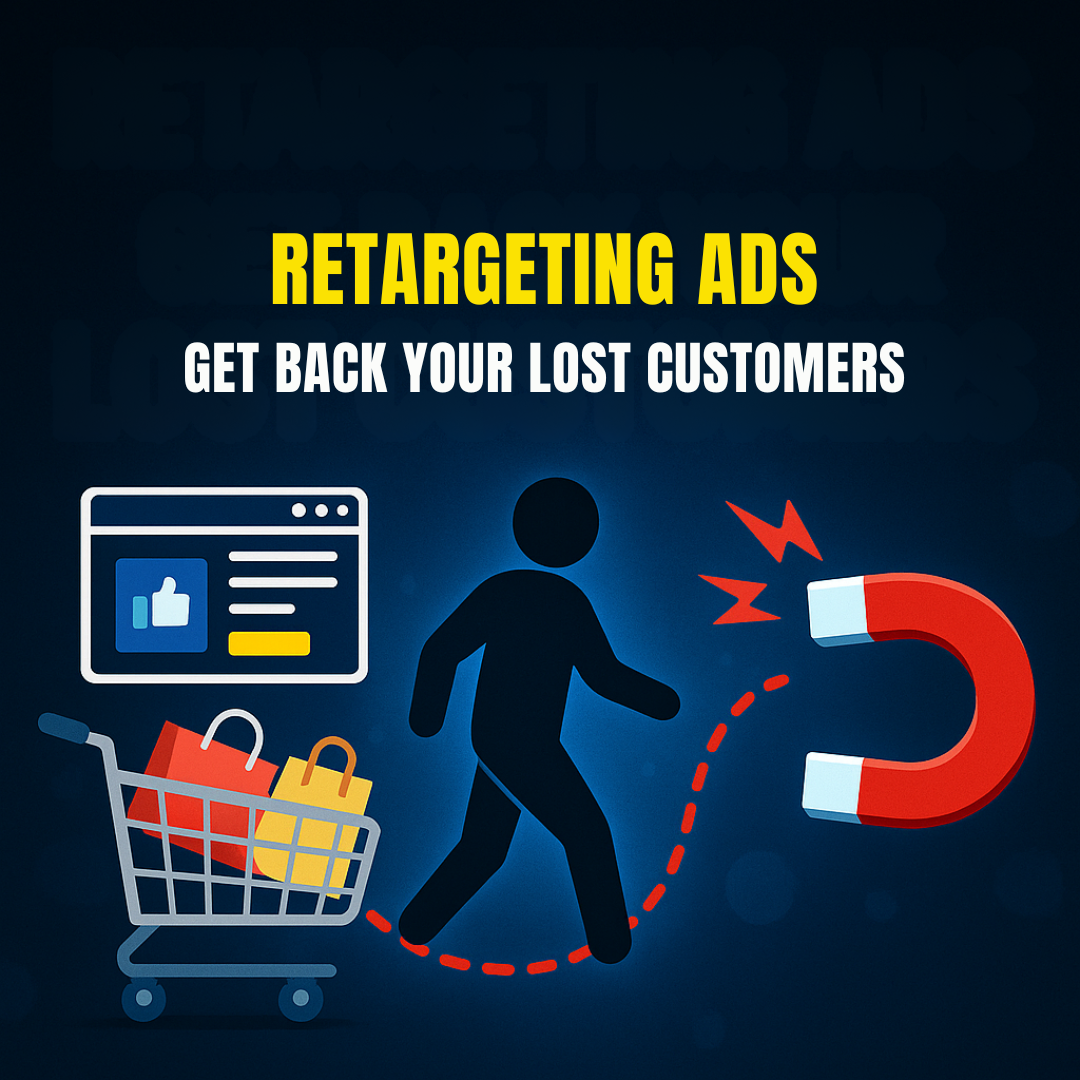
  • Retargeting Ads: Get Back Your Lost Customers | Part-24

    Retargeting Ads: Get Back Your Lost Customers | Part-24

    Module 4: Google Ads / SEM

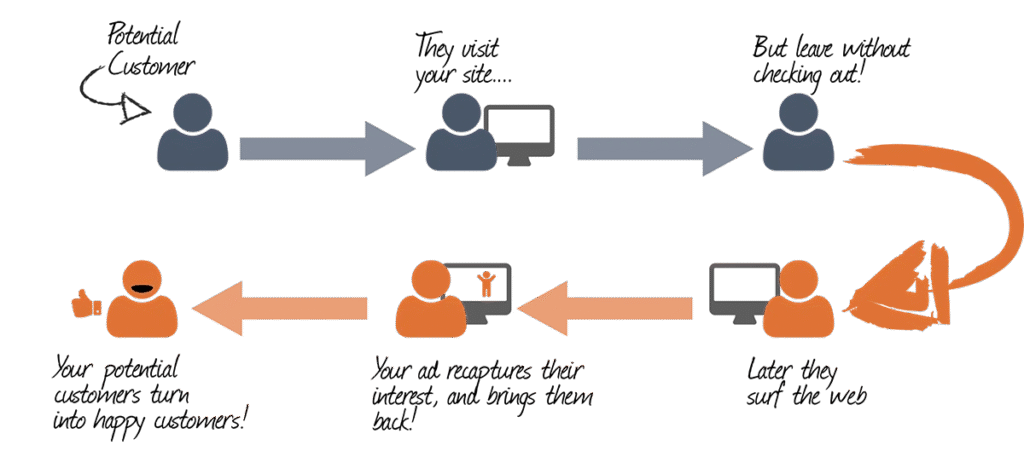
    In today’s competitive digital landscape, most website visitors do not convert on their first visit. According to various studies, only around 2% of users convert on their first interaction with your website. So what happens to the other 98%? Do they vanish forever? Not if you understand the power of Retargeting Ads.

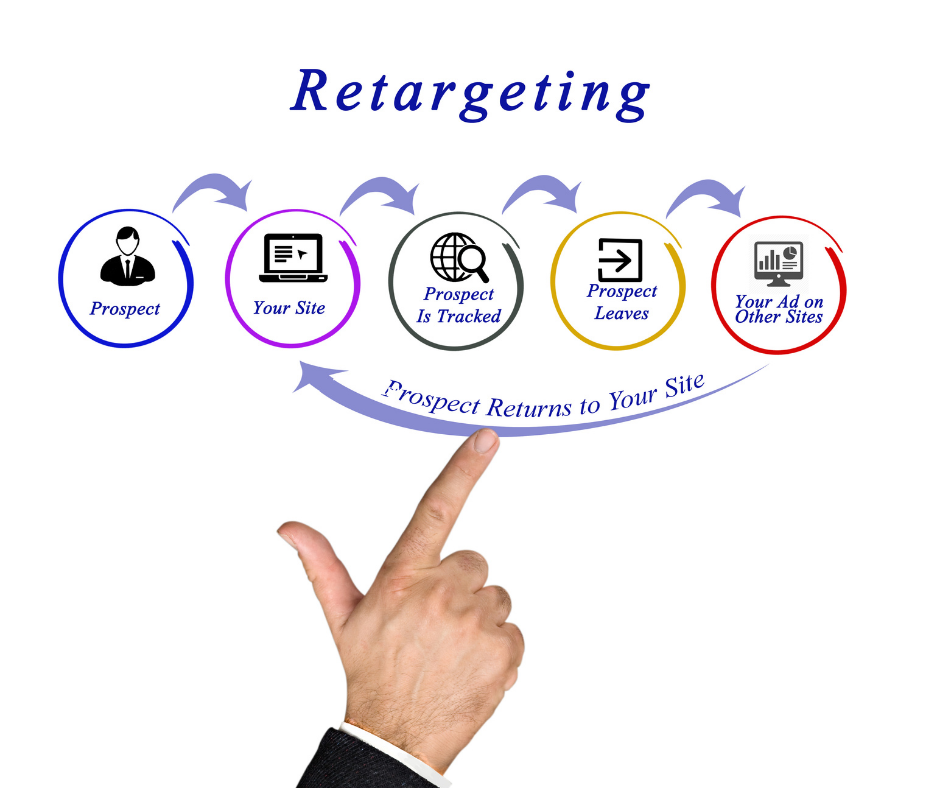
    Retargeting Ads (also known as remarketing) are a type of Search Engine Marketing (SEM) strategy used to get back your lost customers by displaying personalized ads to users who have previously visited your website or interacted with your content.

    This module from the Digital Marketing Course by Kamlesh Singad at CWK Agency will break down everything you need to know about retargeting ads on Google Ads, including step-by-step setup, best practices, and advanced strategies for maximum ROI.

    What Are Retargeting Ads?

    Retargeting Ads are ads that follow your potential customers across the web. If someone visited your product page but didn’t make a purchase, a retargeting ad can show them that exact product again while they scroll Facebook, watch YouTube, or browse another website.

    These ads keep your brand at the top of the mind and significantly improve conversion rates.

    Also Read: Ultimate Guide to Supply Chain Management in 5 Minutes | What Is Supply Chain Management?

    Retargeting Ads

    Key Benefits:

    • Reconnect with users who already showed interest
    • Increase conversions with warm traffic
    • Enhance brand recall and visibility
    • Reduce abandoned cart rates
    • Boost ROI of ad spend

    How Retargeting Works in Google Ads

    Google Ads offers powerful retargeting options through Display Network, Search Network, YouTube, and even Gmail ads. The process is relatively simple:

    1. Install the Google Ads Tag (Global Site Tag)
    2. Create audiences based on user behavior (e.g. visited product page, abandoned cart)
    3. Design customized ads targeting those audience lists
    4. Launch retargeting campaign across Google’s Display or Search Network

    Google even allows you to upload your customer email lists for retargeting across their properties.

    Types of Retargeting in Google Ads

    1. Standard Website Retargeting

    Tracks all visitors and serves ads to bring them back.

    2. Dynamic Retargeting

    Serves product-specific ads to users based on what they viewed on your website. Ideal for eCommerce.

    3. Search Retargeting

    Targets people who have searched for specific terms but did not convert.

    4. YouTube Retargeting

    Shows video ads to users who viewed your channel or interacted with your videos.

    5. App Retargeting

    Targets users who installed or interacted with your mobile app.

    6. Customer List Retargeting

    Uploads email lists to show ads to known customers across Google platforms.

    Also Read: What Is A Proxy & Proxy Server? | Understand Proxies In 5 Minutes!

    Retargeting Ads

    Step-by-Step Guide: How to Set Up Retargeting Ads in Google Ads

    Step 1: Install Google Ads Tag

    • Go to Google Ads > Tools > Audience Manager > Audience Sources
    • Set up the Google Ads tag (Global Site Tag) on your website
    • Optionally, add dynamic remarketing parameters

    Step 2: Create Audience Lists

    • Audience > Segments > Website Visitors
    • Choose criteria like “Visited product page”, “Abandoned cart”, “Spent more than 3 minutes”, etc.

    Step 3: Build Campaign

    • Choose Display, Search, or YouTube Campaign
    • Set objective as Sales, Leads, or Brand Awareness
    • Under Audience Segments, select your retargeting list

    Step 4: Design Ad Creatives

    • Make personalized ad creatives for the audience
    • Use product images, testimonials, offers, urgency
    • Include strong CTAs like “Come Back Now”, “Finish Your Purchase”

    Step 5: Launch and Optimize

    • Set budget, locations, and bidding strategies
    • Monitor CTR, conversions, cost per conversion
    • A/B test creatives, audience segments, and frequency

    Also Read: Web 3.0 Explained In 5 Minutes: A Beginner’s Guide to Web3

    Retargeting Ads

    Best Practices for Retargeting Ads

    1. Segment Your Audiences: Don’t treat all visitors the same. Segment them by behavior.
    2. Cap Ad Frequency: Avoid overwhelming users. Use frequency capping to control ad exposure.
    3. Use Dynamic Ads: Especially for eCommerce; auto-pulls products viewed by the user.
    4. Add Exclusion Lists: Exclude users who already converted.
    5. Test Multiple Creatives: Use A/B testing to refine ad performance.
    6. Use Limited-Time Offers: Create urgency with deadlines.

    Real-World Example: CWK Agency Retargeting Strategy

    At CWK Agency, we implemented a retargeting strategy for an online course provider:

    • Visitors to the course landing page were segmented by time spent and page scroll depth.
    • Custom audiences were created for cart abandoners.
    • Dynamic ads were shown across YouTube and Display network with a 10% discount offer.
    • Conversion rate increased by 34% in 2 weeks.

    Lesson: Data-based segmentation + customized offers = winning retargeting ads.

    How Retargeting Complements Your Overall SEM Strategy

    While search ads bring new users, retargeting ads bring them back and improve lifetime value. A balanced SEM strategy must include:

    • Google Search Ads (New customer acquisition)
    • Display Ads (Brand awareness)
    • Video Ads (Engagement)
    • Retargeting Ads (Conversion boost and recovery)

    By combining all of these, businesses achieve greater returns and more control over the user journey.

    Advanced Retargeting Strategies

    1. Time-Based Retargeting

    Target users based on how long ago they visited. E.g., “1-3 days” vs. “15-30 days”.

    2. Sequential Retargeting

    Show different messages in a series to guide users through the funnel.

    3. Cross-Platform Retargeting

    Show ads on web, mobile apps, YouTube, and Gmail.

    4. Retarget Based on Intent

    Use AI/ML tools in Google Ads to predict intent and auto-adjust bids.

    5. Integrate with Email and WhatsApp

    Use CRM lists to sync and retarget across platforms.

    Retargeting Ads

    Common Mistakes to Avoid

    • Retargeting all users with same ads
    • Not excluding converters
    • Ignoring mobile users
    • Using generic creatives
    • Not analyzing performance data

    Tools to Enhance Your Retargeting Ads

    • Google Tag Manager – Tag deployment
    • Google Analytics 4 – Audience insights
    • Looker Studio (Data Studio) – Performance dashboards
    • Canva / Adobe Express – Ad creatives
    • CWK Agency Audit Tool – Custom audit of retargeting campaigns

    Conclusion: Get Back Your Lost Customers with Smart Retargeting

    Retargeting is no longer optional. If you want to get back your lost customers, you need a smart and structured retargeting strategy.

    Using Google Ads and other SEM platforms, you can remind, re-engage, and recover your website visitors. By applying the steps and strategies in this module, you’ll turn bounce rates into business growth.

    This is just one part of our ongoing digital marketing journey with Kamlesh Singad at CWK Agency. Stay tuned for more insights in the next module!

    FAQs

    What are Retargeting Ads in Google Ads?

    Answer: Retargeting Ads are a type of digital advertisement that targets users who have previously visited your website but didn’t convert. Google Ads uses cookies to track these users and display relevant ads across its Display Network, Search Network, YouTube, and more.

    How do Retargeting Ads help to get back lost customers?

    Answer: Retargeting Ads serve personalized content to users who left your website without taking action. By re-engaging them with tailored messages, offers, or product reminders, you significantly increase the chances of converting them into paying customers.

    What’s the difference between retargeting and standard display ads?

    Answer: Standard display ads target a broad audience, while retargeting ads focus only on users who have previously interacted with your brand. Retargeting is more personalized and cost-effective, as it targets warmer leads.

    Is retargeting part of Search Engine Marketing (SEM)?

    Answer: Yes, retargeting is a key component of SEM. It complements your search ads by helping recover users who clicked your ads but didn’t convert. Platforms like Google Ads provide full retargeting capabilities within SEM campaigns.

    What platforms support retargeting with Google Ads?

    Answer: Retargeting in Google Ads works on:

    • Google Display Network (websites, blogs, etc.)
    • Google Search Network
    • YouTube
    • Gmail
    • Google Shopping
    • Mobile Apps (via AdMob)

    How can I set up a Retargeting Ad campaign on Google Ads?

    Answer: To set up a retargeting campaign:

    1. Install the Google Ads tag on your website.
    2. Create custom audience lists based on user behavior.
    3. Build a new Display, Search, or YouTube campaign.
    4. Add your retargeting audience.
    5. Launch and optimize your campaign regularly.

    What’s dynamic retargeting and how is it different?

    Answer: Dynamic retargeting shows users personalized ads with the exact products they viewed on your website. It uses your product feed to automatically generate relevant ad creatives, making it highly effective for eCommerce businesses.

    How long should I run retargeting ads for each user?

    Answer: The ideal duration is 7–30 days, depending on your sales cycle. Use shorter durations for time-sensitive offers and longer for high-ticket products. Frequency capping is essential to avoid ad fatigue.

    What budget is recommended for retargeting campaigns?

    Answer: Start with a small daily budget (e.g., ₹500–₹1,000/day) and scale up based on performance. Retargeting is generally more cost-effective than cold audience targeting, offering a higher ROI.

    Can I run retargeting ads without a website?

    Answer: You need some form of digital presence (like a website or landing page) to track users and build audience lists. However, you can also use YouTube channel views, app installs, or email lists for retargeting in Google Ads.

    Why should businesses include retargeting in their digital marketing strategy?

    Answer: Retargeting helps businesses maximize the value of their existing traffic. Instead of losing potential customers, retargeting keeps your brand top-of-mind, nurtures leads, and drives them toward conversion with targeted reminders.

    How does CWK Agency implement retargeting strategies?

    Answer: At CWK Agency, under the guidance of Kamlesh Singad, we create customized audience segments, use dynamic creatives, and implement multi-channel retargeting (including YouTube and Display) to maximize client conversions and ROI.

  • Display Ads vs Search Ads: What’s the Difference? | Part-23

    Display Ads vs Search Ads: What’s the Difference? | Part-23

    Module 4 – Google Ads / SEM

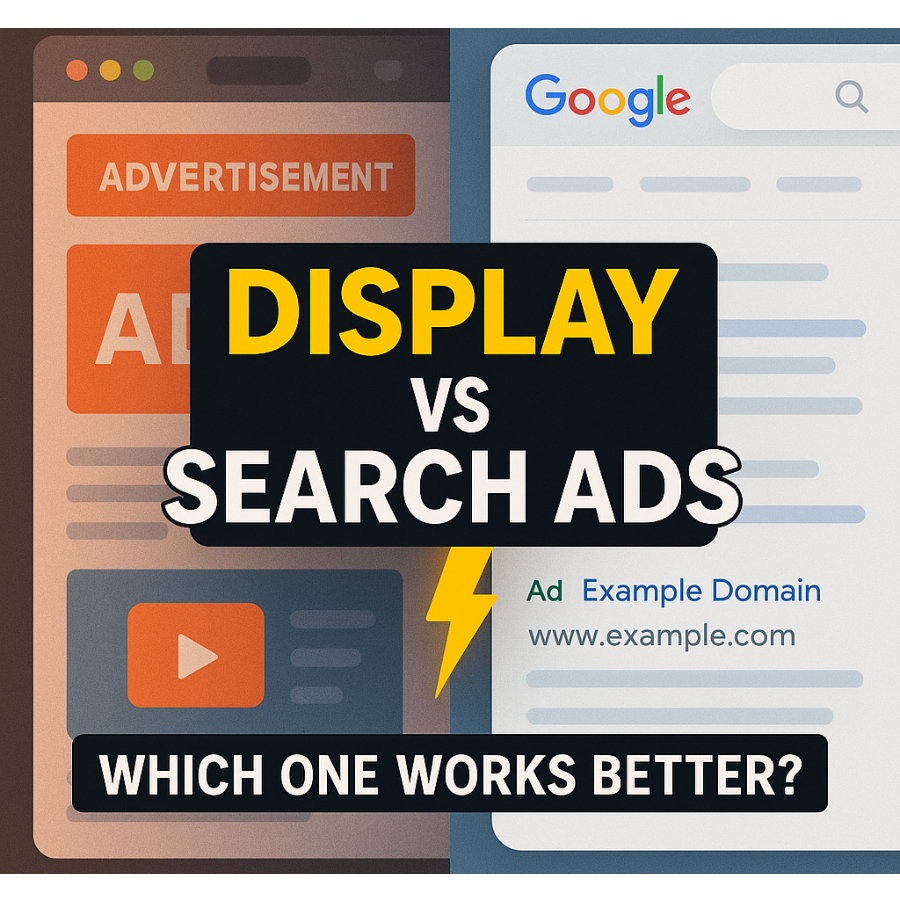
    As part of Module 4 in our Digital Marketing Course, we explore one of the most common beginner questions in paid marketing: Display Ads vs Search Ads – What’s the Difference?

    Both are part of the Google Ads platform, both fall under Search Engine Marketing (SEM), and both drive results. But they work differently, serve different purposes, and are useful in different situations.

    In this blog by Kamlesh Singad and the CWK Agency team, we will decode both ad types in a practical, student-friendly way. By the end, you’ll know:

    • How each ad type works
    • When to use Search or Display
    • Which campaign is right for your brand or client
    • How to implement both in your marketing strategy

    What Are Google Search Ads?

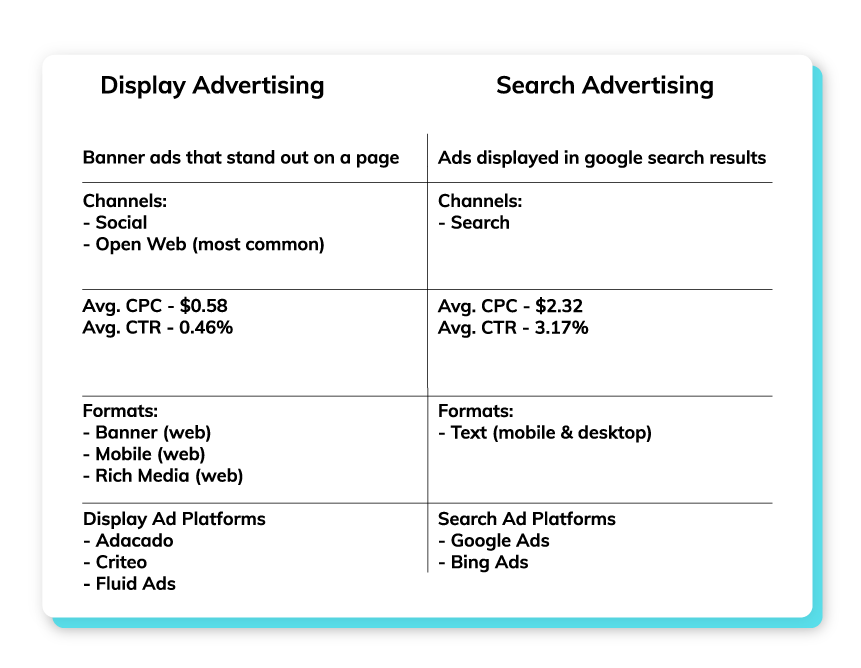
    Search Ads are text-based ads that appear on Google Search Engine Results Pages (SERPs) when users search specific keywords.

    Key Characteristics:

    • Text-only format (headline + description + extensions)
    • Triggered by intent-based search queries
    • Appear above or below organic results
    • Highly relevant to what users are looking for

    Example:

    User types: “Buy Smart Digital Board”
    Top result: A Search Ad showing “Smart Boards – 3-Year Warranty – Order Now”

    Best For:

    • Capturing high-intent traffic
    • Local services
    • B2B & B2C lead generation
    • E-commerce during purchase phase

    Also Read: Best Podcast editing company in Indore – CWK Agency

    Display Ads vs Search Ads

    What Are Google Display Ads?

    Display Ads are visual ads (images, banners, GIFs, or videos) that appear across Google’s Display Network—which includes over 2 million websites, YouTube, Gmail, and mobile apps.

    Key Characteristics:

    • Visually engaging (image/video-rich)
    • Appear outside of search (e.g., news websites, blogs)
    • Triggered by demographics, interest, behavior, placements
    • Excellent for awareness and retargeting

    Example:

    You’re reading a blog on classroom technology, and a banner ad shows:
    “Get Your Digital Board Today – Flat ₹5,000 Off”

    Best For:

    • Brand awareness
    • Product launches
    • Retargeting site visitors
    • Mass reach campaigns

    Display Ads vs Search Ads: Core Differences

    FeatureSearch AdsDisplay Ads
    PlacementGoogle Search ResultsGoogle Display Network
    Ad TypeTextImages, Banners, Videos
    User IntentHighLow to Moderate
    TargetingKeyword-basedAudience-based
    Best ForConversions, LeadsAwareness, Remarketing
    CTR (Click-Through Rate)HighLower
    CPC (Cost Per Click)HigherGenerally Lower
    Conversion StageBottom of FunnelTop/Mid Funnel

    Kamlesh Singad Tip: Use Search Ads to convert, and Display Ads to create demand.

    Also Read: How ChatGPT Works: A 6-Minute Guide to Understanding ChatGPT for Beginners

    Display Ads vs Search Ads

    Real-Life Scenario: CWK Agency Strategy

    Let’s say you’re promoting studio setups for online teachers.

    First Use Display Ads:

    • Target YouTubers, educators, and creators
    • Show banners with “Build Your Dream Studio – Affordable Packages”
    • Drive traffic to landing page

    Then Use Search Ads:

    • When users now Google “Online teaching studio setup,” your Search Ad shows up
    • Capture high-intent clicks
    • Close the sale

    This funnel strategy combines awareness + intent and is the exact framework used by CWK Agency for hundreds of clients.

    When to Use Display Ads

    ✔ You’re launching a new product or service
    ✔ You want to reach a broad audience
    ✔ You’re targeting specific demographics or interests
    ✔ You want visual storytelling (graphics, offers, branding)
    ✔ You’re doing retargeting campaigns

    Tips for Effective Display Ads:

    • Use high-resolution images
    • Keep text minimal and bold
    • Add strong CTA: “Shop Now”, “Get Demo”, “Download”
    • Target by interests, in-market segments, and custom intent

    Also Read: DevOps and Cloud Computing Explained in 10 Minutes: A Quick Introduction to Modern IT Practices

    Display Ads vs Search Ads

    When to Use Search Ads

    ✔ You’re targeting users with active purchase intent
    ✔ You want fast lead generation
    ✔ You have limited budget and need high ROI
    ✔ Your product/service is urgent or time-sensitive
    ✔ You offer local services (e.g., “Best Digital Board Dealer in Pune”)

    Tips for Effective Search Ads:

    • Use exact match or phrase match keywords
    • Optimize ad headlines with numbers and benefits
    • Link to highly relevant landing pages
    • Track conversions with Google Analytics

    Which One Is Better?

    It’s not about Search vs Display — it’s about how you combine both.

    GoalBest Option
    Increase Website TrafficDisplay
    Generate High-Quality LeadsSearch
    Build Brand AwarenessDisplay
    Immediate SalesSearch
    Retarget Interested VisitorsDisplay
    Promote YouTube VideoDisplay (YouTube)
    Promote Local ServiceSearch

    Combine both for full-funnel success. CWK Agency always runs at least one Search and one Display campaign per client.

    How to Set Up Both in Google Ads

    For Search Ads:

    • Go to Google Ads > New Campaign
    • Choose “Leads” or “Website Traffic”
    • Select Search
    • Add keywords, write ad copy, set budget, and launch

    For Display Ads:

    • Choose “Brand Awareness” or “Product Consideration”
    • Select Display
    • Upload visuals, set targeting (age, interest, device), set budget

    Practical Exercise for Students

    Assignment: Run a dual campaign strategy

    1. Set up a Display Ad campaign with banners for an imaginary product
    2. Set up a Search Ad campaign targeting keywords related to that product
    3. Track both for 5–7 days
    4. Submit a report showing:
      • Impressions
      • CTR
      • Cost per click
      • Conversions (if any)

    CWK Agency mentors will provide personalized feedback and optimization tips.

    FAQs

    Q1: Are Display Ads cheaper than Search Ads?

    Yes. Generally, CPC for Display Ads is lower, but conversion rate may also be lower.

    Q2: Can I use both types at once?

    Absolutely! In fact, using both boosts overall effectiveness.

    Q3: Do I need a different landing page for each?

    You can use the same, but for better performance, tailor landing pages to the ad type.

    Q4: Are Display Ads only for big brands?

    No. Even small businesses can use Display Ads effectively for retargeting and awareness.

    Final Words from Kamlesh Singad

    “A skilled marketer doesn’t choose between Search and Display—they master both. At CWK Agency, we believe in giving students the full stack to win in Google Ads.”

    Now that you understand the difference between Display Ads and Search Ads, your next step is to experiment. Run, test, learn, optimize. That’s how marketers are made.

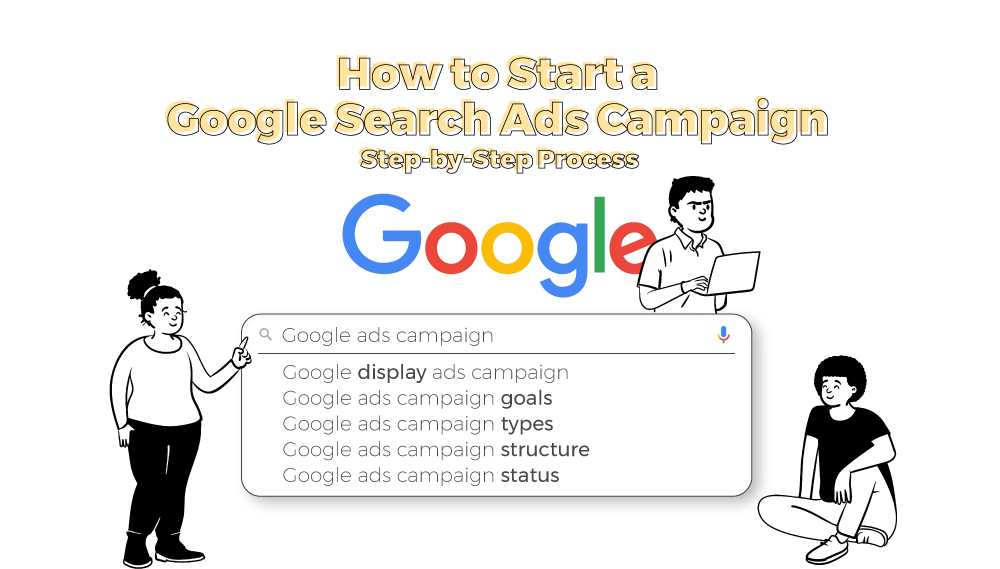
  • How to Run Your First Google Search Campaign | Part-22

    How to Run Your First Google Search Campaign | Part-22

    Module 4: Google Ads / SEM

    Welcome to Module 4 of our Digital Marketing Course, where we dive deep into the Google Ads ecosystem, focusing specifically on Search Engine Marketing (SEM).

    In this module, you’ll learn How to Run Your First Google Search Campaign—from start to launch to optimization. This guide, curated by Kamlesh Singad and the expert team at CWK Agency, is tailored for beginners, students, and aspiring digital marketers looking to practically master paid ads.

    Why Google Search Campaign?

    A Google Search Campaign puts your business on top of search results when someone actively searches for your product or service.

    For example:
    Search: “Best Podcast Setup in India”
    Result: Your ad on top, even above organic results.

    Benefits:

    • Target users with high intent
    • Fast results compared to SEO
    • Full control over ad copy, location, budget, and targeting
    • Works for any budget

    Also Read: What Is Agile Methodology? A 6-Minute Beginner’s Guide

    How to Run Your First Google Search Campaign

    Understanding Google Ads Structure

    Before diving in, let’s understand how Google Ads is structured:

    1. Account: Linked with your Gmail.
    2. Campaign: Set objective, budget, location, and networks.
    3. Ad Group: Organize keywords and ads.
    4. Ads: Actual content users see.

    This hierarchical structure helps in creating clean, measurable, and scalable ad setups.

    Tools You’ll Need Before You Start

    ToolUse
    Gmail IDTo create a Google Ads account
    Website URLWhere you want traffic
    Google Keyword PlannerFor keyword research
    Google AnalyticsFor tracking conversions
    Google Tag ManagerFor event-based tracking

    CWK Tip: Install Google Tag Assistant to debug any issues.

    Step-by-Step Guide: How to Run Your First Google Search Campaign

    Step 1: Create Your Google Ads Account

    Visit: https://ads.google.com
    Use your Gmail to sign up and switch to Expert Mode to unlock full campaign features.

    Step 2: Select Campaign Goal

    Choose your objective:

    • Website Traffic (Best for first campaign)
    • Leads
    • Sales

    Choose Search Campaign as your campaign type.

    Also Read: Introduction to Software Development Life Cycle (SDLC): What Is Software Development?

    How to Run Your First Google Search Campaign

    Step 3: Campaign Settings

    • Campaign Name: e.g., “Digital Board Sales – India”
    • Networks: Uncheck Display Network (only Search)
    • Location: Select country/state/city or pin codes
    • Languages: Usually English and Hindi for India
    • Budget: Start with ₹300–₹500/day
    • Bidding: Choose Clicks and manually set CPC (₹5–₹20 depending on niche)

    Step 4: Add Keywords

    Use Keyword Planner to find high-intent keywords.

    Match TypeKeywordMatch Behavior
    Broad Matchdigital boardsShows on related searches
    Phrase Match“buy digital board”Shows when phrase matches
    Exact Match[digital board in Pune]Shows only on exact search

    Don’t forget to add negative keywords like “free”, “cheap”, etc.

    Step 5: Create Ad Groups

    Each ad group targets one product/service.

    Example:

    • Ad Group 1: Digital Boards
    • Ad Group 2: Podcast Equipment
    • Ad Group 3: Studio Setup

    Step 6: Write High-Converting Ad Copy

    Headline Examples:

    • Buy Digital Boards Online
    • Smart Boards for Teachers
    • EMI Available – Order Now

    Description Examples:

    • Top-quality interactive digital boards. Free shipping & 3-year warranty. Shop now!
    • Best for teachers, trainers & YouTubers. Get it delivered across India.

    Also Read: Metaverse Explained in 5 Minutes: What It Is and How It Works

    How to Run Your First Google Search Campaign

    Use:

    • Primary Keywords
    • Power Words like “Free,” “Top-Rated,” “Instant”
    • CTA like “Call Now,” “Buy Today,” “Explore”

    Step 7: Add Extensions

    Extensions increase CTR by up to 20%.

    ExtensionUse
    SitelinkLink to other pages like Pricing, Demo
    CalloutAdd offers like “Free Delivery”
    Structured SnippetsShowcase features
    Call ExtensionAdd your phone number

    Step 8: Review & Publish

    • Double-check: Keywords, Budget, Ads
    • Click Publish
    • Google will review the ad (usually within 24 hours)

    Tracking Your Campaign Performance

    Once your campaign is live, monitor it using:

    MetricPurpose
    CTR (Click Through Rate)Clicks ÷ Impressions
    CPC (Cost Per Click)What you pay for each click
    Quality ScoreRelevance of keyword + ad + landing page
    Conversion RateClicks that turned into actions
    Impression ShareMarket competitiveness

    CWK Agency uses Google Ads + Google Analytics combo for best insights.

    How to Optimize Your Campaign Over Time

    1. Pause low-performing keywords
    2. Increase bids on converting keywords
    3. Test new ad copies weekly
    4. A/B test landing pages
    5. Add more negative keywords
    6. Use Ad Schedule (run ads only when leads convert best)

    Optimization is an ongoing process. Kamlesh Singad says:
    “The first campaign is just the beginning. Analyze, optimize, repeat.”

    Also Read: What is Azure? A 5-Minute Beginner’s Guide to Microsoft Azure

    How to Run Your First Google Search Campaign

    Practical Assignment for Students

    Goal: Create a Search Campaign for a mock product (e.g., “Online Course for Python”)

    Submit:

    • Screenshot of Campaign Settings
    • Keyword List
    • Sample Ad Copy
    • Budget Distribution
    • Performance after 3 days (CTR, CPC)

    CWK Agency mentors will review and guide every student for practical mastery.

    Real-World Case Study

    Client: Smart Class Setup Provider in Delhi
    Budget: ₹15,000/month
    Goal: Leads for Digital Boards

    Result:

    • CPC: ₹8.5
    • CTR: 6.4%
    • Leads: 52 in 28 days
      Strategy Used: Exact match keywords, high-quality ad copy, call extensions

    Achieved 3X ROI in the first month of running a Google Search Campaign with CWK Agency.

    FAQs

    Q1. Can I run ads without a website?

    No, for Search Campaigns, you need a website or landing page.

    Q2. How much money do I need?

    You can start with as little as ₹300/day (~$4 USD/day).

    Q3. Is this better than Facebook Ads?

    Search ads target high-intent users, while Facebook targets interest-based users. Both are useful.

    Q4. How long before I see results?

    Sometimes within a day. But meaningful data comes in after 3–7 days.

    Conclusion

    Starting with Google Ads might seem overwhelming, but with this structured guide from Kamlesh Singad and CWK Agency, you now know exactly How to Run Your First Google Search Campaign.

    Action Plan for Students:

    • Create a Google Ads account
    • Pick a product/service
    • Set up your first Search Campaign
    • Track performance for 7 days
    • Optimize based on CTR and conversions

    Don’t just learn—implement. That’s the CWK philosophy.

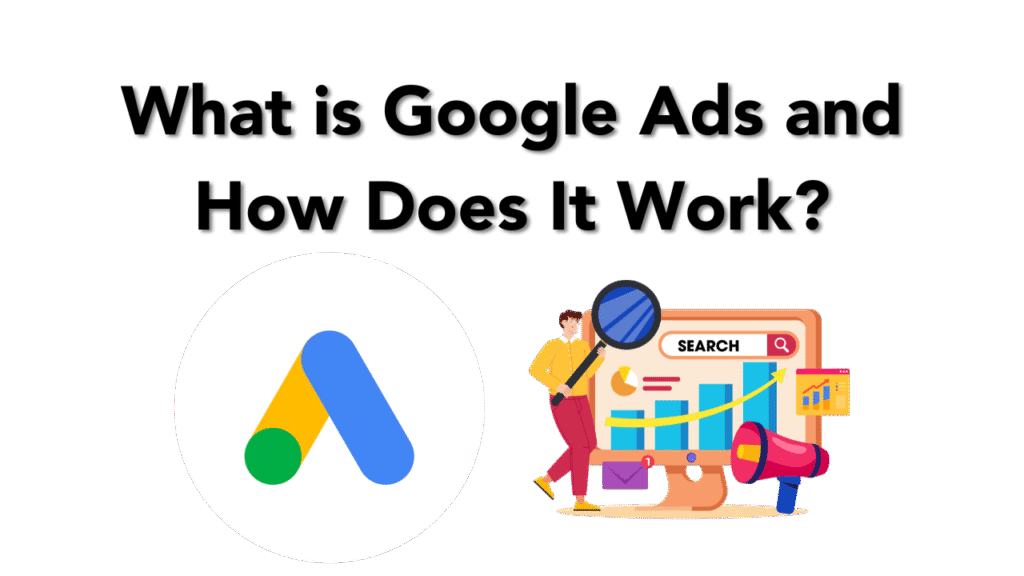
  • What is Google Ads and How Does It Work? | Part-21

    What is Google Ads and How Does It Work? | Part-21

    Module 4: Google Ads / SEM

    In today’s digital era, visibility is power. Whether you’re a freelancer, a brand, a startup, or a student learning digital marketing, mastering Google Ads is a must. Google Ads is the leading platform for Search Engine Marketing (SEM), a paid method of placing your business directly in front of users actively searching for your services or products.

    In this module of the digital marketing course led by Kamlesh Singad of CWK Agency, we will break down Google Ads and its working model step-by-step, and more importantly—how YOU can start implementing it from day one.

    What Is Google Ads?

    Google Ads (formerly Google AdWords) is Google’s online advertising platform that allows you to create ads that appear on Google Search, YouTube, and millions of partner websites in the Google Display Network.

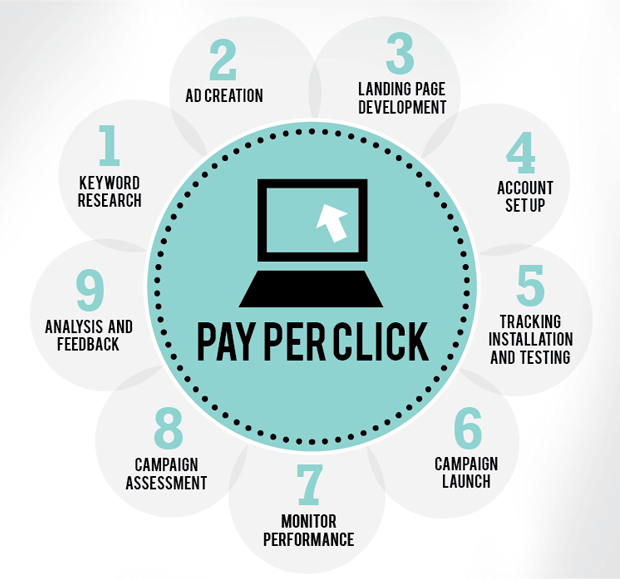
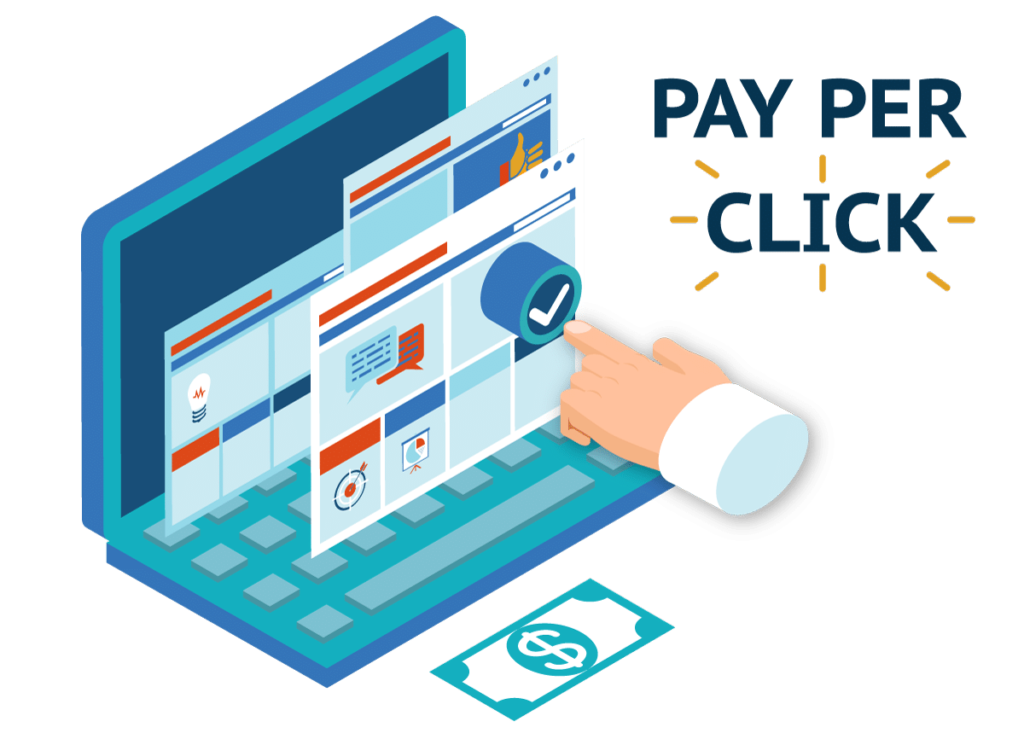
    You pay Google when someone clicks on your ad—hence, the term PPC (Pay Per Click).

    Benefits of Google Ads:

    • Instant visibility on the top of Google
    • Highly targeted ad placements
    • Real-time performance tracking
    • Scalable and measurable
    • Works for all budgets

    Kamlesh Tip: If SEO is a marathon, then Google Ads is a sprint. Combine both for optimal performance.

    Also Read: What Is A Proxy & Proxy Server? | Understand Proxies In 5 Minutes!

    Google Ads

    How Does Google Ads Work?

    Let’s break it into simple steps:

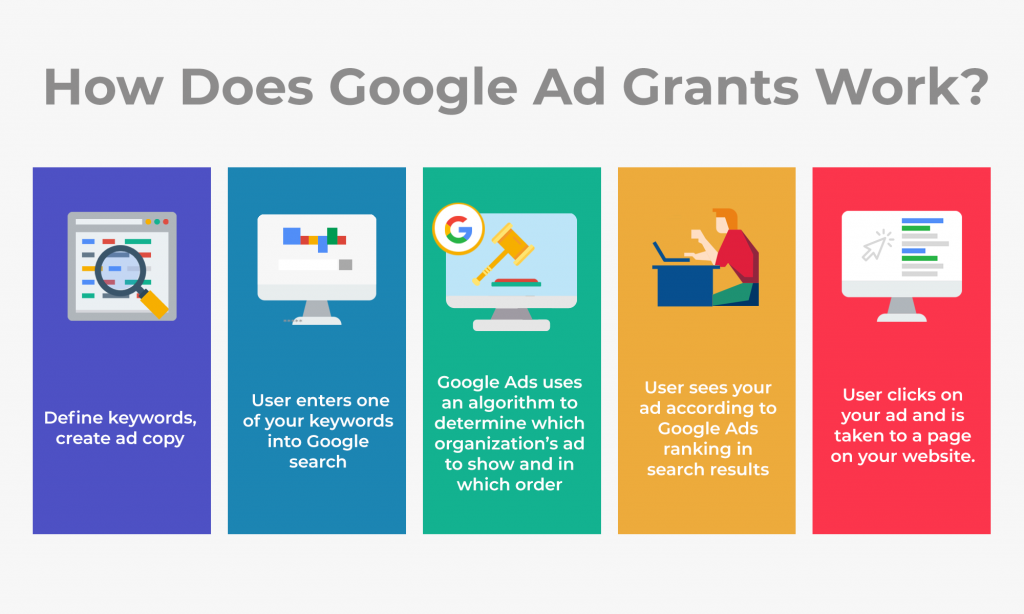
    1. Keyword Targeting

    You choose keywords related to your business (e.g., “Buy Digital Boards in India”). When users type these keywords into Google, your ad can show up.

    2. Ad Auction

    Every time a search is performed, Google runs an auction. Your ad’s visibility depends on:

    • Bid amount
    • Ad relevance
    • Landing page experience
    • Expected CTR (Click Through Rate)

    3. Ad Rank

    Google calculates your Ad Rank = CPC Bid × Quality Score

    4. Ad Display

    Based on your Ad Rank, Google determines:

    • Whether your ad will show
    • Which position it will occupy

    5. Cost

    You pay only when someone clicks your ad (Cost Per Click), not when they just view it.

    Also Read: Web 3.0 Explained In 5 Minutes: A Beginner’s Guide to Web3

    Google Ads

    Types of Google Ads Campaigns

    TypeDescriptionBest Use
    Search AdsText ads shown on Google search resultsLead generation, services
    Display AdsImage/video ads across websitesBrand awareness
    Video AdsAds on YouTubeEngagement, product demos
    Shopping AdsProduct ads with image & priceE-commerce
    App CampaignsPromote your app across Google propertiesApp installs
    Performance MaxAll-in-one AI-optimized campaignsBroad goals, automation lovers

    CWK Agency Recommends: Start with Search Campaigns to understand targeting, bidding, and ad copywriting.

    Google Ads Structure

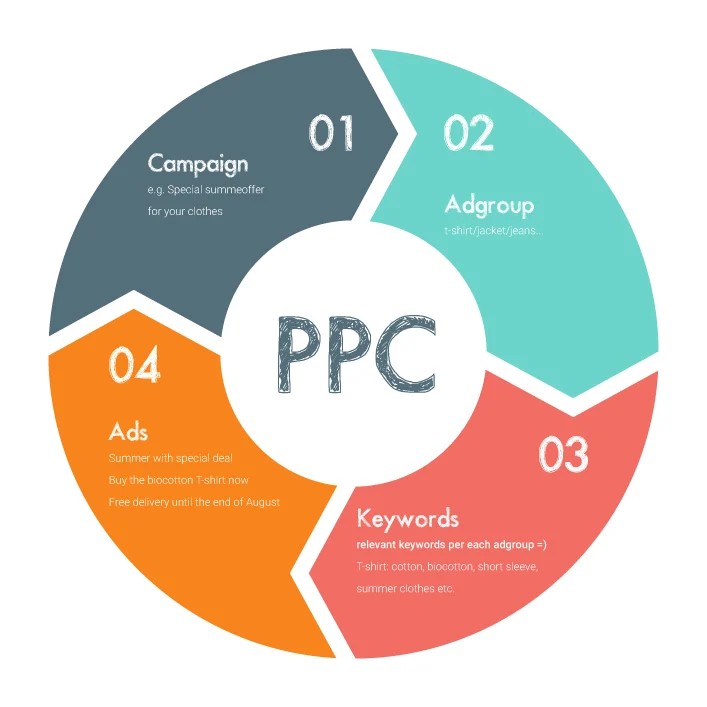
    Google Ads has a 3-layer structure:

    1. Account – Based on email/login
    2. Campaign – Budget, location, network, bidding
    3. Ad Group – Keywords + Ads
    4. Ads – Actual text/image/video shown

    Step-by-Step Guide: How to Run Your First Google Ads Campaign

    Here’s a practical beginner guide by Kamlesh Singad and the CWK Agency team:

    Step 1: Create a Google Ads Account

    Visit ads.google.com and sign up using your Gmail.

    Step 2: Choose Your Campaign Goal

    • Leads
    • Website traffic
    • Sales
    • App promotion

    Step 3: Select Campaign Type

    Start with Search for easier tracking.

    Google Ads

    Step 4: Set Location and Language

    Choose specific locations (e.g., Pune, India).

    Step 5: Set Budget & Bidding

    Set daily budget and choose bidding strategy (manual CPC or automated bidding).

    Step 6: Add Keywords

    Use Google Keyword Planner to research high-volume, low-competition keywords.

    Step 7: Write Ad Copy

    Keep your ad:

    • Clear
    • Relevant
    • Action-oriented

    Example:
    Headline: Buy Digital Boards | Free Delivery
    Description: Get Smart Boards with 3-Year Warranty. Trusted by 5,000+ Educators.

    Step 8: Set Extensions

    Add call buttons, sitelinks, and location extensions for better CTR.

    Step 9: Publish and Monitor

    Once live, monitor daily:

    • CTR
    • CPC
    • Conversions

    Also Read: Cyber War Explained in 5 Minutes: What Is Cyber War? A Beginner’s Guide to Cyber Security

    Key Metrics You Must Track

    MetricMeaningWhy It Matters
    CTRClicks ÷ ImpressionsIndicates ad relevance
    CPCCost per clickAffects your ROI
    Quality ScoreGoogle’s rating of your adImpacts Ad Rank
    Conversion RateActions taken ÷ ClicksIndicates campaign success
    Impression ShareHow often your ad shows vs. how often it couldCompetitiveness

    CWK Agency’s Pro Tips for Success

    1. Use Exact Match and Phrase Match keywords to control who sees your ads.
    2. Write multiple ad variations and let Google test which performs best.
    3. Use negative keywords to avoid irrelevant clicks.
    4. Optimize landing pages – match headline, speed, mobile-responsiveness.
    5. Track conversions using Google Tag Manager and Analytics.

    Case Study by Kamlesh Singad:
    “One of our clients selling digital teaching tools saw a 250% increase in sales with optimized Google Search Campaigns using CWK Agency’s proven framework.”

    Google Ads

    Google Ads vs. SEO: What’s the Difference?

    FeatureGoogle Ads (SEM)SEO
    CostPay-per-clickFree (organic)
    TimeInstantLong-term
    ControlHighLimited
    ScalabilityEasyGradual

    Combine Google Ads for quick leads and SEO for long-term growth.

    FAQs

    Q1: How much does it cost to advertise on Google Ads?

    A: It depends on your bid, competition, and industry. You can start with ₹100/day.

    Q2: Do I need a website to run Google Ads?

    A: Yes, especially for Search and Display campaigns. YouTube campaigns can work with just a video.

    Q3: How long does it take to see results?

    A: Usually within 1–3 days, depending on your budget and targeting.

    Q4: Can I run Google Ads for a local business?

    A: Absolutely. You can geo-target your ads to specific pin codes or cities.

    Learn with CWK Agency: Practical Google Ads Projects

    At CWK Agency, led by Kamlesh Singad, students are assigned real-world projects like:

    • Running ads for small local businesses
    • Managing ₹1,000/day campaigns
    • Tracking conversions using Google Analytics
    • A/B testing headlines and descriptions

    Certificate of Completion + Portfolio Project
    You will complete a live campaign during the course. Add it to your resume or share it with freelance clients.

    Final Thoughts

    Google Ads is one of the most powerful tools in digital marketing, but it must be used wisely. You now understand how it works—from auction to ad creation to performance tracking.

    Whether you’re an aspiring digital marketer, freelancer, or small business owner, you can start your Google Ads journey today.

    At CWK Agency, we believe in action-driven learning. So don’t just read this blog—go create your first campaign now!

  • Search Engine Optimization: A Comprehensive Guide for Beginners

    Search Engine Optimization: A Comprehensive Guide for Beginners

    Introduction

    Search Engine Optimization (SEO) is the secret sauce that makes websites stand out in the vast landscape of the internet. Whether you’re a business owner, a blogger, or just someone curious about the digital realm, understanding SEO is crucial for online success. In this comprehensive guide, we’ll break down the intricacies of SEO in simple language, providing examples and practical tips to help you navigate the world of search engines and boost your online presence.

    Unveiling the World of Search Engines

    Search engines are the gatekeepers of the internet, and understanding how they work is fundamental to grasping SEO. We’ll delve into the anatomy of search engines like Google, Bing, and Yahoo, explaining how they crawl, index, and rank web pages. Let’s demystify terms like crawlers, algorithms, and SERPs (Search Engine Results Pages) with easy-to-follow examples.

    The Pillars of SEO

    SEO is built on three essential pillars: On-Page SEO, Off-Page SEO, and Technical SEO. We’ll explore each pillar, breaking down key concepts and providing practical insights:

    On-Page SEO: Optimizing Your Content

    • Keyword Research: Finding the right keywords for your content.
    • Content Optimization: Crafting user-friendly and search engine-friendly content.
    • Meta Tags: Crafting compelling title tags and meta descriptions.

    Off-Page SEO: Building Authority and Trust

    • Backlinks: Understanding the power of quality backlinks.
    • Social Signals: Leveraging social media for SEO benefits.
    • Online Reputation Management: Monitoring and managing your online presence.

    Technical SEO: Enhancing Site Performance

    • Website Speed: The impact of page loading speed on SEO.
    • Mobile Optimization: Adapting to the mobile-first era.
    • Site Structure: Creating a search engine-friendly site architecture.

    The Keyword Kingdom

    Keywords are the building blocks of SEO. We’ll guide you through the fascinating world of keywords, covering:

    • Long-Tail vs. Short-Tail Keywords: Choosing the right keywords for your content.
    • LSI Keywords: Understanding Latent Semantic Indexing for improved relevance.
    • Keyword Density: Striking the right balance for optimal SEO.

    Content is King

    Quality content is the heart of SEO. This chapter will explore:

    • Content Creation Strategies: Producing engaging and valuable content.
    • Multimedia Elements: Incorporating images, videos, and infographics.
    • Evergreen Content: Building a lasting online presence.

    Mastering Link Building

    Backlinks are like votes of confidence for your website. We’ll discuss:

    • White Hat vs. Black Hat Techniques: Understanding ethical link-building practices.
    • Guest Posting: Collaborating for mutual benefits.
    • Broken Link Building: Turning challenges into opportunities.

    Analytics and Measurement

    SEO is an ongoing process, and monitoring your efforts is crucial. We’ll cover:

    • Google Analytics: Utilizing data to make informed decisions.
    • Key Performance Indicators (KPIs): Setting and tracking meaningful goals.
    • SEO Tools: Exploring tools like SEMrush, Moz, and Ahrefs.

    Staying Ahead of the Curve

    SEO is dynamic, and staying updated is key to success. We’ll discuss:

    • Algorithm Updates: Adapting to changes in search engine algorithms.
    • Emerging Trends: Voice search, mobile-first indexing, and more.
    • Community Engagement: Joining forums, webinars, and staying connected.

    Conclusion

    As we wrap up this comprehensive guide, you’ll have gained a solid understanding of SEO principles, strategies, and best practices. Remember, SEO is not a one-time effort but an ongoing journey. By implementing the knowledge gained from this guide, you’ll be well-equipped to navigate the ever-evolving landscape of search engine optimization and propel your online presence to new heights. Happy optimizing!

    Read More –

    Content & Copywriting – https://kamleshsingad.in/content-copywriting/

    Email Marketing: A Comprehensive Guide for Success – https://kamleshsingad.in/email-marketing-a-comprehensive-guide-for-success/

    Pay-Per-Click (PPC) Management: Boosting Your Business in the Digital Landscape – https://kamleshsingad.in/pay-per-click-ppc-management-boosting-your-business-in-the-digital-landscape/

  • What is PPC? Pay Per Click Advertising Guide

    What is PPC? Pay Per Click Advertising Guide

    Imagine you have a shop and you want to attract more customers to your website. One way to do this is through something called “Pay Per Click” or PPC.

    Think of PPC as a kind of online advertising where you only pay when someone clicks on your ad. It’s like putting up a billboard on a busy street, but you only pay the billboard company when someone actually stops and takes a closer look at your billboard.

    In the online world, PPC works similarly. You create a little ad that shows up when people search for something related to what you offer. These ads usually appear on search engines like Google or on websites. When someone clicks on your ad, they get directed to your website, and you pay a small amount for that click.

    The cool thing about PPC is that you can choose exactly who sees your ad. For instance, if you’re selling sneakers, you can make sure your ad shows up when someone types in “cool sneakers” in a search engine. This means your ad reaches people who are already interested in what you’re selling.

    PPC can be a great way to bring potential customers to your website and hopefully turn them into actual buyers. It’s like paying a small fee for each visitor who walks into your virtual store after being attracted by your online ad. Just remember, it’s important to make sure your ad and website are interesting and relevant to what people are looking for, so they’re more likely to stick around and make a purchase.

    1. What is PPC?

    Definition of PPC: Pay Per Click (PPC) is an online advertising model where advertisers pay a fee each time their ad is clicked. It’s a way to buy visits to your website rather than trying to earn those visits organically.

    How PPC works: Advertisers bid on specific keywords related to their products or services. When someone searches for those keywords, the ads are shown at the top of the search results. If the user clicks on the ad, the advertiser pays the search engine (like Google) for that click.

    Benefits of PPC advertising: It offers immediate visibility in search results, targets specific audiences, provides measurable results, and allows for precise budget control.

    What is PPC

    2. Components of PPC Campaigns:

    Keywords: Keywords are the words or phrases that trigger your ads to appear. For instance, if you sell running shoes, “best running shoes” could be a keyword.

    Ad Copy: This is the text of your advertisement. It should be catchy, relevant to the keyword, and include a call-to-action (CTA). For example, “Shop the latest running shoe collection now!”

    Landing Pages: The page where users are directed after clicking your ad. It should match the ad’s promise and provide a seamless user experience.

    Ad Extensions: These are extra pieces of information added to your ad, like your phone number, location, or links to specific pages on your website.

    Budget and Bidding: You set a daily or monthly budget, and you bid on keywords. The bid amount affects how often your ad appears and where it’s placed on the page.

    3. Setting Up Your PPC Campaign:

    Researching Keywords: Use tools like Google Keyword Planner to find relevant keywords for your business. Focus on keywords with high search volume and relevance to your offerings.

    Campaign Structure: Divide your campaigns into smaller ad groups, each with a specific theme. This helps you tailor your ads and track performance more effectively.

    Ad Platforms: Popular platforms include Google Ads (for search and display ads), Bing Ads (Microsoft’s search engine), and social media platforms like Facebook Ads.

    Targeting Options: Define your target audience by factors like location, demographics, interests, and device types.

    4. Creating Effective Ad Campaigns:

    Writing Compelling Ad Copy: Use action-oriented language, highlight benefits, and create a sense of urgency. For example, “Limited-time offer: 50% off running shoes!”

    Ad Formats: Experiment with different formats, such as text ads, display ads with images, and video ads.

    Ad Quality Score: This is a rating given by platforms like Google to your ads and landing pages. It affects your ad’s position and cost. To improve it, focus on relevance and user experience.

    A/B Testing: Create multiple versions of your ads and test different elements like headlines, descriptions, and images to see what resonates best with your audience.

    5. Keyword Research and Selection:

    Types: Broad match (wide keyword variations), exact match (precise keywords), phrase match (specific phrases), and negative keywords (words you don’t want your ad to appear for).

    Tools: Besides Google Keyword Planner, tools like SEMrush, Ahrefs, and Moz can help you find valuable keywords.

    Long-Tail Keywords: These are longer, more specific phrases. For example, “affordable lightweight running shoes for beginners.”

    6. Managing Bids and Budgets:

    Bid Strategies: Manual Bidding, Automated Bidding, and Bid Adjustments:

    Manual Bidding: With manual bidding, you set the maximum amount you’re willing to pay for a click. It gives you precise control over your bids but requires constant monitoring and adjustments.

    Automated Bidding: Automated bidding uses algorithms to adjust bids based on various factors, such as user behavior and conversion likelihood. It can save time and optimize bids for better results.

    Bid Adjustments: These allow you to modify bids for specific criteria like device type, location, or time of day. For example, you can increase bids for mobile users if your website is mobile-friendly.

    Budget Allocation: Determining How Much to Spend on Each Campaign:

    Start Small: Begin with a modest budget to test different keywords and ads. As you gather data and optimize your campaigns, you can gradually increase your budget.

    Allocate by Campaign Goals: Allocate more budget to campaigns that are driving better results or have higher potential for conversions.

    Consider Seasonality: Adjust your budget based on peak seasons for your business. For instance, if you sell winter clothing, allocate more budget during the colder months.

    Cost-Per-Click (CPC): Understanding the Cost of Each Click:

    Auction-Based Pricing: In PPC, you participate in an auction for ad placement. You’re competing with other advertisers, and the amount you’re willing to pay (your bid) determines your ad’s position.

    Ad Rank: Your ad’s position is determined by your bid, ad quality score, and other factors. A higher ad quality score can lead to a better position at a lower cost.

    Calculating CPC: Your CPC is the actual amount you pay when someone clicks your ad. It’s often lower than your maximum bid because you pay just enough to beat the ad rank of the competitor below you.

    Budget Considerations: Keep an eye on your CPC to ensure it aligns with your budget. If CPC is too high, you might need to adjust your bids or target more specific keywords.

    7. Measuring and Analysing Performance:

    Key Metrics: Click-Through Rate (CTR), Conversion Rate, Quality Score, etc.:

    Click-Through Rate (CTR): CTR measures the percentage of people who click on your ad after seeing it. A higher CTR indicates that your ad is relevant and engaging to users.

    Conversion Rate: Conversion rate shows the percentage of users who take a desired action, like making a purchase or filling out a form, after clicking your ad. It’s a crucial metric for measuring campaign effectiveness.

    Quality Score: This score rates the quality and relevance of your ads, keywords, and landing pages. Higher quality scores can lead to better ad positions and lower CPC.

    Impressions: The number of times your ad is displayed to users. High impressions coupled with low clicks might suggest that your ad needs improvement.

    Conversion Tracking: Monitoring User Actions and Goals:

    Setting Up Goals: Define what actions you want users to take on your website, such as making a purchase or signing up for a newsletter.

    Tracking Codes: Use tracking codes (e.g., Google Analytics) to monitor user behavior. These codes help you see which ads and keywords are driving conversions.

    Attribution: Understand which interactions contributed to conversions. Attribution models (first click, last click, etc.) help you attribute value to different touchpoints.

    Optimizing for Conversions: Analyze data to identify patterns and trends. Focus on campaigns, keywords, and ads that generate the highest conversion rates.

    Analytics Tools: Utilizing Tools like Google Analytics for Deeper Insights:

    Google Analytics: This powerful tool provides detailed insights into user behavior on your website. You can track traffic sources, user demographics, bounce rates, and more.

    Conversion Tracking Platforms: Besides Google Analytics, platform-specific conversion tracking tools like Google Ads Conversion Tracking provide direct insights into campaign performance.

    Data Analysis: Regularly review data to identify trends and anomalies. Adjust your campaigns based on the insights you gain from these tools.

    Continuous Optimization: Use data to make informed decisions about which aspects of your campaigns need improvement. A/B testing different elements can lead to higher conversion rates over time.

    By focusing on these metrics and tools, you can measure the effectiveness of your PPC campaigns and make informed decisions to improve their performance.

    What is PPC

    8. Optimizing Your PPC Campaigns:

    Ad Performance Review: Analysing What’s Working and What Isn’t:

    Regularly assess your campaign’s performance metrics, like CTR, conversion rate, and cost per conversion. Identify which ads and keywords are generating the best results and which ones are underperforming. Pause or adjust ads that aren’t delivering desired results and focus more on successful elements.

    Ad Copy Refinement: Making Improvements Based on Data:

    Experiment with different ad copy variations to see what resonates best with your audience. Analyze the performance of each ad by comparing CTR and conversion rates. Incorporate successful phrases, keywords, and calls-to-action into your ad copy.

    Keyword Adjustments: Adding, Pausing, or Modifying Keywords as Needed:

    • Review the performance of your keywords regularly to identify high-performing and low-performing ones.
    • Add new keywords based on emerging trends or user search behaviors.
    • Pause or remove keywords that are driving irrelevant traffic or not converting.

    Landing Page Optimization: Enhancing User Experience and Conversion Rates:

    Ensure your landing page matches the promise of your ad and provides relevant information. Use clear and compelling headlines, along with engaging visuals. Place your CTA prominently and make the conversion process intuitive and simple.

    Page Load Speed: A slow-loading page can lead to high bounce rates. Optimize images and code to improve loading times.

    Mobile Responsiveness: As many users access sites on mobile devices, make sure your landing page is mobile-friendly.

    A/B Testing: Experiment with different layouts, content, and designs to find the most effective landing page variations.

    Continuous Optimization:

    Optimization is an ongoing process. Regularly review your campaigns, analyze data, and make adjustments. Keep a close eye on industry trends, seasonal changes, and user behavour shifts. Don’t be afraid to try new strategies and learn from both successes and failures.

    9. Advanced PPC Strategies:

    Remarketing: Reaching Out to Previous Website Visitors:

    • Remarketing targets users who have previously visited your website. You can show them tailored ads as they browse other sites.
    • It’s a powerful way to re-engage potential customers who might not have converted during their initial visit.

    Display Advertising: Creating Visually Appealing Banner Ads:

    • Display ads are graphical ads that appear on websites, often in the form of banners or sidebars.
    • Use eye-catching visuals, compelling copy, and a clear call-to-action to entice users to click.

    Video Advertising: Engaging Users with Video Content:

    • Video ads can be shown on platforms like YouTube and social media.
    • Create engaging and concise videos that quickly capture viewers’ attention and communicate your message.

    Geographic Targeting: Focusing on Specific Locations for Local Businesses:

    • Specify where your ads should be shown based on geographical criteria like city, state, or even radius around a location.
    • Ideal for local businesses looking to attract nearby customers.
    • Local Keywords: Use location-specific keywords to connect with users searching for products or services in your area.
    • Location-Specific Messaging: Tailor your ad copy to include references to the local area you’re targeting.
    • Local Landing Pages: If you have multiple business locations, create landing pages specific to each location for a personalized user experience.

    Remember, Advanced Strategies Require Testing and Monitoring:

    • When implementing advanced strategies like remarketing or video ads, closely monitor their performance.
    • A/B test different variations to find the most effective approach.
    • Continuously refine and adjust these strategies based on real-time data.

    Utilizing these advanced strategies can take your PPC campaigns to the next level, helping you reach and engage your target audience more effectively.

    10. Avoiding Click Fraud and Irrelevant Clicks:

    Click Fraud: This occurs when someone clicks on your ads with malicious intent, like trying to deplete your budget or harm your campaign. To prevent click fraud, regularly monitor your campaigns for unusual activity, such as sudden spikes in clicks from the same IP address.

    Invalid Clicks: These are clicks that are unintentional or accidental, often due to user errors. While they may not be malicious, they can still waste your budget. Utilize click tracking and analytics tools to identify patterns of invalid clicks.

    Ad Policy Compliance: Following Platform Guidelines:

    Each PPC platform, such as Google Ads or Facebook Ads, has specific guidelines for ad content, language, images, and landing pages. Failure to comply can result in disapproval or even suspension of your ads or account.

    Budget Management: Preventing Overspending:

    Set a clear budget for each campaign and regularly review your spending. Keep an eye on your daily or monthly expenditure to prevent overspending.

    Ad Copy Tips: Writing Engaging and Relevant Ads:

    Captivating Headlines: Start with attention-grabbing headlines that entice users to read further.

    Unique Selling Proposition (USP): Highlight what sets your product or service apart from the competition.

    Clear Call-to-Action (CTA): Prompt users to take the desired action, whether it’s making a purchase, signing up, or learning more.

    Relevance: Ensure your ad copy directly relates to the user’s search query and the content of your landing page.

    Keywords: Incorporate relevant keywords strategically while maintaining natural-sounding copy.

    Benefits Over Features: Focus on how your product or service benefits the user, rather than just listing features.

    11. future trends in PPC advertising:

    Automation and AI in PPC:

    Automation and AI technologies are becoming more integral in managing PPC campaigns efficiently. Machine learning algorithms can optimize bidding strategies, adjusting bids in real-time based on factors like user behavior and conversion likelihood.

    AI can analyze vast amounts of data to identify trends, patterns, and opportunities that humans might miss.

    Voice Search and PPC:

    As voice assistants like Siri, Google Assistant, and Alexa become increasingly popular, voice search is changing the way people search for information. PPC campaigns need to adapt to voice search queries, which are often longer and more conversational. Long-tail keywords and natural language targeting become crucial for reaching users using voice commands.

    Mobile-Friendly PPC Strategies:

    Mobile devices continue to dominate online activities, including searches and purchases. PPC strategies should prioritize mobile optimization, ensuring landing pages are responsive and load quickly on mobile devices.

    Cross-Channel Integration:

    PPC campaigns are increasingly being integrated with other digital marketing channels like social media, email marketing, and content marketing.

    Privacy and Data Protection:

    Increasing concerns about privacy and data protection are leading to changes in how data is collected and used for advertising.

    Visual and Video Ads:

    Visual and video content is gaining prominence, especially on platforms like Instagram, YouTube, and TikTok.

    Video ads, in particular, are becoming more popular due to their engaging nature and ability to convey information effectively.

    Interactive and Immersive Ads:

    Interactive ads, such as quizzes, polls, and playable ads, are becoming more prevalent, allowing users to engage directly with the ad content.

    Augmented reality (AR) and virtual reality (VR) ads are also emerging as ways to provide immersive experiences to users.

    What is PPC

    12. Conclusion :

    PPC Advertising: Pay Per Click (PPC) is an online advertising model where advertisers pay only when users click on their ads, directing them to their websites.

    Components of PPC Campaigns: PPC campaigns involve keywords, ad copy, landing pages, ad extensions, and budget management.

    Measuring Performance: Key metrics include CTR, conversion rate, quality score, and impressions. Conversion tracking and analytics tools like Google Analytics provide insights.

    Advanced Strategies: Remarketing, display and video ads, geographic targeting, and continuous optimization enhance campaign effectiveness.

    Final Thoughts on the Power of PPC Advertising:

    PPC advertising is a dynamic and impactful tool for businesses:

    1. Targeted Reach: PPC allows precise targeting of specific audiences, ensuring your ads reach those most likely to be interested in your offerings.
    2. Quick Results: Unlike some other marketing efforts, PPC delivers fast results, making it ideal for short-term promotions or new product launches.
    3. Measurable and Trackable: Every aspect of a PPC campaign is measurable, allowing you to track your performance and adjust strategies accordingly.
    4. Scalability: PPC campaigns can be scaled up or down easily based on your business goals and budget.
    5. Flexibility: Ad campaigns can be tailored to suit various goals, whether it’s driving sales, increasing brand awareness, or promoting specific events.
    6. Continuous Learning: PPC advertising encourages ongoing learning and adaptation, helping you stay ahead in the ever-changing digital landscape.

    By understanding and harnessing the power of PPC advertising, businesses can effectively connect with their target audience, drive conversions, and achieve their marketing objectives.

    If you have more inquiries or need further guidance, feel free to ask!