Tag: Quality Score

  • Google Ads Optimization – Lower Cost, Higher ROI | Part-25

    Google Ads Optimization – Lower Cost, Higher ROI | Part-25

    Module 4: Google Ads / SEM (Search Engine Marketing)

    Running ads is easy, but running them profitably is an art and a science. Many advertisers waste money on ineffective campaigns due to poor structuring, vague targeting, or unoptimized bidding strategies. That’s where Google Ads Optimization comes in. It’s the process of refining your campaigns to achieve lower costs and higher ROI.

    In this lesson of our Digital Marketing Course by Kamlesh Singad from CWK Agency, you’ll learn how to practically optimize your Google Ads campaigns with real-world examples and data-driven strategies.

    What is Google Ads Optimization?

    Google Ads Optimization involves continuous monitoring and tweaking of your campaign settings, targeting, bidding, keywords, and ad copies to improve performance. The goal is to achieve maximum results with minimum spend.

    Core Objectives:

    • Reduce Cost Per Click (CPC)
    • Improve Click Through Rate (CTR)
    • Lower Cost Per Conversion (CPA)
    • Increase Conversion Rate (CR)
    • Enhance Return on Ad Spend (ROAS)

    Also Read: Cyber War Explained in 5 Minutes: What Is Cyber War? A Beginner’s Guide to Cyber Security

    Google Ads Optimization

    How Google Ads Works: A Quick Refresher

    Before optimizing, understand how the ad auction works:

    • Ad Rank = Quality Score x Bid Amount
    • Quality Score includes CTR, ad relevance, and landing page experience
    • Google favors relevant and high-performing ads, often reducing CPC for optimized ads

    So, optimizing your campaigns improves Quality Score, leading to lower costs and higher ROI.

    25 Key Areas for Google Ads Optimization

    1. Account Structure

    • Organize campaigns by theme, product, or service
    • Use separate ad groups for tightly related keyword sets

    2. Keyword Match Types

    • Use a mix of broad match, phrase match, and exact match
    • Avoid overusing broad match which can waste budget

    3. Negative Keywords

    • Block irrelevant searches that eat into your budget
    • Regularly review search terms report and add negatives

    4. Ad Extensions

    • Use sitelinks, callouts, and structured snippets to increase ad real estate
    • Improves CTR and Quality Score

    5. Responsive Search Ads

    • Let Google test multiple headlines and descriptions
    • Boosts performance through machine learning

    Also Read: What Is Agile Methodology? A 6-Minute Beginner’s Guide
    Google Ads Optimization

    6. Geographic Targeting

    • Focus your budget on high-performing locations
    • Exclude non-converting regions

    7. Ad Scheduling

    • Run ads during peak hours only
    • Analyze time-of-day performance

    8. Device Targeting

    • Adjust bids for desktop, mobile, and tablets based on results

    9. Demographic Targeting

    • Target by age, gender, income, etc.
    • Exclude poor-performing demographics

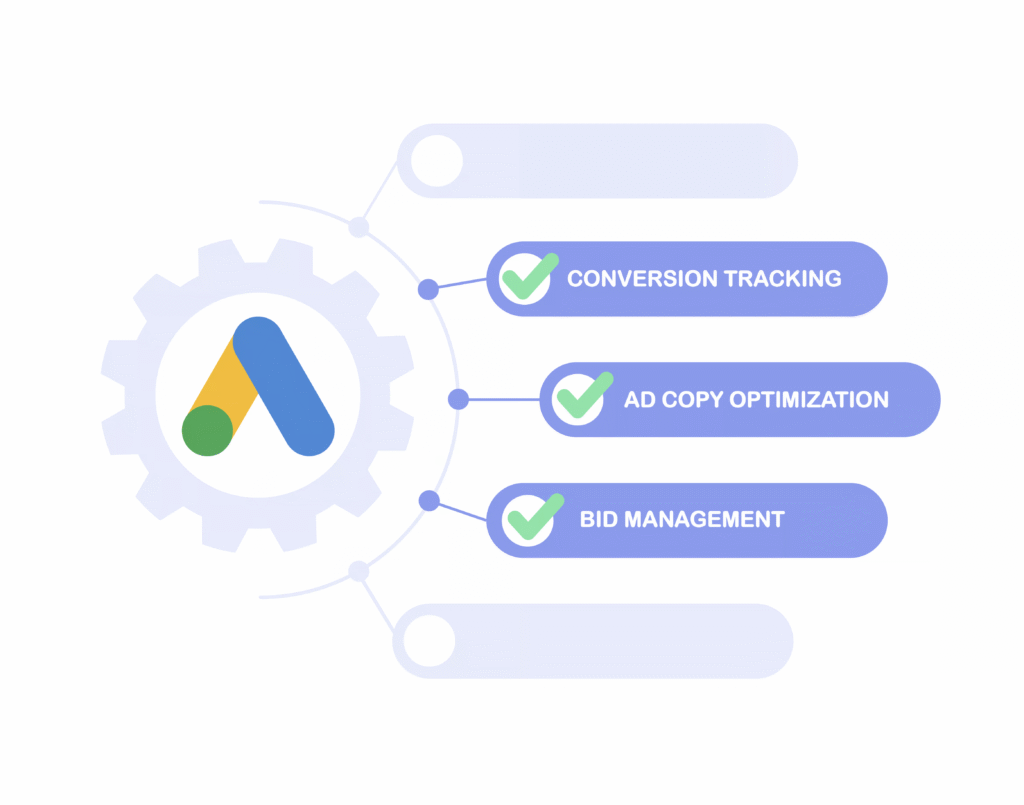
    10. Bidding Strategy

    • Start with manual CPC for control
    • Move to automated strategies like Maximize Conversions or Target CPA as data grows

    11. Conversion Tracking

    • Ensure accurate tracking setup with Google Tag Manager
    • Track sales, form submissions, phone calls, etc.

    12. Landing Page Optimization

    • Ensure fast loading, mobile responsiveness, and relevance
    • Align messaging with ad copy

    13. Quality Score Improvement

    • Improve CTR, ad relevance, and landing page experience
    • Monitor each keyword’s Quality Score in your account

    14. Remarketing Campaigns

    • Retarget visitors who didn’t convert
    • Use personalized ads to bring them back

    15. A/B Testing Ads

    • Test different versions of headlines, CTAs, and descriptions
    • Pause underperforming ads

    Also Read: Introduction to Software Development Life Cycle (SDLC): What Is Software Development?
    Google Ads Optimization

    16. Smart Campaign Setup

    • Use Google’s AI to auto-optimize based on conversion data

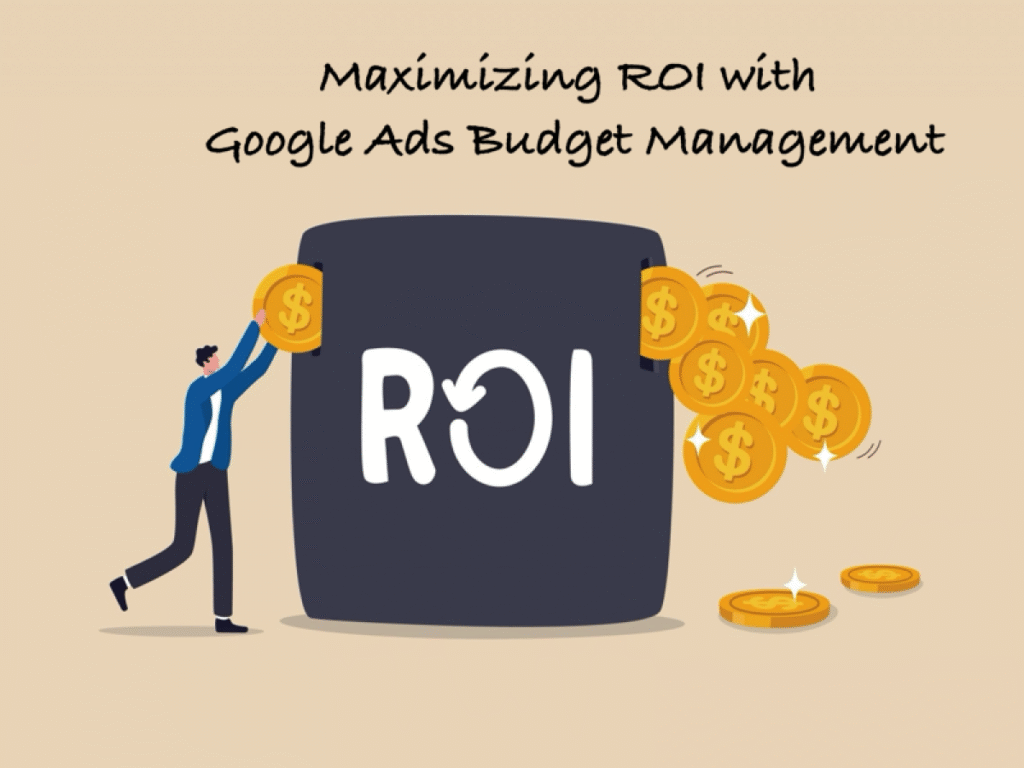
    17. Campaign Budget Allocation

    • Shift budget to high-performing campaigns
    • Reduce waste from underperforming ones

    18. Use Google Recommendations Wisely

    • Review “Optimization Score” suggestions
    • Apply only those aligned with your goals

    19. Use Google Analytics with Ads

    • Deeper insight into user behavior
    • Identify which keywords drive post-click engagement

    20. Dynamic Keyword Insertion (DKI)

    • Match user’s query in the ad copy
    • Increases relevance and CTR

    21. Exclude Display Network (if not required)

    • For lead generation, search network often performs better

    22. Check Impression Share

    • Increase budget or improve bids to capture missed impressions

    23. Run Brand Campaigns

    • Protect your brand name in search results

    24. Use Custom Audiences

    • Target users based on their online behavior

    25. Regular Optimization Routine

    • Weekly checks: CTR, CPC, conversions
    • Monthly audits: Bids, budget, keyword performance

    Real-Life Case Study by CWK Agency

    A real estate company approached CWK Agency with ₹50,000 ad spend and low conversions.

    Optimization Strategy:

    • Reorganized campaigns by property type
    • Excluded broad match keywords like “cheap house”
    • Added callout extensions & CTA-rich ads
    • Used Target CPA after testing manual CPC

    Results in 30 Days:

    • CPC dropped by 38%
    • Conversions increased by 65%
    • ROI improved by 2.5x

    Key Lesson: Optimization unlocks profits from the same ad spend.
    Google Ads Optimization

    Tools for Google Ads Optimization

    • Google Ads Editor – Bulk changes
    • Google Analytics 4 – Behavior analysis
    • Google Tag Manager – Conversion tracking setup
    • Semrush / Ahrefs – Keyword analysis
    • Looker Studio – Performance dashboards
    • CWK Audit Toolkit – Custom optimization checklists

    Common Mistakes in Google Ads Campaigns

    • Not using negative keywords
    • Ignoring mobile bid adjustments
    • Weak or generic ad copy
    • Not tracking conversions properly
    • Targeting too broad an audience

    Conclusion: From Spend to Smart Investment

    Google Ads Optimization is the difference between spending money and making money. With the right strategy, you can drive lower cost and higher ROI, even on small budgets.

    Whether you’re running ads for eCommerce, lead generation, or services, use this optimization guide from Kamlesh Singad at CWK Agency to improve your results on practical grounds.

    Optimization isn’t a one-time task; it’s a continuous process. But with patience and proper tools, Google Ads can become your most profitable digital marketing channel.

    FAQs

    What is Google Ads Optimization?

    Answer: Google Ads Optimization is the ongoing process of improving your Google Ads campaigns to reduce cost-per-click (CPC), increase conversions, and maximize return on investment (ROI). It involves tweaking keywords, bids, ad copy, targeting, and campaign structure.

    How does optimization help achieve lower cost and higher ROI?

    Answer: By optimizing your campaigns, you improve your Quality Score, reduce wasted ad spend, and attract more relevant traffic. This leads to lower ad costs and better conversion rates, resulting in a higher ROI from the same or lower budget.

    What are the most important elements to optimize in Google Ads?

    Answer: Key elements include:

    • Campaign structure
    • Keyword match types
    • Negative keywords
    • Bidding strategy
    • Ad creatives and extensions
    • Audience targeting
    • Device and location settings
    • Landing page experience

    How often should I optimize my Google Ads campaigns?

    Answer: Ideally, you should review performance weekly and perform in-depth optimizations monthly. Continuous monitoring and testing are essential to adapt to changes in audience behavior and competition.

    What is Quality Score and how does it impact ad performance?

    Answer: Quality Score is Google’s rating of the relevance and quality of your ads, keywords, and landing pages. Higher scores lead to lower CPC and better ad placements. It is influenced by expected CTR, ad relevance, and landing page experience.

    Can I achieve good results with a small Google Ads budget?

    Answer: Yes. With smart optimization techniques like precise targeting, negative keywords, and relevant ad copy, even a small budget can deliver high ROI. Focus on high-intent keywords and track conversions closely.

    What bidding strategy is best for maximizing ROI?

    Answer: It depends on your campaign goal and data. Beginners may start with Manual CPC for control. Once enough data is available, switching to automated strategies like Target CPA or Maximize Conversions can improve ROI.

    How can CWK Agency help in optimizing my Google Ads campaigns?

    Answer: At CWK Agency, Kamlesh Singad and team offer expert Google Ads audits, advanced campaign structuring, conversion tracking setup, and continuous optimization support to deliver high-performing ad campaigns with lower costs and higher ROI.

    Is there a tool to check if my ads are optimized?

    Answer: Yes. Use Google Ads’ built-in Optimization Score tool, and third-party tools like Google Analytics, Looker Studio, and CWK Agency’s Audit Toolkit to measure ad efficiency and identify areas of improvement.

    What’s the role of landing pages in Google Ads Optimization?

    Answer: A well-optimized landing page improves user experience, increases conversion rates, and contributes to a better Quality Score. It must be fast, mobile-friendly, relevant to the ad, and have a clear CTA.

  • 7 Powerful Google Ads Hacks to Scale Your Campaigns Profitably

    7 Powerful Google Ads Hacks to Scale Your Campaigns Profitably

    In the competitive landscape of digital advertising, effectively scaling your Google Ads campaigns is crucial for maximizing profitability. Implementing strategic optimizations can lead to significant improvements in performance and return on investment (ROI). Here are seven powerful Google Ads hacks to help you scale your campaigns profitably:

    1. Develop In-Depth Remarketing Audiences

    Remarketing targets users who have previously interacted with your website, offering a higher likelihood of conversion. By creating detailed remarketing audiences, you can tailor your ads to users based on their specific behaviors and interests. This approach not only enhances click-through rates (CTR) but also reduces cost-per-click (CPC), providing a better return on your advertising spend.

    2. Focus on Long-Tail Keywords

    Long-tail keywords are more specific phrases that typically have lower search volumes but higher intent. Targeting these keywords can lead to higher conversion rates and lower CPCs, as they are less competitive. By focusing on long-tail keywords, you attract users who are further along in the purchasing process, thereby increasing the likelihood of conversion.

    Also Read: How to Make Your Podcast More Popular: 12 Proven Strategies for Growth

    Google Ads Hacks

    3. Utilize Exclusions for Precise Targeting

    Implementing exclusions allows you to refine your audience by excluding demographics or interests that are less likely to convert. This precision targeting ensures that your ads are shown to users who are more likely to be interested in your products or services, thereby improving conversion rates and optimizing your ad spend.

    4. Test Different Geographic Locations

    Geographic performance can vary significantly, making it essential to test different locations to identify areas with higher conversion rates. By creating location-based campaigns or ad groups, you can allocate your budget more effectively and tailor your messaging to resonate with specific regional audiences.

    5. Leverage Ad Extensions

    Ad extensions enhance your ads by providing additional information and increasing visibility. Utilizing extensions such as sitelinks, callouts, and structured snippets can improve your ad’s CTR and overall performance. These extensions make your ads more informative and engaging, encouraging users to click through to your website.

    Also Read: How Often Should Content Be Updated?

    Google Ads Hacks

    6. Implement UTM Tracking

    UTM tracking involves adding unique parameters to your URLs to monitor the performance of your campaigns in detail. This tracking enables you to identify which ads, keywords, or campaigns are driving the most traffic and conversions, allowing for data-driven optimization decisions.

    7. Target Competitor Keywords

    Bidding on competitor keywords can capture the attention of users searching for similar products or services. This strategy can increase your market share and attract customers who are considering alternatives. Ensure that your ad copy clearly communicates your unique value proposition to persuade users to choose your offering over competitors.

    By incorporating these Google Ads hacks into your advertising strategy, you can effectively scale your campaigns and achieve more profitable results. Continuous testing and optimization are key to maintaining and improving performance in the dynamic landscape of digital advertising.

    Also Read: How to Spend on Marketing the Right Way? A Strategic Guide for Maximum ROI

    Google Ads Hacks

    FAQs

    What are long-tail keywords, and why are they important?

    Long-tail keywords are specific, longer phrases that users search for, often indicating higher intent. They are important because they typically have lower competition and higher conversion rates, making them cost-effective targets in advertising campaigns.

    How do ad extensions improve my Google Ads performance?

    Ad extensions provide additional information and increase the visibility of your ads, leading to higher click-through rates. They make your ads more informative and engaging, which can improve overall performance and ROI.

    Why should I implement UTM tracking in my campaigns?

    UTM tracking allows you to monitor the effectiveness of your campaigns by providing detailed data on traffic sources and user behavior. This information is crucial for making informed optimization decisions and improving campaign performance.

    Is targeting competitor keywords a good strategy?

    Targeting competitor keywords can be effective in capturing the attention of users considering alternative products or services. It can increase your market share and attract potential customers, but it’s important to ensure your ads clearly communicate your unique value proposition.

    How can exclusions help in optimizing my ad campaigns?

    Implementing exclusions helps refine your audience by removing demographics or interests less likely to convert. This precision targeting ensures your ads reach users more likely to be interested in your offerings, improving conversion rates and optimizing ad spend.

    What is the benefit of testing different geographic locations in my campaigns?

    Testing different geographic locations allows you to identify regions with higher conversion rates. By focusing your budget on these areas, you can improve overall campaign performance and achieve a better return on investment.

    Conclusion

    Scaling your Google Ads campaigns profitably requires strategic planning and continuous optimization. By implementing these seven powerful hacks—developing in-depth remarketing audiences, focusing on long-tail keywords, utilizing exclusions, testing different geographic locations, leveraging ad extensions, implementing UTM tracking, and targeting competitor keywords—you can enhance your campaign performance and achieve sustainable growth.

  • Top 50 Google Ads Interview Questions: Your Key to Success

    Top 50 Google Ads Interview Questions: Your Key to Success

    Landing your dream job in the digital marketing industry, especially in the realm of Google Ads, can be a rewarding experience. In this blog post, we’ll dive deep into the top 50 Google Ads interview questions and provide clear, simple explanations with examples to help you ace your interview on your first attempt.

    Part 1: Google Ads Basics

    • What is Google Ads, and how does it work? It operates on a pay-per-click (PPC) model where advertisers bid on keywords. The highest bidder’s ad appears first.
    • What are the different campaign types in Google Ads?
    • Search Campaigns
    • Display Campaigns
    • Video Campaigns
    • Shopping Campaigns
    • App Campaigns
    • Explain Quality Score. Quality Score measures ad and landing page quality. It impacts ad placement and cost. Higher Quality Scores lead to lower costs.
    • What is Ad Rank, and how is it determined? Ad Rank is your ad’s position in search results. It’s calculated as Bid x Quality Score.
    Google Ads Interview Questions

    Part 2: Keyword Research and Targeting

    • What are Broad Match, Phrase Match, and Exact Match keywords?
    • Broad Match: Wide range of related searches.
    • Phrase Match: Specific phrase with words before/after.
    • Exact Match: Exact keyword or close variations.
    • How can negative keywords improve ad targeting? Negative keywords exclude irrelevant searches, saving budget.
    • Explain Keyword Match Type and its impact. Match types determine how closely a search query must match a keyword. “Exact match” ensures high relevance.

    3: Ad Creation and Optimization

    • What are the essential elements of a Google Ads text ad? Headline, description, display URL.
    • What are Responsive Search Ads? Ads with multiple headlines and descriptions tested by Google’s algorithm.
    • Explain Ad Scheduling. Ad Scheduling lets you specify when ads run.
    • What are Conversion Tracking and why is it important? Conversion Tracking measures actions after ad clicks.

    4: Budgeting and Bidding Strategies

    • What is Cost Per Click (CPC)? CPC is the amount paid per ad click.
    • What is a Daily Budget? The daily maximum ad spend.
    • What is Enhanced Cost Per Click (eCPC) bidding? It automatically adjusts bids for conversions.
    • What is Target CPA bidding? Bids are adjusted to achieve a specific cost per conversion.
    • What is ROAS (Return on Ad Spend)? It measures revenue compared to ad spend.

    5: Ad Performance Analysis and Optimization

    • What is Click-Through Rate (CTR)? CTR is the percentage of users who click on an ad.
    • What is Conversion Rate? Conversion Rate measures the percentage of users who complete a desired action.
    • Explain Impression Share.
    • What is A/B testing? A/B testing involves running two versions of an ad simultaneously.
    • How can the Search Terms report optimize campaigns? It shows the actual search queries that triggered ads.

    6: Ad Campaign Management and Advanced Strategies

    • What are Dynamic Search Ads (DSA)? DSA generates ad content based on website content.
    • What is the Google Display Network (GDN)? GDN is a network of websites and apps for displaying ads.
    • Explain Remarketing and its benefits. Remarketing targets users who previously visited your website.
    • What is Google Ads Editor? Google Ads Editor is a desktop tool for campaign management.
    • How do Quality Score and Ad Rank relate to Ad Extensions? Quality Score and Ad Rank consider ad extension relevance.
    Google Ads Interview Questions

    7: Google Ads Policies and Compliance

    • What are Google Ads Policies, and why must advertisers adhere to them? Policies ensure a safe and positive user experience.
    • How can you prevent ad disapprovals? Review and adhere to Google’s advertising guidelines.
    • What is Click Fraud, and how can advertisers protect themselves? Click Fraud is malicious clicking; protection involves monitoring and prevention.
    • How can advertisers ensure GDPR compliance? GDPR compliance involves data protection and user consent.

    8: Case Studies and Real-Life Scenarios

    • Provide a case study highlighting the importance of effective keyword research. Effective research led to a 30% increase in bookings for a travel agency.
    • Share a success story where ad optimization improved ROI significantly. A/B testing increased conversion rates by 20% for an e-commerce store.
    • Discuss a scenario where negative keywords reduced ad spend. Adding “cheap” and “used” as negatives reduced spend by 15%.
    • Share an example of effective ad scheduling targeting a specific audience. Ad scheduling increased dine-in reservations by 25% for a restaurant.
    • Describe a case where remarketing boosted conversions. Remarketing increased cart recoveries by 30% for an e-commerce store.

    9: Advanced Google Ads Topics

    • What are Google Ads Scripts and how can they automate tasks? Google Ads Scripts automate bid adjustments, reporting, and more.
    • Explain Attribution Modeling in Google Ads. Attribution Modeling assigns value to touchpoints in the customer journey.
    • What are Google Ads Custom Audiences, and how are they created? Custom Audiences target specific user groups based on behavior.
    • How can ad personalization be achieved using Google Ads Scripts? Scripts can personalize ad content based on user behavior.
    • What is Smart Bidding, and how does it work? Smart Bidding uses machine learning to optimize bids for conversions.

    10: Preparing for Your Google Ads Interview

    • How can you stay updated with Google Ads trends and updates? Follow official blog and industry newsletters.
    • What are common interview mistakes to avoid? Avoid not understanding basics, not providing clear examples, and being overly theoretical.
    • How can you showcase problem-solving skills in an interview? Discuss real challenges faced in campaigns, analysis, and optimization.
    • What is the significance of soft skills in an interview? Soft skills like communication and adaptability are vital.

    Conclusion

    Acing a Google Ads interview on your first attempt requires a solid understanding of fundamentals, advanced concepts, and practical experience. Best of luck with your interview, and may your digital marketing career reach new heights!

    Google Ads Interview Questions