Tag: openai

  • What is Open AI’s Sora? 

    What is Open AI’s Sora? 

    What is Open AI’s Sora? 

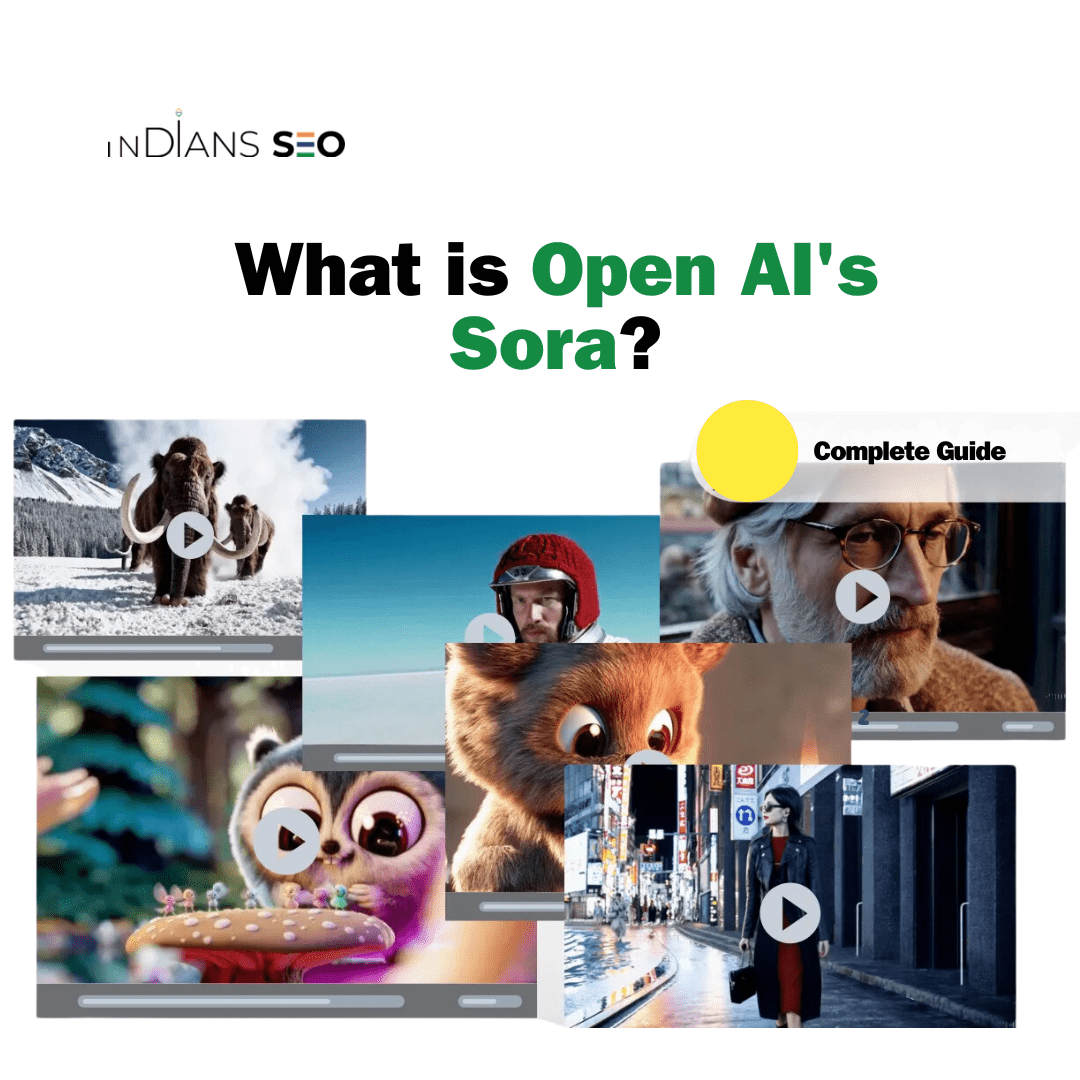
    In this blog we will discover What is Open AI’s Sora?  Sora is an AI model developed by OpenAI for generating videos from text descriptions. Users can input a text prompt, and Sora creates a video that corresponds to the description. For example, it can be used to visualize scenes based on written narratives.

    How Does Sora Work?

    Sora, like text-to-image AI models such as DALL·E 3, StableDiffusion, and Midjourney, is a diffusion model. It starts with each frame of the video consisting of static noise and uses machine learning to gradually transform the images into something resembling the description in the prompt. Sora videos can be up to 60 seconds long.

    An innovative aspect of Sora is its approach to temporal consistency. Unlike some earlier models, Sora considers several video frames at once. This allows it to maintain consistency when objects move in and out of view. For example, in a video featuring a kangaroo, if the kangaroo’s hand moves out of the shot and then returns, it ensures that the hand looks the same as before, maintaining continuity in the video.

    image 43

    Sora innovatively combines a diffusion model with a transformer architecture, similar to the one used by GPT, to enhance video generation.

    Jack Qiao highlighted the strengths of each model type, noting that diffusion models excel at generating low-level texture but struggle with global composition, while transformers have the opposite strengths. By integrating these models, it leverages the transformer’s ability to determine high-level layout and the diffusion model’s skill in creating details.

    In practice, Sora breaks down images into smaller three-dimensional patches, akin to “tokens” in language models. The transformer part organizes these patches, while the diffusion model generates content for each patch. To manage computational complexity, a dimensionality reduction step is applied to the patch creation process, optimizing resource usage.

    To enhance fidelity, Sora employs a recaptioning technique, also seen in DALL·E 3. This technique involves using GPT to expand the user’s initial prompt, adding more detail for a richer output.

    What are the Limitations of Sora?

    OpenAI has acknowledged several limitations in the current version of Sora. One major limitation is that Sora lacks an intrinsic understanding of physics, which can lead to inconsistencies with real-world physical rules.

    For instance, Sora does not grasp cause-and-effect relationships. In a video featuring an explosion on a basketball hoop, Sora may depict the hoop exploding but then show the net returning to its original state, disregarding the logical consequence of the explosion.

    Unanswered questions on reliability

    The reliability of Sora is currently uncertain. While the examples provided by OpenAI showcase high-quality outputs, it is unclear if these were cherry-picked from a larger pool of generated videos. In text-to-image tools, it is common to generate multiple images and select the best one. The same approach may have been used for Sora’s videos, but the exact number of videos generated to produce the showcased examples is unknown.

    The adoption of Sora could be hindered if it requires the generation of hundreds or thousands of videos to obtain a single usable one. To assess this, we will need to wait until the tool is more widely available and its performance can be evaluated across a broader range of inputs and outputs.

    What are the Use Cases of Sora?

    Sora offers versatile capabilities, enabling users to create videos from scratch, extend existing videos to increase their length, and fill in missing frames in videos.

    Similar to how text-to-image AI tools have simplified image creation for those without technical image editing skills, Sora aims to streamline video creation for individuals without extensive experience in video editing. Here are some key use cases for Sora’s application:

    Social media

    Sora is ideal for crafting short-form videos tailored for social media platforms such as TikTok, Instagram Reels, and YouTube Shorts. It excels in bringing to life scenes that are challenging or impossible to film conventionally. For instance, creating a futuristic depiction of Lagos in 2056 would be technically complex or unfeasible to film but can be easily achieved using Sora.

    Advertising and marketing

    Producing advertisements, promotional videos, and product demonstrations has traditionally been costly. Text-to-video AI tools like Sora offer a more affordable alternative. For instance, a tourist board aiming to promote California’s Big Sur region could opt for expensive drone rental to capture aerial footage, or they could use AI, saving both time and money.

    Prototyping and concept visualization

    AI-generated videos can be valuable for rapidly showcasing ideas, even if they are not included in the final product. Filmmakers, for instance, can use AI to create mockups of scenes prior to filming, while designers can visualize products through video before actual production. For instance, a toy company could generate an AI mockup of a new pirate ship toy to evaluate its design and appeal before proceeding with mass production.

    image 44

    Synthetic data generation

    Synthetic data is often employed in scenarios where privacy or feasibility issues preclude the use of real data. In cases involving numeric data, such as financial data or personally identifiable information, access to these datasets must be strictly regulated. However, synthetic data with similar properties can be generated and made available to the public.

    One application of synthetic video data is in training computer vision systems. As previously discussed, the US Air Force has utilized synthetic data to enhance the performance of its computer vision systems for unmanned aerial vehicles. These systems are trained to detect buildings and vehicles in challenging conditions like nighttime and inclement weather. Tools like Sora have made this process significantly more cost-effective and accessible to a broader audience.

    What are the Risks of Sora?

    While it offers innovative capabilities for generating videos from text descriptions, there are several potential risks associated with its use:

    Misinformation: Just like any AI model, it could be used to create realistic but false content, leading to the spread of misinformation or fake news.

    Privacy Concerns: The use of it to generate videos could raise privacy concerns if it is used to create videos of individuals without their consent or to manipulate existing videos in a misleading way.

    Bias and Discrimination: If not carefully monitored and controlled, Sora’s outputs could reflect biases present in the training data, potentially leading to discriminatory or offensive content.

    Intellectual Property Rights: There may be issues related to intellectual property rights if it is used to create videos that infringe on copyrighted material or trademarks.

    Dependency and Reliability: Relying heavily on it for video creation could lead to dependency issues if the tool is not consistently reliable or if its availability is interrupted.

    Technical Limitations: It may not be able to accurately capture complex or nuanced visual concepts, leading to limitations in the types of videos it can effectively generate.

    Ethical Use: Ensuring that it is used ethically and responsibly, particularly in sensitive or controversial topics, is essential to prevent harm or misuse.

    It’s important for users and developers of Sora to be aware of these risks and take appropriate measures to mitigate them.

    How Can I Access Sora?

    As of now, It is exclusively accessible to “red team” researchers—specialists tasked with identifying and addressing potential issues with the model. These researchers aim to generate content that may pose risks, as outlined in the previous section. OpenAI uses their findings to mitigate these risks before releasing Sora to the general public.

    While OpenAI has not set a definitive release date for Sora, it is expected to become available sometime in 2024.

    image 46

    What Are the Alternatives to Sora?

    There are several notable alternatives to Sora that enable users to create video content from text:

    • Runway-Gen-2: A prominent alternative to it, Runway Gen-2 is a text-to-video generative AI available on web and mobile platforms.
    • Lumiere: Recently announced by Google, Lumiere is accessible as an extension to the PyTorch deep-learning Python framework.
    • Make-a-Video: Meta introduced Make-a-Video in 2022, also available through a PyTorch extension.

    Smaller competitors in this space include:

    • Pictory: Offers tools for simplifying the conversion of text into video content, catering to content marketers and educators.
    • Kapwing: Provides an online platform for creating videos from text, with a focus on ease of use for social media marketers and casual creators.
    • Synthesia: Specializes in creating AI-powered video presentations from text, offering customizable avatar-led videos for business and educational purposes.
    • HeyGen: Aims to streamline video production for product and content marketing, sales outreach, and education.
    • Steve AI: Provides an AI platform for generating videos and animations from various inputs, including text prompts.
    • Elai: Focuses on e-learning and corporate training, offering a solution to effortlessly convert instructional content into informative videos.

    What Does OpenAI Sora Mean for the Future?

    It’s impact on the future is likely to be significant, with both positive and negative implications across various industries and aspects of society:

    Short-term implications:

    1. Quick Adoption: It’s release to the public is expected to lead to quick adoption in various sectors, including social media, advertising, prototyping, data storytelling, and education.
    2. Risks: However, there are risks associated with Sora, such as the spread of misinformation, copyright infringement, regulatory challenges, and potential dependence on technology.
    3. Competition: It is likely to drive competition in the generative AI field, with more alternatives and innovations emerging.

    Long-term implications:

    1. Advanced Content Creation: It could become a mainstay in industries like VR, AR, video games, TV, and movies, speeding up production and enabling personalized entertainment and education.
    2. Blurring of Physical and Digital Worlds: It, combined with VR and AR, could blur the lines between physical and digital worlds, revolutionizing how we interact with digital content.

    In conclusion, Sora has the potential to transform content creation, education, entertainment, and more, but its widespread adoption will require careful consideration of its risks and implications. https://kamleshsingad.com/

    Logo

    Contact Person: Kamlesh Singad

    Phone no. +91 9131341638

    Web Page: https://kamleshsingad.in/

    contact@kamleshsingad.com

    Read More –

    Top 10 Graphic Design Courses in Indore – https://kamleshsingad.in/top-10-graphic-design-courses-in-indore/

    What is Digital Marketing and How Does It Work? – https://kamleshsingad.in/what-is-digital-marketing-and-how-does-it-work/

    How To Become a Freelancer in 2024: The Complete Guide – https://kamleshsingad.in/how-to-become-a-freelancer-in-2024-the-complete-guide/

  • 10 Best Image-to-Video AI Generators in 2024

    10 Best Image-to-Video AI Generators in 2024

    In recent years, the rise of AI-powered AI Generators tools has revolutionized the way we create content. One area where AI Generators has made a significant impact is in the creation of videos from images. Image-to-video AI generators are sophisticated tools that can transform still images into dynamic, engaging videos, complete with transitions, effects, and even music. In this blog, we will explore the 10 best image-to-video AI generators in 2024, highlighting their features, benefits, and how they can be used to create stunning visual content.

    Feedeo

    Feedeo: Revolutionizing Video Marketing with AI

    image 40

    In the realm of image-to-video makers, Feedeo emerges as a top contender for 2024. This innovative tool leverages interactive video and AI Generators characters to craft compelling marketing content. Its realistic AI Generators avatars engage in conversations, fostering a deeper connection with viewers. This approach allows brands to showcase products in a more friendly and relatable manner compared to traditional text-based marketing.

    Feedeo’s impact extends beyond mere engagement—it helps businesses streamline their video marketing efforts. By simplifying complex processes and offering innovative solutions, Feedeo stands out as a top AI Generators video creator in 2024. It enables businesses to better connect with modern audiences, ultimately leading to increased sales and brand loyalty.

    Key Features of Feedeo:

    1. Convert Photos to Videos: Easily transform static images into dynamic videos.
    2. Personalized Video Messages: Create personalized messages and FAQs delivered by lifelike AI Generators characters.
    3. Engagement Boosters: Add quizzes, surveys, and calls-to-action to enhance viewer engagement and gather valuable data.
    4. Efficient Job Interviews: Schedule and conduct efficient AI Generators video job interviews, saving time and resources.
    5. Feedback Integration: Seamlessly integrate feedback forms into videos, allowing for easy gathering of customer insights.

    Pricing:

    • Free Plan: $0 per month
    • Basic Plan: $19.9 per month
    • Pro Plan: $199 per month

    Feedeo’s innovative approach to video marketing, coupled with its user-friendly features and pricing plans, makes it a standout choice for businesses looking to connect with their audience in a more meaningful way.

    Pictory

    Pictory: Your Storytelling Companion

    image 41

    Pictory isn’t just another video maker; it’s a storyteller. With Pictory, you can breathe life into your pictures, infusing them with a touch of their essence to create a seamless video narrative. Powered by smart AI Generators, Pictory adds captions, music, and even voiceovers to your photos, transforming them into captivating stories. Whether you’re sharing travel adventures or cherishing family moments, Pictory makes it effortless.

    Key Features:

    1. Pre-built Templates: Jumpstart your video story with ready-to-use templates.
    2. AI-Powered Enhancements: Add music, voiceovers, and text-to-speech features intelligently curated by AI Generators.
    3. Global Reach: Speak to the world with automatic translations and multilingual narration.
    4. Platform Compatibility: Tailor your videos for Instagram, YouTube, and other platforms with just a click.

    Pricing:

    • Standard Plan: $23 per month
    • Pro Plan: $47 per month

    Pictory’s innovative approach to storytelling, combined with its user-friendly features and flexible pricing, makes it the perfect companion for transforming your photos into captivating videos.

    RunwayML

    RunwayML: Unleash Your Creative Potential with AI

    image 42

    RunwayML is not just a AI Generators tool; it’s a gateway to your artistic imagination. Picture transforming faces, animating paintings, or even generating entirely new video footage—all powered by the marvels of AI. With RunwayML, you’re not confined to still images; you can manipulate video clips, blend visuals, and explore limitless creative possibilities. It’s like having a full-fledged creative studio at your fingertips, pushing the boundaries of visual storytelling.

    Key Features:

    1. Model Flexibility: Choose from a variety of existing models or fine-tune your own to achieve truly unique effects.
    2. Community Collaboration: Access a plethora of powerful tools and scripts created by the vibrant RunwayML community, enhancing your creative arsenal.
    3. Real-time Editing: Preview and adjust your edits on the fly, collaborating with AI Generators to bring your vision to life.

    Pricing:

    • Free Tier: Limited access to basic features.
    • Personal Pro: $15 per month for individual users.
    • Team: $49 per month per user for collaborative teams.

    RunwayML empowers you to explore your creativity in ways previously unimaginable. Whether you’re an artist, designer, or storyteller, RunwayML opens doors to new realms of visual expression.

    Synthesia

    Synthesia: Human Realism in AI-Powered Videos

    Say goodbye to robotic AI Generators AI voices and hello to human-like realism with Synthesia. This innovative platform offers a library of lifelike virtual actors from diverse backgrounds, ensuring your message is delivered with natural gestures and expressions. Whether you’re creating presentations, explainers, or social media snippets, Synthesia makes it effortless. Simply write your script, choose your avatar, and let Synthesia handle the rest, generating lip-synced videos that add a human touch to your content.

    Key Features:

    1. Avatar Selection: Choose from a range of pre-existing avatars or upload your own for personalized videos.
    2. Script Customization: Tailor the tone and delivery of your script to match your brand and message, ensuring a perfect fit every time.
    3. Avatar Personalization: Customize your avatar’s appearance and create unique video settings to enhance your brand identity.
    4. Performance Tracking: Track your video’s performance and refine your content for maximum impact, ensuring you’re always on target.

    Pricing:

    • Individual: $47 per month for individual users.
    • Pro: $99 per month for enhanced features and capabilities.
    • Business: $249 per month for businesses requiring advanced tools and support.

    Synthesia is the ideal solution for businesses looking to add a human touch to their videos without the hassle of real actors. With its intuitive interface and powerful features, Synthesia empowers you to create compelling, lifelike videos that resonate with your audience.

    InVideo

    InVideo: Your All-in-One Video Creation Tool

    When it comes to video creation, InVideo is your Swiss Army knife. Not limited to image-to-video conversion, it offers a comprehensive suite of editing tools, including animations, effects, social media templates, and stock footage. Whether you’re uploading images or adding clips, InVideo’s drag-and-drop interface makes the process seamless, even for beginners. It’s the perfect tool for social media enthusiasts, marketers, and anyone looking to create engaging content quickly and easily.

    Key Features:

    1. User-Friendly Interface: Build your video effortlessly with InVideo’s intuitive interface, designed to guide you through the process.
    2. Vast Media Library: Access millions of free stock videos, images, and music tracks to enhance your videos and add a personal touch.
    3. Creative Enhancements: Elevate your video with text overlays, transitions, and motion graphics, adding a professional touch to your content.
    4. Direct Publishing: Publish your videos directly to your preferred platforms and track their performance, ensuring your content reaches the right audience.

    Pricing:

    • Free Tier: Limited features for those looking to get started.
    • Basic: $15 per month for essential features and capabilities.
    • Plus: $30 per month for additional tools and enhancements.
    • Business: $99 per month for advanced features and support.

    InVideo is the go-to solution for anyone looking to create high-quality, engaging videos with ease. Whether you’re a social media guru or a marketing professional, InVideo has everything you need to bring your ideas to life.

    Lumen5

    Lumen5: Transforming Text into Engaging Videos

    Lumen5 offers a seamless way to transform your blog posts, articles, or scripts into dynamic videos. Simply input your text, select from their extensive library of video clips and images, and let Lumen5 work its magic. Using AI Generators AI-powered narration, music, and animations, Lumen5 creates captivating videos that are perfect for educators, content creators, and businesses looking to repurpose their text into compelling visual content.

    Key Features:

    1. Pre-designed Templates: Choose from a variety of templates tailored for different types of videos, making it easy to create professional-looking content.
    2. AI-generated Narration: Lumen5’s AI automatically generates script narration and text overlays, saving you time and effort.
    3. Vast Media Library: Access millions of royalty-free videos and images to enhance your videos and make them more engaging.
    4. Brand Customization: Customize your videos with your brand’s logos and colors, ensuring a consistent look across all your content.
    5. Social Media Integration: Easily share your videos on social media platforms and track their performance with built-in analytics tools.

    Pricing:

    • Free Tier: Limited features for basic video creation.
    • Starter: $19 per month for essential features and capabilities.
    • Pro: $49 per month for additional tools and enhancements.
    • Business: $199 per month for advanced features and support.

    Lumen5 is the ideal tool for anyone looking to create visually stunning videos from text content. Whether you’re a teacher, content creator, or business owner, Lumen5 can help you transform your ideas into engaging videos that captivate your audience.

    Kapwing

    Kapwing: Your Creative Playground for Visual Content

    Kapwing goes beyond simple image-to-video conversion; it’s a vibrant playground for visual creators. Whether you’re uploading images, videos, or GIFs, Kapwing offers a suite of AI-powered AI Generators tools to unleash your creativity. From resizing and background removal to animation and audio effects, Kapwing empowers you to edit and transform your visual assets into compelling content with ease.

    Key Features:

    1. Background Removal: Utilize AI-powered background removal and green screen effects to enhance your visuals.
    2. Animated Overlays and Text: Add animated overlays and text with custom fonts and colors to make your content more dynamic.
    3. Video Editing Tools: Use tools like video loop, trim, and cut for precise editing and seamless transitions.
    4. Audio Enhancement: Enhance your videos with voiceovers, sound effects, and access to a library of music tracks.
    5. Collaboration Features: Collaborate with others in real-time, making teamwork and feedback seamless.

    Pricing:

    • Free Plan: Limited features for basic editing needs.
    • Creator: $12 per month for enhanced editing capabilities.
    • Pro: $36 per month for additional tools and features.
    • Business: $72 per month for advanced editing and collaboration features.

    Kapwing is the ultimate tool for visual creators looking to elevate their content. Whether you’re a social media enthusiast, marketer, or content creator, Kapwing provides the tools you need to bring your ideas to life.

    Biteable

    Biteable: The Go-To Tool for Quick and Captivating Social Media Videos

    Biteable is your go-to solution for creating quick and captivating social media videos. With Biteable, you can easily upload your images, select a template tailored for your preferred platform, and let Biteable handle the rest. Biteable automatically adjusts formatting and dimensions to ensure your videos look their best on every platform. Add text, music, and even AI-powered AI Generators voiceovers to create catchy social media posts, Instagram stories, or short ads that grab attention.

    Key Features:

    1. Social Media Templates: Choose from a variety of templates designed specifically for different social media platforms, making it easy to create content that resonates with your audience.
    2. AI-Powered Tools: Biteable’s smart AI Generators tools automatically format your videos and add text animations, saving you time and effort.
    3. Royalty-Free Music Library: Access a vast library of royalty-free music and sound effects to enhance your videos and make them more engaging.
    4. One-Click Sharing: With Biteable, you can share your videos to social media platforms with just one click, streamlining your workflow.

    Pricing:

    • Basic Plan: $49 per month for essential features and capabilities.
    • Pro: $99 per month for advanced tools and enhancements.

    Biteable is the perfect tool for marketers, social media managers, and content creators looking to create high-quality videos for social media quickly and easily. With its user-friendly interface and powerful features, Biteable helps you create videos that stand out and drive engagement on social media.

    Animaker

    Animaker: Bring Your Images to Life with Animation

    Animaker is a versatile animation platform equipped with an image-to-video converter, offering seamless integration between still images and dynamic animations. Whether you’re uploading your own images or utilizing Animaker’s extensive library of pre-made animation templates, you can easily create captivating videos tailored to your needs. With options to add characters, props, sounds, and music, Animaker ensures professional-looking results every time. It’s an ideal choice for educators, explainer videos, and animated marketing content.

    Key Features:

    1. Pre-made Animation Templates: Choose from a variety of pre-made templates designed for different types of videos, providing a starting point for your creative endeavors.
    2. Drag-and-Drop Interface: Animaker’s intuitive drag-and-drop interface makes animation creation a breeze, even for beginners.
    3. Extensive Library: Access a vast library of characters, props, and sound effects to enhance your animations and make them more engaging.
    4. Audio Integration: Record voiceovers directly within Animaker or import custom music and soundtracks to add depth to your videos.
    5. Flexible Export Options: Export your videos in different formats and qualities, ensuring compatibility with various platforms and devices.

    Pricing:

    • Free Tier: Limited features for basic animation needs.
    • Hobbyist: $10 per month for hobbyists and casual users.
    • Starter: $24 per month for enhanced features and capabilities.
    • Pro: $49 per month for professional-grade tools and support.

    Animaker empowers users to unleash their creativity and bring their ideas to life through animation. Whether you’re a teacher, content creator, or marketer, Animaker provides the tools you need to create stunning animated videos with ease.

    Clipchamp

    Clipchamp: Your Easy-to-Use Video Creation Tool

    Clipchamp makes video creation accessible to everyone with its user-friendly interface and a wide range of image-to-video options. Whether you’re uploading still images, using pre-designed templates, or creating your own from scratch, Clipchamp offers a simple drag-and-drop interface that makes the process effortless. Add text, animations, music, and even screen recordings to create engaging content for social media, presentations, and more.

    Key Features:

    1. Pre-designed Templates: Choose from a variety of templates designed for different occasions, providing a starting point for your video projects.
    2. Media Libraries: Access Clipchamp’s royalty-free video clips, images, and music libraries to enhance your videos and make them more appealing.
    3. Screen Recording: Capture your screen or webcam footage directly within Clipchamp, making it easy to create tutorial videos or share presentations.
    4. Text Animation and Transitions: Add text animation, transitions, and other effects to enhance your videos and make them more dynamic.
    5. Direct Export: Export your videos directly to social media platforms and cloud storage, saving you time and effort.

    Pricing:

    • Free Tier: Limited features for basic video creation needs.
    • Creator: $9 per month for individual creators looking for more advanced tools.
    • Business: $29 per month for businesses requiring additional features and support.

    Clipchamp is the perfect tool for anyone looking to create high-quality videos without the complexity of traditional video editing software. With its intuitive interface and comprehensive feature set, Clipchamp empowers users to bring their ideas to life with ease. https://kamleshsingad.com/

    10 Best Image-to-Video AI Generators in 2024

    Logo

    Contact Person: Kamlesh Singad

    Phone no. +91 9131341638

    Web Page: https://kamleshsingad.in/

    contact@kamleshsingad.com

    Read More –

    Social Media Marketing Certification Course – https://kamleshsingad.in/social-media-marketing-certification-course/

    How To Become a Freelancer in 2024: The Complete Guide – https://kamleshsingad.in/how-to-become-a-freelancer-in-2024-the-complete-guide/

    What is Digital Marketing? Types, Examples and Benefits – https://kamleshsingad.in/what-is-digital-marketing-types-examples-and-benefits/

  • Image-generator-using-openai-api

    Image-generator-using-openai-api

    In recent years, artificial intelligence has made significant strides in various fields, including image generation. One of the most exciting developments in this area is the use of Image-generator-using-openai-api for generating realistic images. This powerful tool leverages the capabilities of deep learning to create stunning visuals, opening up a world of possibilities for artists, designers, and developers alike.

    What is OpenAI’s API?

    OpenAI is a research organization focused on developing artificial intelligence in a safe and beneficial manner. One of their projects is the OpenAI API, which provides access to a range of AI models, including those for natural language processing, text generation, and image generation.

    Harnessing the Potential of OpenAI’s API for Diverse Applications

    OpenAI’s API offers a versatile toolkit that can enhance a wide range of tasks, providing access to various models with distinct capabilities and pricing structures. Whether you’re looking to leverage existing models or fine-tune custom ones, the API offers flexibility and scalability to meet your needs. OpenAI is at the forefront of AI technology, striving to advance AI systems for the benefit of humanity. One of their groundbreaking tools is the AI image generator, which allows users to create custom images from text descriptions without requiring any artistic skills. Let’s delve into how it works, its key features, use cases, pricing, and support options.

    image 37

    How OpenAI’s API Works

    At its core, OpenAI’s API is designed to empower users with the ability to generate text using advanced models such as GPT-4 and GPT-3.5. These models have been trained to understand and generate natural and formal language, making them ideal for tasks like content generation, code writing, summarization, conversation simulation, and creative writing.

    Key Concepts to Understand

    Text Generation Models: These models, like GPT-4, excel at producing text in response to specific inputs or “prompts.” Designing an effective prompt is crucial, as it guides the model on how to generate the desired output. Text generation models can be applied to a wide array of tasks, thanks to their versatility and language understanding capabilities.

    Assistants: OpenAI’s API enables the creation of assistants powered by large language models. These assistants can perform tasks based on predefined instructions and have access to additional tools for more complex operations, such as running code or retrieving information from files.

    Embeddings: Embeddings are vector representations of text data that capture its content and meaning. OpenAI offers text embedding models that can convert text strings into embedding vectors. These embeddings are valuable for tasks like search, clustering, recommendations, anomaly detection, and classification.

    Tokens: Text generation and embedding models process text in chunks called tokens, which represent commonly occurring sequences of characters. Understanding tokenization is crucial for working effectively with these models, as it impacts how text is processed and generated.

    image 38

    Limitations and Considerations

    It’s important to keep in mind the limitations of text generation models, such as the maximum context length for prompts and outputs. For embeddings models, input length is a critical consideration. These limitations can affect the complexity and length of text that can be processed by the models.

    How to use OpenAI’s API for image generation

    The image generation process with OpenAI’s API involves feeding the model with a prompt, which can be a text description or an initial image. The model then uses this prompt to generate a new image that matches the given description or style. The model has been trained on a vast dataset of images, allowing it to understand and replicate various visual concepts.

    • Input Text Description: Users input a text description of the image they want to generate.
    • Machine Learning Analysis: OpenAI’s powerful machine learning model analyzes the text prompt to understand the desired image.
    • Image Generation: The AI model uses its training on millions of image-text pairs to create a new image that matches the description.
    • Quality Output: The generated images are high-quality and realistic, opening up endless possibilities for creative expression.

    Using the API for image generation involves several steps:

    • Accessing the API: Sign up for an API key on the OpenAI website and follow the documentation to set up your API client.
    • Formulating a prompt: Decide what kind of image you want to generate and formulate a clear, concise prompt describing it. For example, “A futuristic cityscape at night with neon lights and flying cars.”
    • Generating the image: Use the API client to send your prompt to the model and receive the generated image. You may need to experiment with different prompts and parameters to get the desired result.
    • Refining the image: If the generated image is not exactly what you had in mind, you can refine it by adjusting the prompt or using post-processing techniques.

    Key Features and Benefits

    • Custom Image Generation: Create images for logos, product designs, fashion sketches, and more.
    • No Artistic Skill Required: The AI does the heavy lifting, making image creation accessible to everyone.
    • High-Quality Output: Output images are of impressive quality, suitable for professional use.
    • Endless Possibilities: From landscapes to characters, the AI can bring any idea to life.
    image 39

    Use Cases and Applications

    • Design: Quickly iterate on design concepts for various purposes.
    • Marketing: Create custom images for social media, advertisements, and presentations.
    • Entertainment: Generate scenes, characters, and landscapes for stories and games.
    • Research: Visualize concepts and data to aid research projects.
    • Personal Use: Create custom profile pictures, digital art, and gifts.
    • Art and Design: Artists and designers can use the API to quickly generate visual concepts for their projects. For example, they can describe a scene, and the API can generate a rough sketch that can be further refined.
    • Content Creation: Content creators can use the API to generate custom images for their articles, social media posts, and videos, saving time and effort in creating visuals.
    • Game Development: Game developers can use the API to generate assets such as characters, backgrounds, and objects, speeding up the development process.
    • Prototyping: Engineers and product designers can use the API to quickly create visual prototypes of their ideas, helping them visualize concepts before investing in full-scale development.

    Who Can Benefit from Using It?

    • Graphic Designers and Digital Artists: Enhance their creative workflow.
    • Marketers and Social Media Managers: Create engaging visuals for campaigns.
    • Writers and Content Creators: Visualize their ideas with custom images.
    • Researchers and Academics: Illustrate concepts and data in their work.
    • Game Developers: Generate assets for game development.
    • Crafters and DIYers: Create custom visuals for projects.
    • Anyone Wanting to Turn Ideas into Images: Access a powerful tool for visual expression.

    Plans and Pricing

    • Limited Free Usage: OpenAI offers limited free usage for the image generator.
    • Paid Tiers: Additional usage starts at $0.02 per image, with paid tiers for startups and enterprises.
    • See Plans and Pricing: Link to plans and pricing

    Support Options

    • FAQ Section: Covers common questions on using the image generator.
    • Email and Chat Support: Options for direct support.
    • Active Community Forum: Engage with the community to discuss use cases and get help.

    Integrations and API Access

    • API Available: Integrate the image generator into other applications.
    • Python Library: Easy integration into Python projects.
    • Community-Built Integrations: Connect with popular platforms like Slack, Discord, and more.

    Customer Feedback

    • Customers have praised the image generator for its impressive quality and creative potential.
    • Reviews highlight its easy usability, customizability, and value offered.

    Frequently Asked Questions

    • Accuracy of Generated Images: Quality continues to improve; more detailed text prompts produce better results.
    • Content Guidelines: Restrictions against harmful or illegal content; see the content policy for details.
    • Image Sizes: Can output small thumbnail-sized images up to 1024×1024 resolution images.

    Useful Links and Resources

    With OpenAI’s AI image generator, the possibilities for creativity and innovation are truly limitless. Whether you’re a designer, marketer, researcher, or simply someone with a creative vision, this tool can help bring your ideas to life in stunning detail and quality.

    Conclusion

    OpenAI’s API for image generation opens up exciting possibilities for creators across various fields. Whether you’re an artist looking for inspiration, a designer looking to speed up your workflow, or a developer looking to add AI-powered features to your project, the API offers a powerful and accessible tool for generating realistic images. OpenAI’s API offers a powerful set of tools for text generation, embedding, and more. By understanding the key concepts and capabilities of the API, users can harness its potential to enhance a wide range of applications, from content creation to data analysis. With the ability to access and fine-tune models, the API opens up new possibilities for innovation and creativity across diverse fields. https://benchmarktechnomate.co/

    Image-generator-using-openai-api

    Logo

    Contact Person: Kamlesh Singad

    Phone no. +91 9131341638

    Web Page: https://kamleshsingad.in/

    contact@kamleshsingad.com

    Read More –

    Top 10 Digital Marketing Institutes in Indore – https://kamleshsingad.in/top-10-digital-marketing-institutes-in-indore/

    Top 10 Graphic Design Courses in Indore – https://kamleshsingad.in/top-10-graphic-design-courses-in-indore/

    How To Become a Freelancer in 2024: The Complete Guide – https://kamleshsingad.in/how-to-become-a-freelancer-in-2024-the-complete-guide/