Tag: marketing goals

  • How to Set and Track Your Marketing Goals

    How to Set and Track Your Marketing Goals

    In a world where competition is increasing every day, businesses cannot rely on guesswork. Success in marketing requires clarity, strategy, and measurement—and all three begin with one powerful step: setting the right marketing goals.

    But simply writing goals is not enough. You must know how to set them, how to track them, and how to optimize them continuously. This guide will take you through every step so you can achieve predictable growth, better ROI, and a stronger brand presence.

    What Are Marketing Goals?

    Marketing goals are specific, measurable objectives that define what a brand wants to achieve using its marketing efforts.
    Examples include:

    • Increase website traffic
    • Generate more qualified leads
    • Improve brand awareness
    • Grow social media engagement
    • Boost e-commerce sales
    • Increase ROI on ad campaigns

    Without clear goals, marketing becomes directionless. With goals, every action becomes purposeful.
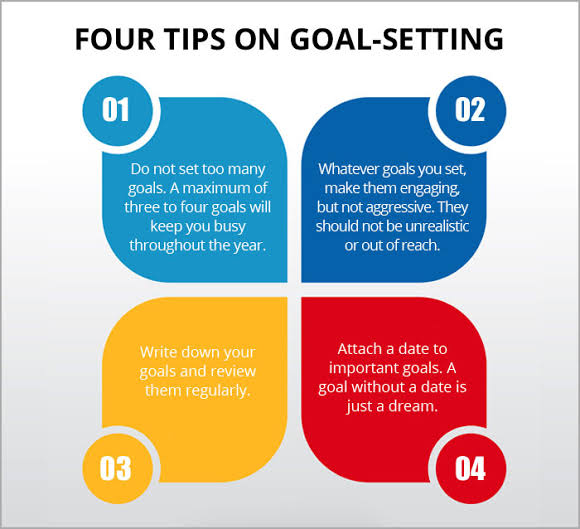
    Marketing Goals

    Why Setting Marketing Goals Is Important

    1. Clear Direction – Marketing goals help your team understand what to achieve and why it matters.

    2. Better Budget Allocation – You spend more smartly because you know which activity produces measurable results.

    3. Improved Team Productivity– Each team member knows their responsibility and success benchmarks.

    4. Accurate Performance Measurement – Tracking goals ensures you can calculate ROI for every strategy.

    5. Long-Term Business Growth – Clear marketing goals align with business goals, ensuring consistent scaling.

    Step-by-Step Guide: How to Set Your Marketing Goals

    1. Understand Your Business Objectives

    Your marketing goals should match the bigger business vision.

    For example:

    • If your business goal → Increase revenue
      Then your marketing goal → Generate 30% more leads
    • If your business goal → Build brand authority
      Then your marketing goal → Publish 4 blogs/month + grow search rankings

    Marketing is not separate; it is the engine of business growth.
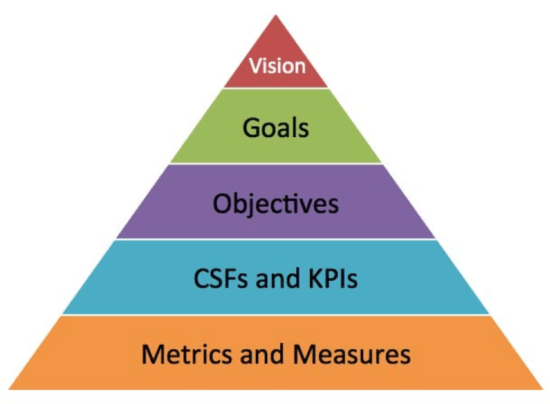
    Marketing Goals

    2. Use the SMART Goal Framework

    Every marketing goal must be SMART:

    SMART ElementMeaningExample
    S – SpecificClear & detailedIncrease website traffic
    M – MeasurableYou can track it20% increase in 60 days
    A – AchievableRealistic & practicalPossible with SEO + ads
    R – RelevantMatches business objectiveMore traffic → more sales
    T – Time-boundHas a deadline60-day goal

    Bad Goal: “Get more leads.”

    SMART Goal: “Generate 150 qualified leads in 30 days through Google Ads and landing pages.”

    3. Analyze Your Current Performance

    You cannot set good goals until you know where you stand.

    Use tools like:

    • Google Analytics
    • GA4
    • Google Search Console
    • SEMrush / Ahrefs
    • Meta & Google Ads
    • CRM reports

    Check metrics such as:

    • Website traffic
    • Conversion rate
    • Leads generated
    • CAC (Customer Acquisition Cost)
    • ROAS (Return on Ad Spend)

    This baseline helps you set realistic targets.

    4. Break Down Goals Into Actionable Tasks

    Major goals require smaller steps.

    Example Goal: Generate 1,000 leads in 3 months

    Break it into:

    • Run Google Ads campaigns
    • Create 3 high-converting landing pages
    • Improve website speed
    • Add lead magnets (ebooks, checklists)
    • Run remarketing ads
    • Improve CTAs

    This structure ensures your team knows “how” the goal will be achieved.

    5. Assign Responsibilities

    A goal becomes achievable only when someone is accountable.

    Example:

    • SEO Manager → Improve rankings
    • Ads Specialist → Optimize campaigns
    • Content Writer → Publish blogs
    • Social Media Manager → Improve engagement
    • CRM team → Nurture leads

    Accountability drives consistent progress.
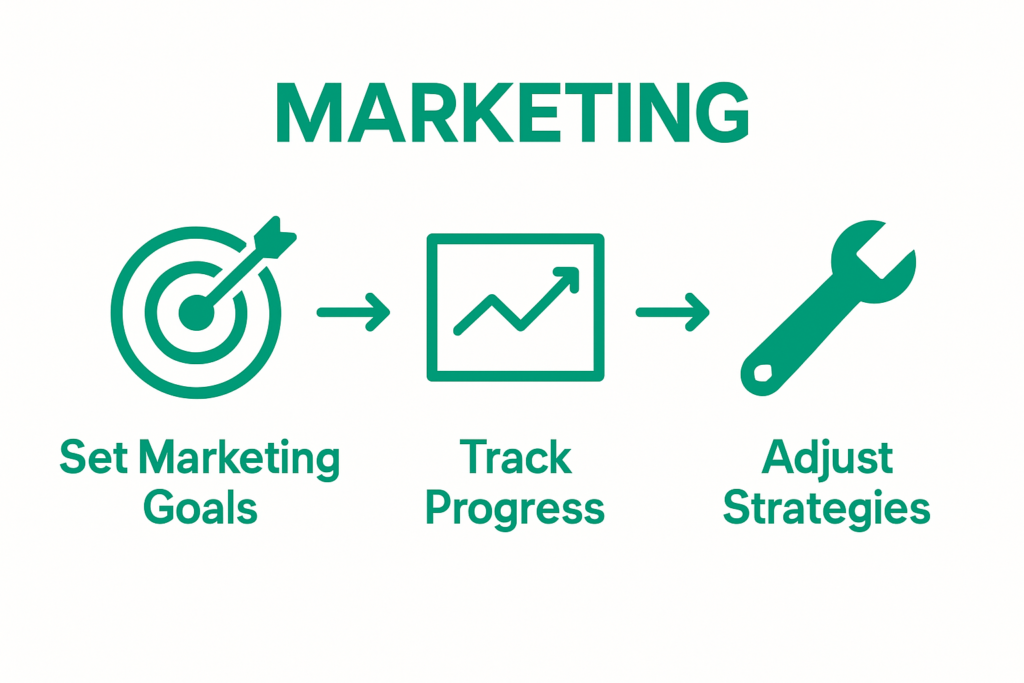
    Marketing Goals

    How to Track Your Marketing Goals

    1. Defining KPIs (Key Performance Indicators)

    Every goal must have KPIs to measure success.

    Example KPIs:

    For Lead Generation:

    • Leads per month
    • Cost per lead (CPL)
    • Conversion rate

    Website Traffic:

    • Sessions
    • Organic traffic growth
    • Bounce rate

    Branding:

    • Impressions
    • Reach
    • Share of voice

    For E-Commerce:

    • Sales
    • ROAS
    • Average order value

    Tracking KPIs helps you understand what’s working and what needs fixing.

    2. Use Marketing Analytics Tools

    Your tracking is incomplete without strong tools.
    Here are the most used tools for measuring marketing goals:

    • GA4 (Google Analytics 4)
    • Google Search Console
    • Google Ads Dashboard
    • Meta Ads Manager
    • HubSpot / Zoho CRM
    • Hotjar (Heatmaps)
    • Google Looker Studio (Dashboards)

    Integrate everything with Google Tag Manager for clean tracking.

    3. Set Up Dashboards for Real-Time Tracking

    Use Google Looker Studio to build dashboards showing:

    • Traffic sources
    • Leads
    • Sales
    • ROAS
    • Top-performing campaigns
    • Conversions by channel

    This helps you monitor performance daily without manually pulling reports.

    4. Conduct Weekly & Monthly Reviews

    Weekly Meetings

    • Check trends
    • Fix campaigns
    • Add negative keywords
    • Improve landing pages

    Monthly Review

    • Study growth
    • Analyze ROI
    • Compare goals vs performance
    • Adjust strategy

    Marketing is not “set and forget.”
    It is review → optimize → scale.

    5. Adjust Goals Based on Data

    If you see high performance, scale budgets.
    If CPL or CAC is rising, refine targeting or landing pages.

    Tracking allows you to make data-driven decisions, not emotional decisions.

    Examples of Good Marketing Goals

    1. SEO Marketing Goal – “Increase organic traffic by 40% in 6 months by ranking 15 new keywords in the top 10.”

    2. Google Ads Goal – “Achieve ₹250 CPL and 5X ROAS through search + PMax campaigns.”

    3. Social Media Goal – “Grow Instagram followers from 5,000 to 10,000 in 90 days with 20 reels and weekly engagement boosts.”

    4. Content Marketing Goal – “Publish 12 long-form blogs per month and increase blog traffic by 50%.”

    5. Lead Generation Goal – “Generate 500 leads per month using lead forms, landing pages, and remarketing.”

    Common Mistakes When Setting Marketing Goals

    • Goals without deadlines
    • Goals without KPIs
    • Setting unrealistic targets
    • Not tracking the correct metrics
    • Lack of strategy behind goals
    • Not aligning goals with business needs
    • Not reviewing performance regularly

    Avoid these mistakes to ensure measurable growth.

    Conclusion

    Setting and tracking marketing goals is not optional—it is essential for predictable and scalable business growth. By understanding your business priorities, using SMART goals, assigning responsibilities, and tracking performance through analytics tools, you can transform your marketing from guesswork into a powerful growth engine.

    Whether you are a small business, a digital marketing agency, or a large organization, this goal-setting framework will help you:

    • Improve ROI
    • Reduce wasteful spending
    • Increase leads & sales
    • Strengthen brand authority

    FAQs

    1. Why are marketing goals important?

    They give direction, improve focus, and help measure success and ROI.

    2. What is a SMART marketing goal?

    A goal that is specific, measurable, achievable, relevant, and time-bound.

    3. How often should marketing goals be tracked?

    Weekly for optimization and monthly for performance review.

    4. Which tools are best for tracking marketing goals?

    GA4, Google Ads, Meta Ads Manager, Search Console, Looker Studio, and CRM tools.

    5. What should businesses avoid while setting goals?

    Unrealistic targets, no KPIs, and not aligning goals with business outcomes.

  • Google ads vs Facebook ads which one is better?

    Google ads vs Facebook ads which one is better?

    In today’s digital age, advertising has evolved beyond traditional methods.

    Two of the most prominent and influential players in the online advertising arena are Google Ads and Facebook Ads. These platforms offer distinct advantages and cater to different marketing goals. In this comprehensive guide, we will compare Google Ads and Facebook Ads to help you determine which one is better for your business.

    Understanding Google Ads

    Google Ads, formerly known as Google AdWords, is Google’s online advertising platform. It operates on a pay-per-click (PPC) model,

    where advertisers bid on keywords to display ads in Google’s search results and on various partner websites. Google Ads primarily serves ads to users who are actively searching for specific products or services.

    Key Features of Google Ads

    1. Keyword Targeting: Advertisers can choose specific keywords related to their business, and when users search for those keywords, their ads appear in the search results.
    2. Ad Formats: Google offers various ad formats, including text ads, display ads, shopping ads, and video ads, to suit different marketing objectives.
    3. Budget Control: Advertisers can set daily budgets, bid amounts, and maximum costs per click (CPC), allowing for precise budget management.
    4. Advanced Targeting Options: Google Ads provides detailed targeting options, such as location, demographics, and device type, to reach a highly specific audience.
    5. Conversion Tracking: Businesses can track conversions and measure the effectiveness of their campaigns, helping optimize ad spend.
    6. Google Display Network: This feature extends ad reach to a vast network of partner websites, blogs, and apps, increasing brand visibility.

    Understanding Facebook Ads

    Facebook Ads is Facebook’s advertising platform that enables businesses to reach their target audience on Facebook and Instagram. Unlike Google Ads, Facebook Ads serves ads to users based on their interests, behavior, and demographics, allowing for a more audience-centric approach.

    Key Features of Facebook Ads

    1. Audience Targeting: Advertisers can target users based on factors such as age, gender, location, interests, and behavior, creating highly customized campaigns.
    2. Ad Formats: Facebook offers a variety of ad formats, including image ads, video ads, carousel ads, and more, making it suitable for different content types.
    3. Budget Flexibility: Advertisers can set daily or lifetime budgets and choose between CPC, CPM (cost per thousand impressions), or CPA (cost per acquisition) bidding.
    4. Instagram Integration: With Facebook Ads, you can also promote your business on Instagram, which is especially popular among younger audiences.
    5. Pixel Tracking: Facebook’s Pixel allows businesses to track user interactions on their websites, helping measure the impact of their ad campaigns.
    6. Dynamic Ads: These automatically show the most relevant products to users who have previously visited your website, enhancing retargeting efforts.

    Comparing Google Ads and Facebook Ads

    Now that we have a basic understanding of both platforms, let’s delve deeper into the comparison to help you decide which one aligns better with your business goals.

    1. Intent vs. Discovery

    Google Ads: Google Ads excels in capturing users with a high intent to purchase. When someone searches for “buy running shoes,” an ad for a sports store selling running shoes can appear at the top of the search results. This is known as capturing “demand” traffic.

    Facebook Ads: Facebook Ads are more about discovery. They show ads to users who may not be actively searching for a specific product but are interested in related topics. For example, if you sell gourmet coffee, you can target users who follow coffee-related pages or have expressed interest in artisanal beverages.

    Example: If you’re running a small coffee roastery and want to attract local coffee enthusiasts actively looking for specialty beans, Google Ads may be the better choice. On the other hand, if you’re launching a new coffee brand and want to build awareness and engagement, Facebook Ads might be more effective in reaching a broader audience.

    2. Targeting Options

    Google Ads: While Google Ads offers detailed targeting options, it primarily relies on keywords and user search behavior. It is great for reaching users actively seeking specific products or services.

    Facebook Ads: Facebook Ads offer unparalleled targeting options. You can pinpoint your audience based on demographics, interests, behavior, and even their past interactions with your brand.

    Example: If you run an e-commerce store selling athletic wear for women, you can use Facebook Ads to target women aged 25-35 who have shown an interest in fitness and yoga, aligning perfectly with your product offering. Google Ads, in this case, might not be as precise in reaching your desired audience.

    3. Ad Formats

    Google Ads: Google provides various ad formats, including text, display, shopping, and video ads. Text ads are ideal for search results, while display and video ads are suitable for brand awareness and visual storytelling.

    Facebook Ads: Facebook offers a wide range of ad formats, from image and video ads to carousel ads and canvas ads. This diversity allows you to craft engaging ad campaigns that align with your content strategy.

    Example: If you’re promoting a new clothing collection, you can use Facebook’s carousel ad format to showcase multiple products in a single ad, providing a visually appealing and interactive experience. Google Ads’ text-based format, while effective, may not offer the same level of engagement for showcasing a product line.

    4. Budget and Bidding

    Google Ads: Google Ads offers precise budget control, allowing you to set daily budgets, maximum CPC bids, and more. You pay when someone clicks on your ad, making it a suitable choice for businesses with a specific ROI goal in mind.

    Facebook Ads: Facebook offers flexibility in budgeting, allowing you to set daily or lifetime budgets. You can choose between CPC, CPM, or CPA bidding, depending on your campaign objectives.

    Example: If you’re running a limited-time promotion and want to ensure every click leads to a purchase, Google Ads’ CPC model may be preferred. Conversely, if you’re focused on generating brand awareness and impressions, Facebook Ads’ CPM model might be more suitable.

    5. Ad Placement

    Google Ads: Your ads on Google can appear in search results, on websites within the Google Display Network, on YouTube, and in mobile apps. You have control over ad placement to some extent.

    Facebook Ads: Your ads on Facebook can appear in users’ news feeds, Instagram feeds, in the right column of the desktop version, and even in Messenger. Facebook automatically optimizes ad placement based on your campaign objective.

    Example: If you’re a mobile game developer looking to promote your latest game, Facebook Ads can place your video ad within the Facebook and Instagram feeds of users who are likely to enjoy gaming. This offers a seamless and engaging experience for potential players. Google Ads can also promote your game on YouTube, targeting users interested in gaming content.

    6. Ad Tracking and Analytics

    Google Ads: Google Ads provides robust tracking and analytics tools, including conversion tracking, Google Analytics integration, and detailed reports on ad performance. This helps you measure the direct impact of your campaigns on website visits, conversions, and sales.

    Facebook Ads: Facebook’s Pixel allows you to track user interactions on your website, such as page views, add-to-cart actions, and completed purchases. It provides valuable insights into user behavior after clicking on your ads.

    Example: If you’re running an e-commerce store, Google Ads’ conversion tracking can help you determine which keywords and ads are driving the most sales. Facebook’s Pixel, on the other hand, can help you understand the customer journey on your website, identifying drop-off points in the sales funnel.

    7. Ad Performance and ROI

    Google Ads: Google Ads is known for its high intent traffic, which often leads to higher conversion rates. However, the competition for certain keywords can drive up costs per click.

    Facebook Ads: Facebook Ads can be more cost-effective for brand awareness and engagement campaigns. It may take more effort to convert users who are in the early stages of the buying cycle.

    Example: If you’re an insurance company, Google Ads may deliver better ROI for users actively searching for “car insurance quotes.” However, if you’re launching a brand awareness campaign to introduce your insurance services to a wider audience, Facebook Ads might be the better choice to start building your brand presence.

    8. Ad Creativity and Content

    Google Ads: Google Ads’ text-based format requires concise and compelling ad copy. While extensions and ad formats like responsive search ads provide some flexibility, the focus is on the message rather than visual creativity.

    Facebook Ads: Facebook’s ad formats allow for creative visual storytelling. You can use images, videos, and carousels to capture users’ attention and convey your brand message effectively.

    Example: If you’re promoting a luxury travel destination, Facebook Ads can showcase stunning images of the location, creating a desire to explore. Google Ads can complement this by appearing when users search for related terms, reinforcing your brand’s presence.

    9. Mobile Advertising

    Google Ads: Google Ads provides opportunities for mobile advertising, especially through its mobile search and display network. Mobile optimization is crucial for success here.

    Facebook Ads: Facebook and Instagram are highly mobile-centric platforms, making them ideal for mobile advertising. Advertisers can reach users while they’re scrolling through their mobile feeds.

    Example: If you’re launching a mobile app, both platforms can be effective. Facebook Ads can showcase your app with engaging visuals, while Google Ads can target users searching for keywords related to your app’s features.

    10. Remarketing and Retargeting

    Google Ads: Google Ads offers powerful remarketing capabilities, allowing you to show ads to users who have previously visited your website or engaged with your app.

    Facebook Ads: Facebook’s dynamic ads are perfect for retargeting users who have interacted with your brand on the platform or visited your website.

    Example: Google Ads can complement this by targeting users who abandoned their shopping carts with text or display ads.

    Conclusion

    In the Google Ads vs. Facebook Ads debate, there isn’t a one-size-fits-all answer. Here’s a simplified summary to help you decide:

    Choose Google Ads if:

    • You want to capture high-intent users actively searching for your products or services.
    • Your goal is to drive direct conversions and sales.
    • You have a clear understanding of relevant keywords for your industry.

    Choose Facebook Ads if:

    • You want to build brand awareness and engage a broader audience.
    • Your target audience is defined by specific demographics, interests, or behaviors.
    • Visual storytelling and creative content are essential for your campaigns.

    In many cases, the most effective strategy is to use both Google Ads and Facebook Ads in a complementary manner.

    Ultimately, successful digital marketing requires continuous monitoring, testing, and optimization.

    Thank You!

    Read More –

    Why SEO is important for website ?

    Digital Marketing Services in India

    How Digital Marketing Help to Grow Coaching Institutes