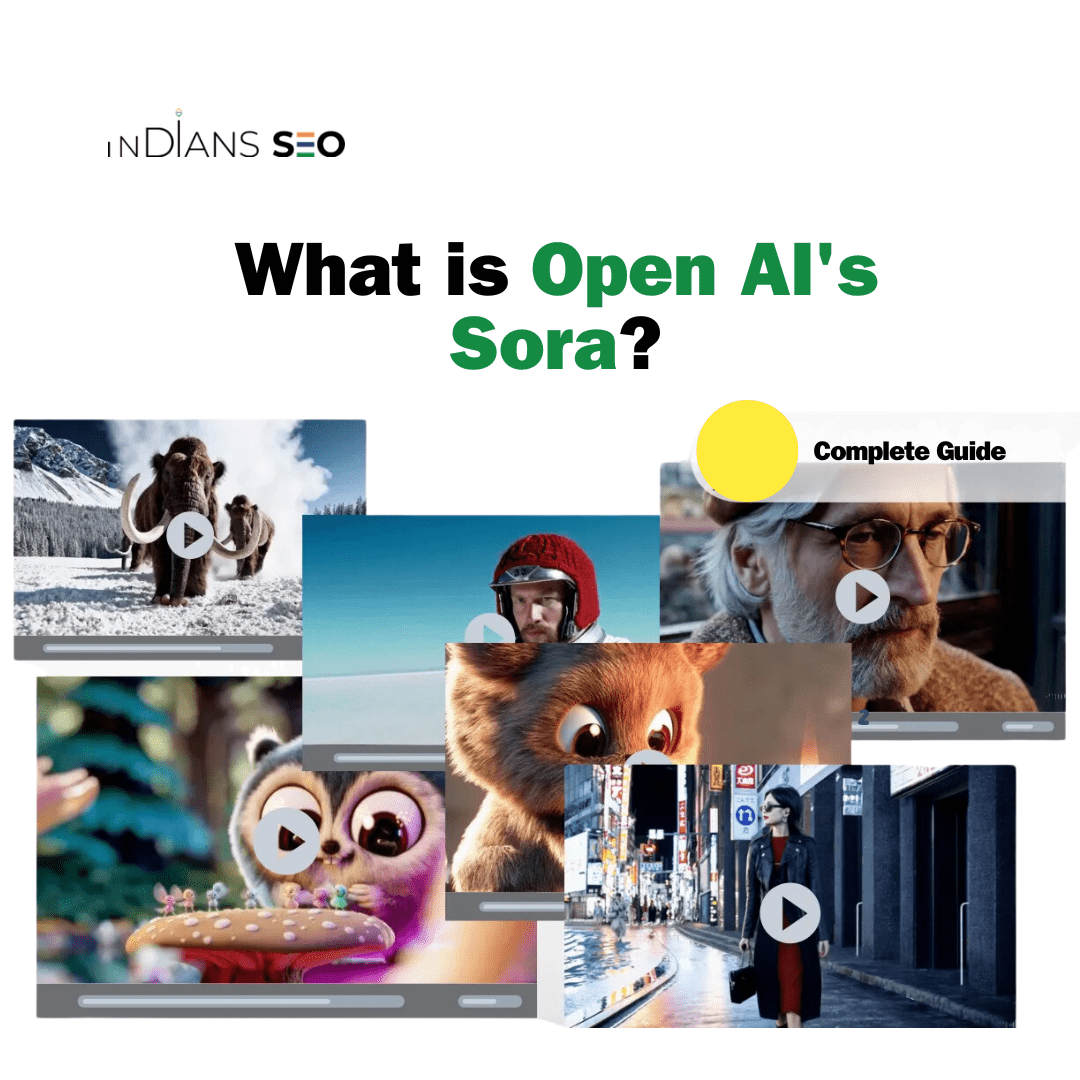
In this blog we will discover What is Open AI’s Sora? Sora is an AI model developed by OpenAI for generating videos from text descriptions. Users can input a text prompt, and Sora creates a video that corresponds to the description. For example, it can be used to visualize scenes based on written narratives.
How Does Sora Work?
Sora, like text-to-image AI models such as DALL·E 3, StableDiffusion, and Midjourney, is a diffusion model. It starts with each frame of the video consisting of static noise and uses machine learning to gradually transform the images into something resembling the description in the prompt. Sora videos can be up to 60 seconds long.
An innovative aspect of Sora is its approach to temporal consistency. Unlike some earlier models, Sora considers several video frames at once. This allows it to maintain consistency when objects move in and out of view. For example, in a video featuring a kangaroo, if the kangaroo’s hand moves out of the shot and then returns, it ensures that the hand looks the same as before, maintaining continuity in the video.
Sora innovatively combines a diffusion model with a transformer architecture, similar to the one used by GPT, to enhance video generation.
Jack Qiao highlighted the strengths of each model type, noting that diffusion models excel at generating low-level texture but struggle with global composition, while transformers have the opposite strengths. By integrating these models, it leverages the transformer’s ability to determine high-level layout and the diffusion model’s skill in creating details.
In practice, Sora breaks down images into smaller three-dimensional patches, akin to “tokens” in language models. The transformer part organizes these patches, while the diffusion model generates content for each patch. To manage computational complexity, a dimensionality reduction step is applied to the patch creation process, optimizing resource usage.
To enhance fidelity, Sora employs a recaptioning technique, also seen in DALL·E 3. This technique involves using GPT to expand the user’s initial prompt, adding more detail for a richer output.
What are the Limitations of Sora?
OpenAI has acknowledged several limitations in the current version of Sora. One major limitation is that Sora lacks an intrinsic understanding of physics, which can lead to inconsistencies with real-world physical rules.
For instance, Sora does not grasp cause-and-effect relationships. In a video featuring an explosion on a basketball hoop, Sora may depict the hoop exploding but then show the net returning to its original state, disregarding the logical consequence of the explosion.
Unanswered questions on reliability
The reliability of Sora is currently uncertain. While the examples provided by OpenAI showcase high-quality outputs, it is unclear if these were cherry-picked from a larger pool of generated videos. In text-to-image tools, it is common to generate multiple images and select the best one. The same approach may have been used for Sora’s videos, but the exact number of videos generated to produce the showcased examples is unknown.
The adoption of Sora could be hindered if it requires the generation of hundreds or thousands of videos to obtain a single usable one. To assess this, we will need to wait until the tool is more widely available and its performance can be evaluated across a broader range of inputs and outputs.
What are the Use Cases of Sora?
Sora offers versatile capabilities, enabling users to create videos from scratch, extend existing videos to increase their length, and fill in missing frames in videos.
Similar to how text-to-image AI tools have simplified image creation for those without technical image editing skills, Sora aims to streamline video creation for individuals without extensive experience in video editing. Here are some key use cases for Sora’s application:
Social media
Sora is ideal for crafting short-form videos tailored for social media platforms such as TikTok, Instagram Reels, and YouTube Shorts. It excels in bringing to life scenes that are challenging or impossible to film conventionally. For instance, creating a futuristic depiction of Lagos in 2056 would be technically complex or unfeasible to film but can be easily achieved using Sora.
Advertising and marketing
Producing advertisements, promotional videos, and product demonstrations has traditionally been costly. Text-to-video AI tools like Sora offer a more affordable alternative. For instance, a tourist board aiming to promote California’s Big Sur region could opt for expensive drone rental to capture aerial footage, or they could use AI, saving both time and money.
Prototyping and concept visualization
AI-generated videos can be valuable for rapidly showcasing ideas, even if they are not included in the final product. Filmmakers, for instance, can use AI to create mockups of scenes prior to filming, while designers can visualize products through video before actual production. For instance, a toy company could generate an AI mockup of a new pirate ship toy to evaluate its design and appeal before proceeding with mass production.
Synthetic data generation
Synthetic data is often employed in scenarios where privacy or feasibility issues preclude the use of real data. In cases involving numeric data, such as financial data or personally identifiable information, access to these datasets must be strictly regulated. However, synthetic data with similar properties can be generated and made available to the public.
One application of synthetic video data is in training computer vision systems. As previously discussed, the US Air Force has utilized synthetic data to enhance the performance of its computer vision systems for unmanned aerial vehicles. These systems are trained to detect buildings and vehicles in challenging conditions like nighttime and inclement weather. Tools like Sora have made this process significantly more cost-effective and accessible to a broader audience.
What are the Risks of Sora?
While it offers innovative capabilities for generating videos from text descriptions, there are several potential risks associated with its use:
Misinformation: Just like any AI model, it could be used to create realistic but false content, leading to the spread of misinformation or fake news.
Privacy Concerns: The use of it to generate videos could raise privacy concerns if it is used to create videos of individuals without their consent or to manipulate existing videos in a misleading way.
Bias and Discrimination: If not carefully monitored and controlled, Sora’s outputs could reflect biases present in the training data, potentially leading to discriminatory or offensive content.
Intellectual Property Rights: There may be issues related to intellectual property rights if it is used to create videos that infringe on copyrighted material or trademarks.
Dependency and Reliability: Relying heavily on it for video creation could lead to dependency issues if the tool is not consistently reliable or if its availability is interrupted.
Technical Limitations: It may not be able to accurately capture complex or nuanced visual concepts, leading to limitations in the types of videos it can effectively generate.
Ethical Use: Ensuring that it is used ethically and responsibly, particularly in sensitive or controversial topics, is essential to prevent harm or misuse.
It’s important for users and developers of Sora to be aware of these risks and take appropriate measures to mitigate them.
How Can I Access Sora?
As of now, It is exclusively accessible to “red team” researchers—specialists tasked with identifying and addressing potential issues with the model. These researchers aim to generate content that may pose risks, as outlined in the previous section. OpenAI uses their findings to mitigate these risks before releasing Sora to the general public.
While OpenAI has not set a definitive release date for Sora, it is expected to become available sometime in 2024.
What Are the Alternatives to Sora?
There are several notable alternatives to Sora that enable users to create video content from text:
Runway-Gen-2: A prominent alternative to it, Runway Gen-2 is a text-to-video generative AI available on web and mobile platforms.
Lumiere: Recently announced by Google, Lumiere is accessible as an extension to the PyTorch deep-learning Python framework.
Make-a-Video: Meta introduced Make-a-Video in 2022, also available through a PyTorch extension.
Smaller competitors in this space include:
Pictory: Offers tools for simplifying the conversion of text into video content, catering to content marketers and educators.
Kapwing: Provides an online platform for creating videos from text, with a focus on ease of use for social media marketers and casual creators.
Synthesia: Specializes in creating AI-powered video presentations from text, offering customizable avatar-led videos for business and educational purposes.
HeyGen: Aims to streamline video production for product and content marketing, sales outreach, and education.
Steve AI: Provides an AI platform for generating videos and animations from various inputs, including text prompts.
Elai: Focuses on e-learning and corporate training, offering a solution to effortlessly convert instructional content into informative videos.
What Does OpenAI Sora Mean for the Future?
It’s impact on the future is likely to be significant, with both positive and negative implications across various industries and aspects of society:
Short-term implications:
Quick Adoption: It’s release to the public is expected to lead to quick adoption in various sectors, including social media, advertising, prototyping, data storytelling, and education.
Risks: However, there are risks associated with Sora, such as the spread of misinformation, copyright infringement, regulatory challenges, and potential dependence on technology.
Competition: It is likely to drive competition in the generative AI field, with more alternatives and innovations emerging.
Long-term implications:
Advanced Content Creation: It could become a mainstay in industries like VR, AR, video games, TV, and movies, speeding up production and enabling personalized entertainment and education.
Blurring of Physical and Digital Worlds: It, combined with VR and AR, could blur the lines between physical and digital worlds, revolutionizing how we interact with digital content.
In conclusion, Sora has the potential to transform content creation, education, entertainment, and more, but its widespread adoption will require careful consideration of its risks and implications. https://kamleshsingad.com/
In recent years, the rise of AI-powered AI Generators tools has revolutionized the way we create content. One area where AI Generators has made a significant impact is in the creation of videos from images. Image-to-video AI generators are sophisticated tools that can transform still images into dynamic, engaging videos, complete with transitions, effects, and even music. In this blog, we will explore the 10 best image-to-video AI generators in 2024, highlighting their features, benefits, and how they can be used to create stunning visual content.
Feedeo
Feedeo: Revolutionizing Video Marketing with AI
In the realm of image-to-video makers, Feedeo emerges as a top contender for 2024. This innovative tool leverages interactive video and AI Generators characters to craft compelling marketing content. Its realistic AI Generators avatars engage in conversations, fostering a deeper connection with viewers. This approach allows brands to showcase products in a more friendly and relatable manner compared to traditional text-based marketing.
Feedeo’s impact extends beyond mere engagement—it helps businesses streamline their video marketing efforts. By simplifying complex processes and offering innovative solutions, Feedeo stands out as a top AI Generators video creator in 2024. It enables businesses to better connect with modern audiences, ultimately leading to increased sales and brand loyalty.
Key Features of Feedeo:
Convert Photos to Videos: Easily transform static images into dynamic videos.
Personalized Video Messages: Create personalized messages and FAQs delivered by lifelike AI Generators characters.
Engagement Boosters: Add quizzes, surveys, and calls-to-action to enhance viewer engagement and gather valuable data.
Efficient Job Interviews: Schedule and conduct efficient AI Generators video job interviews, saving time and resources.
Feedback Integration: Seamlessly integrate feedback forms into videos, allowing for easy gathering of customer insights.
Pricing:
Free Plan: $0 per month
Basic Plan: $19.9 per month
Pro Plan: $199 per month
Feedeo’s innovative approach to video marketing, coupled with its user-friendly features and pricing plans, makes it a standout choice for businesses looking to connect with their audience in a more meaningful way.
Pictory
Pictory: Your Storytelling Companion
Pictory isn’t just another video maker; it’s a storyteller. With Pictory, you can breathe life into your pictures, infusing them with a touch of their essence to create a seamless video narrative. Powered by smart AI Generators, Pictory adds captions, music, and even voiceovers to your photos, transforming them into captivating stories. Whether you’re sharing travel adventures or cherishing family moments, Pictory makes it effortless.
Key Features:
Pre-built Templates: Jumpstart your video story with ready-to-use templates.
AI-Powered Enhancements: Add music, voiceovers, and text-to-speech features intelligently curated by AI Generators.
Global Reach: Speak to the world with automatic translations and multilingual narration.
Platform Compatibility: Tailor your videos for Instagram, YouTube, and other platforms with just a click.
Pricing:
Standard Plan: $23 per month
Pro Plan: $47 per month
Pictory’s innovative approach to storytelling, combined with its user-friendly features and flexible pricing, makes it the perfect companion for transforming your photos into captivating videos.
RunwayML
RunwayML: Unleash Your Creative Potential with AI
RunwayML is not just a AI Generators tool; it’s a gateway to your artistic imagination. Picture transforming faces, animating paintings, or even generating entirely new video footage—all powered by the marvels of AI. With RunwayML, you’re not confined to still images; you can manipulate video clips, blend visuals, and explore limitless creative possibilities. It’s like having a full-fledged creative studio at your fingertips, pushing the boundaries of visual storytelling.
Key Features:
Model Flexibility: Choose from a variety of existing models or fine-tune your own to achieve truly unique effects.
Community Collaboration: Access a plethora of powerful tools and scripts created by the vibrant RunwayML community, enhancing your creative arsenal.
Real-time Editing: Preview and adjust your edits on the fly, collaborating with AI Generators to bring your vision to life.
Pricing:
Free Tier: Limited access to basic features.
Personal Pro: $15 per month for individual users.
Team: $49 per month per user for collaborative teams.
RunwayML empowers you to explore your creativity in ways previously unimaginable. Whether you’re an artist, designer, or storyteller, RunwayML opens doors to new realms of visual expression.
Synthesia
Synthesia: Human Realism in AI-Powered Videos
Say goodbye to robotic AI Generators AI voices and hello to human-like realism with Synthesia. This innovative platform offers a library of lifelike virtual actors from diverse backgrounds, ensuring your message is delivered with natural gestures and expressions. Whether you’re creating presentations, explainers, or social media snippets, Synthesia makes it effortless. Simply write your script, choose your avatar, and let Synthesia handle the rest, generating lip-synced videos that add a human touch to your content.
Key Features:
Avatar Selection: Choose from a range of pre-existing avatars or upload your own for personalized videos.
Script Customization: Tailor the tone and delivery of your script to match your brand and message, ensuring a perfect fit every time.
Avatar Personalization: Customize your avatar’s appearance and create unique video settings to enhance your brand identity.
Performance Tracking: Track your video’s performance and refine your content for maximum impact, ensuring you’re always on target.
Pricing:
Individual: $47 per month for individual users.
Pro: $99 per month for enhanced features and capabilities.
Business: $249 per month for businesses requiring advanced tools and support.
Synthesia is the ideal solution for businesses looking to add a human touch to their videos without the hassle of real actors. With its intuitive interface and powerful features, Synthesia empowers you to create compelling, lifelike videos that resonate with your audience.
InVideo
InVideo: Your All-in-One Video Creation Tool
When it comes to video creation, InVideo is your Swiss Army knife. Not limited to image-to-video conversion, it offers a comprehensive suite of editing tools, including animations, effects, social media templates, and stock footage. Whether you’re uploading images or adding clips, InVideo’s drag-and-drop interface makes the process seamless, even for beginners. It’s the perfect tool for social media enthusiasts, marketers, and anyone looking to create engaging content quickly and easily.
Key Features:
User-Friendly Interface: Build your video effortlessly with InVideo’s intuitive interface, designed to guide you through the process.
Vast Media Library: Access millions of free stock videos, images, and music tracks to enhance your videos and add a personal touch.
Creative Enhancements: Elevate your video with text overlays, transitions, and motion graphics, adding a professional touch to your content.
Direct Publishing: Publish your videos directly to your preferred platforms and track their performance, ensuring your content reaches the right audience.
Pricing:
Free Tier: Limited features for those looking to get started.
Basic: $15 per month for essential features and capabilities.
Plus: $30 per month for additional tools and enhancements.
Business: $99 per month for advanced features and support.
InVideo is the go-to solution for anyone looking to create high-quality, engaging videos with ease. Whether you’re a social media guru or a marketing professional, InVideo has everything you need to bring your ideas to life.
Lumen5
Lumen5: Transforming Text into Engaging Videos
Lumen5 offers a seamless way to transform your blog posts, articles, or scripts into dynamic videos. Simply input your text, select from their extensive library of video clips and images, and let Lumen5 work its magic. Using AI Generators AI-powered narration, music, and animations, Lumen5 creates captivating videos that are perfect for educators, content creators, and businesses looking to repurpose their text into compelling visual content.
Key Features:
Pre-designed Templates: Choose from a variety of templates tailored for different types of videos, making it easy to create professional-looking content.
AI-generated Narration: Lumen5’s AI automatically generates script narration and text overlays, saving you time and effort.
Vast Media Library: Access millions of royalty-free videos and images to enhance your videos and make them more engaging.
Brand Customization: Customize your videos with your brand’s logos and colors, ensuring a consistent look across all your content.
Social Media Integration: Easily share your videos on social media platforms and track their performance with built-in analytics tools.
Pricing:
Free Tier: Limited features for basic video creation.
Starter: $19 per month for essential features and capabilities.
Pro: $49 per month for additional tools and enhancements.
Business: $199 per month for advanced features and support.
Lumen5 is the ideal tool for anyone looking to create visually stunning videos from text content. Whether you’re a teacher, content creator, or business owner, Lumen5 can help you transform your ideas into engaging videos that captivate your audience.
Kapwing
Kapwing: Your Creative Playground for Visual Content
Kapwing goes beyond simple image-to-video conversion; it’s a vibrant playground for visual creators. Whether you’re uploading images, videos, or GIFs, Kapwing offers a suite of AI-powered AI Generators tools to unleash your creativity. From resizing and background removal to animation and audio effects, Kapwing empowers you to edit and transform your visual assets into compelling content with ease.
Key Features:
Background Removal: Utilize AI-powered background removal and green screen effects to enhance your visuals.
Animated Overlays and Text: Add animated overlays and text with custom fonts and colors to make your content more dynamic.
Video Editing Tools: Use tools like video loop, trim, and cut for precise editing and seamless transitions.
Audio Enhancement: Enhance your videos with voiceovers, sound effects, and access to a library of music tracks.
Collaboration Features: Collaborate with others in real-time, making teamwork and feedback seamless.
Pricing:
Free Plan: Limited features for basic editing needs.
Creator: $12 per month for enhanced editing capabilities.
Pro: $36 per month for additional tools and features.
Business: $72 per month for advanced editing and collaboration features.
Kapwing is the ultimate tool for visual creators looking to elevate their content. Whether you’re a social media enthusiast, marketer, or content creator, Kapwing provides the tools you need to bring your ideas to life.
Biteable
Biteable: The Go-To Tool for Quick and Captivating Social Media Videos
Biteable is your go-to solution for creating quick and captivating social media videos. With Biteable, you can easily upload your images, select a template tailored for your preferred platform, and let Biteable handle the rest. Biteable automatically adjusts formatting and dimensions to ensure your videos look their best on every platform. Add text, music, and even AI-powered AI Generators voiceovers to create catchy social media posts, Instagram stories, or short ads that grab attention.
Key Features:
Social Media Templates: Choose from a variety of templates designed specifically for different social media platforms, making it easy to create content that resonates with your audience.
AI-Powered Tools: Biteable’s smart AI Generators tools automatically format your videos and add text animations, saving you time and effort.
Royalty-Free Music Library: Access a vast library of royalty-free music and sound effects to enhance your videos and make them more engaging.
One-Click Sharing: With Biteable, you can share your videos to social media platforms with just one click, streamlining your workflow.
Pricing:
Basic Plan: $49 per month for essential features and capabilities.
Pro: $99 per month for advanced tools and enhancements.
Biteable is the perfect tool for marketers, social media managers, and content creators looking to create high-quality videos for social media quickly and easily. With its user-friendly interface and powerful features, Biteable helps you create videos that stand out and drive engagement on social media.
Animaker
Animaker: Bring Your Images to Life with Animation
Animaker is a versatile animation platform equipped with an image-to-video converter, offering seamless integration between still images and dynamic animations. Whether you’re uploading your own images or utilizing Animaker’s extensive library of pre-made animation templates, you can easily create captivating videos tailored to your needs. With options to add characters, props, sounds, and music, Animaker ensures professional-looking results every time. It’s an ideal choice for educators, explainer videos, and animated marketing content.
Key Features:
Pre-made Animation Templates: Choose from a variety of pre-made templates designed for different types of videos, providing a starting point for your creative endeavors.
Drag-and-Drop Interface: Animaker’s intuitive drag-and-drop interface makes animation creation a breeze, even for beginners.
Extensive Library: Access a vast library of characters, props, and sound effects to enhance your animations and make them more engaging.
Audio Integration: Record voiceovers directly within Animaker or import custom music and soundtracks to add depth to your videos.
Flexible Export Options: Export your videos in different formats and qualities, ensuring compatibility with various platforms and devices.
Pricing:
Free Tier: Limited features for basic animation needs.
Hobbyist: $10 per month for hobbyists and casual users.
Starter: $24 per month for enhanced features and capabilities.
Pro: $49 per month for professional-grade tools and support.
Animaker empowers users to unleash their creativity and bring their ideas to life through animation. Whether you’re a teacher, content creator, or marketer, Animaker provides the tools you need to create stunning animated videos with ease.
Clipchamp
Clipchamp: Your Easy-to-Use Video Creation Tool
Clipchamp makes video creation accessible to everyone with its user-friendly interface and a wide range of image-to-video options. Whether you’re uploading still images, using pre-designed templates, or creating your own from scratch, Clipchamp offers a simple drag-and-drop interface that makes the process effortless. Add text, animations, music, and even screen recordings to create engaging content for social media, presentations, and more.
Key Features:
Pre-designed Templates: Choose from a variety of templates designed for different occasions, providing a starting point for your video projects.
Media Libraries: Access Clipchamp’s royalty-free video clips, images, and music libraries to enhance your videos and make them more appealing.
Screen Recording: Capture your screen or webcam footage directly within Clipchamp, making it easy to create tutorial videos or share presentations.
Text Animation and Transitions: Add text animation, transitions, and other effects to enhance your videos and make them more dynamic.
Direct Export: Export your videos directly to social media platforms and cloud storage, saving you time and effort.
Pricing:
Free Tier: Limited features for basic video creation needs.
Creator: $9 per month for individual creators looking for more advanced tools.
Business: $29 per month for businesses requiring additional features and support.
Clipchamp is the perfect tool for anyone looking to create high-quality videos without the complexity of traditional video editing software. With its intuitive interface and comprehensive feature set, Clipchamp empowers users to bring their ideas to life with ease. https://kamleshsingad.com/
In recent years, artificial intelligence has made significant strides in various fields, including image generation. One of the most exciting developments in this area is the use of Image-generator-using-openai-api for generating realistic images. This powerful tool leverages the capabilities of deep learning to create stunning visuals, opening up a world of possibilities for artists, designers, and developers alike.
What is OpenAI’s API?
OpenAI is a research organization focused on developing artificial intelligence in a safe and beneficial manner. One of their projects is the OpenAI API, which provides access to a range of AI models, including those for natural language processing, text generation, and image generation.
Harnessing the Potential of OpenAI’s API for Diverse Applications
OpenAI’s API offers a versatile toolkit that can enhance a wide range of tasks, providing access to various models with distinct capabilities and pricing structures. Whether you’re looking to leverage existing models or fine-tune custom ones, the API offers flexibility and scalability to meet your needs. OpenAI is at the forefront of AI technology, striving to advance AI systems for the benefit of humanity. One of their groundbreaking tools is the AI image generator, which allows users to create custom images from text descriptions without requiring any artistic skills. Let’s delve into how it works, its key features, use cases, pricing, and support options.
How OpenAI’s API Works
At its core, OpenAI’s API is designed to empower users with the ability to generate text using advanced models such as GPT-4 and GPT-3.5. These models have been trained to understand and generate natural and formal language, making them ideal for tasks like content generation, code writing, summarization, conversation simulation, and creative writing.
Key Concepts to Understand
Text Generation Models: These models, like GPT-4, excel at producing text in response to specific inputs or “prompts.” Designing an effective prompt is crucial, as it guides the model on how to generate the desired output. Text generation models can be applied to a wide array of tasks, thanks to their versatility and language understanding capabilities.
Assistants: OpenAI’s API enables the creation of assistants powered by large language models. These assistants can perform tasks based on predefined instructions and have access to additional tools for more complex operations, such as running code or retrieving information from files.
Embeddings: Embeddings are vector representations of text data that capture its content and meaning. OpenAI offers text embedding models that can convert text strings into embedding vectors. These embeddings are valuable for tasks like search, clustering, recommendations, anomaly detection, and classification.
Tokens: Text generation and embedding models process text in chunks called tokens, which represent commonly occurring sequences of characters. Understanding tokenization is crucial for working effectively with these models, as it impacts how text is processed and generated.
Limitations and Considerations
It’s important to keep in mind the limitations of text generation models, such as the maximum context length for prompts and outputs. For embeddings models, input length is a critical consideration. These limitations can affect the complexity and length of text that can be processed by the models.
How to use OpenAI’s API for image generation
The image generation process with OpenAI’s API involves feeding the model with a prompt, which can be a text description or an initial image. The model then uses this prompt to generate a new image that matches the given description or style. The model has been trained on a vast dataset of images, allowing it to understand and replicate various visual concepts.
Input Text Description: Users input a text description of the image they want to generate.
Machine Learning Analysis: OpenAI’s powerful machine learning model analyzes the text prompt to understand the desired image.
Image Generation: The AI model uses its training on millions of image-text pairs to create a new image that matches the description.
Quality Output: The generated images are high-quality and realistic, opening up endless possibilities for creative expression.
Using the API for image generation involves several steps:
Accessing the API: Sign up for an API key on the OpenAI website and follow the documentation to set up your API client.
Formulating a prompt: Decide what kind of image you want to generate and formulate a clear, concise prompt describing it. For example, “A futuristic cityscape at night with neon lights and flying cars.”
Generating the image: Use the API client to send your prompt to the model and receive the generated image. You may need to experiment with different prompts and parameters to get the desired result.
Refining the image: If the generated image is not exactly what you had in mind, you can refine it by adjusting the prompt or using post-processing techniques.
Key Features and Benefits
Custom Image Generation: Create images for logos, product designs, fashion sketches, and more.
No Artistic Skill Required: The AI does the heavy lifting, making image creation accessible to everyone.
High-Quality Output: Output images are of impressive quality, suitable for professional use.
Endless Possibilities: From landscapes to characters, the AI can bring any idea to life.
Use Cases and Applications
Design: Quickly iterate on design concepts for various purposes.
Marketing: Create custom images for social media, advertisements, and presentations.
Entertainment: Generate scenes, characters, and landscapes for stories and games.
Research: Visualize concepts and data to aid research projects.
Personal Use: Create custom profile pictures, digital art, and gifts.
Art and Design: Artists and designers can use the API to quickly generate visual concepts for their projects. For example, they can describe a scene, and the API can generate a rough sketch that can be further refined.
Content Creation: Content creators can use the API to generate custom images for their articles, social media posts, and videos, saving time and effort in creating visuals.
Game Development: Game developers can use the API to generate assets such as characters, backgrounds, and objects, speeding up the development process.
Prototyping: Engineers and product designers can use the API to quickly create visual prototypes of their ideas, helping them visualize concepts before investing in full-scale development.
Who Can Benefit from Using It?
Graphic Designers and Digital Artists: Enhance their creative workflow.
Marketers and Social Media Managers: Create engaging visuals for campaigns.
Writers and Content Creators: Visualize their ideas with custom images.
Researchers and Academics: Illustrate concepts and data in their work.
Game Developers: Generate assets for game development.
Crafters and DIYers: Create custom visuals for projects.
Anyone Wanting to Turn Ideas into Images: Access a powerful tool for visual expression.
Plans and Pricing
Limited Free Usage: OpenAI offers limited free usage for the image generator.
Paid Tiers: Additional usage starts at $0.02 per image, with paid tiers for startups and enterprises.
With OpenAI’s AI image generator, the possibilities for creativity and innovation are truly limitless. Whether you’re a designer, marketer, researcher, or simply someone with a creative vision, this tool can help bring your ideas to life in stunning detail and quality.
Conclusion
OpenAI’s API for image generation opens up exciting possibilities for creators across various fields. Whether you’re an artist looking for inspiration, a designer looking to speed up your workflow, or a developer looking to add AI-powered features to your project, the API offers a powerful and accessible tool for generating realistic images. OpenAI’s API offers a powerful set of tools for text generation, embedding, and more. By understanding the key concepts and capabilities of the API, users can harness its potential to enhance a wide range of applications, from content creation to data analysis. With the ability to access and fine-tune models, the API opens up new possibilities for innovation and creativity across diverse fields. https://benchmarktechnomate.co/
In recent years, artificial intelligence (AI) has made significant advancements in various fields, including image generation. AI Text to Image Generator tools have become increasingly popular, offering a wide range of applications in design, marketing, education, and more. In this blog post, we’ll explore some of the best AI text to image generator tools available in 2024, highlighting their features, benefits, and potential uses.
What is an AI Text-to-Image Tool?
An AI Text to Image Generator tool is a software application that uses artificial intelligence (AI) algorithms to generate images based on textual descriptions. These tools can take a simple text input describing an image and then use deep learning techniques to create a visual representation of that description. The generated images can vary in complexity and style depending on the AI model and parameters used.
AI Text to Image Generator tools have a wide range of applications, including art and design, content creation, e-commerce, and more. They can be used to quickly create visual content for websites, social media, advertising, and other purposes. These tools are particularly useful when it’s challenging or time-consuming to create images manually, such as in scenarios where a large number of images need to be generated quickly or when specific artistic styles or effects are desired.
OpenAI’s DALL-E 2
Building on the success of its predecessor, DALL-E 2 is a cutting-edge text to image generator developed by OpenAI. It uses a powerful neural network to generate high-quality images from textual descriptions, allowing users to create realistic and detailed images of virtually anything they can imagine.
DALL-E 2 is celebrated as a pioneer in the field of AI Text to Image Generator. Originating from the same family as ChatGPT, this AI art tool powers several generators we’ve discussed on our list. Thus, it is among the most popular text-to-image tools available due to being an early contender in this field. DALL-E can craft various art styles and types with just a few lines of text as input. It can conjure photorealistic pieces, landscapes, abstract art, and more.
An added benefit is DALL-E’s ability to remember the history of your artwork. This history feature allows you to further experiment with your previous pieces, saving you valuable time and helping ensure you produce the perfect image to match your vision. Although DALL-E’s user interface doesn’t have the additional features like templates or filters that some may expect, it remains among the top-tier AI Text to Image Generator tools available.
A key feature of DALL-E is its editor interface. Using inpainting and outpainting, DALL-E allows you to edit your AI-generated images further. You can select, pan, and, most importantly, the generation frame, enabling you to use text prompts to fill in gaps in your images or create new sections of your digital art with AI.
What We Like About DALL-E 2
Intuitive Interface: Clean and simple to use online interface
Generate Images Multiple Ways: Create digital art from your prompts, an uploaded image, or random text prompts
Save Your Faves: Favorite and save your best images into collections
No Watermark: Unlimited image generations without watermark
What Could Be Improved
It Struggles With Realism: DALL-E isn’t the best choice if you’re looking to generate hyperrealistic images
Who Is DALL-E 2 Best For?
DALL-E is the art generator for those looking for a clean, easy-to-use text-to-image tool with no fluff.
Deep Dream Generator
Deep Dream Generator is another popular AI text to image generator that uses neural networks to transform text into vibrant and surreal images. It offers a variety of styles and effects, making it a versatile tool for artists, designers, and creatives.
It is a popular AI Text to Image Generator tool that uses neural networks to transform images into surreal and dream-like creations. It gained popularity for its ability to generate visually striking and psychedelic images reminiscent of dream imagery. Deep Dream Generator allows users to upload their images and apply various styles and effects to create unique and artistic visuals.
Features:
Artistic Styles: Apply a wide range of artistic styles and effects to your images, such as “deep dream,” “neural style,” and “deep art.”
Customization: Adjust the intensity of the applied effects to control the final look of your image.
Community: Join a community of artists and enthusiasts, share your creations, and discover new inspirations.
Pros:
Creativity: Allows for the creation of unique and visually striking images that are unlike traditional photo editing.
Ease of Use: User-friendly interface makes it easy for beginners to start creating art.
Community Engagement: Connect with other artists and receive feedback on your creations.
Cons:
Processing Time: Applying effects to images can take some time, especially for high-resolution images.
Limited Control: While the tool offers customization options, some users may find it lacks the precision and control of professional photo editing software.
Who Is Deep Dream Generator Best For?
Deep Dream Generator is ideal for artists, photographers, and anyone looking to create surreal and artistic images with ease. It offers a creative outlet for experimenting with different styles and effects, making it suitable for both beginners and experienced artists alike.
Photosonic
Photosonic is a AI Text to Image Generator art generator part of the Writesonic suite of AI tools. This AI Text to Image Generator tool converts your text prompt into images with style. Still-life photography, 3D images, animal portraits, cityscapes, abstract art, and more can be created from a few lines of text. In addition to creating your prompts and digital art, Photosonic allows you to build off the prompts and art generated by other Photosonic users. Photosonic’s Recent and Best Generations tab gives you design inspiration that you can then use to build your creative art pieces. Use Photosonic’s simple interface to turn your words into beautiful digital artworks today.
Photogenic Automatically Improves Your Prompts The Enhance Prompt feature of Photosonic is truly a highlight. It takes your basic prompt and adds extra detail, creating fantastic digital art. This guarantees that Photosonic’s AI can produce the perfect image for you.
What We Like About Photosonic
Multiple Variants: Generates up to five images at a time
Good Bones: Photosonic is based on the latest version of Stable Diffusion
Save Images: Directly download images to your hard drive
Social Media Sharing: Share your digital art on Facebook, Twitter, Pinterest, LinkedIn, Reddit, and Whatsapp
What Could Be Improved
Limited Aspect Ratios: Photosonic only has three output sizes: square (512×512), horizontal (768×512), and vertical (512×768)
Image Upscaling: To upscale generated images, you have to sign up for at least the Small Team plan
🥇 Why We Picked It Photosonic is an excellent choice for bloggers and marketers who want to incorporate AI images into their writing. With direct integration with Chatsonic, an easy-to-use prompt enhancer, free image credits, and social sharing, Photosonic has everything you need to enhance your online content with stylistic images.
Who Is Photosonic Best For? If you’re searching for a user-friendly AI Text to Image Generator, art generator that enables swift sharing of your digital art to social media, try Photosonic. This tool will serve as your go-to for converting text to images simply.
Jasper Art
Jasper Art is an art generator part of the Jasper AI suite of tools. It transforms your text into unique images, photos, and illustrations in seconds. Jasper Art can create high-resolution graphics from simple text prompts, reducing your need to invest in stock photography subscriptions. It allows you to generate unlimited images without watermarks and edit them with text prompts as you see fit. Jasper Art also gives you an array of settings to use and adjust to craft any art you can imagine.
In addition to creating your images, you can bookmark and save your favorite ones in your searchable image library, which is great for those writing content with Jasper. Having your copy and pixel-perfect images in the same place makes Jasper Art one of the best AI Text to Image Generator tools for today’s digital content creators.
Jasper Art Allows You to Start With a Template Jasper Art is more than a simple AI Text to Image Generator. It allows you to elevate your computer-generated art pieces with more than just text. You can start with one of Jasper Art’s templates, which serve as a springboard for the text prompts you provide. Options like food photography, wallpaper, realistic person, and others are included. These templates offer you a curated set of options ready to be transformed by your prompts into unique, digitally-generated artwork.
What We Like About Jasper Art
Image Styles: Adjust settings like mood, medium, inspiration, and style for your images
Multi-Language Support: Accepts prompts in 30+ languages
You Can Use Reference Images: Upload a reference photo and adjust it with text prompts and AI
Several Output Sizes: Download graphics in three different sizes at 1:1 resolution
Easily Share Images: Copy, share, screenshot, and bookmark images with native tools
What Could Be Improved
False Flags: Sometimes Jasper Art will flag your prompt as inappropriate or not safe for work (NSFW) when it’s not
🥈 Why We Picked It? We love Jasper Art for its attractive price point, unlimited image generation, and simple interface. Whether you’re looking for a quick way to generate images for a blog post, marketing project, or personal use, Jasper Art makes it easy. With support for more than 30 languages, multiple image styles, and the ability to use a reference image, Jasper has everything you need to generate beautiful images.
Who Is Jasper Art Best For? Jasper Art is best for users who create written content and want to create and keep their written and graphic content organized and sorted in one location. With Jasper Art, you can quickly generate graphics for your blog post while optimizing it from the same online platform, saving time, energy, and resources.
Pricing
Jasper offers a free trial with paid plans starting at $49 monthly.
Midjourney
Midjourney is a different kind of AI Text to Image Generator. Unlike its competitors, it isn’t a standalone platform but a Discord bot. You need a Discord account and access to the Midjourney Discord server to use the bot to create images. While this may seem tedious, once you have created your Discord account and joined the Midjourney server, your options for image creation are expansive.
Midjourney has a strong community of users who can help you create inspiring prompts for your art. Midjourney can create portraits, cityscapes, abstract art, and more! We’ve even used it to inspire web design layouts for Divi. Though Midjourney is different from the other text-to-image creators on our list, it is one of the most powerful tools that you can use to turn your words into art.
Create Realistic Images With Commands Midjourney offers a variety of commands for enhancing text-to-image prompts. Initiating with the “/describe” command optimally prepares you for a unique user experience. Furthermore, the “/fast” command ensures swift image execution time. The comprehensive Midjourney command library is designed to boost your text prompts without compromising the art’s quality.
What We Like About Midjourney
Discord Based: Works within the Discord environment
Image Enhancements: Images can be upscaled, zoomed in and out, or varied
Blends Images? Midjourney can merge multiple images with text prompts at a time
Community: Midjourney has a strong community of like-minded digital artists who can help with prompts and sharing knowledge
What Could Be Improved
Confusing Interface: Those not familiar with how Discord works may not like how hectic Midjourney is
🥉 Why We Picked It? Midjourney is one of our favorite AI Text to Image Generator tools for several reasons. First and foremost, the artwork it generates is stunning. With the newest version of Midjourney (V6), the bot does a much better job of following the prompt closely. You can easily create logo sheets, webpage designs, 3D figures, gorgeous portraits, and more.
Who Is Midjourney Best For? Midjourney is best for users who are comfortable using Discord and want to create mind-blowing digital art. Furthermore, if you want to join a community of digital artists and push the limits of your knowledge regarding digital art creation, using Midjourney would be a good choice for you.
NightCafe
NightCafe is a tool aimed at community-oriented text-to-image conversions by AI Text to Image Generator. With regular art contests, community exhibitions, and public albums, this AI tool has become a top pick among digital art enthusiasts. Do you aspire to push the boundaries of digital art within a community of similar-minded individuals? NightCafe will be your go-to solution. It lets you conjure mythical landscapes, stunning cityscapes, or anime-inspired cartoons within seconds.
The tool comes with additional editing options to enhance your artwork further. Its Evolve feature lets you tweak existing artwork without starting from scratch. Simply adjust the seed, prompt, model, or algorithm and observe the changes reflected in your creation. For serious digital artists aiming to establish a community of creative enthusiasts, all having a shared passion for AI art, NightCafe is the perfect text-to-image tool.
Nightcafe’s advanced prompt editor NightCafe’s prompt generator is one of its best features. If you struggle with verbalizing the perfect prompt for your art piece, NightCafe’s advanced prompt editor is just the tool. Click or randomize over ten options to craft excellent text directions for NightCafe’s AI. You can even layer text prompts on each other, generating genuinely unique works of art.
What We Like About NightCafe
Multiple AI Models: Nightcafe comes with more than 25 Stable Diffusion models to choose from
Style Presets: Nightcafe comes with over 40 different styles, allowing you to generate different types of images
Image Output: Nightcafe offers five different aspect ratios, including 1:1, 3:4, 4:3, 9:16, and 16:9
Community: Find, start, or join chatrooms to create digital art collectively
What Could Be Improved
Interface: Nightcafe is an excellent text-to-image tool, but newcomers may find it to be overwhelming
Who Is NightCafe Best For? For those who want to contribute or be a part of a community of digital art enthusiasts, using NightCafe as your text-to-image tool is a good choice.
Image Creator from Microsoft Bing
Image Creator from Microsoft Bing offers a quick way to generate cyber art. It encompasses various forms and styles, including illustrations, cartoons, and photos. Whether you provide detailed or minimal text prompts, Image Creator produces exceptional multimedia. Four pieces of art are developed concurrently from your text input. Additionally, there’s a randomization feature available. It can spark your creativity, introducing unexpected yet impressive ideas that this tool can muster. All images come in a 1024px, 1:1 square, perfect for sharing online or on social networks. For quick and convenient online image creation, consider Image Creator from Bing. It’s an all-in-one solution for your digital artistry needs.
AI generated social media posts with Microsoft Designer The collaboration between Image Creator and Microsoft Designer, introducing artificial intelligence into content creation, is impressive. With Image Creator, you can craft social media posts aided by AI through Microsoft Designer. Text prompts will enhance and implement your digital artwork in social media posts. These posts can then be downloaded and shared across various platforms such as Instagram, Facebook, and LinkedIn.
What We Like About Image Creator from Microsoft Bing
Easy-to-Use Interface: Image Creator’s interface is simple, making it easy for anyone to use
Export Options: Share, save, and download AI-generated artwork
Image Collections: Create collections of your favorite art or stay organized
Generate Multiple Images: Generates four images at a time
Image Galleries: Saves a history of generated images that you can re-edit and rescue over and over again
What Could Be Improved
Limitations: Image Creator has some limitations, such as the inability to ask it to create variations on an image it previously generated
Who Is Image Creator from Microsoft Bing Best For? If you’re an aspiring digital marketer seeking a quick and effective method to transform digital art into social media content, consider using Image Creator by Bing. It’s a handy text-to-image tool. Generate your images using AI Text to Image Generator, and then use the same tool to craft social media posts with the help of AI. This way, you can create all your content from a single toolkit.
Dream by WOMBO
Dream by WOMBO provides an incredible opportunity for you to make compelling digital art. It’s a mobile and online platform that crafts any art your imagination can dream up with text prompts. Be it abstract art, watercolors, retro style, or sci-fi, you will have various templates. You can apply these to your text inputs to create unique virtual creations.
Although the free version allows the generation of a single image at a time, you can create unlimited generations. Moreover, your downloaded images come without any watermarks. The premium version further broadens your horizons. Not only can you generate up to four images simultaneously, but it also gives you the capability to transform your AI art into a video. Thus, Dream by WOMBO is more than just an art creation tool—it’s a gateway to exploring your creativity in profound new ways.
Edit with Text Feature Add, remove, or edit specific elements from your AI-generated artwork with the Edit with Text feature on the Dream by WOMBO app. Use text prompts to refine sections of your artwork further while maintaining the overall spirit of your creation.
What We Like About Dream by WOMBO
Multiple Presets: 30+ styles and presets
Cross-Platform: Available as an Android, Apple, Discord, and desktop
AI Tools: Works as a text-to-image and image-to-image tool
Good for NFTs: Remix your NFTs with AI
What Could Be Improved
Free Plan: Most of the advanced features are locked to free plan users
Who Is Dream by WOMBO Best For? If you want to create AI-generated art with text and style templates, Dream by WOMBO is your AI Text to Image Generator tool. Furthermore, if you prefer to work and create from your cellphone instead of your computer, use Dream as your text-to-image tool.
RunwayML
RunwayML is a creative toolkit that includes a AI Text to Image Generator among its many features. It offers an intuitive interface and a wide range of AI models, making it easy for users to generate images from text and experiment with different styles and techniques.
Artbreeder
Artbreeder is a unique platform that combines AI with human creativity to generate stunning images. Users can start with a simple text description and then use a slider to blend different images, creating new and original artworks in the process.
GANPaint Studio
GANPaint Studio is an AI Text to Image Generator tool that allows users to interactively edit images using natural language. Users can modify images by adding or removing objects, changing colors, and more, making it a powerful tool for image manipulation and editing.
VQ-VAE-2
VQ-VAE-2 is a state-of-the-art AI Text to Image Generator model that can generate high-quality images from text descriptions. It uses a hierarchical approach to image generation, allowing users to control the level of detail and complexity in the generated images.
DeepAI Text to Image API
DeepAI offers a AI Text to Image Generator API that allows developers to easily integrate text to image generation into their applications. It provides high-quality images and supports a wide range of languages, making it suitable for a variety of use cases.
Artificial Intelligence Art Generator (AIArtGen)
AIArtGen is an AI-powered AI Text to Image Generator that can create realistic images from text descriptions. It offers a simple and user-friendly interface, making it accessible to artists, designers, and hobbyists alike.
These are just a few of the best AI text to image generator tools available in 2024. Whether you’re a designer looking for new creative tools or a developer interested in AI-powered applications, these tools offer exciting possibilities for generating images from text and pushing the boundaries of creativity. https://benchmarktechnomate.co/
How to Become a Freelance Digital Marketer: Your 2024 Guide
Becoming a freelance digital marketer can be an exciting and rewarding career choice. If you’re looking to break into this field, here’s a comprehensive guide to help you How to Become a Freelance Digital Marketer: Your 2024 Guide. With the rise of the digital age, businesses are increasingly relying on digital marketing strategies to reach their target audience.
Understand the Basics of Digital Marketing
Before diving into freelancing, it’s crucial to have a solid understanding of digital marketing concepts and strategies. Digital marketing encompasses a wide range of disciplines, including SEO, SEM, social media marketing, email marketing, content marketing, and more. Familiarize yourself with these concepts through online courses, blogs, and tutorials.
What is freelance digital marketing?
Freelance digital marketing involves providing digital marketing services on a contract basis, often to multiple clients. Freelancers in this field typically work independently, offering services such as social media marketing, search engine optimization (SEO), content marketing, email marketing, and pay-per-click (PPC) advertising. They may work remotely or on-site, depending on the client’s needs. Freelancers can choose their clients, set their rates, and manage their workload, offering flexibility and autonomy in their work.
Clients specify job duties, which can include:
Creation of various content like videos, blogs, podcasts, or social media posts
To succeed as a freelance digital marketer, you’ll need to develop a diverse set of skills. Some key skills include:
SEO: Learn how to optimize websites for search engines to increase organic traffic.
PPC Advertising: Understand how to create and manage pay-per-click advertising campaigns on platforms like Google Ads and Facebook Ads.
Social Media Marketing: Familiarize yourself with popular social media platforms and learn how to create engaging content and run effective ad campaigns.
Content Marketing: Learn how to create high-quality, engaging content that resonates with your target audience.
Analytics: Understand how to use tools like Google Analytics to track and analyze the performance of your digital marketing campaigns.
Build Your Portfolio
Having a strong portfolio is essential for attracting clients as a freelance digital marketer. Start by working on personal projects or offering your services to friends and family. As you gain experience, add your best work to your portfolio to showcase your skills and expertise.
Create a Professional Website
A professional website is a must-have for any freelance digital marketer. Your website should showcase your services, portfolio, and contact information. Consider creating a blog to demonstrate your knowledge and expertise in the field.
Network and Build Relationships
Networking is key to building a successful freelance career. Attend industry events, join online communities, and connect with other digital marketers to expand your network. Building relationships with clients and other professionals can lead to new opportunities and referrals.
Set Your Rates
When setting your rates as a freelance digital marketer, consider factors such as your experience, skills, and the complexity of the project. Research industry standards and adjust your rates accordingly. Be transparent with your clients about your pricing to avoid misunderstandings.
Market Yourself
As a freelance digital marketer, you’ll need to market yourself effectively to attract clients. Use social media, online advertising, and content marketing to promote your services. Consider offering free consultations or discounts to attract new clients.
Find clients
Finding clients as a freelance digital marketer can be challenging but rewarding. Here are some strategies to help you find clients:
Networking: Attend industry events, conferences, and meetups to connect with potential clients and other professionals in the field.
Online platforms: Use freelancing platforms like Upwork, Freelancer, and Fiverr to create a profile and bid on projects.
Social media: Use platforms like LinkedIn, Twitter, and Facebook to showcase your expertise, share valuable content, and connect with potential clients.
Content marketing: Create a blog or YouTube channel to demonstrate your knowledge and attract clients who are searching for digital marketing services.
Referrals: Ask satisfied clients to refer you to their network or offer a referral discount to encourage them to do so.
Cold pitching: Reach out to potential clients directly via email or LinkedIn with a personalized pitch highlighting how you can help them achieve their digital marketing goals.
Collaborations: Partner with other freelancers or agencies to offer complementary services and expand your reach.
Attend local events: Participate in local business events, workshops, and seminars to meet potential clients in your area.
Consistency and persistence are key when it comes to finding clients as a freelance digital marketer. Keep refining your approach based on what works best for you and your target market.
Stay Updated
The field of digital marketing is constantly evolving, so it’s essential to stay updated with the latest trends and technologies. Follow industry blogs, attend webinars, and participate in online courses to keep your skills sharp.
What skills or knowledge are needed to get into freelance digital marketing?
To succeed in freelance digital marketing, you’ll need a combination of skills and knowledge. Here are some key areas to focus on:
Digital Marketing Fundamentals: Understand the core principles of digital marketing, including SEO, content marketing, social media marketing, email marketing, and PPC advertising.
Analytics: Familiarize yourself with tools like Google Analytics to track and analyze website traffic, user behavior, and campaign performance.
Content Creation: Develop skills in creating engaging and relevant content for different digital channels, such as blogs, social media, and email campaigns.
Social Media Management: Learn how to create and manage social media accounts, create engaging posts, and analyze social media metrics.
SEO: Understand the basics of search engine optimization, including keyword research, on-page optimization, and link building strategies.
PPC Advertising: Learn how to create and manage pay-per-click advertising campaigns on platforms like Google Ads and social media.
Email Marketing: Understand email marketing best practices, including list building, segmentation, and creating effective email campaigns.
Digital Advertising: Familiarize yourself with different digital advertising platforms and formats, such as display ads, video ads, and native advertising.
Web Design: Basic knowledge of web design principles and tools can be beneficial, especially for optimizing landing pages and improving user experience.
Communication Skills: Effective communication is essential for interacting with clients, understanding their needs, and conveying your ideas and strategies.
Project Management: Being able to manage your time effectively, prioritize tasks, and meet deadlines is crucial for freelance digital marketers.
Continuous Learning: The digital marketing landscape is constantly evolving, so it’s important to stay updated with the latest trends, tools, and best practices in the industry.
By developing these skills and knowledge areas, you’ll be better equipped to succeed as a freelance digital marketer and deliver value to your clients.
Salary and job outlook
The salary and job outlook for freelance digital marketers can vary widely based on factors such as experience, skills, location, and the demand for digital marketing services. According to various sources, freelance digital marketers can earn anywhere from $30,000 to over $100,000 per year, depending on their expertise and client base.
The job outlook for freelance digital marketers is generally positive, as businesses increasingly rely on digital marketing to reach their target audiences. The demand for digital marketing services is expected to continue growing, creating opportunities for freelancers with the right skills and expertise. Additionally, the flexibility and potential for higher earnings compared to traditional employment make freelance digital marketing an attractive option for many professionals.
Conclusion
Becoming a freelance digital marketer requires dedication, hard work, and a willingness to continuously learn and adapt. By following the tips outlined in this guide, you can start building a successful freelance career in digital marketing in 2024 and beyond. https://kamleshsingad.com/
20 Best Freelance Websites for Finding Online Work
In recent years, the concept of freelancing has gained immense popularity. Freelancers now have access to a plethora of online platforms that connect them with clients from around the world. Whether you’re a writer, designer, developer, marketer, or any other professional, there’s a freelance website out there that can help you find work. Here, we’ve compiled a list of the 20 best freelance websites for finding online work.
Upwork
Upwork is one of the largest freelance platforms, offering a wide range of jobs in categories like writing, design, programming, and more. Upwork is a remote work platform that connects clients with skilled independent workers from around the world. Whether you’re an accounting expert, developer, web designer, writer, customer service worker, or any other type of specialist, you’ll find jobs that meet your needs on Upwork.
With Upwork, small businesses or clients can post jobs and wait for skilled freelancers to apply. Or they can hire workers who specialize in particular tasks using the Project Catalog. Meanwhile, freelancers can create a profile and even add an introduction video that showcases their skills, personality, and experience. Then, they can wait to be discovered by clients or respond to job posts directly.
Here are some of the benefits of using Upwork:
The site features reputable clients looking to pay freelancers competitive rates.
There’s payment protection for clients and freelancers on hourly and fixed-price projects.
Freelancers can get paid in a variety of ways, such as PayPal or direct transfer.
However, there are some aspects of Upwork that not everyone may like:
Upwork aims to find the best workers from all over the world to fill clients’ open positions. Vetting workers from a worldwide freelance talent pool can make for a long and selective hiring process.
Upwork has a relatively high service fee (20% of your first $500 bill). However, the fee works on a sliding scale—the more money you make on the platform, the less you’ll pay (percentage-wise) in fees.
Upwork has a free basic plan for freelancers, but the Freelancer Plus plan is $14.99 a month and includes perks like a customized URL and 80 Connects per month.
Freelancer
Freelancer allows you to bid on projects in various categories and compete with other freelancers to win jobs. As the name suggests, Freelancer.com is a Freelance Websites exclusively for freelancers. The site is a great place where professionals like web developers, social media experts, and marketing specialists can find work. The site also features contests for things like design work that can help freelancers earn extra cash, add to their portfolios, and build up a positive reputation on the site.
Some benefits of using Freelancer.com include:
The site has a progress tracker that shows your growth as a freelancer.
24/7 customer support and live chat help you navigate the site.
Some disadvantages of using Freelancer.com include:
The interface is less intuitive than many other sites.
You’ll need to watch out for scam businesses that may contact you.
Freelancer.com is free to use Freelance Websites for freelancers. However, the site takes 10% of your earnings for fixed projects and contests and 20% for services.
Fiverr
Fiverr is known for its “gig” system, where freelancers offer services starting at $5. It’s a great platform for beginners to showcase their skills. Fiverr simplifies the process for digital freelancers to connect with clients seeking their services. The platform hosts a wide range of project listings, spanning from content creation and video production to app design and almost any other type of project imaginable. Fiverr operates on a straightforward model: Sellers (freelancers) can create free profiles showcasing the gigs (services) they offer without the need to bid or pitch to potential clients. Buyers (businesses) can easily purchase the services that align with their needs.
Some benefits of using Fiverr include:
A diverse selection of service categories.
Free registration for freelancers.
Access to online courses that help freelancers enhance their skills.
However, there are some disadvantages to using Fiverr:
Fiverr charges freelancers a significant fee on commissions.
Freelancers may experience delays in receiving payments.
After completing a gig, Fiverr deducts 20% of the commission, and it can take a few weeks for freelancers to withdraw payments from the platform.
Guru
Guru offers a variety of freelance jobs in categories such as programming, writing, design, and business consulting. Guru is a platform that caters to freelancers worldwide who specialize in fields like programming, graphic design, and project management. The site simplifies the process for freelancers to create profiles, showcase their skills, browse job listings, and submit bids to potential clients. It recommends job opportunities based on your work experience, skills, and preferences, offering both long- and short-term projects.
Here are some benefits of using Guru:
SafePay protection ensures freelancers are compensated promptly for their work.
Customized job listings tailored to your specifications.
However, there are some disadvantages to using Guru:
There is a risk of encountering fake businesses on the site attempting to scam freelancers.
The website’s interface is not very user-friendly, making it challenging to navigate its extensive job postings.
A basic membership on Guru is free for freelancers. However, the site charges a 9% fee for completed freelance invoices. Paid plans, which can cost up to $50 per month, provide freelancers with access to various tools to help grow their businesses.
Toptal
Toptal is a platform for top freelancers in fields like software development, finance, and project management. Toptal is a platform that helps highly qualified freelancers find work, with a focus on professionals specializing in software development, project management, and business consulting. However, it’s important to note that Toptal has a rigorous five-step selection process to identify the best workers in any field. The process starts with an English test and project assessment, with only the top 3% of freelancers being accepted onto the platform. Those who pass then apply for job posts from well-known businesses like Airbnb. Freelancers who do not pass the test must wait several months before they can retake it.
Some benefits of using Toptal include:
Premium job posts from well-known businesses.
Access to only top-tier professionals who have passed the screening process.
Free tools for time-tracking, invoicing, and receiving payments.
However, there are some disadvantages to using Toptal:
Freelancers must undergo an intensive and exclusive screening procedure, with very few making the cut.
Toptal is more suitable for businesses looking to complete large-scale projects, such as developing and maintaining huge software applications. Freelancers who perform smaller tasks, like updating landing pages, may find it challenging to find work on the site.
Toptal does not charge any fees to freelancers, but companies can expect to spend over $200 per hour to hire a freelancer on the site.
PeoplePerHour
PeoplePerHour connects freelancers with businesses looking for services in areas like design, writing, and marketing. PeoplePerHour connects businesses with freelancers by providing recruiters with free access to freelancers’ profiles and portfolios. The platform doesn’t specialize in any particular industry but offers a pool of freelancers skilled in various fields, including programming, design, business, and legal services. While freelancers can create an account and profile for free, new accounts must be approved by site administrators. Once approved, profiles are added to a pool that recruiters can browse for qualifications, work history, and portfolios. Simultaneously, freelancers can search for work by project.
Some benefits of using PeoplePerHour include:
Tools for creating automated invoices.
Job listings based on your location.
Secure payments.
However, there are some disadvantages to using PeoplePerHour:
Limited number of bids per month.
New accounts require moderator review, leading to potential delays in getting started.
No guarantee of account approval.
Freelancers on PeoplePerHour are charged a service fee per client, which is 20% of the freelancer’s commission if the client pays $350 or less for the service. The fee percentage decreases for higher-priced services.
SimplyHired
SimplyHired is a job search engine that includes freelance and remote job listings from various sources. SimplyHired features a wide range of freelance jobs, although it is not specifically tailored for freelancers. The site offers an easy-to-use interface that helps job seekers find opportunities from various sources on the web, covering fields such as finance, marketing, and administration. Applicants can customize their job searches based on factors like industry, location, and interests. SimplyHired also provides access to company pay scales and reviews from former or current employees.
Benefits of using SimplyHired include:
Email alerts for new jobs that match your criteria.
Resources for professional development.
However, there are some disadvantages to using SimplyHired:
Businesses can post jobs for free, which may attract scammers posting fake job openings.
It can be challenging to stand out on a large platform like SimplyHired.
Freelancers can apply for jobs and create profiles on SimplyHired at no cost.
LinkedIn ProFinder
LinkedIn ProFinder connects freelancers with clients through their professional network. LinkedIn ProFinder is a platform that connects freelancers with clients through their professional network on LinkedIn. While it is not exclusively for freelancers, the platform offers a range of freelance opportunities in various fields, including writing, design, marketing, and consulting.
One of the key features of LinkedIn ProFinder is its integration with LinkedIn profiles, allowing freelancers to showcase their skills, experience, and recommendations from their professional network. This can help freelancers establish credibility and attract potential clients. Freelancers using LinkedIn ProFinder can customize their job preferences based on factors such as location, industry, and job type. They can also receive job recommendations and notifications based on their profile and preferences.
Some benefits of using LinkedIn ProFinder include:
Access to a large network of professionals and potential clients.
Integration with LinkedIn profiles, providing a comprehensive overview of freelancers’ professional background.
Ability to receive job recommendations and notifications based on profile and preferences.
However, there are some disadvantages to using LinkedIn ProFinder:
The platform is not exclusively for freelancers, so competition for jobs can be high.
Freelancers may need to actively maintain their LinkedIn profiles to attract potential clients.
Freelancers can access LinkedIn ProFinder through their LinkedIn account and apply for jobs at no additional cost.
99designs
99designs is a platform specifically for designers, where clients can launch design contests and freelancers can submit their work. 99designs is a platform that specializes in design work, making it an ideal choice for freelancers with design skills such as graphic design, logo design, and web design. The platform allows designers to create profiles showcasing their work and bid on design contests launched by clients. Designers can also participate in one-on-one projects where clients directly hire them for specific design tasks.
Benefits of using 99designs include:
A large number of design projects available, providing ample opportunities for designers to showcase their skills and find work.
The platform offers a variety of design categories, allowing designers to explore different areas of design and expand their portfolios.
Designers can receive feedback from clients and other designers, helping them improve their skills and grow their careers.
However, there are some disadvantages to using 99designs:
Design contests can be competitive, and winning a contest is not guaranteed.
The platform charges fees for participating in contests and for one-on-one projects, which can eat into designers’ earnings.
Some designers may find the platform’s pricing structure and fee system confusing or restrictive.
Overall, 99designs is a valuable platform for designers looking to showcase their work, gain experience, and find freelance design opportunities.
Upstack
Upstack is a platform for freelance developers, offering high-quality projects and competitive rates. Upstack is a platform that caters to freelance developers, offering high-quality projects and competitive rates. While it is specifically designed for developers, Upstack connects businesses with freelancers skilled in various programming languages and technologies. The platform features an intuitive interface that allows freelancers to create profiles showcasing their expertise and experience. Clients can easily browse these profiles to find the right freelancer for their project.
Benefits of using Upstack include:
Access to high-quality projects with competitive rates.
A user-friendly interface that makes it easy to create profiles and showcase skills.
Opportunities to work with clients from around the world.
However, there are some disadvantages to using Upstack:
Freelancers may face stiff competition from other developers on the platform.
The platform may have a limited number of projects available at any given time.
Overall, Upstack is a valuable platform for freelance developers looking to find high-quality projects and build their careers in the tech industry.
FlexJobs
FlexJobs specializes in remote and flexible job opportunities, including freelance work. FlexJobs is a platform that specializes in remote and flexible job opportunities, including freelance work. The site features a wide range of job listings across various industries, making it suitable for freelancers looking for flexible work arrangements. FlexJobs offers an intuitive interface that allows job seekers to easily find remote and flexible job opportunities. Users can customize their job searches based on factors such as industry, job type, and location. The platform also provides resources and tips for finding and landing remote jobs.
Some benefits of using FlexJobs include:
Access to a large database of remote and flexible job opportunities.
Job alerts and notifications for new job listings that match your criteria.
Resources and articles to help you improve your job search and career development.
However, there are some disadvantages to using FlexJobs:
FlexJobs requires a paid subscription to access its full range of features and job listings.
While the site screens job listings to ensure they are legitimate, there is still a risk of encountering scams.
Overall, FlexJobs is a valuable resource for freelancers and remote workers looking for flexible job opportunities.
Crowded
Crowded is a platform that matches freelancers with companies based on their skills and experience. Crowded is a platform that matches freelancers with companies based on their skills and experience. While it isn’t exclusively for freelancers, it offers a wide range of job opportunities from various industries, making it suitable for freelancers with diverse skill sets. The platform allows freelancers to create profiles highlighting their expertise and qualifications. Companies can then browse these profiles and contact freelancers directly for potential job opportunities. Crowded also provides tools for freelancers to track their applications and manage their work schedules.
Some benefits of using Crowded include:
Access to a diverse range of job opportunities from different industries.
The ability to create a profile that showcases your skills and experience to potential employers.
However, there are some disadvantages to using Crowded:
The platform may not have as many job listings as some other freelance websites.
Competition for jobs on Crowded can be high, as freelancers from around the world can apply for the same positions.
Overall, Crowded is a useful platform for freelancers looking to find work in a variety of industries. It provides a convenient way to connect with companies looking for freelance talent and offers tools to help freelancers manage their work effectively.
CloudPeeps
CloudPeeps focuses on marketing, content, and community management freelance jobs. CloudPeeps is a platform that focuses on marketing, content, and community management freelance jobs. While it caters to a specific niche, freelancers with skills in these areas can benefit greatly from the opportunities it offers. The site allows freelancers to create profiles and showcase their expertise in marketing, content creation, and community management. Clients can then browse these profiles and hire freelancers for their projects.
Some benefits of using CloudPeeps include:
A focus on specific freelance fields, allowing freelancers to find targeted job opportunities.
A platform tailored for freelancers in marketing, content, and community management.
However, there are some disadvantages to using CloudPeeps:
The site may have fewer job opportunities compared to larger, more general freelance platforms.
Freelancers may face stiff competition from other professionals in the same niche.
Overall, CloudPeeps is a valuable platform for freelancers specializing in marketing, content creation, and community management, offering targeted job opportunities in these fields.
TaskRabbit
TaskRabbit is a platform for local freelancers to find tasks and jobs in their area. TaskRabbit is a platform that connects freelancers with local tasks and jobs in their area. While it is not exclusively for freelancers, the site offers a variety of tasks that freelancers can complete, such as furniture assembly, moving help, and home repairs. The site allows freelancers to create profiles and list their skills and services. Clients can then browse these profiles and hire freelancers for tasks that match their needs. TaskRabbit also offers a secure payment system, ensuring that freelancers are compensated for their work.
Benefits of using TaskRabbit include:
Access to a variety of local tasks and jobs.
Flexible work opportunities that allow freelancers to choose when and where they work.
A secure payment system that ensures freelancers are paid for their work.
However, there are some disadvantages to using TaskRabbit:
Competition for tasks can be high, making it challenging to secure jobs.
TaskRabbit takes a percentage of freelancers’ earnings as a service fee.
Freelancers may encounter clients who are difficult to work with or who do not pay for completed tasks.
Overall, TaskRabbit provides freelancers with a convenient platform to find local tasks and jobs, offering flexibility and a secure payment system.
Freelance Writing Gigs
Freelance Writing Gigs is a website that curates freelance writing jobs from around the web. Freelance Writing Gigs is a platform that focuses on curating freelance writing jobs from various sources on the web. While it specializes in writing gigs, it also features opportunities in editing, blogging, and other related fields. The site offers a straightforward interface that makes it easy for writers to browse and apply for jobs that match their expertise and interests. Freelance Writing Gigs also provides resources such as writing tips, industry news, and tools to help writers improve their craft and find new opportunities.
Benefits of using Freelance Writing Gigs include:
A curated list of writing jobs from various sources, saving writers time and effort in finding opportunities.
Resources and tools to help writers enhance their skills and stay updated on industry trends.
However, there are some disadvantages to using Freelance Writing Gigs:
As job listings are curated from external sources, there may be limited control over the quality or legitimacy of the opportunities.
Writers may face competition from other freelancers applying for the same gigs.
Freelance Writing Gigs allows writers to access job listings and resources for free, making it a valuable platform for freelance writers looking to find work and improve their craft.
Remotive
Remotive is a job board that features remote jobs in various fields, including freelance work. Remotive is a job board that focuses on remote job opportunities across various fields. While it is not exclusively for freelancers, it offers a wide range of remote job listings that can appeal to freelancers seeking flexible work arrangements. The platform provides an easy-to-use interface for job seekers to browse remote job listings and apply for positions that match their skills and preferences.
Remotive covers a variety of industries, including technology, marketing, customer service, and more. Applicants can customize their job searches based on factors such as industry, job type, and location. Remotive also offers resources to help job seekers improve their remote work skills and find the right remote job for them.
Benefits of using Remotive include:
Access to a diverse range of remote job opportunities.
Email alerts for new job listings that match your criteria.
Resources for improving remote work skills and finding remote job opportunities.
However, there are some potential disadvantages to using Remotive:
As with any job board, there may be competition for remote job listings.
It can take time and effort to find the right remote job that aligns with your skills and preferences.
Overall, Remotive is a valuable resource for freelancers and remote workers seeking flexible job opportunities in a variety of industries.
We Work Remotely
We Work Remotely is a job board that features remote jobs in programming, design, and more. We Work Remotely is a platform that focuses on remote job listings, offering a wide range of opportunities for freelancers and remote workers. While not exclusively for freelancers, the site caters to professionals seeking remote work in various fields, including programming, design, marketing, and customer service. The platform provides an intuitive interface that allows job seekers to easily browse and apply for remote positions. Users can customize their job searches based on factors such as industry, job type, and location. We Work Remotely also offers resources for professional development and remote work tips.
Benefits of using We Work Remotely include:
Access to a large number of remote job listings from reputable companies.
The platform is dedicated to remote work, making it easier to find remote opportunities.
Email alerts for new job postings that match your preferences.
However, there are some disadvantages to using We Work Remotely:
Competition can be high due to the platform’s popularity among remote job seekers.
Some job listings may require specific skills or experience levels.
Overall, We Work Remotely is a valuable resource for freelancers and remote workers seeking remote job opportunities across various industries.
Remote OK
Remote OK Freelance Websites is another job board that features remote jobs in various categories, including freelance work. Remote OK is a job board that specializes in remote job opportunities across various fields, including freelance work. The platform features a wide range of job listings, making it a valuable resource for freelancers looking for remote work opportunities. Remote OK offers an intuitive interface that allows job seekers to easily browse and apply for remote jobs based on their preferences and skills. Users can customize their job searches based on factors such as industry, location, and job type, making it easier to find relevant job listings.
One of the key benefits of using Remote OK is its focus on remote work, which means freelancers can find job opportunities that allow them to work from anywhere in the world. This flexibility is especially beneficial for freelancers who value location independence and prefer to work on their own terms. Additionally, Remote OK provides resources and tools to help freelancers enhance their skills and improve their job search efforts. These resources can be valuable for freelancers looking to expand their skillset and stay competitive in the freelance market.
Overall, Remote OK is a valuable platform for freelancers looking for remote work opportunities. Its user-friendly interface, focus on remote work, and range of job listings make it a useful tool for freelancers seeking remote work opportunities.
AngelList
AngelList Freelance Websites is a platform for startups, where freelancers can find freelance opportunities with early-stage companies. AngelList is a platform that connects startups with investors and job seekers. While not exclusively for freelancers, it offers a variety of job opportunities, including freelance roles, within the startup ecosystem. The site features job listings in fields like software development, marketing, and business development. Job seekers can customize their job searches based on factors such as industry, location, and company stage. AngelList also allows users to see salary information and reviews from current or former employees.
Benefits of using AngelList include:
Email alerts for new jobs that match your preferences.
Access to a network of startups and potential employers within the startup community.
However, there are some disadvantages to using AngelList:
Some job listings may not be fully vetted, so users should exercise caution.
Competition for jobs can be high due to the platform’s popularity among job seekers.
Freelancers can create profiles and apply for jobs on AngelList for free.
College Recruiter
College Recruiter Freelance Websites is a job board that features freelance and part-time jobs for college students and recent graduates. College Recruiter is a job board that features freelance and part-time job opportunities for college students and recent graduates. While it is not exclusively for freelancers, this Freelance Websites offers a range of job listings across various industries, including internships, entry-level positions, and freelance opportunities. The platform provides an easy-to-use interface that allows job seekers to search for opportunities based on their preferred industry, location, and interests. Additionally, College Recruiter offers resources to help users with professional development, such as resume tips and career advice.
Benefits of using College Recruiter include:
Access to job listings specifically tailored for college students and recent graduates.
Opportunities for freelance and part-time work that can fit into a student’s schedule.
Some disadvantages of using College Recruiter include:
Competition for jobs from other college students and recent graduates.
Limited availability of full-time positions, as the site primarily focuses on internships and part-time roles.
Job seekers can use College Recruiter to apply for jobs and access resources for free.
These are just a few of the many freelance websites available today. Whether you’re looking for a full-time freelance career or just want to pick up some extra work on the side, these platforms can help you find the right opportunities for your skills and interests. https://kamleshsingad.com/
In today’s rapidly evolving job market, the demand for freelance jobs as professionals continues to rise. With the flexibility to work from anywhere and the potential for high earnings, freelancing has become an attractive option for many. We will see 10 Best Freelance Jobs to Boost Your Income in 2024
The popularity of online freelance jobs can be attributed to several factors. For freelancers, it offers the freedom to live on their own terms, providing flexibility and the security of being in complete control of their career path. The impact of the pandemic, which led to many companies downsizing or closing, has also prompted workers to explore alternative ways of working and living.
Additionally, there is a significant trend among businesses of all sizes to hire freelancers. Solopreneurs and startups often lack certain skills internally and turn to freelancers to fill these gaps. Larger companies also benefit from freelancers, as they can easily augment their teams without the need for time-consuming recruitment, hiring, and training processes for full-time employees.
If you are considering starting a freelance business, now is an opportune time. We have compiled a list of the top 10 highest-paying freelance jobs that are in-demand right now. If you possess some of these skills, you are already well on your way to success in the freelance world.
If you’re considering freelancing or looking to switch careers, here are the top 10 freelance jobs in demand for 2024:
For detailed blog about each job like how to get from which website and all, which will definitely help you to get a freelance jobs, for that read my next blog.
Software Development and Programming
With the increasing reliance on technology, there is a high demand for software developers and programmers. From web development to mobile app development, Freelance Jobs as software professionals are needed to create innovative solutions.
Looking to kickstart your freelance career in web design or development? Here are some tips to get you started:
Freelance Platforms: If you have experience with WordPress or Joomla, platforms like Fiverr or UpWork can be great places to find work. These platforms connect freelancers with clients looking for specific skills.
Toptal: For those with advanced skills, Toptal is worth checking out. While the screening process is rigorous, the pay is higher, and clients are often high-profile. Getting listed on Toptal can open up lucrative opportunities.
Udemy Courses: If you’re just starting and need to enhance your skills, Udemy offers a wide range of online web design courses. Whether you’re a beginner or looking to upgrade your skills, Udemy has courses for every skill level and interest.
By leveraging these resources, you can take your freelance career in web design or development to the next level. Whether you’re looking for new opportunities or aiming to enhance your skills, these platforms and courses can help you achieve your goals.
Digital Marketing
In the digital age, businesses are constantly looking for ways to improve their online presence. Freelance Jobs as digital marketers help companies reach their target audience through SEO, social media marketing, content creation, and more.
Digital marketing is a broad field that encompasses various online strategies and tactics to promote products, services, or brands. It includes activities such as search engine optimization (SEO), social media marketing, content marketing, email marketing, and pay-per-click (PPC) advertising. The goal of digital marketing is to reach and engage with target audiences through digital channels and drive desired actions, such as website visits, lead generation, or sales. Digital marketing offers businesses a cost-effective way to reach a global audience, measure campaign performance, and adjust strategies based on real-time data. It is a dynamic and ever-evolving field that requires creativity, analytical skills, and a deep understanding of online consumer behavior.
Graphic Design
Visual content is key in today’s digital world, making graphic designers in high demand. From logos to website designs, Freelance Jobs as graphic designers help businesses create eye-catching visuals.
When it comes to graphic design, formal education isn’t always a requirement. While many designers have degrees or certificates, just as many have honed their skills through hands-on experience. However, being Adobe Certified can boost your credibility with certain clients.
Your portfolio is key to showcasing your abilities. Potential clients are more interested in the quality of your work than your educational background. A robust portfolio, a diverse skill set, and expertise in specific areas can significantly enhance your appeal to potential clients. Focus on building a strong portfolio that highlights your talents and demonstrates your ability to deliver results. With the right combination of skills and experience, you can excel in the competitive field of graphic design.
Content Writing
Quality content is essential for engaging audiences and improving search engine rankings. Freelance Jobs as content writers create blog posts, articles, website copy, and more for businesses looking to enhance their online presence.
Freelance Jobs as content creator, your role involves collaborating with brands to develop various types of content for online use. This content can range from promotional material to informative pieces or entertainment-focused content.
It’s not just about selling products; it’s also about showcasing products, discussing relevant topics, and engaging with audiences on subjects like food, travel, or video games.
To excel in this role, you need to be proficient in photography, videography, editing, scriptwriting, and producing a polished final product. Companies seek creative individuals who can effectively communicate their brand’s message and values.
Being able to work independently and as part of a team is crucial. Additionally, having experience with platforms such as YouTube, live streaming, and professional editing software like Final Cut Pro or Adobe Premiere Pro can give you a competitive edge in the freelance content creation market.
Video Editing
With the rise of video content on platforms like YouTube and TikTok, there is a growing demand for freelance video editors. These professionals help businesses create engaging video content to attract and retain viewers.
Editing is a multifaceted field that extends beyond copyediting. Online publishers frequently require editors to manage projects such as e-books, magazines, and other publications. If you possess prior experience or a specialized degree, consider targeting clients within these niches.
Editing tasks can vary widely, from technical editing to creative editing. Some projects may involve extensive research and fact-checking before publication.
Editing product manuals or technical documentation can be lucrative, but it requires a strong command of technical terminology and the ability to simplify complex concepts into clear, concise language. If you excel in these areas, you can find rewarding opportunities in the editing field.
UX/UI Design
User experience (UX) and user interface (UI) design are crucial for creating intuitive and visually appealing digital products. Freelance Jobs as UX/UI designers work on websites, mobile apps, and other digital platforms to enhance the user experience.
UX/UI design is a highly sought-after skill in the freelance market, offering a range of opportunities for those with expertise in creating intuitive and visually appealing digital experiences. Here are some key aspects of freelancing in UX/UI design:
Demand: As businesses continue to prioritize user experience, the demand for UX/UI designers remains high. Freelancers can find work across various industries, including tech, e-commerce, and healthcare.
Flexibility: Freelancing offers flexibility in terms of working hours and projects. You can choose to work on short-term contracts or long-term projects, depending on your preferences.
Remote Work: Many UX/UI design projects can be completed remotely, allowing freelancers to work with clients from around the world. This flexibility can be particularly appealing for those who prefer to work from home or travel while working.
Variety of Projects: Freelancing exposes you to a wide range of projects, which can help you build a diverse portfolio. You may work on websites, mobile apps, software interfaces, or even interactive installations, depending on your interests and skills.
Networking: Freelancing allows you to network with professionals in the industry, including other designers, developers, and clients. Building a strong network can lead to new opportunities and collaborations.
Challenges: Freelancing in UX/UI design comes with its challenges, such as managing multiple projects, dealing with client feedback, and ensuring timely delivery of work. However, these challenges can also help you grow as a designer and improve your skills.
Overall, Freelance Jobs in UX/UI design can be a rewarding career choice, offering flexibility, diverse projects, and the opportunity to work with clients from around the world. With the right skills and mindset, you can thrive as a freelance UX/UI designer.
Data Science and Analytics
Businesses are increasingly relying on data to make informed decisions. Freelance Jobs as data scientists and analysts help companies collect, analyze, and interpret data to drive business growth.
Data science and analytics are crucial fields that involve extracting insights from data to inform decision-making and solve complex problems. Freelancing in data science and analytics offers several advantages, including flexibility, diverse projects, and the opportunity to work with a variety of clients.
Project Management
Freelance Jobs as project managers play a crucial role in overseeing and coordinating projects from start to finish. They ensure that projects are completed on time, within budget, and meet the client’s requirements.
Project management is a critical discipline that involves planning, organizing, and overseeing the completion of specific projects. It is essential in various industries, including construction, engineering, IT, and healthcare, to ensure that projects are completed on time, within budget, and meet the desired goals and objectives. Freelance project managers play a crucial role in overseeing and coordinating projects from start to finish. They ensure that projects are completed on time, within budget, and meet the client’s requirements. Project managers need strong organizational, communication, and leadership skills to succeed in this role. Freelancers can find opportunities in various industries, including IT, construction, marketing, and more.
Photography
From weddings to corporate events, freelance photographers capture special moments for clients. With the advent of social media, there is also a demand for photographers who can create captivating visual content for brands.
Photography is an art form that allows individuals to capture moments, tell stories, and express their creativity through images. As a freelance photographer, you have the opportunity to work on a variety of projects and collaborate with clients to bring their vision to life . Freelance Jobs as photographers capture images for various purposes, including weddings, events, portraits, and commercial projects. They need to have a good eye for composition, lighting, and detail. In addition to photography skills, freelancers must also have knowledge of editing software and equipment. Building a strong portfolio and networking within the industry are essential for success as a freelance photographer.
Virtual Assistance
As more businesses embrace remote work, the demand for virtual assistants is on the rise. Freelance Jobs as virtual assistants provide administrative support, customer service, and other tasks remotely.
Virtual assistants provide administrative, technical, or creative support to clients remotely. They may handle tasks such as email management, scheduling appointments, data entry, social media management, and more. Virtual assistants need strong organizational and communication skills, as well as proficiency in software tools like Microsoft Office and Google Suite. Building a strong online presence and networking within the virtual assistant community can help freelancers attract clients.
In conclusion, the freelance market is booming, offering a wide range of opportunities for professionals in various industries. Whether you’re a software developer, digital marketer, graphic designer, or virtual assistant, there are plenty of freelance jobs in demand in 2024. By honing your skills and staying updated with the latest trends, you can thrive in the dynamic world of freelancing.
In this guide, we’ll explore the steps you need to take to How To Become a Freelancer in 2024. Becoming a freelancer in 2024 is an attractive option for many people seeking flexibility, independence, and the ability to work from anywhere. Whether you’re a seasoned professional looking to break free from the traditional 9-to-5 grind or a recent graduate exploring your career options, freelancing offers a unique set of opportunities and challenges.
Step 1: Define Your Skills and Services
The first step in becoming a freelancer is to identify your skills and determine the services you can offer. Consider your professional background, hobbies, and interests. Are you a writer, graphic designer, web developer, or social media manager? Assess your strengths and weaknesses to determine the services you can provide.
Example: Sarah, a marketing professional, decides to become a freelance social media manager. She identifies her skills in social media marketing, content creation, and community management.
Step 2: Build Your Portfolio
Once you’ve identified your skills, it’s time to build your portfolio. Your portfolio should showcase your best work and demonstrate your expertise to potential clients. Include samples of your work, testimonials from satisfied clients, and any relevant certifications or qualifications you may have.
Example: Sarah creates a portfolio showcasing her previous social media campaigns, engagement metrics, and client testimonials. She includes examples of her creative content and demonstrates her ability to drive results for clients.
Step 3: Set Your Rates
Setting your rates is an important step in becoming a freelancer. Research the market rates for your services and consider your experience level, the complexity of the work, and the value you provide to clients. Be prepared to negotiate with clients, but also know your worth and don’t undervalue your services.
Example: Sarah researches the market rates for social media management services and considers her experience level. She sets her rates based on the value she provides to clients and adjusts them as she gains more experience and expertise.
Step 4: Create a Professional Brand
As a freelancer, your brand is essential to attracting clients. Create a professional brand that reflects your values, personality, and expertise. This includes designing a logo, creating a website, and establishing a strong presence on social media platforms.
Example: Sarah designs a logo and creates a professional website to showcase her services. She establishes a strong presence on social media platforms like LinkedIn and Instagram, where she shares tips and insights on social media marketing.
Step 5: Find Clients
Finding clients is often one of the biggest challenges for freelancers. Start by leveraging your existing network and asking for referrals. Join freelance marketplaces and job boards, such as Upwork, Freelancer, and Fiverr, to find potential clients. Attend networking events and conferences to expand your professional network.
Example: Sarah leverages her existing network and reaches out to small businesses and startups in need of social media management services. She also creates profiles on freelance marketplaces like Upwork and Fiverr to attract clients from around the world.
Step 6: Manage Your Finances
As a freelancer, you are responsible for managing your finances. Keep track of your income and expenses, set aside money for taxes, and consider investing in accounting software to streamline your finances.
Example: Sarah uses accounting software to track her income and expenses. She sets aside money for taxes and invests in professional development courses to improve her skills and stay competitive in the market.
Step 7: Continuously Improve Your Skills
The freelance market is constantly evolving, so it’s important to continuously improve your skills to stay competitive. Take online courses, attend workshops, and seek feedback from clients to enhance your skills and expand your services.
Example: Sarah takes online courses on new social media trends and tools to enhance her skills. She attends webinars and networking events to learn from industry experts and stay updated on the latest developments in social media marketing.
Step 8: Build Relationships with Clients
Building strong relationships with your clients is key to long-term success as a freelancer. Communicate effectively, deliver high-quality work, and be responsive to their needs. Building trust and credibility with your clients can lead to repeat business and referrals.
Example: Sarah communicates regularly with her clients and delivers high-quality work that exceeds their expectations. She asks for feedback and implements suggestions to improve her services, building trust and credibility with her clients.
Step 9: Set Boundaries
One of the challenges of freelancing is managing your time and setting boundaries between work and personal life. Establish a work schedule, set realistic deadlines, and learn to say no to projects that don’t align with your goals or values.
Example: Sarah sets a strict work schedule and avoids taking on more projects than she can handle. She prioritizes self-care and sets aside time for hobbies and relaxation to prevent burnout.
Step 10: Stay Motivated
Freelancing can be rewarding, but it also comes with its own set of challenges. Stay motivated by setting goals, celebrating your achievements, and seeking support from other freelancers. Remember why you chose to become a freelancer and stay focused on your long-term goals.
Example: Sarah sets goals for her freelance business, such as acquiring a certain number of clients or increasing her income. She celebrates her achievements along the way and stays motivated by focusing on her long-term vision of building a successful freelance career.
By following these steps and learning from real-life examples like Sarah, aspiring freelancers can navigate the challenges of freelancing in 2024 and build a successful and fulfilling career on their terms.
Becoming a freelancer in 2024 requires dedication, perseverance, and a willingness to adapt to changing market trends. By following these steps and staying committed to your goals, you can build a successful freelance career that offers you the flexibility and independence you desire. https://kamleshsingad.com/