Tag: Kamlesh Singad

  • Social Media Strategy: How to Plan Campaigns for Different Platforms | Part -16

    Social Media Strategy: How to Plan Campaigns for Different Platforms | Part -16

    Module 3: Social Media Marketing – SMM

    In the age of digital transformation, social media has evolved from a communication tool into a critical marketing weapon. Whether you’re a solopreneur or an enterprise, leveraging Social Media Marketing (SMM) is essential for brand growth, engagement, and conversions. In Module 3 of the Digital Marketing Course by Kamlesh Singad, powered by CWK Agency, we dive deep into Social Media Strategy, how to create result-driven campaigns for different platforms.

    In this blog, you will learn:

    • What is social media marketing
    • The importance of planning platform-specific campaigns
    • Strategies for Facebook, Instagram, LinkedIn, YouTube, Twitter, Pinterest, and WhatsApp
    • Real-world campaign examples
    • Tools to use
    • How Kamlesh Singad and CWK Agency deliver results using smart social strategies

    Let’s get started!

    Also Read: What Is A Proxy & Proxy Server? | Understand Proxies In 5 Minutes!

    Social Media Strategy

    What is Social Media Marketing?

    Social Media Marketing (SMM) refers to the process of promoting products, services, or content using social media platforms such as Facebook, Instagram, LinkedIn, YouTube, and others. It encompasses a range of tactics like content creation, paid ads, influencer partnerships, and community engagement.

    At its core, SMM is about understanding your audience, creating content that resonates, and delivering it on the right platform with the right message.

    Why Campaigns Need to Be Platform-Specific

    Each platform serves a unique user base with distinct behavior, preferences, and expectations. A strategy that works on Instagram might flop on LinkedIn. Therefore, building platform-specific campaigns for different platforms is key to increasing effectiveness and ROI.

    Benefits of Custom Campaign Strategies:

    • Higher engagement rates
    • Better ad relevance scores
    • Optimized budget allocation
    • Improved conversion tracking
    • Authentic brand presence

    Also Read: Web 3.0 Explained In 5 Minutes: A Beginner’s Guide to Web3

    Social Media Strategy Framework (The CWK Way)

    At CWK Agency, we follow a proven framework taught by Kamlesh Singad:

    1. Research & Audience Segmentation

    • Demographics, psychographics, and behavioral data
    • Competitor analysis
    • Platform-wise usage intent

    2. Goal Setting

    • Brand Awareness
    • Lead Generation
    • Website Traffic
    • Sales/Conversions
    • Engagement & Community Building

    3. Platform Selection

    Choose the right platform based on audience and goals:

    • B2C → Instagram, Facebook, YouTube
    • B2B → LinkedIn, Twitter
    • Visual Brands → Instagram, Pinterest
    • Video-driven Brands → YouTube, Facebook Video
    Social Media Strategy

    4. Content Calendar Development

    • Consistent posting
    • Event-based campaigns
    • Festive & seasonal marketing

    5. Execution & Monitoring

    • Scheduling tools
    • Paid ads + organic posts
    • Daily monitoring

    Also Read: Cyber War Explained in 5 Minutes: What Is Cyber War? A Beginner’s Guide to Cyber Security

    6. Performance Analysis

    • Metrics: CTR, CPM, Reach, Engagement
    • A/B Testing
    • Optimization

    Campaign Strategy for Each Platform

    Let’s break down how to plan campaigns for different platforms:

    Facebook Campaign Strategy

    Audience Type: All age groups, especially 25–55
    Best For: Local business promotions, community engagement, lead generation

    Tips:

    • Use Meta Business Suite for planning
    • Leverage custom audience + lookalike targeting
    • Run carousel ads, lead forms, and boosted posts
    • Experiment with Reels and video ads

    CWK Pro Tip: Focus on storytelling with real testimonials and use comment-to-message automation for better conversions.

    Instagram Campaign Strategy

    Audience Type: 18–35, lifestyle lovers
    Best For: Fashion, beauty, education, entertainment, food brands

    Tips:

    • Use reels for engagement
    • Hashtag strategy is crucial (#CWKAgency #KamleshSingad)
    • Collaborate with nano/micro-influencers
    • Post during peak hours: 11 AM, 3 PM, 7 PM

    CWK Pro Tip: Use content buckets—education, inspiration, entertainment, and testimonials.

    Social Media Strategy

    LinkedIn Campaign Strategy

    Audience Type: Professionals, B2B decision-makers
    Best For: Lead generation, hiring, corporate branding

    Tips:

    • Publish thought-leadership articles by Kamlesh Singad
    • Promote webinars, whitepapers, and case studies
    • Run LinkedIn lead gen forms
    • Post job roles and behind-the-scenes culture

    CWK Pro Tip: Use employee advocacy and B2B remarketing for account-based marketing (ABM).

    YouTube Campaign Strategy

    Audience Type: 18–45, video learners
    Best For: Education, how-to, product demos, reviews

    Tips:

    • Create video series and playlists
    • Optimize for search with SEO-friendly titles and tags
    • Use YouTube Shorts + Community tab
    • Run skippable in-stream ads

    CWK Pro Tip: Brand every video with intros, lower-thirds, and CTAs. Link to landing pages built by CWK’s development team.

    Twitter Campaign Strategy

    Audience Type: Thought leaders, tech enthusiasts, media
    Best For: Real-time updates, trend jacking, brand positioning

    Social Media Strategy

    Tips:

    • Tweet 3–5 times a day
    • Use relevant trending hashtags
    • Engage via polls, retweets, and reply threads
    • Use Twitter Ads for event-based campaigns

    CWK Pro Tip: Schedule live tweet sessions during events or webinars for buzz.

    Pinterest Campaign Strategy

    Audience Type: DIY enthusiasts, creatives, women (majority)
    Best For: Visual content, step-by-step guides, product catalogs

    Tips:

    • Use keyword-rich pin titles and descriptions
    • Create vertical pins (2:3 aspect ratio)
    • Organize boards by themes
    • Optimize for mobile-first users

    CWK Pro Tip: Ideal for lifestyle coaches, designers, food bloggers, and teachers.

    WhatsApp Campaign Strategy

    Audience Type: Indian and global consumers, personal networks
    Best For: Direct marketing, appointments, customer support

    Tips:

    • Use WhatsApp Business API
    • Automate using chatbots
    • Share catalogs, brochures, location maps
    • Promote short videos and testimonials

    CWK Pro Tip: Drive traffic from Instagram Ads → WhatsApp CTA → Sales funnel.

    Tools to Boost Your SMM Campaigns

    • Meta Ads Manager – For Facebook + Instagram
    • Canva – Quick design creation
    • Hootsuite / Buffer – Scheduling content
    • ChatGPT – Content ideation
    • Google Analytics + GA4 – Website traffic analysis
    • LeadSquared / Zoho CRM – Lead management
    • AnswerThePublic – Topic research

    Performance Metrics to Track

    MetricPlatformUse
    Reach & ImpressionsAllBrand Awareness
    Click-Through Rate (CTR)Facebook, LinkedInLead/Traffic Quality
    Engagement RateInstagram, TwitterContent Resonance
    Conversion RateYouTube, WhatsAppFinal Action Taken
    Follower GrowthAllCommunity Growth
    Cost Per Lead (CPL)Facebook, LinkedInCampaign Efficiency

    Real Campaign Example by CWK Agency

    Client: EdTech Brand
    Objective: Course Sales
    Platform: Instagram + WhatsApp

    Steps:

    1. Reels on success stories (Instagram)
    2. Story polls to build curiosity
    3. Swipe-up to WhatsApp link
    4. Lead follow-up via chatbot
    5. Daily retargeting using Meta Ads

    Result:

    • 7X ROI in 45 days
    • 50,000+ reach, ₹12 CPL, 17% conversion rate

    Kamlesh Singad’s Advice for Aspiring Marketers

    “Social media is not just about ‘likes’—it’s about delivering value and building trust. Create with purpose, analyze relentlessly, and adapt quickly. That’s the CWK way.” — Kamlesh Singad

    Final Words: The Future of Social Media Marketing

    The landscape of Social Media Marketing is constantly evolving. New platforms emerge, algorithms change, and user behavior shifts. What remains constant is the need for tailored campaigns for different platforms—a strategy that puts the user first.

    Whether you’re building a personal brand, scaling an agency like CWK, or starting your journey as a student in the Kamlesh Singad Digital Marketing Course, always remember: Strategy without data is just guesswork.

    FAQs

    Q1. What is social media marketing?
    Social media marketing is using platforms like Facebook, Instagram, and LinkedIn to promote your brand, engage users, and drive sales.

    Q2. Why do campaigns need to be different for each platform?
    Each platform has a unique audience, content format, and user behavior, requiring a customized strategy to be effective.

    Q3. Who is Kamlesh Singad?
    Kamlesh Singad is a digital marketing educator, founder of CWK Agency, and mentor to thousands of students in India and abroad.

    Q4. What tools help manage social media campaigns?
    Meta Ads Manager, Hootsuite, Canva, Google Analytics, and WhatsApp Business are among the top tools for SMM.

    Q5. How can CWK Agency help?
    CWK Agency offers end-to-end social media campaign planning, execution, and performance optimization under the leadership of Kamlesh Singad.
  • Top Free SEO Tools You Should Be Using in 2025 (Part-15)

    Top Free SEO Tools You Should Be Using in 2025 (Part-15)

    Module 2: SEO – Search Engine Optimization

    In 2025, Search Engine Optimization remains one of the most vital components of any digital marketing strategy. With Google’s algorithm becoming increasingly intelligent and competition heating up across all industries, leveraging the right tools has become essential—not optional.

    Kamlesh Singad, founder of CWK Agency, shares, “SEO isn’t dead—it’s evolving. And the right free tools can still deliver massive value if used strategically.” In this guide, we’ll explore the top free SEO tools you should be using to sharpen your search visibility, even on a budget.

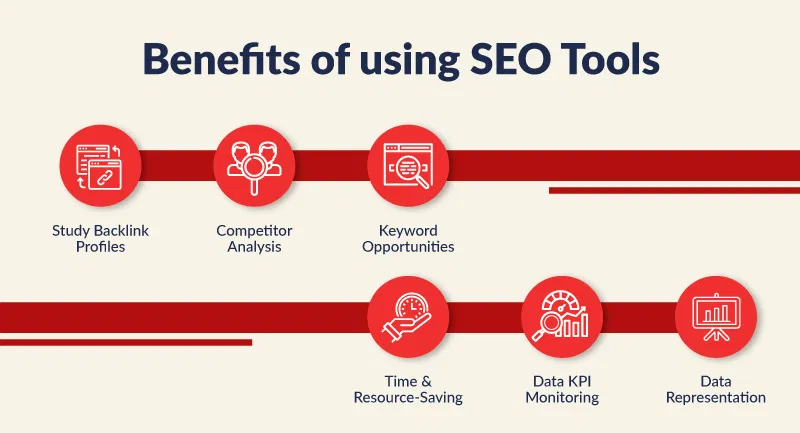
    Why Use Free SEO Tools?

    Not every business can afford $99/month subscriptions to premium SEO platforms. But thanks to a growing ecosystem of freemium tools, you can still perform:

    • Keyword research
    • Site audits
    • Backlink analysis
    • Rank tracking
    • Technical SEO fixes

    These tools help you build a solid SEO foundation—without spending a dime.

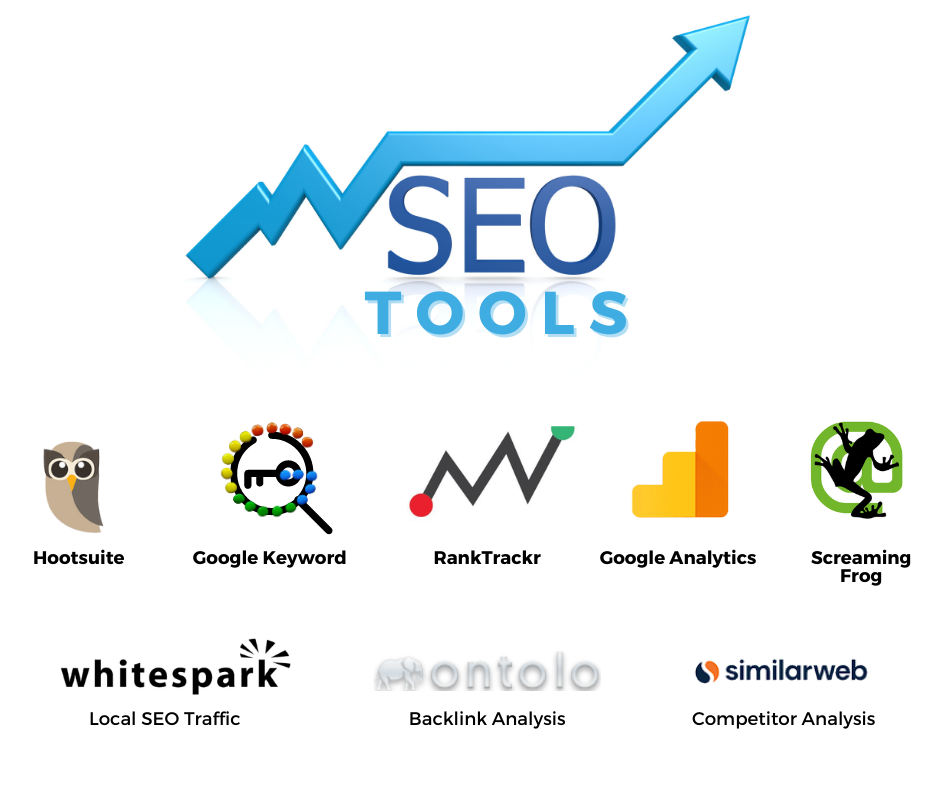
    Top Free SEO Tools

    Google Search Console

    Purpose: Monitor your site’s presence in Google search results
    Best For: Tracking impressions, clicks, indexing issues, Core Web Vitals

    Why CWK Agency loves it:

    • Offers direct data from Google
    • Identifies keywords your site is already ranking for
    • Alerts you to crawling or indexing issues

    Pro Tip from Kamlesh Singad: “Check GSC weekly to spot keyword gaps and performance drops early.”

    Also Read: What is an Email Domain? Benefits, Examples, and How to Choose

    Google Analytics 4 (GA4)

    Purpose: Track website traffic and user behavior
    Best For: Understanding how visitors interact with your site

    Key Benefits:

    • Real-time analytics
    • Tracks conversions and funnels
    • Integrates seamlessly with Google Search Console

    CWK Agency uses GA4 for monthly SEO reporting and user journey analysis.

    Ubersuggest (Free Tier)

    Founder: Neil Patel
    Best For: Keyword research, content ideas, competitor analysis

    Features:

    • Keyword suggestions
    • SEO audit reports
    • Traffic overview of competitor websites

    Although it has limitations in the free version, Ubersuggest remains a solid tool for beginners looking to understand the search landscape.

    AnswerThePublic

    Purpose: Content ideation and keyword discovery
    Best For: Discovering long-tail keyword questions

    Features:

    • Visual keyword cloud
    • Exports keyword ideas in bulk
    • Ideal for content and blog strategy

    Kamlesh Singad uses this tool to find trending questions users are asking on Google, ideal for SEO blogging.

    Also Read: Digital Marketing Company in Vijay Nagar, Indore

    Ahrefs Webmaster Tools

    Free Tool by Ahrefs
    Best For: Backlink checking, SEO health audits

    Features:

    • Crawl errors
    • Site health score
    • Internal linking tips

    While full Ahrefs is paid, this free tool still delivers serious SEO insight for technical optimization.

    Yoast SEO (Free Plugin for WordPress)

    Purpose: On-page SEO optimization
    Best For: Bloggers and WordPress users

    Features:

    • Real-time SEO analysis
    • Readability scoring
    • XML sitemap generation

    CWK Agency installs Yoast SEO on all WordPress projects to help clients optimize content efficiently.

    Top Free SEO Tools

    Screaming Frog SEO Spider (Free for up to 500 URLs)

    Purpose: Website crawling and audit
    Best For: Identifying broken links, duplicate content, metadata issues

    Benefits:

    • Desktop-based SEO crawler
    • Export issues to CSV
    • Useful for technical audits

    Kamlesh Singad says, “It’s like having an X-ray machine for your website’s SEO.”

    SEOquake (Chrome Extension)

    Purpose: Quick on-page SEO analysis
    Best For: Competitor page audits

    Features:

    • View meta tags, headings, keyword density
    • Analyze SERP features
    • Compare domains instantly

    Great for marketers who want quick data while browsing.

    GTmetrix

    Purpose: Page speed and performance testing
    Best For: Diagnosing slow-loading pages

    Features:

    • Core Web Vitals breakdown
    • Waterfall view for asset loading
    • Mobile vs desktop analysis

    CWK Agency uses GTmetrix alongside Google PageSpeed Insights for speed optimization.

    Also Read: Digital Marketing Company in Indore: Your Gateway to Online Success

    Purpose: Keyword trend analysis
    Best For: Comparing keyword popularity over time

    Benefits:

    • Discover rising search terms
    • Spot seasonal content opportunities
    • Filter by region and category

    Use this to plan future blog posts, YouTube videos, or seasonal campaigns.

    Bonus Tools Worth Mentioning

    • MozBar: SEO Chrome extension with page authority and keyword overlay
    • CanIRank: SEO tool for ranking potential and content suggestions
    • SERP Robot: Simple rank tracking tool
    • Bing Webmaster Tools: Similar to Google Search Console but for Bing
    Top Free SEO Tools

    How CWK Agency Uses Free SEO Tools

    Kamlesh Singad’s approach combines creativity with analytics. At CWK Agency, they use a workflow where:

    • Google Search Console tracks real performance
    • AnswerThePublic fuels blog strategy
    • Screaming Frog handles audits
    • Yoast SEO powers content optimization
    • GA4 tracks conversions

    They often say: “It’s not about how many tools you use—it’s how well you use them.”

    FAQs

    Can I do SEO with only free tools?
    Yes, especially when starting out. Free tools offer 80% of what beginners need.

    What’s the best free SEO tool overall?
    Google Search Console—it provides official data and shows how Google sees your site.

    Are these tools beginner-friendly?
    Most of them are designed with user-friendly interfaces and tutorials.

    Should I eventually invest in paid SEO tools?
    Yes, as your business grows and your SEO needs become more complex.

    Can I use multiple tools together?
    Absolutely. Many marketers use 3–5 tools depending on their goals.

    Conclusion: Work Smarter, Not Expensive

    SEO success doesn’t require a big budget—it requires smart tools, strategy, and consistency. These top free SEO tools help marketers of all levels audit, optimize, and elevate their search visibility in 2025.

    With expert insights from Kamlesh Singad and hands-on applications from CWK Agency, you now have everything you need to grow organically and compete effectively.

    So go ahead—equip your SEO toolkit and watch your rankings rise!

  • Technical SEO: Speed, Structure, and Mobile Optimization (Part-14)

    Technical SEO: Speed, Structure, and Mobile Optimization (Part-14)

    Module 2: SEO – Search Engine Optimization

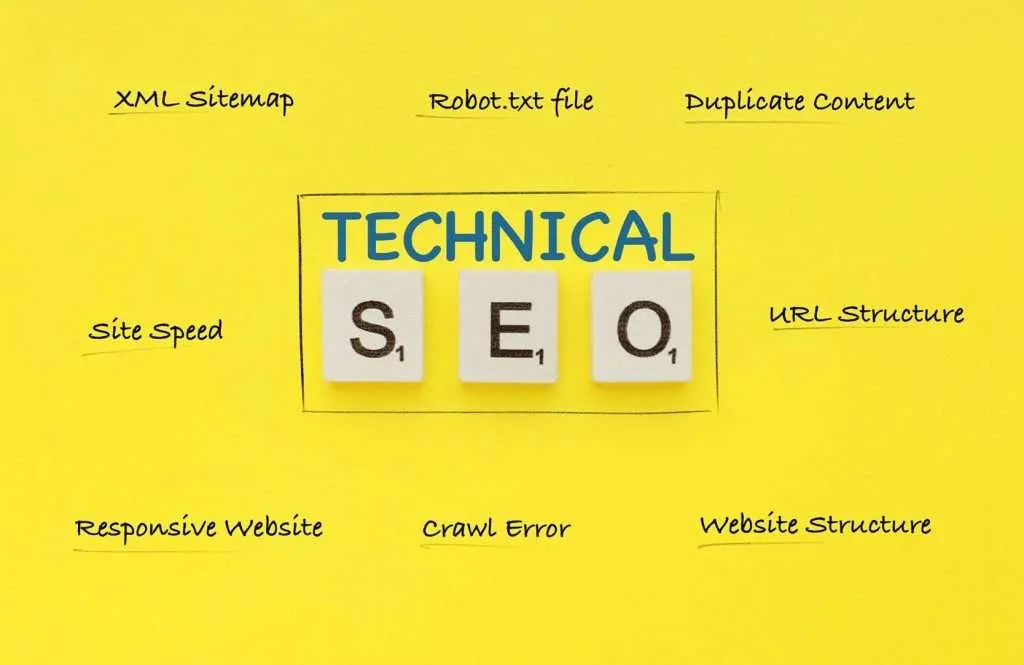
    If Search Engine Optimization (SEO) were a race car, then technical SEO would be the engine. You can have amazing content and perfect keywords, but if your site loads slowly, isn’t mobile-friendly, or has broken links—Google will likely push you down the ranks.

    Technical SEO ensures that your website runs like a well-oiled machine—fast, structured, secure, and mobile-ready. In this article, we’ll explore the foundational elements of technical SEO: speed, structure, and mobile optimization.

    Digital strategist Kamlesh Singad, founder of CWK Agency, puts it this way: “Technical SEO is what ensures Google not only finds your website but trusts it enough to rank it.”

    What is Technical SEO?

    Technical SEO refers to optimizing the infrastructure of your website so that search engines can crawl, index, and rank it efficiently. It doesn’t involve keyword targeting or content strategy—it’s all about performance, accessibility, and structure.

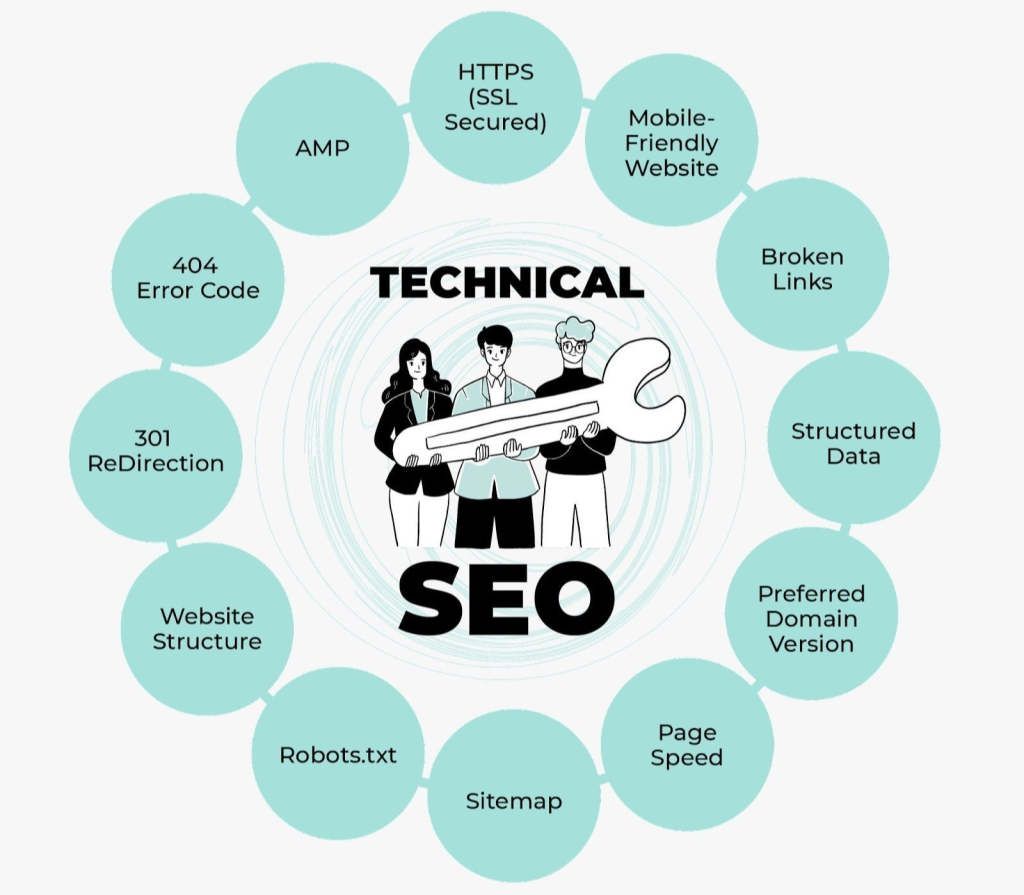
    Key elements include:

    • Website speed and performance
    • Mobile responsiveness
    • Secure browsing (HTTPS)
    • Crawlability and indexability
    • Structured data and sitemaps
    Technical SEO

    Why Technical SEO is Crucial in 2025

    With Google’s algorithm becoming more user-centric, technical factors play a huge role in ranking:

    • Page experience is a confirmed ranking factor
    • Core Web Vitals directly affect how Google evaluates your page
    • Mobile-first indexing makes mobile optimization a top priority

    According to Kamlesh Singad, “Ignoring technical SEO is like trying to run a marathon in flip-flops.”

    Also Read: SEO Best Practices for Achieving Mobile Friendliness

    Speed Optimization: How to Make Your Site Load Lightning Fast

    Why Speed Matters

    Page speed influences:

    • Bounce rate – Slow sites lose impatient visitors
    • Conversion rate – Fast-loading pages convert better
    • SEO ranking – Google prioritizes speed in its ranking algorithm

    How to Check Your Site Speed

    Use these tools:

    • Google PageSpeed Insights
    • GTmetrix
    • Lighthouse (in Chrome DevTools)

    Actionable Speed Fixes

    1. Compress images – Use tools like TinyPNG or WebP format
    2. Minify CSS, JS, and HTML – Remove unnecessary characters using Autoptimize or WP Rocket
    3. Use a CDN – Cloudflare or BunnyCDN speeds up global loading
    4. Enable browser caching
    5. Lazy-load images and videos
    6. Use fast and lightweight themes

    CWK Agency uses WP Rocket and Cloudflare for nearly all client websites to enhance performance.

    Technical SEO

    Website Structure: Build for Bots and Users Alike

    Importance of Website Structure

    A good site structure helps:

    • Search engines understand content hierarchy
    • Visitors navigate easily
    • Avoids crawl errors and duplicate content

    Tips for Strong Structure

    1. Use a Clear URL Hierarchy
      • Example: /services/social-media-marketing instead of /page?id=456
    2. Create a Logical Navigation Menu
      • Prioritize your most valuable pages in the header
    3. Internal Linking Strategy
      • Link related content for SEO and UX benefits
    4. Use Breadcrumb Navigation
      • Helps users track where they are, and boosts SEO
    5. Create and Submit an XML Sitemap
      • Use Yoast or Rank Math to generate and submit to Google Search Console

    Kamlesh Singad says: “Your structure should reflect how you want search engines and users to think about your content.”

    Also Read: 15 SEO Best Practices: Website Architecture for Maximum Rankings

    Mobile Optimization: Mobile-First is Not Optional

    Why Mobile Optimization is Vital

    • Google uses mobile-first indexing—your mobile site is what it sees first
    • Over 60% of traffic now comes from mobile devices
    • Poor mobile UX = high bounce rate = lower rankings

    How to Optimize for Mobile

    1. Responsive Design
      • Your layout should adjust to any screen size
    2. Test on Multiple Devices
      • Use BrowserStack or your own smartphone/tablet
    3. Avoid Pop-Up Overload
      • Intrusive pop-ups frustrate users and can trigger penalties
    4. Use Mobile-Friendly Fonts and Buttons
      • Ensure readability and ease of navigation
    5. Optimize Page Load Speed on Mobile
      • Use Google’s Mobile-Friendly Test to assess performance

    CWK Agency prioritizes mobile-first design in all its web builds, knowing that user experience on smartphones drives revenue.

    Technical SEO

    Technical SEO Audit Checklist

    • Website loads in under 3 seconds
    • All pages are HTTPS
    • No broken links (404 errors)
    • Structured data (Schema.org) is implemented
    • XML sitemap is submitted
    • Robots.txt file is configured properly
    • Core Web Vitals pass (LCP, FID, CLS)
    • Mobile-Friendly Test passed
    • Google Search Console
    • Ahrefs or SEMrush Site Audit
    • Screaming Frog SEO Spider
    • GTmetrix
    • PageSpeed Insights
    • Yoast SEO / Rank Math (for WordPress)

    These tools help automate many aspects of technical auditing and performance monitoring.

    Also Read: How to Create a Free Email Address for a Business

    FAQs

    What’s the difference between technical SEO and on-page SEO?
    Technical SEO focuses on backend performance, while on-page SEO focuses on content and keywords.

    How often should I perform a technical SEO audit?
    Every 3–6 months, or after a major site update.

    Can I do technical SEO without a developer?
    Yes, especially with platforms like WordPress and tools like WP Rocket and Rank Math.

    What’s the biggest technical SEO mistake beginners make?
    Ignoring mobile optimization and not compressing images.

    Does technical SEO help with local SEO?
    Absolutely. Speed and mobile-friendliness directly impact local rankings and mobile map searches.

    Conclusion: Don’t Let Poor Tech Hold Back Great Content

    You can write the best blog in the world, but if your site loads slowly, breaks on mobile, or confuses Google—you won’t rank. Technical SEO is your silent hero. It works in the background to ensure everything else—content, links, social media—gets the attention it deserves.

    With the expert strategies from Kamlesh Singad and the results-driven systems of CWK Agency, you now have a clear roadmap to master speed, structure, and mobile optimization—and take your SEO game to the next level.

  • Off-Page SEO: Link Building & Authority Building (Part-13)

    Off-Page SEO: Link Building & Authority Building (Part-13)

    Module 2: SEO – Search Engine Optimization

    When it comes to Search Engine Optimization, many beginners focus solely on on-page elements like keywords and content. However, what happens outside of your website can be just as impactful—if not more. That’s where Off-Page SEO comes in.

    Kamlesh Singad, founder of CWK Agency, explains it like this: “Off-page SEO is your reputation on the web. If Google sees others talking about and linking to your site, your authority skyrockets.”

    In this guide, we’ll explore the nuts and bolts of Off-Page SEO, focusing on link building and authority strategies to help you rank higher, faster.

    Understanding Off-Page SEO

    Off-Page SEO refers to all activities you perform outside of your website to improve its search engine rankings. While on-page SEO is about what’s on your site, off-page is about how the rest of the internet interacts with it.

    Key Off-Page SEO Components:

    • Backlinks (link building)
    • Social signals
    • Brand mentions
    • Influencer outreach
    • Online reputation management

    CWK Agency integrates these elements into their SEO campaigns to boost visibility and trust.

    Off-Page SEO

    Why Is Off-Page SEO Important for Search Engine Optimization?

    Search engines like Google consider backlinks as votes of confidence. The more high-quality sites linking to yours, the more trustworthy your content appears.

    Off-Page SEO helps:

    • Improve rankings in search engine results
    • Drive referral traffic
    • Build brand authority and trust
    • Increase domain authority (DA)

    According to Kamlesh Singad, “You can’t out-write your competition—you need to out-authority them.”

    Also Read: Top Interview Questions for Graphic Designers

    Link building is the process of acquiring hyperlinks from other websites to your own. These links signal to search engines that your site is valuable and credible.

    • DoFollow Links – Pass SEO value (link juice)
    • NoFollow Links – Do not pass link juice but still provide traffic and branding
    • Internal Links – Connect pages within your own site
    • External Links – Outbound links to other domains

    Tip: Focus on acquiring high-authority DoFollow backlinks for best SEO results.

    1. Guest Posting

    Reach out to industry blogs and offer to write valuable content in exchange for a backlink. Ensure the content is high-quality and aligns with the site’s audience.

    Benefits:

    • Increases authority
    • Builds relationships
    • Drives targeted traffic

    Kamlesh Singad recommends at least 2 guest posts per month for steady growth.

    Find broken links on other websites and suggest replacing them with your relevant content.

    How-To:

    • Use tools like Ahrefs or Broken Link Checker
    • Offer your content as a substitute
    • Pitch via email politely and clearly

    This technique works because you’re offering value by fixing an issue.

    Also Read: Effective Strategies for SEO Syndicated Content

    Off-Page SEO

    3. Skyscraper Technique

    Find top-performing content in your niche, create something even better, and reach out to sites linking to the original to link to your improved version.

    Tools to Use:

    • BuzzSumo
    • SEMrush
    • Ubersuggest

    CWK Agency uses this method to create “10x content” that earns backlinks organically.

    4. Directory & Business Listings

    List your business on reputable directories like:

    • Google Business Profile
    • Yelp
    • Clutch
    • YellowPages

    This improves local SEO and builds trust signals across the web.

    5. Influencer Outreach and Collaboration

    Collaborate with influencers or micro-influencers in your niche. Get them to mention or link to your content via blogs, podcasts, or social media.

    Best Practices:

    • Offer mutual value
    • Personalize outreach
    • Follow up professionally

    Kamlesh Singad emphasizes authenticity in outreach: “Build relationships, not just links.”

    6. HARO (Help a Reporter Out)

    Respond to journalist queries with expert insights. If your pitch gets picked, you receive a backlink from high-authority publications like Forbes or Business Insider.

    Pro Tip: Be fast and concise in your responses.

    Also Read: Mastering the Google SEO Algorithm: A Complete Guide to Boost Rankings

    While link building is vital, authority building encompasses a broader reputation strategy:

    1. Social Signals

    Although not a direct ranking factor, content that’s shared widely can lead to backlinks and brand visibility.

    2. Brand Mentions

    Even unlinked brand mentions are considered by search engines as trust signals.

    3. Online Reviews and Testimonials

    Positive reviews on Google, Trustpilot, or Yelp can enhance credibility and even improve local rankings.

    4. PR and Media Features

    Getting featured on news sites, podcasts, or webinars increases your perceived authority.

    CWK Agency combines PR campaigns with content marketing for clients aiming to build long-term authority.

    Off-Page SEO

    Tools to Supercharge Your Off-Page SEO

    • Ahrefs – Backlink analysis
    • SEMrush – Competitor link audits
    • BuzzSumo – Content discovery for skyscraper technique
    • Hunter.io – Find outreach emails
    • Google Alerts – Track brand mentions

    Common Off-Page SEO Mistakes to Avoid

    • Buying low-quality backlinks (can get you penalized)
    • Ignoring link relevancy
    • Over-optimizing anchor text
    • Failing to track and audit backlinks
    • Not diversifying link sources

    Kamlesh Singad warns, “One toxic link can ruin 100 good ones. Focus on quality over quantity.”

    FAQs

    What’s the difference between on-page and off-page SEO?
    On-page is everything you control on your site; off-page includes external factors like backlinks and brand signals.

    How many backlinks do I need to rank?
    It depends on your niche and competitors. Focus on quality over quantity.

    Is social media part of off-page SEO?
    Yes, social signals contribute indirectly by boosting content visibility.

    Do nofollow links help SEO?
    They don’t pass link juice but can still drive traffic and build authority.

    How do I monitor my backlinks?
    Use tools like Ahrefs, SEMrush, or Google Search Console.

    Conclusion: Build Authority. Build Rankings.

    Off-Page SEO is more than just getting links—it’s about earning trust, building authority, and expanding your digital footprint. By implementing ethical link building strategies and fostering online relationships, you’ll enhance your site’s reputation and search visibility.

    Take it from Kamlesh Singad and the expert team at CWK Agency—when off-page SEO is done right, your brand becomes not just findable, but unforgettable.

  • On-Page SEO: Techniques to Rank Higher on Google (Part-12)

    On-Page SEO: Techniques to Rank Higher on Google (Part-12)

    Module 2: SEO – Search Engine Optimization

    In the world of Search Engine Optimization (SEO), one term that stands out for consistent success is On-Page SEO. It’s the foundation of every optimized website and an essential skill if you want to rank higher on Google.

    According to Kamlesh Singad, founder of CWK Agency, “On-Page SEO is the part of your digital strategy you control 100%. Done right, it can turn your content into a 24/7 traffic machine.”

    Whether you’re a blogger, small business owner, or digital marketing enthusiast, this guide will give you the actionable techniques you need to boost visibility, increase traffic, and dominate Google rankings.

    What is On-Page SEO?

    On-Page SEO refers to the optimization of individual web pages—both the content and HTML source code—to improve search engine rankings and earn more relevant traffic.

    Unlike off-page SEO (which deals with backlinks and authority), on-page SEO is all about what you can control directly on your site.

    On-Page SEO

    Why On-Page SEO is Crucial for Ranking on Google

    Google’s algorithms prioritize relevance, quality, and user experience. On-Page SEO helps search engines:

    • Understand your content
    • Index it correctly
    • Evaluate its relevance for specific search queries

    Kamlesh Singad from CWK Agency states, “Even the best content will stay invisible without proper on-page SEO.”

    Core Techniques to Rank Higher on Google Using On-Page SEO

    1. Use Target Keywords Strategically

    Identify one primary keyword and a few secondary (LSI) keywords. Then use them naturally across:

    • Title tag
    • URL
    • Meta description
    • First 100 words
    • Subheadings (H2, H3)
    • Image ALT text

    Example: If your keyword is “best running shoes,” a good H2 might be “What Makes the Best Running Shoes for Marathon Training?”

    Also Read: How to Use Hyper-Personalized LinkedIn Outreach to Build Stronger Connections

    2. Optimize Your Title Tag

    Your title tag is the clickable link in search results. It should:

    • Include your target keyword
    • Be under 60 characters
    • Be unique for every page
    • Spark curiosity or offer value

    Bad: “Home”
    Good: “On-Page SEO Techniques to Rank Higher on Google | CWK Agency Tips”

    On-Page SEO

    3. Craft a Compelling Meta Description

    This doesn’t directly impact rankings but influences click-through rate (CTR).

    • Include your keyword
    • Keep it under 160 characters
    • Use action-oriented language

    Example: “Master On-Page SEO and learn expert techniques to rank higher on Google with Kamlesh Singad’s step-by-step guide.”

    4. Create SEO-Friendly URLs

    Clean URLs improve both user experience and rankings.

    Tips:

    • Keep it short
    • Use hyphens (-), not underscores (_)
    • Include the primary keyword

    Example:
    Bad: /page?id=123
    Good: /on-page-seo-techniques

    5. Use Header Tags Properly (H1, H2, H3)

    Header tags help structure your content and improve readability.

    • H1: Only one per page, should contain your keyword
    • H2/H3: Used for subtopics and supporting points

    Kamlesh Singad advises, “Think of headers as signposts—they help Google and your readers navigate your content smoothly.”

    Also Read: Best Marketing Management Courses to Enroll in 2025

    6. Improve Internal Linking

    Internal links help distribute page authority and keep users engaged longer.

    Best Practices:

    • Link to at least 2–3 relevant internal pages
    • Use keyword-rich anchor text
    • Avoid overlinking the same page

    At CWK Agency, every blog post is linked to a relevant product, service, or related article.

    7. Use Optimized Images and ALT Tags

    Search engines can’t see images—they rely on ALT text.

    Tips:

    • Compress images to speed up loading
    • Name files descriptively (e.g., on-page-seo-checklist.jpg)
    • Add ALT text with relevant keywords

    8. Write High-Quality, User-Centric Content

    Google values content that solves problems, answers questions, and keeps users engaged.

    Keys to great content:

    • Use short paragraphs
    • Add bullet points and visuals
    • Include outbound links to credible sources
    • Aim for 1000–2500 words per post

    Kamlesh Singad says, “Write for humans first, but format for search engines.”

    On-Page SEO

    9. Improve Page Load Speed

    A slow website = lower rankings and higher bounce rates.

    Tools:

    • Google PageSpeed Insights
    • GTmetrix
    • WebPageTest

    Quick Fixes:

    • Compress images
    • Use a fast hosting provider (like SiteGround)
    • Minimize plugins and scripts

    Also Read: 10 Powerful Advantages of YouTube Marketing to Boost Your Business

    10. Ensure Mobile Friendliness

    With Google’s mobile-first indexing, your site must be responsive.

    Checklist:

    • Buttons are easy to tap
    • Fonts are legible
    • Menus are accessible
    • Content adapts to screen size

    CWK Agency tests all client websites on multiple devices before launch.

    Bonus Techniques from CWK Agency’s Toolbox

    • Schema Markup: Helps Google display rich snippets
    • Content Updates: Refresh content every 6–12 months to stay relevant
    • Breadcrumbs: Improves navigation and internal linking
    • Anchor Links: Great for long-form content (like this guide!)

    Common Mistakes to Avoid

    • Keyword stuffing
    • Duplicate meta tags across pages
    • Ignoring image optimization
    • Not linking to internal or external resources
    • No clear CTA (Call to Action)

    FAQs

    Is on-page SEO more important than backlinks?
    They work together. On-page SEO is the foundation; backlinks build authority.

    How often should I update my content?
    Every 6–12 months for competitive niches. More often if Google updates algorithms.

    Can I do on-page SEO without plugins?
    Yes, but tools like Yoast SEO or Rank Math make it easier, especially for WordPress users.

    How long does it take to see results?
    Generally, 3–6 months for noticeable improvements, depending on niche and competition.

    Conclusion: Get Google to Love Your Pages

    If you want to climb the Google ranks, mastering On-Page SEO is non-negotiable. From keyword placement to page speed, every element counts. And the best part? You don’t need a massive budget—just consistency and strategy.

    With guidance from Kamlesh Singad and proven systems by CWK Agency, you now have the tools to optimize your content and make Google take notice.

    So what are you waiting for? Start optimizing—and start ranking.

  • SEO Basics: How Search Engines Work (Part-11)

    SEO Basics: How Search Engines Work (Part-11)

    Module 2: SEO – Search Engine Optimization

    In the digital age, visibility is power. If you’ve ever wondered how websites end up on the first page of Google—or why some never get seen at all—it all comes down to Search Engine Optimization (SEO).

    Understanding SEO basics is essential for anyone building an online presence. Whether you’re a blogger, entrepreneur, or digital marketer, this guide will walk you through how search engines work and how you can make them work for you.

    Kamlesh Singad, founder of CWK Agency, puts it best: “SEO is the art of being found when your customer is searching, not selling. That’s powerful.”

    What is SEO?

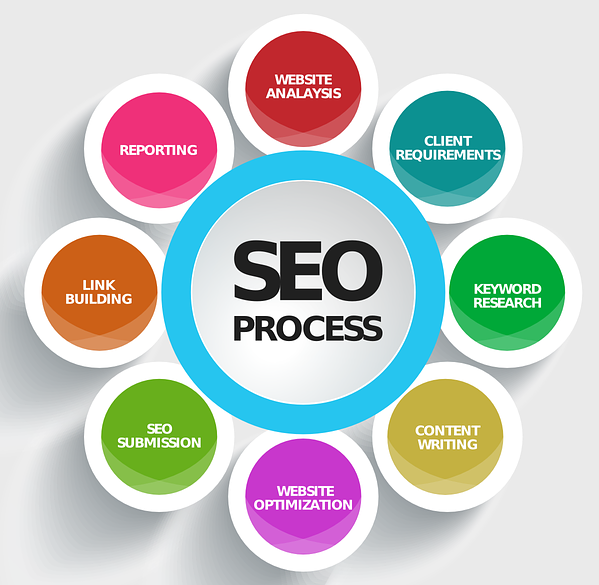
    SEO stands for Search Engine Optimization. It’s the process of optimizing your website so it ranks higher on search engine results pages (SERPs) for relevant keywords.

    In simple terms, it’s how you tell Google (and other search engines) that your site is helpful, trustworthy, and deserves to be shown to users.

    SEO Basics

    Why SEO Matters in 2025 and Beyond

    Over 93% of online experiences begin with a search engine, and Google handles over 8.5 billion searches a day. SEO offers:

    • Free traffic (unlike paid ads)
    • Long-term brand visibility
    • Higher credibility and trust
    • Better user experience

    At CWK Agency, SEO is a core pillar of every campaign—because consistent, organic traffic compounds over time.

    Also Read: 10 Must-Know Google Ads Features Released This Year to Boost Your Campaigns

    How Search Engines Actually Work (In Simple Terms)

    Step 1: Crawling

    Search engines like Google use bots (also known as spiders or crawlers) to scan the web. They go from link to link, collecting information about each page.

    What They Look At:

    • URLs
    • Content
    • Titles
    • Links

    Think of crawling as search engines “discovering” your pages.

    Step 2: Indexing

    After crawling, search engines store and organize information in a massive database called the index.

    Key Indexing Factors:

    • Keywords
    • Page topic and structure
    • Content freshness
    • Internal links

    If a page isn’t indexed, it won’t show up in search results—no matter how good the content is.

    Step 3: Ranking

    When a user types a query into Google, the search engine retrieves relevant results from its index and ranks them based on hundreds of factors, including:

    • Relevance to the search query
    • Website authority
    • Mobile usability
    • Page speed
    • Backlinks
    • Engagement metrics (like bounce rate)

    Kamlesh Singad says: “Ranking is where SEO gets competitive. It’s not just about content—it’s about context, trust, and experience.”

    Also Read: SEO Pricing in 2025: How Much Will It Cost?

    Key Elements of SEO Basics You Should Master

    1. Keyword Research

    Keywords are the foundation of SEO. They help search engines understand what your content is about.

    Tools to Use:

    • Google Keyword Planner
    • Ubersuggest
    • SEMrush
    • Ahrefs

    Tips:

    • Focus on user intent (what they really want to know)
    • Target long-tail keywords for better conversion

    CWK Agency prioritizes “search intent mapping” when creating content plans.

    2. On-Page SEO

    This refers to everything you can control on your website pages.

    Must-Do On-Page Tasks:

    • Use keywords in titles, headers, and body text
    • Optimize images with ALT text
    • Include internal and outbound links
    • Write compelling meta descriptions
    • Keep URL slugs clean and keyword-rich

    Example:
    Instead of www.site.com/page123
    Use: www.site.com/seo-basics-guide

    SEO Basics

    3. Technical SEO

    This ensures that search engines can crawl and index your site efficiently.

    Checklist:

    • Mobile-friendly design
    • Fast page load times
    • Secure with HTTPS
    • Proper use of schema markup
    • Clean site structure (breadcrumbs, sitemaps)

    Kamlesh Singad notes: “Even the best content will fail if your site has poor technical SEO.”

    4. Off-Page SEO

    This is about building authority and trust through external signals—mostly backlinks from other sites.

    Strategies:

    • Guest posting
    • Digital PR
    • Influencer collaborations
    • Creating shareable content
    • Engaging in online communities (Quora, Reddit)

    CWK Agency uses white-hat link-building strategies to boost domain authority over time.

    5. Content Quality

    Google rewards valuable content that meets E-E-A-T standards:

    • Experience
    • Expertise
    • Authoritativeness
    • Trustworthiness

    What Works in 2025:

    • Original research and insights
    • Structured formatting (lists, tables, visuals)
    • Up-to-date, relevant info
    • Satisfying user search intent

    Kamlesh Singad: “Don’t just create content—solve problems.”

    Also Read: 10 Essential Tips to Create a Google Ads Strategy in 2025

    SEO Basics

    How Long Does SEO Take to Show Results?

    SEO is not instant. Typically:

    • 2–4 weeks: Google crawls and indexes new pages
    • 3–6 months: See gradual improvement in rankings
    • 6–12 months: Consistent results from ongoing SEO

    It’s a long game—but one that pays compounding dividends.

    Beginner SEO Tools You Should Start Using Today

    • Google Analytics – Track traffic and behavior
    • Google Search Console – Monitor site health and indexing
    • Yoast SEO (WordPress) – On-page SEO assistance
    • Screaming Frog – Site audits and crawl analysis
    • Ubersuggest – Affordable keyword and backlink insights

    CWK Agency provides clients with SEO dashboards using Google Data Studio for visual progress tracking.

    FAQs

    Do I need to pay to appear in search results?
    No. Organic results are free, but require SEO effort. You can also run paid ads (PPC) for immediate visibility.

    What’s more important—content or backlinks?
    Both! Great content gets links naturally, and backlinks increase your authority.

    Can I do SEO myself as a beginner?
    Yes, especially with tools like Yoast and beginner guides. Start with on-page and content SEO.

    Is SEO still relevant in 2025?
    Absolutely. Search intent hasn’t changed—only the algorithms and best practices evolve.

    Conclusion: Master SEO Basics to Win the Digital Game

    Learning SEO basics isn’t about tricking Google—it’s about building a website that deserves to rank. When you align technical setup, content value, and trust signals, search engines reward you with visibility and traffic.

    With guidance from Kamlesh Singad and real-world application at CWK Agency, you now have a solid foundation to start optimizing your website and climbing the search rankings.

    Your digital journey starts with being found—SEO is how you make that happen.

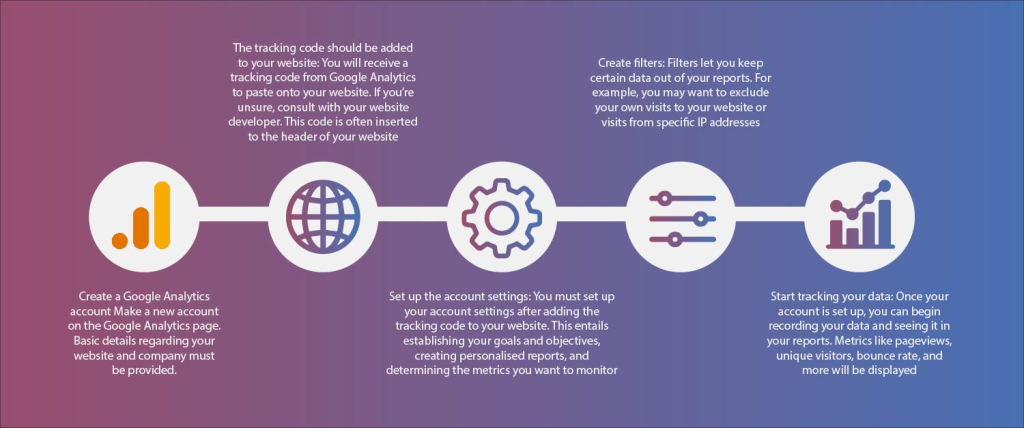
  • How to Add Tracking Codes and Analytics to Your Website (part-10)

    How to Add Tracking Codes and Analytics to Your Website (part-10)

    Module 1: Website Planning & Development

    In digital marketing, what gets measured gets improved. Understanding how to add tracking codes and analytics to your website is essential if you want to make informed decisions, optimize campaigns, and boost conversions. Without it, you’re flying blind.

    According to Kamlesh Singad, founder of CWK Agency, “Analytics don’t just show you what’s happening—they show you what to do next.” Let’s explore how to properly set up tracking on your site, even if you’re not a tech wizard.

    What Are Tracking Codes and Analytics Tools?

    Tracking codes are small snippets of JavaScript or HTML code inserted into your website. They send data back to platforms like Google Analytics, Facebook Ads, or LinkedIn.

    Analytics tools help you understand:

    • Who visits your site
    • What they do on your site
    • How they got there
    • What content converts best

    Why Adding Tracking Codes Should Be Part of Website Planning & Development

    Many businesses launch websites without adding tracking—only to realize later they’ve lost months of valuable data.

    Kamlesh Singad highlights, “Integrate analytics during your website planning & development phase. It saves time and sets your digital strategy on a strong foundation.”

    Also Read: How to Make Your Podcast More Popular: 12 Proven Strategies for Growth

    How to Add Tracking Codes and Analytics to Your Website

    Essential Tools You Need to Track Website Performance

    Before diving into the how, here’s what you’ll likely need:

    • Google Analytics 4 (GA4) – Tracks traffic, user behavior, conversions
    • Google Tag Manager (GTM) – Manages all your tracking codes in one place
    • Google Search Console – Monitors organic traffic and SEO health
    • Facebook Pixel – Tracks Facebook and Instagram ad performance
    • LinkedIn Insight Tag – Tracks LinkedIn ad performance
    • Hotjar / Microsoft Clarity – Visual behavior tracking (heatmaps, recordings)

    Step-by-Step: How to Add Tracking Codes and Analytics to Your Website

    Step 1: Create Your Analytics Accounts

    If you haven’t already:

    1. Go to analytics.google.com and create a GA4 property.
    2. Set up Google Tag Manager at tagmanager.google.com.
    3. Create ad tracking tools like Facebook Pixel or LinkedIn Insight Tag based on your ad platforms.

    Step 2: Install Google Tag Manager on Your Website

    Google Tag Manager (GTM) allows you to add and manage all tracking codes from one place—without editing the codebase every time.

    How to Install GTM:

    • Copy the GTM code snippets from your GTM dashboard.
    • Paste them into your site’s header and body (usually done via your theme or builder).
      • For WordPress: Use a plugin like “Insert Headers and Footers.”
      • For Wix/Squarespace: Use the custom code injection option.

    Kamlesh Singad says, “One dashboard, endless control—that’s the power of GTM.”

    Also Read: How Often Should Content Be Updated?

    How to Add Tracking Codes and Analytics to Your Website

    Step 3: Add Google Analytics 4 Using GTM

    Inside your GTM container:

    1. Create a new tag > Tag Configuration > GA4 Configuration
    2. Enter your GA4 Measurement ID (found in your Google Analytics setup)
    3. Choose “All Pages” as the trigger
    4. Save and publish

    Done! Now GA4 starts collecting traffic and engagement data.

    Step 4: Add Facebook Pixel with GTM

    For retargeting and ad performance:

    1. Go to your Facebook Events Manager and create a Pixel
    2. Copy the Pixel ID
    3. In GTM, create a new tag > Facebook Pixel Base Code
    4. Paste the Pixel ID, and trigger it on “All Pages”

    CWK Agency ensures every ad-driven website includes retargeting pixels for maximizing ad spend ROI.

    Step 5: Add Additional Tracking Tags

    Depending on your strategy, add:

    • LinkedIn Insight Tag
    • TikTok Pixel
    • Twitter Conversion Tag
    • Hotjar Code for heatmaps

    In GTM, just create a “Custom HTML” tag and paste the script, then trigger it accordingly.

    Also Read: How to Spend on Marketing the Right Way? A Strategic Guide for Maximum ROI

    How to Add Tracking Codes and Analytics to Your Website

    Step 6: Test Your Tags

    Use These Tools:

    • Google Tag Assistant (Chrome extension)
    • Facebook Pixel Helper
    • GA4 Debug View

    Testing ensures your tags are firing correctly before your marketing campaigns go live.

    Step 7: Set Up Conversion Events

    Conversion tracking helps measure results like:

    • Form submissions
    • Purchases
    • Clicks on key buttons

    In GA4:

    • Go to Admin > Events > Create Event
    • Set up conditions (e.g., when a user reaches a “Thank You” page)

    In Facebook:

    • Use the Event Setup Tool to track button clicks or page views as conversions.

    CWK Agency creates goal-specific events to link marketing efforts directly to ROI.

    Step 8: Monitor and Optimize

    Once tracking is live, check:

    • Traffic sources (where users come from)
    • Bounce rate and engagement
    • Top-converting pages
    • Funnel drop-offs

    Kamlesh Singad uses weekly reporting dashboards to guide campaign decisions and content planning.

    Common Mistakes to Avoid When Adding Tracking Codes

    • Adding multiple analytics scripts directly on the site (causes conflicts)
    • Forgetting to publish in GTM after changes
    • Not setting up proper conversion goals
    • Tracking too many random metrics without clear objectives
    • Ignoring privacy laws (always add a cookie consent banner)

    FAQs

    Can I use Google Analytics without Google Tag Manager?
    Yes, but GTM makes managing multiple scripts easier and cleaner.

    Do I need coding knowledge to add tracking codes?
    No, not if you’re using GTM or platforms like WordPress with plugins.

    How long does it take to see data in GA4?
    You’ll typically see data in real-time within minutes of installation.

    Are there any privacy or legal issues with tracking?
    Yes—always inform users via privacy policies and use cookie consent banners.

    Which analytics tools does CWK Agency recommend most?
    GA4 for behavior, GTM for management, Hotjar for user visuals, and Search Console for SEO.

    Conclusion: Make Every Click Count

    Knowing how to add tracking codes and analytics to your website gives you the data advantage in digital marketing. From understanding your users to optimizing your conversions, tracking is the silent engine driving your growth.

    With expert advice from Kamlesh Singad and implementation best practices from CWK Agency, your website is not just a digital brochure—it’s a measurable, dynamic marketing machine.

    Add your codes. Track what matters. And start making smarter decisions today.

  • What is a Landing Page? Importance and Optimization Tips (Part- 9)

    What is a Landing Page? Importance and Optimization Tips (Part- 9)

    Module 1: Website Planning & Development

    In the world of digital marketing, attention spans are short and competition is fierce. That’s why understanding what is a landing page—and optimizing it—is non-negotiable if you’re serious about generating leads, making sales, or driving action online.

    Kamlesh Singad, digital strategist at CWK Agency, emphasizes: “A landing page isn’t just another page on your site—it’s the page that drives results. It’s where marketing meets conversion.”

    In this guide, you’ll learn what a landing page is, why it’s essential for your marketing campaigns, and how to design one that performs—even if you’re not a web developer.

    What Is a Landing Page?

    A landing page is a standalone web page designed with a single goal or purpose—usually to capture leads or prompt a specific user action.

    Unlike regular web pages that may contain menus, links, or general content, a landing page is laser-focused on one call-to-action (CTA).

    Examples of landing page goals:

    • Collecting email signups
    • Selling a product or service
    • Registering for a webinar
    • Downloading an eBook or checklist

    Kamlesh Singad explains: “Think of a landing page like a salesperson. It doesn’t distract—it persuades.”

    Landing Page vs. Homepage: What’s the Difference?

    AspectLanding PageHomepage
    PurposeDrive specific actionServe as a website overview
    NavigationMinimal or noneFull site navigation
    AudienceTargeted traffic from ads or emailGeneral visitors
    FocusOne message, one CTAMultiple messages, links, and paths

    CWK Agency often creates custom landing pages for campaigns, separate from the main website, to increase conversions.

    What is a Landing Page

    Why Are Landing Pages Important in Digital Marketing?

    Landing pages are essential tools in any Website Planning & Development strategy because they:

    • Convert traffic into leads or sales
    • Help measure ad campaign success
    • Segment and personalize your audience
    • Build focused funnels
    • Reduce distractions and bounce rates

    Without a proper landing page, much of your ad spend or SEO efforts may be wasted due to poor conversions.

    Also Read: Important Google Ad Settings You Must Optimize for Maximum ROI

    Types of Landing Pages

    Lead Generation Page

    Used to collect user data (usually name and email) in exchange for a freebie.

    Example: “Download Our Free Digital Marketing Checklist”

    Click-Through Page

    Used in eCommerce or SaaS to warm up visitors before leading to a product page.

    Example: “Discover the Features Before You Buy”

    Sales Page

    Used to present an offer with detailed information, testimonials, and purchase buttons.

    Example: “Get Lifetime Access to Our Online Course”

    Event Registration Page

    Used to sign people up for webinars, conferences, or training sessions.

    Example: “Save Your Spot – Free Masterclass on Website Planning”

    Also Read: Are Blog Posts the Best SEO Strategy Today?

    What is a Landing Page

    Key Elements of a High-Converting Landing Page

    Compelling Headline

    Grab attention immediately and speak to a problem or desire.

    Persuasive Copy

    Use emotional and benefit-driven language that leads the visitor toward the CTA.

    Visuals or Videos

    Showcase what users are signing up for or buying. Use mockups, demo clips, or explainer videos.

    Clear CTA (Call to Action)

    Use buttons with action words like “Download Now,” “Get Started,” or “Join Free.”

    Minimal Distractions

    Remove unnecessary links, sidebars, or pop-ups unless they support the goal.

    Trust Elements

    Add testimonials, client logos, security badges, or guarantees.

    How CWK Agency Designs Landing Pages That Convert

    Kamlesh Singad and the CWK Agency team use a structured landing page development process:

    1. Audience Research – Understand pain points and language
    2. Offer Crafting – Provide irresistible value
    3. Design Simplicity – Use clean, conversion-focused templates
    4. A/B Testing – Test headlines, CTAs, and layouts
    5. Analytics Integration – Monitor clicks, scroll depth, and conversion rates

    CWK often uses tools like Unbounce, Elementor, and ConvertKit to create high-performance landing pages without coding.

    Also Read: Why a Digital Marketing Agency in Indore is Essential for Your Business

    What is a Landing Page

    Landing Page Optimization Tips for Beginners

    Tip 1: Use a Single CTA

    Don’t confuse your visitor. Keep your message clear and your CTA front and center.

    Tip 2: Keep Forms Short

    Ask only for necessary info. More fields = lower conversion rates.

    Tip 3: Add Social Proof

    Testimonials or user counts add instant credibility and trust.

    Tip 4: Make It Mobile-Friendly

    Use responsive design to ensure every screen shows your page perfectly.

    Tip 5: Speed It Up

    Slow pages kill conversions. Use compressed images, fast hosting, and caching tools.

    Tip 6: Focus Above the Fold

    Ensure your headline, CTA, and offer are visible without scrolling.

    Mistakes to Avoid When Creating a Landing Page

    • Cluttered design
    • Multiple CTAs or offers
    • No trust signals
    • Ignoring mobile optimization
    • Not tracking performance
    • Using generic, vague copy

    Kamlesh Singad stresses: “If your page tries to speak to everyone, it converts no one. Focus wins.”

    Tools to Build Landing Pages Without Coding

    • Unbounce – Professional landing page builder with A/B testing
    • Elementor (WordPress) – Drag-and-drop design flexibility
    • ClickFunnels – Great for building full funnels
    • Mailchimp Landing Pages – Built-in to your email marketing
    • Leadpages – Easy to use and conversion-focused

    CWK Agency recommends Elementor Pro for beginners on WordPress due to its simplicity and power.

    FAQs

    Is a landing page the same as a website?
    No, a landing page is a single page with one goal—it’s part of a website or standalone.

    How much content should a landing page have?
    Just enough to persuade. Short for lead gen, longer for sales.

    Can I use landing pages for SEO?
    Yes, but they’re more effective for paid campaigns and lead funnels.

    Do I need a new landing page for every offer?
    Ideally, yes. Each offer deserves a unique, tailored experience.

    Are landing pages worth the effort?
    Absolutely. High-converting landing pages are a digital marketer’s secret weapon.

    Conclusion: Build Pages That Perform

    Now that you know what is a landing page, it’s time to move beyond guessing and start building. Whether you’re collecting emails, promoting a product, or running ads, your landing page can make or break your results.

    Thanks to Kamlesh Singad and the performance-driven team at CWK Agency, you now have a clear path to creating landing pages that do more than look good—they convert.

  • Best Website Builders for Digital Marketers (Part-8)

    Best Website Builders for Digital Marketers (Part-8)

    Module 1: Website Planning & Development

    In the world of digital marketing, your website is your headquarters. It’s where your brand lives, where leads land, and where conversions happen. The challenge? Not every digital marketer is a developer. Fortunately, with today’s technology, you don’t have to be.

    This blog explores the best website builders for digital marketers, especially for those starting in Website Planning & Development. With insights from digital strategist Kamlesh Singad and hands-on experience from CWK Agency, we’ll help you pick the perfect platform to create powerful, scalable, no-code websites.

    What to Look for in a Website Builder (As a Digital Marketer)

    Not all website builders are created equal—especially when your focus is marketing. Here are essential features digital marketers should prioritize:

    • Ease of Use – Can you build pages quickly without coding?
    • SEO Tools – Are meta tags, ALT text, and sitemaps easy to configure?
    • Integration Ready – Does it support email marketing, CRM, analytics, or ad platforms?
    • Conversion Features – Can you add lead forms, popups, and funnels?
    • Responsive Design – Does the site look good on mobile?
    • Speed and Hosting – Is your site fast and reliable?

    According to Kamlesh Singad, “The best website builder is one that lets you execute quickly and optimize continuously without developer bottlenecks.”

    Best Website Builders for Digital Marketers

    Best Website Builders for Digital Marketers

    1. WordPress with Elementor (Best Overall)

    Why Digital Marketers Love It:

    • Full ownership and control over your site
    • Thousands of themes and plugins
    • Drag-and-drop builder via Elementor or WPBakery
    • SEO-friendly with Yoast or Rank Math
    • Scalable and customizable

    Great For: Blogs, service websites, lead-gen pages, affiliate marketing
    Used by CWK Agency: Yes, heavily recommended for long-term flexibility

    Drawback: Slight learning curve for total beginners

    Also Read: Stop Making These Common Keyword Research Mistakes! (Expert Guide)

    2. Wix (Best for Speed and Simplicity)

    Why Digital Marketers Love It:

    • True drag-and-drop interface
    • Built-in email marketing, forms, and CRM
    • Offers Wix SEO Wiz to optimize pages
    • Gorgeous templates ready to go

    Great For: Local businesses, portfolios, event pages
    Used by CWK Agency: For small businesses and quick launches

    Drawback: Less scalable for complex needs

    3. Webflow (Best for Design and Animation Control)

    Why Digital Marketers Love It:

    • Visually build with the power of code—without coding
    • Advanced animations and interactivity
    • Integrates with HubSpot, Mailchimp, Zapier, and more
    • Clean HTML/CSS for fast load times and SEO

    Great For: Agencies, SaaS startups, visually branded businesses
    Used by CWK Agency: Yes, for high-end design projects

    Drawback: More complex UI—not ideal for total beginners

    Best Website Builders for Digital Marketers

    4. Squarespace (Best for Visual Storytelling)

    Why Digital Marketers Love It:

    • Stunning templates ideal for photographers, artists, coaches
    • Includes scheduling, blog, eCommerce, and email marketing
    • Built-in analytics dashboard

    Great For: Personal brands, creatives, simple stores
    Used by CWK Agency: Occasionally, for portfolios and branding sites

    Drawback: Less control over advanced SEO and integrations

    Also Read: How to Offboard Clients Like a Pro: Step-by-Step Guide

    5. Shopify (Best for eCommerce)

    Why Digital Marketers Love It:

    • Purpose-built for selling products
    • Beautiful store themes with quick checkout setup
    • Integrates with Facebook, Instagram, Google Shopping
    • Email campaigns via Shopify Email or Klaviyo

    Great For: Online stores, dropshipping, product-focused funnels
    Used by CWK Agency: For product launches and eCom clients

    Drawback: Not ideal for service businesses or bloggers

    6. Systeme.io (Best All-in-One Funnel Builder)

    Why Digital Marketers Love It:

    • Combines website, funnels, email, automation, and membership
    • Beginner-friendly UI
    • Prebuilt funnel templates
    • Offers free plan with generous limits

    Great For: Coaches, info products, beginners in funnel marketing
    Used by CWK Agency: For course creators and funnel testing

    Drawback: Less polished design flexibility

    Best Website Builders for Digital Marketers

    7. ClickFunnels (Best for Sales Funnels)

    Why Digital Marketers Love It:

    • Built specifically for lead capture and conversion
    • Easy-to-use templates for opt-ins, webinars, sales pages
    • One-click upsells and A/B testing

    Great For: High-ticket services, webinars, funnel-based marketing
    Used by CWK Agency: For high-conversion landing pages

    Drawback: Expensive monthly cost

    Also Read: Facebook Ads Metrics You Must Track in 2025

    Comparison Table: Best Website Builders for Digital Marketers

    PlatformBest ForEase of UseSEO ToolsPricingCWK Use
    WordPress + ElementorOverall ControlMediumExcellent$$✅
    WixSimplicityEasyGood$✅
    WebflowDesign CustomizationMedium-HardExcellent$$✅
    SquarespaceBranding/CreativesEasyFair$$✅
    ShopifyOnline StoresEasyGood$$$✅
    Systeme.ioFunnels + CoursesEasyGood$✅
    ClickFunnelsSales FunnelsEasyGood$$$✅

    Tips from Kamlesh Singad: How to Choose the Right Website Builder

    1. Start with your goal: Are you selling? Showcasing? Blogging?
    2. Prioritize usability: If it feels hard, you won’t use it consistently.
    3. Think long-term: Will the platform grow with your brand?
    4. Check for integrations: Email, CRM, analytics, and social sharing
    5. Speed matters: Choose a builder known for fast performance

    FAQs

    Do I need coding skills to use these website builders?
    No! All of the tools listed here are beginner-friendly and no-code.

    Which website builder is best for SEO?
    WordPress with plugins like Rank Math or Yoast remains the best for advanced SEO.

    Can I move my site later if I outgrow the builder?
    Some platforms (like Wix or Squarespace) don’t allow easy exports. WordPress is the most portable.

    What’s the most budget-friendly option?
    Systeme.io and Wix offer great features at a lower entry cost.

    Is it worth hiring an agency like CWK to build my website?
    Yes, if you’re serious about conversions, speed, SEO, and strategic integration. CWK Agency specializes in full-service digital site builds.

    Conclusion: Choose the Right Platform, Build with Purpose

    Choosing the best website builder for digital marketers is about aligning tools with goals. Whether you’re building a brand, growing an audience, or selling products, the right platform can amplify your reach—and your revenue.

    With real-world insights from Kamlesh Singad and the strategic execution of CWK Agency, you now have the blueprint to select the ideal builder for your next digital masterpiece.

    Start building smart, scalable websites today—without writing a single line of code.

  • How to Build a Website for Digital Marketing (No Coding Needed) (Part-7)

    How to Build a Website for Digital Marketing (No Coding Needed) (Part-7)

    Module 1: Website Planning & Development

    If you’re serious about digital marketing, the very first thing you need is a website. Not just any website—but one that’s optimized for lead generation, user experience, SEO, and brand visibility. The good news? You don’t need to be a programmer to get started.

    In this beginner-friendly guide, we’ll walk you through how to build a website for digital marketing, step-by-step—no coding required. With insights from Kamlesh Singad and proven methods used at CWK Agency, you’ll have everything you need to launch your first digital-ready website confidently.

    Why Website Planning & Development Matters in Digital Marketing

    Many entrepreneurs and marketers jump straight into ads and social media, forgetting that their website is the core of their digital presence. It’s where your traffic lands, leads are captured, and conversions happen.

    Kamlesh Singad explains: “Your website is your 24/7 salesperson. A well-planned, high-converting website lays the foundation for all other digital marketing efforts.”

    How to Build a Website for Digital Marketing

    Step-by-Step: How to Build a Website for Digital Marketing (No Coding Needed)

    Step 1: Define Your Website Goals

    Before choosing a platform or template, ask yourself:

    • What is the primary purpose of the site? (Lead generation, sales, portfolio?)
    • Who is your target audience?
    • What actions do you want users to take? (Book a call, buy a product, sign up?)

    CWK Agency always starts with goal-setting during their Website Planning & Development phase to ensure design supports strategy.

    Also Read: How to Do SEO for a Tiny Site with No Backlinks | Kamlesh Singad

    Step 2: Choose the Right Platform

    For non-coders, the best website builders are:

    • Wix – Drag-and-drop, highly customizable
    • WordPress + Elementor – Offers flexibility with visual design tools
    • Squarespace – Beautiful templates, ideal for creatives
    • Webflow – Great for those wanting more design control without coding
    • Shopify – Perfect for eCommerce websites

    Recommendation: WordPress with Elementor offers the best combination of control, cost-efficiency, and SEO optimization.

    Step 3: Pick a Domain Name and Hosting

    Your domain = your brand. Keep it short, memorable, and relevant.

    • Use .com or a country-specific extension like .in or .co.uk
    • Avoid hyphens and numbers
    • Use Namecheap or GoDaddy for domain registration

    Hosting Suggestions:

    • SiteGround (great support and speed)
    • Bluehost (popular for WordPress)
    • Hostinger (affordable and beginner-friendly)

    CWK Agency uses SiteGround for client websites due to its speed and reliability.

    Also Read: Get 4 Million Visits/Month with One Keyword Hack

    How to Build a Website for Digital Marketing

    Step 4: Select a Template or Theme

    Choose a template that fits your brand’s purpose and requires minimal customization. Look for:

    • Mobile responsiveness
    • SEO-friendly code
    • Speed-optimized design
    • Clean navigation and layout

    Pro Tip from Kamlesh Singad: “Don’t get lost in design. Choose simplicity and usability over flashiness.”

    Step 5: Structure Your Website (Sitemap Planning)

    A strategic website should include the following essential pages:

    • Home – First impression, value proposition
    • About Us – Build trust, share your story
    • Services or Products – What you offer
    • Blog – For content marketing and SEO
    • Contact Page – Lead forms, location, phone
    • Privacy Policy & Terms – Legal compliance

    Optional pages: Testimonials, Portfolio, FAQs, Resources

    CWK Agency creates sitemaps using Miro or Figma during the planning stage.

    Step 6: Add Essential Tools for Digital Marketing

    To make your website digital marketing–ready, integrate:

    • Google Analytics – Track traffic and behavior
    • Google Search Console – Monitor performance and index issues
    • Facebook Pixel – For retargeting ads
    • Email Marketing Tool – Mailchimp, ConvertKit, etc.
    • Live Chat or Chatbot – Engage users in real-time

    Also Read: Boost Your Rankings Fast with Easy SEO Strategies

    Step 7: Optimize for SEO from Day One

    SEO is the fuel for long-term traffic. Follow these basics:

    • Use keywords in page titles and URLs
    • Write clear meta descriptions
    • Compress images for fast loading
    • Add ALT text to all visuals
    • Use internal links to guide users

    Install Yoast SEO (for WordPress) to simplify on-page SEO setup.

    How to Build a Website for Digital Marketing

    Step 8: Focus on Mobile Optimization

    Over 60% of internet users browse on mobile devices. Ensure:

    • Buttons are tappable
    • Fonts are readable
    • Menus are responsive
    • Pages load under 3 seconds

    Use Google’s Mobile-Friendly Test to verify your site’s readiness.

    Step 9: Build Lead Capture Funnels

    Don’t just attract traffic—convert it.

    Add:

    • Signup forms (with offers like eBooks or checklists)
    • Pop-ups or slide-ins with lead magnets
    • Clear calls-to-action (CTAs) on every page

    CWK Agency prefers using tools like ConvertBox or Elementor Forms for seamless lead capture.

    Step 10: Test Everything Before Launch

    Checklist:

    • All links working?
    • Contact forms functional?
    • Is the mobile view clean?
    • Are images optimized?
    • Is the site secure (SSL certificate)?

    Launch with confidence knowing your digital storefront is ready to welcome visitors.

    Website Planning & Development: CWK Agency’s Proven Approach

    At CWK Agency, website development isn’t just about design—it’s about results. Kamlesh Singad believes in mapping the customer journey across every page.

    Their core process includes:

    • Goal Alignment
    • Wireframe Planning
    • Content Strategy
    • SEO Foundation
    • Funnel Integration

    Whether for a coach, SaaS brand, or local business, their goal remains: turning clicks into clients.

    FAQs

    Can I build a website for digital marketing without coding?
    Yes! Platforms like WordPress, Wix, and Squarespace are designed for non-coders.

    How much does it cost to build a website for digital marketing?
    You can start with $100–$300 for domain, hosting, and basic setup. Premium tools may add more.

    How important is SEO for my website?
    Vital. Without SEO, your site won’t be found by search engines organically.

    Do I need a blog on my site?
    Yes! A blog helps with content marketing, SEO, and building authority in your niche.

    What’s the most important page on my website?
    Your homepage—it sets the tone and guides users to your main offerings.

    Conclusion: Your Website is Your Digital Launchpad

    Now that you know how to build a website for digital marketing, it’s time to take action. With the right tools, a strategic mindset, and the expert framework shared by Kamlesh Singad and CWK Agency, you can launch a high-converting, beautifully branded website—without writing a single line of code.

    Start building. Keep optimizing. And let your website become your most powerful marketing tool.