Google Search Console (GSC) has always been one of the most powerful free tools for SEOs, digital marketers, and website owners. It helps us understand how Google sees our website—what’s working, what’s not, and where the opportunities for growth truly lie.
But in 2025, GSC is evolving faster than ever. With the arrival of AI-powered configuration settings, Google is transforming the way we collect insights, diagnose issues, and optimize website performance.
This update isn’t just a new feature—it’s a massive productivity upgrade. It helps you cut through complex reports, automate configurations, and make smarter decisions without spending hours manually analyzing data.
In this blog, we’ll break down how the new AI-powered configuration works, what benefits it offers, and how it can streamline your entire Search Console workflow.
What is the AI-Powered Configuration in Google Search Console?
The new AI-powered configuration is an intelligent assistant inside GSC that analyzes your website’s search data, identifies issues automatically, recommends improvements, and even sets up structured insights tailored to your SEO goals.
All these tasks took a huge amount of time—especially for agencies and marketers managing multiple websites.
With AI configuration, GSC now:
Understands your website’s structure
Learns your traffic patterns
Detects SEO opportunities
Alerts you proactively
Summarizes complex insights into actionable recommendations
It’s like having a personal SEO analyst inside your Search Console.
How AI-Powered Configuration Streamlines Your Search Console Workflow
1. Automated Insight Summaries
Instead of digging through impressions, CTR, and queries, AI now produces:
Summarized performance insights
Page category reports
Top pages with declining growth
New ranking opportunities
Keyword clusters automatically mapped
Example: “Your blog category is gaining traction for ‘local SEO tools’. Consider writing more content around keyword variations.”
This turns raw data into actionable strategy.
2. Smart Alerts for Critical SEO Issues
Earlier, GSC alerts were limited and often too late. The new AI system detects early signals, such as:
Gradual drop in impressions
CTR decline in specific clusters
Emerging technical issues
Slow-loading templates
Sudden indexing anomalies
Example alert: “Your mobile CTR dropped by 12% over the last 7 days on pages using Template X. Review snippet optimization.”
This helps you act before rankings drop badly.
3. AI-Configured Filters and Segments
Instead of setting filters manually, AI configures:
Device-based segments
Branded vs non-branded keywords
New vs old pages
High-potential queries
Underperforming content clusters
Geographic performance variations
This saves hours of manual setup every week.
4. Improved Indexing Analysis
AI detects patterns like:
Pages that frequently go in/out of the index
Thin content clusters
Parameter issues
Sitemap problems
JavaScript-rendered content delays
It can even recommend SEO fixes:
“Add more internal links to this section.”
“This page has duplicate metadata—update title & description.”
“Your sitemap does not include 14 important URLs.”
5. Smarter Core Web Vitals & Page Experience Insights
Instead of showing scattered CWV reports, AI:
Groups pages by template
Prioritizes the worst LCP/FID issues
Suggests exact fixes based on device type
Highlights layout shifts caused by ads or images
Example: “Image elements on the top fold are causing CLS spikes. Use fixed dimensions to stabilize layout.”
This makes CWV optimization far easier.
6. Keyword Opportunity Detection
This is one of the biggest advantages.
AI now shows:
Keywords where you rank on page 2
Low-hanging fruit keywords
High-impression keywords with low CTR
Featured snippet opportunities
Pages that can rank higher with fresh content
It will also recommend actions like:
“Add FAQ schema for better snippet coverage.”
“Rewrite your intro paragraph for better relevance.”
7. Content Strategy Recommendations
AI analyzes performance trends and suggests what to create next.
Examples:
“Users search for ‘CRM for small business’—you should create a blog comparing tools.”
“Your category page could rank better if you add 500 words of content.”
This turns Search Console from a diagnostics tool into a content planning engine.
8. Multi-Site SEO Management Becomes Easier
Agencies managing multiple client websites get:
Automated weekly summaries
AI-prioritized issue lists
Central dashboards with combined insights
Configurations that adapt per site type (blog, e-commerce, service website)
This reduces manual reporting time dramatically.
How to Activate or Use AI-Powered Configuration
The rollout is gradual, but most users will see:
Step 1 – Open Search Console Dashboard
A popup will appear: “Try the new AI-powered configuration for faster insights.”
Step 2 – Select Your SEO Goal
Google provides options like:
Grow organic traffic
Improve technical health
Optimize Core Web Vitals
Track new content performance
Boost CTR
Step 3 – Allow AI to Analyze Your Data
It scans:
Queries
Pages
Sitemaps
Technical issues
Ranking trends
Step 4 – Receive Personalized Insights Dashboard
You will see:
Weekly insight summaries
Recommended actions
Issue priority list
Auto-generated keyword clusters
Template-based performance reports
Step 5 – Implement Recommendations
Follow the AI-suggested fixes to accelerate performance growth.
Why This AI Update is a Game-Changer for SEOs
Reduces manual work
Faster decision-making
Accurate, data-driven SEO planning
Real-time alerts
Better content strategy
Improved site health
More visibility into ranking behaviour
Google is moving toward an era where SEO is insight-driven, not data-heavy. The AI-powered configuration makes GSC smarter, more intuitive, and far more supportive for marketers.
Who Will Benefit the Most?
For SEOs: Less manual analysis, more strategy.
Digital Marketers: Correct data without relying on developers.
For Agencies: Better reporting and efficiency for multiple clients.
Business Owners: Insights without needing deep SEO knowledge.
For Bloggers: Keyword recommendations that boost traffic.
5 Real-World Examples of Time Savings
Task
Earlier Time
With AI Configuration
Identify low CTR pages
20–30 mins
10 seconds
Find page 2 keyword opportunities
15 mins
Instantly
Diagnose indexing issues
30+ mins
AI summary in seconds
Core Web Vitals segmentation
20 mins
Auto-generated
Monthly SEO reporting
2–4 hours
10–15 minutes
This is a massive productivity shift.
FAQs
1. Is AI-powered configuration available for all GSC users?
Yes, it is gradually rolling out globally. Some features may appear in beta.
2. Does AI change how rankings work?
No. It only helps analyze data faster. Ranking algorithms stay unchanged.
3. Will AI replace manual SEO?
No. It enhances SEO, but strategy, creativity, and execution still need humans.
4. Can the AI suggest wrong insights?
Occasionally. Always cross-check important recommendations.
5. Does this affect website privacy?
No. AI uses only your permitted Search Console data.
Conclusion
The AI-powered configuration in Google Search Console is more than an update—it’s a shift in how SEO analysis is done. Instead of spending hours on manual data mining, SEOs and marketers can now focus on strategy, content, conversion, and ROI-driven growth.
With automated insights, intelligent alerts, structured data clusters, and personalized recommendations, Google has made Search Console smarter, faster, and far more efficient.
If you want to streamline your SEO workflows, this AI integration is your new best ally.
In 2025, Search Engine Optimization remains one of the most vital components of any digital marketing strategy. With Google’s algorithm becoming increasingly intelligent and competition heating up across all industries, leveraging the right tools has become essential—not optional.
Kamlesh Singad, founder of CWK Agency, shares, “SEO isn’t dead—it’s evolving. And the right free tools can still deliver massive value if used strategically.” In this guide, we’ll explore the top free SEO tools you should be using to sharpen your search visibility, even on a budget.
Table of Contents
Why Use Free SEO Tools?
Not every business can afford $99/month subscriptions to premium SEO platforms. But thanks to a growing ecosystem of freemium tools, you can still perform:
Keyword research
Site audits
Backlink analysis
Rank tracking
Technical SEO fixes
These tools help you build a solid SEO foundation—without spending a dime.
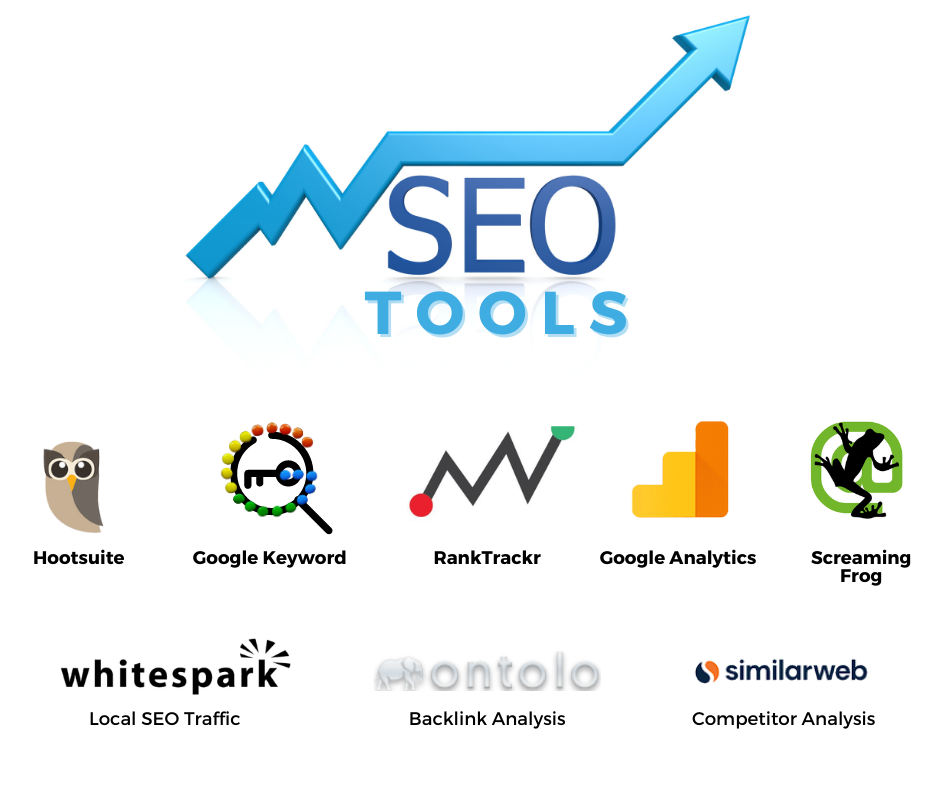
Top Free SEO Tools Recommended by CWK Agency for 2025
Google Search Console
Purpose: Monitor your site’s presence in Google search results Best For: Tracking impressions, clicks, indexing issues, Core Web Vitals
Why CWK Agency loves it:
Offers direct data from Google
Identifies keywords your site is already ranking for
Alerts you to crawling or indexing issues
Pro Tip from Kamlesh Singad:“Check GSC weekly to spot keyword gaps and performance drops early.”
Purpose: Keyword trend analysis Best For: Comparing keyword popularity over time
Benefits:
Discover rising search terms
Spot seasonal content opportunities
Filter by region and category
Use this to plan future blog posts, YouTube videos, or seasonal campaigns.
Bonus Tools Worth Mentioning
MozBar: SEO Chrome extension with page authority and keyword overlay
CanIRank: SEO tool for ranking potential and content suggestions
SERP Robot: Simple rank tracking tool
Bing Webmaster Tools: Similar to Google Search Console but for Bing
How CWK Agency Uses Free SEO Tools
Kamlesh Singad’s approach combines creativity with analytics. At CWK Agency, they use a workflow where:
Google Search Console tracks real performance
AnswerThePublic fuels blog strategy
Screaming Frog handles audits
Yoast SEO powers content optimization
GA4 tracks conversions
They often say: “It’s not about how many tools you use—it’s how well you use them.”
FAQs
Can I do SEO with only free tools? Yes, especially when starting out. Free tools offer 80% of what beginners need.
What’s the best free SEO tool overall? Google Search Console—it provides official data and shows how Google sees your site.
Are these tools beginner-friendly? Most of them are designed with user-friendly interfaces and tutorials.
Should I eventually invest in paid SEO tools? Yes, as your business grows and your SEO needs become more complex.
Can I use multiple tools together? Absolutely. Many marketers use 3–5 tools depending on their goals.
Conclusion: Work Smarter, Not Expensive
SEO success doesn’t require a big budget—it requires smart tools, strategy, and consistency. These top free SEO tools help marketers of all levels audit, optimize, and elevate their search visibility in 2025.
With expert insights from Kamlesh Singad and hands-on applications from CWK Agency, you now have everything you need to grow organically and compete effectively.
So go ahead—equip your SEO toolkit and watch your rankings rise!
Google Search Console (GSC) is a powerful, free tool from Google that provides insights into how your website is performing in search results. Whether you’re a business owner, SEO expert, or blogger, Google Search Console offers critical data to help you optimize your website for better rankings. In this blog, we’ll explore what Google Search Console is, how to set it up, its core features, and how you can use it to improve your site’s search engine performance.
What is Google Search Console?
Google Search Console is a web service that allows website owners to monitor, maintain, and troubleshoot their site’s visibility in Google Search. It helps you identify which keywords are driving traffic, discover technical issues, and ensure your site meets Google’s guidelines. Unlike Google Analytics, which focuses on visitor behavior, GSC zeroes in on your site’s performance in search results.
Setting up Google Search Console is straightforward, but it requires verification to ensure you’re authorized to access the website data. Here’s a step-by-step process to get started:
Sign in to Google Search Console: Go to Google Search Console and log in using your Google account.
Add Your Property: You can add either a domain or a specific URL prefix.
A sitemap is a file that lists all the URLs of your website. Submitting a sitemap in Google Search Console helps Google efficiently crawl and index your content. You can submit your sitemap under Sitemaps > Add a new sitemap.
4. Mobile Usability Report
Mobile usability is a critical factor in modern SEO. This report identifies any mobile-friendliness issues, such as:
Clickable elements too close to each other
Text too small to read
Content wider than the screen
Since Google follows a mobile-first indexing policy, ensuring your site is mobile-friendly is essential for good rankings.
5. Core Web Vitals Report
Core Web Vitals assess user experience based on three metrics:
Improving these metrics enhances user experience and search rankings, especially after Google’s Page Experience Update.
How to Use Google Search Console to Improve SEO?
1. Identify High-Performing Keywords
By analyzing the performance report, you can determine which keywords bring the most traffic. Use this data to create content around those keywords and strengthen your rankings.
2. Fix Indexing Issues Promptly
Regularly monitor the Index Coverage Report for any errors or warnings. Fixing indexing issues ensures Google can properly crawl and display your content.
3. Monitor Backlinks Using Google Search Console
The Links Report shows which websites link to your content, helping you monitor your backlink profile. Backlinks from authoritative sites boost your site’s SEO credibility.
Since mobile performance is crucial, use the Mobile Usability Report to identify and fix mobile issues. Websites optimized for mobile users have better search visibility.
5. Track Core Web Vitals for Better UX
Google Search Console’s Core Web Vitals report helps you enhance user experience. Focus on improving page speed, interactivity, and visual stability to meet Google’s benchmarks.
Common Issues in Google Search Console and How to Fix Them
“Page with Redirect” Warning: This means the page you intended to index redirects to another. Check and fix any unintentional redirects.
Soft 404 Errors: Ensure that pages returning soft 404s display appropriate content or issue proper 404 status codes.
Blocked Resources: Make sure CSS, JS, or images are not blocked by the robots.txt file, which may prevent proper crawling.
Benefits of Google Search Console
Free SEO Tool: No subscription fees or hidden costs.
Direct Communication from Google: Receive messages from Google about critical issues affecting your site.
Helps Monitor SEO Progress: Track keyword rankings, clicks, and impressions.
Easy Integration with Other Tools: Works well with Google Analytics for advanced insights.
Best Practices for Using Google Search Console Effectively
Check Reports Weekly: Regular monitoring helps you catch issues early and prevent traffic drops.
Use GSC with Analytics: Combine Google Search Console with Google Analytics to understand user behavior and search performance holistically.
Optimize for Featured Snippets: Identify opportunities for snippets by analyzing the queries that drive traffic.
FAQs
What is the difference between Google Analytics and Google Search Console? Google Analytics tracks user behavior on your site, such as time spent and pages visited, while Google Search Console focuses on search performance, visibility, and technical SEO issues.
How often should I check Google Search Console? It’s recommended to review GSC at least once a week to stay updated on any critical issues and track performance trends.
Does Google Search Console improve SEO? While GSC doesn’t directly boost SEO, it provides valuable insights and data that can help you optimize your site for better rankings.
Can I use Google Search Console for multiple websites? Yes, you can manage multiple websites through a single GSC account by adding each site as a property.
What happens if I don’t verify my website in GSC? Without verification, you won’t have access to the site’s data or insights, limiting your ability to optimize it for search engines.
How long does it take for Google Search Console to display data? It typically takes 1-2 days for Google to start displaying initial data, but full data visibility can take a few days to a week.
Conclusion
Google Search Console is an indispensable tool for anyone serious about improving their website’s search engine performance. By tracking keyword rankings, fixing technical issues, and optimizing for user experience, you can boost your site’s visibility and achieve better rankings on Google. Whether you’re a beginner or an SEO expert, regular use of GSC will keep you ahead in the competitive digital landscape.
In today’s digital landscape, search engine optimization (SEO) is crucial for any business looking to establish a strong online presence. But how do you know if your SEO efforts are paying off? Measuring SEO success is not just about checking your website’s ranking on Google; it involves a comprehensive analysis of various metrics that provide insights into the effectiveness of your strategies. Understanding these metrics and the tools used to track them can help you optimize your campaigns, drive better results, and ultimately, achieve your business goals.
Why Measuring SEO Success is Essential
Measuring SEO success is essential for several reasons. First, it allows you to determine whether your SEO strategies are working and where adjustments might be needed. Without tracking your performance, you may continue investing time and resources into tactics that aren’t delivering results. Second, understanding the metrics behind SEO success helps you demonstrate the value of your efforts to stakeholders, clients, or management. In an environment where ROI (Return on Investment) is paramount, being able to quantify the impact of SEO is crucial. Finally, regular measurement and analysis help you stay ahead of the competition by continuously refining and improving your strategies based on data.
To effectively measure SEO success, it’s important to focus on the right metrics. These metrics give you a clear picture of how well your website is performing in search engines and how users interact with your content. Below, we explore some of the most critical SEO metrics that every digital marketer should track.
1. Organic Traffic
Organic traffic is one of the most important metrics for measuring SEO success. It refers to the number of visitors who come to your website through unpaid search engine results. This metric is a direct indicator of how well your SEO efforts are working. An increase in organic traffic suggests that your site is ranking higher for relevant keywords, which in turn means that your SEO strategies are effective.
To track organic traffic, tools like Google Analytics are essential. In Google Analytics, you can segment your traffic sources to view only the organic traffic, providing a clear picture of how much of your overall traffic is coming from search engines.
2. Keyword Rankings
Keyword rankings are another fundamental metric for measuring SEO success. This metric tracks the position of your website in search engine results pages (SERPs) for specific keywords. Higher rankings typically lead to more visibility and, consequently, more traffic.
However, it’s important to note that keyword rankings alone don’t guarantee success. You should focus on ranking for keywords that are relevant to your business and have a high search intent. Tools like Ahrefs, SEMrush, and Moz are particularly useful for tracking keyword rankings over time, allowing you to see how your SEO efforts impact your search visibility.
Click-through rate (CTR) measures the percentage of people who click on your website link after seeing it in the search results. A high CTR indicates that your meta titles and descriptions are compelling and relevant to the search query. Conversely, a low CTR might suggest that your titles and descriptions need optimization to better align with user intent.
You can track CTR in Google Search Console, where you’ll find reports that show the performance of your website pages in search results, including impressions, clicks, and the CTR for each keyword.
4. Bounce Rate
Bounce rate is the percentage of visitors who leave your website after viewing only one page. A high bounce rate may indicate that visitors are not finding what they’re looking for, which can negatively affect your SEO performance. While bounce rate isn’t a direct ranking factor, it’s a signal of user engagement and content relevance. Reducing your bounce rate can lead to improved user experience, which can, in turn, positively impact your rankings.
Google Analytics is the go-to tool for tracking bounce rate, providing insights into how users are interacting with your site and where improvements might be needed.
5. Conversion Rate
Ultimately, the success of your SEO efforts should be measured by how well they drive conversions. The conversion rate is the percentage of visitors who complete a desired action on your site, such as making a purchase, signing up for a newsletter, or filling out a contact form. High conversion rates indicate that your website is effectively turning visitors into customers or leads.
By setting up goals in Google Analytics, you can track conversions and see which traffic sources, including organic search, are contributing to your overall success. This metric is crucial for understanding the ROI of your SEO efforts.
Backlinks, or inbound links from other websites, are a significant factor in SEO success. A strong backlink profile with high-quality, relevant links can improve your site’s authority and boost its rankings in search results. Monitoring your backlink profile helps you ensure that your link-building strategies are effective and that you’re not acquiring harmful or low-quality links.
Tools like Ahrefs, SEMrush, and Moz offer comprehensive backlink analysis, allowing you to track new and lost links, assess link quality, and identify opportunities for acquiring more authoritative backlinks.
7. Page Load Time
Page load time, or how quickly your website loads, is another critical metric for SEO success. Google considers page speed as a ranking factor, and slow-loading pages can lead to a poor user experience, higher bounce rates, and lower rankings. Improving your page load time can enhance both user satisfaction and your position in search engine results.
Google’s Page Speed Insights tool is an excellent resource for analyzing your site’s load time and getting actionable recommendations to improve speed. Regularly monitoring and optimizing your page load time can help ensure that your site remains competitive in the search landscape.
8. Mobile Usability
With the increasing use of mobile devices for browsing, mobile usability has become a vital aspect of SEO success. Google prioritizes mobile-friendly websites, and mobile usability issues can negatively impact your rankings. Ensuring that your site is responsive, easy to navigate, and fast-loading on mobile devices is crucial for maintaining and improving your SEO performance.
Google Search Console provides a Mobile Usability report that highlights any issues with your site’s mobile experience. Regularly reviewing and addressing these issues can help you maintain a strong mobile presence in search results.
9. SERP Features
Search engine results pages (SERPs) have evolved beyond the traditional blue links, with features like featured snippets, local packs, and knowledge panels now playing a significant role in visibility. Tracking your presence in these SERP features is essential for measuring SEO success, as they can drive significant traffic to your site.
Tools like Ahrefs and SEMrush allow you to monitor which SERP features your website appears in, helping you optimize your content to increase your chances of capturing these valuable spots.
10. Domain Authority (DA) and Page Authority (PA)
Domain Authority (DA) and Page Authority (PA) are metrics developed by Moz that predict how well a website or a specific page will rank in search engine results. While not official Google metrics, DA and PA are widely used in the SEO industry to gauge the strength of a website relative to its competitors. A higher DA or PA indicates a greater likelihood of ranking well in search results.
You can check your site’s DA and PA using Moz’s free tools or by integrating their API into your reporting systems. Regularly monitoring these metrics can give you an idea of how your SEO efforts are affecting your site’s overall authority.
Tracking and analyzing the above metrics requires the right tools. Here are some of the most effective tools for measuring SEO success:
1. Google Analytics
Google Analytics is an indispensable tool for any SEO professional. It provides comprehensive data on website traffic, user behavior, conversion rates, and more. With Google Analytics, you can track organic traffic, set up goals to monitor conversions, and analyze user engagement metrics like bounce rate and average session duration.
2. Google Search Console
Google Search Console is another essential tool for measuring SEO success. It offers valuable insights into how your website performs in Google search, including keyword rankings, CTR, and any technical issues affecting your site’s visibility. The tool also provides data on your mobile usability and allows you to submit sitemaps and request indexing for new or updated content.
3. Ahrefs
Ahrefs is a powerful tool for keyword research, backlink analysis, and competitive analysis. It allows you to track your keyword rankings, monitor your backlink profile, and identify opportunities for improving your SEO strategy. Ahrefs also offers comprehensive site audits that highlight any technical SEO issues that might be hindering your performance.
4. SEMrush
SEMrush is an all-in-one SEO tool that provides insights into keyword rankings, backlink profiles, and on-page SEO. It also includes features for tracking your competitors’ SEO performance, helping you identify gaps and opportunities in your own strategy. SEMrush’s position tracking tool is particularly useful for monitoring how your keyword rankings change over time.
5. Moz Pro
Moz Pro is another comprehensive SEO toolset that includes keyword research, link building, and site audits. Moz’s unique features, such as Domain Authority and Page Authority, help you measure the overall strength of your website. Moz also offers a keyword explorer that provides detailed data on search volume, difficulty, and potential CTR, helping you choose the most effective keywords for your strategy.
Google PageSpeed Insights analyzes your website’s load time and provides recommendations for improving page speed. Since page speed is a crucial ranking factor, regularly using this tool can help you optimize your site for better performance and user experience. The tool scores your site’s speed on both mobile and desktop devices, giving you a clear understanding of how well your site performs across different platforms.
7. Screaming Frog SEO Spider
Screaming Frog SEO Spider is a powerful tool for conducting technical SEO audits. It crawls your website and provides detailed reports on issues like broken links, duplicate content, missing meta tags, and more. By identifying and fixing these issues, you can ensure that your site is optimized for search engines and that no technical barriers are hindering your SEO success.
8. Google Keyword Planner
Google Keyword Planner is a free tool that helps you discover new keywords and estimate the search volume and competition for each keyword. While primarily designed for Google Ads, it’s also valuable for SEO keyword research. By using Keyword Planner, you can identify high-potential keywords to target in your content and track how well you rank for them over time.
9. Yoast SEO (for WordPress Users)
Yoast SEO is a popular plugin for WordPress that helps you optimize your content for search engines. It offers real-time analysis of your content, ensuring that your titles, meta descriptions, and on-page SEO elements are fully optimized. Yoast also provides readability analysis and suggests improvements to make your content more accessible to readers.
10. Uber suggest
Ubersuggest, developed by Neil Patel, is a free SEO tool that provides keyword ideas, content suggestions, and backlink data. It’s a great tool for beginners and professionals alike, offering an easy-to-use interface with actionable insights. Ubersuggest also includes a site audit feature that highlights SEO issues and provides recommendations for improvement.
How to Use These Tools to Measure SEO Success
Now that we’ve covered the essential tools, let’s explore how to use them effectively to measure SEO success.
Step 1: Set Clear SEO Goals
Before you start tracking metrics, it’s important to set clear, measurable goals for your SEO efforts. These goals should align with your overall business objectives and be specific enough to allow for accurate measurement. Examples of SEO goals include increasing organic traffic by 20% in six months, achieving a top 3 ranking for specific keywords, or improving the conversion rate by 10%.
Using the tools mentioned above, regularly track the key SEO metrics that align with your goals. For example, if your goal is to increase organic traffic, monitor your traffic data in Google Analytics and Google Search Console. If you’re focused on improving keyword rankings, use Ahrefs or SEMrush to track your positions in SERPs.
Step 3: Conduct Regular SEO Audits
Regular SEO audits are essential for identifying and fixing issues that could be hindering your performance. Tools like Screaming Frog and Google Search Console can help you conduct comprehensive audits, highlighting areas that need improvement. Addressing these issues promptly can prevent them from negatively impacting your rankings and overall SEO success.
Step 4: Optimize Your Content and Site Structure
Based on the insights gained from your metrics and audits, continuously optimize your content and site structure. This might involve updating old content with new keywords, improving page load times, or making your site more mobile-friendly. Tools like Yoast SEO and Google Page Speed Insights are invaluable for ensuring that your content and technical SEO are up to par.
Step 5: Monitor Competitor Performance
Measuring SEO success also involves keeping an eye on your competitors. Use tools like SEMrush and Ahrefs to track your competitors’ keyword rankings, backlink profiles, and content strategies. By understanding what’s working for them, you can adapt and refine your own strategies to stay competitive.
Step 6: Report on SEO Performance
Regularly report on your SEO performance to stakeholders, clients, or management. Use data from Google Analytics, Google Search Console, and other tools to create clear, actionable reports that demonstrate the impact of your SEO efforts. Highlight key successes, areas for improvement, and the steps you plan to take to achieve your goals.
Step 7: Continuously Refine Your SEO Strategy
SEO is an ongoing process, not a one-time effort. Continuously refine your SEO strategy based on the data and insights you gather. This might involve experimenting with new keywords, adjusting your content strategy, or adopting new tools and techniques. By staying proactive and adaptable, you can ensure long-term SEO success.
Measuring SEO success is critical for understanding the effectiveness of your strategies and making informed decisions about how to improve them. By focusing on key metrics like organic traffic, keyword rankings, CTR, and conversion rates, and using tools like Google Analytics, Ahrefs, and SEMrush, you can gain valuable insights into your SEO performance. Regularly tracking these metrics, conducting audits, and refining your strategies will help you achieve your SEO goals and drive better results for your business.
FAQs
How do I measure SEO success?
To measure SEO success, track key metrics like organic traffic, keyword rankings, CTR, bounce rate, and conversion rate. Use tools like Google Analytics, Google Search Console, and Ahrefs to monitor these metrics and analyze your SEO performance.
Why is organic traffic important for SEO success?
Organic traffic is important because it represents visitors coming to your website through unpaid search results. An increase in organic traffic indicates that your SEO strategies are effective and that your website is ranking well for relevant keywords.
What are the best tools for measuring SEO success?
The best tools for measuring SEO success include Google Analytics, Google Search Console, Ahrefs, SEMrush, Moz Pro, and Google PageSpeed Insights. These tools provide comprehensive data on various SEO metrics, helping you track and optimize your performance.
How can I improve my website’s keyword rankings?
To improve your website’s keyword rankings, focus on creating high-quality, relevant content, optimizing your on-page SEO elements, building high-quality backlinks, and ensuring your site is technically sound. Regularly monitor your rankings using tools like Ahrefs and SEMrush.
What role does page load time play in SEO success?
Page load time plays a significant role in SEO success because Google considers it a ranking factor. A fast-loading website provides a better user experience, leading to lower bounce rates and higher rankings in search engine results.
How often should I conduct an SEO audit?
It’s recommended to conduct an SEO audit at least twice a year. However, depending on the size and complexity of your website, you might need to perform audits more frequently, especially if you’re making significant changes to your content or site structure.
Search Engine Optimization (SEO) is a dynamic field that plays a crucial role in helping websites rank higher on search engine results pages (SERPs). Whether you’re an SEO enthusiast, a digital marketer, or a website owner, testing your SEO knowledge through an online quiz can be an engaging and educational experience. In this blog, we’ve compiled a list of the top 50 SEO quiz questions with detailed answers and examples to help you sharpen your skills and stay up-to-date with SEO trends.
Explore the most important SEO Questions with clear answers to improve your knowledge of search engine optimization, boost website rankings, and prepare for interviews or practical SEO implementation.
Note: Before attempting the quiz questions, it’s recommended to have a basic understanding of SEO concepts. If you’re new to SEO, consider learning the fundamentals first.
Let’s get started!
Section 1: SEO Basics
1. What does SEO stand for, and why is it important for websites?
Answer: SEO stands for “Search Engine Optimization.” It is important for websites because it helps them improve their visibility on search engines like Google, leading to increased organic (non-paid) traffic and better online presence.
2. Explain the difference between on-page and off-page SEO.
Answer: On-page SEO refers to optimizing elements on a webpage itself, such as content, meta tags, and images. Off-page SEO involves activities outside the website, like link-building and social media marketing, to improve its authority and credibility.
3. Define keyword research in SEO.
Answer: Keyword research is the process of identifying and analyzing the specific words and phrases people use in search engines. It helps determine which keywords to target to rank for relevant searches.
4. What is the purpose of a meta title tag, and how does it affect SEO?
Answer: A meta title tag is an HTML element that specifies the title of a webpage. It appears in search engine results and browser tabs. Optimizing it with relevant keywords can improve click-through rates and SEO rankings.
Example:
<meta name="title" content="Best SEO Practices - Boost Your Website's Ranking">
Section 2: On-Page SEO
5. Explain the concept of keyword density.
Answer: Keyword density is the percentage of times a target keyword appears within a webpage’s content compared to the total word count. It’s important to maintain a natural balance to avoid keyword stuffing.
6. What is the importance of header tags (H1, H2, H3, etc.) in on-page SEO?
Answer: Header tags provide structure to content and help search engines understand the hierarchy of information on a page. H1 tags represent the main title, while H2 and H3 tags indicate subheadings, contributing to SEO optimization.
Example:
<h1>Top 10 SEO Tips</h1>
<h2>1. Keyword Research</h2>
7. What is the significance of optimizing images for SEO, and how can you do it?
Answer: Optimizing images involves reducing file sizes, using descriptive file names, and adding alt text. This helps improve page load speed and makes images accessible to search engines, enhancing overall SEO.
Example:
<img src="image.jpg" alt="SEO Tips for Beginners">
8. How can you improve your website’s page loading speed for better SEO performance?
Answer: To enhance page loading speed, you can optimize images, use content delivery networks (CDNs), enable browser caching, and minimize HTTP requests by reducing unnecessary elements.
9. What is a 404 error, and how does it impact SEO?
Answer: A 404 error occurs when a webpage is not found. It negatively affects SEO by creating a poor user experience and reducing trust with search engines. To mitigate this, set up custom 404 error pages with helpful navigation options.
Example:
<h1>404 - Page Not Found</h1>
<p>Sorry, the page you're looking for doesn't exist.</p>
Section 3: Off-Page SEO
10. Define backlinks and their role in SEO.
Answer: Backlinks are incoming links from other websites to yours. They are crucial for SEO because they act as “votes of confidence” from other sites, improving your website’s authority and ranking.
11. What is guest posting, and how can it benefit off-page SEO?
Answer: Guest posting involves writing articles for other websites in your niche with backlinks to your site. It benefits off-page SEO by increasing backlink opportunities and driving referral traffic.
12. Explain the concept of domain authority (DA) and its significance in off-page SEO.
Answer: Domain authority is a metric that measures the overall authority and credibility of a website. A higher DA indicates better SEO potential and makes it easier to rank for competitive keywords.
13. How can social media activity impact off-page SEO?
Answer: Active social media profiles and sharing content can increase brand visibility, drive traffic, and generate social signals, which can indirectly influence SEO rankings.
Example: Sharing blog posts on Twitter and Facebook can attract more visitors to your website.
Section 4: Technical SEO
14. What is the importance of an XML sitemap in SEO?
Answer: An XML sitemap is a list of all the pages on a website. It helps search engines understand the website’s structure and ensures all pages get indexed, improving SEO.
15. Define canonicalization and its role in preventing duplicate content issues.
Answer: Canonicalization is the process of specifying the preferred version of a webpage when multiple similar pages exist. It helps prevent duplicate content issues that can harm SEO.
16. What is mobile optimization, and why is it essential for SEO?
Answer: Mobile optimization involves designing and optimizing a website for mobile devices. It’s crucial for SEO because Google prioritizes mobile-friendly websites in mobile search results.
Example: Responsive web design ensures your site looks and functions well on smartphones and tablets.
17. What is page speed optimization, and how can it be achieved?
Answer: Page speed optimization focuses on making webpages load quickly. It involves compressing images, reducing server response times, and using browser caching to enhance the user experience and SEO rankings.
Section 5: SEO Metrics and Analysis
18. Explain the difference between organic and paid search traffic.
Answer: Organic search traffic comes from unpaid search engine results, while paid search traffic is generated through advertising campaigns like Google Ads.
19. What are bounce rate and click-through rate (CTR), and how do they relate to SEO?
Answer: Bounce rate measures the percentage of visitors who leave a website without interacting further. CTR is the percentage of users who click on a specific link. Both metrics provide insights into user engagement and can impact SEO rankings.
20. How can Google Analytics and Google Search Console help in SEO analysis?
Answer: Google Analytics provides detailed data on website traffic, user behavior, and conversions. Google Search Console offers insights into how Google views your site, indexing issues, and search performance, aiding SEO optimization efforts.
Example: Analyzing Google Analytics data can help identify which pages are performing well and which need improvement.
Section 6: Advanced SEO Strategies
21. What is schema markup, and how can it enhance SEO?
Answer: Schema markup is structured data added to a webpage’s HTML code to provide search engines with specific information about the content. It can result in rich snippets in search results, improving click-through rates and SEO.
22. How can long-tail keywords be beneficial in SEO strategies?
Answer: Long-tail keywords are longer and more specific search queries. They are valuable in SEO because they often have less competition and can attract highly targeted traffic.
23. What is the importance of content quality and relevance in SEO?
Answer: High-quality, relevant content is crucial for SEO success. It engages visitors, earns backlinks, and demonstrates expertise, authority, and trustworthiness (E-A-T) to search engines.
24. What is the concept of local SEO, and how can businesses benefit from it?
Answer: Local SEO focuses on optimizing a website for local search results. It is beneficial for businesses that serve a specific geographic area, as it helps them appear in local search listings and Google Maps.
Example: A local bakery can optimize its website to appear in Google’s local pack when users search for “best bakeries near me.”
Section 7: SEO Trends and Future
25. Name some emerging SEO trends and technologies to watch for in the near future.
Answer: Some emerging SEO trends include voice search optimization, video SEO, artificial intelligence (AI), and the increasing importance of user experience (UX) signals in search engine rankings.
26. How do Core Web Vitals affect SEO, and why are they important?
Answer: Core Web Vitals are a set of user experience metrics that measure page loading speed, interactivity, and visual stability. Google uses them as ranking factors, making them crucial for SEO.
Example: A website that loads quickly and provides a smooth user experience is more likely to rank higher in search results.
27. Explain the concept of E-A-T in SEO, and why does it matter?
Answer: E-A-T stands for Expertise, Authoritativeness, and Trustworthiness. It is a framework used by Google to assess the quality of content and websites. Demonstrating high E-A-T is essential for SEO success.
Example: A medical website should have content written by medical experts to establish expertise and trustworthiness.
Conclusion
SEO is an ever-evolving field, and staying informed about the latest trends and best practices is vital for success. This quiz with 50 questions and answers has covered a wide range of SEO topics, from the basics to advanced strategies. By mastering these concepts and staying up-to-date with industry developments, you’ll be better equipped to improve your website’s SEO and drive organic traffic.
Remember that SEO is an ongoing process, and it’s essential to adapt to changes in search engine algorithms and user behavior. Regularly testing your knowledge through quizzes and staying engaged with the SEO community can help you maintain a competitive edge in the digital landscape.
Happy quizzing, and may your SEO efforts lead to greater online visibility and success!
In the ever-evolving landscape of online search, Google reigns supreme. With billions of daily searches, it’s no surprise that businesses and website owners are constantly striving to rank higher on Google’s search results pages. Achieving this coveted top spot requires a deep understanding of Google’s algorithms and how they impact Google Algorithms for Website SEO (Search Engine Optimization).
Google’s algorithms are complex sets of rules and formulas that determine the order in which websites appear in search results. These algorithms are updated frequently to provide users with the most relevant and high-quality content. In this comprehensive guide, we’ll break down Google’s algorithms in simple language and provide actionable tips for improving your website’s SEO.
Chapter 1: Understanding Google’s Mission
Before delving into Google’s algorithms, it’s essential to understand Google’s mission. Google’s primary goal is to provide users with the most relevant and high-quality search results possible. To achieve this, Google continuously refines its algorithms to ensure that websites with valuable content are rewarded and those employing deceptive tactics are penalized.
Chapter 2: Google’s Core Algorithms
Google employs several core algorithms to rank websites in search results. Let’s take a closer look at some of the most significant ones:
Google Panda: This algorithm assesses the quality of your website’s content. It penalizes low-quality or duplicate content and rewards websites with original, informative, and engaging content.
Google Penguin: Penguin focuses on backlinks, penalizing websites with spammy or manipulative link profiles. Building high-quality, natural backlinks is essential to avoid penalties from this algorithm.
Google Hummingbird: Hummingbird is all about understanding user intent. It helps Google deliver more accurate results by considering the context and meaning of search queries, making long-tail keywords and natural language crucial for SEO.
Google RankBrain: RankBrain is Google’s machine learning algorithm. It helps interpret ambiguous queries and fine-tune search results based on user behavior. Understanding user intent and providing relevant content is key to ranking well with RankBrain.
Google BERT: BERT (Bidirectional Encoder Representations from Transformers) improves language understanding. It focuses on understanding the context of words in a search query, making it crucial to create content that answers specific user questions.
Chapter 3: The Importance of Mobile-Friendly Design
In the mobile-first era, Google prioritizes mobile-friendly websites. A mobile-friendly design ensures that your site looks and performs well on smartphones and tablets. Google’s Mobile-First Index means that mobile versions of web pages are used for ranking. To optimize for mobile, ensure responsive design, fast loading times, and a user-friendly interface.
Chapter 4: Content is King
Content is the foundation of SEO. Creating high-quality, relevant, and valuable content is essential. Here are some key considerations:
High-Quality Content: Your content should be well-researched, well-written, and free from errors. It should provide value to your audience and address their needs.
Keyword Research: Keyword research helps you understand what your target audience is searching for. Use tools like Google Keyword Planner to find relevant keywords to include in your content.
Content Length: In general, longer content tends to perform better in search results. However, it should be long because it provides value, not just for the sake of length.
Content Freshness: Updating and adding new content keeps your website relevant. Google often rewards fresh content with higher rankings.
Chapter 5: Backlinks and Off-Page SEO
Backlinks, also known as inbound links, are crucial for SEO. They represent trust and authority in the eyes of search engines. However, not all backlinks are created equal:
The Power of Backlinks: High-quality, authoritative backlinks from reputable websites are more valuable than a large number of low-quality links.
Link Quality vs. Quantity: Focus on earning quality backlinks rather than trying to accumulate as many as possible. Building relationships with other websites in your niche can lead to natural backlink opportunities.
Avoiding Black Hat SEO: Stay away from black hat SEO tactics like buying links or participating in link schemes. Google’s algorithms are adept at detecting and penalizing such practices.
Technical SEO involves optimizing your website’s infrastructure and technical elements for search engines. Some key technical SEO aspects include:
Website Speed: A fast-loading website is crucial for SEO. Use tools like Google PageSpeed Insights to identify and fix speed issues.
Mobile Optimization: Ensure that your website is mobile-friendly and loads quickly on mobile devices.
Secure (HTTPS) Connection: Google prefers secure websites. Implementing an SSL certificate to enable HTTPS is essential.
XML Sitemaps: XML sitemaps help search engines understand your website’s structure and content, making it easier for them to crawl and index your pages.
Schema Markup: Adding schema markup to your content can enhance how your website appears in search results, providing additional information to users.
Chapter 7: User Experience (UX) and SEO
User experience directly impacts your website’s performance in search results. Google wants to provide users with a positive experience, so consider these UX factors:
Page Layout and Design: Ensure your website has an organized and visually appealing layout that makes it easy for users to navigate.
Mobile Responsiveness: Mobile users should have the same great experience as desktop users. Optimize for various screen sizes.
Website Navigation: Create a clear and intuitive navigation structure to help users find what they’re looking for.
Page Loading Speed: Slow-loading pages frustrate users and can lead to higher bounce rates. Optimize your website’s speed for better rankings.
Chapter 8: Local SEO
If your business serves a local audience, optimizing for local search is essential. Here are some key aspects of local SEO:
Google My Business: Claim and optimize your Google My Business listing. Provide accurate information, high-quality images, and encourage customer reviews.
Online Reviews: Positive online reviews not only boost your reputation but can also improve local search rankings.
NAP Citations: Ensure that your business’s name, address, and phone number (NAP) are consistent across all online directories and listings.
Chapter 9: Tracking and Analytics
To gauge the effectiveness of your Google Algorithms for Website SEO efforts, you need to track and analyze data. Here are some essential tools and metrics:
Google Analytics: Provides insights into website traffic, user behavior, and more.
Google Search Console: Offers data on how your website appears in search results and helps identify and fix issues.
SEO Tools: Utilize various SEO tools like Moz, SEMrush, and Ahrefs to monitor rankings, analyze backlinks, and conduct keyword research.
Chapter 10: Staying Updated
The world of SEO is constantly evolving, with Google regularly rolling out algorithm updates. To stay ahead, consider these strategies:
Algorithm Updates: Stay informed about Google’s algorithm updates and adapt your Google Algorithms for Website SEO strategies accordingly.
Industry News: Follow industry news and blogs to keep up with the latest trends and best practices in Google Algorithms for Website SEO.
In the competitive online landscape, understanding Google’s algorithms and implementing effective SEO strategies is crucial for your website’s success. By focusing on high-quality content, technical optimization, user experience, and staying up-to-date with industry changes, you can improve your website’s visibility in Google’s search results. Remember that Google Algorithms for Website SEO is an ongoing process, and consistent efforts are key to achieving and maintaining high rankings.
In today’s digital age, search engine optimization (SEO) plays a critical role in the success of online businesses. As a result, companies are constantly on the lookout for talented SEO executives who can help them improve their online visibility and drive organic traffic to their websites. If you’re aspiring to be an SEO executive, it’s essential to prepare for the interview process, as it can be quite competitive. In this blog, we’ll delve into the top 50 SEO executive interview questions in simple language, providing examples and explanations to help you ace your interview.
1. Can you explain what SEO is and why it’s important for websites?
Example Answer: SEO stands for Search Engine Optimization. It’s the practice of optimizing a website to improve its visibility on search engine results pages (SERPs). SEO is crucial because it helps websites rank higher on search engines like Google, leading to increased organic traffic and potential customers.
2. What are the main components of SEO?
Example Answer: SEO consists of on-page optimization (content, keywords, meta tags), off-page optimization (backlinks, social signals), and technical optimization (site structure, load speed).
3. What is the difference between on-page and off-page SEO?
Example Answer: On-page SEO refers to optimizing elements on your website itself, like content and meta tags. Off-page SEO involves activities outside your website, such as link-building and social media marketing.
4. Explain the concept of keyword research. How would you choose relevant keywords for a website?
Example Answer: Keyword research involves identifying the words and phrases people use when searching online. You can use tools like Google Keyword Planner to find relevant keywords, considering factors like search volume and competition.
5. What is the significance of high-quality content in SEO?
Example Answer: High-quality content is essential for SEO because it attracts visitors, keeps them engaged, and encourages them to share your content. It also helps search engines understand your website’s relevance to specific keywords.
6. How do you optimize a webpage for a specific keyword?
Example Answer: To optimize a webpage for a keyword, you should include it in the page’s title, headers, meta description, and throughout the content. However, avoid keyword stuffing, as it can negatively impact your SEO.
7. Can you explain the importance of backlinks in SEO?
Example Answer: Backlinks are links from other websites to your site. They are crucial because they indicate the authority and trustworthiness of your site to search engines. High-quality backlinks can boost your search engine rankings.
8. What is the difference between follow and nofollow links?
Example Answer: Follow links pass authority from one page to another, affecting SEO rankings. Nofollow links, on the other hand, don’t pass authority and are often used for user-generated content or paid promotions.
9. How would you approach an SEO audit for a website?
Example Answer: An SEO audit involves assessing a website’s performance, identifying issues, and recommending improvements. It includes evaluating on-page elements, backlinks, technical aspects, and content quality.
10. What are the key on-page SEO factors you would consider while optimizing a website?
Example Answer: Key on-page factors include optimizing title tags, meta descriptions, header tags, keyword usage, internal linking, and ensuring mobile-friendliness and fast page load times.
11. Can you explain the importance of mobile optimization for SEO?
Example Answer: Mobile optimization is crucial because Google prioritizes mobile-friendly websites in its search results. If your site isn’t mobile-responsive, you may lose rankings and traffic.
12. What is the purpose of XML sitemaps in SEO, and how do they work?
Example Answer: XML sitemaps help search engines understand the structure of your website and index its pages more efficiently. They list URLs and provide additional information about each page.
13. How do you deal with duplicate content issues on a website?
Example Answer: Duplicate content can harm SEO. To address it, use canonical tags, set preferred versions of pages, and ensure that your content is unique and valuable.
14. What is page speed optimization, and why is it important for SEO?
Example Answer: Page speed optimization involves making a website load faster. Google considers page speed when ranking websites, so a slow site can lead to lower rankings and user dissatisfaction.
15. What is HTTPS, and why is it important for SEO?
Example Answer: HTTPS is a secure version of HTTP. Google gives preference to secure sites, so switching to HTTPS can boost your SEO rankings and increase user trust.
16. How can you improve a website’s user experience (UX) for SEO?
Example Answer: Improving UX involves making navigation intuitive, improving page load times, using clear calls-to-action, and ensuring mobile-friendliness. A better UX can lead to higher user engagement and rankings.
17. Explain the concept of long-tail keywords. Why are they important in SEO?
Example Answer: Long-tail keywords are longer, more specific keyword phrases. They are valuable because they often have less competition and can attract highly targeted traffic to your website.
18. What are SEO algorithms, and how do they impact website rankings?
Example Answer: SEO algorithms are sets of rules search engines use to determine rankings. They consider factors like content quality, backlinks, and user experience. Understanding these algorithms helps SEO professionals optimize websites effectively.
19. How can you track and measure the success of an SEO campaign?
Example Answer: You can use tools like Google Analytics and Google Search Console to track organic traffic, rankings, click-through rates (CTR), and conversion rates. Monitoring these metrics helps assess the effectiveness of your SEO efforts.
20. What is the importance of local SEO, and how can it benefit businesses?
Example Answer: Local SEO focuses on optimizing a website for local search results. It’s essential for brick-and-mortar businesses as it helps them attract local customers and improve visibility in their target areas.
21. What are Google’s core web vitals, and why are they important for SEO?
Example Answer: Google’s core web vitals are a set of performance metrics, including page load time, interactivity, and visual stability. They are crucial because Google considers them when ranking websites, emphasizing a better user experience.
22. How would you handle a sudden drop in website rankings?
Example Answer: Investigate potential issues, such as algorithm updates or technical problems, by reviewing Google Search Console data, checking for penalties, and monitoring competitor changes. Develop a plan to address and recover from the drop.
23. What are schema markup and rich snippets, and how do they impact SEO?
Example Answer: Schema markup is code added to a website to provide search engines with structured data. Rich snippets are the enhanced search results that appear with additional information. They can increase click-through rates and improve SEO.
24. Can you explain the concept of E-A-T in SEO, and why is it important?
Example Answer: E-A-T stands for Expertise, Authoritativeness, and Trustworthiness. Google considers these factors when assessing the quality of a website’s content. Demonstrating E-A-T can improve rankings and user trust.
25. What are 301 and 302 redirects, and when would you use them?
Example Answer: A 301 redirect is a permanent redirection, while a 302 redirect is temporary. You would use a 301 redirect when permanently moving a page, and a 302 when temporarily redirecting traffic.
26. What is a robots.txt file, and how does it influence search engine crawling?
Example Answer: A robots.txt file tells search engines which pages they can and cannot crawl on a website. Properly configuring it ensures that search engines access the right content and exclude sensitive or duplicate pages.
27. How do you identify and handle toxic backlinks that may harm a website’s SEO?
Example Answer: Use tools like Google Search Console and third-party backlink analysis tools to identify toxic backlinks. Once identified, create a disavow file and submit it to Google to disavow those links.
28. Explain the importance of anchor text in SEO. How should you optimize it?
Example Answer: Anchor text is the clickable text in a hyperlink. It’s essential because it provides context to both users and search engines. To optimize it, use relevant keywords that describe the linked content accurately.
29. What are header tags, and how do they impact SEO?
Example Answer: Header tags (H1, H2, H3, etc.) structure the content on a webpage. They help search engines understand the hierarchy and importance of different sections of the page, influencing SEO rankings.
30. What is the Google Search Console, and how can it help SEO efforts?
Example Answer: Google Search Console is a free tool provided by Google to monitor and manage a website’s presence in Google search results. It helps identify and resolve issues, track performance, and submit sitemaps.
31. How can you optimize images for SEO, and why is it important?
Example Answer: Image optimization involves using descriptive filenames, alt tags, and compressing images to reduce file size. It’s essential because optimized images can improve page load times and enhance user experience.
32. Can you explain the concept of user intent in SEO, and how does it affect keyword targeting?
Example Answer: User intent refers to the reason behind a user’s search query. It’s crucial because it helps you understand what users are looking for and tailor your content and keyword targeting accordingly.
33. What is Google Analytics, and how can it help in SEO analysis?
Example Answer: Google Analytics is a web analytics tool that provides insights into website traffic, user behavior, and conversions. It helps SEO professionals track the effectiveness of their strategies and make data-driven decisions.
34. How do you create an effective SEO strategy for a new website?
Example Answer: An effective SEO strategy for a new website includes keyword research, on-page optimization, content creation, link-building, and ongoing monitoring. It should align with the website’s goals and target audience.
35. What are the best practices for optimizing a website’s meta titles and descriptions?
Example Answer: Meta titles should be concise, include primary keywords, and accurately describe the page’s content. Meta descriptions should be compelling, informative, and encourage clicks.
36. How does social media impact SEO, and what strategies can you use to leverage it?
Example Answer: Social media can indirectly impact SEO by driving traffic, building brand authority, and attracting backlinks. Strategies include sharing high-quality content, engaging with your audience, and promoting content on social platforms.
37. What is the role of user-generated content in SEO, and how would you encourage it?
Example Answer: User-generated content, like reviews and comments, can enhance SEO by providing fresh content and social proof. Encourage it by creating a user-friendly platform, asking for feedback, and incentivizing contributions.
38. What is a site map, and how does it benefit SEO and user experience?
Example Answer: A sitemap is a list of all the pages on a website. It helps search engines crawl and index your site efficiently, and it provides users with a clear overview of your website’s structure.
39. How do you stay updated with the latest SEO trends and algorithm changes?
Example Answer: Staying updated involves following industry blogs, attending conferences, and participating in online communities. Tools like Google Webmaster Central and Moz can also provide valuable insights.
40. Can you explain the concept of keyword cannibalization, and how can it be resolved?
Example Answer: Keyword cannibalization occurs when multiple pages on a website target the same keyword. It can dilute SEO efforts. To resolve it, consolidate content, use canonical tags, and update page titles and content.
41. What is the role of structured data in SEO, and how can it enhance search results?
Example Answer: Structured data provides search engines with additional information about a webpage’s content, making it easier for them to display rich snippets in search results, which can improve click-through rates.
42. How can you improve a website’s internal linking structure for better SEO?
Example Answer: Improving internal linking involves creating a logical hierarchy, using descriptive anchor text, and linking to relevant content. It enhances user navigation and helps search engines understand the site’s structure.
43. What is the impact of social signals on SEO, and how can you leverage them?
Example Answer: Social signals, like shares and likes on social media, can indirectly influence SEO by increasing brand visibility and driving traffic. You can leverage them by creating shareable content and engaging with your audience.
44. How do you approach international SEO, and what are the key considerations?
Example Answer: International SEO involves optimizing a website for multiple countries or languages. Key considerations include hreflang tags, content localization, and targeting the right keywords for each audience.
45. What are the benefits of content marketing in SEO, and how can it be integrated into an SEO strategy?
Example Answer: Content marketing can attract and engage users, generate backlinks, and establish industry authority. Integrating it into an SEO strategy involves creating valuable content that aligns with SEO goals.
46. Can you explain the concept of click-through rate (CTR) and its relevance in SEO?
Example Answer: CTR measures the percentage of users who click on a search result. It’s relevant in SEO because higher CTRs can improve rankings, indicating that users find your content relevant and engaging.
47. How would you approach link-building for SEO, and what are some effective strategies?
Example Answer: Link-building involves acquiring high-quality backlinks to your site. Effective strategies include guest blogging, outreach, creating link-worthy content, and leveraging industry relationships.
48. What is the role of online reputation management in SEO, and how can it be achieved?
Example Answer: Online reputation management involves monitoring and maintaining a positive online image. It’s essential because negative reviews or content can harm SEO. Achieve it by addressing issues promptly, encouraging positive reviews, and creating valuable content.
49. How can you assess the competitiveness of keywords, and why is it important?
Example Answer: Assess keyword competitiveness by analyzing factors like search volume, keyword difficulty, and competitor rankings. It’s crucial because targeting highly competitive keywords may require more effort and resources.
50. Can you provide an example of a successful SEO campaign you’ve worked on, including the goals, strategies, and outcomes?
Example Answer: Describe a specific SEO
campaign you’ve been a part of, highlighting the goals, the strategies implemented, and the outcomes achieved. Be sure to mention any challenges faced and how they were overcome.
Conclusion
Preparing for an SEO executive interview can be a challenging but rewarding process. By familiarizing yourself with these top 50 SEO interview questions and their example answers, you’ll be well-equipped to demonstrate your expertise and secure that coveted role in the dynamic world of search engine optimization. Remember that practical experience and a deep understanding of SEO concepts are just as important as acing the interview questions, so keep honing your skills and staying updated with the latest industry trends.50 SEO executive interview. Good luck with your SEO career!