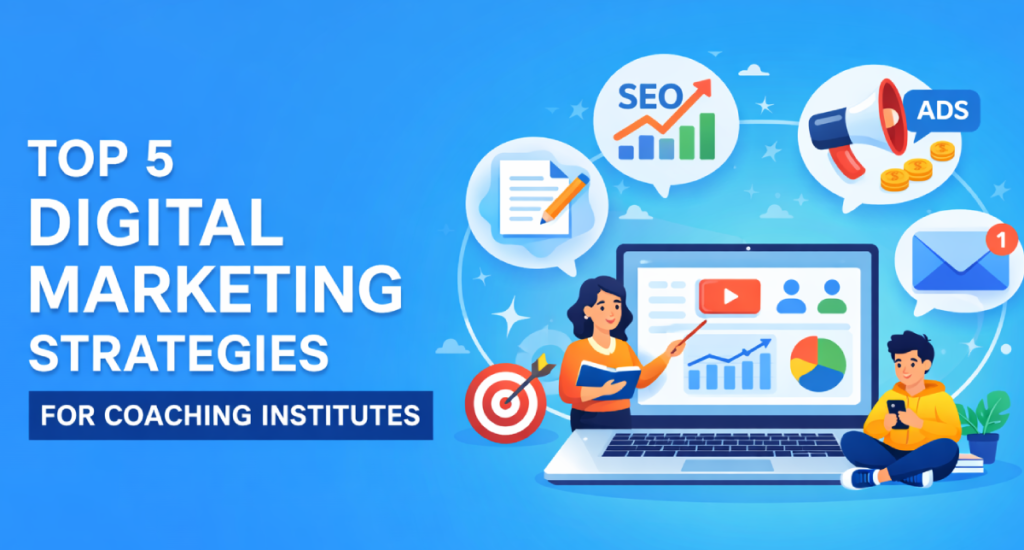
In today’s digital age, the way businesses reach and engage their audience is constantly evolving. Among the many strategies available, video marketing has emerged as a powerful tool to connect with customers, drive brand awareness, and boost sales. In this blog, we will explore the profound impact of video marketing and why your business needs to embrace it now, with simple language and real-world examples.
What is Video Marketing?
Video marketing is the practice of using videos to promote and market your products or services. These videos can be created in various formats, including explainer videos, product demonstrations, customer testimonials, vlogs, and more. The goal is to engage your target audience, convey your message effectively, and ultimately drive actions such as purchases or subscriptions.
The Power of Visual Content
Humans are naturally drawn to visual content, making videos an incredibly effective tool for marketing. Here are some key reasons why:
Increased Engagement: Videos are more engaging than text or static images. According to a report by Wyzowl, 84% of people have been convinced to make a purchase after watching a brand’s video.
Better Retention: People tend to remember information better when presented in video format. It’s estimated that we retain 95% of a message. When we watch it in a video compared to just 10% when reading it in text.
Emotional Connection: Videos allow you to convey emotions, tell stories, and build a deeper connection with your audience. This emotional connection can lead to greater brand loyalty.
Examples of Video Marketing Success
Let’s take a look at some real-world examples of businesses that have harnessed the power of video marketing to achieve impressive results:
1. Blendtec’s “Will It Blend?” Campaign:
Blendtec, a blender manufacturer, created a series of videos where they blended unusual items like iPhones and golf balls to demonstrate the strength of their blenders. These quirky and entertaining videos went viral and significantly boosted their brand awareness. The company’s sales also saw a substantial increase.
2. Dove’s “Real Beauty” Campaign:
Dove’s “Real Beauty” campaign aimed to challenge conventional beauty standards. They created a video titled “Dove Real Beauty Sketches” where an FBI-trained forensic artist drew women based on their self-descriptions and then based on descriptions from strangers. The video sparked a global conversation on self-esteem and body image issues and garnered millions of views, reinforcing Dove’s brand as a champion of real beauty.
3. GoPro’s User-Generated Content:
GoPro encourages its users to share their adventurous experiences captured with GoPro cameras. This user-generated content has been a cornerstone of GoPro’s marketing strategy. It not only showcases the product’s capabilities but also creates a strong community of brand advocates.
Benefits of Video Marketing
Now that we’ve seen some inspiring examples, let’s explore the concrete benefits of incorporating video marketing into your business strategy:
Increased Brand Awareness: Engaging videos have the potential to reach a vast audience, making your brand more visible and recognizable.
Higher Conversion Rates: Videos can lead to higher conversion rates, whether it’s signing up for a newsletter, making a purchase, or requesting more information.
Improved SEO: Videos can boost your website’s search engine ranking, making it easier for potential customers to find you.
Better Social Media Engagement: Videos are highly shareable on social media platforms, increasing your reach and interaction with your audience.
Enhanced Customer Trust: Video content can establish your expertise in your industry and build trust with your audience.
Getting Started with Video Marketing
Here are some simple steps to kickstart your video marketing journey:
Define Your Goals: Determine what you want to achieve with video marketing, whether it’s brand awareness, lead generation, or sales.
Know Your Audience: Understand your target audience’s preferences, pain points, and interests to create content that resonates with them.
Create High-Quality Content: Invest in good equipment, hire professionals if needed. And ensure your videos are well-produced and engaging.
Choose the Right Platforms: Select the platforms (e.g., YouTube, Facebook, Instagram, TikTok) where your audience is most active.
Analyze and Adapt: Use analytics to track the performance of your videos and adjust your strategy based on what works best.
In conclusion, the impact of video marketing on businesses today cannot be overstated. It’s a versatile, engaging, and highly effective tool for reaching and connecting with your target audience. By leveraging the power of video, you can tell your brand’s story, engage customers emotionally, and ultimately drive growth for your business. So, don’t wait any longer – start incorporating video marketing into your strategy today, and watch your business thrive in the digital age.
In the vast and ever-evolving landscape of the internet, creating viral content is like striking gold. Viral content has the power to reach millions, generate buzz, and leave a lasting impact on your audience. But how do you create content that goes viral? It’s not just luck; it’s a strategic process that combines creativity, timing, and audience understanding. In this step-by-step guide, we’ll break down the art of crafting viral content using simple language and real-life examples.
Step 1: Understand Your Audience
Before you start brainstorming ideas, it’s crucial to know your audience inside and out. Who are they? What are their interests, pain points, and desires? The better you understand your target audience, the more effectively you can tailor your content to resonate with them.
Example: Let’s say you run a pet supply store, and your audience consists of pet owners. Understanding that they value their pets’ well-being, you know that content related to pet health, happiness, and adorable pet stories will likely grab their attention.
Step 2: Research Trending Topics
Stay up-to-date with current trends and topics within your niche. Tools like Google Trends, social media hashtags, and news aggregators can help you identify what’s hot in your industry. Combining trending topics with your audience’s interests can create a powerful content mix.
Example: If you run a food blog, you might notice that vegan recipes are gaining popularity. You can create viral content by developing a unique and delicious vegan recipe that caters to the trend.
Step 3: Brainstorm Unique Ideas
Now it’s time to get creative. Gather your team or brainstorm on your own to come up with fresh, innovative content ideas. Think outside the box and consider how you can present familiar topics in a new and exciting way.
Example: If you have a travel blog, instead of the usual “top 10 destinations to visit,” you could create a video series featuring the hidden gems and local experiences in each location, giving your audience a unique perspective.
Step 4: Craft High-Quality Content
Once you have your idea, focus on creating high-quality content. This means investing in good equipment, refining your writing, and paying attention to details. The more professional and polished your content looks and sounds, the more likely it is to go viral.
Example: If you’re making a video, invest in a good camera and microphone, edit your footage professionally, and ensure your script is engaging and informative.
Step 5: Create an Emotional Connection
Viral content often triggers strong emotions in viewers. Whether it’s laughter, awe, inspiration, or empathy, strive to evoke feelings in your audience. People are more likely to share content that touches their hearts.
Example: Dove’s “Real Beauty Sketches” campaign went viral because it tapped into people’s emotions by challenging perceptions of beauty. It highlighted the discrepancy between how women see themselves and how others perceive them.
Step 6: Optimize for Sharing
Make it easy for your audience to share your content. Include social sharing buttons, encourage sharing in your captions, and create content that’s visually appealing and share-worthy.
Example: Buzzfeed’s listicles are designed for easy sharing. They have catchy headlines and share buttons for multiple social media platforms, making it simple for readers to spread the content.
Step 7: Timing Is Key
Pay attention to timing. Release your content when your target audience is most active online. Different platforms have different peak hours, so research and schedule your posts accordingly.
Example: If you’re targeting a younger audience, posting content on TikTok in the evening when many users are online can increase its chances of going viral.
Step 8: Engage with Your Audience
Once your content is live, actively engage with your audience. Respond to comments, answer questions, and foster a sense of community. The more you interact, the more likely your content is to gain traction.
Example: Wendy’s Twitter account gained notoriety for its witty and humorous responses to customer comments. This engagement helped boost their online presence.
Step 9: Promote Your Content
Don’t rely solely on organic reach. Promote your content through paid advertising, collaborations, and partnerships. This can give your content the initial push it needs to go viral.
Example: Coca-Cola’s “Share a Coke” campaign utilized personalized bottles and a massive marketing budget to promote the campaign across various channels, making it a viral sensation.
Step 10: Analyze and Learn
After your content has had some time to circulate, analyze its performance. What worked? What didn’t? Use analytics tools to gather data on engagement, shares, and conversions. Apply these insights to improve your future content strategies, How to Create Viral Content.
Example: By analyzing which types of videos garnered the most shares and comments, Tasty, Buzzfeed’s food brand, continuously refines its video content to cater to its audience’s preferences.
Creating viral content is part art and part science. While there’s no guaranteed formula, understanding your audience, staying current with trends, and crafting exceptional content are essential steps to increase your chances of going viral. Keep experimenting, learning, and adapting, and who knows—you might just create the next viral sensation that takes the internet by storm!
Clickbait. We’ve all fallen for it at some point. Those tantalizing headlines and eye-catching thumbnails that lure us into clicking on an article or video. But what exactly is clickbait, and how can you craft it effectively without resorting to deceptive tactics? In this blog, we’ll explore the Art of Crafting Irresistible Clickbait, with a focus on dos and don’ts, using simple language and real-life examples.
Understanding Clickbait
Clickbait is content that is designed to grab your attention and entice you to click on it. It’s like the tantalizing aroma of your favorite food wafting through the air, making you hungry and eager to taste it. However, just like not all delicious-looking dishes are as satisfying as they seem, not all clickbait delivers what it promises.
Dos
Create Curiosity: One of the main tactics in crafting clickbait is sparking curiosity. Pose a question or make a statement that makes people wonder and want to know more. For instance:
Do You Know the Secret to a Long and Happy Life? This headline plays on people’s natural curiosity about longevity and happiness.
Use Powerful Imagery: Visuals play a crucial role in clickbait. High-quality and relevant images or thumbnails can significantly increase the appeal of your content. Here’s an example:
Imagine an article about a spectacular meteor shower with a thumbnail showcasing a vivid night sky filled with shooting stars.
Emphasize Benefits: People click on content because they believe it will benefit them in some way. Highlight the advantages or takeaways they can expect from consuming your content. For instance:
Discover 10 Life Hacks to Supercharge Your Productivity Here, the potential benefit is becoming more productive.
Create Urgency: Encourage immediate action by implying that time is running out. This can be done through phrases like:
Limited Time Offer: Get 50% Off Your Dream Vacation The urgency suggests that if you don’t act quickly, you’ll miss out on a great deal.
Don’ts
Deception: The cardinal sin of clickbait is deceiving your audience. If your content doesn’t deliver what your headline promises, you’ll lose trust and credibility. Example:
Shocking Alien Encounter Caught on Tape! (When the video has no such encounter) This not only disappoints viewers but also damages your reputation.
Overhype: While it’s okay to create excitement, avoid exaggerated claims that can’t be substantiated. People may click once, but they won’t trust your content in the future. Example:
The Most Mind-Blowing Discovery in Human History! (When it’s just a minor scientific breakthrough) Hyperbole can backfire.
Misleading Thumbnails: Ensure that your thumbnail accurately represents the content. A misleading image can irritate viewers and lead to negative feedback. For example:
Using an image of a famous celebrity in a video that’s unrelated to them.
Spammy Tactics: Avoid tactics like using excessive capitalization, multiple exclamation marks, or irrelevant keywords in your headlines. They make your content appear spammy and untrustworthy.
The Balance Between Clickbait and Quality Content
While crafting irresistible clickbait can boost your initial engagement, remember that the ultimate goal is to provide valuable, high-quality content. Clickbait may get people through the door, but it’s the substance of your content that will keep them coming back for more.
Here are some final tips to strike that balance:
Deliver on Your Promise: If your clickbait promises a secret, a solution, or a revelation, make sure your content provides it.
Maintain Transparency: Be honest about what your content contains. Transparency builds trust, which is essential for long-term success.
Test and Refine: Experiment with different clickbait techniques, and analyze which ones work best for your audience. Continuously refine your approach based on data and feedback.
In conclusion, The Art of Crafting Irresistible Clickbait, when used responsibly, can be a powerful tool for grabbing your audience’s attention. However, it should never come at the expense of honesty and quality. Craft your clickbait carefully, and you’ll be able to entice and engage your audience while building a reputation as a trustworthy content creator.
In today’s digital age, an online presence is paramount for any organization or business, including coaching institutes. A well-crafted website not only serves as a digital storefront but also provides a platform to engage with students, parents, and the community. In this comprehensive blog, we’ll explore the significance of having a professional website for coaching institutes and discuss various aspects of website development, Website development company for coaching. We’ll also delve into real-world examples and insights to help you understand how a website can transform your coaching institute’s online identity.
Introduction to Coaching Institutes and the Digital Shift
Coaching institutes play a vital role in the education sector by offering specialized guidance and support to students aiming to excel in various examinations. Over the years, the coaching industry has witnessed significant growth, leading to increased competition. In this competitive landscape, having a strong online presence is not just an option; it’s a necessity.
Why Does a Coaching Institute Need a Website?
1. Online Visibility
Having a website ensures that your coaching institute is discoverable online. Potential students and parents often turn to the internet to find coaching institutes in their area or for specific courses. Without a website, you might miss out on a considerable chunk of your target audience.
Example: Imagine a parent searching for “best SAT coaching in [your city].” If your coaching institute doesn’t have an online presence, you won’t appear in their search results, potentially losing a valuable enrollment.
2. Credibility and Trust
A professionally designed website exudes credibility and trustworthiness. It portrays your coaching institute as a serious player in the education sector. When prospective students and their parents visit your website, they are more likely to trust your services if they find a well-structured, informative, and visually appealing platform.
Example: Consider two coaching institutes offering similar courses. One has a polished website with detailed information about faculty, courses, and testimonials. The other lacks an online presence. Which one do you think prospective students will trust more?
3. Information Dissemination
Your website acts as a central hub for disseminating information about your coaching institute. You can provide details about courses offered, faculty credentials, admission procedures, fee structures, and upcoming events. This transparency helps students and parents make informed decisions.
Example: A website can showcase detailed course modules, study materials, and sample test papers, giving potential students a clear understanding of what to expect from your coaching.
4. Engagement and Interaction
Websites offer various engagement opportunities. You can incorporate features like blogs, forums, or chat support, enabling students and parents to interact with your institute. This not only fosters a sense of community but also allows you to address queries promptly.
Example: Imagine hosting a blog on your website discussing tips for acing competitive exams. Students can leave comments or questions, and your faculty can respond, creating a valuable online resource.
5. Marketing and Promotion
A website serves as a powerful marketing tool. You can run targeted online advertising campaigns, optimize your site for search engines (SEO), and leverage social media integration to reach a wider audience. Additionally, you can showcase success stories and achievements, attracting more students.
Example: Using Google Ads, you can target specific keywords related to your coaching institute’s courses. When someone searches for those keywords, your website appears at the top of search results.
Real-World Examples of Successful Coaching Institute Websites
Let’s look at some real-world examples of coaching institute websites that have leveraged web development to enhance their online presence:
1. Khan Academy
Khan Academy is a globally recognized platform offering free educational content. While they provide a wide range of resources, their website is a prime example of user-friendly design and content organization. It’s easy to navigate, offers interactive lessons, and provides a sense of progress as users complete exercises and quizzes.
Key Takeaway: Simplicity and user-friendliness are essential. Khan Academy’s website caters to both students and parents with a focus on learning.
2. Byju’s
Byju’s is an Indian ed-tech company that has gained immense popularity. Their website combines informative content with engaging visuals. They offer detailed information about their courses, testimonials from successful students, and a personalized learning app that can be accessed directly from the website.
Key Takeaway: Integrating mobile apps and providing a seamless transition between the website and the app can enhance the user experience.
3. Vidya Mandir Classes
Vidya Mandir Classes is a coaching institute in India specializing in IIT JEE preparation. Their website is a comprehensive resource for students and parents. It includes course details, faculty profiles, results, and a blog with valuable exam tips.
Key Takeaway: Regularly updating a blog with relevant content can establish your coaching institute as an authority in your field.
Website Development for Coaching Institutes: Step by Step
Now that we’ve established the importance of a website for coaching institutes, let’s explore the step-by-step process of website development. Keep in mind that while the following steps provide a general guideline, the specific requirements for your coaching institute’s website may vary.
1. Define Your Objectives
Before diving into web development, it’s crucial to outline your goals. What do you want to achieve with your website? This could include increasing enrollment, providing educational resources, or building an online community.
Example: Your primary goal might be to increase enrollment by 20% within the next academic year.
2. Choose a Domain Name and Hosting
Your domain name is your web address (e.g., www.yourcoachinginstitute.com). Choose a domain name that is easy to remember and reflects your institute’s identity. Additionally, select a reliable web hosting provider to ensure your website remains accessible.
Example: If your coaching institute is named “Excel Academy,” consider a domain name like www.excelacademytutorials.com.
3. Select a Content Management System (CMS)
A CMS simplifies website management. Popular CMS options include WordPress, Joomla, and Drupal. WordPress, in particular, is user-friendly and offers numerous plugins and themes tailored for educational websites.
Example: Opting for WordPress allows you to easily update course information, upload study materials, and add blog posts without extensive coding.
4. Design and Development
This is where the creative aspect comes into play. Work on the design of your website, ensuring it aligns with your coaching institute’s branding. Consider the layout, color scheme, and typography. Your website should be responsive, meaning it adapts to various screen sizes (e.g., smartphones, tablets, desktops).
Example: If your coaching institute’s logo features blue and green, incorporate these colors into your website’s design for brand consistency.
5. Content Creation
Populate your website with relevant content. Create informative pages about your courses, faculty, facilities, admission procedures, and contact details. Don’t forget to add captivating images and videos.
Example: Include a virtual tour of your coaching institute’s classrooms and facilities to give visitors a sense of what to expect.
6. Interactive Features
Implement interactive features to engage visitors. You can add features like contact forms, chat support, forums, and social media integration. These elements enhance user experience and facilitate communication.
Example: Include a “Ask a Question” button that allows visitors to inquire about courses directly from the website.
7. SEO Optimization
Optimize your website for search engines (SEO) to improve its visibility on platforms like Google. This involves keyword research, meta tags, image optimization, and creating high-quality, shareable content.
Example: If your coaching institute specializes in SAT preparation, ensure that relevant keywords like “SAT coaching” and “SAT exam tips” are incorporated into your content.
8. Testing and Quality Assurance
Before launching your website, thoroughly test it across different browsers and devices to ensure compatibility. Check for broken links, typos, and any functionality issues.
Example: Make use of testing tools to identify and fix any compatibility issues with mobile devices.
9. Launch and Promotion
Once your website is polished and fully functional, it’s time to launch it. Promote your website through various channels, including social media, email newsletters, and offline marketing materials.
Example: Announce the launch of your website on social media platforms and encourage your current students to share the news.
10. Monitoring and Maintenance
After the launch, regularly monitor your website’s performance using tools like Google Analytics. Make updates and improvements based on user feedback and changing requirements.
Example: If you notice that the “Ask a Question” feature is heavily used, consider expanding it to include a live chat support option.
Cost Considerations
Website development costs can vary significantly depending on your requirements. Here are some cost considerations to keep in mind:
Domain and Hosting: Domain registration typically costs around $10 to $20 per year, while hosting costs can range from $50 to $200 per year, depending on the hosting provider and plan.
Content Management System: Many CMS platforms like WordPress are open-source and free to use. However, you may incur costs if you opt for premium themes or plugins.
Design and Development: Costs for web design and development can vary widely based on complexity and the expertise of the developer or agency. It’s essential to request quotes and compare prices.
Maintenance and Updates: Budget for ongoing maintenance and updates, including security patches and content additions.
SEO and Marketing: If you plan to invest in SEO services or online advertising, factor in these costs as well.
Remember that while there are upfront costs associated with website development, the long-term benefits, such as increased enrollments and enhanced brand reputation, often outweigh the initial investment.
Conclusion
In today’s digital era, a professional website is more than just a digital presence for coaching institutes—it’s a powerful tool for attracting students, building credibility, and providing valuable resources. By following the steps outlined in this blog, coaching institutes can embark on a journey to create a successful online platform that benefits both students and the institution itself.
Investing in website development is an investment in the future of your coaching institute. It’s a step toward staying competitive, expanding your reach, and providing an enriching learning experience for students. So, whether you’re a small coaching center or a well-established institute, don’t underestimate the impact a well-crafted website can have on your educational journey.
In today’s digital age, the success of coaching institutes heavily relies on their ability to adapt and excel in the online realm. Traditional marketing strategies alone no longer suffice. Enter digital marketing – a powerful tool that can help coaching institutes not only survive but thrive in this competitive landscape. In this comprehensive guide, we’ll explore how digital marketing can be a game-changer for coaching institutes. We’ll break down complex concepts into simple language, supported by real-world examples to help you understand how to harness the full potential of digital marketing to grow your coaching business.
Learn how Digital Marketing helps coaching institutes grow by increasing visibility, generating student leads, and boosting enrollments. Discover proven strategies like SEO, social media, and ads to scale your coaching business effectively.
Chapter 1: Understanding Digital Marketing
Before we dive into how digital marketing can boost coaching institutes, let’s start with the basics.
What is Digital Marketing?
Digital marketing encompasses all marketing efforts that use an electronic device or the internet. It’s the umbrella term for a wide range of online strategies and tactics aimed at connecting with potential students and nurturing them into paying customers.
Why Digital Marketing?
Digital marketing offers numerous advantages, including:
Cost-Efficiency: Compared to traditional advertising channels like print and TV, digital marketing is often more cost-effective.
Precise Targeting: It allows you to target specific demographics, ensuring your message reaches the right audience.
Measurable Results: Digital marketing tools provide data on performance, enabling you to make data-driven decisions and optimize your campaigns.
Global Reach: With the internet, you can reach students not only locally but also globally.
Chapter 2: Building a Strong Online Presence
The foundation of a successful digital marketing strategy for coaching institutes is a strong online presence. Here’s how to get started:
1. Website Development
Your website is your virtual campus. Make sure it’s user-friendly, informative, and visually appealing. Showcase your coaching programs, faculty, success stories, and contact information.
Example: Khan Academy
Khan Academy’s website is a prime example of simplicity and effectiveness. It offers free educational content, making it an excellent resource for students and parents.
2. Search Engine Optimization (SEO)
SEO is the process of optimizing your website to rank higher in search engine results. Implementing relevant keywords and creating valuable content can help improve your website’s visibility.
Example: Coursera
Coursera’s SEO strategy has allowed it to dominate the online education space. A search for “online courses” will likely lead you to Coursera.
3. Content Marketing
Creating and sharing valuable content such as blogs, videos, and infographics can establish your coaching institute as an authority in your niche.
Example: Byju’s
Byju’s, an Indian ed-tech company, publishes engaging educational content on various platforms. Their YouTube channel features lessons, making learning fun and accessible.
Chapter 3: Social Media Marketing
Social media platforms are fertile ground for reaching and engaging with your target audience.
1. Choose the Right Platforms
Identify which social media platforms your target audience frequents. For instance, if you’re coaching for competitive exams, platforms like LinkedIn and YouTube might be more effective than Instagram or TikTok.
Example: The Princeton Review
The Princeton Review maintains an active presence on LinkedIn, offering valuable content to professionals looking to advance their careers.
2. Content Strategy
Create and share content that resonates with your audience. Share success stories, tips, and informative posts related to your niche.
Example: Udacity
Udacity’s Twitter account is a blend of informative posts about technology trends and stories of students who have achieved career success with their courses.
3. Paid Advertising
Consider investing in paid advertising on social media platforms. Targeted ads can reach a broader audience and drive traffic to your website or enrollment pages.
Example: Khan Academy
Khan Academy often runs Facebook ads, promoting their free educational resources to a wider audience.
Chapter 4: Email Marketing
Email marketing remains one of the most effective ways to nurture leads and convert them into paying students.
1. Building an Email List
Collect email addresses through your website, social media, and events. Offer incentives like e-books or newsletters to encourage sign-ups.
Example: Coursera
Coursera offers a free trial and encourages users to sign up with their email to access a wide range of courses.
2. Personalized Email Campaigns
Segment your email list based on user behavior and preferences. Send personalized emails with relevant content and offers.
Example: Duolingo
Duolingo’s emails include tailored language learning exercises and reminders to keep users engaged.
3. Automation
Use email marketing automation tools to send timely emails, such as welcome messages, course recommendations, and follow-ups.
Example: edX
edX sends automated reminders to students about upcoming course deadlines and offers course recommendations based on their interests.
Chapter 5: Pay-Per-Click (PPC) Advertising
PPC advertising allows you to display ads on search engines and other platforms, paying only when a user clicks on your ad.
1. Google Ads
Google Ads is a powerful platform for coaching institutes. You can bid on keywords related to your courses to appear at the top of search results.
Example: Kaplan
Kaplan uses Google Ads to appear at the top of search results for keywords like “MCAT prep courses.”
2. Facebook and Instagram Ads
These platforms allow you to target users based on their interests, demographics, and behavior. Create visually appealing ads to capture attention.
Example: Udemy
Udemy uses Facebook and Instagram ads to promote its vast selection of online courses.
3. Remarketing
Remarketing involves showing ads to users who have visited your website but didn’t enroll. It’s a powerful way to re-engage potential students.
Example: Udacity
Udacity uses remarketing to remind users about the courses they viewed but didn’t enroll in, encouraging them to return and complete their enrollment.
Chapter 6: Influencer Marketing
Leverage influencers in your niche to promote your coaching institute.
1. Identify Relevant Influencers
Find influencers whose audience aligns with your target demographic. Reach out to them for collaborations.
Example: MasterClass
MasterClass partners with well-known experts and celebrities to teach various courses, attracting a broad audience.
2. Collaborate on Content
Work with influencers to create engaging and informative content that showcases your coaching institute’s strengths.
Example: LinkedIn Learning*
LinkedIn Learning collaborates with industry experts and influencers to create courses that cater to professionals seeking career growth.
3. Measure Impact
Track the performance of influencer marketing campaigns to ensure they deliver a positive return on investment (ROI).
Example: LinkedIn Learning*
LinkedIn Learning likely evaluates the success of influencer partnerships by monitoring course enrollments and engagement levels.
Chapter 7: Analytics and Data-driven Decision Making
One of the significant advantages of digital marketing is the wealth of data it provides.
1. Google Analytics
Use tools like Google Analytics to monitor website traffic, user behavior, and conversion rates.
Example: Khan Academy
Khan Academy likely uses Google Analytics to track user engagement with their educational content.
2. Social Media Insights
Platforms like Facebook and Instagram offer insights into the performance of your social media posts and ads.
Example: Byju’s
Byju’s can analyze social media insights to determine which types of content resonate best with their audience.
3. A/B Testing
Experiment with different ad copies
, images, and landing pages to determine what works best.
Example: Coursera
Coursera might run A/B tests to optimize its course landing pages and increase conversion rates.
Chapter 8: Online Reputation Management
Your coaching institute’s online reputation can significantly impact its success.
1. Reviews and Ratings
Encourage satisfied students to leave positive reviews and ratings on platforms like Google, Yelp, and Trustpilot.
Example: Kaplan
Kaplan features positive student testimonials on its website, reinforcing its credibility.
2. Addressing Negative Feedback
Respond professionally to negative feedback and take steps to resolve issues to demonstrate your commitment to student satisfaction.
Example: Udemy
Udemy actively engages with users who leave negative feedback, offering solutions and seeking to improve their experience.
3. Showcase Achievements
Highlight your coaching institute’s achievements, such as high exam pass rates or student success stories.
Example: The Princeton Review
The Princeton Review proudly displays its high average score improvements and success stories on its website.
Chapter 9: Mobile Marketing
With the increasing use of smartphones, optimizing your marketing for mobile is crucial.
1. Mobile-Friendly Website
Ensure your website is responsive and offers a seamless experience on mobile devices.
Example: Udacity
Udacity’s website is mobile-friendly, providing an excellent user experience on smartphones.
2. Mobile Apps
Consider developing a mobile app for your coaching institute. Apps can offer additional learning resources and engagement opportunities.
Example: Duolingo*
Duolingo’s mobile app provides convenient language learning on the go, attracting millions of users worldwide.
3. SMS Marketing
Send targeted SMS messages to students about course updates, events, and special offers.
Example: Coursera
Coursera occasionally sends SMS notifications to users about new courses and discounts.
Chapter 10: Staying Updated
The digital marketing landscape is constantly evolving. It’s essential to stay informed about the latest trends and technologies.
1. Continuous Learning
Invest in the ongoing education of your marketing team or consider outsourcing to agencies with expertise in digital marketing.
Example: HubSpot Academy*
HubSpot offers free courses on digital marketing, making it easy for marketing professionals to stay updated.
2. Networking and Conferences
Attend industry conferences and connect with experts to gain insights into emerging trends.
Example: MozCon*
MozCon is a well-known conference in the digital marketing industry, featuring presentations from leading experts.
3. Monitor Competitors
Keep an eye on your competitors’ digital marketing strategies and adapt as needed.
Example: Udemy*
Udemy likely monitors competitors’ course offerings and pricing to stay competitive.
Conclusion
In today’s digital age, digital marketing is not an option but a necessity for coaching institutes looking to grow and succeed. By building a strong online presence, leveraging social media, harnessing the power of email marketing, and utilizing paid advertising, analytics, influencer marketing, and more, coaching institutes can connect with their target audience and thrive in the competitive education industry.
Remember, digital marketing is not a one-size-fits-all solution. Each coaching institute is unique, and your digital marketing strategy should reflect your institution’s values, strengths, and goals. With continuous learning and adaptation, you can harness the full potential of digital marketing to drive growth and success for your coaching institute in the digital age,help digital marketing to grow .
In today’s digital age, search engine optimization (SEO) plays a critical role in the success of online businesses. As a result, companies are constantly on the lookout for talented SEO executives who can help them improve their online visibility and drive organic traffic to their websites. If you’re aspiring to be an SEO executive, it’s essential to prepare for the interview process, as it can be quite competitive. In this blog, we’ll delve into the top 50 SEO executive interview questions in simple language, providing examples and explanations to help you ace your interview.
1. Can you explain what SEO is and why it’s important for websites?
Example Answer: SEO stands for Search Engine Optimization. It’s the practice of optimizing a website to improve its visibility on search engine results pages (SERPs). SEO is crucial because it helps websites rank higher on search engines like Google, leading to increased organic traffic and potential customers.
2. What are the main components of SEO?
Example Answer: SEO consists of on-page optimization (content, keywords, meta tags), off-page optimization (backlinks, social signals), and technical optimization (site structure, load speed).
3. What is the difference between on-page and off-page SEO?
Example Answer: On-page SEO refers to optimizing elements on your website itself, like content and meta tags. Off-page SEO involves activities outside your website, such as link-building and social media marketing.
4. Explain the concept of keyword research. How would you choose relevant keywords for a website?
Example Answer: Keyword research involves identifying the words and phrases people use when searching online. You can use tools like Google Keyword Planner to find relevant keywords, considering factors like search volume and competition.
5. What is the significance of high-quality content in SEO?
Example Answer: High-quality content is essential for SEO because it attracts visitors, keeps them engaged, and encourages them to share your content. It also helps search engines understand your website’s relevance to specific keywords.
6. How do you optimize a webpage for a specific keyword?
Example Answer: To optimize a webpage for a keyword, you should include it in the page’s title, headers, meta description, and throughout the content. However, avoid keyword stuffing, as it can negatively impact your SEO.
7. Can you explain the importance of backlinks in SEO?
Example Answer: Backlinks are links from other websites to your site. They are crucial because they indicate the authority and trustworthiness of your site to search engines. High-quality backlinks can boost your search engine rankings.
8. What is the difference between follow and nofollow links?
Example Answer: Follow links pass authority from one page to another, affecting SEO rankings. Nofollow links, on the other hand, don’t pass authority and are often used for user-generated content or paid promotions.
9. How would you approach an SEO audit for a website?
Example Answer: An SEO audit involves assessing a website’s performance, identifying issues, and recommending improvements. It includes evaluating on-page elements, backlinks, technical aspects, and content quality.
10. What are the key on-page SEO factors you would consider while optimizing a website?
Example Answer: Key on-page factors include optimizing title tags, meta descriptions, header tags, keyword usage, internal linking, and ensuring mobile-friendliness and fast page load times.
11. Can you explain the importance of mobile optimization for SEO?
Example Answer: Mobile optimization is crucial because Google prioritizes mobile-friendly websites in its search results. If your site isn’t mobile-responsive, you may lose rankings and traffic.
12. What is the purpose of XML sitemaps in SEO, and how do they work?
Example Answer: XML sitemaps help search engines understand the structure of your website and index its pages more efficiently. They list URLs and provide additional information about each page.
13. How do you deal with duplicate content issues on a website?
Example Answer: Duplicate content can harm SEO. To address it, use canonical tags, set preferred versions of pages, and ensure that your content is unique and valuable.
14. What is page speed optimization, and why is it important for SEO?
Example Answer: Page speed optimization involves making a website load faster. Google considers page speed when ranking websites, so a slow site can lead to lower rankings and user dissatisfaction.
15. What is HTTPS, and why is it important for SEO?
Example Answer: HTTPS is a secure version of HTTP. Google gives preference to secure sites, so switching to HTTPS can boost your SEO rankings and increase user trust.
16. How can you improve a website’s user experience (UX) for SEO?
Example Answer: Improving UX involves making navigation intuitive, improving page load times, using clear calls-to-action, and ensuring mobile-friendliness. A better UX can lead to higher user engagement and rankings.
17. Explain the concept of long-tail keywords. Why are they important in SEO?
Example Answer: Long-tail keywords are longer, more specific keyword phrases. They are valuable because they often have less competition and can attract highly targeted traffic to your website.
18. What are SEO algorithms, and how do they impact website rankings?
Example Answer: SEO algorithms are sets of rules search engines use to determine rankings. They consider factors like content quality, backlinks, and user experience. Understanding these algorithms helps SEO professionals optimize websites effectively.
19. How can you track and measure the success of an SEO campaign?
Example Answer: You can use tools like Google Analytics and Google Search Console to track organic traffic, rankings, click-through rates (CTR), and conversion rates. Monitoring these metrics helps assess the effectiveness of your SEO efforts.
20. What is the importance of local SEO, and how can it benefit businesses?
Example Answer: Local SEO focuses on optimizing a website for local search results. It’s essential for brick-and-mortar businesses as it helps them attract local customers and improve visibility in their target areas.
21. What are Google’s core web vitals, and why are they important for SEO?
Example Answer: Google’s core web vitals are a set of performance metrics, including page load time, interactivity, and visual stability. They are crucial because Google considers them when ranking websites, emphasizing a better user experience.
22. How would you handle a sudden drop in website rankings?
Example Answer: Investigate potential issues, such as algorithm updates or technical problems, by reviewing Google Search Console data, checking for penalties, and monitoring competitor changes. Develop a plan to address and recover from the drop.
23. What are schema markup and rich snippets, and how do they impact SEO?
Example Answer: Schema markup is code added to a website to provide search engines with structured data. Rich snippets are the enhanced search results that appear with additional information. They can increase click-through rates and improve SEO.
24. Can you explain the concept of E-A-T in SEO, and why is it important?
Example Answer: E-A-T stands for Expertise, Authoritativeness, and Trustworthiness. Google considers these factors when assessing the quality of a website’s content. Demonstrating E-A-T can improve rankings and user trust.
25. What are 301 and 302 redirects, and when would you use them?
Example Answer: A 301 redirect is a permanent redirection, while a 302 redirect is temporary. You would use a 301 redirect when permanently moving a page, and a 302 when temporarily redirecting traffic.
26. What is a robots.txt file, and how does it influence search engine crawling?
Example Answer: A robots.txt file tells search engines which pages they can and cannot crawl on a website. Properly configuring it ensures that search engines access the right content and exclude sensitive or duplicate pages.
27. How do you identify and handle toxic backlinks that may harm a website’s SEO?
Example Answer: Use tools like Google Search Console and third-party backlink analysis tools to identify toxic backlinks. Once identified, create a disavow file and submit it to Google to disavow those links.
28. Explain the importance of anchor text in SEO. How should you optimize it?
Example Answer: Anchor text is the clickable text in a hyperlink. It’s essential because it provides context to both users and search engines. To optimize it, use relevant keywords that describe the linked content accurately.
29. What are header tags, and how do they impact SEO?
Example Answer: Header tags (H1, H2, H3, etc.) structure the content on a webpage. They help search engines understand the hierarchy and importance of different sections of the page, influencing SEO rankings.
30. What is the Google Search Console, and how can it help SEO efforts?
Example Answer: Google Search Console is a free tool provided by Google to monitor and manage a website’s presence in Google search results. It helps identify and resolve issues, track performance, and submit sitemaps.
31. How can you optimize images for SEO, and why is it important?
Example Answer: Image optimization involves using descriptive filenames, alt tags, and compressing images to reduce file size. It’s essential because optimized images can improve page load times and enhance user experience.
32. Can you explain the concept of user intent in SEO, and how does it affect keyword targeting?
Example Answer: User intent refers to the reason behind a user’s search query. It’s crucial because it helps you understand what users are looking for and tailor your content and keyword targeting accordingly.
33. What is Google Analytics, and how can it help in SEO analysis?
Example Answer: Google Analytics is a web analytics tool that provides insights into website traffic, user behavior, and conversions. It helps SEO professionals track the effectiveness of their strategies and make data-driven decisions.
34. How do you create an effective SEO strategy for a new website?
Example Answer: An effective SEO strategy for a new website includes keyword research, on-page optimization, content creation, link-building, and ongoing monitoring. It should align with the website’s goals and target audience.
35. What are the best practices for optimizing a website’s meta titles and descriptions?
Example Answer: Meta titles should be concise, include primary keywords, and accurately describe the page’s content. Meta descriptions should be compelling, informative, and encourage clicks.
36. How does social media impact SEO, and what strategies can you use to leverage it?
Example Answer: Social media can indirectly impact SEO by driving traffic, building brand authority, and attracting backlinks. Strategies include sharing high-quality content, engaging with your audience, and promoting content on social platforms.
37. What is the role of user-generated content in SEO, and how would you encourage it?
Example Answer: User-generated content, like reviews and comments, can enhance SEO by providing fresh content and social proof. Encourage it by creating a user-friendly platform, asking for feedback, and incentivizing contributions.
38. What is a site map, and how does it benefit SEO and user experience?
Example Answer: A sitemap is a list of all the pages on a website. It helps search engines crawl and index your site efficiently, and it provides users with a clear overview of your website’s structure.
39. How do you stay updated with the latest SEO trends and algorithm changes?
Example Answer: Staying updated involves following industry blogs, attending conferences, and participating in online communities. Tools like Google Webmaster Central and Moz can also provide valuable insights.
40. Can you explain the concept of keyword cannibalization, and how can it be resolved?
Example Answer: Keyword cannibalization occurs when multiple pages on a website target the same keyword. It can dilute SEO efforts. To resolve it, consolidate content, use canonical tags, and update page titles and content.
41. What is the role of structured data in SEO, and how can it enhance search results?
Example Answer: Structured data provides search engines with additional information about a webpage’s content, making it easier for them to display rich snippets in search results, which can improve click-through rates.
42. How can you improve a website’s internal linking structure for better SEO?
Example Answer: Improving internal linking involves creating a logical hierarchy, using descriptive anchor text, and linking to relevant content. It enhances user navigation and helps search engines understand the site’s structure.
43. What is the impact of social signals on SEO, and how can you leverage them?
Example Answer: Social signals, like shares and likes on social media, can indirectly influence SEO by increasing brand visibility and driving traffic. You can leverage them by creating shareable content and engaging with your audience.
44. How do you approach international SEO, and what are the key considerations?
Example Answer: International SEO involves optimizing a website for multiple countries or languages. Key considerations include hreflang tags, content localization, and targeting the right keywords for each audience.
45. What are the benefits of content marketing in SEO, and how can it be integrated into an SEO strategy?
Example Answer: Content marketing can attract and engage users, generate backlinks, and establish industry authority. Integrating it into an SEO strategy involves creating valuable content that aligns with SEO goals.
46. Can you explain the concept of click-through rate (CTR) and its relevance in SEO?
Example Answer: CTR measures the percentage of users who click on a search result. It’s relevant in SEO because higher CTRs can improve rankings, indicating that users find your content relevant and engaging.
47. How would you approach link-building for SEO, and what are some effective strategies?
Example Answer: Link-building involves acquiring high-quality backlinks to your site. Effective strategies include guest blogging, outreach, creating link-worthy content, and leveraging industry relationships.
48. What is the role of online reputation management in SEO, and how can it be achieved?
Example Answer: Online reputation management involves monitoring and maintaining a positive online image. It’s essential because negative reviews or content can harm SEO. Achieve it by addressing issues promptly, encouraging positive reviews, and creating valuable content.
49. How can you assess the competitiveness of keywords, and why is it important?
Example Answer: Assess keyword competitiveness by analyzing factors like search volume, keyword difficulty, and competitor rankings. It’s crucial because targeting highly competitive keywords may require more effort and resources.
50. Can you provide an example of a successful SEO campaign you’ve worked on, including the goals, strategies, and outcomes?
Example Answer: Describe a specific SEO
campaign you’ve been a part of, highlighting the goals, the strategies implemented, and the outcomes achieved. Be sure to mention any challenges faced and how they were overcome.
Conclusion
Preparing for an SEO executive interview can be a challenging but rewarding process. By familiarizing yourself with these top 50 SEO interview questions and their example answers, you’ll be well-equipped to demonstrate your expertise and secure that coveted role in the dynamic world of search engine optimization. Remember that practical experience and a deep understanding of SEO concepts are just as important as acing the interview questions, so keep honing your skills and staying updated with the latest industry trends.50 SEO executive interview. Good luck with your SEO career!