October 2025 was packed with surprising algorithm updates, platform shifts, AI-driven marketing breakthroughs, and new opportunities for brands who know how to adapt. As a digital marketer and strategist, Kamlesh Singad brings you this crisp, actionable, and updated Digital Marketing Roundup so you know exactly:
What changed,
Why it matters, and
What YOU should do next to stay ahead.
Let’s dive in.
1. Google Search Update: Contextual Quality Became King
Module 4: Google Ads / SEM (Search Engine Marketing)
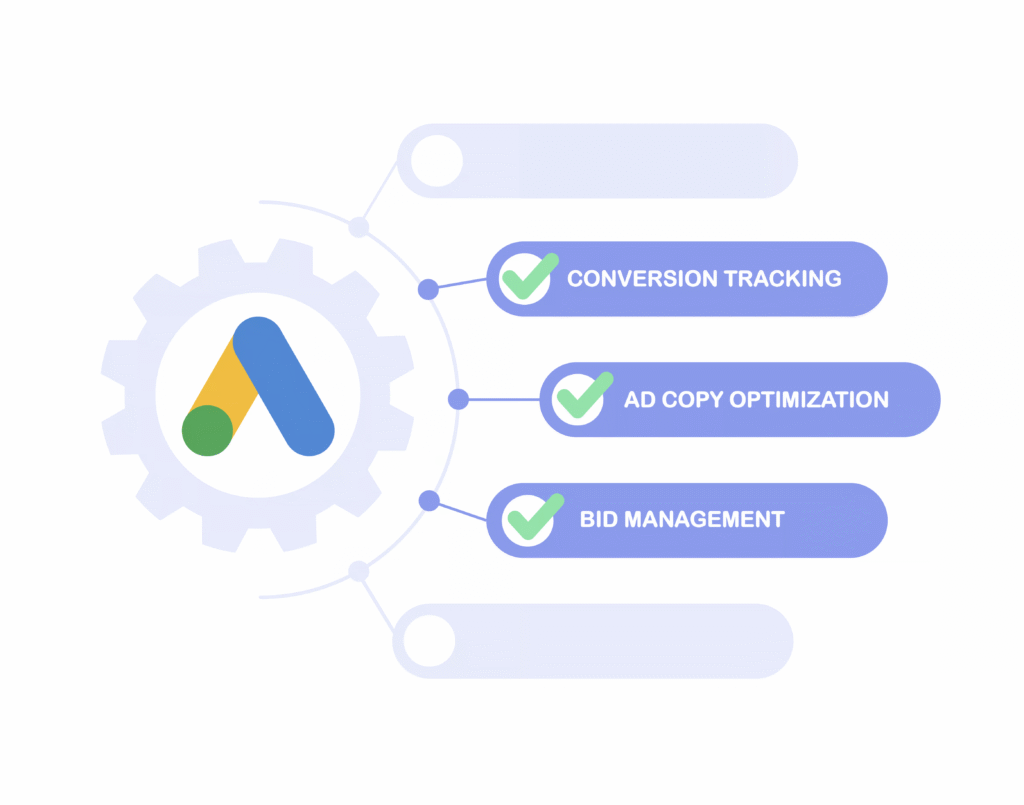
Running ads is easy, but running them profitably is an art and a science. Many advertisers waste money on ineffective campaigns due to poor structuring, vague targeting, or unoptimized bidding strategies. That’s where Google Ads Optimization comes in. It’s the process of refining your campaigns to achieve lower costs and higher ROI.
In this lesson of our Digital Marketing Course by Kamlesh Singad from CWK Agency, you’ll learn how to practically optimize your Google Ads campaigns with real-world examples and data-driven strategies.
What is Google Ads Optimization?
Google Ads Optimization involves continuous monitoring and tweaking of your campaign settings, targeting, bidding, keywords, and ad copies to improve performance. The goal is to achieve maximum results with minimum spend.
Google Ads Optimization is the difference between spending money and making money. With the right strategy, you can drive lower cost and higher ROI, even on small budgets.
Whether you’re running ads for eCommerce, lead generation, or services, use this optimization guide from Kamlesh Singad at CWK Agency to improve your results on practical grounds.
Optimization isn’t a one-time task; it’s a continuous process. But with patience and proper tools, Google Ads can become your most profitable digital marketing channel.
FAQs
What is Google Ads Optimization?
Answer: Google Ads Optimization is the ongoing process of improving your Google Ads campaigns to reduce cost-per-click (CPC), increase conversions, and maximize return on investment (ROI). It involves tweaking keywords, bids, ad copy, targeting, and campaign structure.
How does optimization help achieve lower cost and higher ROI?
Answer: By optimizing your campaigns, you improve your Quality Score, reduce wasted ad spend, and attract more relevant traffic. This leads to lower ad costs and better conversion rates, resulting in a higher ROI from the same or lower budget.
What are the most important elements to optimize in Google Ads?
Answer: Key elements include:
Campaign structure
Keyword match types
Negative keywords
Bidding strategy
Ad creatives and extensions
Audience targeting
Device and location settings
Landing page experience
How often should I optimize my Google Ads campaigns?
Answer: Ideally, you should review performance weekly and perform in-depth optimizations monthly. Continuous monitoring and testing are essential to adapt to changes in audience behavior and competition.
What is Quality Score and how does it impact ad performance?
Answer: Quality Score is Google’s rating of the relevance and quality of your ads, keywords, and landing pages. Higher scores lead to lower CPC and better ad placements. It is influenced by expected CTR, ad relevance, and landing page experience.
Can I achieve good results with a small Google Ads budget?
Answer: Yes. With smart optimization techniques like precise targeting, negative keywords, and relevant ad copy, even a small budget can deliver high ROI. Focus on high-intent keywords and track conversions closely.
What bidding strategy is best for maximizing ROI?
Answer: It depends on your campaign goal and data. Beginners may start with Manual CPC for control. Once enough data is available, switching to automated strategies like Target CPA or Maximize Conversions can improve ROI.
How can CWK Agency help in optimizing my Google Ads campaigns?
Answer: At CWK Agency, Kamlesh Singad and team offer expert Google Ads audits, advanced campaign structuring, conversion tracking setup, and continuous optimization support to deliver high-performing ad campaigns with lower costs and higher ROI.
Is there a tool to check if my ads are optimized?
Answer: Yes. Use Google Ads’ built-in Optimization Score tool, and third-party tools like Google Analytics, Looker Studio, and CWK Agency’s Audit Toolkit to measure ad efficiency and identify areas of improvement.
What’s the role of landing pages in Google Ads Optimization?
Answer: A well-optimized landing page improves user experience, increases conversion rates, and contributes to a better Quality Score. It must be fast, mobile-friendly, relevant to the ad, and have a clear CTA.
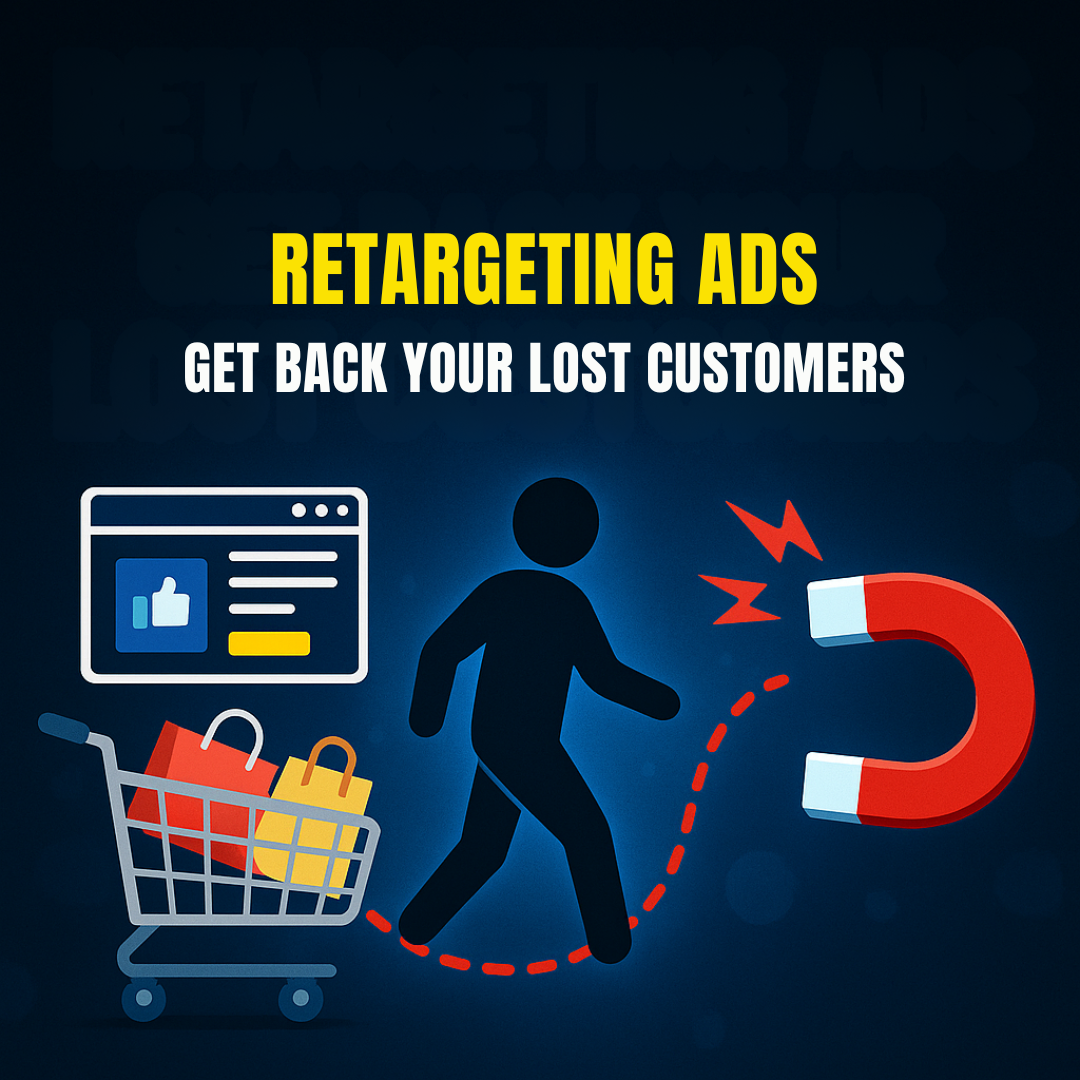
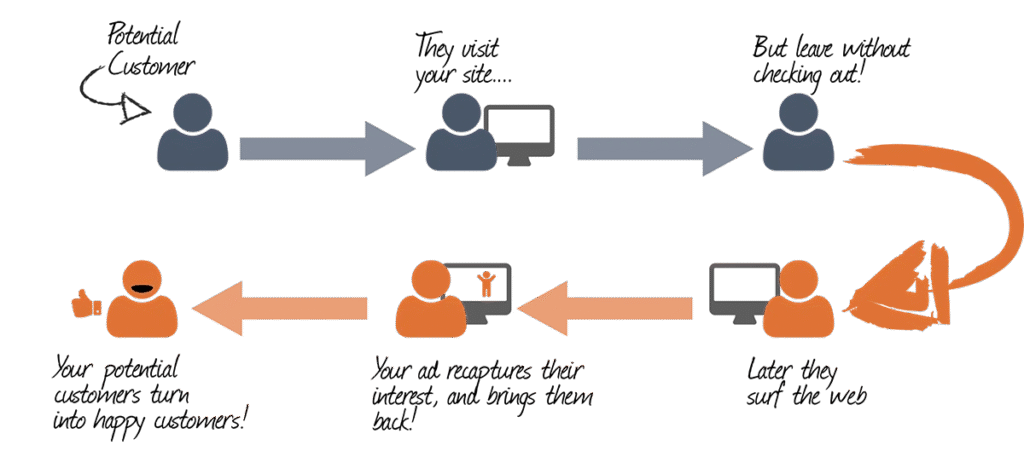
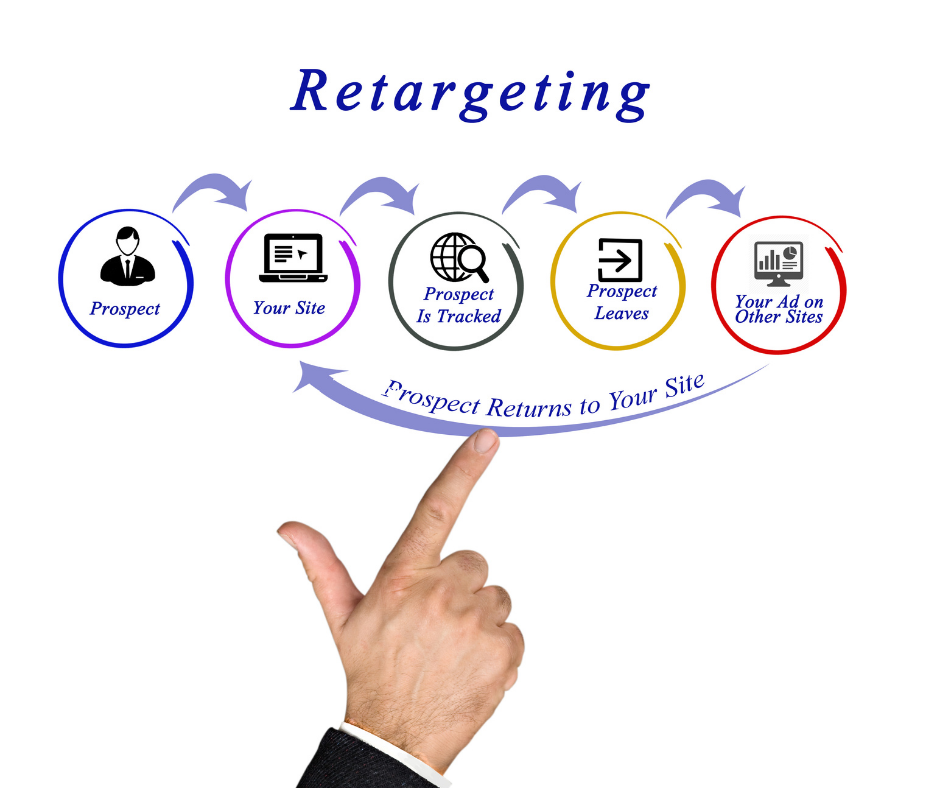
In today’s competitive digital landscape, most website visitors do not convert on their first visit. According to various studies, only around 2% of users convert on their first interaction with your website. So what happens to the other 98%? Do they vanish forever? Not if you understand the power of Retargeting Ads.
Retargeting Ads (also known as remarketing) are a type of Search Engine Marketing (SEM) strategy used to get back your lost customers by displaying personalized ads to users who have previously visited your website or interacted with your content.
This module from the Digital Marketing Course by Kamlesh Singad at CWK Agency will break down everything you need to know about retargeting ads on Google Ads, including step-by-step setup, best practices, and advanced strategies for maximum ROI.
What Are Retargeting Ads?
Retargeting Ads are ads that follow your potential customers across the web. If someone visited your product page but didn’t make a purchase, a retargeting ad can show them that exact product again while they scroll Facebook, watch YouTube, or browse another website.
These ads keep your brand at the top of the mind and significantly improve conversion rates.
How Retargeting Complements Your Overall SEM Strategy
While search ads bring new users, retargeting ads bring them back and improve lifetime value. A balanced SEM strategy must include:
Google Search Ads (New customer acquisition)
Display Ads (Brand awareness)
Video Ads (Engagement)
Retargeting Ads (Conversion boost and recovery)
By combining all of these, businesses achieve greater returns and more control over the user journey.
Advanced Retargeting Strategies
1. Time-Based Retargeting
Target users based on how long ago they visited. E.g., “1-3 days” vs. “15-30 days”.
2. Sequential Retargeting
Show different messages in a series to guide users through the funnel.
3. Cross-Platform Retargeting
Show ads on web, mobile apps, YouTube, and Gmail.
4. Retarget Based on Intent
Use AI/ML tools in Google Ads to predict intent and auto-adjust bids.
5. Integrate with Email and WhatsApp
Use CRM lists to sync and retarget across platforms.
Common Mistakes to Avoid
Retargeting all users with same ads
Not excluding converters
Ignoring mobile users
Using generic creatives
Not analyzing performance data
Tools to Enhance Your Retargeting Ads
Google Tag Manager – Tag deployment
Google Analytics 4 – Audience insights
Looker Studio (Data Studio) – Performance dashboards
Canva / Adobe Express – Ad creatives
CWK Agency Audit Tool – Custom audit of retargeting campaigns
Conclusion: Get Back Your Lost Customers with Smart Retargeting
Retargeting is no longer optional. If you want to get back your lost customers, you need a smart and structured retargeting strategy.
Using Google Ads and other SEM platforms, you can remind, re-engage, and recover your website visitors. By applying the steps and strategies in this module, you’ll turn bounce rates into business growth.
This is just one part of our ongoing digital marketing journey with Kamlesh Singad at CWK Agency. Stay tuned for more insights in the next module!
FAQs
What are Retargeting Ads in Google Ads?
Answer: Retargeting Ads are a type of digital advertisement that targets users who have previously visited your website but didn’t convert. Google Ads uses cookies to track these users and display relevant ads across its Display Network, Search Network, YouTube, and more.
How do Retargeting Ads help to get back lost customers?
Answer: Retargeting Ads serve personalized content to users who left your website without taking action. By re-engaging them with tailored messages, offers, or product reminders, you significantly increase the chances of converting them into paying customers.
What’s the difference between retargeting and standard display ads?
Answer: Standard display ads target a broad audience, while retargeting ads focus only on users who have previously interacted with your brand. Retargeting is more personalized and cost-effective, as it targets warmer leads.
Is retargeting part of Search Engine Marketing (SEM)?
Answer: Yes, retargeting is a key component of SEM. It complements your search ads by helping recover users who clicked your ads but didn’t convert. Platforms like Google Ads provide full retargeting capabilities within SEM campaigns.
What platforms support retargeting with Google Ads?
Answer: Retargeting in Google Ads works on:
Google Display Network (websites, blogs, etc.)
Google Search Network
YouTube
Gmail
Google Shopping
Mobile Apps (via AdMob)
How can I set up a Retargeting Ad campaign on Google Ads?
Answer: To set up a retargeting campaign:
Install the Google Ads tag on your website.
Create custom audience lists based on user behavior.
Build a new Display, Search, or YouTube campaign.
Add your retargeting audience.
Launch and optimize your campaign regularly.
What’s dynamic retargeting and how is it different?
Answer: Dynamic retargeting shows users personalized ads with the exact products they viewed on your website. It uses your product feed to automatically generate relevant ad creatives, making it highly effective for eCommerce businesses.
How long should I run retargeting ads for each user?
Answer: The ideal duration is 7–30 days, depending on your sales cycle. Use shorter durations for time-sensitive offers and longer for high-ticket products. Frequency capping is essential to avoid ad fatigue.
What budget is recommended for retargeting campaigns?
Answer: Start with a small daily budget (e.g., ₹500–₹1,000/day) and scale up based on performance. Retargeting is generally more cost-effective than cold audience targeting, offering a higher ROI.
Can I run retargeting ads without a website?
Answer: You need some form of digital presence (like a website or landing page) to track users and build audience lists. However, you can also use YouTube channel views, app installs, or email lists for retargeting in Google Ads.
Why should businesses include retargeting in their digital marketing strategy?
Answer: Retargeting helps businesses maximize the value of their existing traffic. Instead of losing potential customers, retargeting keeps your brand top-of-mind, nurtures leads, and drives them toward conversion with targeted reminders.
How does CWK Agency implement retargeting strategies?
Answer: At CWK Agency, under the guidance of Kamlesh Singad, we create customized audience segments, use dynamic creatives, and implement multi-channel retargeting (including YouTube and Display) to maximize client conversions and ROI.
Welcome to Module 4 of our Digital Marketing Course, where we dive deep into the Google Ads ecosystem, focusing specifically on Search Engine Marketing (SEM).
In this module, you’ll learn How to Run Your First Google Search Campaign—from start to launch to optimization. This guide, curated by Kamlesh Singad and the expert team at CWK Agency, is tailored for beginners, students, and aspiring digital marketers looking to practically master paid ads.
Why Google Search Campaign?
A Google Search Campaign puts your business on top of search results when someone actively searches for your product or service.
For example: Search: “Best Podcast Setup in India” Result: Your ad on top, even above organic results.
Benefits:
Target users with high intent
Fast results compared to SEO
Full control over ad copy, location, budget, and targeting
Goal: Create a Search Campaign for a mock product (e.g., “Online Course for Python”)
Submit:
Screenshot of Campaign Settings
Keyword List
Sample Ad Copy
Budget Distribution
Performance after 3 days (CTR, CPC)
CWK Agency mentors will review and guide every student for practical mastery.
Real-World Case Study
Client: Smart Class Setup Provider in Delhi Budget: ₹15,000/month Goal: Leads for Digital Boards
Result:
CPC: ₹8.5
CTR: 6.4%
Leads: 52 in 28 days Strategy Used: Exact match keywords, high-quality ad copy, call extensions
Achieved 3X ROI in the first month of running a Google Search Campaign with CWK Agency.
FAQs
Q1. Can I run ads without a website?
No, for Search Campaigns, you need a website or landing page.
Q2. How much money do I need?
You can start with as little as ₹300/day (~$4 USD/day).
Q3. Is this better than Facebook Ads?
Search ads target high-intent users, while Facebook targets interest-based users. Both are useful.
Q4. How long before I see results?
Sometimes within a day. But meaningful data comes in after 3–7 days.
Conclusion
Starting with Google Ads might seem overwhelming, but with this structured guide from Kamlesh Singad and CWK Agency, you now know exactly How to Run Your First Google Search Campaign.
Action Plan for Students:
Create a Google Ads account
Pick a product/service
Set up your first Search Campaign
Track performance for 7 days
Optimize based on CTR and conversions
Don’t just learn—implement. That’s the CWK philosophy.
In today’s fast-paced digital world, random posting on social media doesn’t cut it anymore. Brands, creators, and marketers who grow consistently are the ones who plan their content in advance with a clear strategy. That’s where a viral social media content calendar comes into play.
Welcome to another master-level module in our Digital Marketing Course with Kamlesh Singad, powered by CWK Agency. In this 4000+ word blueprint, we’ll teach you how to create a viral social media content calendar—one that’s aligned with your brand, driven by goals, and optimized for maximum reach and engagement.
What is a Social Media Content Calendar?
A social media content calendar is a documented schedule of what, when, and where you plan to publish upcoming content on your social channels. It covers:
Trend-Jacking – Festival posts, trending audio, challenges
Step 5: Frequency & Timing – How Often Should You Post?
Instagram
Reels: 4–5x/week
Stories: Daily
Posts: 3–4x/week
Facebook
Posts: 2–3x/week
Groups: Engage daily
LinkedIn
Posts: 3x/week
Articles: 2x/month
YouTube
Shorts: 3x/week
Long-form: 1x/week
Best Times to Post (IST)
Instagram: 11 AM, 3 PM, 8 PM
Facebook: 12 PM, 7 PM
LinkedIn: 10 AM – 12 PM (Tues–Thurs)
YouTube: 6 PM – 9 PM
Step 6: Use a Content Calendar Template (Free CWK Format)
Date
Platform
Content Type
Caption
Hashtags
Goal
CTA
Aug 10
Instagram
Reel
Tips on reels
#CWKAgency
Awareness
Follow Now
Aug 12
LinkedIn
Carousel
Client Story
#KamleshSingad
Leads
DM Us
Aug 14
Facebook
Poll
What’s your challenge?
#Marketing
Engagement
Comment
Step 7: Design for Virality – Tools & Tips
Best Tools:
Canva (Templates, Carousels)
CapCut/InShot (Reel Editing)
Copy.ai & ChatGPT (Captions)
Metricool / Hootsuite (Scheduling)
Design Tips:
High contrast text
Vertical videos (9:16)
Use arrows, swipe cues
Always add your brand identity
Step 8: Schedule, Publish, Monitor
Use scheduling tools:
Meta Business Suite (FB + IG)
Later
Buffer
Metricool
Zoho Social
CWK Pro Process:
Schedule 2 weeks in advance
Review engagement weekly
Optimize underperforming posts
Boost top-performing ones
Tracking Performance & Optimizing the Calendar
What gets measured, gets improved.
Key Metrics to Track:
Metric
Why It Matters
Reach
Virality score
Engagement Rate
Content resonance
Saves/Shares
Value indicator
Followers Gained
Community building
Clicks/Leads
Conversion power
Weekly Review Checklist:
Top 3 performing posts
Worst 3 posts (why?)
Content type that worked best
Audience comments & sentiment
Bonus: Seasonal Campaign Planning
Use calendar events to pre-plan viral opportunities:
Month
Opportunity
January
New Year, Republic Day
February
Valentine’s Day, Shivratri
March
Women’s Day, Holi
April
New Financial Year
August
Independence Day, Raksha Bandhan
October
Navratri, Diwali
December
Christmas, Year-End Wrap
Real Case Study: How CWK Agency Generated 2M+ Reach in 30 Days
Client: EdTech Brand Challenge: Low engagement and follower growth Solution:
Built a 30-day content calendar using CWK Viral Format
Mixed reels, carousels, and quote posts
Scheduled trend-based posts 48 hrs in advance
Created 4 custom reels with trending audio
Results:
Organic reach: 2.3 Million
Followers gained: 18,000+
Lead magnet downloads: 1,200
Engagement rate: 7.6%
Final Words from Kamlesh Singad
“Virality is not magic—it’s strategy. A viral content calendar is the backbone of every successful social media campaign. And once you master it, your content will no longer be ignored.” – Kamlesh Singad
FAQs
Q1: How far ahead should I plan my social media content? Ideally, plan 2–4 weeks ahead with flexibility for trending content.
Q2: Can a content calendar improve ROI? Yes, it reduces inconsistency, improves targeting, and enhances campaign performance.
Q3: How often should I update my calendar? Review it weekly and do a performance audit monthly.
Q4: What platform should I focus on for virality? Instagram (Reels), YouTube Shorts, and LinkedIn for B2B.
Q5: How can CWK Agency help? CWK Agency offers done-for-you viral content calendars, designed and managed by Kamlesh Singad and his expert team.
When it comes to B2B digital success, LinkedIn is not just another social network—it’s the professional arena for lead generation, authority building, and organic growth. As part of Module 3: Social Media Marketing (SMM) from Kamlesh Singad’s digital marketing course, this blog focuses entirely on LinkedIn Marketing for B2B Growth.
In this detailed training blog, powered by CWK Agency, you’ll master:
Why LinkedIn is essential for B2B marketers
How to structure platform-specific campaigns
Organic and paid LinkedIn growth strategies
Building authority and trust through content
LinkedIn Ads, Lead Forms, and Advanced Targeting
LinkedIn Analytics and optimization tactics
Whether you’re a marketing student, B2B brand, or freelancer, this step-by-step guide is structured like a course module, so you can apply LinkedIn like a pro.
Lesson 1: What Makes LinkedIn Unique in Social Media Marketing
Platform Identity
Unlike Facebook and Instagram, LinkedIn is career-first. It’s the only platform where:
People expect to talk business
Content stays alive for longer (avg. post lifetime = 72 hrs)
Decision-makers and C-level executives hang out
Kamlesh Singad emphasizes that LinkedIn is essential for high-ticket B2B lead generation, service branding, corporate hiring, and authority marketing.
Sent connection requests with free eBook lead magnet
Results:
Leads: 162 (in 30 days)
Cost per lead: ₹135
6 demos booked within the first week
Post engagement rate: 9.6%
Lesson 9: LinkedIn Analytics – What to Track
Metrics That Matter:
Metric
Purpose
Profile Views
Personal visibility
Connection Growth
Community expansion
Page Follower Count
Brand visibility
CTR on Ads
Ad Relevance
Engagement Rate
Content Resonance
Cost per Lead
Ad Efficiency
Conversion Rate
Funnel Success
Tools:
LinkedIn Analytics (built-in)
UTM Parameters + Google Analytics
LinkedIn Campaign Manager
Final Advice from Kamlesh Singad
“LinkedIn is the digital boardroom for your brand. If you’re not present, your competitor already is. Don’t sell—solve, share, and serve. That’s how you dominate B2B.” — Kamlesh Singad
Action Plan Checklist (Downloadable PDF available)
Optimize personal profile with keywords
Create company page with services listed
Post 5x per week using CWK framework
Run a LinkedIn Lead Gen Ad
Engage with industry leaders via comments
Analyze performance every week
FAQs
Q1: Is LinkedIn only for job seekers? No, it’s a powerful platform for B2B marketing, branding, and lead generation.
Q2: What content performs best on LinkedIn? Case studies, insights, personal stories, and short videos perform best.
Q3: How expensive are LinkedIn Ads? LinkedIn ads have a higher CPC compared to Facebook but offer better B2B conversion.
Q4: What makes CWK Agency good at LinkedIn Marketing? CWK Agency combines data, storytelling, and targeting to create high-converting LinkedIn campaigns under the mentorship of Kamlesh Singad.
Q5: Can I get B2B leads organically from LinkedIn? Yes. Consistent posting, profile optimization, and value-based engagement can attract warm leads.
In the age of digital transformation, social media has evolved from a communication tool into a critical marketing weapon. Whether you’re a solopreneur or an enterprise, leveraging Social Media Marketing (SMM) is essential for brand growth, engagement, and conversions. In Module 3 of the Digital Marketing Course by Kamlesh Singad, powered by CWK Agency, we dive deep into Social Media Strategy, how to create result-driven campaigns for different platforms.
In this blog, you will learn:
What is social media marketing
The importance of planning platform-specific campaigns
Strategies for Facebook, Instagram, LinkedIn, YouTube, Twitter, Pinterest, and WhatsApp
Real-world campaign examples
Tools to use
How Kamlesh Singad and CWK Agency deliver results using smart social strategies
Social Media Marketing (SMM) refers to the process of promoting products, services, or content using social media platforms such as Facebook, Instagram, LinkedIn, YouTube, and others. It encompasses a range of tactics like content creation, paid ads, influencer partnerships, and community engagement.
At its core, SMM is about understanding your audience, creating content that resonates, and delivering it on the right platform with the right message.
Why Campaigns Need to Be Platform-Specific
Each platform serves a unique user base with distinct behavior, preferences, and expectations. A strategy that works on Instagram might flop on LinkedIn. Therefore, building platform-specific campaigns for different platforms is key to increasing effectiveness and ROI.
“Social media is not just about ‘likes’—it’s about delivering value and building trust. Create with purpose, analyze relentlessly, and adapt quickly. That’s the CWK way.” — Kamlesh Singad
Final Words: The Future of Social Media Marketing
The landscape of Social Media Marketing is constantly evolving. New platforms emerge, algorithms change, and user behavior shifts. What remains constant is the need for tailored campaigns for different platforms—a strategy that puts the user first.
Whether you’re building a personal brand, scaling an agency like CWK, or starting your journey as a student in the Kamlesh Singad Digital Marketing Course, always remember: Strategy without data is just guesswork.
FAQs
Q1. What is social media marketing? Social media marketing is using platforms like Facebook, Instagram, and LinkedIn to promote your brand, engage users, and drive sales.
Q2. Why do campaigns need to be different for each platform? Each platform has a unique audience, content format, and user behavior, requiring a customized strategy to be effective.
Q3. Who is Kamlesh Singad? Kamlesh Singad is a digital marketing educator, founder of CWK Agency, and mentor to thousands of students in India and abroad.
Q4. What tools help manage social media campaigns? Meta Ads Manager, Hootsuite, Canva, Google Analytics, and WhatsApp Business are among the top tools for SMM.
Q5. How can CWK Agency help? CWK Agency offers end-to-end social media campaign planning, execution, and performance optimization under the leadership of Kamlesh Singad.
In today’s rapidly evolving digital landscape, staying updated with the latest marketing strategies is crucial. Fortunately, numerous reputable platforms offer free courses and certifications to help individuals enhance their digital marketing skills. Below is a curated list of some of the best Free Digital Marketing Courses & Certifications available in 2025:
Google’s Online Marketing Challenge
Google’s Online Marketing Challenge is a comprehensive course designed for beginners. It provides students with real-world marketing experience and offers modules covering various aspects of digital marketing, taught by top academic panelists. Participants work with nonprofit companies to build online advertising campaigns, with a budget of $10,000, allowing them to showcase their advertising skills in a competitive environment.
Table of Contents
Social Media 101 by Constant Contact
This course guides learners step-by-step on building a social media presence across various platforms. It covers channels like Facebook, Twitter, LinkedIn, Pinterest, Instagram, Google My Business, Snapchat, and YouTube, providing insights into effective strategies for each platform.
HubSpot Academy offers courses in nearly every subject related to digital marketing and provides certifications upon completion. Topics range from advertising and growth marketing to website design, catering to both beginners and those looking to deepen their knowledge.
Google Skillshop
Google Skillshop is Google’s official platform where users can learn how to market using Google’s products, such as Google Ads, Waze, Google Analytics, and Google My Business. It offers training on running paid ads across Google’s platforms and measuring results within Google Analytics.
SEMrush Academy provides training that covers both basic and advanced concepts, making it suitable for beginners and professionals alike. The courses are free and offer certification upon completion, covering topics like SEO, SEM, and content marketing.
Facebook Blueprint
Facebook Blueprint is Facebook’s official training program that walks users through various topics on marketing on Facebook and Instagram. It ranges from creating ads to managing an Instagram business account, providing comprehensive insights into leveraging these platforms for marketing purposes.
Copyblogger’s ‘Internet Marketing for Smart People’
Copyblogger offers a course that includes topics like direct response copywriting and developing offers to sell to an audience. It’s a valuable resource for those interested in blogging and content marketing, providing strategies to effectively engage and convert readers.
Google Digital Garage: Offers over 100 online courses on subjects like data and tech, digital marketing, and career development. The “Fundamentals of Digital Marketing” course is particularly comprehensive and provides certification upon completion.
Coursera’s Digital Marketing Specializations: Platforms like Coursera offer free courses from universities and organizations worldwide. Courses such as “Digital Marketing Strategy” by the University of Edinburgh provide in-depth knowledge and are accessible to learners at no cost.
HubSpot Academy’s Inbound Marketing Course: This course focuses on attracting customers through content and personalized experiences, covering topics like content marketing and social media strategy.
SEMrush Academy’s SEO Crash Course: Partnering with industry experts, SEMrush Academy offers courses like the “SEO Crash Course” with Brian Dean, providing valuable insights into search engine optimization.
These courses provide valuable opportunities to enhance your digital marketing skills without financial investment. Engaging with these resources can help you stay competitive in the dynamic field of digital marketing.
FAQs
What is the duration of these courses?
The duration varies by course. For instance, Google’s “Fundamentals of Digital Marketing” is approximately 40 hours long, while HubSpot’s Inbound Marketing course takes about 5 hours to complete.
Do these courses offer certificates upon completion?
Yes, many of these courses provide certificates upon successful completion, which can be added to your resume or LinkedIn profile to showcase your skills.
Are these courses suitable for beginners?
Absolutely. Courses like Google’s Online Marketing Challenge and HubSpot Academy’s offerings are designed with beginners in mind, providing foundational knowledge in digital marketing.
Can I access these courses at any time?
Most of these courses are self-paced and available online, allowing you to access the material at your convenience.
Do I need to pay for these courses?
The courses listed here are free to access. However, some platforms may offer additional paid features or advanced courses for a fee.
How can these certifications benefit my career?
Earning certifications from reputable platforms can enhance your resume, demonstrate your commitment to professional development, and provide you with up-to-date knowledge in digital marketing strategies.
Conclusion
Investing time in these free digital marketing courses and certifications can significantly enhance your skills and knowledge, keeping you competitive in the ever-evolving digital landscape. Whether you’re a beginner or looking to update your expertise, these resources offer valuable insights into effective digital marketing strategies.
Digital marketing has become an integral part of modern business strategies, allowing companies to reach a wider audience and engage with customers in innovative ways. In this blog, we’ll explore the fundamentals of digital marketing, its key components, and how it works to drive business growth and success.
Understanding Digital Marketing
Digital marketing encompasses all marketing efforts that use electronic devices or the internet. It leverages digital channels such as search engines, social media, email, and websites to connect with current and prospective customers. Unlike traditional marketing, which relies on physical materials like print ads or billboards, digital marketing is more cost-effective and offers greater reach and flexibility.
Key Components of Digital Marketing
Search Engine Optimization (SEO): SEO focuses on optimizing your website to rank higher in search engine results pages (SERPs). It involves keyword research, content optimization, and link building to increase organic traffic to your site.
Content Marketing: Content marketing involves creating and sharing valuable, relevant, and consistent content to attract and retain a clearly defined audience. It can include blog posts, infographics, videos, and more.
Social Media Marketing: Social media marketing involves using social media platforms to promote your products or services. It includes creating engaging content, interacting with followers, and running targeted ads to increase brand awareness and drive traffic to your website.
Email Marketing: Email marketing involves sending targeted emails to your audience to promote your products or services. It can include newsletters, promotional offers, and personalized content to nurture leads and drive conversions.
Pay-Per-Click (PPC) Advertising: PPC advertising involves paying a fee each time your ad is clicked. It allows you to bid for ad placement in a search engine’s sponsored links or on social media platforms to drive traffic to your website.
Affiliate Marketing: Affiliate marketing involves partnering with other businesses or individuals to promote your products or services. You pay a commission for each sale or lead generated through the affiliate’s marketing efforts.
Marketing Automation: Marketing automation involves using software to automate marketing tasks such as email marketing, social media posting, and campaign tracking. It helps streamline processes and improve efficiency.
How Does Digital Marketing Work?
Digital marketing works by utilizing various channels and strategies to reach and engage with your target audience. Here’s how it works:
Identifying Your Audience: The first step in digital marketing is to identify your target audience. This involves understanding their demographics, interests, and online behavior to create targeted marketing campaigns.
Setting Goals: Once you’ve identified your audience, you need to set specific, measurable goals for your digital marketing efforts. Whether it’s increasing website traffic, generating leads, or boosting sales, having clear goals will guide your strategy.
Creating Content: Content is at the heart of digital marketing. Whether it’s blog posts, videos, or social media updates, creating high-quality, engaging content is essential to attract and retain your audience.
Optimizing for Search Engines: SEO plays a crucial role in digital marketing by helping your website rank higher in search engine results. By optimizing your content and website for relevant keywords, you can increase organic traffic and visibility.
Engaging on Social Media: Social media platforms offer a powerful way to connect with your audience. By sharing valuable content, interacting with followers, and running targeted ads, you can increase brand awareness and drive traffic to your website.
Email Marketing: Email marketing allows you to reach your audience directly in their inbox. By sending personalized, relevant emails, you can nurture leads and drive conversions.
Analyzing and Adjusting: One of the key advantages of digital marketing is the ability to track and analyze your campaigns in real-time. By monitoring metrics such as website traffic, conversion rates, and engagement, you can make informed decisions to optimize your strategy for better results.
Conclusion
Digital marketing has revolutionized the way businesses promote their products and services. By leveraging digital channels and strategies, companies can reach a global audience, engage with customers in meaningful ways, and drive business growth and success. Understanding the fundamentals of digital marketing and how it works is essential for any business looking to thrive in the digital age. https://benchmarktechnomate.co/
In today’s digital age, traditional marketing methods are increasingly being complemented, if not replaced, by digital marketing strategies. Digital marketing refers to the use of digital channels, platforms, and technologies to promote products, services, or brands to consumers. It encompasses a wide range of activities, each with its own unique characteristics and benefits. In this blog, we’ll explore the types of digital marketing, provide examples, and discuss the benefits it offers to businesses.
Types of Digital Marketing
Let’s delve deeper into each type of digital marketing and explore some additional examples and benefits:
Search Engine Optimization (SEO)
SEO involves optimizing your website and content to rank higher in search engine results pages (SERPs) organically.
Example: A local bakery optimizing their website for keywords like “best cupcakes in [city]” to attract local customers searching for cupcakes.
Benefits: Increased organic traffic, higher visibility, and credibility as a top search result.
Pay-Per-Click (PPC) Advertising
PPC ads appear at the top of search engine results and on various websites and social media platforms.
Example: A clothing retailer using Google Ads to display their ads when users search for “buy winter jackets online.”
Benefits: Instant visibility, targeted advertising, and measurable results through click-through rates (CTR) and conversion tracking.
Social Media Marketing
Social media platforms are used to engage with audiences, promote products/services, and drive website traffic.
Example: A cosmetics brand running a Facebook ad campaign to promote a new makeup line and drive sales.
Benefits: Increased brand awareness, customer engagement, and the ability to target specific demographics.
Content Marketing
Content marketing involves creating and sharing valuable content to attract and retain a target audience.
Example: A software company publishing blog posts, infographics, and videos to educate users about new software features.
Benefits: Builds brand authority, improves SEO, and fosters customer loyalty through valuable, relevant content.
Email Marketing
Email marketing involves sending targeted emails to nurture leads, promote products, and drive sales.
Example: An online retailer sending personalized emails with product recommendations based on a customer’s purchase history.
Benefits: Cost-effective, direct communication with customers, and the ability to track open rates and click-through rates.
Influencer Marketing
Influencer marketing involves partnering with influencers to promote products/services to their followers.
Example: A fitness brand collaborating with a popular fitness influencer to endorse their workout gear.
Benefits: Builds trust with the influencer’s audience, extends brand reach, and generates authentic content.
Affiliate Marketing
Affiliate marketing involves partnering with affiliates who earn a commission for promoting products/services.
Example: An e-commerce store offering affiliate commissions to bloggers who write product reviews and include affiliate links.
Benefits: Cost-effective, performance-based marketing, and the ability to reach new audiences through affiliates’ networks.
Each type of digital marketing offers unique advantages and can be tailored to suit different business goals and target audiences. By understanding these types and their benefits, businesses can create comprehensive digital marketing strategies to achieve their objectives.
Examples of Digital Marketing
Coca-Cola’s Share a Coke Campaign: Coca-Cola’s “Share a Coke” campaign personalized its packaging by printing popular names on its bottles and cans. This campaign not only encouraged consumers to purchase their own personalized Coke but also generated buzz on social media.
Airbnb’s Instagram Campaign: Airbnb launched a successful Instagram campaign called #AirbnbViews, where they encouraged users to share photos of their Airbnb stays with breath taking views. This campaign not only showcased the unique accommodations available through Airbnb but also leveraged user-generated content to promote the brand.
Amazon’s Affiliate Program: Amazon’s affiliate program allows website owners and bloggers to earn a commission by promoting Amazon products on their websites. This program has helped Amazon increase its reach and sales through the efforts of its affiliates.
Benefits of Digital Marketing
Increased Reach and Visibility: Digital marketing allows businesses to reach a global audience and increase their visibility online, regardless of their size or location.
Cost-Effective: Digital marketing is often more cost-effective than traditional marketing methods, making it accessible to businesses with limited budgets.
Targeted Advertising: Digital marketing allows businesses to target specific demographics, interests, and behaviors, ensuring that their marketing efforts are focused on the most relevant audience.
Measurable Results: Digital marketing provides detailed analytics and reporting, allowing businesses to track the performance of their campaigns and make data-driven decisions.
Improved Customer Engagement: Digital marketing enables businesses to engage with their customers in real-time through social media, email, and other channels, fostering stronger relationships and brand loyalty.
In conclusion, digital marketing has become an essential component of a comprehensive marketing strategy for businesses of all sizes. By leveraging the various types of digital marketing, businesses can increase their reach, engage with their target audience, and drive meaningful results. https://kamleshsingad.com/
Why is digital marketing important?
Digital marketing is important for several reasons
Increased Reach: Digital marketing allows businesses to reach a global audience. Unlike traditional marketing, which is limited by geography, digital marketing can target audiences anywhere in the world, expanding the potential customer base.
Cost-Effective: Digital marketing is often more cost-effective than traditional marketing methods. For example, social media marketing and email marketing can reach thousands of people at a fraction of the cost of a print or TV ad.
Targeted Advertising: Digital marketing allows for highly targeted advertising. Businesses can target specific demographics, interests, and behaviors, ensuring that their marketing efforts are reaching the most relevant audience.
Measurable Results: Digital marketing provides detailed analytics and reporting, allowing businesses to track the performance of their campaigns in real-time. This data can help businesses make informed decisions and optimize their marketing strategies for better results.
Improved Customer Engagement: Digital marketing enables businesses to engage with their customers in real-time through social media, email, and other channels. This can lead to stronger relationships, increased brand loyalty, and higher customer satisfaction.
Accessibility: Digital marketing is accessible to businesses of all sizes. Small businesses can use digital marketing to compete with larger competitors and reach their target audience without a massive marketing budget.
Flexibility and Adaptability: Digital marketing allows businesses to quickly adapt to changing market conditions and customer preferences. Campaigns can be adjusted on the fly based on real-time data, ensuring that businesses stay relevant and competitive.
Overall, digital marketing is essential for businesses looking to increase their reach, engage with their audience, and drive meaningful results in today’s digital world.
B2B versus B2C digital marketing
B2B (business-to-business) and B2C (business-to-consumer) digital marketing differ in their target audiences, strategies, and goals. Here’s a comparison of the two:
Target Audience
B2B: Targets businesses and decision-makers within those businesses. The audience is typically smaller and more focused, often consisting of professionals seeking solutions to business challenges.
B2C: Targets individual consumers. The audience is larger and more diverse, consisting of individuals with varying interests, preferences, and purchasing behaviors.
Sales Cycle
B2B: Typically has a longer and more complex sales cycle. This is because B2B purchases often involve multiple decision-makers, extensive research, and a focus on ROI and long-term value.
B2C: Generally has a shorter and more straightforward sales cycle. B2C purchases are often driven by impulse, emotion, and immediate needs or desires.
Content and Messaging
B2B: Focuses on providing detailed and informative content that addresses the specific needs and challenges of businesses. The messaging is often more formal and professional.
B2C: Emphasizes emotional appeal, lifestyle benefits, and value propositions that resonate with individual consumers. The messaging is often more creative and consumer-friendly.
Relationship Building
B2B: Prioritizes building long-term relationships with clients. This involves personalized communication, ongoing support, and a focus on delivering value beyond the initial sale.
B2C: Focuses on creating positive brand experiences and building brand loyalty. This can involve loyalty programs, personalized offers, and engaging content that keeps consumers coming back.
Channels and Tactics
B2B: Often uses channels like LinkedIn, industry-specific forums, and email marketing to reach decision-makers. Tactics may include whitepapers, case studies, and webinars.
B2C: Utilizes channels like social media, influencer marketing, and online advertising to reach a broader audience. Tactics may include promotions, contests, and interactive content.
Metrics and KPIs
B2B: Focuses on metrics like lead generation, lead quality, conversion rates, and customer lifetime value (CLV).
B2C: Focuses on metrics like website traffic, click-through rates (CTR), conversion rates, and customer acquisition cost (CAC).
In summary, while both B2B and B2C digital marketing aim to drive sales and engagement, they require different approaches due to their distinct target audiences, sales cycles, and objectives. Understanding these differences is key to developing effective digital marketing strategies for each type of business.
How to create a digital marketing strategy
Creating a digital marketing strategy involves several key steps to ensure its effectiveness and alignment with your business goals. Here’s a step-by-step guide to help you create a digital marketing strategy:
Define Your Goals: Start by defining clear, specific, and measurable goals for your digital marketing efforts. These could include increasing brand awareness, driving website traffic, generating leads, or increasing sales.
Know Your Target Audience: Understand your target audience’s demographics, interests, preferences, and pain points. This will help you tailor your messaging and content to resonate with your audience.
Conduct a SWOT Analysis: Perform a SWOT (Strengths, Weaknesses, Opportunities, Threats) analysis to assess your current digital marketing efforts and identify areas for improvement and growth.
Choose the Right Channels: Select the digital marketing channels that are most relevant to your audience and goals. This could include social media, email marketing, search engine optimization (SEO), pay-per-click (PPC) advertising, content marketing, and more.
Develop Compelling Content: Create high-quality, relevant, and engaging content that addresses your audience’s needs and interests. This could include blog posts, videos, infographics, case studies, and more.
Set a Budget: Determine your digital marketing budget based on your goals, resources, and the channels you plan to use. Allocate your budget strategically to maximize your ROI.
Create a Content Calendar: Develop a content calendar to plan and schedule your content across different channels. This will help you maintain consistency and stay organized.
Implement and Monitor: Implement your digital marketing tactics and campaigns, and regularly monitor their performance. Use analytics tools to track key metrics and make data-driven decisions to optimize your strategy.
Optimize and Adjust: Continuously optimize your digital marketing strategy based on the performance data you gather. Test different approaches, measure the results, and make adjustments to improve your outcomes.
Measure Success: Regularly review your progress against your goals and KPIs. Identify what’s working well and what can be improved, and use these insights to refine your strategy moving forward.
By following these steps, you can create a comprehensive digital marketing strategy that helps you achieve your business objectives and effectively reach your target audience.