


In today’s competitive online landscape, businesses cannot rely only on organic reach. Paid advertising has become an essential growth lever—and at the center of it lies your Google Ads Account. Whether you run an e-commerce store, a service-based business, a coaching institute, or a local startup, mastering Google Ads can take your brand visibility, leads, and sales to the next level.
This blog will guide you through everything you need to know about a Google Ads Account—from setup to optimization—to help you run profitable campaigns.
What Is a Google Ads Account?
A Google Ads Account is a digital advertising hub where businesses create, manage, and optimize their paid campaigns across Google’s entire ecosystem—including Google Search, Display Network, YouTube, Shopping, Discover, Maps, and more.
Through a Google Ads Account, advertisers can:
- Show targeted ads to people actively searching for their products/services
- Drive high-intent traffic to websites
- Generate quality leads and conversions
- Track performance and optimize for better ROI
Simply put, it’s the control center for all your Google advertising activities.

Why a Google Ads Account Is Essential for Businesses in 2025
1. Massive Reach – Google handles over 8.5 billion searches per day. With a Google Ads Account, you can instantly tap into this vast search demand.
2. Intent-Based Marketing – Unlike social media ads, Google Ads capture people who are already searching with a buying intent—leading to better conversions.
3. Full Budget Control – You decide your daily budget, bidding strategy, CPC, CPA targets, and can stop or optimize campaigns anytime.
4. Hyper-Targeting Capabilities – A Google Ads Account gives you precise targeting options such as:
- Keywords
- Audience interests
- Custom intent
- Location
- Device
- Demographics
- Remarketing lists
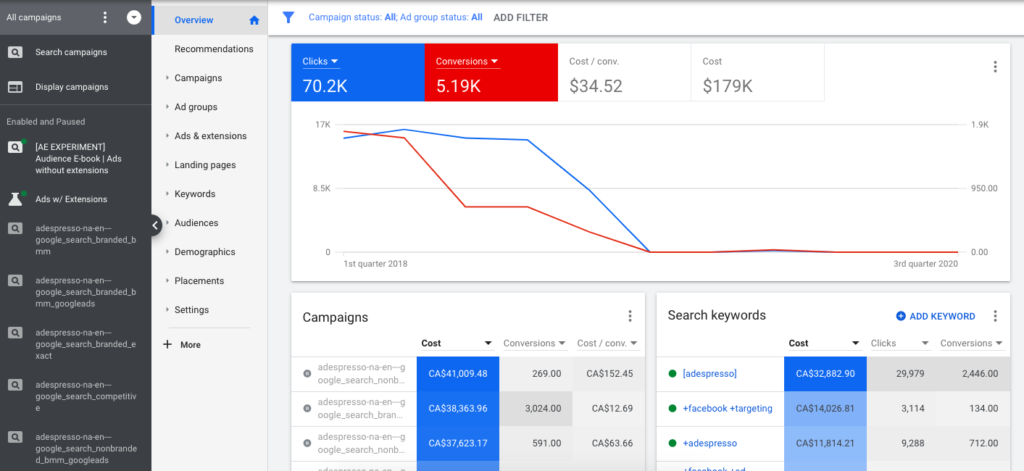
5. Accurate Measurement – With Google Ads + Google Analytics + GTM, you get complete visibility into:
- Clicks
- Conversions
- ROAS
- Order value
- Customer journey
How to Set Up a Google Ads Account (Step-by-Step)
1. Visit the Google Ads Homepage
Go to: ads.google.com
Click Start Now.
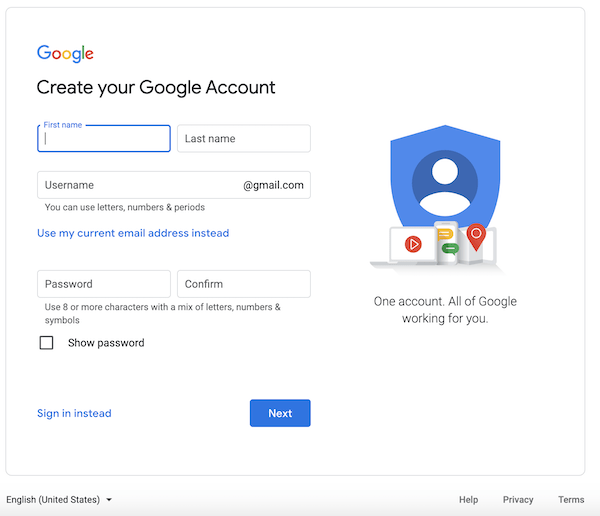
2. Sign in With Your Google Email
Use your business email or brand-specific Gmail for better management.
3. Choose Campaign Goal
You can pick from:
- Sales
- Leads
- Website traffic
- App promotion
- Brand awareness
- Local store visits
4. Set Up Billing
Add:
- Country
- Time zone
- Billing method (credit card, UPI, net banking)

5. Create Your First Campaign
Choose your campaign type:
- Search Ads (text ads on Google)
- Display Ads (banners)
- Video Ads (YouTube)
- Shopping Ads
- Performance Max Ads
- App Ads
Your Ads Account is now active.
Structure of a Google Ads Account
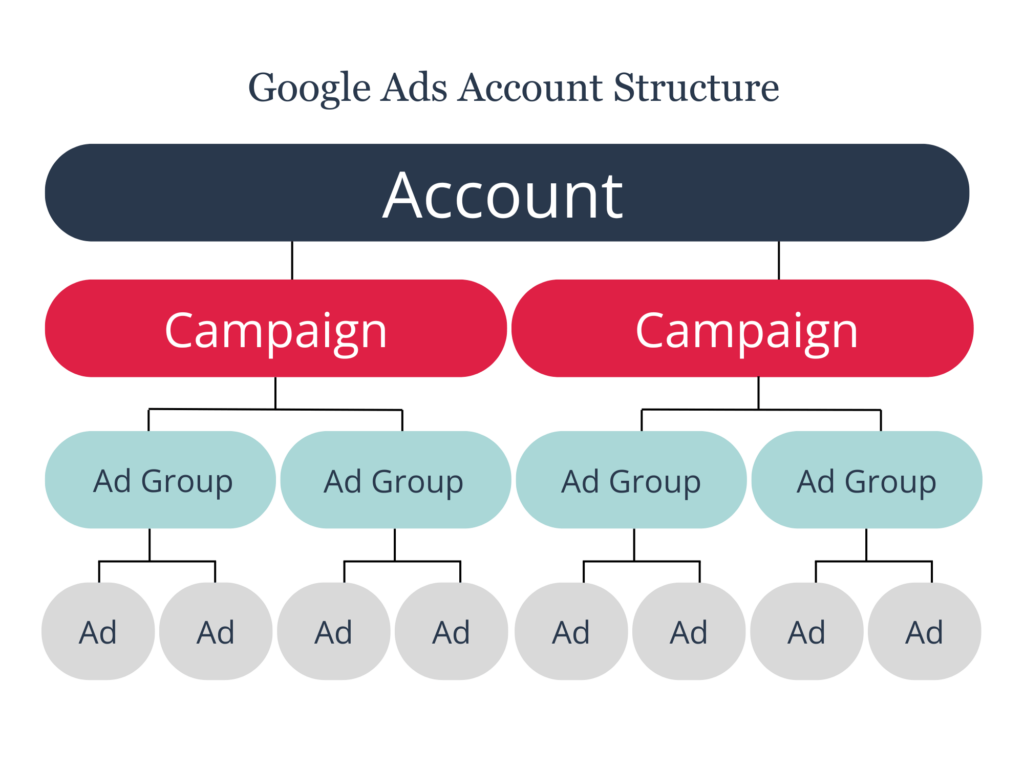
A properly organized Ads Account follows this hierarchy:
1. Account – Holds your billing, users, and account-level settings.
2. Campaigns – Broad goals (e.g., Lead Generation, E-commerce Sales)
3. Ad Groups – Keyword segmentation and targeting groups.
4. Ads – Actual creatives: Text ads, responsive search ads, YouTube ads, display banners.
5. Keywords / Audiences – Targeting rules that decide who sees your ads.
Best Practices to Optimize Your Google Ads Account
1. Use the Right Match Types
- Exact Match → Highly targeted
- Phrase Match → Balanced reach
- Broad Match + Smart Bidding → Works well for large budgets
2. Add Negative Keywords
Avoid irrelevant clicks and save 20–40% budget.
3. Use Responsive Search Ads
Google recommends 3–5 variations per ad group.
4. Enable Conversion Tracking
Use GA4 and GTM to track:
- Purchases
- Leads
- Phone calls
- Form submissions
5. Improve Quality Score
Quality Score = Relevance + Landing Page + CTR
Higher score = Lower CPC + Better Ad Rank.
6. Use Performance Max for E-Commerce
Automatically targets high-intent buyers across Google platforms.
7. Retarget Your Visitors
Remarketing through your Ads Account helps you:
- Bring back abandoned carts
- Re-engage visitors
- Build brand recall
Common Mistakes Brands Make in Their Google Ads Account
- Running campaigns without conversion tracking
- Targeting too many keywords
- Not grouping ads properly
- Ignoring ad extensions
- Not optimizing landing pages
- Using the same bidding strategy for all campaigns
- No audience segmentation
- Running ads without A/B testing
Avoiding these mistakes alone can double your campaign efficiency.

Google Ads Account for Local Businesses
Local businesses can use Google Ads to boost:
- Clinic appointments
- Coaching admissions
- Gym memberships
- Real estate leads
- Restaurant table bookings
- Repair service calls
Use location targeting + call extensions for best results.
Google Ads Account for E-Commerce Brands
E-Commerce stores must use:
- Performance Max
- Shopping Ads
- Dynamic Remarketing
- YouTube retargeting
It helps scale ROAS and reduce cost per sale.
Google Ads Account Management Services
If you run a business and don’t have time to manage campaigns, hiring a specialized agency can deliver:
- Better ROI
- Professional keyword research
- Smart bidding strategies
- Monthly reporting
- Continuous optimization
A well-optimized Ads Account can generate predictable leads and sales every day.
Conclusion
A Google Ads Account is one of the most powerful digital marketing tools available today. When used correctly, it becomes an engine that drives growth, visibility, and revenue—no matter the industry.
Whether you’re a beginner or an experienced marketer, understanding the structure, strategy, and optimization techniques of a Ads Account will help you outperform competitors and achieve consistent results in 2025 and beyond.
FAQs
1. What is a Google Ads Account used for?
It is used to create and manage online advertising campaigns across Google Search, Display, YouTube, and Shopping.
2. Is Google Ads expensive?
You can start with as low as ₹100 per day. CPC varies depending on competition.
3. How do I improve my Ads Account performance?
Use conversion tracking, negative keywords, relevant landing pages, smart bidding, and A/B testing.
4. Can I run Google Ads without a website?
Yes, you can run call-only ads or use a Google Business Profile campaign.
5. Is Google Ads better than Facebook Ads?
Google Ads is intent-based; Facebook Ads is interest-based. Both work well when combined strategically.